
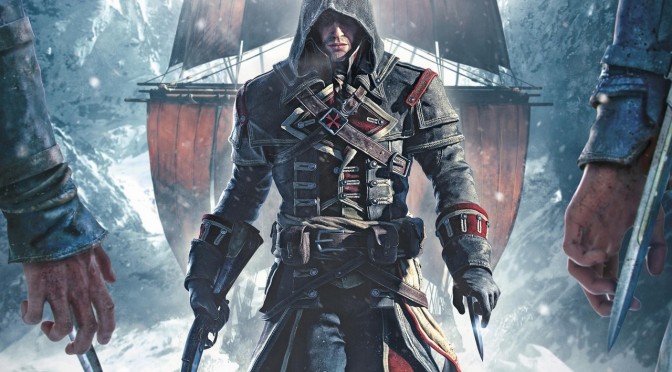
Assassin’s Creed: Rogue – Very High versus Low Comparison Screenshots

Assassin’s Creed: Rogue has just been released on the PC, and below you can view some comparison screenshots between the game’s Very High and Low settings. The “Very High” screenshots are on the left whereas the “Low” screenshots are on the right.


We should note that we did not witness any noticeable differences between the game’s ‘Normal’ and ‘High’ textures. Even after restarting the game (in case our settings were not taking effect), we did not notice any differences between them (High Textures are on the left whereas Normal Textures are on the right).

Our PC Performance Analysis for Assassin’s Creed: Rogue will go live later this week, so stay tuned for more!

51 thoughts on “Assassin’s Creed: Rogue – Very High versus Low Comparison Screenshots”

  1. It runs really good as well, i tried it. But unfortunately it’s one of the worst AC games i played

    1. So… they finally made an AC game that doesn’t run on crutches but unfortunately it’s more fun to talk to the wall?

      Keep digging, Ubisoft, keep digging.

    1. ACV better be on DX12… I guess it will only help ubisoft if they can even program on a low lvl api…

        1. How can we truly know since they have not done it yet? But I hope they do well. I like AC games.. I just don’t like bad performance.

  2. WAIT! … are my eyes deceiving me ? am I dreaming ? … all those screenshots say 60 fps … a Ubisoft game ? Naahh … MSI afterburner must be malfunctioning

      1. Yeah, but it’s a Ubisoft game. I haven’t played this but this seems to be on par with AC 3 and AC 3 is … err … well … you know what I mean

      1. absolutely does not have unity’s graphics lol. for PC Rogue looks just like 4. For PS3/360 Rogue looks like crap.

  3. So Ubisoft cuts corners in visuals to get a decent frame rate… cutting corners does not count as optimization.

    1. The game is optimized given the hardware requirements. In fact it looks pretty good for a last-gen game.

        1. Easy to say… But look how well it runs on PC… Tell’s me Ubisoft just don’t know how to optimize games with higher then FXAA.

          Since just now ACU is almost running perfect on Ultra/1080p with 2xMSAA after 5 patches… But yet the Kings DLC has dips in the 30 fps range on 970’s… And that’s just in the underground tombs…

          And WashDogs still stutters… I guess they just hope we forget about that game.

          1. ACU runs perfect with gameworks… But once that AA goes beyond FXAA the games performance goes to garbage. Way more then it should

          2. yeah after 5 patches… But the game still has awkward dips… On my Nvidia rig I use all gameworks on my 970 and it only seems to stutter when a event is about to take place. Could be loading since I don’t have a SSD on my Nvidia rig. But the games performance is still all over the place.

            Ubisoft just needs to take a break and make games right.

          3. It has nothing to do with AA.
            The game by default uses way too much VRAM, it goes past 3GB in 1080p with FXAA, if your GPU doesn’t have enough memory and you try to enable MSAA, that’s going to be another 250-500MB of memory usage. Once you go past your physical limit your game will start stuttering every time it’s loading something onto your memory.
            I’m not sure why you’re stuttering if you have a 970, i have two 980s and playing in 2560×1440 with x2MSAA was pretty smooth.
            I never finished the game because it corrupted my save file and i had put around 10h into it.

          4. you have 980’s in SLI… And the game only run’s pretty smooth… sounds like a joke man.

            You would think that past 5 patches they would of fixed any V-ram issues… But the game does look pretty detailed on Ultra. As for save files that’s to bad. I never had that issue and I had it since it 1st came out.

            And like I said my Nvidia rig only has a M drive not a SSD in it. So specific loading in game could appear to be stuttering.

          5. They can’t fix the VRAM issues unless they re-do the game.
            It was made for consoles which have the unified memory, PC was an after thought.

          6. After thought!?!?!? It was yet another game Ubisoft said was a PC lead platform… like washdogs…

          7. Well that’s Ubisoft.
            The FC4 and Unity PC ports were handled by one of their smaller studios somewhere in Eastern Europe.

          8. Ubi’s only problem their games should not be yearly rehashes. I think if they let their developers have more time we would see better games from them….

            Seem’s like the only game I am looking forward to on PC is going to be Metal gear Phantom pain when it comes to performance.

          9. I don’t think that’s the main issue.
            FC4 had no performance issues on consoles, Unity had a few but they were quickly fixed and were nowhere as bad as the ones on PC, even after all these patches PC is still broken and never will be fixed.
            The issue is that they design completely for consoles, they’re just straight faced liars when they say PC is the lead.

          10. FC4 did not have issues on consoles yet ACU did but I am sure that is due to the fact that they are different engines and dev teams…

            Ubisoft is not ready for DX12 so expect their next games to be garbage on PC as well.

    2. Well liberation hd had improved graphics that matched and suprassed ac3 and run better. i dont know about this.

      1. It had improved graphics, but they neither matched nor surpassed AC3s original implementation on the same engine.

    3. That’s exactly what optimization is though. It’s not some magic dust that can be sprinkled. When something is optimized visuals are always cut down.

  4. Not that this game really need it but if you have multiple Nvidia GPUs then selecting “Alternate Frame Rendering 2” in SLI Rendering mode will give you decent scaling across both GPUs, might be useful if you want to DSR it to 4k lol.

      1. Rendering two to four times your native resolution (whether it’s 1440p or 1080p) then shrinking it back looks better than a s**tty, blurry post process filter that barely costs any performance. You don’t say?
        More games should have in-engine rendering resolution options so you don’t even have to resort to DSR or other downsampling techniques.
        Battlefield 4 has one which works well, a few other games as well.

          1. It really is easy to implement an option for it, any modern engine is capable, hell even many old engines can do it.

          2. Yeah so why does it seem like a problem then… Seems like Dev’s only really care about those type of options if AMD or Nvidia pay’s them to use it…

          3. The problem is that PC is still an afterthought.
            They just give us some basic options so we don’t complain much but then these more advanced, yet easy to add things are completely ignored.

  5. just finished it it great game and awesome optimization runing on my old GT 540 2GB high setings

  6. The difference in water a shadow is clear and it’s nice to see that there are visible differences in a console port. However, the blur “anti-aliasing” has got to be a joke. 2015 – when higher settings lead to muddier textures.

Leave a Reply

Your email address will not be published. Required fields are marked *