
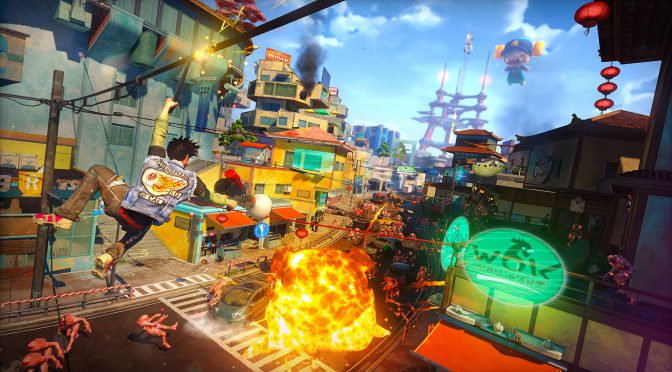
The PC version of Sunset Overdrive was one of the worst kept secrets lately. The game was originally released on Xbox One in 2014 and after four years, it has finally come out on the PC. As such, it’s time to benchmark it and see how it performs on our platform.
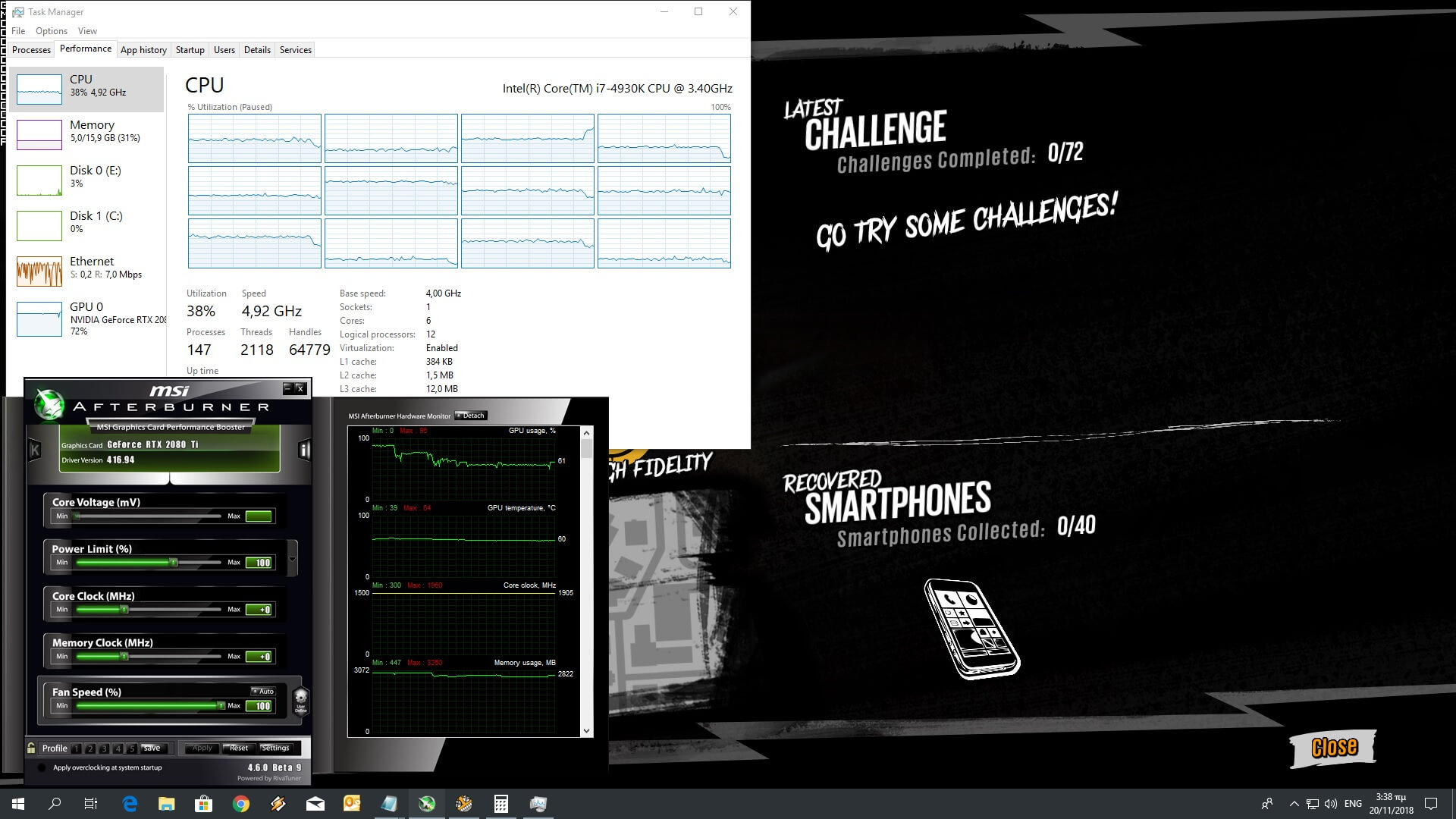
For this PC Performance Analysis, we used an Intel i7 4930K (overclocked at 4.2Ghz) with 16GB RAM, AMD’s Radeon RX580 and RX Vega 64, NVIDIA’s RTX 2080Ti and GTX980Ti, Windows 10 64-bit, GeForce driver 416.94 and Catalyst driver 18.11.1. We did not test our GTX690 as there are no settings to lower the Textures and the game requires more than 2GB of VRAM (around 2.8GB) at 1080p.
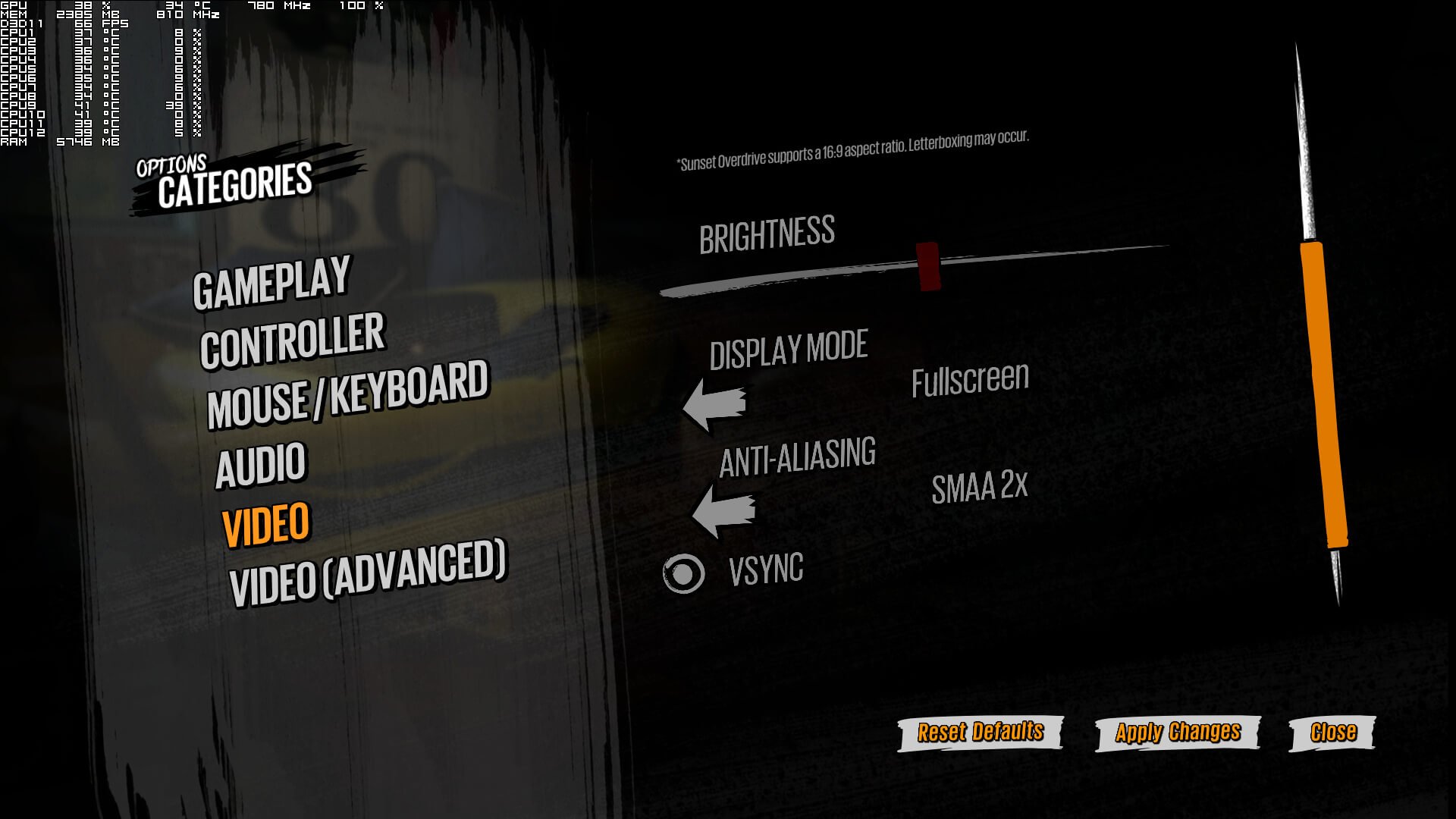
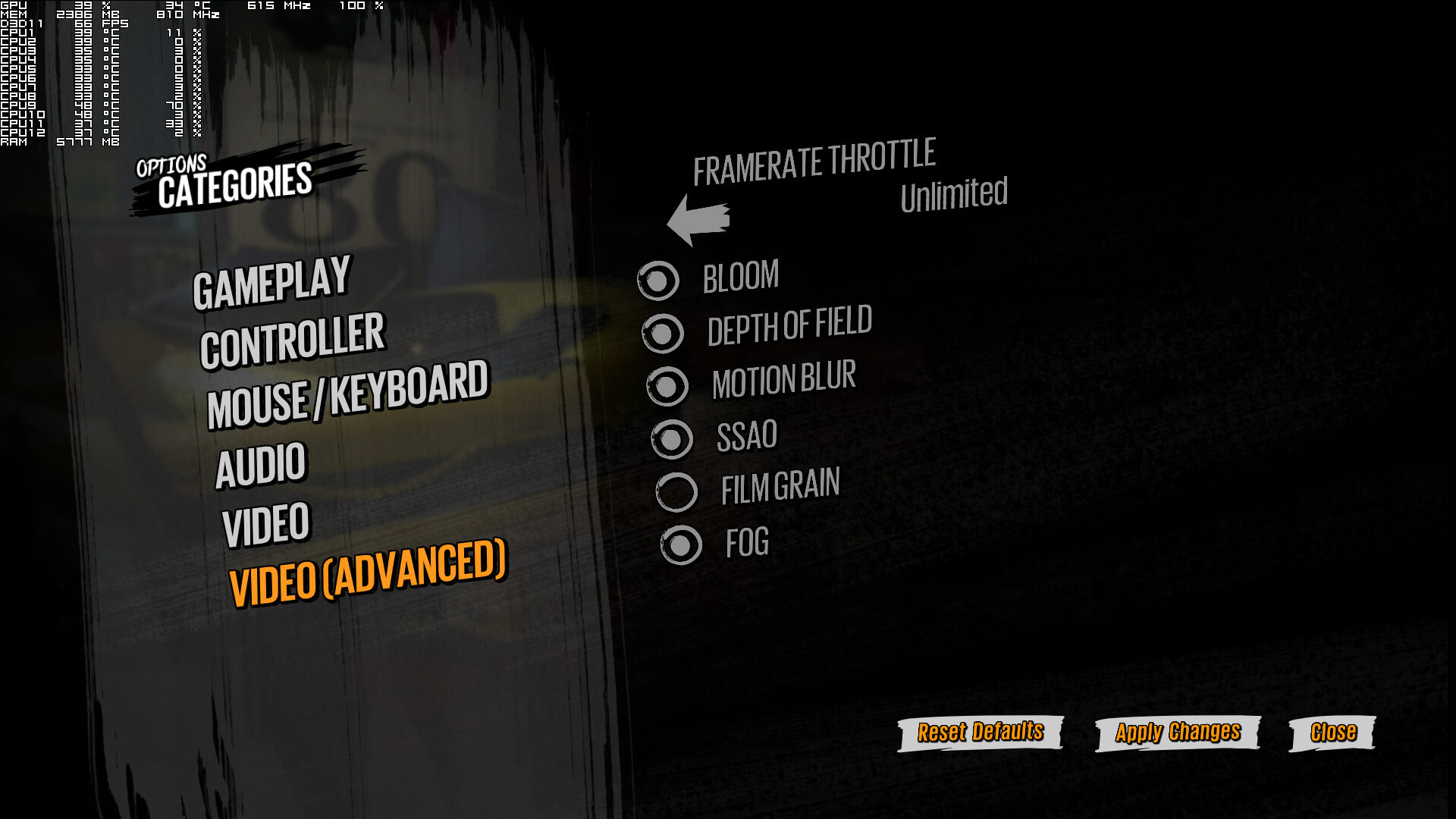
Blind Squirrel Games which appears to have handled the PC version has added very few graphics settings to tweak. PC gamers can only enable or disable Bloom, Depth of Field, Motion Blur, SSAO, Film Grain and Fog. The game also supports 4K resolutions, as well as SMAA and SMAA2X. And that’s it.
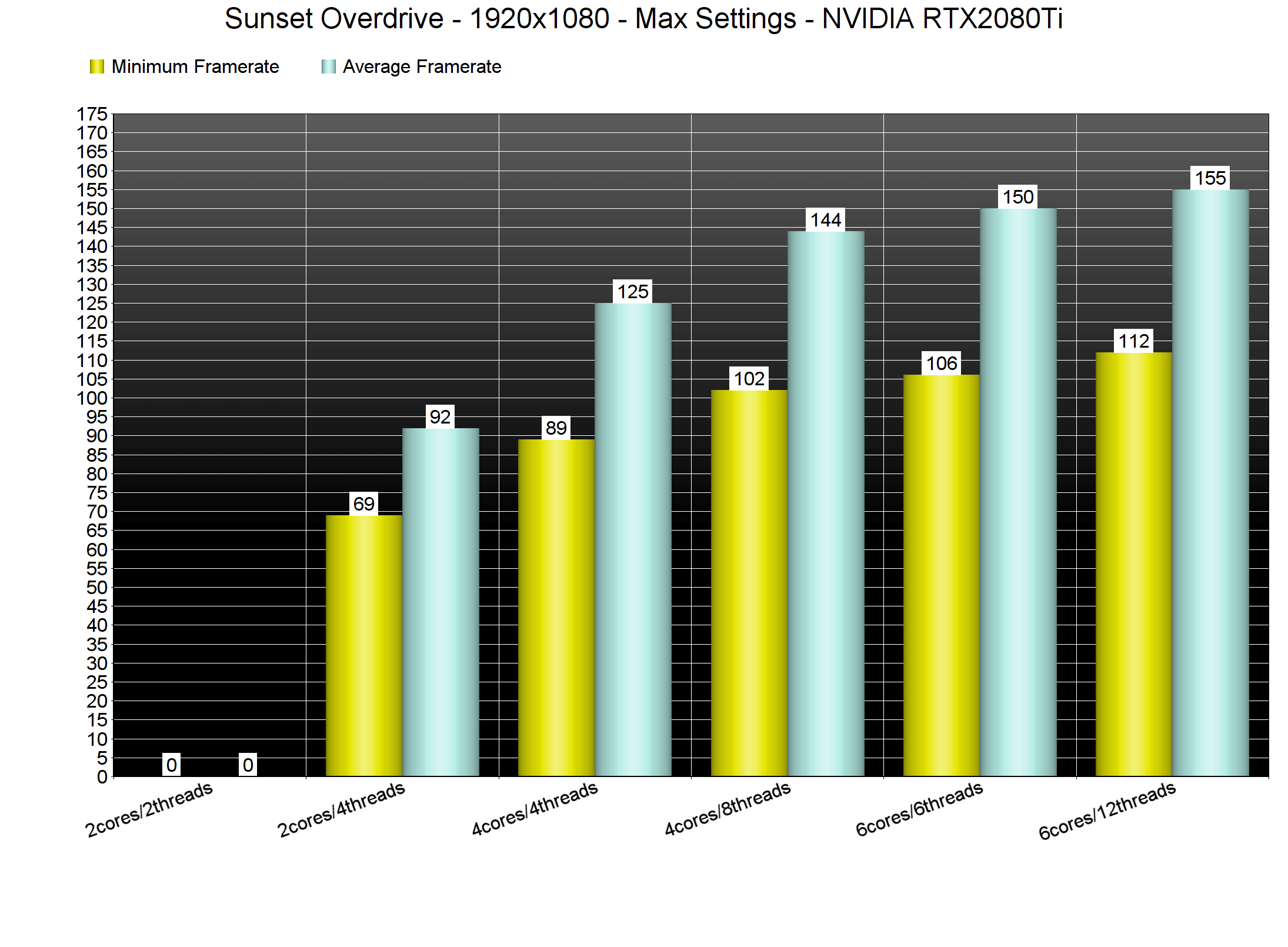
In order to find out how the game performs on a variety of CPUs, we simulated a dual-core and a quad-core CPU. Thankfully, Sunset Overdrive does not require a high-end CPU in order to be enjoyed. Out simulated dual-core system was able to run the game with constant 60fps at 1080p on Max settings. However, without Hyper Threading the game was unplayable due to severe stuttering so we suggest enabling it if you are gaming on older dual-core system.
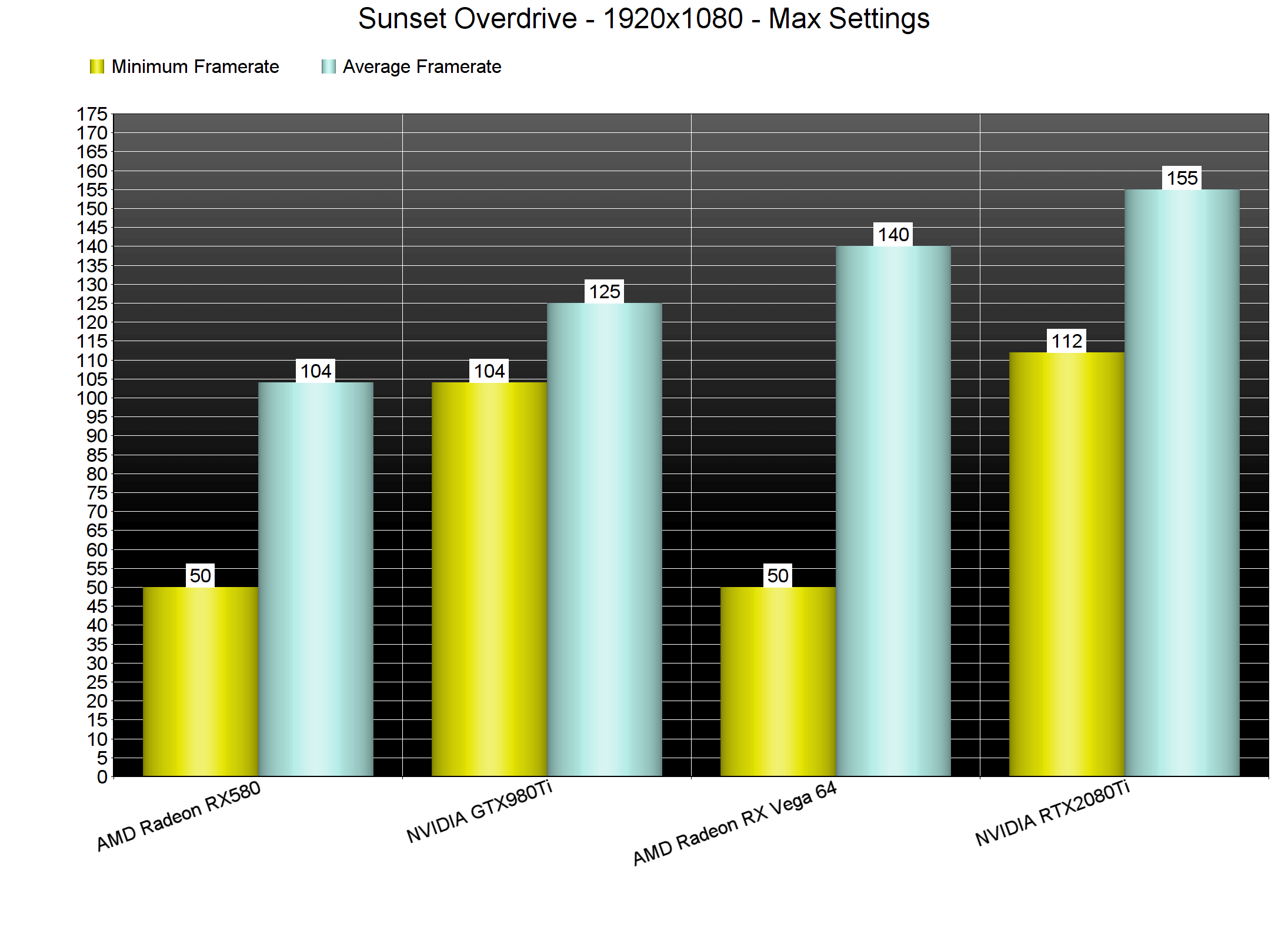
The game also does not require a high-end GPU. At 1080p on Max settings, our AMD Radeon RX580, RX Vega 64, NVIDIA GTX980Ti and RTX2080Ti had no trouble at all running the game with constant 60fps. For some reason though the framerate was dropping to 50s on the AMD GPUs whenever we were moving the camera quickly. We don’t know why this is happening but this issue only affects red team’s graphics cards.
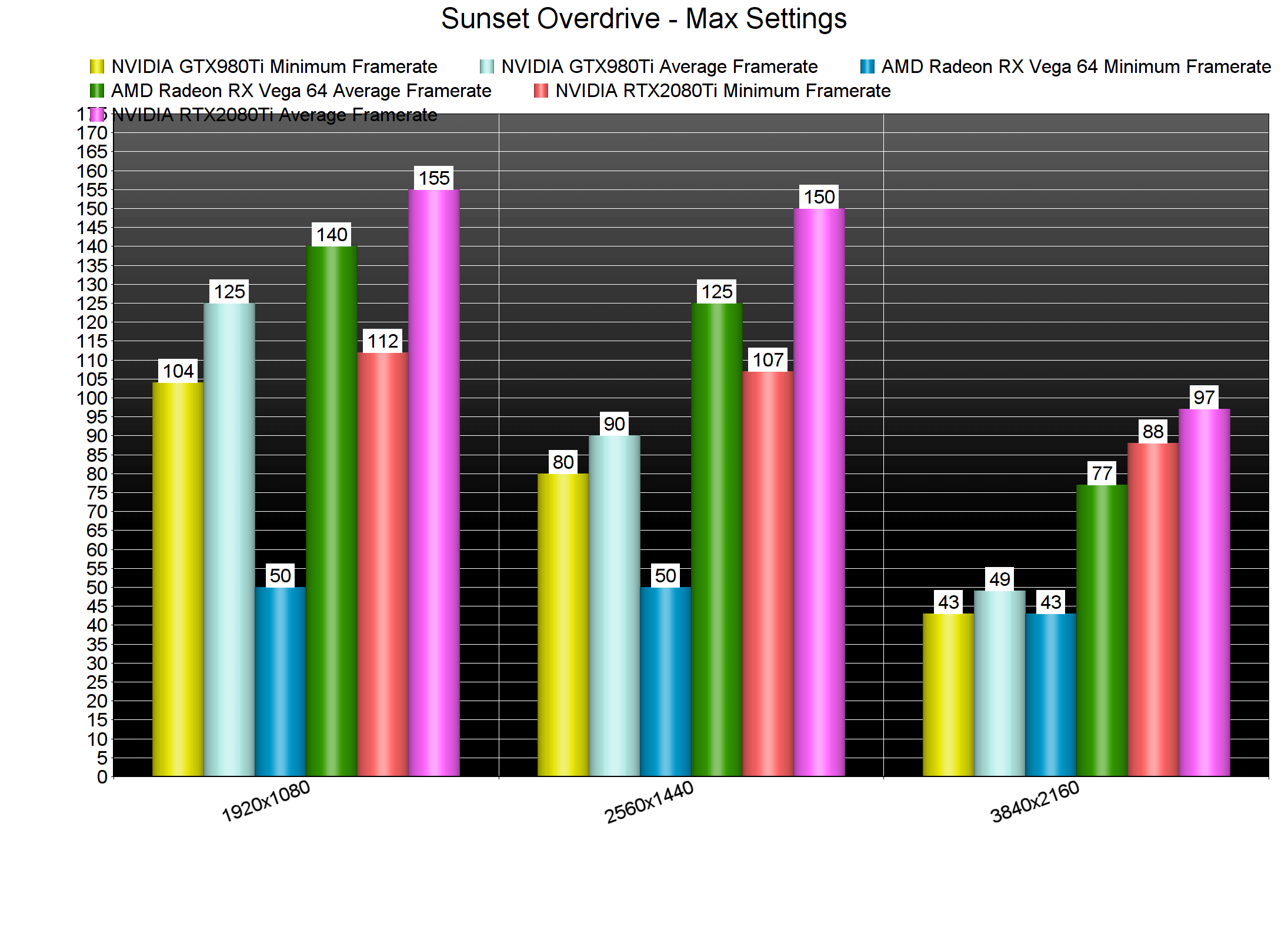
Our NVIDIA GTX980Ti was able to run the game with more than 60fps on both 1080p and 1440p. On the other hand, both the AMD Radeon RX Vega 64 and the NVIDIA RTX2080Ti were able to run the game with more than 60fps in 4K (though there were drops to mid-40s on AMD’s GPU whenever we were moving the camera quickly).
Graphics wise, Sunset Overdrive is dated. The game originally came out in 2014 and there haven’t been any major graphical upgrades. Thankfully, the game is saved by its unique and colourful art style. However, you will definitely notice a lot of shortcomings. The LOD levels are not that high and the levels feel a bit empty and small (at least for today’s standards).
We should also note that the game is currently unplayable with K&M as it suffers from major mouse acceleration issues. The developers are well aware of these issues and are working on a fix (at the time of writing a mouse fix has not been released). As such, we strongly suggest waiting for that fix if you enjoy playing third-person games with the mouse and keyboard.
All in all, and with the exception of the awful mouse acceleration issues, Sunset Overdrive runs fine on the PC. The game favours NVIDIA’s hardware and AMD needs to improve things via its drivers as there are abnormal framerate drops when moving the camera. Overall though, the game does not require a high-end system in order to be enjoyed with more than 60fps, despite the fact that its visuals are not that impressive. Still, it’s a game that a lot of PC gamers have been waiting for the past four years and now they can finally experience it in silky smooth 60fps on their platform!



John is the founder and Editor in Chief at DSOGaming. He is a PC gaming fan and highly supports the modding and indie communities. Before creating DSOGaming, John worked on numerous gaming websites. While he is a die-hard PC gamer, his gaming roots can be found on consoles. John loved – and still does – the 16-bit consoles, and considers SNES to be one of the best consoles. Still, the PC platform won him over consoles. That was mainly due to 3DFX and its iconic dedicated 3D accelerator graphics card, Voodoo 2. John has also written a higher degree thesis on the “The Evolution of PC graphics cards.”
Contact: Email