
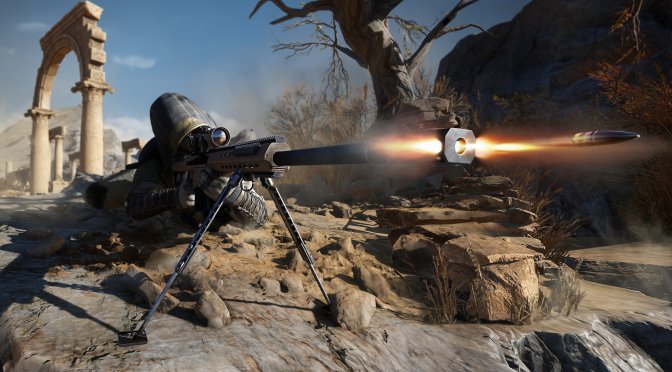
A few days ago, CI Games released the next part in its Sniper Ghost Warrior series, Sniper Ghost Warrior Contracts 2. Powered by CRYENGINE, it’s time now to benchmark it and see how it performs on the PC platform.
For this PC Performance Analysis, we used an Intel i9 9900K with 16GB of DDR4 at 3600Mhz, AMD’s Radeon RX580 and RX Vega 64, NVIDIA’s GTX690, GTX980Ti, RTX 2080Ti and RTX 3080. We also used Windows 10 64-bit, the GeForce driver 466.63 and the Radeon Software Adrenalin 2020 Edition 21.5.2 drivers. Since the game does not have any SLI profile, our GTX690 behaved similarly to a single GTX680.
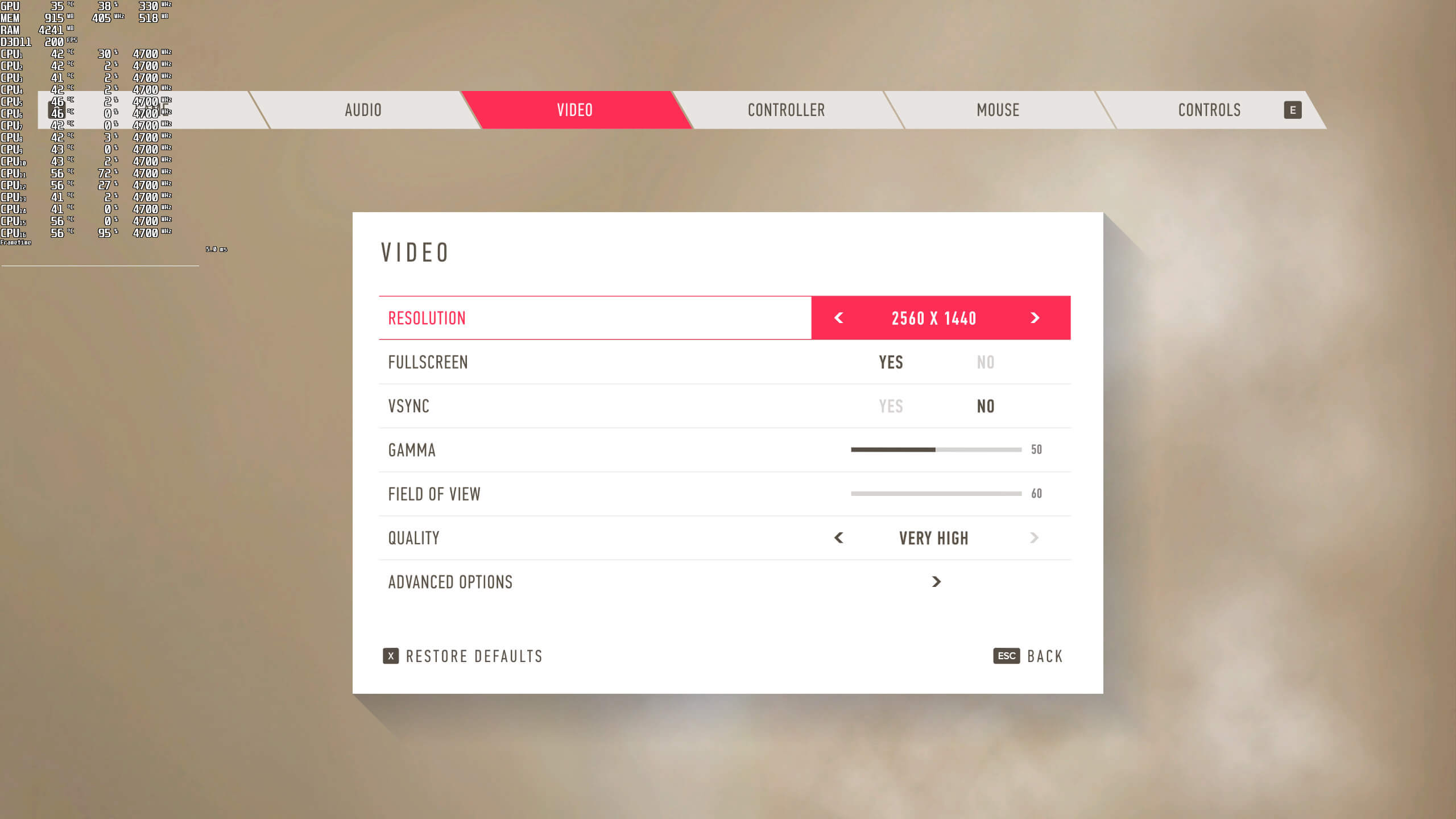
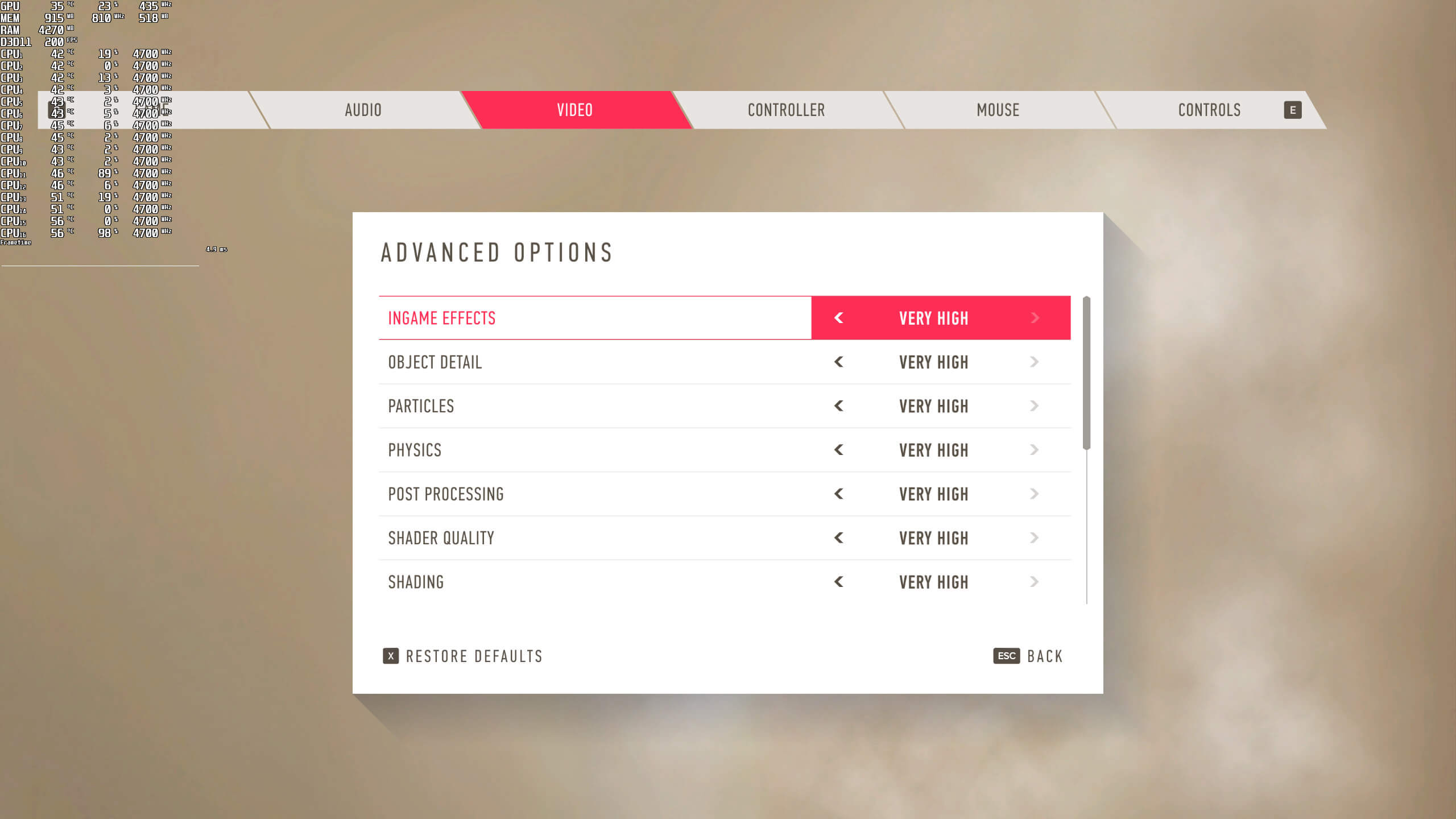
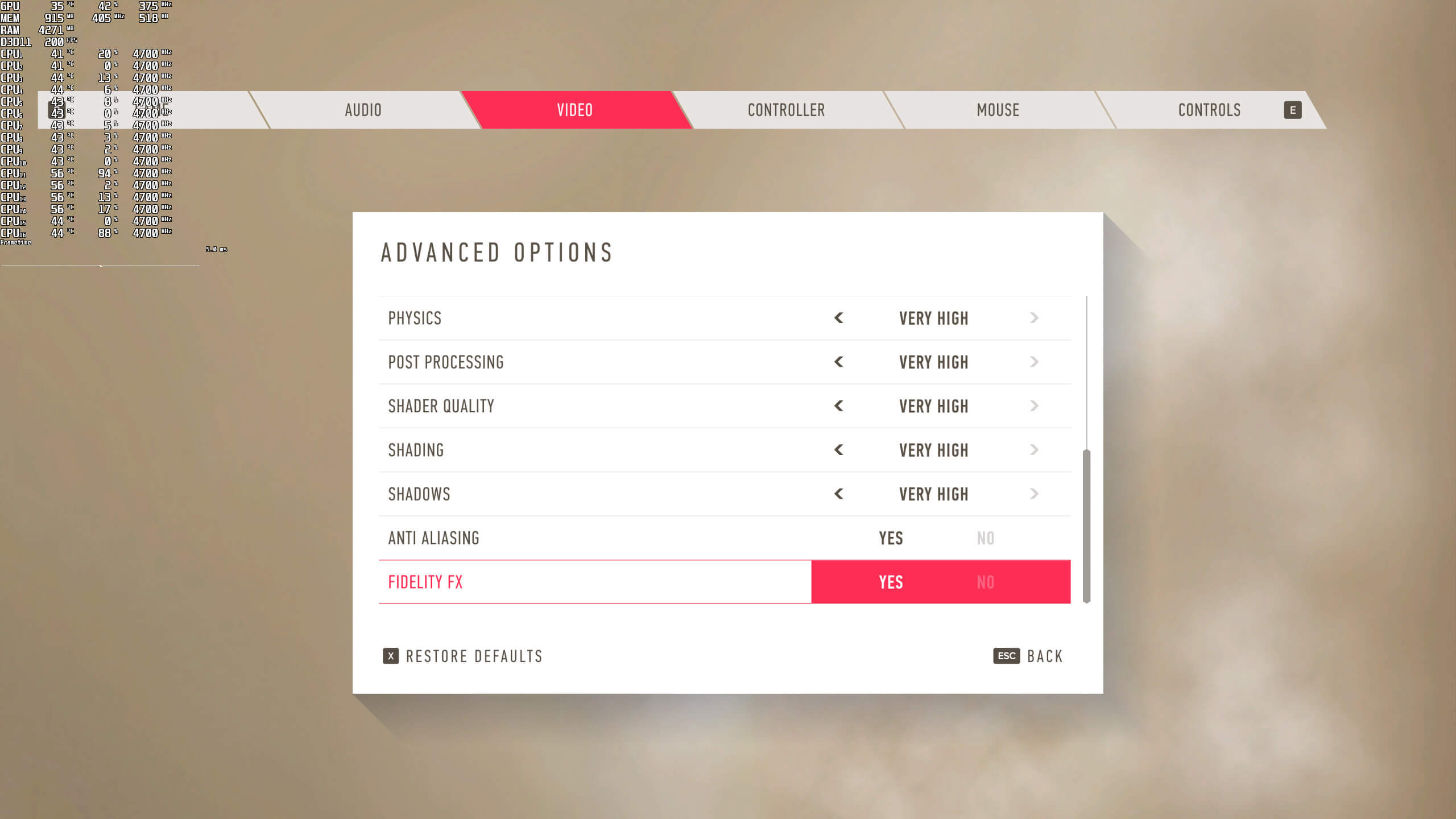
CI Games has added a respectable amount of graphics settings. PC gamers can adjust the quality of ingame effects, object detail, particles, physics, post-processing, shaders, shading and shadows. The game also supports AMD’s FidelityFX, and comes with a Field of View slider. Surprisingly enough, there isn’t any setting to adjust the quality of textures.
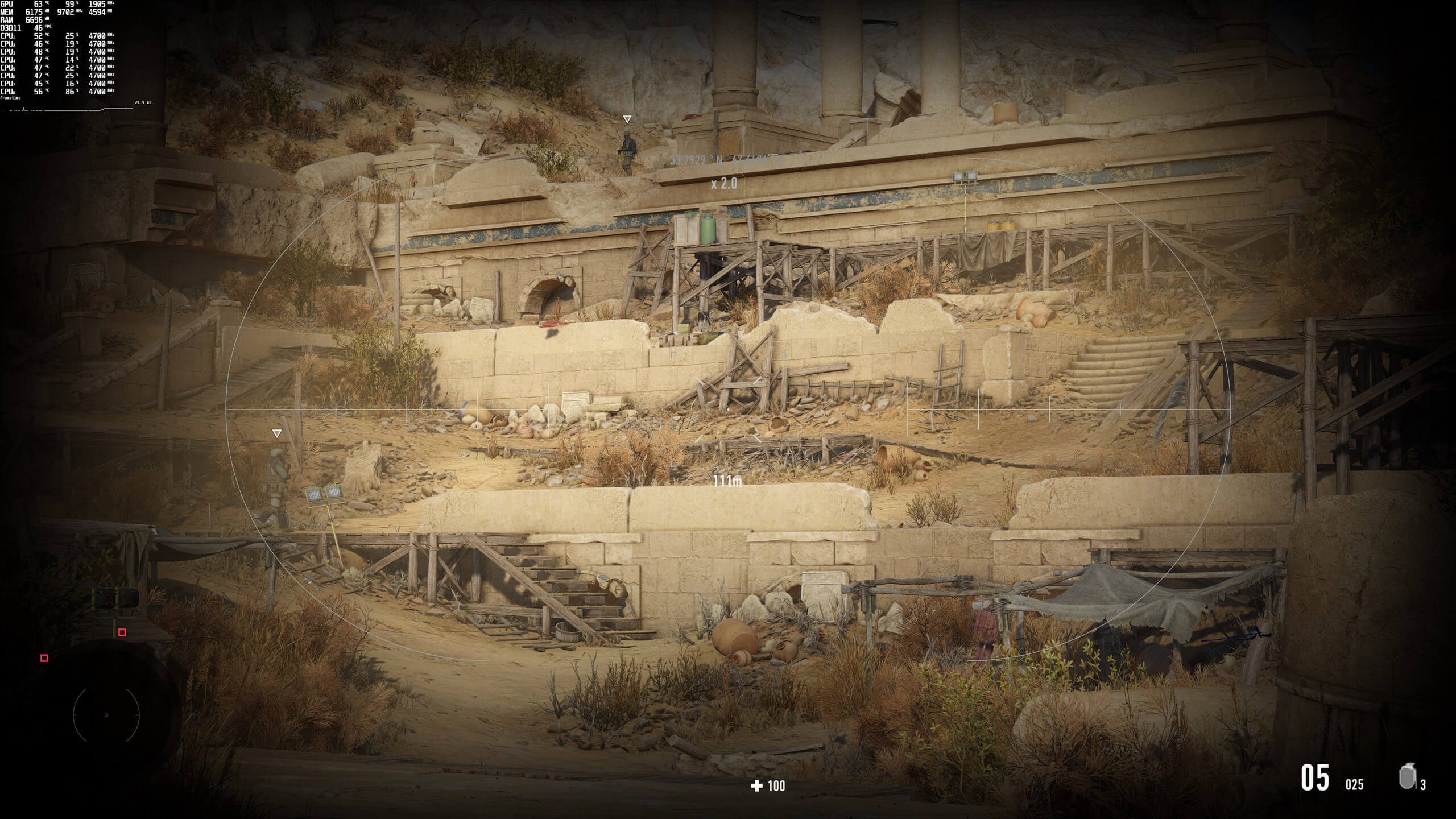
Sniper Ghost Warrior Contracts 2 does not feature any built-in benchmark tool. As such, we’ve decided to use the following scene. Without using binoculars, this scene was mostly CPU-limited. On the other hand, and by using binoculars, we were entering GPU limitation scenarios. Thus, this scene is the perfect area to benchmark.
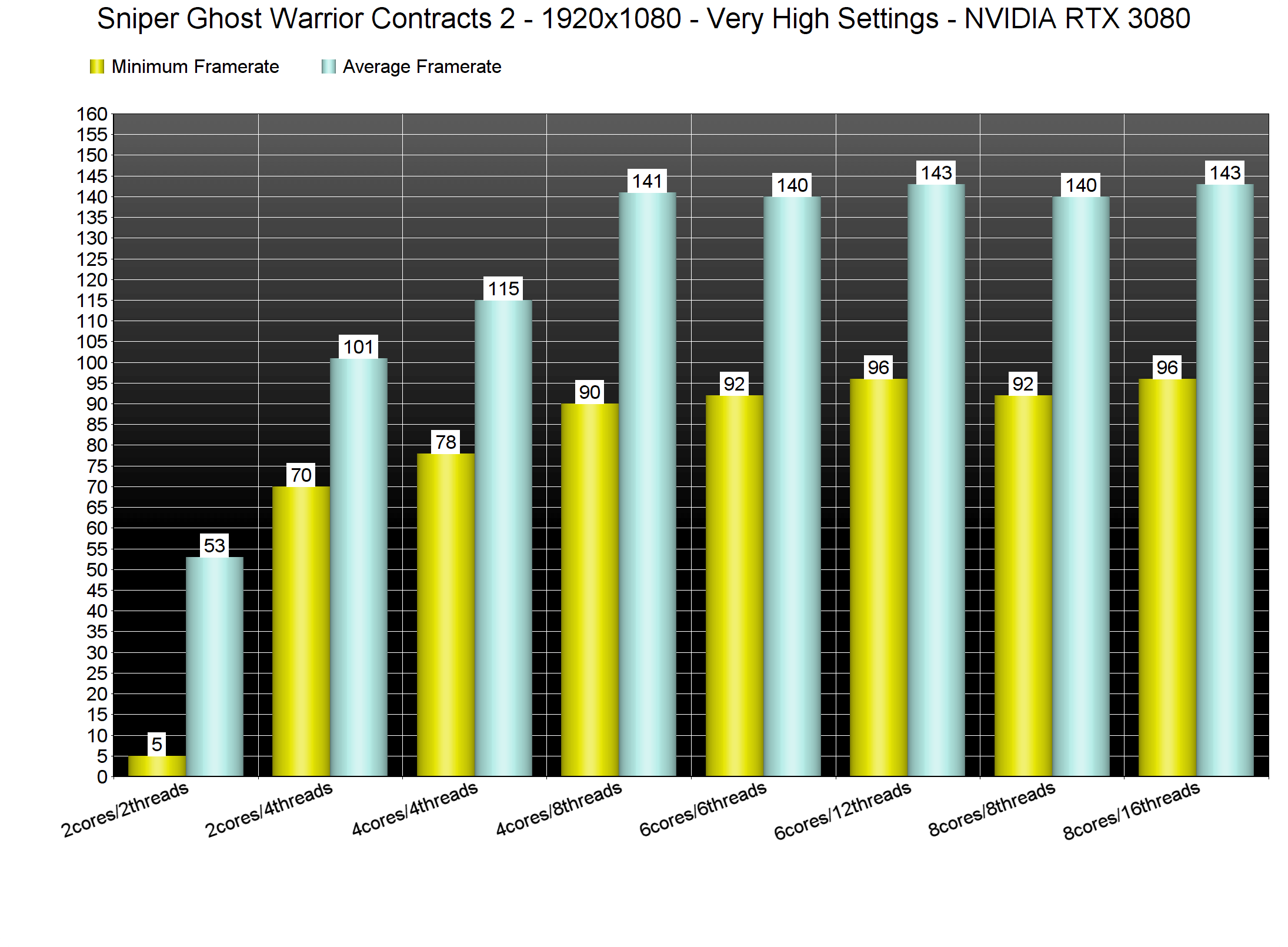
In order to find out how the game scales on multiple CPU threads, we simulated a dual-core, a quad-core and a hexa-core CPU. And, thankfully, the game does not require a high-end CPU. Without Hyper-Threading, our simulated dual-core system was able to push an average of 53fps at 1080p/Very High settings (though there were major stuttering issues). When we enabled Hyper-Threading, this dual-core system was able to push a minimum 70fps and an average of 101fps.
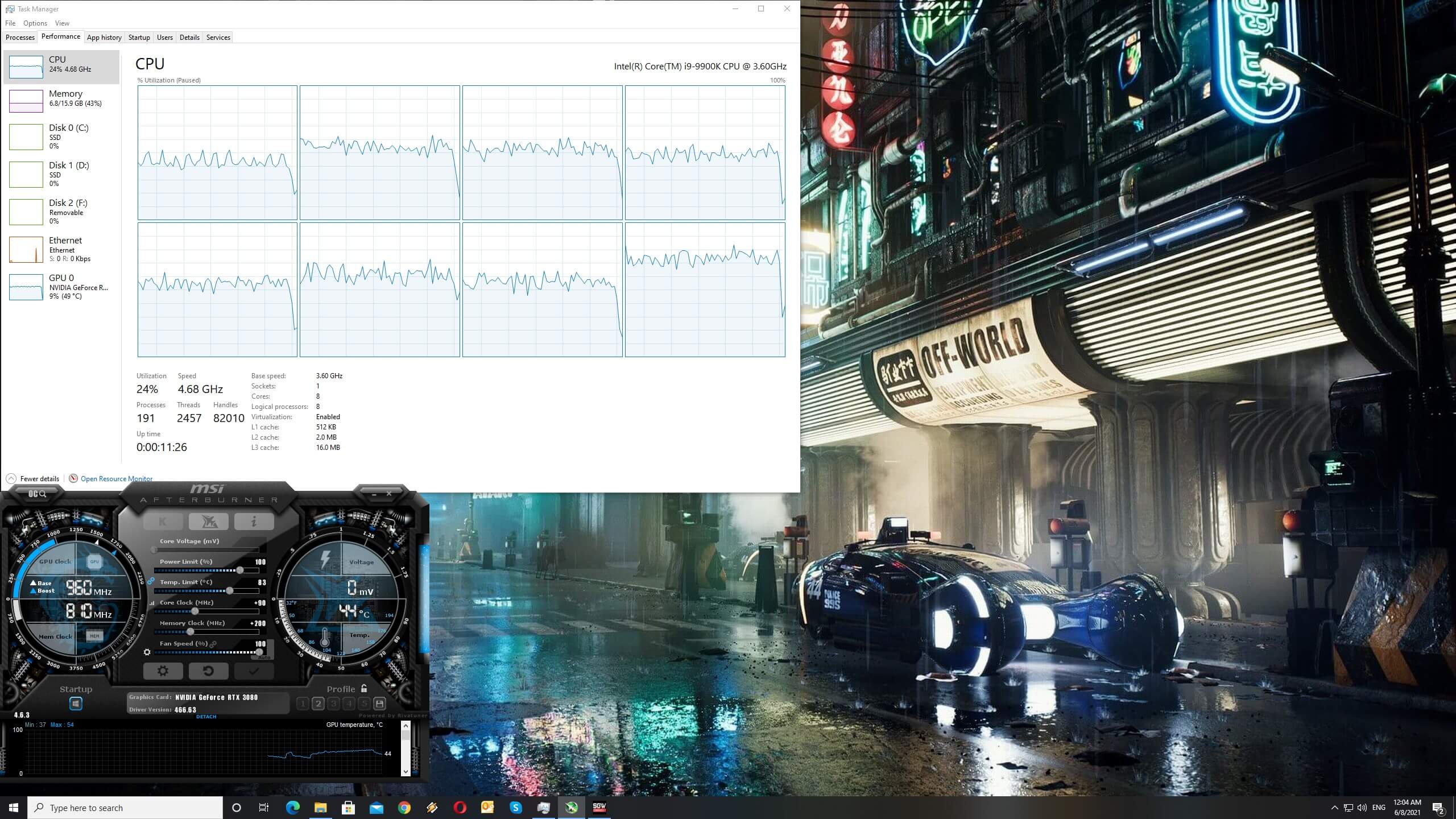
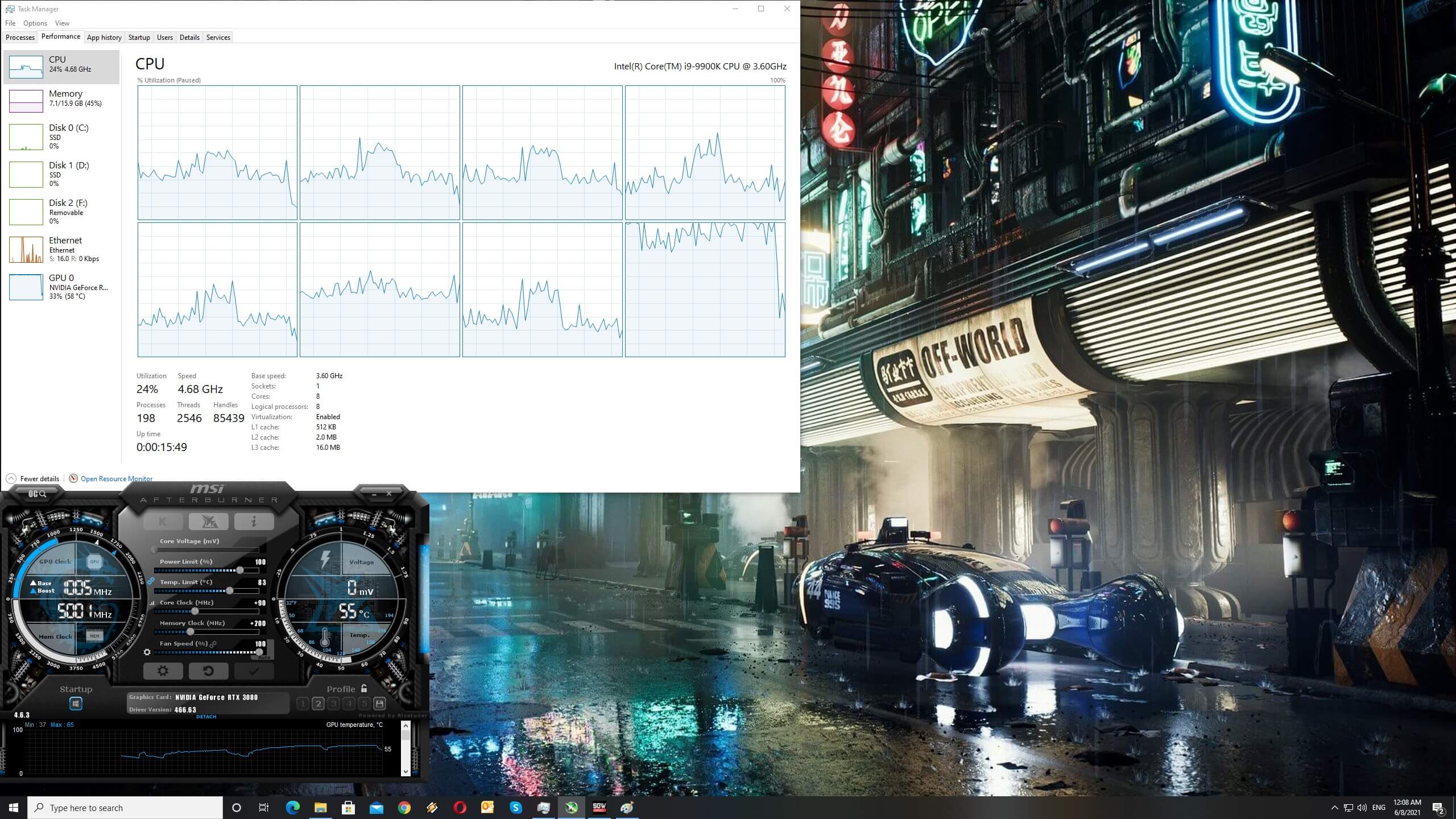
Now what’s really interesting here is how the game uses the CPU. At 1080p/Very High settings (first image), none of our CPU cores/threads was maxed out. However, when we ran the game at 4K, the usage on one of our CPU cores/threads was higher than before. We really don’t know what is going on here, however, we could easily reproduce this multiple times. Since the game is using the DX11 API, this could be a driver overhead/memory limitation (similar to what we’ve seen in older DX11/OpenGL games).
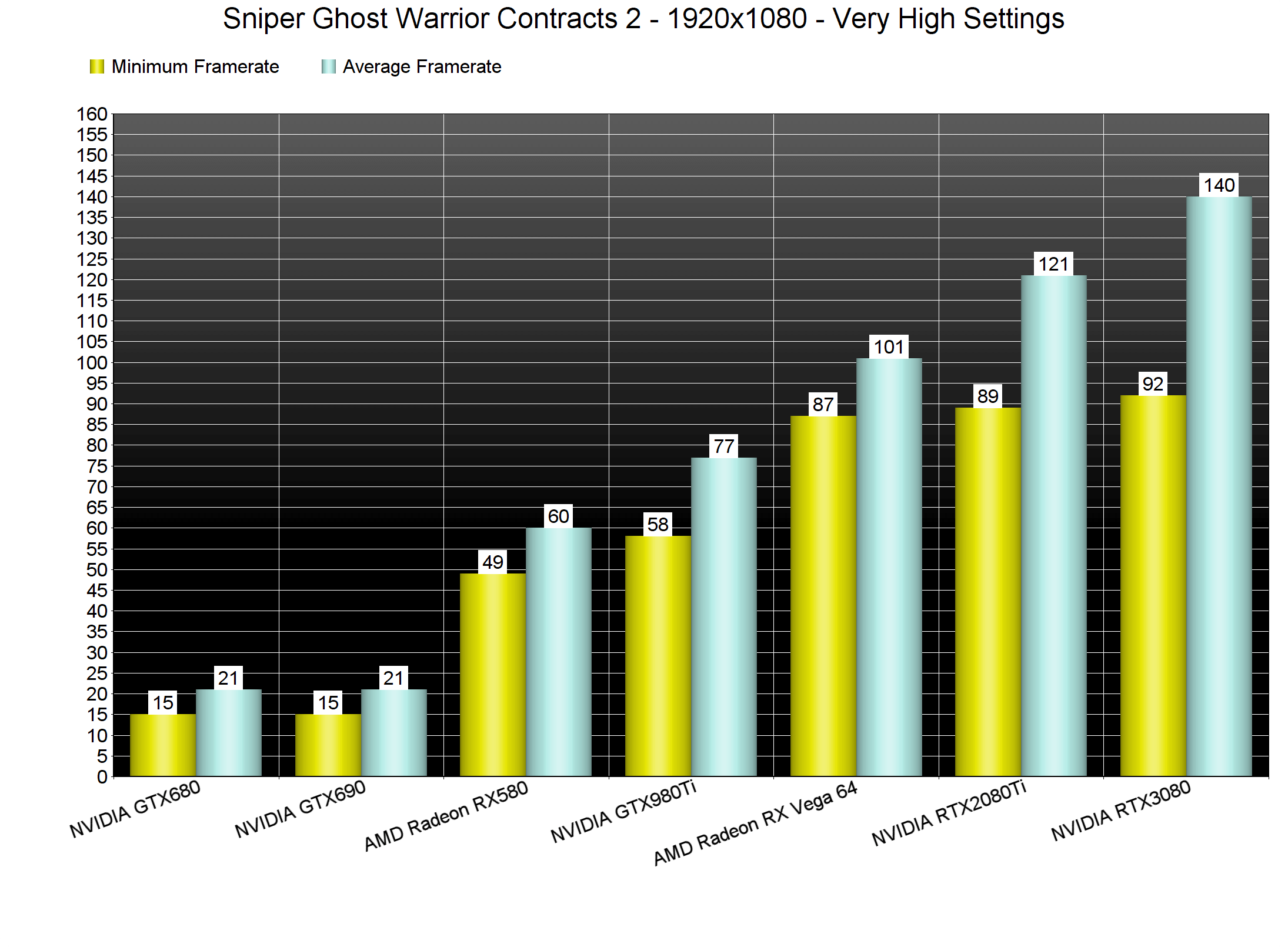
While Sniper Ghost Warrior Contracts 2 does not require a high-end CPU, it does require a powerful GPU. Furthermore, this game appears to favour AMD’s hardware over NVIDIA’s.
At 1080p/Very High settings, our GTX980Ti had trouble offering a constant 60fps experience. While our average framerate was 77fps, we did notice some drops to 58fps. Additionally, the performance gap between the GTX980Ti and the AMD Radeon RX Vega 64 is huge, especially at 1080p.
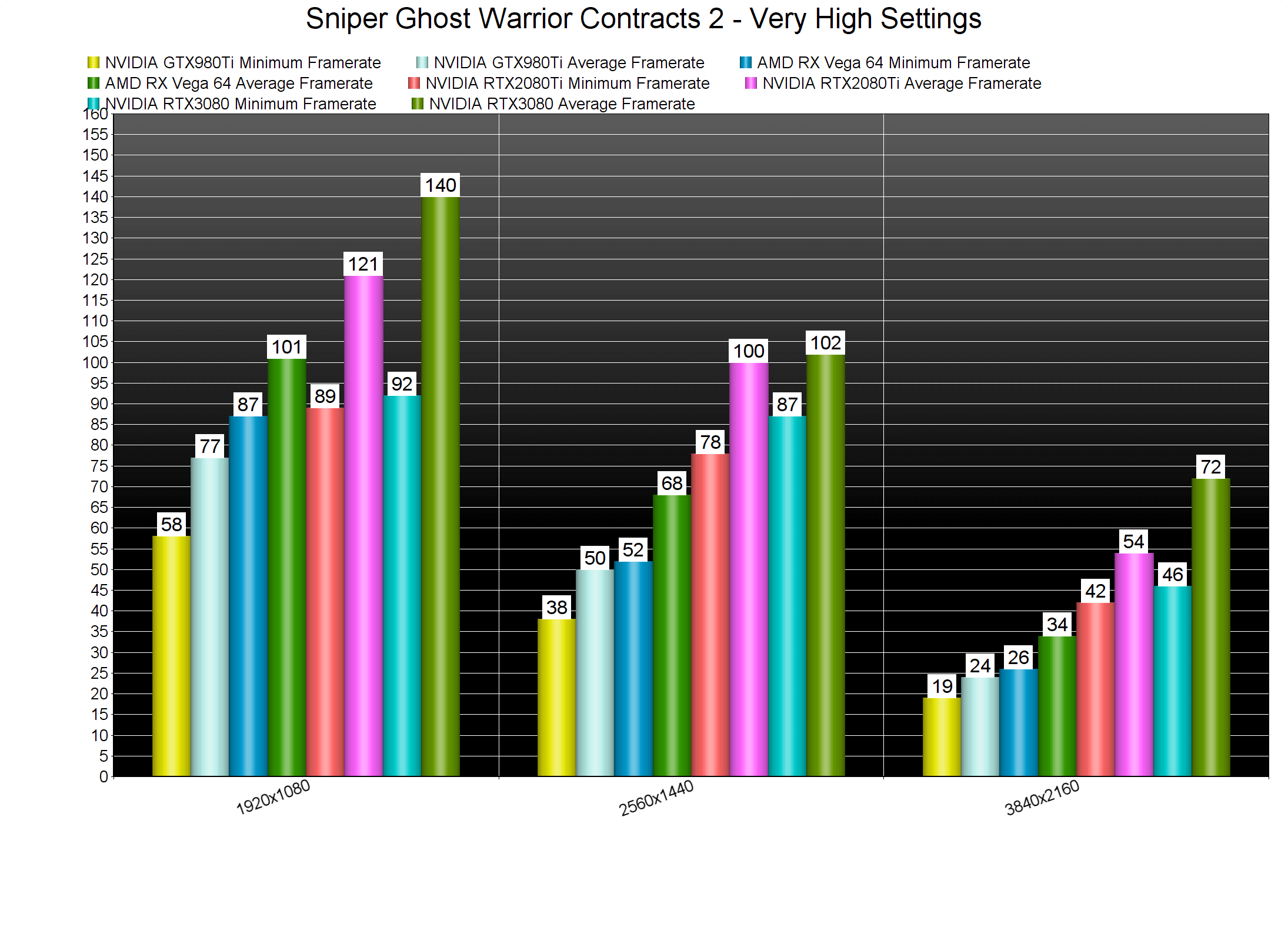
At 1440p/Very High settings, the only GPUs that were able to provide a constant 60fps experience were the RTX 2080Ti and the RTX 3080. The AMD Radeon RX Vega 64 came close to a 60fps experience, though there were some drops to 52fps. As for 4K, even our RTX 3080 was unable to provide a smooth gaming experience. While our average framerate was 72fps, we did notice some drops to 46fps.
Graphics-wise, Sniper Ghost Warrior Contracts 2 looks great. CI Games has used photogrammetry and the environments look great. Players can interact with small bushes and grass, and for the most part, the pop-ins of distant objects are not that annoying. There are also some amazing gore and dismemberment effects, though I find it ironic that in 2021 most games have trouble matching the dismemberment effects of Soldier of Fortune 2; a game that came out almost 20 years ago. Still, there is nothing to complain about here; Sniper Ghost Warrior Contracts 2 looks great.
All in all, Sniper Ghost Warrior Contracts 2 has very low CPU requirements and high GPU requirements. And while the game looks great, we believe there is room for improvements. I mean, there is nothing on screen to really justify a drop to 46fps in 4K/Very High on our benchmark scene. There are obviously some optimization issues when using the binoculars and the sniper scope. The game also appears to be suffering from some DX11 optimization/performance issues. Therefore, let’s hope that CI Games will further optimize it via some post-launch updates.
Enjoy!

John is the founder and Editor in Chief at DSOGaming. He is a PC gaming fan and highly supports the modding and indie communities. Before creating DSOGaming, John worked on numerous gaming websites. While he is a die-hard PC gamer, his gaming roots can be found on consoles. John loved – and still does – the 16-bit consoles, and considers SNES to be one of the best consoles. Still, the PC platform won him over consoles. That was mainly due to 3DFX and its iconic dedicated 3D accelerator graphics card, Voodoo 2. John has also written a higher degree thesis on the “The Evolution of PC graphics cards.”
Contact: Email