Assassin’s Creed Origins PC Performance Analysis

Back in 2014, we were really amazed by Assassin’s Creed: Unity. As we claimed back then, Unity was way ahead of its time. Three years later and that particular game still looks amazing. The next title in the series, Syndicate, was not as impressive and here we are today with the latest Assassin’s Creed game, Assassin’s Creed Origins. However, the Assassin’s Creed Origins performance is a mixed bag.

For this PC Performance Analysis, we used an Intel i7 4930K (overclocked at 4.2Ghz) with 8GB RAM, AMD’s Radeon RX580 and NVIDIA’s GTX980Ti, Windows 10 64-bit and the latest version of the GeForce and Catalyst drivers. We did not test the GTX690 as NVIDIA has not added yet an official SLI profile for this game. Not only that, but the game uses more than 2GB of VRAM. As such, we would be limited by the card’s available memory on the higher settings. So yeah, owners of relatively dated SLI systems should wait until the green team releases an SLI profile.

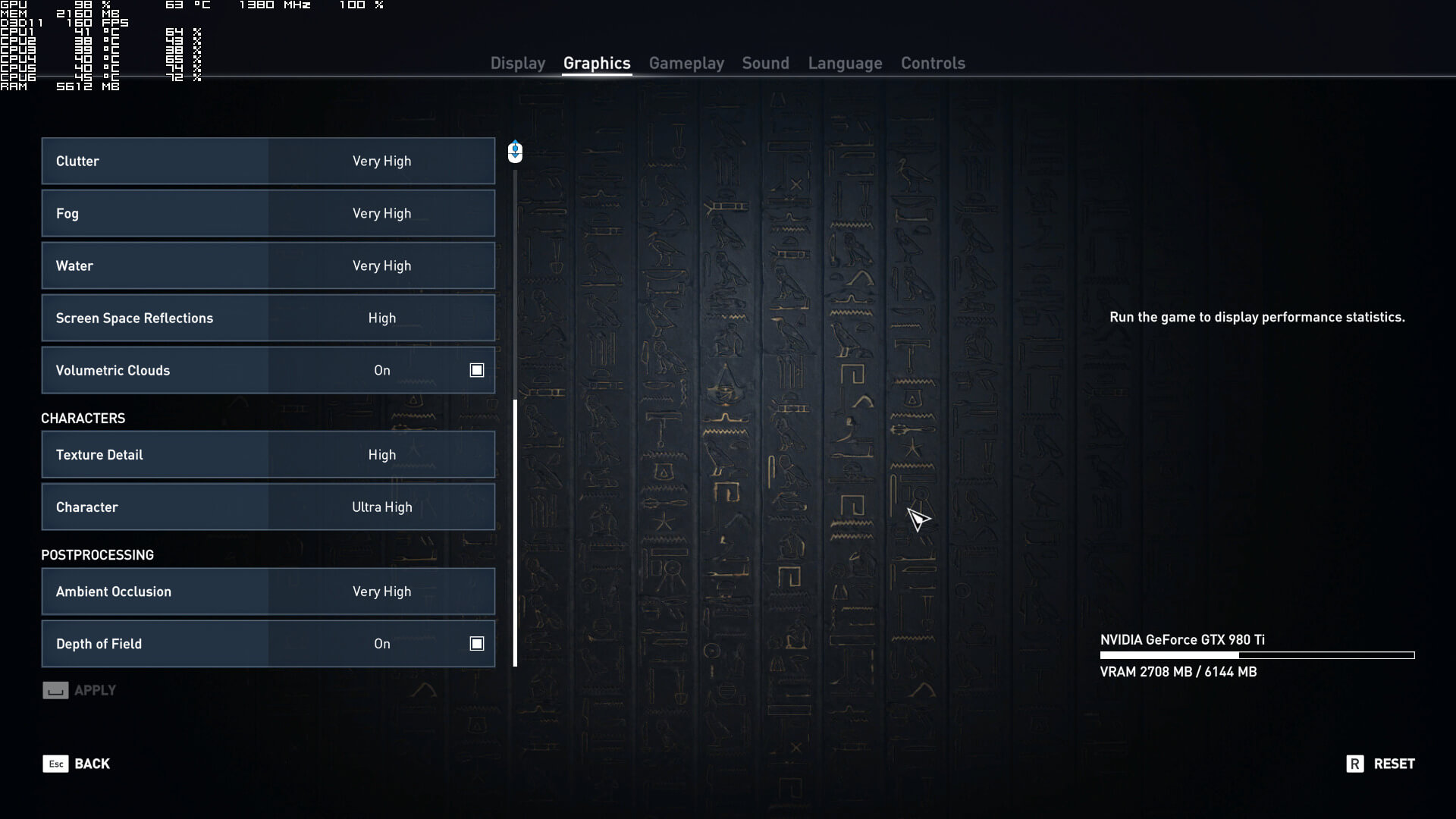
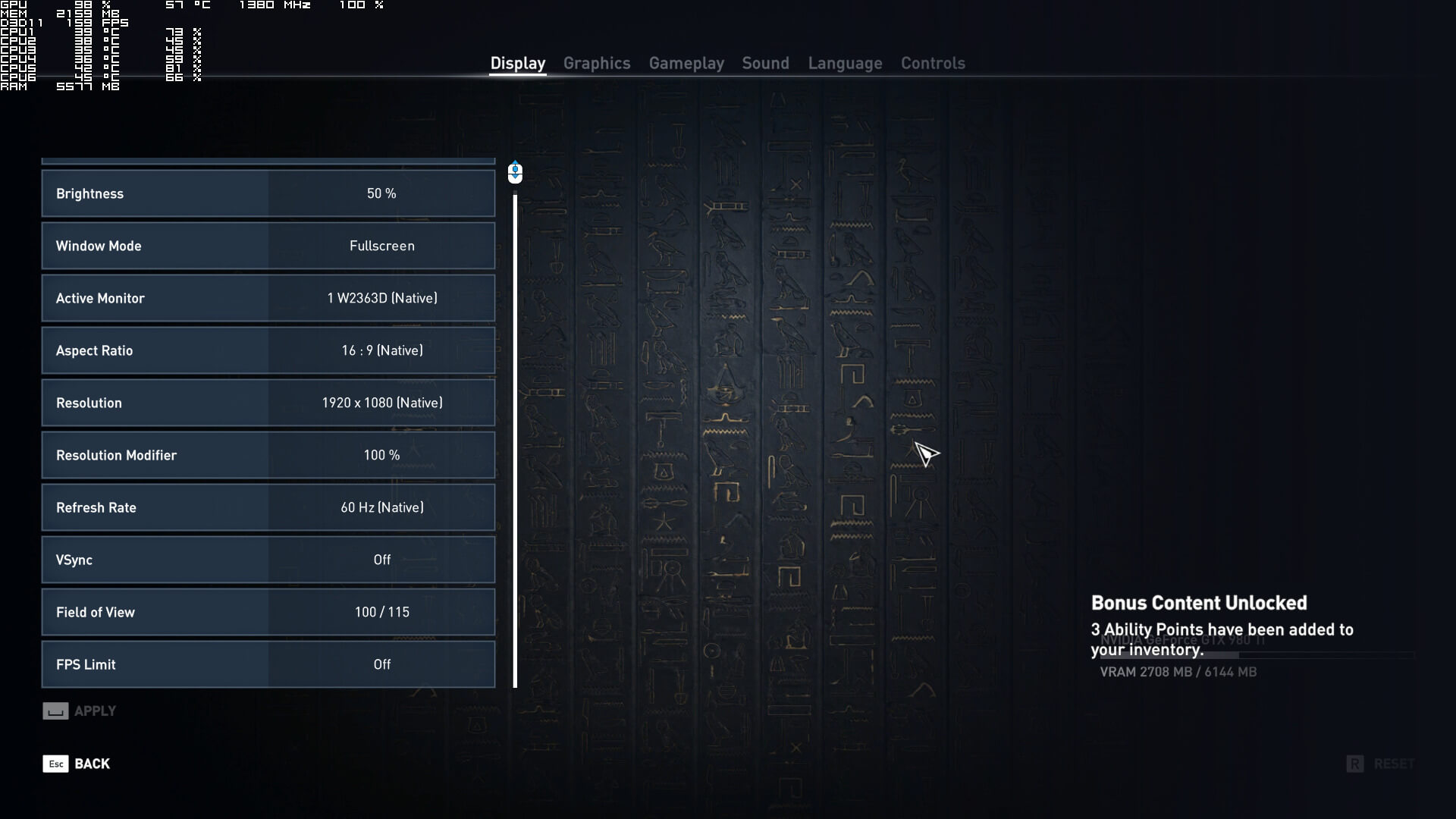
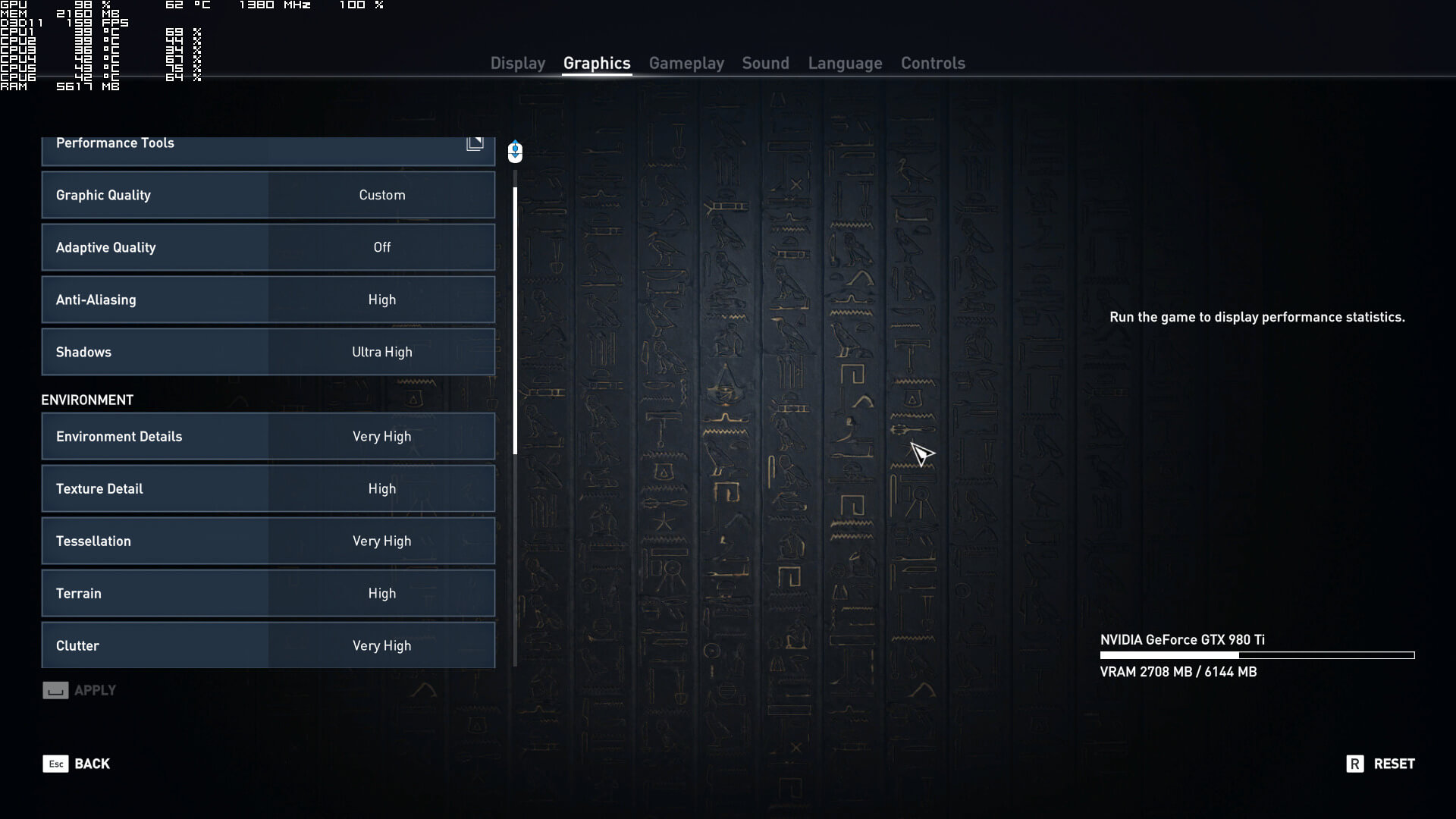
Ubisoft has added a lot of graphics settings to tweak. PC gamers can adjust the quality of Anti-Aliasing, Shadows, Environment Details, Textures, Tessellation, Terrain and Cluster. Moreover, gamers can tweak Fog, Water, Screen Space Reflections, Character Textures, Character Detail and Ambient Occlussion. There are also options to enable/disable Depth of Field and Volumetric Clouds. Furthermore, Ubisoft has added a FOV setting, a Resolution Scaler and an FPS limiter.
[nextpage title=”GPU, CPU metrics, Benchmark, Graphics & Screenshots”]

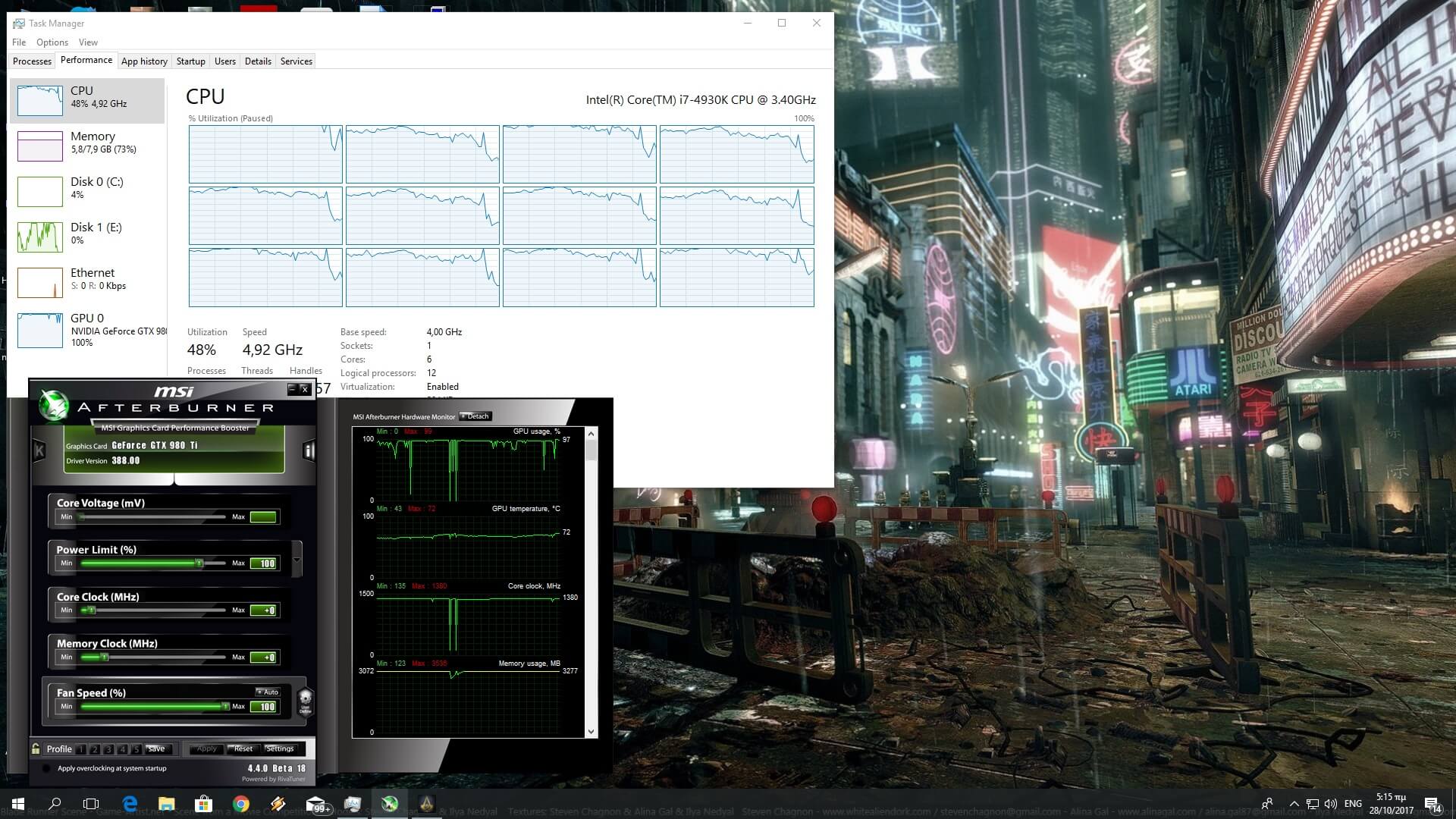
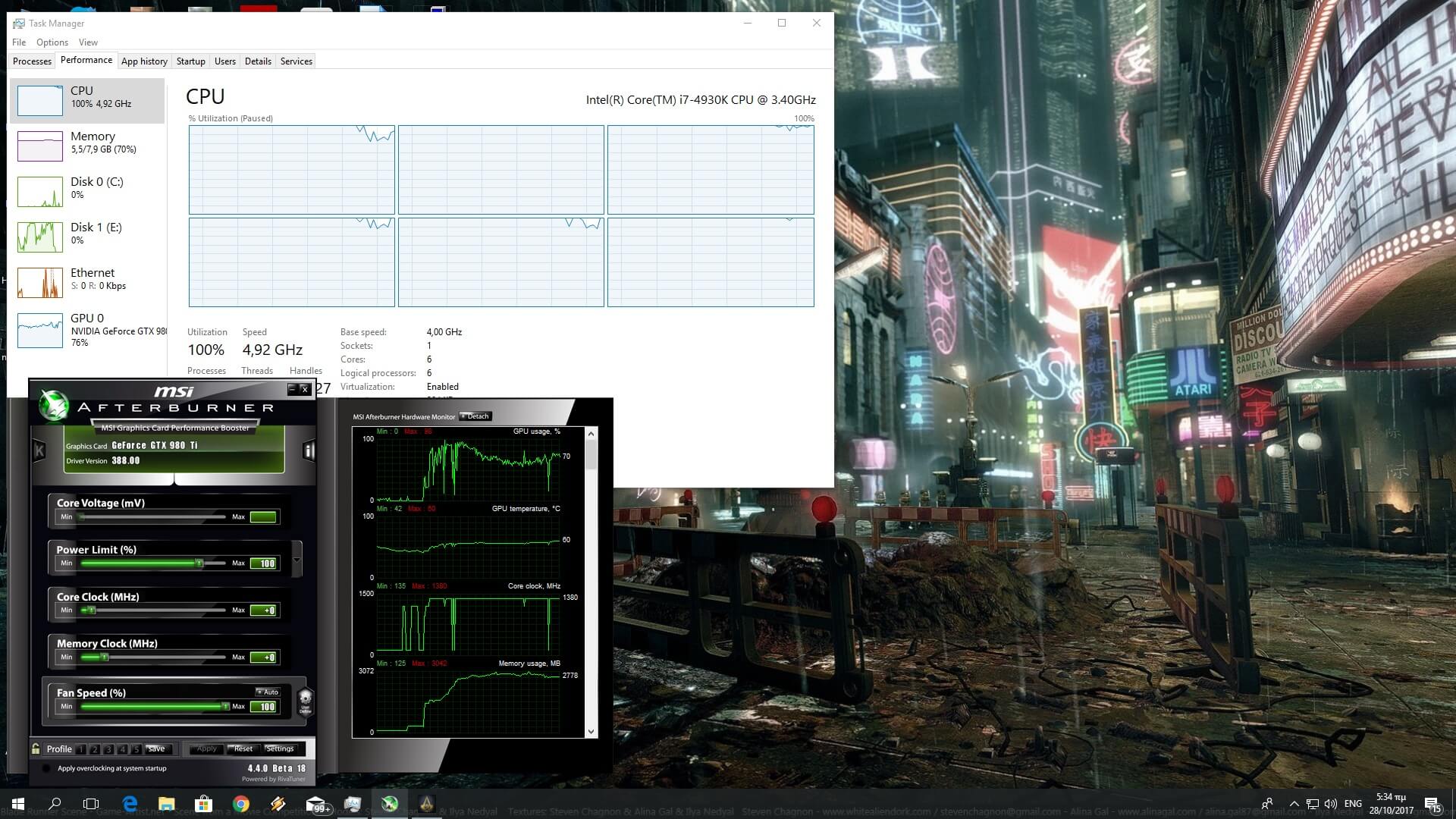
Assassin’s Creed: Origins requires a high-end CPU for those who want to play it at more than 30fps. In order to find out how the game performs on a variety of CPUs, we simulated a dual-core and a quad-core CPU. We’ve also lowered our resolution to 720p and set Resolution Scaler to 50% for our CPU tests. By doing that, we’ve managed to remove any possible GPU limitation (as we were getting a 60-70% GPU usage at all times on our GTX980Ti).

Our simulated dual-core system was simply unable to offer an acceptable performance without Hyper Threading due to severe stuttering. With Hyper Threading enabled, the in-game benchmark ran with a minimum of 31fps and an average of 57fps. However, we experienced some stutters here and there. As such, and due to these stutters, the experience is not smooth at all, unless we lock the framerate to 30fps.
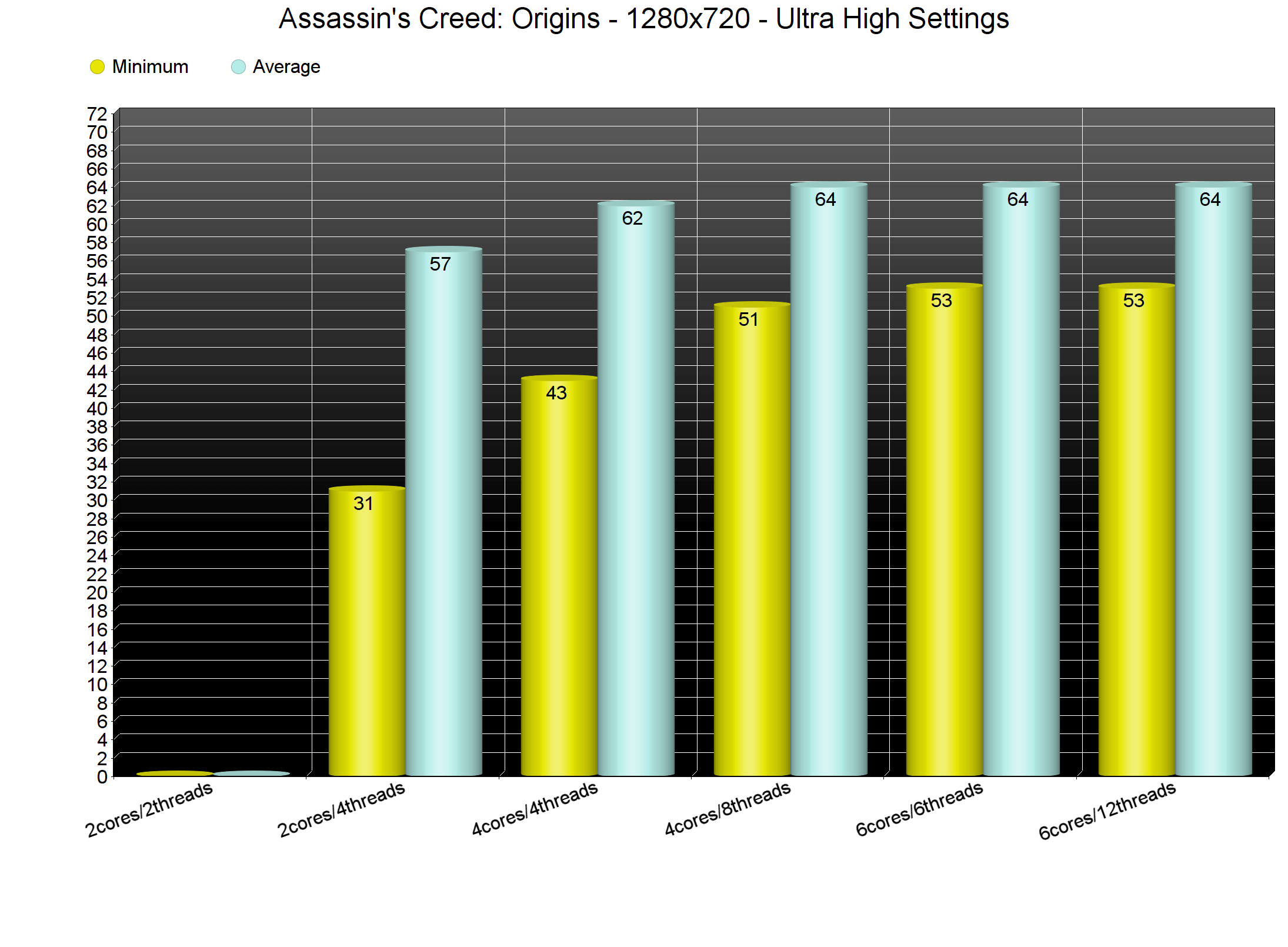
Assassin’s Creed Origins is one of the few games that benefits from Hyper Threading even on quad-core CPUs. The game scaled on all eight threads on our simulated quad-core, and the performance difference (between Hyper Threading On and Off) was around 10fps in minimum framerates. Strangely enough, the average framerates remained the same. Still, in real world scenarios, and especially in cities, Hyper Threading will make a difference.

However, we were a bit disappointed with the game’s performance on our six-core. As we can see, the game used all twelve threads. Since we threw four additional threads, we were expecting at least a small performance boost. Disappointingly, we did not experience any performance increase. Hell, even our minimum framerate remained the same with that of our simulated quad-core system. Moreover, disabling Hyper Threading on our six-core system had no affect at all on our overall performance.
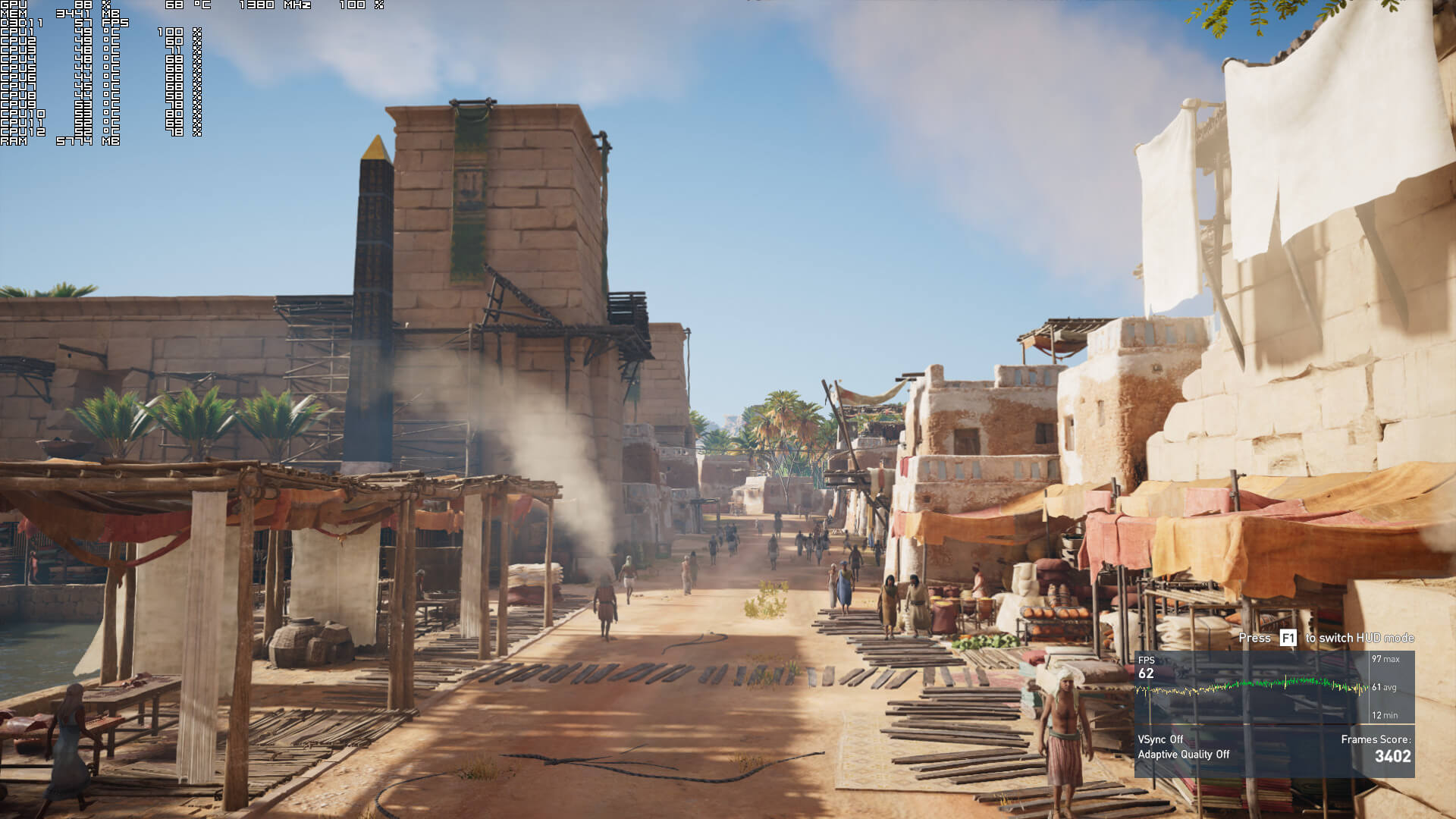
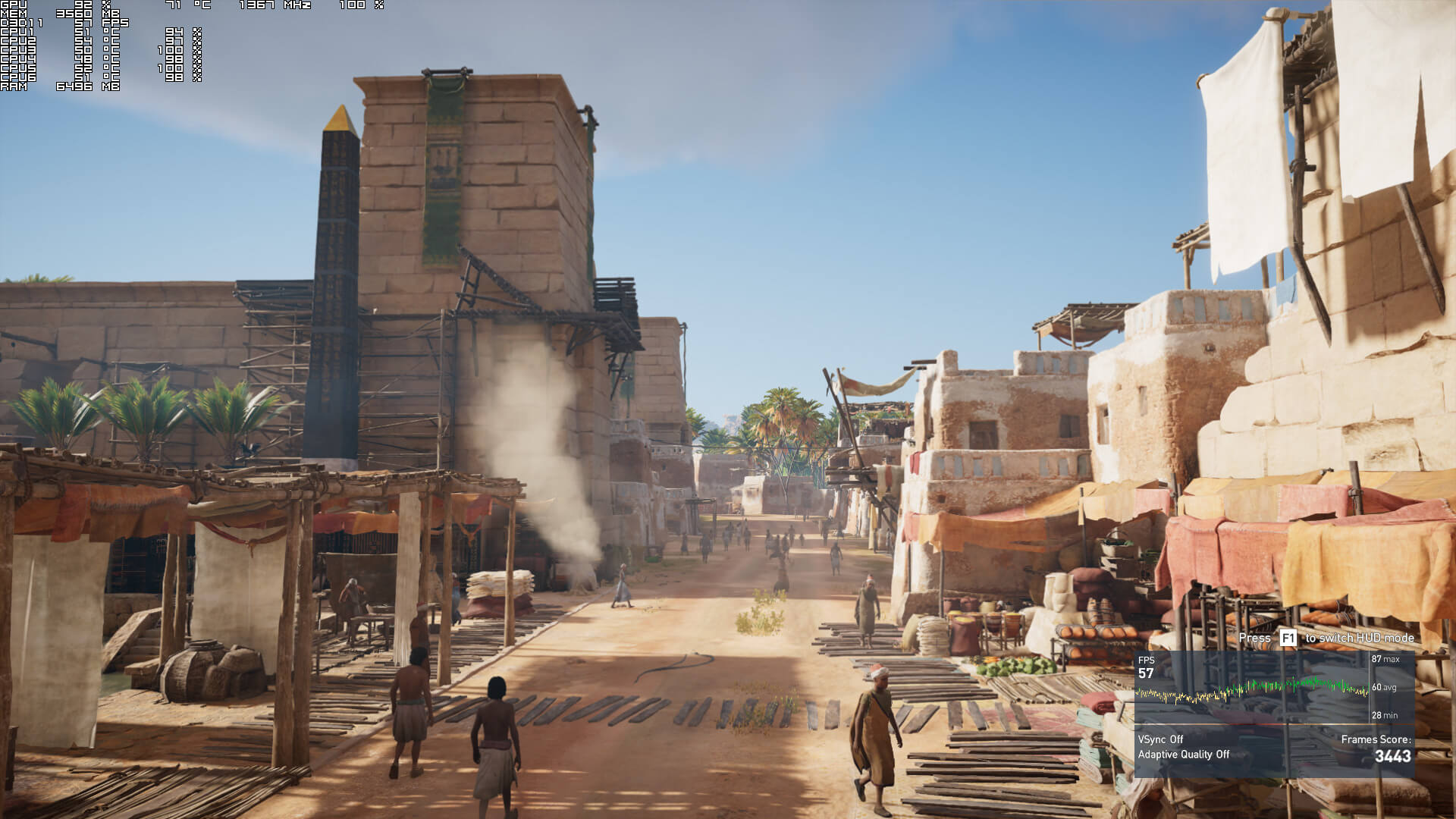
We seriously don’t know why the game uses additional threads when in fact there isn’t any performance increase whatsoever. It’s worth noting that Assassin’s Creed Origins uses the Denuvo anti-tamper tech. Whether this has anything to do with this extreme CPU usage remains to be seen.
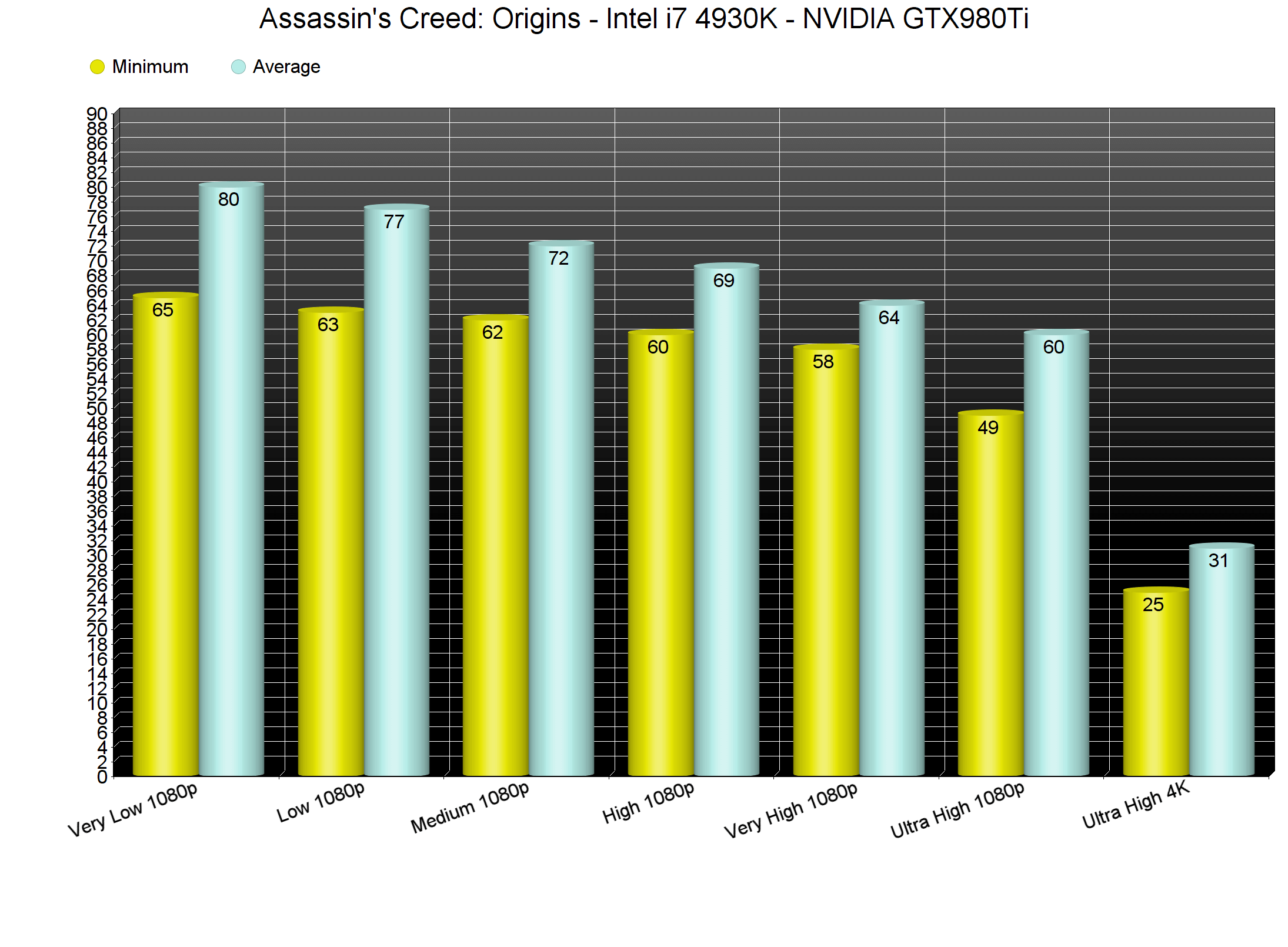
Assassin’s Creed Origins comes with six presets: Very Low, Low, Medium, High, Very High and Ultra High. However, and while there are lots of settings to tweak, the performance difference between Very Low and Very High is only 7fps in minimum framerates. This basically means that Assassin’s Creed Origins does not scale well on older PC systems. Still, the good news is that we were able to get an almost locked 60fps experience on Very High. On Ultra settings, our minimum and average framerates dropped to 49fps and 60fps, respectively. And to be honest, the visual difference between Very High and Ultra High is very minimal. Also, and from what we discovered, the option that really affects the CPU here is the Environment Detail. Therefore, we strongly suggest tweaking this option first if you are CPU-bound.
As said, we did not test the NVIDIA GTX690 as there isn’t any SLI profile yet for Assassin’s Creed Origins. Owners of GPUs with 2GB of VRAM will have to use medium Textures in order to avoid any limitations. On the other hand, owners of GPUs with 4GB of video memory will have no trouble at all with Assassin’s Creed Origins as the game does not use more than 3.7GB on Ultra High at 1080p. Increasing the resolution will also increase the VRAM usage, so you might encounter some VRAM issues at higher resolutions.
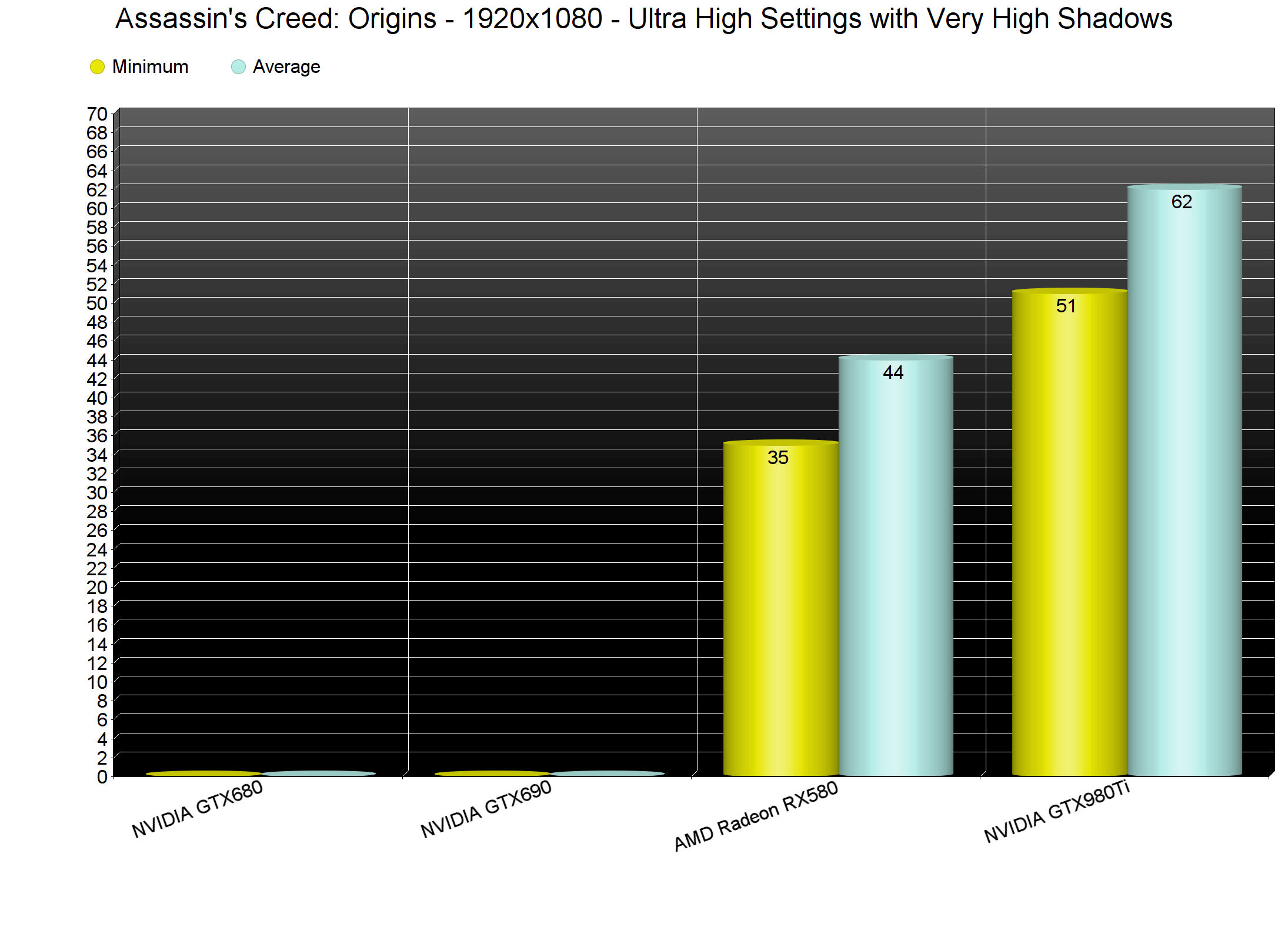
During our tests, the NVIDIA GTX980Ti performed fine on slightly custom Ultra Settings. For some reason we were experiencing a lot of stutters with Ultra High Shadows. By simply dropping them to Very High, we were able to resolve these issues. On the red camp, and even with the latest drivers that pack optimizations for Assassin’s Creed Origins, the AMD Radeon RX580 performed poorly. As we can see below, our GPU usage was not ideal, even though we were not hitting any CPU bottlenecks. It’s pretty obvious that AMD needs to further optimize its drivers for Ubisoft’s title. Therefore, if you own an AMD GPU, we strongly suggest waiting until both Ubisoft and AMD address these issues.
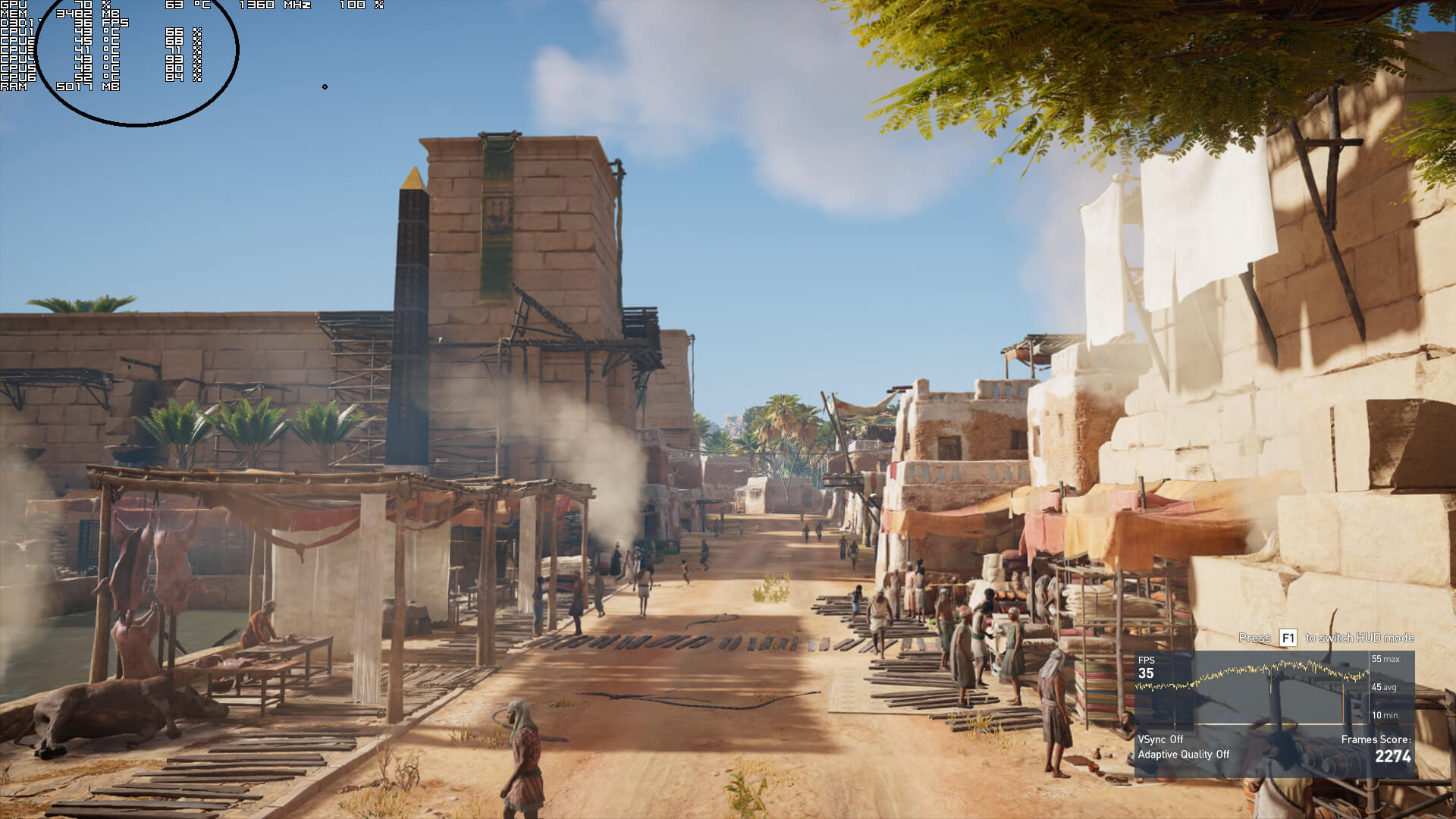
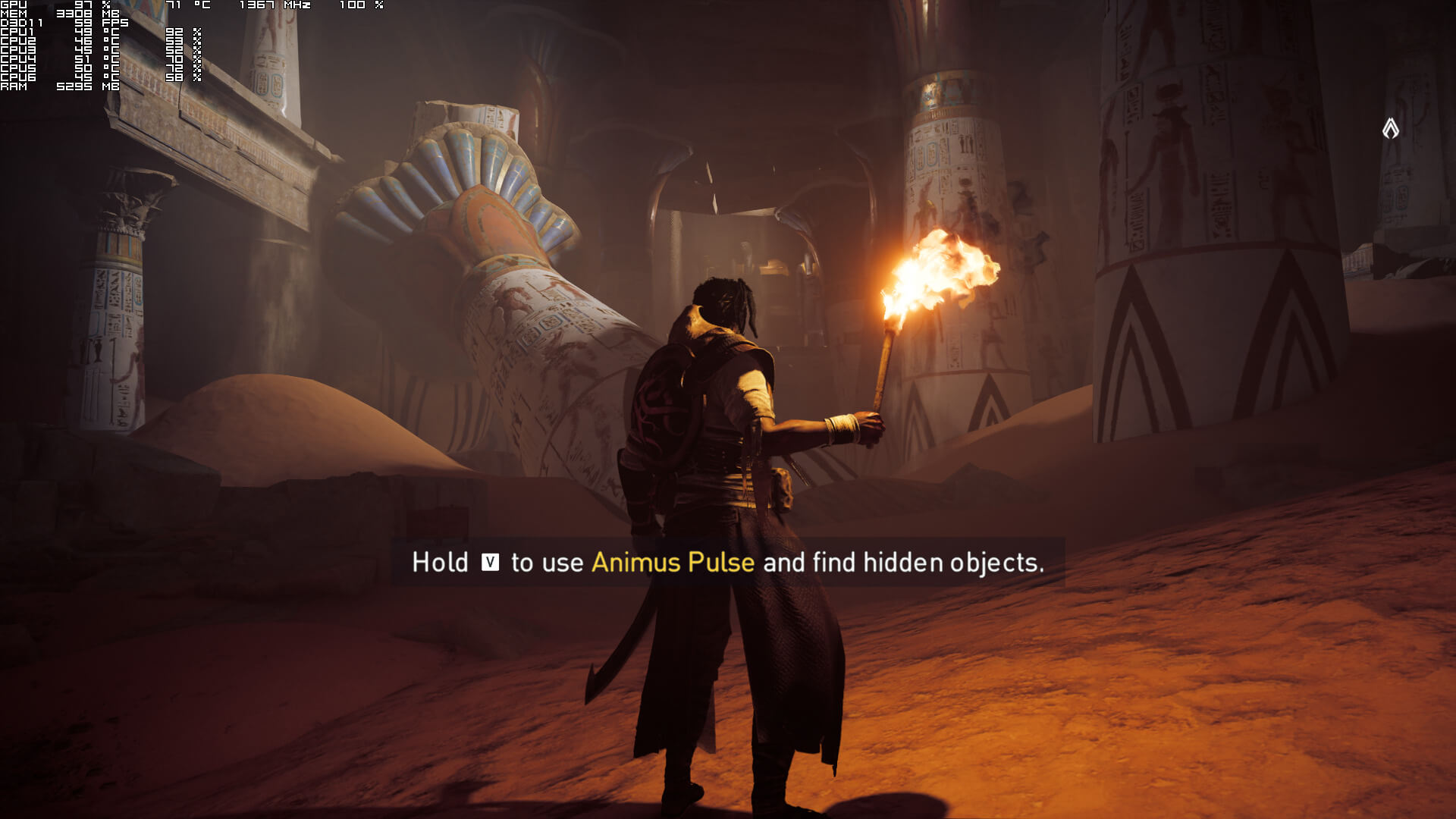
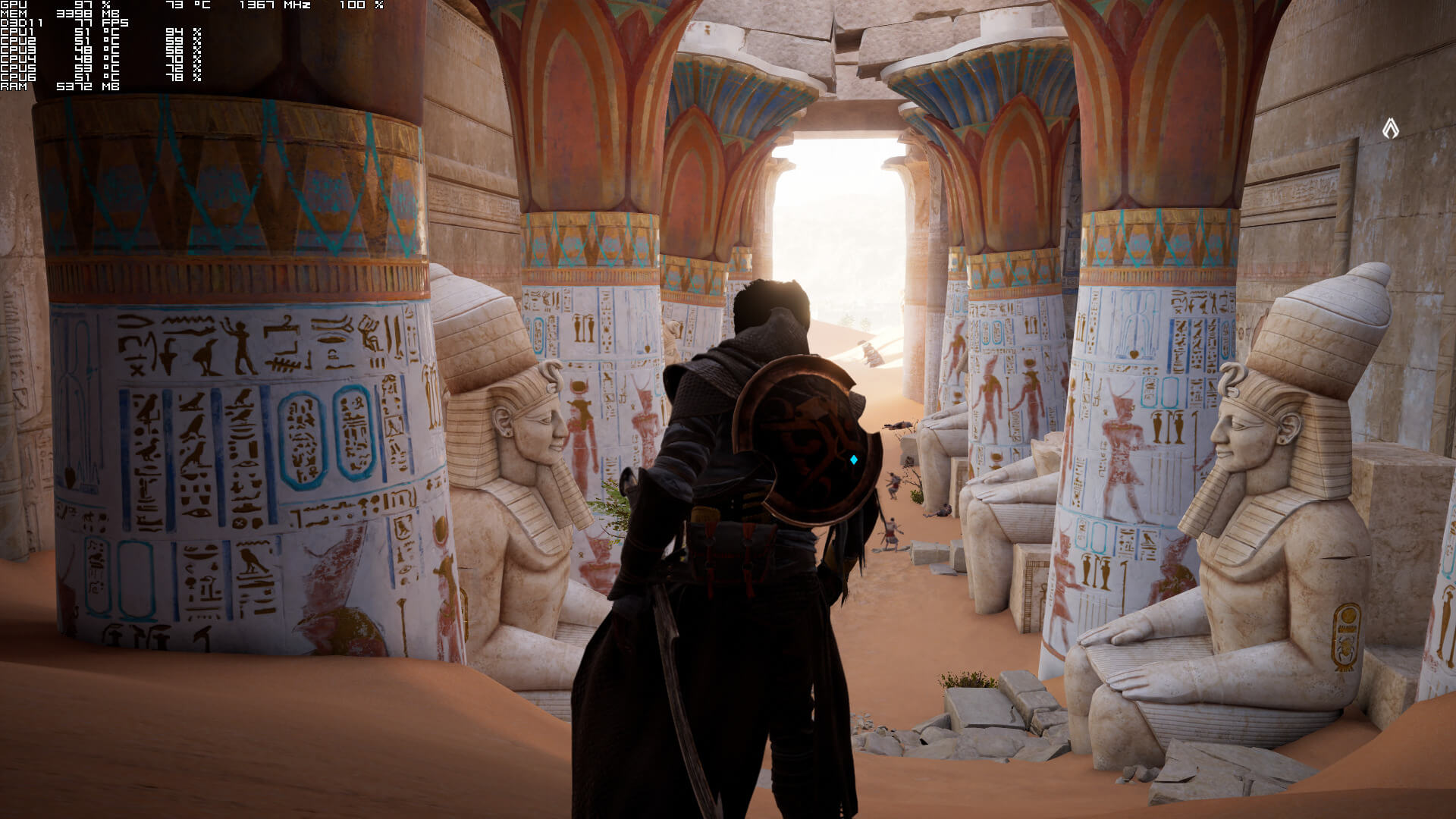
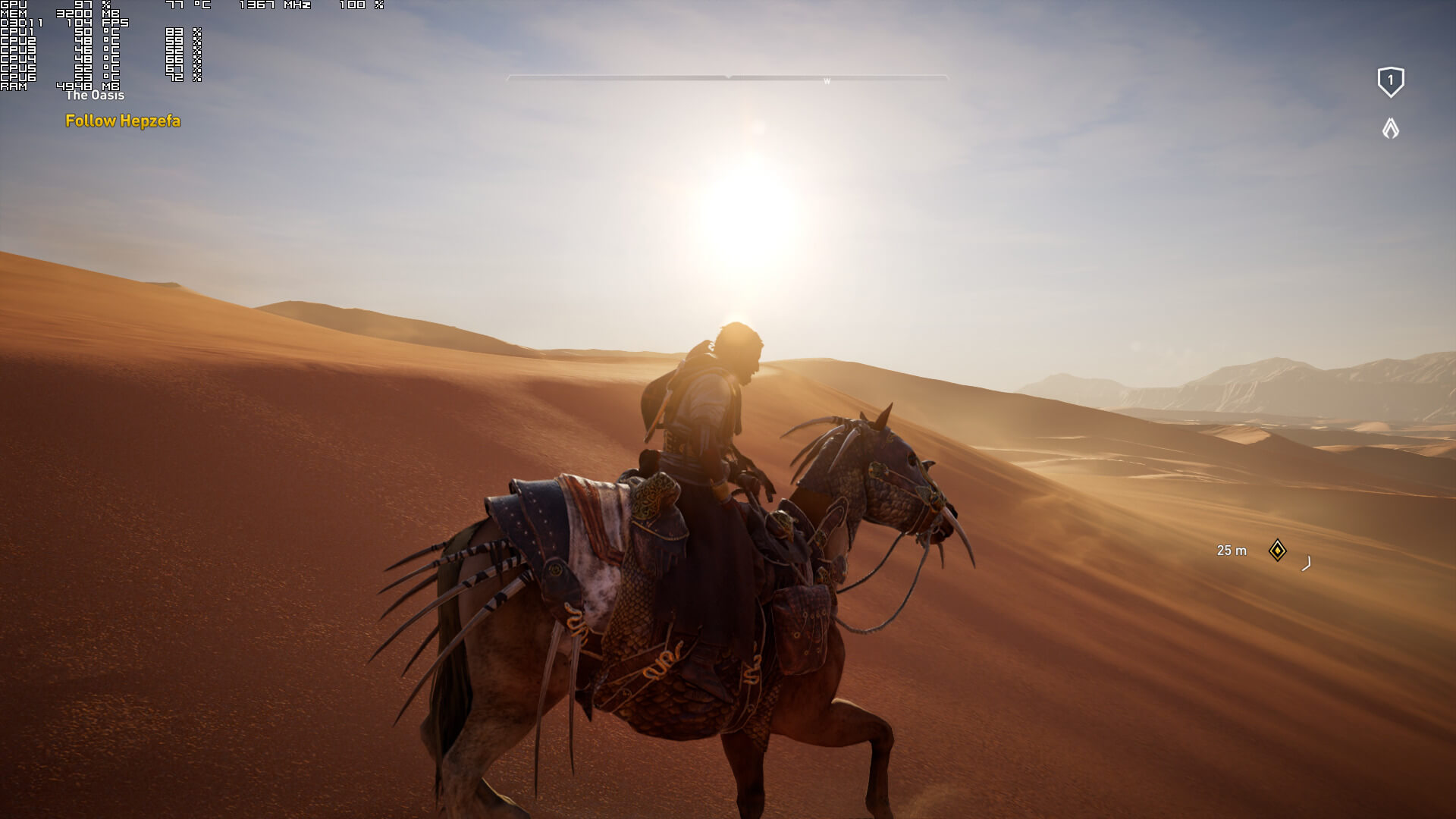
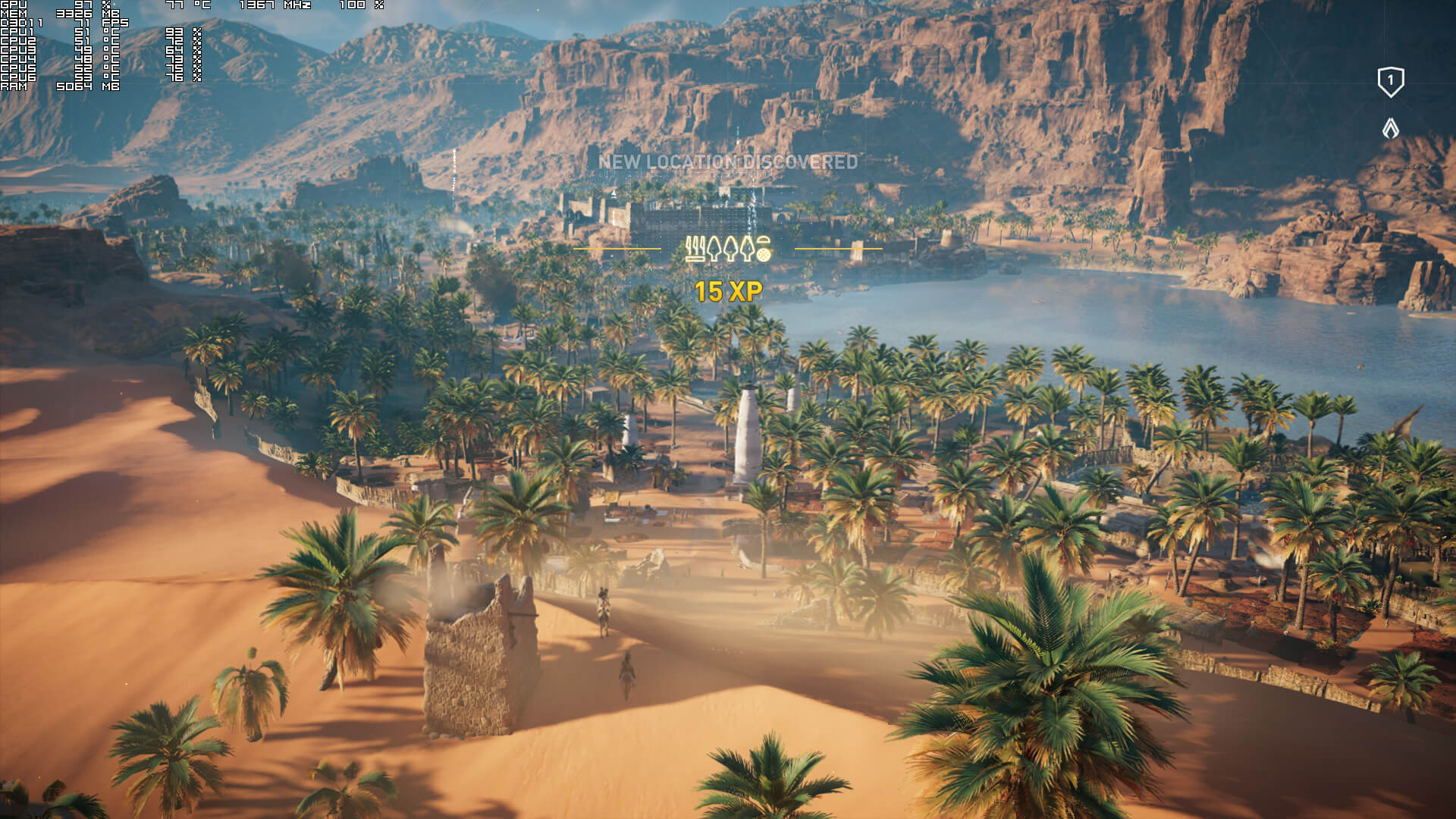
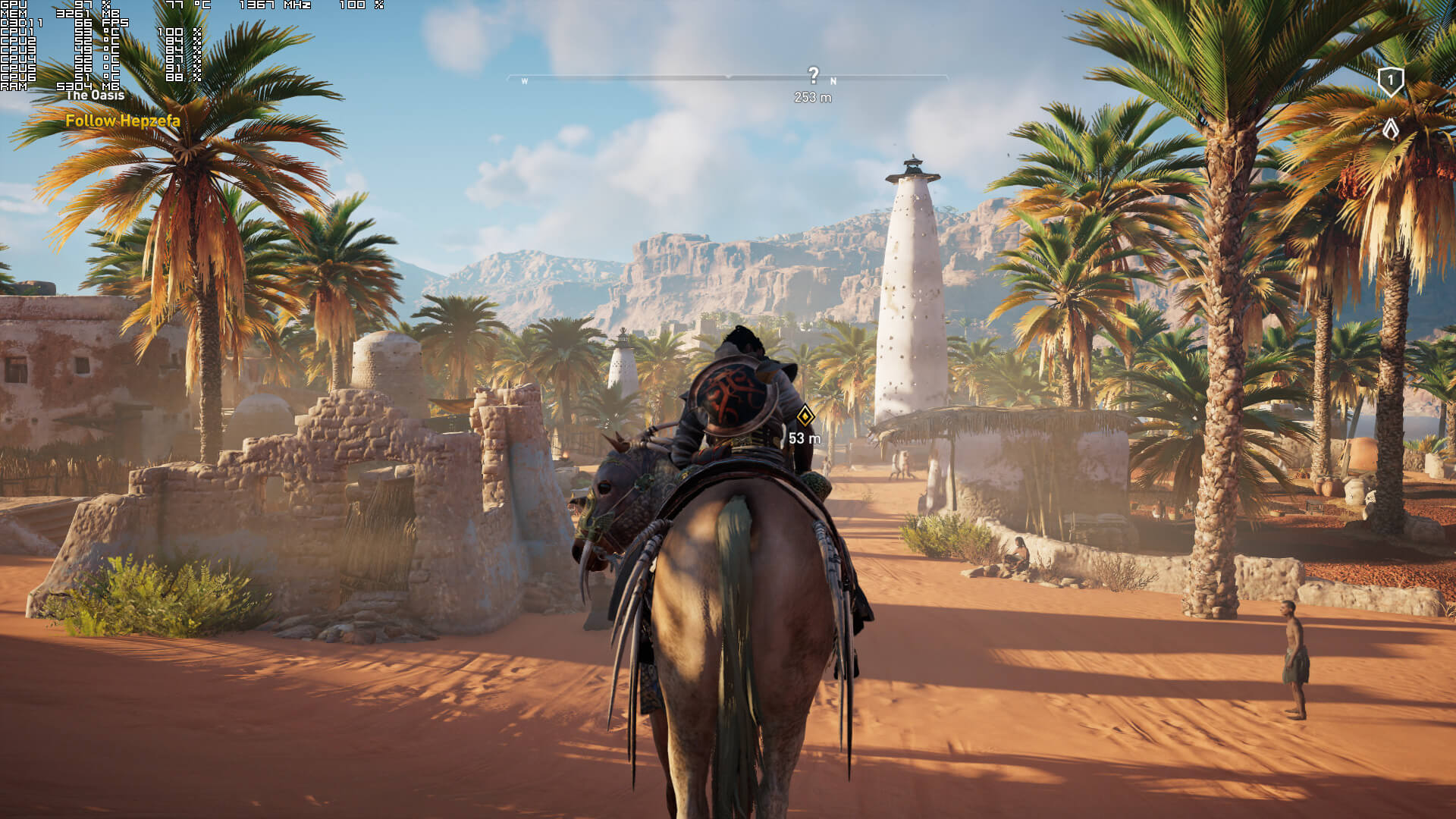
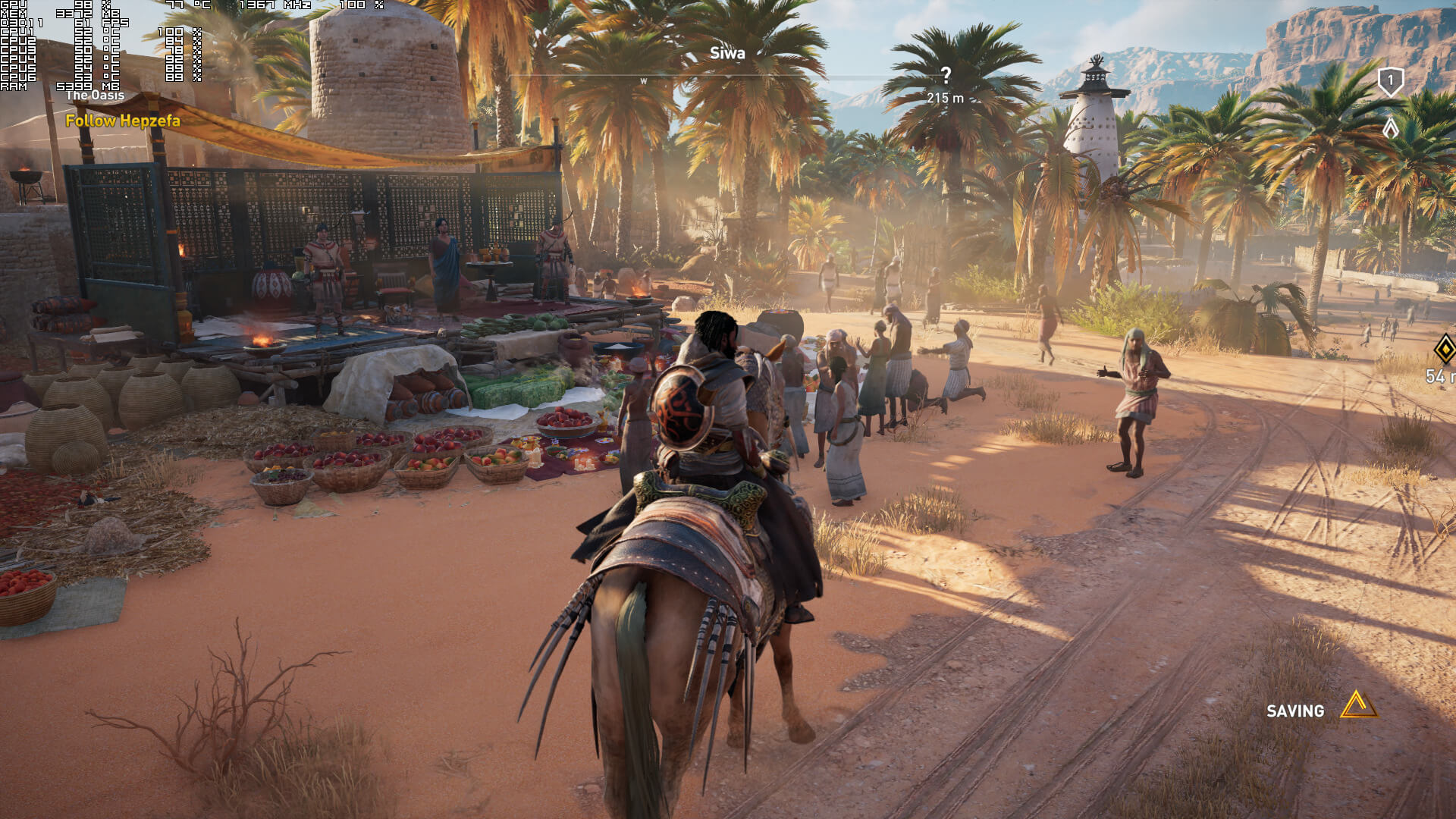
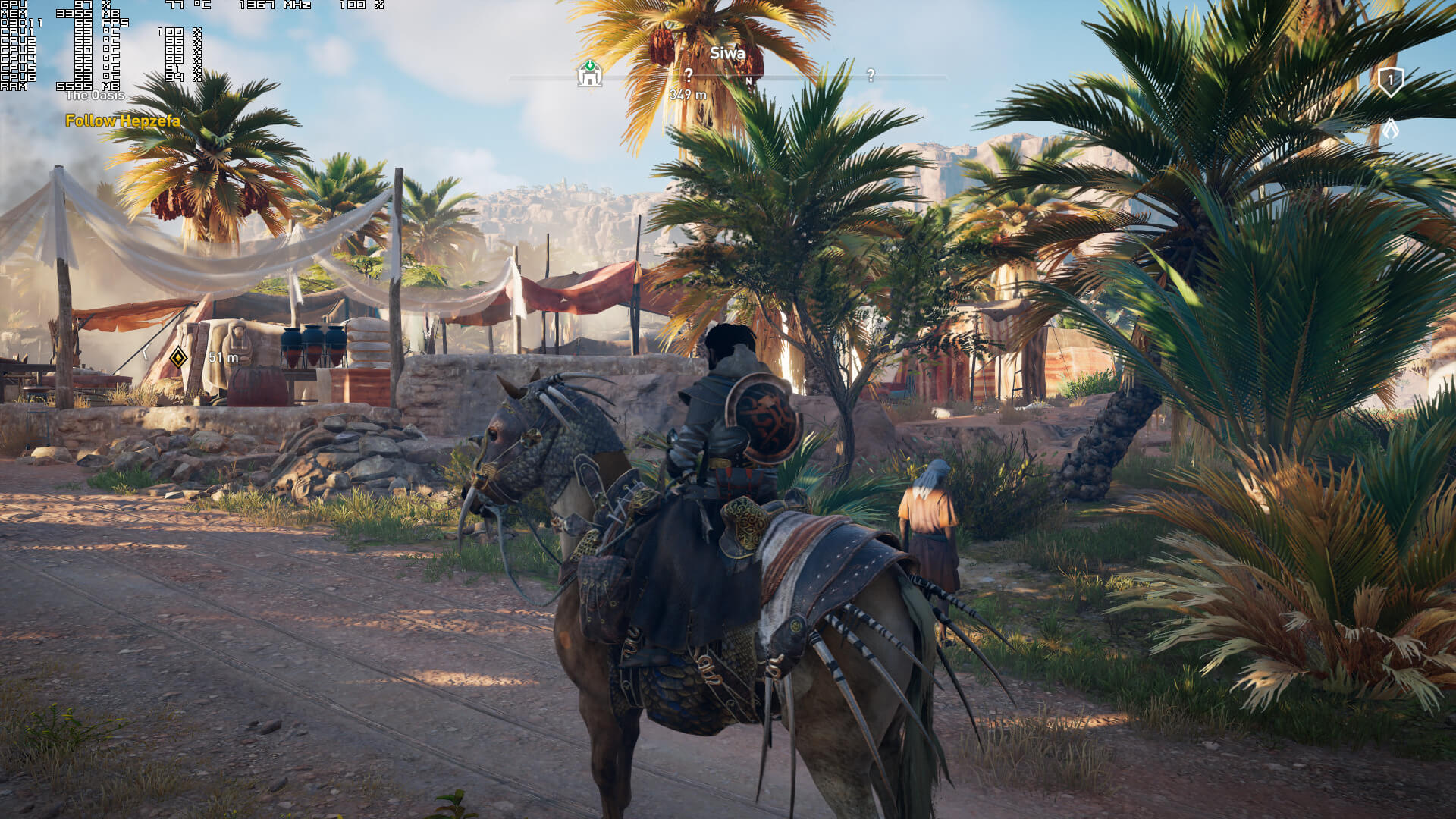
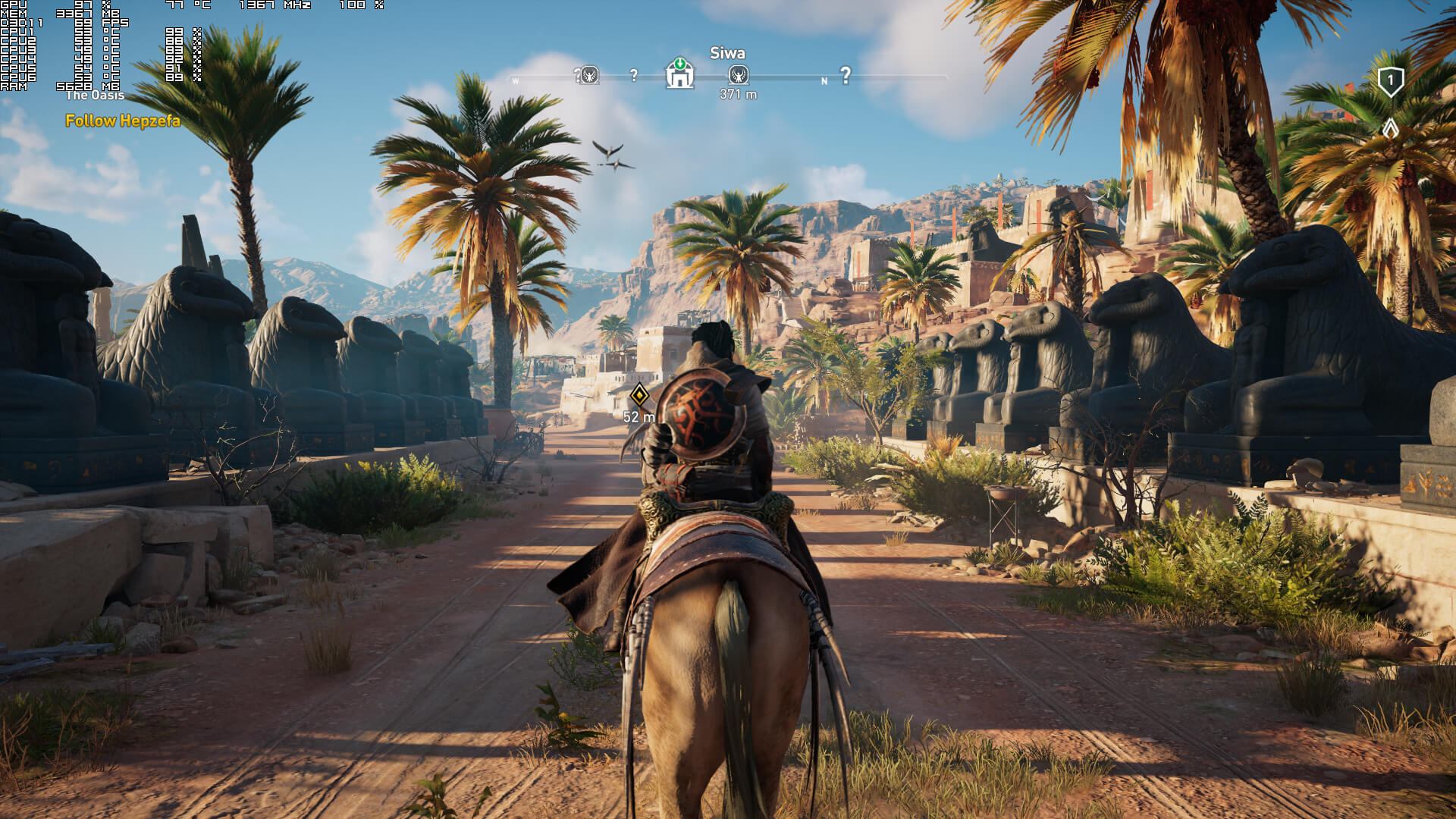
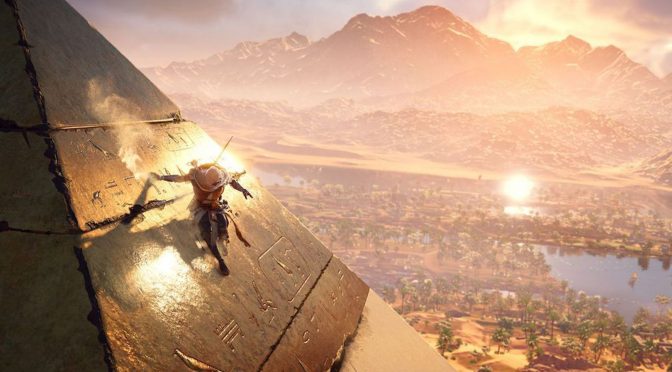
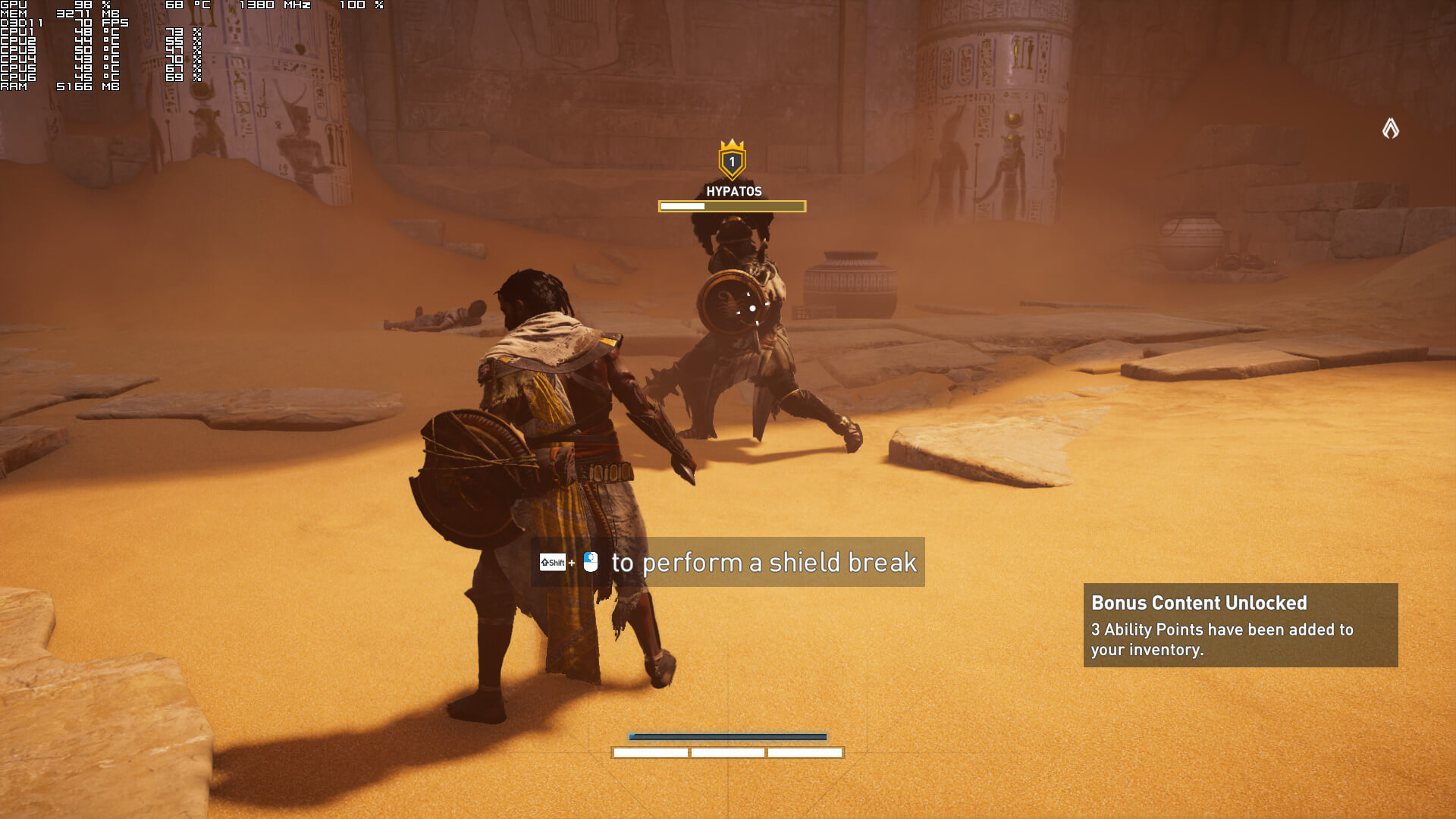
Graphics wise, Assassin’s Creed Origins looks absolutely stunning. Ubisoft has used a lot of high-resolution textures, the environments look great, there is bendable grass, and everything looks top notch. However, the lighting system did not impress as much as it did back in 2014. Don’t get us wrong, the lighting system is better than what we can find in other open-world games like Shadow of War. However, and from a series that made our jaws drop in 2014, we were expecting something more. Furthermore, there is noticeable pop-in of objects and shadows, even on Ultra High settings. Still, Assassin’s Creed Origins is, without a doubt, one of the most beautiful open-world games to date.

Assassin's Creed Origins - PC Benchmark - NVIDIA GTX980Ti - Ultra Settings

In conclusion, the game suffers from some performance and optimizations issues on the PC. SLI owners will not be able to take full advantage of their machines, and the game is currently having major optimization issues on AMD’s GPUs. The game also requires a high-end CPU, and even though it scales on twelve CPU threads, the performance difference between a quad-core and a six-core is really small. Naturally, we were expecting a larger performance difference than the 10fps we are getting. With Hyper Threading enabled, there is no performance difference at all, so there is definitely something going on here (as the game does use the additional threads of a six-core CPU).

Enjoy!
91 thoughts on “Assassin’s Creed Origins PC Performance Analysis”

  1. I’m running the game on a 7700K paired with an EVGA Hybrid 1080 Ti. I average right at 84fps (according to the in-game benchmark) with everything set to ultra on graphics settings. The game is definitely nice to look at. Beautiful scenery and those draw distances.

    1. But at what Resolution? I can easily run it at an avrg 100-120FPS on a 1070 paired with an i7-5820k at 1080p.

    1. I disagree. This is probably one of the most gorgeous open world game ( until RD:R 2 ) I have ever seen.

      Great draw distance, lots of details, displacement, great lighting, amazing water, HUGE map, impressive environment design… the list goes on. Considering what’s in that game, the performance is good. Much better than the usual ports we get most of the time…

      Oh… On the othe hand, the CPU usage is crazy… it is almost maxing all the cores of my 7700K most of the time. Maybe this is what optimization should focus on…

      1. Texture quality is bad. Game uses only 3-4 GB of video memory… even on graphics card with 8 GB or 11 GB. Bad memory utilization.

        1. It’s not, especially for an open world. I’d rather get the AC:O variety regarding texturing ( including tesselation, like they did for Ghost REcon: Wildlands ) than Ultra HiRes textures of the same brown and grey crap like they did in Shadow of War 😉

          1. you haven’t played the game or a console peasant and used to garbage so stfu, textures are awful.

          2. I have, uPlay version, PC User and your Ad Hominem attacks only make you look like a retarded kid on xBox live.

            Go join the SJW forces, they love one sided hive minded people like you.

          3. those who shill for big companies are usually hipster cucks who like to take it in the bum, you’re dumb as hell, also i barely touched any consoles in my life.

          4. have you checked PCgamer though? honestly you sound like a person who could get a long very well with their entire staff.

          5. I don’t. I’m like a sane version of yourself so they don’t like my comments over there but I’m sure you’re quite the attraction over there.

          6. Somehow I gather that unfortunately your uncle can’t say the same of one of his nephews.

          7. Couldn’t agree more, texture resolution is no use if the art direction doesn’t have the guts to back it up, a good example is dishonoured 2 – Relatively low res textures but still beautiful because the art direction was a masterclass in how to design videogame concept art and then draw from it during development.

          8. I completely agree. They have kept the VRAM utilization pretty low which is a good thing, but I do think they should release an ultra texture pack for those that have 11GB of VRAM like myself.

            The Middle Earth games eat your VRAM alive with the ultra textures pack and they really are worthless as you said. Who cares about staring at brown and gray mud and clay in high resolution if that’s all you see?

        2. Doesn’t mean its bad. Quality is okay, honestly. However, I think a free High Res texture pack would be pretty awesome to have!

      2. It is. Don’t expect all low-res models to be displayed at the same time.

        Sometimes I am worried about people unrealistic expections nowadays…

        1. We both know that despite all the sweet talking the engine is tailored for consoles. I agree there is room for optimization but TBH, this is one of the few title that left me with the feeling the performance was on par with what was displayed.

          1. there’s nothing in this game other than some basic foliage, textures are poor, ao doesn’t exist and there aren’t any environmental details or particles that put pressure on hardware, popin is also noticeable and most reviews mention it, so i don’t know what you’ve been playing that makes you think visuals in this game justify performance.

      3. I 100% agree with you, the game is awesome, I dig the new combat and it looks amazing.

        Simply Assassin’s Creed Origins is impressive on the PC. I am playing it on three screens in Nvidia Surround and it looks insane! in this config.

        1. It is indeed. Absolutely wonderful. 1440p + 1080 Ti and I’m able to keep 95-120 FPS all the time on ultra settings. It’s great. SO much fun to play. I can’t even fathom any part of it getting old yet. There’s SO much to do, and so little that you HAVE to do.

          1. Have you gotten to alexandria yet? as soon as I got there, my performance dropped down to 45 ish. I’m using a 1080ti and running at 1080p

          2. Yeah – I actually just got there about thirty minutes ago.

            I am noticing larger drops than I’ve had before, down into the high 70’s at some places, but no where near 45. And I’m at 1440p. 45 FPS at 1080p is not right. Unless your CPu is the bottleneck, which is very possible. I noticed my CPU usage spiking in ALexandria, and when it did, my GPU usage would drop from 99% to 91%. SO i’m actually getting bottlenecked too on a 6-core 5820K overclocked to 4.5 GHz. Check your GPU utilization when your frame rate drops that low

          3. I’m really curious to see what your utilizations are, because that just isn’t right. As mentioned, I’m on ultra settings at 1440p and don’t go anywhere near that on the same GPU. Your CPU definitely shouldn’t be bottlenecking you unless there’s some optimization issues with AMD CPU’s for some reason, which again, should at least show up in your CPU/GPU utilization. I am running Anti-Aliasing on low (all other settings on Ultra). Maybe if you’re running it on high it could be involved, but still, that performance hit seems way too large, especially considering you’re on a lower resolution.

          4. That is really strange. Your CPU isn’t spiking, but your GPU utilization is low. Something is limiting how quickly instructions can get to your GPU. I assume you’re using the last NVIDIA driver relase for this game? What are you using to get those stats? PrecisionX? Afterburner? Or are you running other monitoring software or anything else that accesses the frame buffer of your GPU?

          5. Not yet, still busy seeing everything and doing all the side quests etc. Yeah like I said before we really need a 1180 Ti like now. If Nvidia put up a 1180 Ti or what ever it will be called tomorrow I buy it in a second.

            Having said that it is very playable as is with a single 1080 Ti on Ultra but I am pretty sure @ 5760×1080 I can not hold 60 FPS all the time(have not checked but I can tell it dips in complicated areas).

            Regardless I am totally in love with the game even if it is not perfect 60 FPS. I hope the Volta 1180 reg will = 2X a 1080 Ti, that would own.

          6. After buying a 980, I decided to only buy TI versions from then on. The 980 performance didn’t keep up with me too well…

          7. Cool, this is exactly how I feel as well. The 80s are solid cards but they just don’t last as the Ti’s so I always wait for those for it is worth it.

          8. Nice, good stuff. Yeah man, the game is incredible like you said so many cool things to do/see and it all feels very hand crafted and a live. I love it.

          1. John should start banning people like Oscar, he post nothing but disrespectful and immature comments.

        1. It’s bare, has nothing on the scale of NPCs and AI compared to Origins, HZD drops below 30fps in the towns with more NPCs, also alot of the landscape just repeated the grass looks the same everywhere, lod draws close on the ground, water looks bad.

          1. we did not play the same game i guess.
            yea water looks basic but grass and foliage looks great and detailed
            as for lod on ps4 pro there is barely any pop up.
            as for npc…yea no much humans but the machines behavior and AI are very natural and impressive the particles and moving parts react very good.

            yea i was more impressed with horizon zero dawn on ps4 pro than say assassins creed unity maxed out on my pc with a 980ti.
            and as for drop under 30fps i never felt any,yes its only 30 fps but its very stable and playable.
            thats why i prefer sony exclusives over microsoft exclusives they do impressive stuff with very mediocre hardware.
            makes me wonder how good could have been those games if they were also released on pc i wish one day naughty dog and guerilla games will start developing on pc…but thats not likely to happens

          2. Remember, many people on this site who have just PC hate any console game, no matter how good it looks. I doubt CommonSenseComeBack have never played Horizon on PS4/P, at best he looked at few screenshots, YT gameplays.

    2. You could play it on high setting instead of ultra. Not much difference in graphics between ultra and high and yet high runs much better

  2. Performance is good (even in 4K). But there is a big problem with textures. Game use low quality textures which use only 3-4 GB even on fast graphics cards with 8 GB or 11 GB. So half of available video memory is unused even on cheap cards like RX 480.

    Its sad than big open world game use only 3-4 GB of memory. Why Ubisoft can’t release “ultra textures pack” for people with new graphics cards with 8 GB? Like some other developers: Shadow of War, Fallout 4 etc.

    https://uploads.disquscdn.com/images/bb848d3408c2f781285bdb8cd2dc2bbbcf7a8cd945693636a889e2dbcf815e87.jpg

    1. Ubisoft did it for R6. If there’s a need, they’ll probably do it. But i doubt people REALLLLY care about high off the top textures in AC. Most of the time you’re not even looking at stuff, you’re just running by. Don’t get me wrong i got a TitanXm so i’d benefit from this but sometimes it’s just not worth.

        1. Exactly what i thought. I do not own the game, i only saw youtube videos but even with compression it was very beautiful. As soon as a 2080 or 1180 comes out ima throw my TitanXm away and get it so i can enjoy new games the way i like.

          1. The game itself has its strengh and flaws ( though probably the best AC game for me ) but its graphics… really impressive indeed…

            At least, if you wait for a 1180, you’ll get the game for peanuts 😉

          2. You must have a rather low standard of what “really impressive graphics” are all about. The game look dated.

          3. To each his own…

            I’m not going to say the game couldn’t benefit from better optimization or higher resolution textures. I’ve merely been saying than compared to the hordes of terrible ports we get most of the time, this game delivers on the graphical side.

            Graphics involve technical aspects as well as art drection…

    2. Ubi would never release an authentic high res texture pack until sales slow for the xbonex version. For video games, MS makes most of its money on Xbox Live subs, which PC doesn’t have, so part of MS’s business is to hand partnership companies checks for favorable treatment on their consoles to push Live subs. This is usually limited in time and happens to keep games looking as close as possible to the brand new xbonex, ripe for picking new Xbox Live subscription fruit – just like they did with all their UWP games and partnership reveals this past e3.

      People who think these companies don’t do everything they can for quick, short term wealth are fooling themselves.

      1. “Ubi would never release an authentic high res texture pack until sales slow for the xbonex version”

        I think that Ubisoft use only 3 GB of video memory because PS4, PS4 Pro old Xbox 2013 and most of PC have only 3-4 GB of video memory for textures. In Steam Survey 95% of PC have less than 8 GB of video memory. So Ubisoft don’t care about users with 8 GB of video memory for textures (Xbox X, GTX 1070, RX 480…)

        https://uploads.disquscdn.com/images/1a0df26a061cd1fd073ac64252b7d5829ac63efd8431533fcfdbd2782b10481a.jpg

        https://uploads.disquscdn.com/images/067e8a474abce316cf3b24e4400def094cb4b19f126e4c5040e0b4619476a81a.jpg

        If we want good graphics in games more people must buy hardware with 8 GB momory for graphics. XOX is best chance for that. If many gamers buy XOX then future games on PC will also use more video memory (conversion from console)

    3. Even on ultra game should not use massive amount of VRAM. if they did then those dev are not doing enough optimization. That’s all to it. John carmack did say many developer rely on more raw power available to them instead of optimizing their game more with current limitation. And i think sebbbi over beyond3d forum also said how 4GB is good enough for majority of games with proper optimization.

      1. 1. If you have 8 cpu cores and game use only 2 then most people say it isn’t optimized

        2. If you game use only 30-50% of CPU power then most people say it isn’t optimized

        3. If you game use only 30-50% of GPU power then most people say it isn’t optimized

        But when only 30-40% of video memory is used then its fine? Where is logic in that? It doesn’t make any sense

        In your point of view “good optimized games” should use only 30% of CPU, 30% of GPU, 30% of available video memory and use only 1 core?

        1. It’s fine to use all the available resource. But ideally don’t use massive resource when it can be done (properly) using less. Just look at DX12 itself. Same graphical setting. But under DX12 sometimes VRAM usage is more than DX11 version. That not supposed to happen. I can understand for games to utilize more CPU cores. That because the game might be “choke” for not taking advantage multi core cpu. But when it comes to VRAM usage in games i see some games use massive amount of VRAM just to satisfy ultra requirement. To justify the existence GPU with massive amount of VRAM. Just look the witcher 3. Even at 4k the amount of VRAM needed is not crazy (check TPU performance review) And from my experience the in-game texture seems really good. Right now what we got with ultra texture is massive amount of VRAM usage but most often it is not noticeable to the naked eyes with high or very high texture unless you make side by side comparison. Heck in some cases even medium texture have very acceptable image quality.

  3. So this is the single player game that has tons of loot boxes. The game that you can pay for materials, weapons, and believe it or not, levels. You can buy faquing xp and level up… because its not a pay to win. Its a… pay to fast lmfao.
    And people is buying this?? Holy cow
    You keep supporting this crap people… keep supporting this…
    I remind you that ubicrap told to the press that was imposible to buy game content with real money. It was all around in game currency. Apparently they forgot to tell that you can buy ingame currency with REAL money. Now lets see how many years you are gonna need to farm before you can afford an upgrade..

    1. It looks amazing but it doesn’t have the same impact. For comparison purposes, Unity = Crysis and Origins = Crysis 3. While Crysis 3 looks way better than Crysis, it did not make the same impact as Crysis did. And that’s why Crysis (aka Unity) was way, way ahead of what was released back then. Crysis 3 looked better, but it didn’t feel like a generational leap.

      PS: The only downside with Unity (asideo from the glitches and bugs) was the really aggressive LOD. Thankfully, and even though there is still pop-in, it got improved in Origins.

      1. I think this is a problem with most recent games. But looking at perfomance and development costs, i dont think there is any need to have the best graphics ever.

        1. Exactly, because the majority of gamers are little kids with a peasant box or a weak PC who doesn’t really care for beautifully crafted visuals. And Ubi just goes with that flow and let the dough roll in. Sad, there aren’t any pioneers any more, crytek was the last of that breed.

          1. The original Crysis sold like sh*t according to Yerli. No publisher’s going to fund the development of a game no one can play until a decade latter, that makes horrible business sense. You and I have have the hardware to play every game at 4k 60fps today but 99% of gamers don’t.

          2. Crysis sold rather good, look it up. People could run Crysis just fine at release, just not maxed out, so what’s your point?

            “You and I have have the hardware to play every game at 4k 60fps today but 99% of gamers don’t”

            That’s like saying personal vehicles are capable of running over 120 mph but only 99% are speeding so they could just limit them to max 80 mph just because that’s the highest allowed speed on the roads…

      2. I do agree Unity was impressive ( especially the lighting/texturing ) but Global Illumination was baked ( that is why you could only picked specific times of day ).
        This is real time in Origins and reacts to lighting changes.

      1. No he’s right. The lighting isn’t anything special. Just play some ACOrigins then after fire up Sinai Desert and crank settings to ultra in BF1 and you’ll see why Origins looks mediocre, especially its flat lighting.

        1. Sinai Desert… the map clearly has less details than what you can spot in AC:O.
          Don’t get me wrong, the Frostbite engine is amazing and can deliver very photo-realistic graphics ( especially when combined with photogrammetry )…

          BUT BF1 is not an open-world game.

          1. Yeah it clearly has more low-res shiet in it, we’re comparing a level to a whole game here duh. That’s not the point! The point was, it has cheap lighting and moderate overall visuals of which aspects BF1 clearly outshines in. And it doesn’t matter if it’s open world or not, I’m not talking about props, vegetation variations, map size etc, I’m talking about the technical fidelity and lighting. IMO the lighting is one of the biggest contributors to how good the graphics are.

        2. Yes but BF1 isn’t open world, there is no realtime time of day, it’s just a map no NPCs moving about living in the world doing daly tasks.

          1. What matter does it make? Open world? Time of day? Wtf are you yapping about? I was talking about the graphics. You don’t think that Frostbite could be used in an open world game?

  4. But at what Resolution? I can easily run it at an avrg 100-120FPS on a 1070 paired with an i7-5820k at 1080p.

  5. I praise the FOV slider and the amount of graphics options but wish they had spent more time putting 6+ core CPUs to work.

  6. I’m really curious to see what your utilizations are, because that just isn’t right. As mentioned, I’m on ultra settings at 1440p and don’t go anywhere near that on the same GPU. Your CPU definitely shouldn’t be bottlenecking you unless there’s some optimization issues with AMD CPU’s for some reason, which again, should at least show up in your CPU/GPU utilization. I am running Anti-Aliasing on low (all other settings on Ultra). Maybe if you’re running it on high it could be involved, but still, that performance hit seems way too large, especially considering you’re on a lower resolution.

  7. The game has been proven to be using VMProtect ON TOP of denuvo. Any guesses as to why performace is tanking for a lot of people?

    1. That could be really nice but for some testing you might want to enable dsr from the Nvidia control panel, in this way you should be able to play the resolution you want no matter the screen. Ofc it introduces a bit of input lag but it’s worth it.

  8. Game runs absolutely horribly. i7-6700k, GTX1080, just absolutely abysmal. There is no excuse for how badly this game runs – I literally get 30 fps in some cutscenes and it dips to 30 indoors at the worst on ultra with 200% scaling.

Leave a Reply

Your email address will not be published. Required fields are marked *