
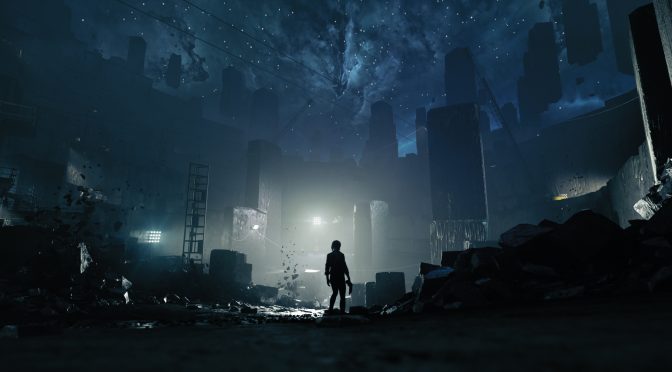
Modder ‘reg2k’ has released a pretty cool mod for Remedy’s CONTROL. This mod enables a dev menu, allowing players to tweak a number of settings. PC gamers can, for example, adjust render options, lighting, and tweakables.
Alongside the aforementioned settings, gamers can enable Inventory, Content Memory Tracking, Graphics Parameters, Unlock Items and Trials.
The most interesting feature of this mod is, in our opinion, the Ambience System. Gamers can adjust Depth Ramp to their liking. They can also tweak Environmental Diffuse and Specular Intensity. Moreover, there are options for Local and Sky Intensity. Not only that, but you can also find some values to improve the game’s atmosphere.
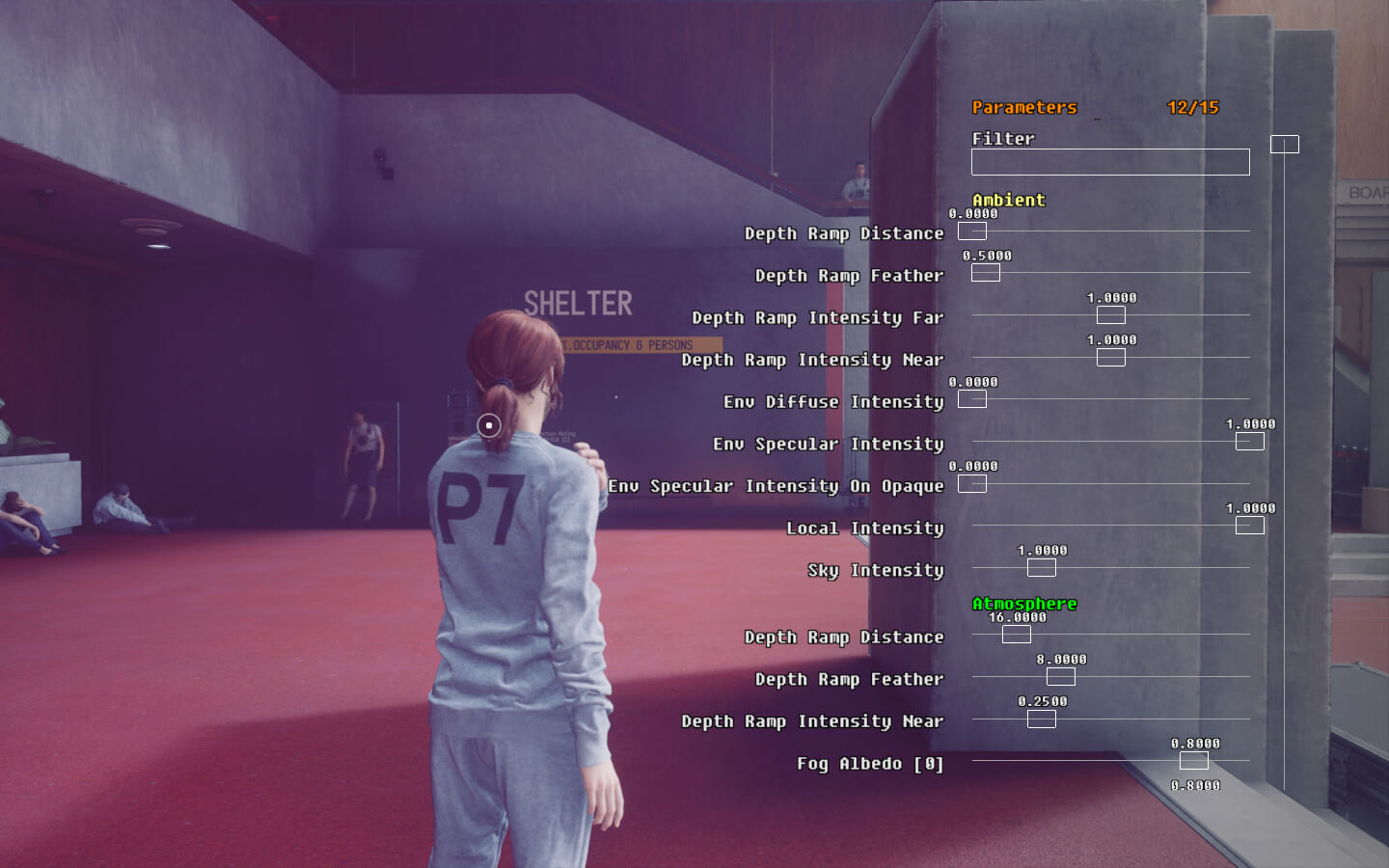
In short, you can really change the looks of the game by tweaking these values. As such, we strongly suggest downloading and experimenting with it.
In order to install it, you’ll first need Control Plugin Loader. Afterwards, you can extract DevMenu.dll and DevMenu.ini into the following folder: \plugins. If the plugins folder does not exist, create one. Then, launch the game and press F11 to toggle the dev menu. You can navigate it with Page Up and Page Down.
You can download the mod from here.
Have fun!

John is the founder and Editor in Chief at DSOGaming. He is a PC gaming fan and highly supports the modding and indie communities. Before creating DSOGaming, John worked on numerous gaming websites. While he is a die-hard PC gamer, his gaming roots can be found on consoles. John loved – and still does – the 16-bit consoles, and considers SNES to be one of the best consoles. Still, the PC platform won him over consoles. That was mainly due to 3DFX and its iconic dedicated 3D accelerator graphics card, Voodoo 2. John has also written a higher degree thesis on the “The Evolution of PC graphics cards.”
Contact: Email

I understood nothing and probably neither did you.
I understood nothing and probably neither did you writing the post.
It’s basically just a bunch of lighting parameters. Nothing here I would actually change. The ambiance in this game is spot on.
Point is you can change the settings in game, and see the real time changes without having to exit the game, edit ini file settings, then restart the game, to see if it improved things.
dirthurts, you ain’t even looked any further than the Nexus screenshots if that’s what you think. Lots more to this than just Display settings (which are extensive), it”s basically evry existing mod the authors done, as live in game tweaks including changing rates, of abilities, duration strength, numbers per level etc.
You can activate and/or disable tougher enemies at any time during the game, allowing for custom difficulty settings, design and create weapon mods.
It doesn’t matter if you would change anything using it, the mod Author Reg2k is Step by Step building the foundations for an entire suite of modding tools.
Reg2k Mods
Loose Files Loader
Allows the game to load unpacked, loose files from outside game archives.
The Control Plugin Loader
DLL loader that allows mods to modify low-level parts of the game using native code.
Control Save Editor
A save editor and save transfer tool for Control.
Control Dev Menu
Enables dev menus to control render options, lighting, tweakables and more.
Photomode Loadscreens
Displays the photos you’ve taken in Photo Mode as loading screen images.
No Intro Screen
Removes the unskippable intro when you start the game.
Might be, or are part of Control Dev Menu
Dynamic HUD (DynaHUD)
Dynamically hide UI elements based on your current gameplay state
Health Regen
Adds configurable in-combat / out-of-combat health regeneration
Tweakables
Take control of the game’s very large number of tweakable parameters.
Custom Expedition Settings
Longer Time Limits and Enemy Difficulty
There’s 24 mods on Nexus, and 10 are all made by Reg2k
thats what i expected to read whem i opened the article
not interested in mods that does not represents transgender community.
Gamers can adjust Depth Ramp to their liking. They can also tweak Environmental Diffuse and Specular Intensity. Moreover, there are options for Local and Sky Intensity. Not only that, but you can also find some values to improve the game’s atmosphere. https://media2.giphy.com/media/Xo2lUMGfBgf9C/giphy.gif
Is there a way to tone down the horrible motion blur?
I think that’s under Post Processing, and called Radial Blur in this tool.
It has a slider 0.0000 to 1.0000
But Motion Blur’s already set to zero in my game, because one of the post release patches the devs added Tick box toggles for Film Grain, and Motion Blur.
Note this tool is far better though, as even with Film Grain Toggled off in Display Menu, This tool tells me it’s actually set to 0.4000, and not really off = 0.0000
Well it’s off now, thanks to this mod.
Beauty of the mod, is it’s in game, applying real time changes on the fly.
No more exit game change Ini file, restart game hassles.
Render options (6/15) also has a Post Processing Section, and this appears to be what the devs use for Display option Settings
Render Film Grain and Render Motion Blur both toggled off in this menu
on but not wanted, and not shown in Display Options
Render DOF
Render Vector Blur
That’s all after just 5 mins of looking, lots more to play with here.