
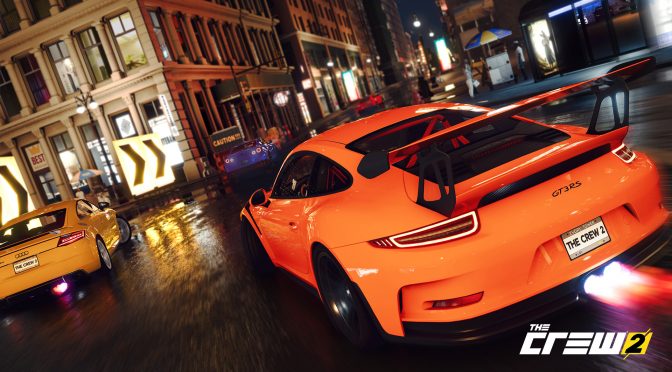
Ubisoft has just revealed the official PC requirements for The Crew 2, as well as its key features. The PC version of The Crew 2 will feature support for driving wheels, 4K and Ultra-wide 21:9 aspect monitors, mouse and keyboard, input device auto-switch and extended gamepad support (DirectInput/XInput), multi-monitor support (up to three monitors), auto-setting detection, video presets, and custom options.
PC gamers will need at least an Intel Core i5-2400s or an AMD FX-6100 with 8GB of RAM and an NVIDIA GeForce GTX 660 or AMD HD 7870 in order to play the game on Low settings at 1080p with 30fps. For High settings at 1080p and 30fps, Ubisoft recommends an NVIDIA GeForce GTX 760 or an AMD R9 270X.
For High settings at 1080p with 60fps, the French company recommends an Intel Core i5-4690k or an AMD Ryzen 5 1600 and an NVIDIA GeForce GTX 1060 or GTX 970 or AMD RX 470.
The Crew 2 releases on June 29th, and below you can find its full PC specs alongside its advanced graphics settings.
MINIMUM CONFIGURATION – 30 FPS:
- Resolution: 1080p
- Video Preset: Low
- OS: Windows 7 SP1, Windows 8.1, Windows 10 (64-bit versions only)
- PROCESSOR: Intel Core i5-2400s @ 2.5 GHz or AMD FX-6100 @ 3.3 GHz or equivalent*
- VIDEO CARD: NVIDIA GeForce GTX 660 or AMD HD 7870 (2GB VRAM with Shader Model 5.0 or better)
- SYSTEM RAM: 8GB
RECOMMENDED CONFIGURATION – 30 FPS:
- Resolution: 1080p
- Video Preset: High
- OS: Windows 7 SP1, Windows 8.1, Windows 10 (64-bit versions only)
- PROCESSOR: Intel Core i5-3470 @ 3.2 GHz or AMD FX 6350 @ 3.9 GHz or equivalent*
- VIDEO CARD: NVIDIA GeForce GTX 760 or AMD R9 270X (4GB / 2GB VRAM with Shader Model 5.0 or better)
- SYSTEM RAM: 8GB
RECOMMENDED CONFIGURATION – 60 FPS:
- Resolution: 1080p
- Video Preset: High
- OS: Windows 7 SP1, Windows 8.1, Windows 10 (64-bit versions only)
- PROCESSOR: Intel Core i5-4690k @ 3.5 GHz or AMD Ryzen 5 1600 @ 3.2 GHz or equivalent*
- VIDEO CARD: NVIDIA GeForce GTX 1060 (6GB) or GTX 970 (4GB) or AMD RX 470 (4GB / 8GB VRAM with Shader Model 5.0 or better)
- SYSTEM RAM: 8GB
Advanced Graphics Settings
– Screen resolution selection with multi-aspect ratio support, including 21/9 screens.
– Window modes (exclusive full-screen, classic window, and borderless full-screen)
– FPS limit, up to 60 FPS
– V-Sync on/off
– Video Presets & customized values:
– Geometry: Set the view distance details.
- Shadows: Set the resolution and quality of all shadows in the game.
- Textures: Set the quality of in-game textures. Game restart is required to apply changes.
- Environment Mapping: Set the quality and the resolution of realtime reflection and indirect lighting.
- Depth of field: Set the depth of field quality.
- Motion Blur: Set the strength and quality of in-game Motion Blur while moving. A disable feature also is available.
- Grass: Set the density of grass in the game environments.
- Volumetric FX: Set quality of clouds and fog.
- Anti-aliasing: Set the quality of edge sharpening and overall graphic fidelity.
- Ambient occlusion: Set details of shadows based on two or more intersecting objects.
- Screen space reflection: SSR allows even more improvements to Environment Mapping by using some parts of the rendered image if possible. The player can choose SSR quality or disable it for low-end machines.
- Weather: Set the quality of weather effects in the game.
- Terrain: Terrain quality settings can allow more details in medium and far view.
- 3-Monitor FOV scale factor: If the player uses a 3-monitor configuration, this value allows them to adjust the focus level of the monitor in the middle and corrects potential FOV deformation because of the unusual aspect ration.

John is the founder and Editor in Chief at DSOGaming. He is a PC gaming fan and highly supports the modding and indie communities. Before creating DSOGaming, John worked on numerous gaming websites. While he is a die-hard PC gamer, his gaming roots can be found on consoles. John loved – and still does – the 16-bit consoles, and considers SNES to be one of the best consoles. Still, the PC platform won him over consoles. That was mainly due to 3DFX and its iconic dedicated 3D accelerator graphics card, Voodoo 2. John has also written a higher degree thesis on the “The Evolution of PC graphics cards.”
Contact: Email