
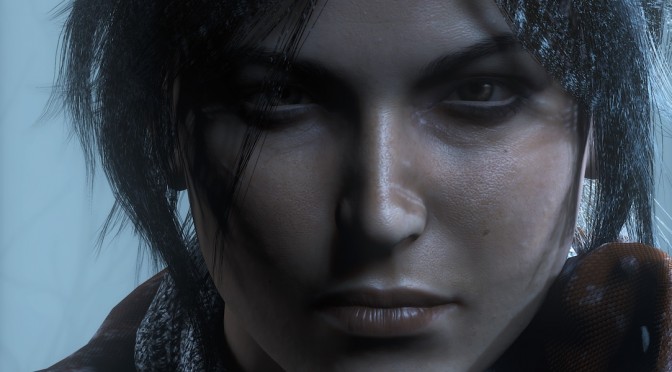
Rise of the Tomb Raider Lara closeup 2

Rise of the Tomb Raider – New Update Fixes SSAO/HBAO+ Artifacts, Packs Smaller Optimizations

Crystal Dynamics and Nixxes have released a new update for the PC version of Rise of the Tomb Raider. This new patch adds a new option to disable the camera automatically centering behind the player when strafing, fixes artifacts when SSAO/HBAO+ was enabled in combination with SSAA, and brings a variety of other smaller optimizations, bug-fixes, and tweaks. This patch is now available on Steam, and you can read its complete changelog below.

Rise of the Tomb Raider – PC Update 1.0.623.2 Changelog:

  • Added new option to disable the camera automatically centering behind the player when strafing.
  • Fixed problems where animals may not appear on a 2nd play-through of the game.
  • Fixed a problem where occasionally the door to the Voice of God tomb is closed and cannot be opened.
  • Fixed a problem causing the game to not start on machines with 32 or more hardware threads.
  • Fixed some foliage flickering when Dynamic Foliage is set to High while the game is running 30fps or lower.
  • Fixed artifacts when SSAO/HBAO+ was enabled in combination with SSAA.
  • A variety of other smaller optimizations, bug-fixes, and tweaks.

30 thoughts on “Rise of the Tomb Raider – New Update Fixes SSAO/HBAO+ Artifacts, Packs Smaller Optimizations”

      1. Something called choice you know and there is something called sharpen but hey, if you’re happy with shimmering and image crawling be happy, don’t assume others are happy with it.

        1. Shimmer is a result of mipmap negative bias which should never happen in the first place and only has to be used when textures are bad. We have huge VRAM cards and there is no excuse for garbage textures in games. Just blurring it and blurring everything is not a solution. Using better textures and then using SMAA is a solution.

          SMAA via reshade/sweetfx2.0 > Temporal in a game like ROTR that has good textures.

          In a game like Witcher 3 (one of my favorite games ever). There is no good solution because the textures are low end (see VRAM usage). They are sharpened BEFORE the sharpening setting with negative bias mipmaps (and they did this in patch 1.04 cus the game looked bad before then), then you need temporal to remove SOME shimmer (not all), then you have to apply sharpening again to give it some detail because it is blurred to @$%#. At like 1440p? You can do without the temporal and just use SMAA from sweetfx 2.0. At 4k you can do without the SMAA.

          At 1080p in witcher 3? You have to make a choice. Have the game look like mud, or have some shimmer. Neither is ideal but I would still choose shimmer. Just avoid wearing chainmail on Geralt : ).

          The solution to avoid all this garbage? Use higher textures and SMAA. Problem solved. In most new games SMAA is the way to go.

        2. Yes but you can off set that by using sharpen, some games like The Division even have a sharpen option now. People are going to keep on crying about temporal AA, I mean they don’t understand the changes undergone through the MSAA, DX9 ,pre deferred rendering days, it just doesn’t work like that now.

          1. I think people understand and many choose to run no AA at all over “FXAA” and these temporal effects. I’ve hated temporal AA since Crysis 2 where it was hardcoded in (was never modded out, still in if you play it today) and meant that the game has ghosting regardless of user settings.

            SMAA is the only post-effect that actually improves image quality, all others have serious downsides.

          2. Yes because there was no other AA solution back then for a deferred renderer. Crysis 2 users a deferred renderer, you can’t use MSAA with it back then and only DX10/DX11 allowed MSAA but at a much higher cost. This is when big changes were happening in games between the DX9/DX10/DX11 renderer transition.

            SMAA has the same issue, unless you have much higher sample rates, that’s why you have SMAA T2x/TX4.

          3. “there was no other AA solution back then for a deferred renderer”

            That’s no excuse to force it on. Also, they did have AA options in the menu, various types of blurry shît. Now stop lecturing me on the deferred rendering transition.

          4. There were no AA options and you could actually disable their temporal AA via a command, so best thing you can do is go learn something before talking to me about your preferred option or opinion. Yes I can lecture you about the deferred renderer because it’s very important to the subject.

          5. r_PostProcessGameFx = 0 ?

            Doesn’t remove all ghosting, never did. I remember old threads about this issue, none of them were ever resolved. Also, I distinctly remember AA options. Maybe after the DX11 patch?

            Regarding the lecturing, I made it clear that I am aware of the deferred rendering problem and you kept going on about it regardless. At that point it becomes obvious that you just love playing professor.

    1. Never going to be added as far as performance because the improvement on XB1 was using Async for Ambient Occlusion and lighting. Even if they do add DX 12? It won’t do anything for performance.

      Nvidia game which they used to push HBAO + (AO) and MS announced would add Nvidia DX 12 lighting stuff in the future (Spoiler Nvidia cards do this better, just like AMD does Async better). Async like the XB1 uses would make a 260x run the game better than the Xbone. MS ain’t gonna do that and Nvidia helped them out.

      Basically do not buy the game unless you have a high end GPU. Both companies involved have no reason to want to see lower end cards run the game well. In MS’s case it would make their console look like @$%# and in Nvidia’s case adding Async that the Xbox One version had would mean their low end cards got destroyed by AMD’s lower end cards.

      If you want to play the game well get a 390 if you are on a budget. 980Ti if you aren’t. The texture improvement from console is the biggest difference and those two cards can run it decent. Otherwise do not bother with the thing unless you want to lock the game to 30 FPS and you can’t even do that on say a 750Ti/260x and match Xbone settings.

      1. As usual it’s all politics, not having DX12 in the PC version is enough to blow their cover, but then again it’s been like this for years. NGreedia sabotaging/neglecting Kepler/Fermi cards in the past 2 years is just the icing on the cake…

    1. +1!
      Couldent belive what I was reading, I was peskering their forums on Tomb Raider 2013, exactly about that crappy auto- centering camera + that shaky camera!

      And voila look, those fa*s finaly seems to listening to what people wants now 😀

      That is awesome, and should be in every damn game, we who dont what POS like that in our games, should ALLWAYS have an option to disable it. And the same goes for that hateful CA, that to many devs push down our thouts this day, it’s crazy :/
      Look at Dying Light, but thanks to modders that crap can be disabled!

      1. Yes, it was a joy to play it this way. Movement in third person games feels better when you can keep an eye/camera on enemies while moving around them.

        Other games have auto-centering but the ones in the new Tomb Raider games are the most bothersome for me. The dodge mechanic in both game is ruined by the camera that immediately follows you and hides the very enemy you want to kill. Strangely enough I can execute more dodge kills in the first game than in the new one. I can confidently use the dodge kills in the first game but in the second I would avoid using it and either spam the melee attack or run away to another cover to use ranged weapons.

        1. Yeah it’s aweful in every way, the devs should allways made an option for free camera mode. Their is nothing good about such camera auto-centering as its like playing on rails. Maybe good for a 5 year old with gamepad. Other then that it should be illegal 🙂

      1. I couldn’t finish it, I just saved the Remnant’s village. In contrast, I was willing to tolerate the camera in the 2013 reboot and
        finish it quickly(no pausing to play other games). Not only that even
        with the camera issues I have replayed the first game several times already.

        I can tolerate the auto-centering camera to some degree(just hovering on the edge my tolerance threshold) but combined with the performance issues that seems to build up as I got further and further into the story it became intolerable. I can only get “good” framerate only after I turned down/off a lot of options and overclocked my graphic card up to the point of it kept resetting the driver.

  1. DSOG, how about making an article about The Works of Mercy? It seems to be a pretty interesting horror game (and made with UE4, which means +10 to clicking on the article bonus :P).

  2. so i think they should be condemned here for tricking. they actually made the first area truly optimized and when people gets to geothermal performance is just so bad. have they fixed it already?

Leave a Reply

Your email address will not be published. Required fields are marked *