
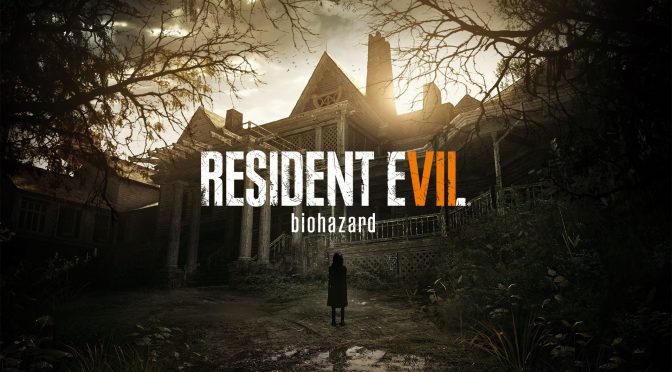
Resident Evil 7

Resident Evil 7 will support 4K resolutions and HDR on the PC

Capcom has revealed that the PC version of Resident Evil 7 will support both 4K resolutions and HDR. In addition, Resident Evil 7 will support cross-saving between the PC and Xbox One, and will be also available for purchase via Microsoft’s Windows Store.

Naturally, PC gamers should expect cross-saves to be available only in the Windows Store version of Resident Evil 7. The game will also be released on Steam, and it appears that this version won’t support cross-saves between PC and Xbox One.

Resident Evil 7 is currently planned for a January 24th release. The game will be powered by the new RE Engine, will feature a first-person perspective, and promises to embody the series’ signature gameplay elements of exploration and tense atmosphere.

Capcom has already released a demo on PS4, so it will be interesting to see whether a PC demo will be released prior to the game’s launch or not.

30 thoughts on “Resident Evil 7 will support 4K resolutions and HDR on the PC”

    1. Now that is interesting, Damn I am falling behind on news.
      I hope they are 4k 120hz HDR IPS with free sync/g sync, Would be the perfect monitor for me. And it better be 30-35 inches, 27 4k panel I have now is too small for 4k.

      1. and 35 is too big to fit on the desk. Today gpus are not powerful enough for 4k 120 hz. So i am keeping my 24 1440p for years since i only got it 5 month ago anyway until we have hardware that can run evrything at 4k 60+ fps ultra settings. My next monitor will be 27 or 284 k HDR.

      2. HDR and LCD is a disaster. Even expensive backlight solutions (like on panasonic DX900 or sony ZD9) are far from perfect, and not to mention standard backlight solution on consumer level monitors. OLED has good potential (each pixel has his own backlight so you have no light leakage and PERFECT black) for HDR, but only very expensive models (like dolby pulsar) are very bright (40000 nits). In near future QLED has the real potential for HDR on consumer level displays, samsung is already developing TV based on Q (quantum dot) leds, and that promise even better picture quality than oled (bright picture, and no problems with shadow details).

      3. it was limited to 4K 60hz by the display port standard. monitors will go up 4K 120hz, 4K 90hz HDR with dp 1.4 i think

    2. Can’t you just do HDR with like Reshade or something? What’s so special about HDR monitors? What’s the difference between HDR on a software graphical basis and on hardware basis?

      1. lol that’s simple tonal adjustment. Real HDR is give you bigger dynamic range. The software HDR you’re thinking of is just fake HDR. It doesn’t compare to the hardware version at all.

  1. So after months of PS4/PSVR pandering they now decide to let PC know what they are getting =P.

    Reminds me of Ubisoft and at times EA as well as Sega when it comes to marketing.

  2. 4K support should be taken for granted. Even the old, but properly written games have no issues rendering at 4K. Now, does it actually support 21:9?

    1. Same with this “supports ultra-smooth 60 FPS” BS praising. 60 FPS is a minimum, not something extraordinary, at least on PCs.

  3. Game is probably sponsored by Nvidia because only HDR games for PC are Shadow Warrior 2 and Obduction while AMD lied about HDR.
    techpowerup . com/227941/amd-radeon-gpus-limit-hdr-color-depth-to-8bpc-over-hdmi-2-0

    1. that is the limit of the hdmi 2.0 not the gpu itself from both vendors.. so do not lie

      3840 x 2160 x 60 Hz x 30 bit = 14,929,920,000 or 14.9 Gb/s
      HDMI 2.0 maximum bandwidth: 14.4 Gb/s

      1. So in PR slides AMD claims HDMI 2.0 is good for HDR but if something went wrong it’s HDMI fault not AMD.

  4. “Resident Evil 7 will support cross-saving between the PC and Xbox One. Naturally, PC gamers should expect cross-saves to be available only in the Windows Store version”

    Xbox Play Anywhere confirmed? Nice. I hope more Xbox games will be available in XPA program on PC (shared save, shared buy, shared multi)

  5. You know there’s a button on your regular monitor called contrast button where you can achieve the same thing.

    Am starting to wonder if HDR is a gimmick after all…

    1. If you turn the contrast down you will be able to resolve details between bright areas, but you lose it in dark areas and also end up with an image that appears desaturated over all.

      HDR gives you a wider colour gamut and simultaneous peak brightness that means you don’t have to compromise on either end.

    2. No, because in SDR material all visible details are limited (compressed) to just 100 nits space, while on HDR 10000 nits (4000 nits in UHD movies). You can try to boost picture settings on SDR display to 1000 nits (and many uncalibrated HDTV’s in shops are set that way), but you will end up with blown out and very unnatural picture because you will have no details above 100 nits. And remember HDR is not only about details, but also about colors (WCG). The difference is so huge that personally I consider HDR way more important picture aspect than resolution alone. From certain distance even 1080p looks perfect, but HDR is visible from every distance.

Leave a Reply

Your email address will not be published. Required fields are marked *