
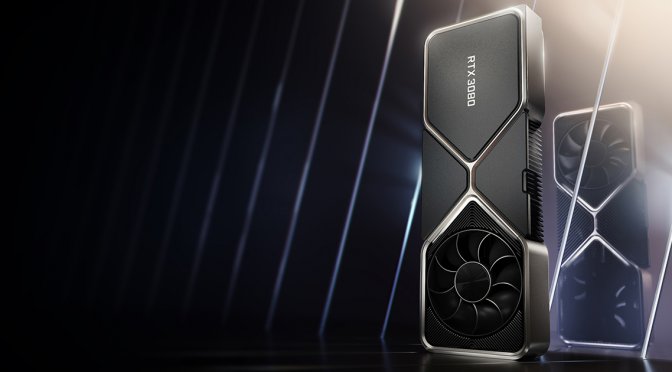
NVIDIA RTX3080 feature

NVIDIA RTX 30 and RTX 20 series GPUs also suffer from black screen crashes under certain conditions

A lot of owners of the RTX 40 and RTX 50 series GPUs have been reporting black screen issues while playing games. And, under certain conditions, the NVIDIA RTX 20 and the RTX 30 series GPUs also suffer from black screen issues.

You see, right now I’m benchmarking four upcoming PC games. Everything was working fine on the RTX 40 and RTX 50 series GPUs I own. However, things got really weird when I installed the NVIDIA RTX 3080. While benchmarking Assassin’s Creed Shadows, I got a black screen. The GPU fan speed suddenly went to 100% and the monitor lost its signal. The only solution to this was to do a hard restart/reset. Otherwise, I could not get back to Windows.

Before continuing, here are the specs of our PC system. I’m listing them because things may be different on other operating systems, like Linux or Windows 11.

  • AMD Ryzen 9 7950X3D
  • Corsair CPU Cooler H170i iCUE Elite
  • G.Skill Trident Z5 Neo RGB 32GB DDR5 RAM at 6000Mhz
  • Corsair PSU HX Series 1200W
  • Corsair 7000X iCUE RGB TG Full Tower
  • Gigabyte Motherboard X670E AORUS MASTER
  • Windows 10 64-bit

So, what was going on and why were we having those black screen issues? Well, you see, I completely forgot to re-install the NVIDIA drivers when I installed the RTX 3080. For those unaware, both AMD and NVIDIA GPUs can work fine with the drivers you have already installed on your system. However, there might be some glitches or issues if you don’t remove and re-install your drivers. And that’s precisely what was going on.

I was able to replicate this multiple times. Our PC system was randomly crashing with black screens when running games (without re-installing the drivers). The moment we removed them (via DDU) and re-installed them, all of the games were working the way they were meant to.

Now I know this is not a universal solution. As I said, I was able to replicate this multiple times on the RTX 20 and the RTX 30 series GPUs. The RTX 40 and RTX 50 series GPUs did not suffer from this (they were stable even without re-installing the driver). Still, if you are facing black screens while gaming, I suggest trying this solution.

And I know. It’s a no brainer to remove and re-install your drivers. However, you might get distracted by something and forget to do it. It happens. So, the purpose of this article is to remind you to completely remove and re-install your drivers. It’s NOT a universal solution. However, it does work on the RTX 20 and RTX 30 series GPUs.

Before closing, I also suggest monitoring your GPU temperature. If your GPU hits above 90 degrees Celsius, it might be crashing due to overheating issues. Even if you don’t see such high temps, you can try this. Launch MSI Afterburner, limit Power Limit to 85%, and set your fan speed to 100%. By doing this, you should stay below your GPU’s max temp. If you are not crashing after these tweaks, you most likely have GPU temperature issues.

From what we know, NVIDIA is actively working on identifying and fixing the black screen issues that players have reported. A few days ago, the green team released a new Hotfix driver. So, make also sure to try it.

Stay tuned for more!

35 thoughts on “NVIDIA RTX 30 and RTX 20 series GPUs also suffer from black screen crashes under certain conditions”

  1. If maybe it matters, I have an RTX 3050 and just 2 days ago, I was (and seemingly everyone else were) experiencing a weird glitch in the Nvidia Control Panel where any of the settings were not applying no matter what the setting being changed was, I kept getting an "Access Denied" error message (I did not change anything in my computer and seemingly nor did anyone else).

    Going to C:ProgramDataNVIDIA Corporation and deleting the files inside the "Drs" folder did the trick and no problems so far (already done it a day or two ago). Just a couple of minutes after doing that, the wallpaper of my PC briefly became black before coming back once again (the Drs folder's "Modified Date" later became just that very same minute the screen temporarily became black, seemingly due to it creating the files in the "Drs" folder as a replacement for the deleted files inside it).

    1. This can be fixed by installed the drivers as an administrator. It is not related to the black screen bug but does go to show how awful their drivers have been lately.

  2. Not playing new games so not installing new drivers is the best choice i ever made by the looks of it.

    1. it's stupid because the dlss 4 310.x is awesome as is the new frame gen 2x based on ai the frametime is much more stable and there are no artifacts. also with the new nvidia app you can finally force a good HDR without using hacks or external mods even on 10 year old games.
      they simply made too many changes at the same time with the problem that even windows 24h2 has changed a lot

      1. On old driver just use DLDSR and DLSS on top of that with the newest version you can drop into the folder from something like techpowerup. DLSS by itself always sucked until 4 which is why people laugh at Digital Foundry who pimped it as a standalone. DLDSR with DLSS is how we have made games crystal clear for years and the smoothness slider let you customize how sharp a look you wanted without needing stuff like reshade.

        If the game doesn't have a real fullscreen like God of War you just change the resolution in the Nvidia driver to the DLDSR resolution when you play the game.

        Even old DX 9 games with low quality textures like SWTOR look decent when you turn off the games garbage AA and just brute force a DLDSR supersample past the native res of the monitor.

      2. enjoy unoptimized games that run like crap with dlss and frame gen on by default because no one bothers to optimize.

  3. Try disabling hardware accelerated GPU scheduling. I was having reproducible issues with particular games almost invariably causing a TDR timeout hang which would make my visuals freeze and eventually my screen going black, mainly affecting Diablo 4 and Calladoodie.

    Since disabling HAGS I haven't had the same issue.

    RTX3070, Win11, didn't matter what driver version I was using from around 550 and up.

      1. Huh, good to know. I wonder what other effects it has on performance/functionality of RTX cards. Fortunately this doesn’t affect mine being a 30-series, of course…

        If it ‘resolves the issue’ for others though then that could direct Nvidia towards finding the root cause and getting it resolved. All I know is I’ve had the card since mid 2021, but didn’t begin experiencing this issue until sometime in last year. I also know I’ve tried reinstalling Windows and thus obviously clean-installing my graphics drivers and made zero changes to those to see if the issue would go away, and it didn’t.

        In any case, a bunch of weeks crash-free now so I’m not complaining – and I can’t tell whether my performance has been worse off for it or not.

        1. You can use frame gen on the 30XX thou, it will be the AMD framegen but it still frame gen. Most games with framegen can be modded to use the AMD framegen on the 30 series. Even if it's modded, if you gaming on a high refresh rate monitor it's definitely wort at least trying out.

  4. Few latest drivers from Nvidia are dog sh*t, Nvidia was dropping hot fixes and new drivers on weekly basis.
    Last good drivers in terms of stability and performance are 566.36.

  5. Last time AMD has such problems was with RDNA1 three generations ago. AMD still has its quirks but nothing a DDU wont solve.

    After all these years my conclusion is both teams from time to time release sh**ty drivers.

  6. RTX 3070 user here.
    In the past 2 years, crashes NEVER happened while playing games, but while browsing internet and watching Youtube, strangely.
    It didn't happen anymore since months already though, with the latest drivers updates. I didn't have to completely uninstall drivers, I always just update them.

    1. It could've just been your browser plugins. A background update probably quietly rectified the issue. 👍

  7. I haven't seen any problems here with a 4070 Ti but I'm still on Windows 10

    Are you sure it's not really a 24H2 problem? Best thing that ever happened to Windows 10 was when they stopped giving it "feature updates" back in October 2022 so it's the most stable it has ever been

    1. When Win 7 lost its updates, it was finally solidified as the best O/S until Win 10 dropped. I was working as a PC tech when Win 8 dropped. All the roll backs that cancelled came into us. We had to do a fresh install of 7 on HUNDREDS of machines. Same with 8.1. Everyone wanted 7 back. LoL!!

      1. We had the same issue of having to roll back to 7 on hundreds of computers. It happened with Vista too but never to the extent it was with win8.

  8. I don't know what to say about all of the OPINIONS that keep popping up. I stick to FACTS. I have a Day 1 RTX 3080 from September 2020. It is 4.5 years old and I have had zero issues. I game at 1440p on my monitor and when I switxh my TV over to my PC input, I game at 4K. Zero issues. Even with its 10GB of VRAM. Remember that the PS5 PRO uses 16GB GDDR6 VRAM and 2GB of DDR5 for system RAM. The Xbox Series X uses 10GB GDDR6 VRAM and 16 GB system RAM. Much less than any gaming computer these days.

    And the difference between ULTRA settings and High with medium shadows and water reflections and folliage is almost NOTHING at all. Digital Foundry shows us this. Just make sure to put textures on MAX. 👍

  9. Yeah been getting this on my 3070 lately, weirdly enough if the game is installed on my secondary D: SSD. If the same game is on my nvme C:, no gpu black screen. Disabling HAGS made the issue stop happening as much, but still does time to time. Seems to have coincided with driver updates since the 5xxx series were released. DDU doesn't help.

    Turning off Above 4G Decoding & Nvidia Resizeable BAR in mobo settings also seems to have allievated the problem. Annoyingly, having these settings and HAGS switched on when I first got my system wasn't a problem, but lately it is.

    Perhaps I should just downgrade my drivers to a much earlier one until Nvidia fixes the problem. End of the day having issues like this isn't a good look for Nvidia in terms of customer service and hardware longetivity.

    If it doesn't get fixed, I'd scratch it up to being a purposeful "glitch" to push older hardware owners to purchase a 5xxx series lol.

    1. O wouldn’t say it’s a glitch to push sales at all. My 40 and 30 series systems are stable with the latest drivers while my 5090 can only run a few games without crashing.

  10. "The moment we removed them (via DDU) and re-installed them, all of the games were working the way they were meant to."

    Most important part of the article. DDU in safemode is the first troubleshooting step anyone should take and when you see drastically different drivers like adding a new app or when you change vendors/GPU's it should be done preemptively.

    The maker of DDU also makes ISLC which is really nice if you have 16 GB of RAM on a lot of newer games that love to swap around memory like crazy. I just have it on permanently on my console/MITX 5600x 4070 PC and it solved a lot of issues with stuttering. Just use the highest pollrate of 10,000 MS so CPU isn't effective while scanning. With 32 GB you really shouldn't need it and I don't bother with my desktop.

  11. Seen a problem with sceens going black on 2 of the 3 computers here. One with 3090 and one with 2080 Ti. No crashing and needing to reboot though, it just goes black for a few seconds. With my computer with 3090 I've seen the problem once or twice but not in a while now. (Win10 on the problematic PCs, 11 on mine)

  12. rtx 4090 from the 570.xx drivers I've had problems with login for 2 months and I see purple artifacts and only after logging in forcing me to turn off the LG oled tv in hdmi wait 2-3 seconds and turn it back on. I went back to the drivers from a year ago and it doesn't give any problems!
    it doesn't always do it but it's annoying also because once turned off it works great for 10 hours straight it doesn't give any problems I did the test by restarting the pc 20 times and it doesn't do it anymore. they messed around with the drivers on the hdmi a bit like when there was a DPC latency problem of 2000-2500usec and it took them a year to fix it. forcing me to keep the memories overclocked to reduce it to 150-200usec.
    It seems that at nvidia no one connects the PC to the TVs with HDMI in 10bit at 120hz and with HDR and everyone uses display port monitors. It seems absurd but the technical support wrote to me that no one had noticed the problem also because they only have an old LCD TV at 60hz
    and only after many complaints they realized that the latency problem was due to the 10bit at 120hz.
    a billion-dollar company that has 100,000 employees and doesn't test with modern hardware.

  13. Nothing has worked for my 5090 FE, and I’m kind of sick of trying. Luckily it doesn’t affect every game (zero steam games work oddly while every ms store game has worked fine) but the lack of a bonafide fix has grown frustrating. Update your drivers, perform a ddu, turn off hags, turn off 4g decode/rebar, run at pci 4 mode, run at 60 hz, update your vbios, etc, etc. It’s been a huge time sink and there’s hardly anything worse than wasting people’s time.

    Edit:
    Just tested steam games again after unplugging my other two monitors and things are working fine with early testing—even with dldsr to 4k240hz. Will test each other monitor individually (4k144hz and 1440p480hz respectively) next.

  14. Personally I have never had any problems with NVidia drivers in all my years of gaming until drivers started releasing after the 50 series. I couldn't install the last two drivers because they'd just crap out with a black screen until I restarted the PC to find that the driver had rolled back the installation.

    I'm still on a 3080 as I cant find a 5080FE anywhere and I'm not paying aftermarket prices for an extra .8 or whatever FPS. I wont go AMD though, I need the other tech Nvidia cards are packing and my 3080 still chugs along ok until i can get a 5080.

  15. I've had a 2060 for years and now running a 4070 Ti and no, not once have I had any black screen issues both on Win 10 and Win 11.

Leave a Reply

Your email address will not be published. Required fields are marked *