

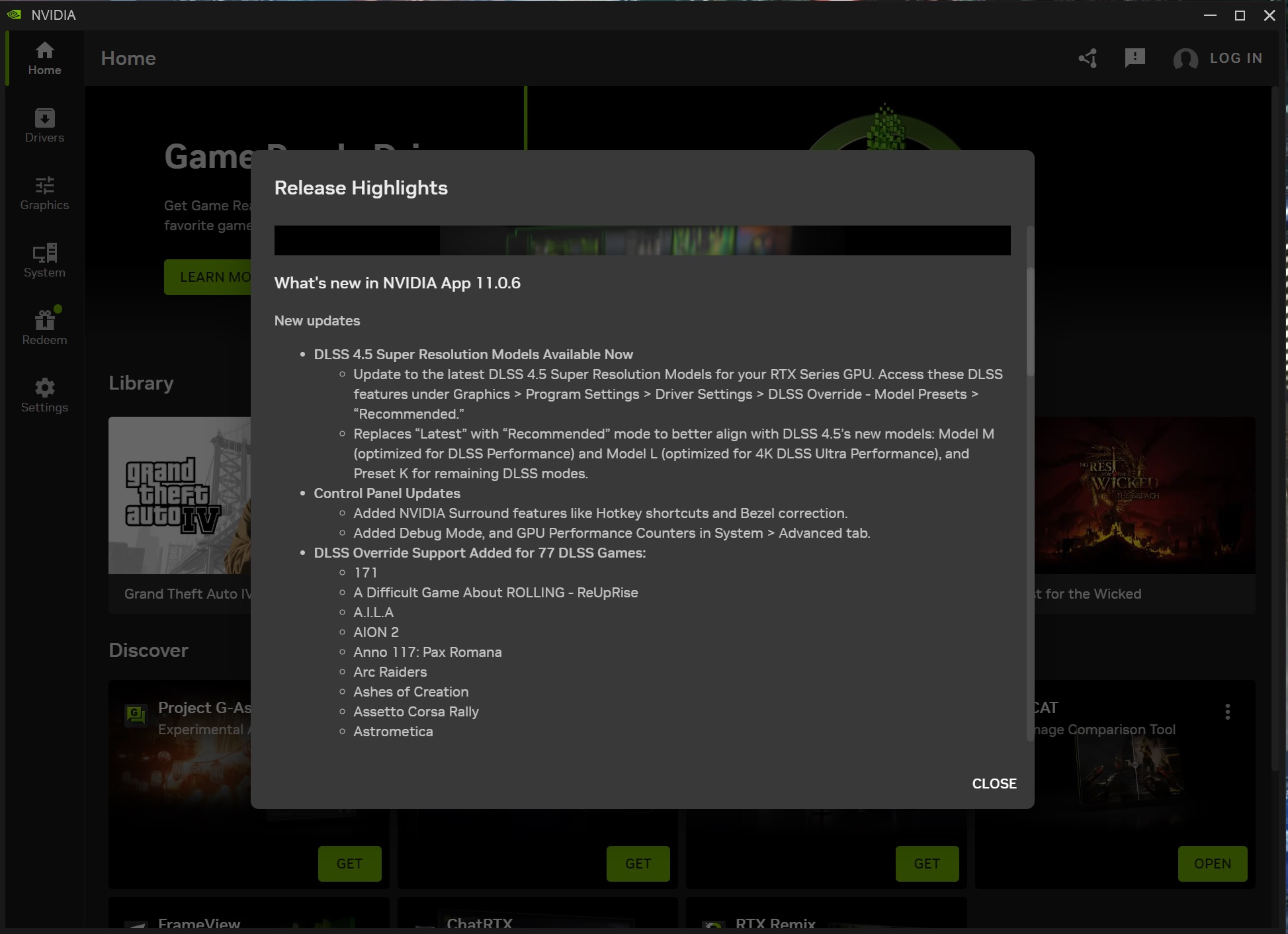
NVIDIA has just released a new public version of the NVIDIA App, which adds support for NVIDIA DLSS 4.5. Previously, NVIDIA DLSS 4.5 was only supported by the beta build of the NVIDIA App. But now, we have the first public version that makes DLSS 4.5 available to everyone.
NVIDIA DLSS 4.5 features a 2nd generation Transformer Model. This new Transformer Model will have better temporal stability, it will reduce ghosting, and it will do a better job at smoothing edges. Naturally, this new Transformer Model is available for all RTX GPUs. Yes, even the RTX-20 series will be able to take advantage of it.
For what it’s worth, the NVIDIA App only supports DLSS 4.5 Super Resolution. Support for Multi-Frame Gen X6 and Dynamic Multi-Frame Gen will come in Spring 2026.
But how can you enable DLSS 4.5? Well, it’s quite simple. All you have to do is use the Preset M. According to NVIDIA, Preset M is optimized for DLSS 4.5 Performance Mode. Those who want to use Quality Mode can also force this preset. Even in Quality Mode, Preset M offers a better image quality than Preset K. However, it’s also more demanding than it.
There is also another preset, Preset L. This Preset L should only be used for those who want to enable DLSS 4.5 Ultra Performance Mode. You should note use Preset L for DLSS 4.5 Performance or Quality modes.
In conclusion, the preset you should enable to use DLSS 4.5 is Preset M. The NVIDIA App offers an option to use the “Latest Version”. If you enable it, the app will force Preset M. So, to enable DLSS 4.5, you can either use the “Latest Version” or force “Preset M”. And that’s it.
While we won’t have any separate article for the performance of DLSS 4.5, I’ll be using it in all the latest titles that support it. So, it will be interesting to see whether DLSS 4.5 Performance Mode will be the sweet spot for gaming at 4K. All this time, I’ve been using DLSS 4 Quality Mode at 4K. However, things may soon change as DLSS 4.5 has received really positive feedback.
You can download the NVIDIA App Version 11.0.6 from NVIDIA’s official website. That, or you can wait until the NVIDIA App prompts an automatic update. I’ve downloaded it, and I can confirm it’s the latest version that adds support for DLSS 4.5.
Stay tuned for more!

John is the founder and Editor in Chief at DSOGaming. He is a PC gaming fan and highly supports the modding and indie communities. Before creating DSOGaming, John worked on numerous gaming websites. While he is a die-hard PC gamer, his gaming roots can be found on consoles. John loved – and still does – the 16-bit consoles, and considers SNES to be one of the best consoles. Still, the PC platform won him over consoles. That was mainly due to 3DFX and its iconic dedicated 3D accelerator graphics card, Voodoo 2. John has also written a higher degree thesis on the “The Evolution of PC graphics cards.”
Contact: Email