
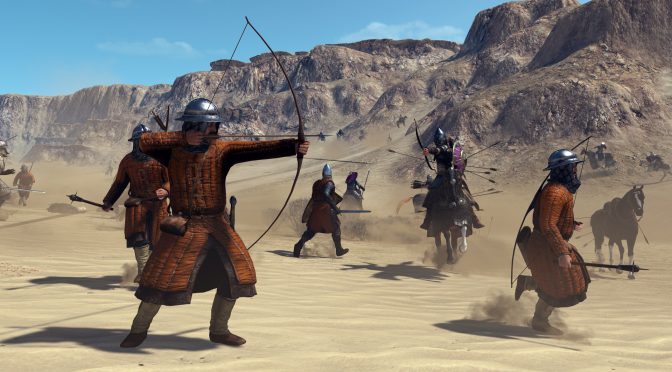
Taleworlds Entertainment has announced some technical new details about Mount & Blade 2. According to its developers, this upcoming medieval action RPG now features a new Global Illumination system which can correctly illuminate both static and dynamic objects.
This Global Illumination solution is based on a pre-baked system called “Precomputed Radiance Transfer”.
“It is independent from the atmosphere, which is a must for a game like Bannerlord where you will enter a scene at different times of the day. The system saves the illumination data to probes inside a regular grid.”
What’s also really cool here is that Taleworlds Entertainment has developed lots of automatic placement tools so that the work required by artists to bake the scenes is kept to a minimal, meaning that modders will be able to bake GI to their scenes using these tools.
Furthermore, Mount and Blade 2 now supports Compute Shader Skinning and Particle Shading. By using Compute Shader Skinning, the team has moved the skinning calculations of skeletal meshes from the vertex shader stage to a separate compute shader stage. As such, it has managed to reduce the rendering time of skinning meshes by 60%, which enabled it to achieve 60FPS in huge battle scenes on a wide range of GPUs. On the other hand, by using Particle Shading the team has reduced the high GPU cost of the desert-like scenes and eliminated the sharp shadows on the particle quads, resulting in better performance than before.
Taleworlds Entertainment has also released a new video, showcasing its new Global Illumination system, that you can view below!


John is the founder and Editor in Chief at DSOGaming. He is a PC gaming fan and highly supports the modding and indie communities. Before creating DSOGaming, John worked on numerous gaming websites. While he is a die-hard PC gamer, his gaming roots can be found on consoles. John loved – and still does – the 16-bit consoles, and considers SNES to be one of the best consoles. Still, the PC platform won him over consoles. That was mainly due to 3DFX and its iconic dedicated 3D accelerator graphics card, Voodoo 2. John has also written a higher degree thesis on the “The Evolution of PC graphics cards.”
Contact: Email