
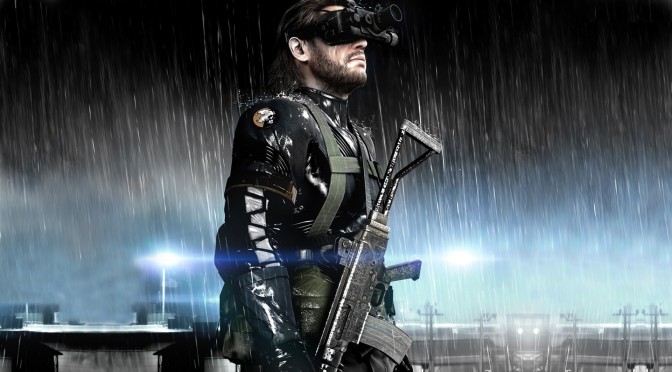
The PC version of Metal Gear Solid: Ground Zeroes is locked at either 30fps or 60fps. Thankfully, modders have figured out a way to unlock the game’s framerate, and below you can find out how. In addition, there is a way to increase the game’s Field of View thanks to the game’s Steam community.
Here is how you can increase the in-game FOV.
“1. Download my EZ tools folder: Click the down arrow at the top of the page.https://drive.google.com/file/d/0BztvqTicZaDONFl1ZVY4b0hRSkk/view?usp=sharing If you haven’t already.
2. Go to “/camera fixes/FOV FIX FILES”
3. Choose an fov that suits you.
4. Copy its contents over to “”Metal Gear Solid Ground Zeroes\data_02\Assets\tpp\pack\player\parts”” and replace the files.
6) Repack Data_02. Enjoy FOV!”
Regarding the game’s framerate, Dirty Dan had this to say:
“So i noticed the line of code that changes in the settings file for the frame cap. the top is one set at 60 and the bottom is set at 30
http://gyazo.com/26be1ec48d581794db5dad4a242bb4f8
HOLY sh*t!!! Deleting that line of code removes the frame cap!!!!
Be sure to make that file read only!”
Last but not least, PC gamers can disable the DoF that was enabled in Extra High settings. While there wasn’t any in-game option for such a thing, thanks to the modding tools players can disable it. All you have to do is follow this guide.
“After you unpack data_02
1. Download my EZ tools folder: Click the down arrow at the top of the page.https://drive.google.com/file/d/0BztvqTicZaDONFl1ZVY4b0hRSkk/view?usp=sharing If you haven’t already.
2. Go to “/camera fixes/DOF fix files” “PLEASE READ THE READ ME.txt”
3. Copy and paste this “gr_init_dx11” to “Metal Gear Solid Ground Zeroes\data_02\Fox\Scripts\Gr” to get rid of DOF on extra high.
4. Repack Data_02. Enjoy DOF fix!
To return to normal, use the original in the folder above it.”
As a bonus, we added two videos showing Chico, Hideo Kojima and Skull Face replacing Big Boss (and even a video showing every character swapped to Big Boss’ model. Also thumbs up for replacing dogs with Skull Face).
Enjoy!

John is the founder and Editor in Chief at DSOGaming. He is a PC gaming fan and highly supports the modding and indie communities. Before creating DSOGaming, John worked on numerous gaming websites. While he is a die-hard PC gamer, his gaming roots can be found on consoles. John loved – and still does – the 16-bit consoles, and considers SNES to be one of the best consoles. Still, the PC platform won him over consoles. That was mainly due to 3DFX and its iconic dedicated 3D accelerator graphics card, Voodoo 2. John has also written a higher degree thesis on the “The Evolution of PC graphics cards.”
Contact: Email
Really F*CKN awesome, that what pc gaming is all about, to make games way better then the DIPSHITS to developers do!
And yes that means that POS Kojima that framecap and all this other SH*T they do to destoy the pc version as DOF / Narrow FOV etc!
When will those F*CKERS learn that the pc is all about choices, if we want to be spoon feed the you go console for F*CKS sake!
F*CKN idiot developers and all hail the modders, you are the best!
This guy got issues…
You do realize they aren’t too bright about PC over in that region, that being said, at least they ported the game and did a relatively good job considering. Better than 90% who have tried to never try again or who never even tried at all.
This is a first good step in the right direction. So maybe instead of being all internet spiteful, you show some support even if you can’t afford to buy the game, show it with words.
Granted, I hate being soft on them for having ignored us for the last 30 years but I have to take what they give and show them I want more, maybe in another 30 years this won’t be an issue.
Some sarcasm is sprinkled lightly in this post. But most of it is serious.
He’s clearly never seen bad PC ports before. Ground Zeroes is actually a pretty good port. Light on the options but still customizable and mod-friendly.
I’m just glad that all ports of the game are optimized for each platform and with care.
There is no excuse to ignore damn FOV options, even less if you have a damn variable arleady for that and you just need to link it to a dial in the GUI.
I see this full of damn fanboys (not talking specifically about you) saying we should be grateful for a company trying to get our money, and that’s as insane as the people who did a new French Revolution because of the fps-cap.
You make us look bad.
i think thats his job
You aren’t representing us , filth.
Why dont you just GO AND F’ yourself!
Stop liking your own posts…
Chill. We’re lucky we got a decent version in the first place. Japanese developers are known for their crap pc versions.
What is wrong with you?
If you have such a problem with how PC ports are handled, go to another platform that suits your needs make games that you want to play.
Posts like yours perpetuates the stereotype that gamers are whiny and insatiable. It’s not even like this is a bad port at all and you’re being honestly such a jerk I could kick you in the nuts.
Actual evidence that plebeians still exist even in this day and age.
Back to kiss your boyfriend FA**OT!
All these flavours and you chose to be salty…
http://s14.postimg.org/oiss2ln8x/JVf_ZDt_J.gif
Really…? Just be glad they are making it available on PC at all.
Sorry, but you are not right, a proper port is needed, or better burst. We dont need bad ports on PC just because is a “famous” franquise. Do it right or dont do it. Anyways MGS V GZ is actually a good port, this mods just came to polish some details.
seriously grow up. The creator is a legend in the industry and pc owners are lucky to have this game.
luck has nothing to do with it.
Maybe all the petitions to get past games and the new ones on pc had something to do with it.
nah, pc getting more attention lately was the big deal.
but turning down the screen filtering option turns down the dof, which is very anoying at the highest setting but it gets fine just lowering a notch or two the filtering
Screen filtering? You mean anisotropic filtering?
No, he meant screen filtering which is what post-processing is called in game. Anisotropic filtering is called Texture filtering.
I hope that Phantom Pain will have a better menu for PC Settings but i sadly doubt it.
Having a hard time finding the line of code to delete for frame unlocking.
still…
whats the unlocking code of win rar
Wow, yet another useless frame lock. Japanese devs are the worst enemies of PC Gaming.
Quite happy that DOF minus Extra High is actually a thing.
It’s not necessarily “useless”. Lots of middleware like physics and animation engines tend to act erratically above 60 FPS. Framerate is restricted to 60 most of the times so that cusomer support does not have to deal with complaints that the developers can do nothing about. Some games do provide uncapped frame rates, but no developer provides official support for it. Basically if you play at above 60 and something goes wrong, you’re on your own.
This is very good news, Thanks again to Dirty Dan another great discovery!
Some people never went to school or need some education in the comment section. This site needs some “moderation”.
I know, I’m starting to feel my age coming here sometimes.
You know dirty dan, this reminds me when i discovered that turning off post processing in the ini in shellshock, it fixes the visual issues that game had.
Well done for finding that out.
It really pisses me off when ubisoft cant be bothered to disable mouse accelaration and i do it myself in 40 seconds with notepad.
But yeah there is no way of knowing something wont screw up at 144fps.
So what has kojima said yet? How many parodies with mods our brothers and sisters in modding have to do, to get his attention?
SENPAI NOTICE US!!!
http://i.minus.com/imAb8XnOiVV8T.gif
this is fantastic, but now if they could fix the mouse inversion not wroking then I could actually play the game 🙁
I want to keep DOF during cutscenes and disable it during actual gameplay !
anybody played around with the physics at 142fps/144hz yet ?
Hey guys whats the password for ground zeroes,RAR, its encrypted, i cant get rid of it, plzzzzzzzzzzzzzzzzzz help….
plzzzzzzzzzzzzzzzzzz, im fuc*d up guy, its two weeks im trying to unlock it,,, somebody help plzzzzzzzzzzzzzzzzz
