
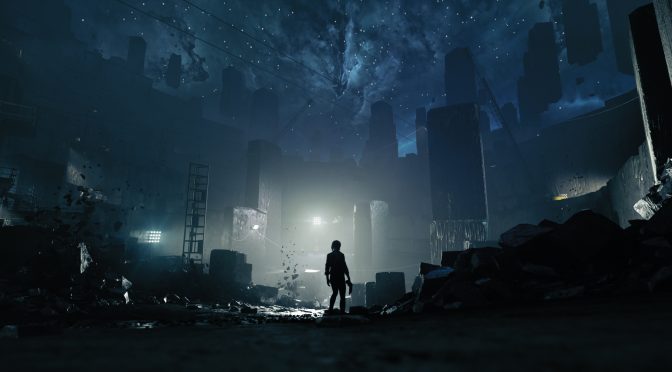
As we’ve already reported, Control suffers from some really annoying stuttering issues in DX12. However, it appears that this is mostly due to Windows 10 and not the game itself. PC gamers can use Exploit Protection to eliminate all stuttering issues, and we can confirm that this solution works.
In order to fix the DX12 stutters, you’ll have to open Exploit Protection via your Windows Search bar. Then, click On the Program Settings Tab and click On The “+ Add programs to customise”. Then, click On Choose Exact File Path, find Control_DX12.exe and open it. Afterwards, you’ll have to navigate its Program Settings, scroll down to “Control Flow Guard”, put check mark in “Override System Settings”, turn it Off and Apply.
Ideally, you should also restart your system after applying this fix.
Once you’ve done this, Control should be running smoothly and without any stutters under DX12. Thanks to this fix, the battle encounters, and no matter how many particles or enemies were on screen, were silky smooth. This fix also works with Ray Tracing, meaning that PC gamers can now enjoy these graphical effects without additional slowdowns. This is a must-have tweak and we strongly suggest making these changes in case you’re suffering from stutters under DirectX 12.
It’s also worth noting that this workaround can eliminate the stuttering issues in other DX12 games too. All you have to do is disable “Control Flow Guard” in your other DX12 games and test them yourselves. According to reports, this workaround works for Tom Clancy’s The Division 2.
Have fun everyone!
Thanks Resetera

John is the founder and Editor in Chief at DSOGaming. He is a PC gaming fan and highly supports the modding and indie communities. Before creating DSOGaming, John worked on numerous gaming websites. While he is a die-hard PC gamer, his gaming roots can be found on consoles. John loved – and still does – the 16-bit consoles, and considers SNES to be one of the best consoles. Still, the PC platform won him over consoles. That was mainly due to 3DFX and its iconic dedicated 3D accelerator graphics card, Voodoo 2. John has also written a higher degree thesis on the “The Evolution of PC graphics cards.”
Contact: Email
wtf is “Control flow guard”
Like why devs don’t disable it from the get go if it boosts performances so much ?
Well mainly because CFG does a good job of stopping unauthorized code from executing in certain locations in memory. It’s a pretty effective security feature built into windows but it does come with a performance cost.
Thanks for the info!
Also I always wonder with stuff like this, who the hell and how the hell did somebody even come across this obscure solution? Hell I never even heard of exploit protection settings in Win10.
“Thanks Resetera”
https://uploads.disquscdn.com/images/992e5af329ebe8447ec8ded66f7b483f195485e49d751544f6220e10c885b95e.gif
https://media.tenor.com/images/32e058aba246162047a0992c1edb358b/tenor.gif
Good tips,thanks John!!!
I also get stutter in dx11 and win7! Bloody game micro freezes non stop!
Low budget,no Microsoft this time.Let’s hope they will fix this in time
This doesn’t seem right, cause I’m playing on Windows 10 Build 1903, and I get no stutter whasoever with DirectX12.
This seems more of an NVidia problem than anything else, since DSOGaming uses NVidia…
I mean they have a 2080 Ti, why would they use another card outside of testing?
Cause then they make poor articles like this, blaming Windows 10 like a 12y old kid on the Steam Forums, when the problem is elsewhere.
NVidia is known to have issues both in W10 and low level APIs, and if anything, I’m a good example of a player who uses AMD and has no issues whasoever on Windows 10 Build 1903 (and I play all the games I can with low level APIs).
but you have an AMD card like you said, so you don’t have any ray tracing and other demanding effects running so of course your processor is less solicited than when playing on a Nvidia card with all the bells and whistles enabled. You have to do an apples to apples comparison before throwing shade at Nvidia like a 12 yr old kid on Steam forums when the problem is clearly elsewhere, as you so eloquently said.
You made two mistakes.
First you assumed AMD doesn’t support ray tracing, when it does, https://www.anandtech.com/show/12552/amd-announces-real-time-ray-tracing-for-prorender-and-radeon-gpu-profiler-12
Then you made the major mistake of claiming ray tracing uses the CPU, when in fact it’s focused on the GPU (on the NVidia RT cores to be specific).
Not to mention whining about performance when using RT is ridiculous, especially considering Control implementation is demanding.
AMD doesn’t have ray tracing, you can do it on CPU, but its cant be done in real time.
AMDs ray tracing is the same, it can run but it has no hardware acceleration, it wont run in real time hence no games support it.
He never said RT uses the CPU, re-read what he said.
Yeah but the real question is why are those bells and whistles by Nvidia kicking off exploit protection? I’d be interesting to hear if this works for games like BF 1 and 5 regardless of brand.
Not having RTX on would actually run the game at a higher framerate (obviously) which would actually cause the CPU to work harder. So being an AMD card (or Nvidia with RTX off) you’ll actually work the CPU harder.
RTX should in theory lighten the CPU load with RTX on but it’s stuttering anyway.
Even AMD have issues with DX12. game like warhammer vermintide 2 have stutters on DX12 regardless the gamr being nvidia or AMD. i think something similar to resident Evil 2 remake DX12. low level give more optimization works in the hands of game developer instead of relying game driver to do it for them. If you see weird issues going on most often it has to do with game developer optimization. This is why DX11 still the most stable API for majority of games even on AMD GPU.
Same here, running the game in a RX480 mix of low, medium and high, 60fps pretty stables, the only stutter maybe is a loading one in the first battle when I run the game, then is totally smooth even in high action combat. And DX12 run FAR better than DX11.
you don’t have ray tracing obviously (not to mention other Nvidia effects) since you have an AMD card so of course there is no stutter on your card since it is running in lower detail mode
So you’re saying RTX = stutter. Got it.
It started happening to me with Control and Hitman 2 as soon as I updated to the latest nVidia drivers. Pretty sure that’s the problem. Also this fix did nothing for me.
I agree,nvidia is terrible at DX12 games and hitching and stuttering.Running RTX 2080 so I am not just fanboy for AMD here.
Reeeesetra.
Retardera sharing something useful? the end of the world is nigh!!
Copy pasted from 4chan.
That doesn’t make it less true though.
If Kotaku copies an article from here, does it mean Kotaku is less shit!y? I mean this website is sh*t as well, but just making an example.
They stole from Guru3D forum
Typical Remedy game then.
Excellent game.
shill warning
“I’m Rick,I’m Rolling” Dubbed him Robo-Fernando… One of the creepiest AI’s I’ve ever come across. We both decided he’s an AI created by Timmy Tencent. Blocked his AZZ so fast, i’m thinking of unblocking him to see what he’s up to these days. because he’s been stalking “I’m Rick,I’m Rolling”.
No bad port.
The last excellent game from Remedy was Max Payne 2. Alan Wake was not great, and Quantum Break was a broken mess. But then again, you are the kind of moron who supports EGS, so, it’s not that surprising that you consider this game excellent.
Alan Wake is the type of game where the atmosphere and story is so good that it gets a pass, the gameplay was serviceable enough. It’s one of the best experiences I ever had playing a game.
Quantum Break was the completely opposite for me, fun combat, but short and the story and atmosphere weren’t that good despite some cool setpieces.
Control is like a mix of both, the gameplay is fun, the story is meh I’d have to say but the atmosphere and overall aesthetic is once again really f*king good.
Nah. It doesn’t get a pass. If Alan Wake was one of the best experiences you ever had, then i guess you haven’t played enough games.
Quantum Break was boring, the story was stupid, the graphics were good, but that’s it.
Control isn’t that good either. From the shi tty protagonist, to the story. Again, the only good things about these games are the graphics and the physics.
Remedy is dead.
I never said that my opinion is a fact. It’s just that, my opinion.
The graphics are decent, the combat is shi tty, boring and generic. Typical third person shooter.
As for the story, is just a big cliche. It’s not bad, but not great either. The game is long, repetitive, and that makes it boring.
Typical pessimistic clown with no memory beyond Quantum Break.
Typical fan boy, Alan wake also had a lot of issues despite being a good game.
That dude is such a Fuqing RayTard he’s next on my List of fuqtwats to block.
Yes MEMORY MATTERS, you idiot. Why every time i see you on here you are talking some more garbage. So you expect him to just forget what happens the last time he gave his money to remedy. Dude, Fuq off man. They should ban your Dumbazz from the internet.
Mind your business, vermin.
Go Fuq your mother & when you’re done… Go suck your father. If you don’t know who you’re father is, Go suck off Robo-Fernando. ?
Dude, I’m busy having a life. Go get one.
You? Have a life? Hahahaha. Good jokes, man, as always. Your entire “life” is calling people who aren’t stupid cucks “incels”. That is your life.
Lmao ??? I’m rolling bro. It’s like reading pure uncut cocaine. You’re the best man ?
Thank you 3000 Sir.!
Thanks for the tip, appreciate it.
“However, it appears that this is mostly due to Windows 10 and not the game itself.”
You don’t say…….
i confirm i disable windows defender and game run smooth now !!!!!
You can turn it off system-wide too if you want to test the effect on several games and then decide which ones need permanent exceptions. Leaving it off system-wide permanently probably isn’t a great idea.
Windows Security -> App & browser control -> Exploit protection settings -> Control flow guard set to OFF
@John
You listed Resetera as the source in the article but Resetera actually linked to a Guru 3D article which is the TRUE source: https://forums.guru3d.com/threads/possible-solution-for-dx12-stutter-in-individual-games-eg-metro-exodus-bf5.425353/
Yeah I did up that guide last year or something for people to try.Some say placebo ,some say it works.I did notice since Control came out a few people referenced the guide.To the nutbars I did not invent this thing ,just was trying to help people out especially on Nvidia with DX12.There cards are terrible in most DX12 games,DX11 way better.
“Exploit Protection”
WTF LOL once again the ones Paying getting shaft, treated as pirates.
I hate when i have to look for obscure solutions to fix my games
If the issue may be Windows then I say make a Linux port to prove or disprove this theory. In the name of science.
Tried the torrent, no way am I spending money on the anti-consumer Epic store. Didn’t notice stutters.
Epic, make piracy great again.
Remedy is an indie dev who made a great game, and this is how you reward them?
Who cares when they chose to distribute through an anti-consumer store?
Epic, make piracy great again.
Typical loser
Typical moron (or Epic shill) who supports anti-consumer companies. Perhaps when you stop living out of your mothers purse, you will recognise this.
John, thanks for the heads up, quite interesting results here. And also thanks for all the moron comments, you guys are stupid dumb f*ks.
Can anyone verify it works on games like control and even something like battlefield?
Hey did you test it whit battlefield V or what battlefield you play?
Thx!
“Thanks Resetera”. ?
Resetera is not the source!
The post ON resetera even links to the source:
https://forums.guru3d.com/threads/possible-solution-for-dx12-stutter-in-individual-games-eg-metro-exodus-bf5.425353/
At least get your sources correct.
I tried with my 2080 Ti and still have stuttering happening and seems to be affecting Nvidia users so my bet would be a tweak needed with drivers and not windows. Will keep my ear to the ground.
2070 Super and still having the stuttering as well. Granted I still have all the settings maxed out as well.
Is there a way to do this after uninstalling Windows defender? I always remove defender when i install Windows 10, but dont know how to get it back, any help would be nice
So only “Control Flow Guard” or would it make sense to disable a couple of other options?