
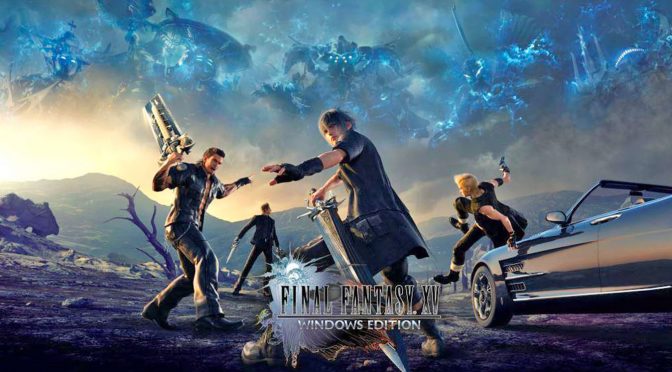
Final Fantasy XV demo is now available on the PC

As promised, Square Enix has released a demo for the PC version of Final Fantasy XV. This demo is 20GB in size and will feature the first Chapter and will allow players to fully explore the tutorial and opening quests of the game. 

This demo can be downloaded via this link (just press the free icon and Steam will download it. The official Steam store page has not been updated yet). The demo is also present at Windows Store and on Origin. NVIDIA users make also sure to download the new GeForce drivers that are optimized for FFXV.

The Final Fantasy XV demo will give you an idea of how this new Final Fantasy game will run on your PC system. Final Fantasy XV PC will support native 4K and 8K resolutions with HDR10 and DOLBY ATMOS along with ongoing mod support and specific NVIDIA features.

Have fun everyone!

59 thoughts on “Final Fantasy XV demo is now available on the PC”

  1. No Dolby Vision HDR12?? I have yet to ever get that working. I think the only game that supports it is Mass Effect Andromeda and I always get some funky colors. HDR10 works great though.

      1. How is increasing the colour gammut of a TV made up? Also, it’s down to implementation, not all games or films will look perfect as it’s down to what the people making game/film what they think looks right.

      2. Not really, I have seen it work and you can really tell the difference with HDR. It is something I wish would come to monitors as well but guess its not feasible at the moment.

          1. There may be, but either they are gonna be really expensive here or are gonna be hard to find in the UK.

            Any particular one in your mind?

          2. Well of course, they’re new and there seems to be alot of fake HDR ones as well, that are 8 bit or have low peek brightness marketed as HDR Ready”.

      3. It’s literally a brightness/contrast slider. I can do the same with games like Unreal or Doom 3, you can make whites brighter and blacks darker. In some cases by tinkering with color saturation like with the in-game setting of GTA 4.

        The result is colors apparently “pop out” more but obviously it screws up color balance by overexposing or underexposing them. It’s something that mods like GTA 5 Redux and generic SweetFX presets do all the time.

        I’ve seen HDR being used in Netflix with (predictably) Breaking Bad. It made everyone look like fresh tomatoes. As seen on a Bravia 4K TV.

        1. Except that adjusting the contrast slider to what you’re suggesting destroys the colours you can actually see, that’s why you have to calibrate your monitor properly. Same when you use “digital Vibrance”, the top end of the reds let’s say all look the same, so you’re destroying your image quality by faking what you think looks better.

          When you calabrate your monitor you’re supposed to move the red down to make the greys and whites look more natrual, not the rubbish post processing do it.

      4. That’s what I thought until I actually got it working. Side note I was only looking for a 4K TV with good contrast/blacks, ended up having HDR10/12 and 1080p/120 modes, so got more than I expected for my money.

        The HDR does drastically expand the contrast and color saturation depending on the content. You can get similar effects with reshade again depending on content, but it’s still not quite a nice.

        Not very many games support HDR on PC. I think I’m missing one from my list that I’ve played.

        AC:O used more for whiter whites and color accuracy
        ME:A high contrast, deep black, expands color range, and increased vibrance
        Hitman more accurate color reproduction, no major vibrancy increases
        Shadow Warrior 2 crazy high contrast and extremely vibrant colors
        RE7 increased contrast, more accurate colors

  2. how well this demo will run on my rig depend if i gonna buy it i have it already on ps4 and still did not even started it yet(damn my backlog)
    someone interested in a 10$ ps4 copy? 😛

    1. Plz the problem is not bluray or internet speed. The problem is games are now using hundreds of gigs for little to almost none improvement in graphical fidelity, due to developers lazyness.

      An example that it was showed here that i can remenber was Shadow of War the game had an 10gb texture pack on top of the base 60gbs and yet the 10gbs of the texture pack improved almost nothing.

      Also Nier Automata using terrible codecs, 26gb only for it cutscenes that looked far worse than in game graphics.

      1. Pirated versions seem to have far better compression with no visible loss. A definate plus for the pirate version O.o

        1. Wow, Didnt play Titanfall so i didn’t know that and Fallout 4 is way overpriced in Steam region so yeah didn’t buy that either.

    2. Just wait until Black Friday and buy a couple SSD’s that are like 500 GB. Even the cheap ones cold boot in like 10 seconds on newer Windows. Think my ADATA’s were 100 bucks each at 480 GB. Currently at 175, but there are always deals around Black Friday.

    3. PC never needed high capacity disks. Get internet or don’t game. It took me like 8 minutes to download this demo and that’s because I was downloading 40 other things at the same time.

  3. Why even complain when you don’t have to use it, Gameworks is strictly for top end GPUs or SLI, GFE even recommeneds you don’t enable such features on X GPUs.

    1. Gameworks is always optional. PhysX has 2 diffrent paths – GPU and CPU. GPU PhysX is always optional too. If CPU PhysX is used, it mostly control overall game physics (or sometimes only partial) so it can’t be turn off. But it doesn’t matter, because it is the same for all. Only CPU is accelerated it. Nobody is harmed and it’s like use of Havok or other physics API. Also games which are using only CPU PhysX are not even markted as Gameworks titles. So don’t spread misinformation please. It’s a shame, that when I see some Gameworks hater, he or she do not really know what they are talking about. They just spreading some craps which they read somewhere in internet.

    2. Again like alot of people who hate Gameworks and miss represent it ,you have believed their propaganda, PhysX can be CPU and GPU based ,even consoles have used PhysX.

      1. “I know that PhysX can be run on a CPU, and I know that for years Nvidia ensured that it ran very sub-optimally there”

        What ? So they can gimp performance for everyone including their own users ? Okay.

        Witcher 3 used PhysX for it’s basic physics, that does not run on the GPU regardless of whether you have an Nvidia card or not. Witcher 3, if it did not have hairworks, would not have been a gameworks title period.

        ” Irrespective of that, if a game has PhysX it has compulsory GimpWorks.”

        That’s just wrong, sorry.

        1. Looks like you’ll just have to live with “Gimpworks” or get over it. People like you should throw your computer out the window if you complain about GameWorks opions that can be disabled every f*cking game. Do even have an NVIDIA GPU? Why complain, even AMD disable Gameworks for their benchmarks, that was nearly 3 years ago and people are still raging about it like a mental Illness.

        2. ” If a game as PhysX, the game has GimpWorks that cannot be disabled”

          No. CPU PhysX is really not the part of Gameworks and it is not influence the performance of your GPU. So argument about planning obsolesence with CPU PhysX has no sense for NVIDIA. And it is invalid argument for other stuff too. Just conspiracy theories. Not facts.

      2. Imbecile, Ageia build Physx on x87. Nvidia did damn good job rewriting Physx SDK and turning it into industry standard because AMD constantly failing to deliver Havok GPU physics and nobody want ancient x86 physics. ??

        1. AMD would probably give it away anyway so they don’t have to support it, just like Mantle, no wonder developers don’t support AMD, they can’t even support their own software. AMD are and have been moving more work onto developers like they don’t have enough to do. NVIDIA is providing tools and support, thats’ why PhysX and Gameworks has been used for a while now and not just by one developer, where is all the TressFX games, best AMD can do it get Sqaure Enix on board. LOL

      3. You want physX opional, well you can’t because like every other physics rumtime, it’s does the physics, it seems you can’t even work that out.

      4. ” Irrespective of that, if a game has PhysX it has compulsory GimpWorks”

        No, it is not. Thats the common mistake.

        “that for years Nvidia ensured that it ran very sub-optimally there”

        No the did not. They used it the first years in the shape they bought it. And it was not so bad as some people believe. Try to find this with google: “Pierre Terdiman Random PhysX Stuff 2014” and look at the article on code corner. It really explains a lot aroun PhysX evolution from the man, who is implementing it from the start to now. Throw behind you all conspirancy theories and aim to facts or at least to information which have sense.

        And I do not know how Gameworks runs on GTX 970 now. But what I know, I had no problems with my previous GTX 780. So I would guess, that it runs as expected from GTX 970 performance.

  4. Been playing for 2 hours and its so much better than the PS4 version. Game is kinda demanding to run but not unreasonable. 4790k/980ti @ 1440p getting 70-92fps on very high settings with hairworks on turfeffects off and shadowlimbs off, no AA applied.

  5. From what I’ve played of it so far, NV turf is decent, but takes a deal of performance toll on your GPU, as does the obvious hairworks and NV soft shadows. I decided to just settle for NV soft shadows instead, though Turf definitely does make the grass look better.

    The two things that ultimately bother me about the game are the blurring of the general image you get when you stop moving the camera. I can definitely see a much clearer image when moving the camera around, then I stop moving it and everything starts to blur.

    The other issues is the definite use of Chromatic Aberration. There is currently no option within the demo options menu to turn it off. I do hope that the final release gives us the option to turn it off, because having that horrid 3D effect makes for a bad visual image, especially when it turns the character’s and NPC’s lips a pale blue.

    I’m glad they went with TAA, rather than the super demanding, yet lousy MSAA option that most devs end up rolling with.

    Gamepad support is there for sure, but the menus do not support analogue sticks at all (most games I’ve played with gamepad support have supported stick navigation within their respective menus).

    The game isn’t exactly sporting 2-4 assets all around. Just a few select areas and NPC’s. I’m hoping for better performance with the final release, even though I’m getting 70-85 fps with everything else on max, besides shadows (set to high), NV turf (set to off), hair-works(set to off) and NV soft shadows (set to on).

    I’ve been running this on:
    i7-6700k (non OC)
    GTX 1080ti
    16gb DDR4 RAM
    1440p 144hz G-Sync monitor.

    The game was installed and run on a 2tb WD Black HDD, so loading times were roughly around 40 seconds a piece.

    1. yea turf effects hit my performance the strongest.
      disabling it give me around 10-15 fps but damn that grass looks good!

  6. well it runs flawlessly on my pc at 1920×1080 maxed out with even gameworks enabled(apart tram at high instead of highest because it fill my whole vram and cause stuttering and vxao which i cannot even enable anyway)
    above 60fps all the time an average of around 75 i would say if i set resolution to 125% the fps average around 58 fps sometimes hitting 60fps the lowest is 48fps which is far better than both the consoles framerates in their respective unlocked mode while looking better and having more features.

    tested on a 980ti g1
    i7 3770k 4.2ghz
    16 ram ddr3 2400mhz

    i guess its a buy for me good job SE at last a very good pc conversion

  7. Since HDR content cannot be properly displayed on SDR displays, what does that comparison picture prove?

    BTW, since when do GTA5 & GTA4 have actual HDR support?

    it screws up color balance by overexposing or underexposing them

    If this occurs, you’re not actually seeing HDR.

    1. There’s no HDR patch for GTA 4/5, but maybe he is refering to sweetfx HDR mode (that has nothing to do with real HDR, it’s just simple contrast tweak)

  8. intel 4700k 16gb ram gtx 1080ti 2tb ssd
    Playing at 4k with all settings on avg. Blur off. Filtering on low. Hairworks On but other Nvidia settings off.

    Everything looks so crystal clear (AND that grass when TurfEffects ON!). I avg 60fps but it can dip to 48-51 during actions scenes but it still looks smooth. The hitching problem still exist though unfortunately. Edit: Playing with the HUD off is a must!

    I thinking of upgrading my cpu to intel 8700k (I’ve been told my gpu is being bottlenecked) but that means I’ll need a new motherboard as well (also these 3 fans won’t cut it since I heard the 8700k gets hot really fast). Any advice would be appreciated!

        1. Well, really the 8700k at stock doesn’t use that much more watts than a 4700k at stock. I assume you have your 4700k overclocked and you want to overclock that 8700k as well. For that the main focus should be on a good CPU watercooler but I can’t offer any advice on that but I’m sure there are members here that can from there experience. If not try a post on Techpowerup. There are members there with decades of experience with CPU watercoolers.

          As far as the case fans I don’t think you will be generating much more heat with the 8700k especially with a water cooler because you mount the radiator where it blows the heat out of the top or back of your case where a case fan would normally go.

    1. I recently brought a 8600K, not seeing 100% on all cores so no bottleneck now, used to have a 4690K. Why not set your fan cuves up manually, I have but I use the fan connections of my case to speed up or slow down some of the fans if thigns get to hot. Getting 50-55c on my at 4.2ghz, also you should drop the volts down on the CPU, boots at 1.136v at 4.2Ghz., by default it’s 1.2v.

    2. I have 3770K + 1080ti and I also wanted to upgrade my CPU, but when I have learned that all current intel CPU’s have meltdown and spectre problems, I will wait for the next intel CPU’s line with hardware fixes.

  9. pretty sure the demo and main game are so large because of the 5 language options for voices. i have no idea why they don’t make that stuff optional.

    1. Same absolute stupidity they pulled with FF13.. Forcibly including the Japanese audio cutscene files with no option to pick one language or another.

  10. Have you guys played for hours and suffered from gpu under usage? After two or more hours, the game’s gpu usage just dropped to 60-70% for me. If I restart the game, the gpu usage and FPS goes back to normal

  11. the demo yes but the game i highly doubt it will be. From now on i guess DENUVO will not show up in the game steam page EULA, why? No forum wars over it or people complaining, people will find out after release but by then it will already be selling. what a scummy industry.

  12. There are two HDR modes in games, and both are confusing to people because they share the same name. First HDR mode was introduced in xbox 360/PS3 era, and it was fake because it still worked on SDR displays (games like half life 2 used it). Picture looked nice, contrast was higher and picture was brighter but bright highlights were crushed because of SDR display limits. Your pictures shows how first HDR (and fake) looked like (crushed details on the sky).

    New HDR mode doesnt look like that and it’s not brightness/contrast slider, you need HDR HDTV to see it (and a very good one! MOST CURRENT HDR’S HDTV WILL CRUSH DETAILS). SDR material is 100 nits material, while HDR have details even at 4000 nits. Because SDR is so limited, film directors (and game developers) have to ERASE details from the original source material, so example in BD or DVD films, you cant show bright scene with bright clouds and sun visible at the same time, with 100 nits steps that scene can be done, but it’s brightness will have to be lowered. So picture will look dim, but you will have sun and clouds visible.

    HDR is now able to display more information, and there’s no need to erase details above 100nits, because you will see them as producer intended. In HDR content you have MORE details in the shadows and highlights, so you can see more clouds and bright objects, and you also get much brighter picture at the same time, nothing like your comparison picture suggest. Also HDR use WCG colors, that’s also huge change.

    “If you use this in GTA 5, you will not see a thing at night.”
    GTA 5 doesnt support HDR, but maybe you are refering to sweetfx HDR mode that has nothing to do with real HDR (it’s just fake contrast tweak that will indeed erase shadows and highlights details).

Leave a Reply

Your email address will not be published. Required fields are marked *