
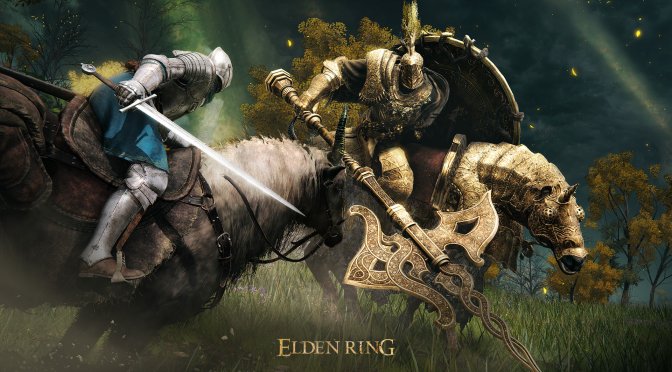
Elden Ring brand new screenshots-3

Elden Ring PC suffers from some traversal & major Boss stuttering issues

Bandai Namco has just released the latest action RPG from FromSoftware, Elden Ring, on PC. And, after playing it for more than four hours, we can confirm that the game is not buttery smooth on our platform.

Now as you may have heard, the PC Version of Elden Ring is plagued by some stuttering issues. And while they are not as exaggerated as some made them out to be, they are indeed present on PC.

During our playtest, we encounter some traversal stutters. These stutters occurred on rare occasions (when exploring the open-world environment). These stutters are not that annoying as they are not that frequent. However, the “Boss” stutters are what will drive a lot of PC gamers mad.

Below you can find a video, showcasing seven minutes of raw PC gameplay footage. In order to capture this footage, we used an Intel i9 9900K with 16GB of DDR4 at 3800Mhz, an NVIDIA GeForce RTX 3080, Windows 10 64-bit, and the NVIDIA GeForce 511.79 driver.

As you can see, there aren’t any major stutters while roaming the environment or when fighting regular enemies. We’ve seen reports about stutters due to DirectX 12’s cache. However, we did not experience such a thing on our PC system. Things change though the moment we started fighting the Tree Sentinel Boss.

The Tree Sentinel is a Boss that is present in the open-world area. And, during that fight, there are major stuttering issues whenever the boss attacks. These stutters can be easily replicated.

Do note that these “Boss” stutters do not occur on all Bosses. For instance, the battle with Margit (which occurs in a smaller environment) is completely smooth, and does not suffer from any stuttering issues.

According to some reports, these stutters could be due to the game’s anti-cheat system on PC. This could explain why the consoles do not have these particular Boss stutters.

Our PC Performance Analysis for Elden Ring will go live this weekend, so stay tuned for more!

Elden Ring - Open-world exploration and battles

40 thoughts on “Elden Ring PC suffers from some traversal & major Boss stuttering issues”

  1. be glad it doesnt have denuvo, it would stutter even harder. Also after watching the video is it me or this game is easier?

    1. The video makes it seem easier. That’s me at level 19 with the first enemies you encounter (which are really low-level). I’m overpowering them.

  2. This game just feels like a really lazy console port. First message I’m greeted with when I start the game says to make sure my console is connected to the internet to play online. The stutters seem to happen most when encountering new areas and enemies like it’s compiling shaders or something. Feels like I’m playing on an emulator. Now I see the real reason PC didn’t get a network test

    1. PS3 is a bit extreme. More like mid gen PS4. Of course ray tracing could have a very transformative effect on how it looks in the end.

  3. Played a few hours last night with a controller and had no issues. I tried keyboard and mouse and it started stuttering like crazy tho. Overall… it’s a decent game. Not 10 out of 10 like all the hyped up reviews stated. But it’s pretty enjoyable so far

  4. I purchased this game last night from green man gaming for $50. I have a ryzen 5800x, 32gb ram, NvME, 4k monitor 144hz and an RTX 3800 on maxium settings. I didn’t far in the game I will because I had to be at work in the morning. I did run in to some gameplay stutters that recovered quickly and not something I would call a deal breaker at all since I am running the game with gsync it’s a minor hickup and usually locked at 60fps otherwise.

    I look forward to playing more this weekend with some friends that also grabbed the game. I would say playing the game in 4k with HDR makes it look a lot better than videos and images do it justice and I am impressed overall.

    1. Agreed, the stutters are there but its no deal breaker in any way. Kind of expected thoo considering denuvo that keeps decryping on the fly while the game runs

  5. In all my 30 years of living, I have never ever hated a movie or a video game or a person as much as I hate fromsoftware and their utter dog t*rd games. These games look, sound, and play so disgusting that I really want to vomit.

          1. Proper DX12 isn’t a mistake… The mistake about dx12 is is that many dx12 implementations aren’t proper IE done by “lazy does it” coders or studios who don’t have the budget to do it properly

          2. Problem is that most later games are lazy a*s coded really and to do a proper dx12 renderer takes effort to do. Many simply don’t spend the time needed (or lack the skill…. or a mix of both). I think the first is often the case because os agnostic API’s make more sense

          3. No they don’t. Neither does. Not unless you’re PC isn’t up to par or you’re running settings way above what you should be.

          4. Indeed. DX12 & Vulkan require the developer to handle things the API (dx11) would do for them.

            The benefit is it allows for significantly higher performance but the downside is the developers have to actually know what they are doing. They are in contol of the dance between hardware now.

    1. I’ve got a good 70 hours into dying light 2 and even on the latest patch it doesn’t stutter. Not saying it doesn’t for some people but it doesn’t seem like the game itself is fully to blame. It’s more like a conflict between the game and something running on the system.

      Not all of us load our PC’s with garbage.

      1. I have literally 0 bloatware on my PC 0 services running in background besides the necessary.
        ddu, latest drivers
        TPU off

        1. Specs? CP settings? Nagles algorithm enabled or disabled? Last time your shader cache was cleared? Size of your shader cache? Game on nvme ssd? Swap on different drive?

          1. 5900x/rtx 3090
            game mode on/hags on
            shader cache always cleared via ccleaner
            Nvme Samsung 980 pro 2tb
            I have 1 Gb/s internet speed fiber

            its just the game its broken

      2. Their not bad but their there even on the most tuned system… and as such crybabies will keep on crying about them.. kind of like fanbois will white-knight them.

        Then there are the matter of attuned senses… some simply don’t reprieve them as much as others…

        1. A stutter once and a while isn’t an issue. No game is 100% free of it.

          As far as being attuned to it.. if you’re implying I’m not then we obviously you don’t know me because its one of my 3 unforgivable gaming sins and I won’t play a game if it stutters all the time.

  6. You can disable anti cheat by renaming the normal exe file to the file steam tries to launch. Although you will lose the ability to play online but you might not have anymore stutter either.

    Hopefully something they fix sooner rather than later.

  7. Kind of a big difference there don’t you think? A remaster generally doesn’t have much of a budget. The DS2 remaster was purely designed to move the game between console generations with hardware that is vastly different.

    This is a brand new game and you’re assuming they won’t fix any bugs because they didn’t fix things in DS remaster? This seems more like an issue with the anti cheat than the game since it didn’t effect prelaunch versions.

  8. Oh I’m sure you did because you know everything about the engine, what modification were or were not made to it and how anti cheat messes with things.

    Of course if you have a system that’s fully dx12u compliant with fast storage the game runs just fine.

    I don’t even like their games

    1. “Of course if you have a system that’s fully dx12u compliant with fast storage the game runs just fine.”

      This is incorrect.

      1. Is it? How do you figure? Yes it does stutter on firsts which is odd and as it’s loading data but otherwise its.. ok.

        You need to brute force the **** out of it which is unacceptable but still possible

Leave a Reply

Your email address will not be published. Required fields are marked *
