
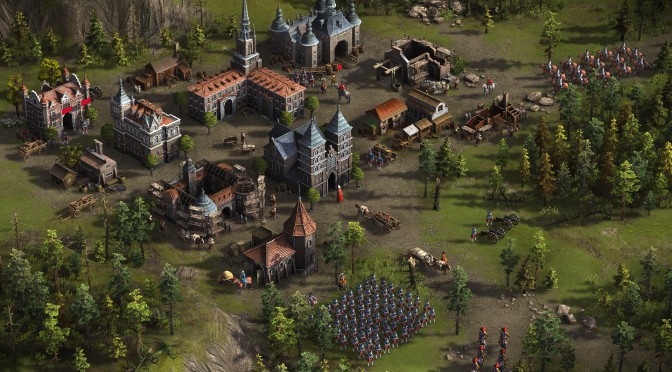
GSC GameWorld has announced the release of its new RTS title, Cossacks 3. In order to celebrate this announcement, GSC GameWorld has also released the game’s launch trailer that can be viewed below.
Cossacks 3 features twelve nations, 70 different unit types, 100 research opportunities, and over 140 different historical buildings.
Cossacks 3 is described as a rare combination of war, economy, army developing, building and upgrading that couldn’t be found in any game for the last 15 years. The game supports randomly generated maps, offers five historic single player-campaigns and a multiplayer-mode in which up to eight players can fight each other on one map.
In Cossacks 3, players can can build an armada and attack their enemies at sea, forge alliances with or against others as well as challenge the computer.
Enjoy!


John is the founder and Editor in Chief at DSOGaming. He is a PC gaming fan and highly supports the modding and indie communities. Before creating DSOGaming, John worked on numerous gaming websites. While he is a die-hard PC gamer, his gaming roots can be found on consoles. John loved – and still does – the 16-bit consoles, and considers SNES to be one of the best consoles. Still, the PC platform won him over consoles. That was mainly due to 3DFX and its iconic dedicated 3D accelerator graphics card, Voodoo 2. John has also written a higher degree thesis on the “The Evolution of PC graphics cards.”
Contact: Email