

NVIDIA has just released a new driver and a new version of the NVIDIA App that allows NVIDIA RTX 50 owners to use MFG 6X and Dynamic Multi-Frame Gen. The green team has provided us with early access to it, something that allowed us to test the new DLSS 4.5 features before their official release. So, after trying them across a dozen games, here are our thoughts.
DLSS 4.5 introduces MFG 6X and Dynamic MFG. DLSS 4.5 Multi-Frame Gen 6X is self-explanatory. It’s a new mode to further increase the number of frames that can be generated by DLSS 4.5 Frame Gen. On the other hand, Dynamic Multi-Frame Gen lets NVIDIA RTX 50 owners set their maximum framerate, and MFG will be using different modes to hit that target.
It’s also worth noting that the new NVIDIA App adds a new model, Preset B, for DLSS Frame Generation. This model enhances in-game user interfaces in select titles by incorporating additional game engine data. Available for GeForce RTX 40 Series and 50 Series users, the new model improves the quality and clarity of mini maps, on-screen user interface elements, and other aspects of game interfaces.
For our tests, I used an AMD Ryzen 9 7950X3D, 32GB of DDR5 at 6000Mhz, and an NVIDIA GeForce RTX 5090. I also used Windows 10 64-bit, and the GeForce 595.99 driver.
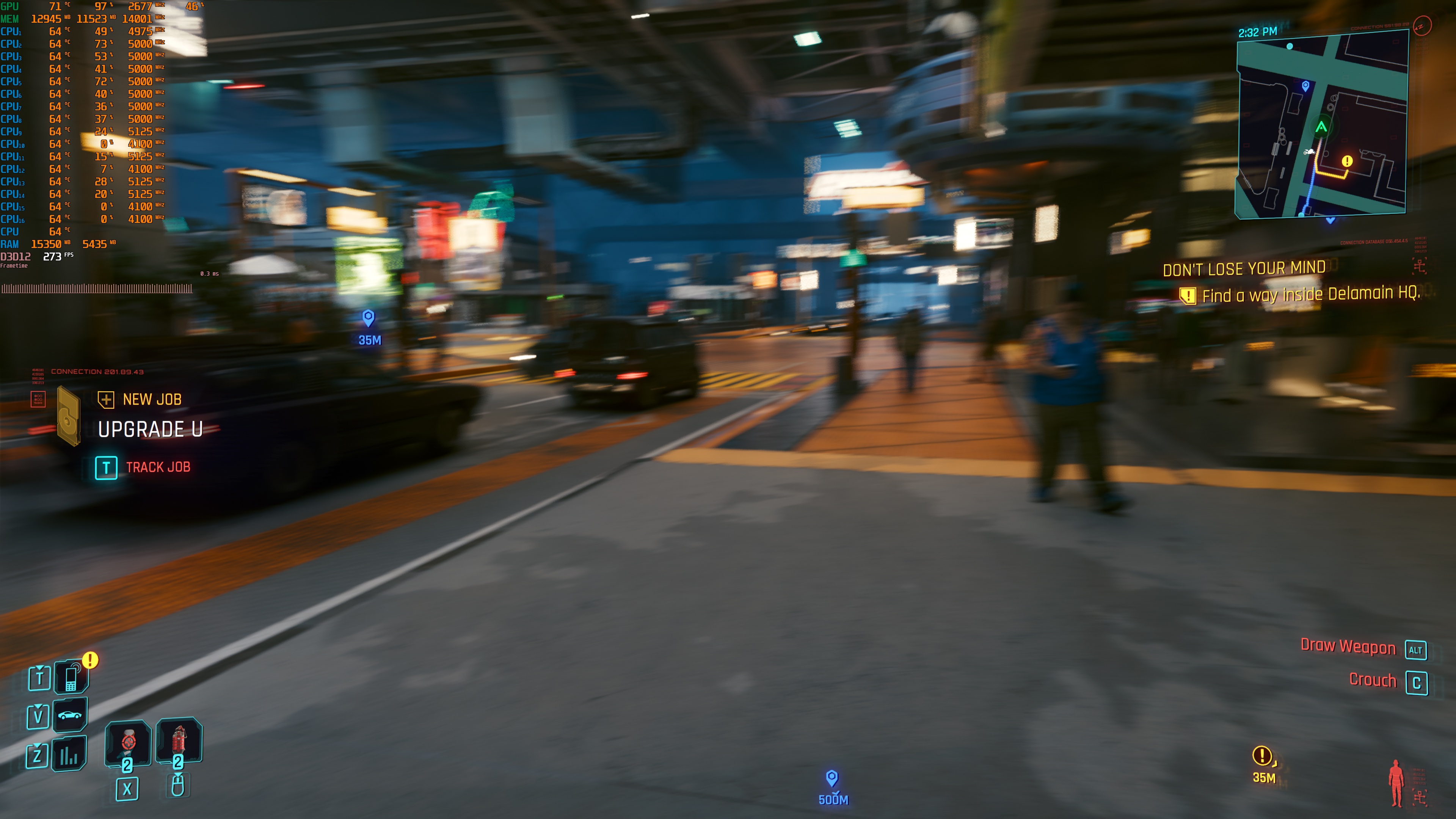
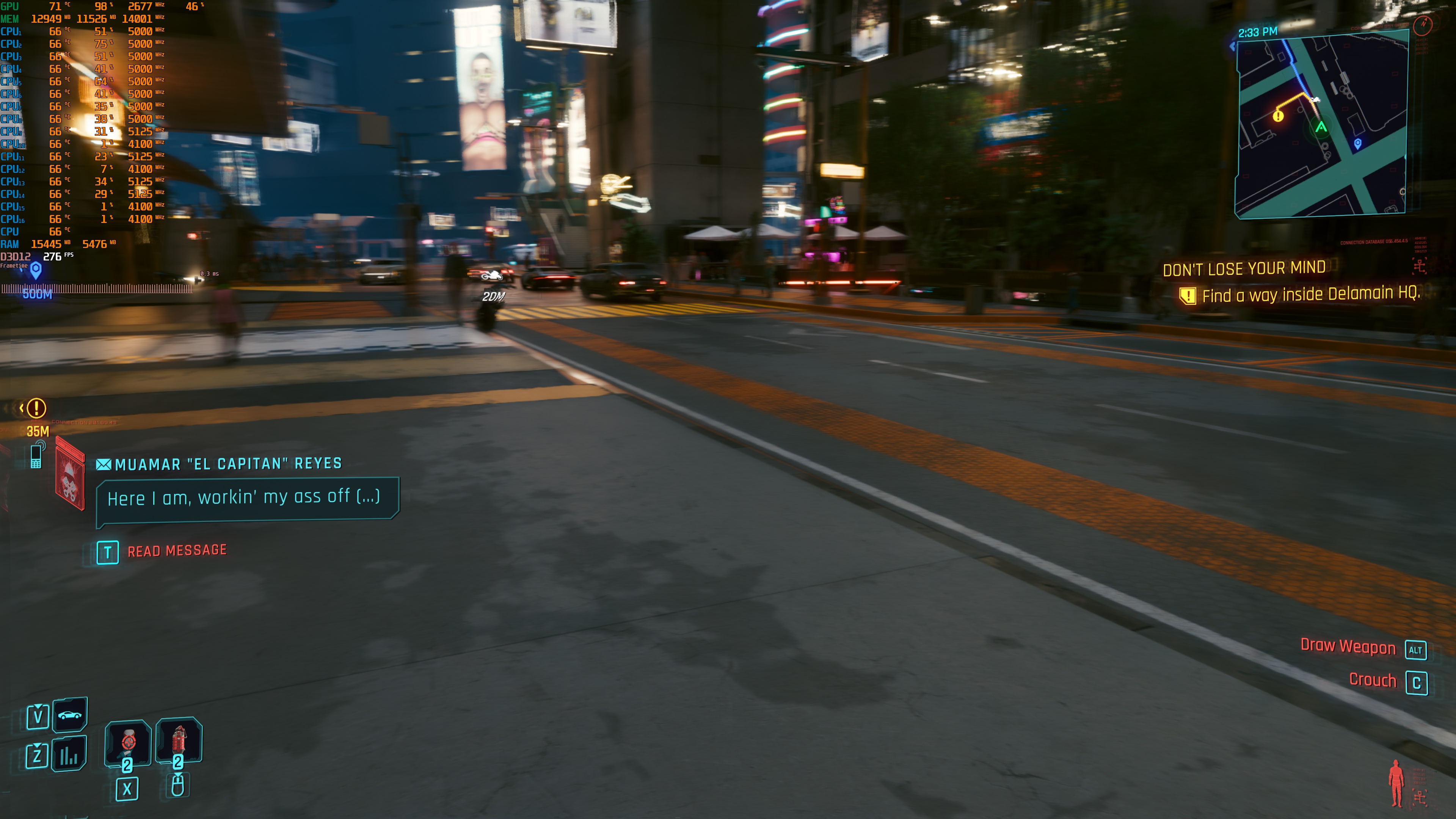
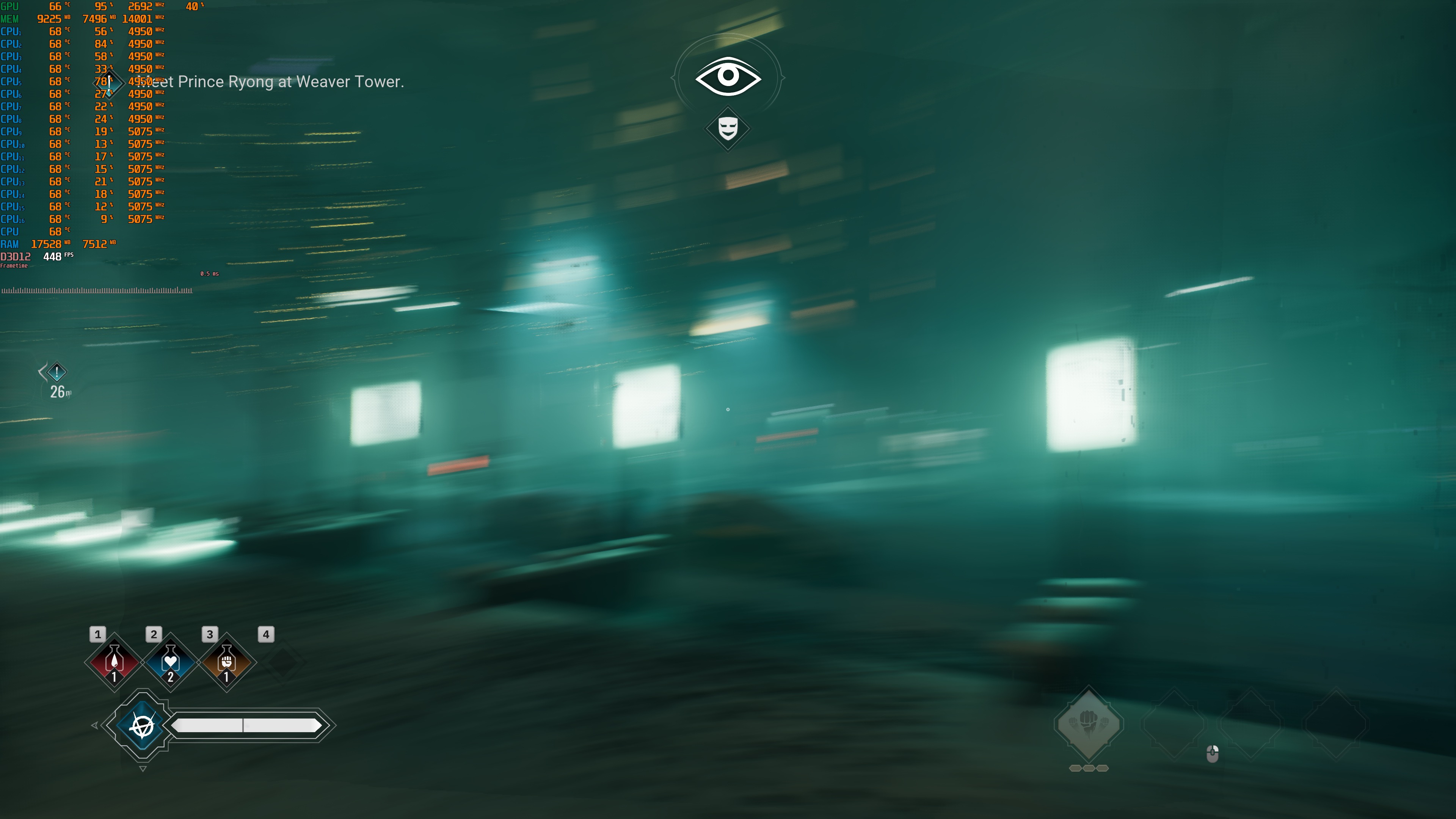
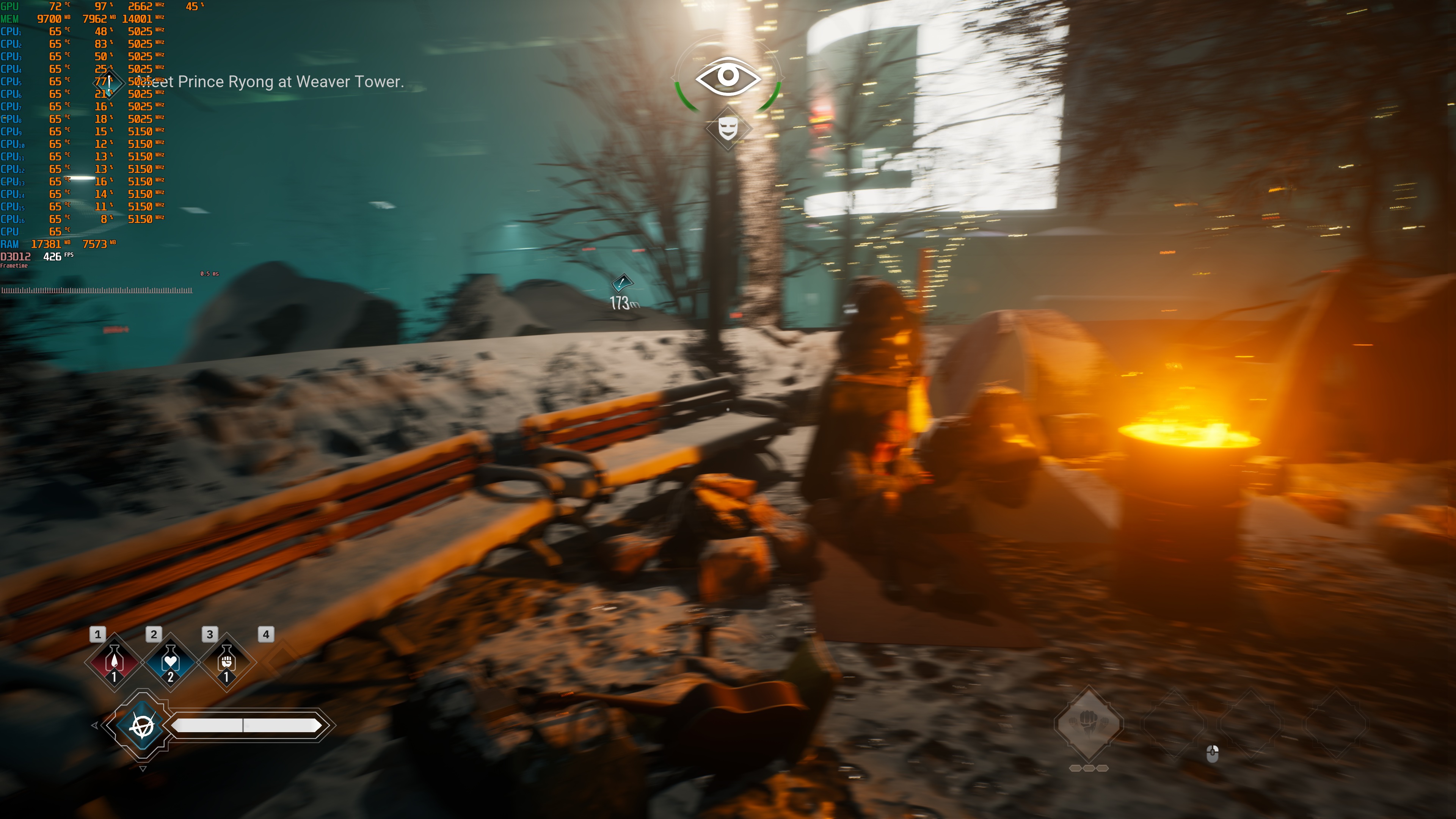
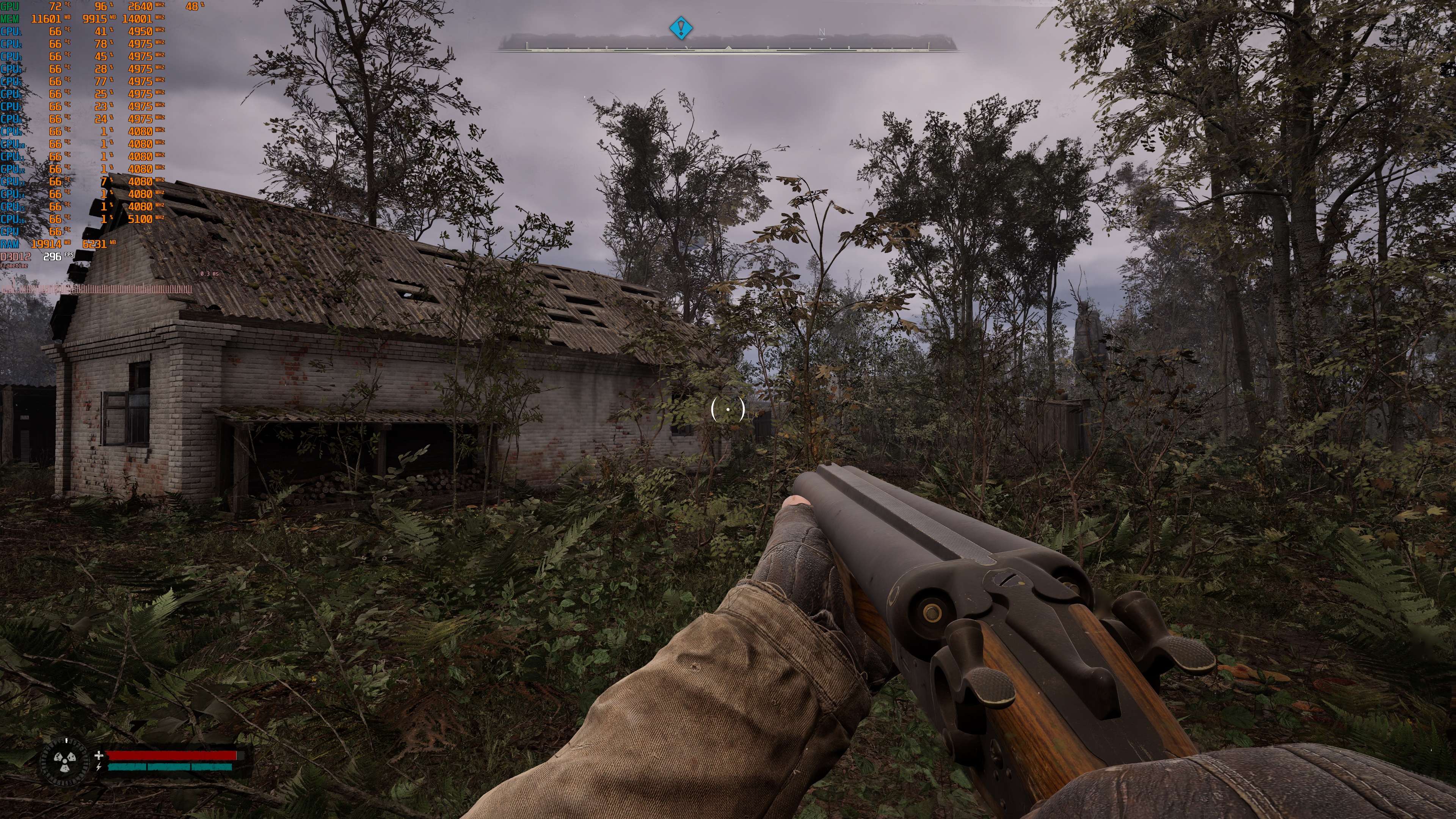
Below, you can find all the games that currently support DLSS 4.5 MFG 6X and Dynamic MFG. So, the games I’ve tested were Alan Wake 2, Cyberpunk 2077, Indiana Jones, Hogwarts Legacy, Hellblade 2, Silent Hill 2, Cronos: The New Dawn, Bloodlines 2, STALKER 2, Oblivion Remastered, Borderlands 4, and Mafia: The Old Country. I should also note that for the screenshots that accompany this article, I was moving the camera like crazy. This is the best way to test the games and see whether DLSS 4.5 Frame Gen introduces a lot of visual artifacts. As I’ve said before, most of you won’t be moving the camera as quickly as I did. So, most of you will notice fewer artifacts than what I’m showing here.
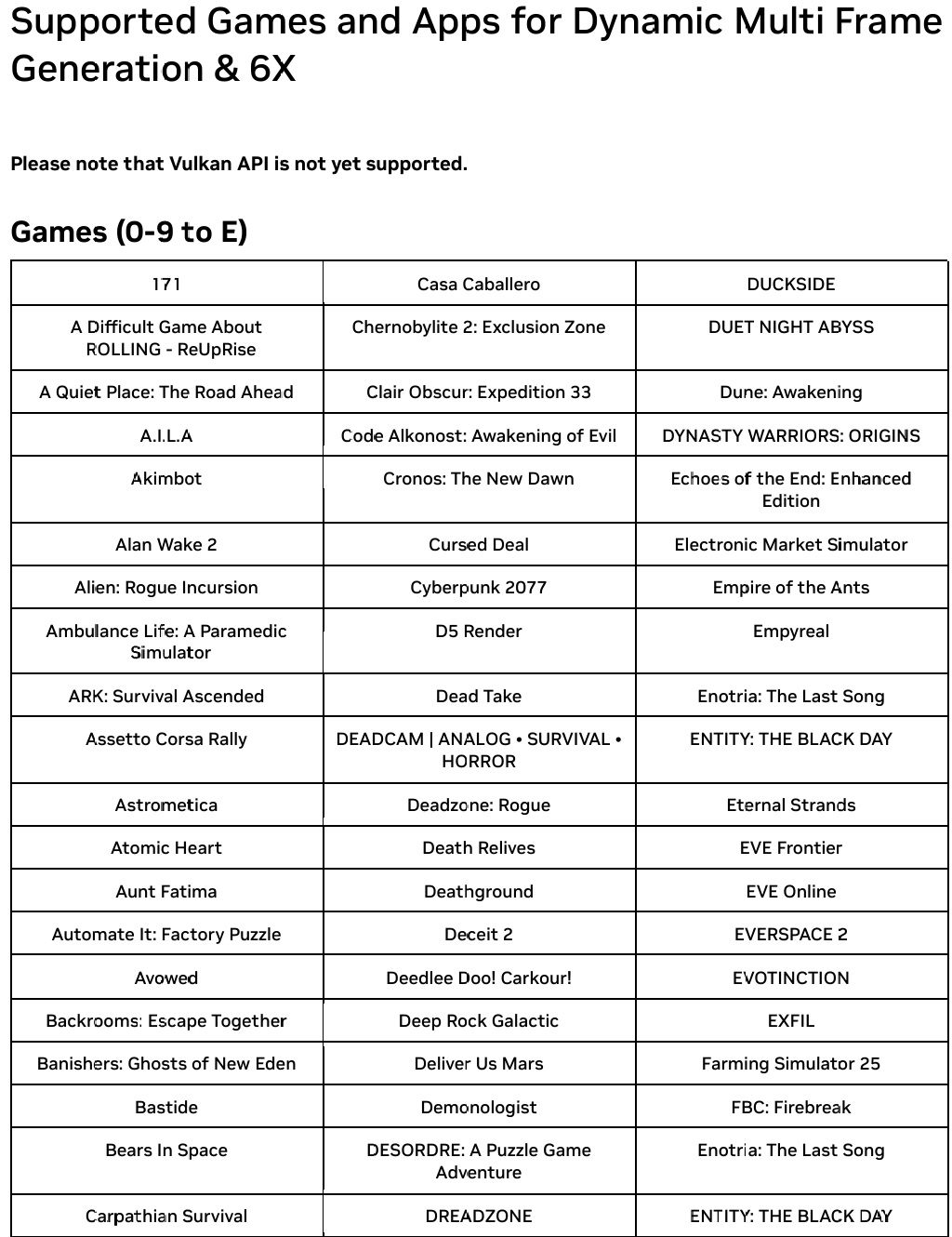
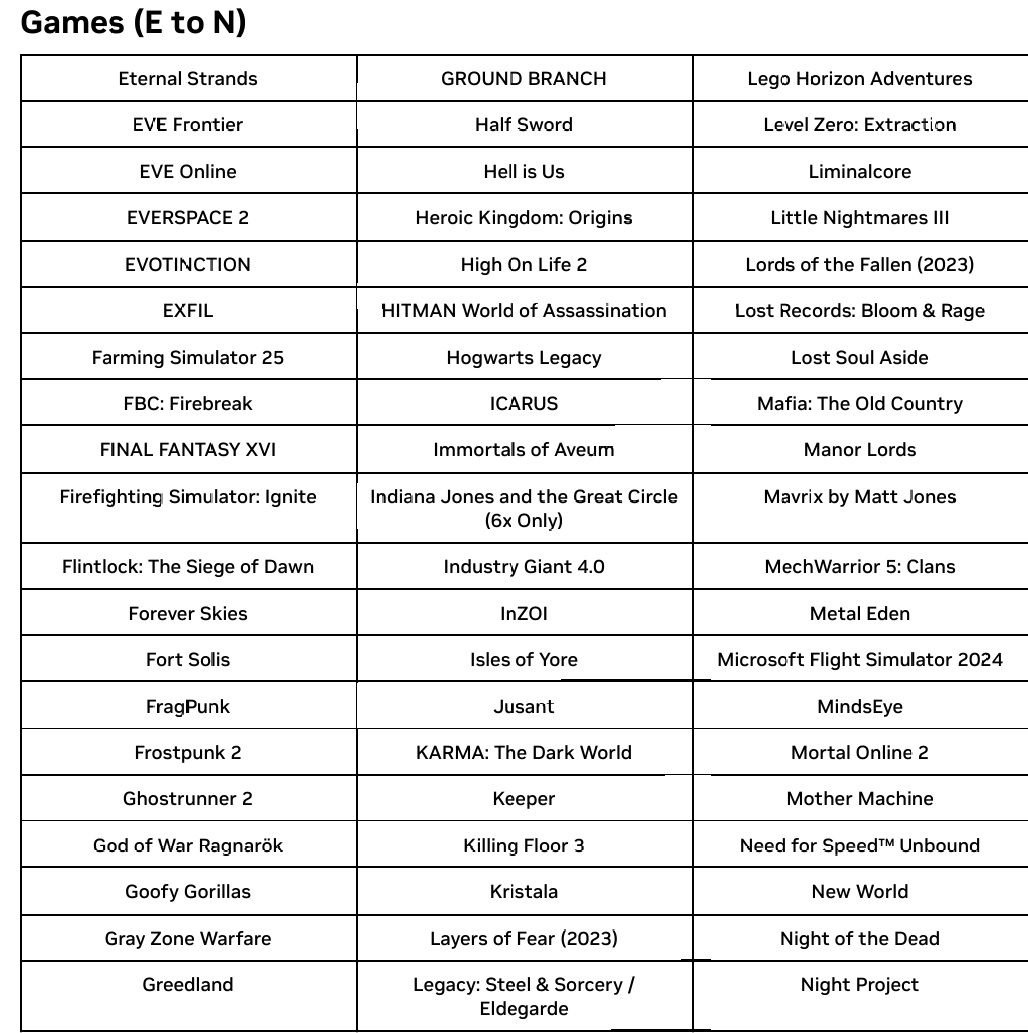
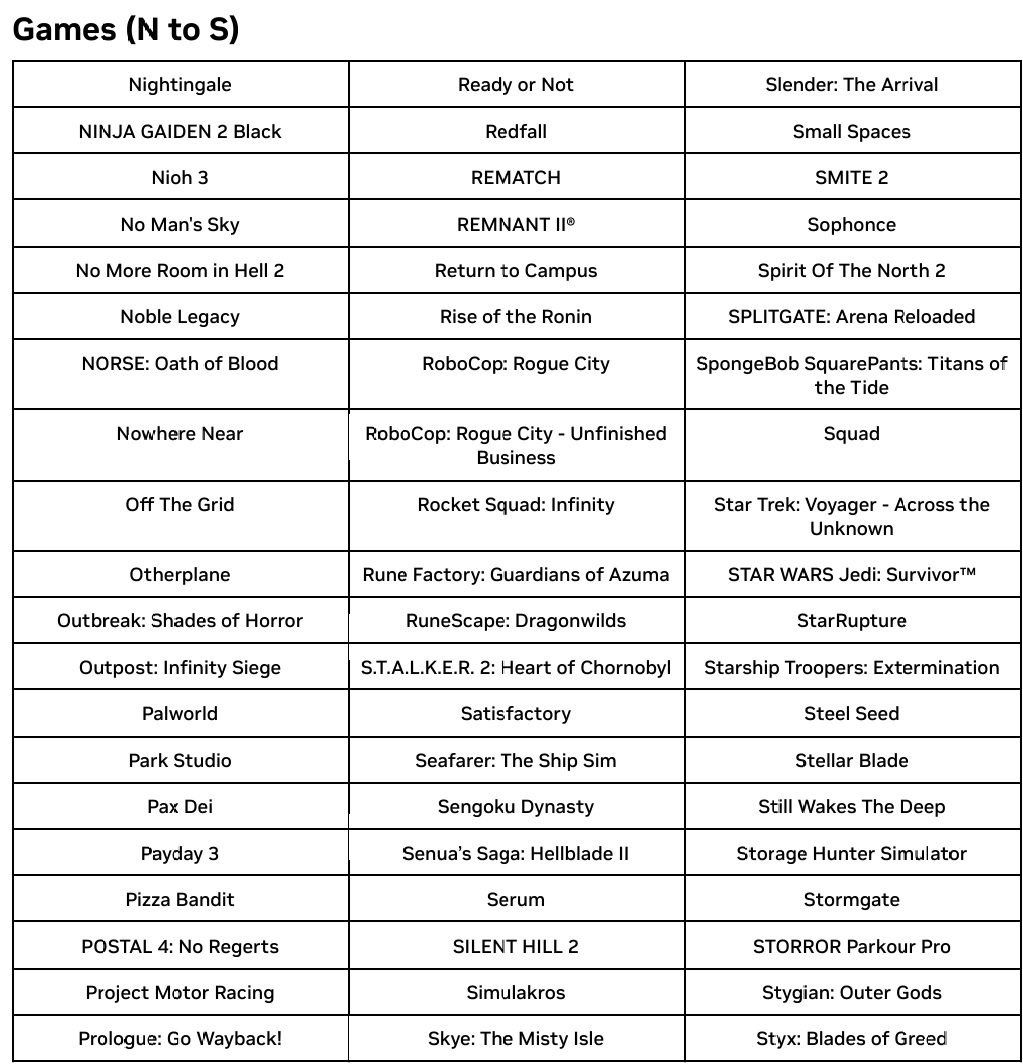
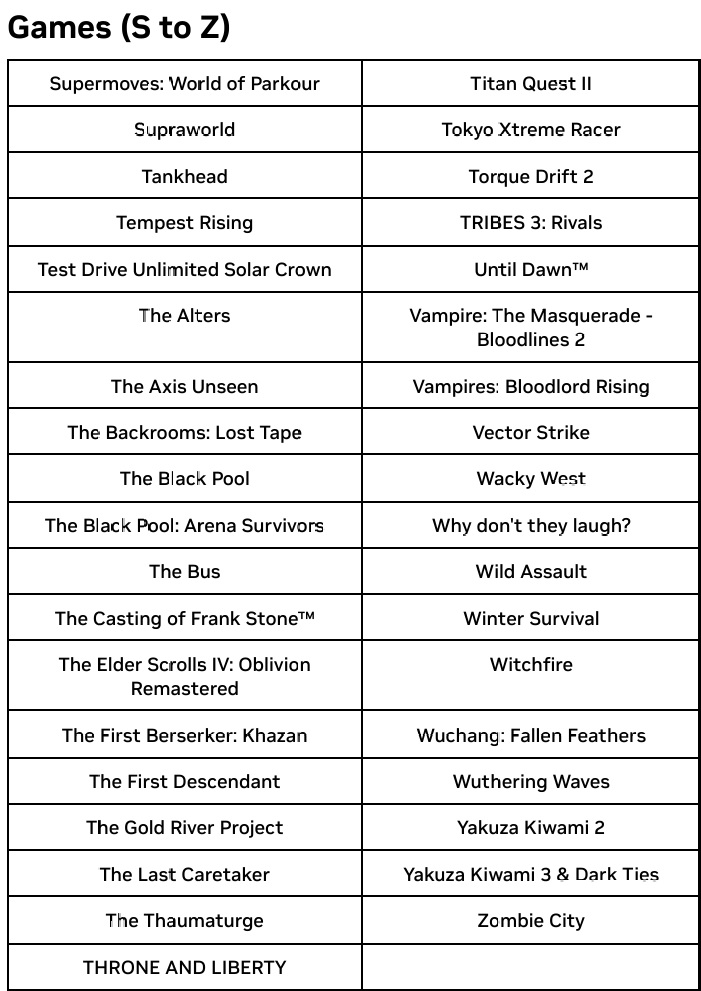
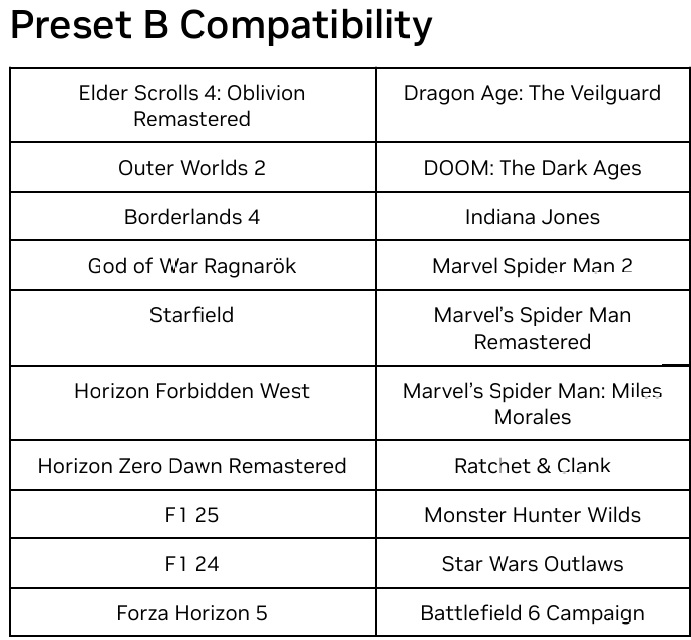
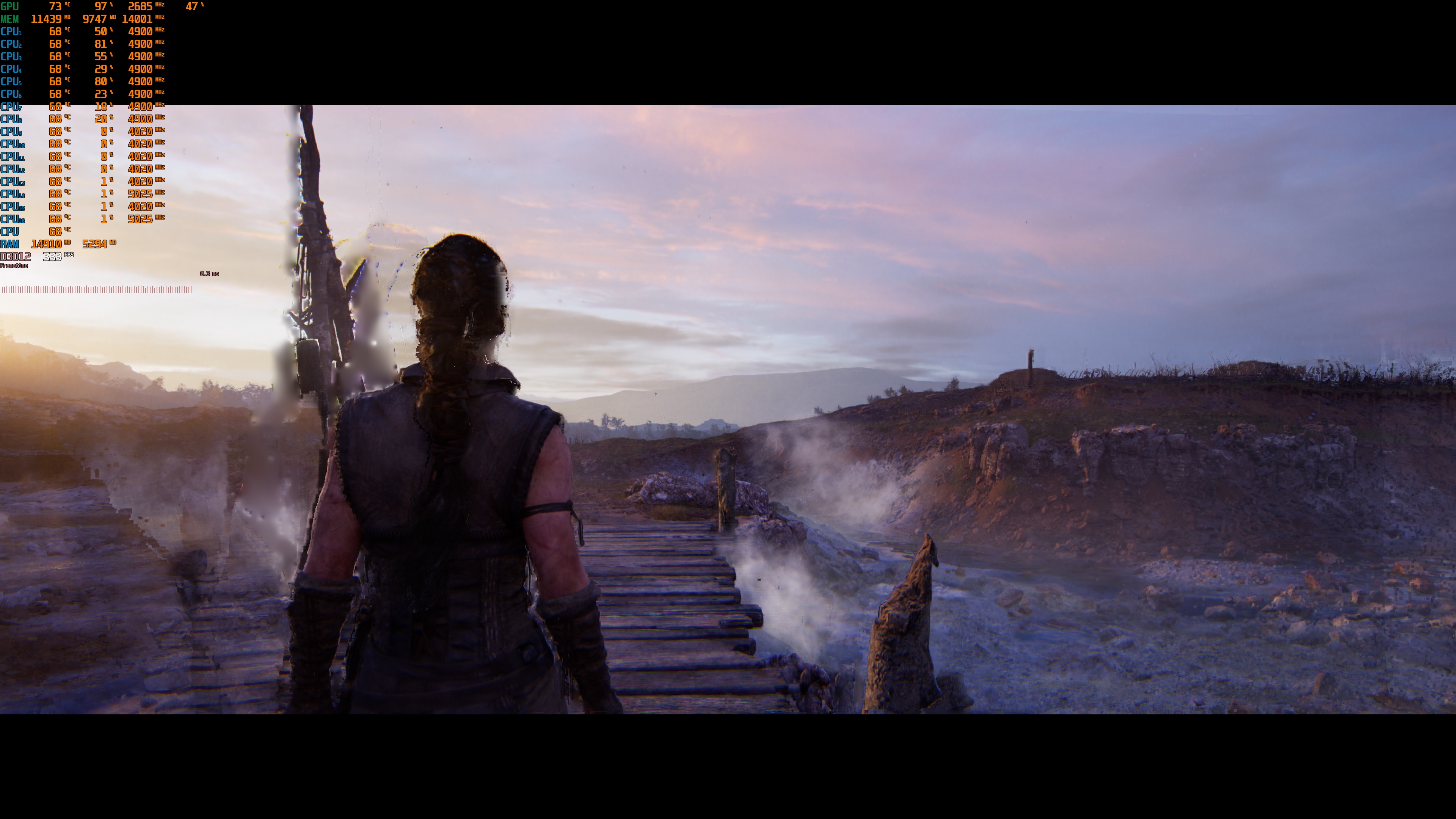
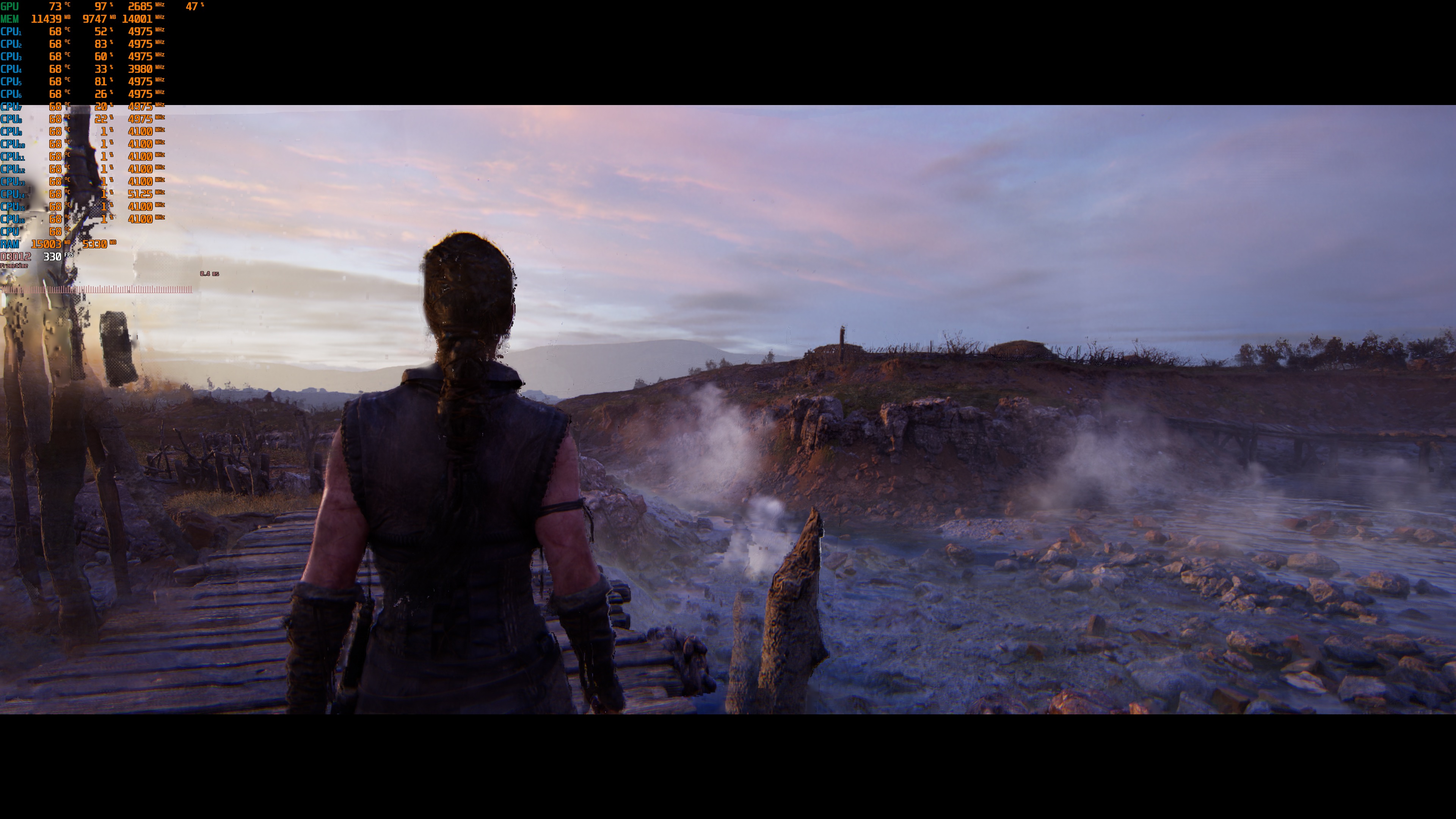
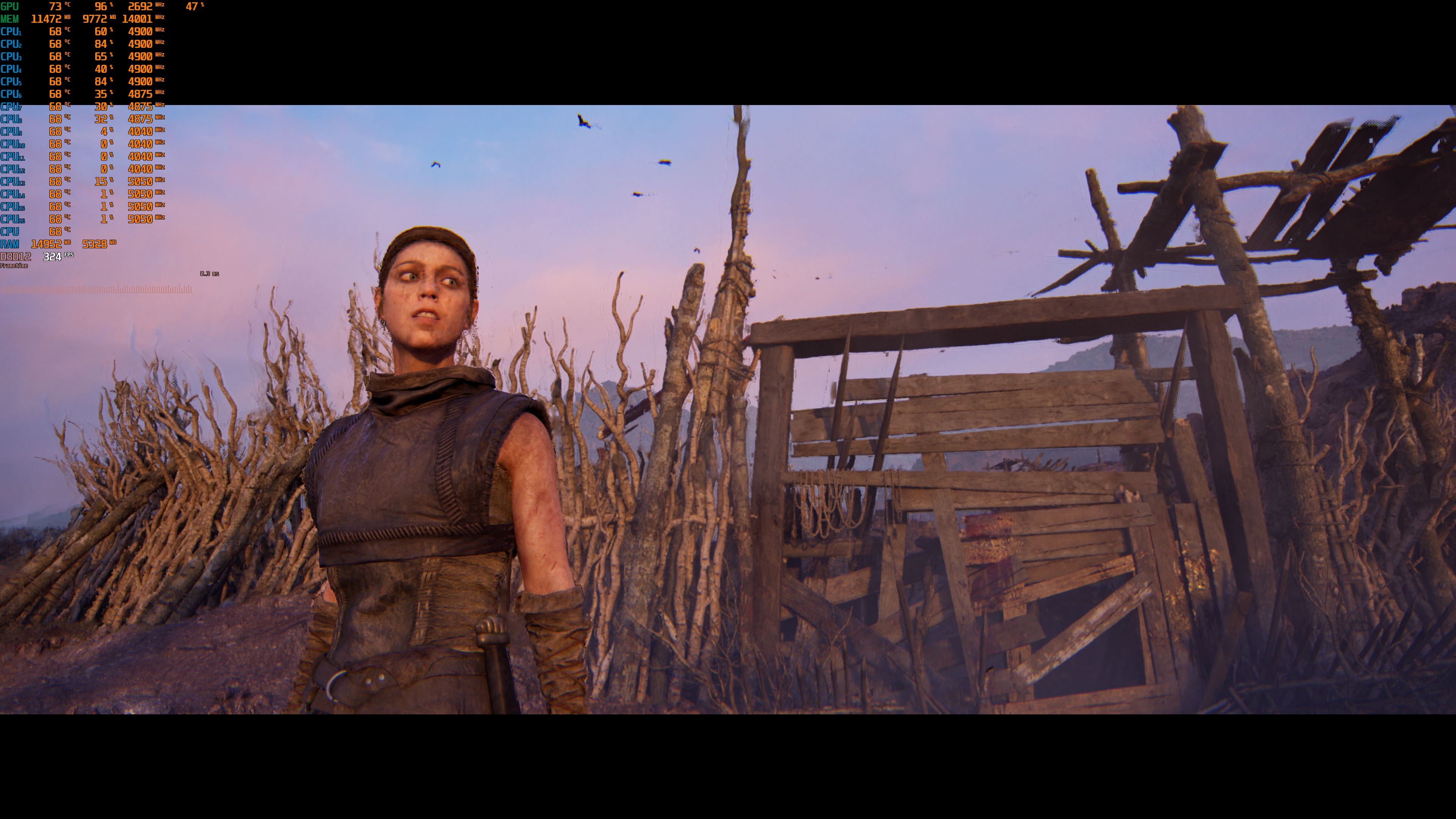
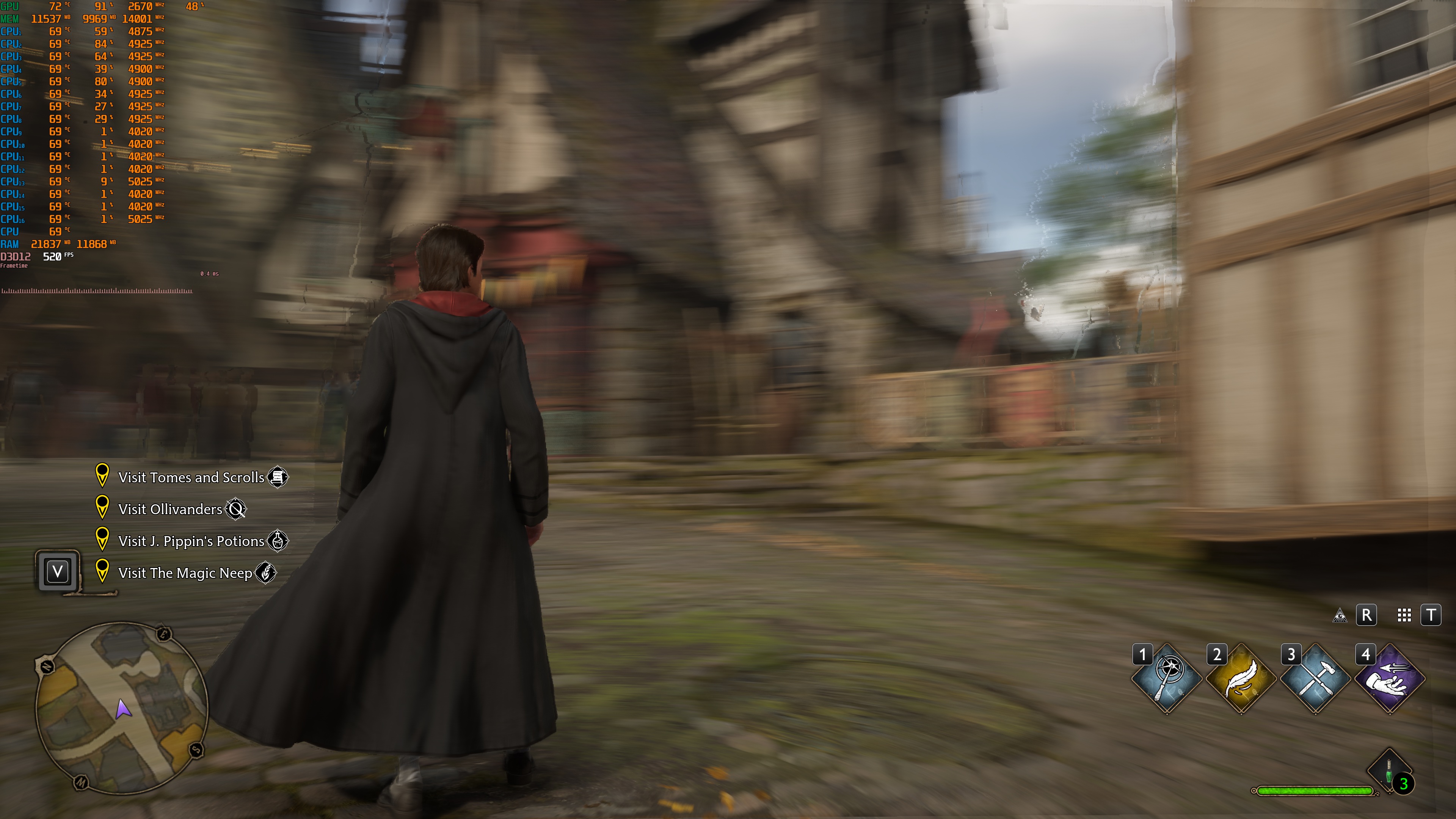
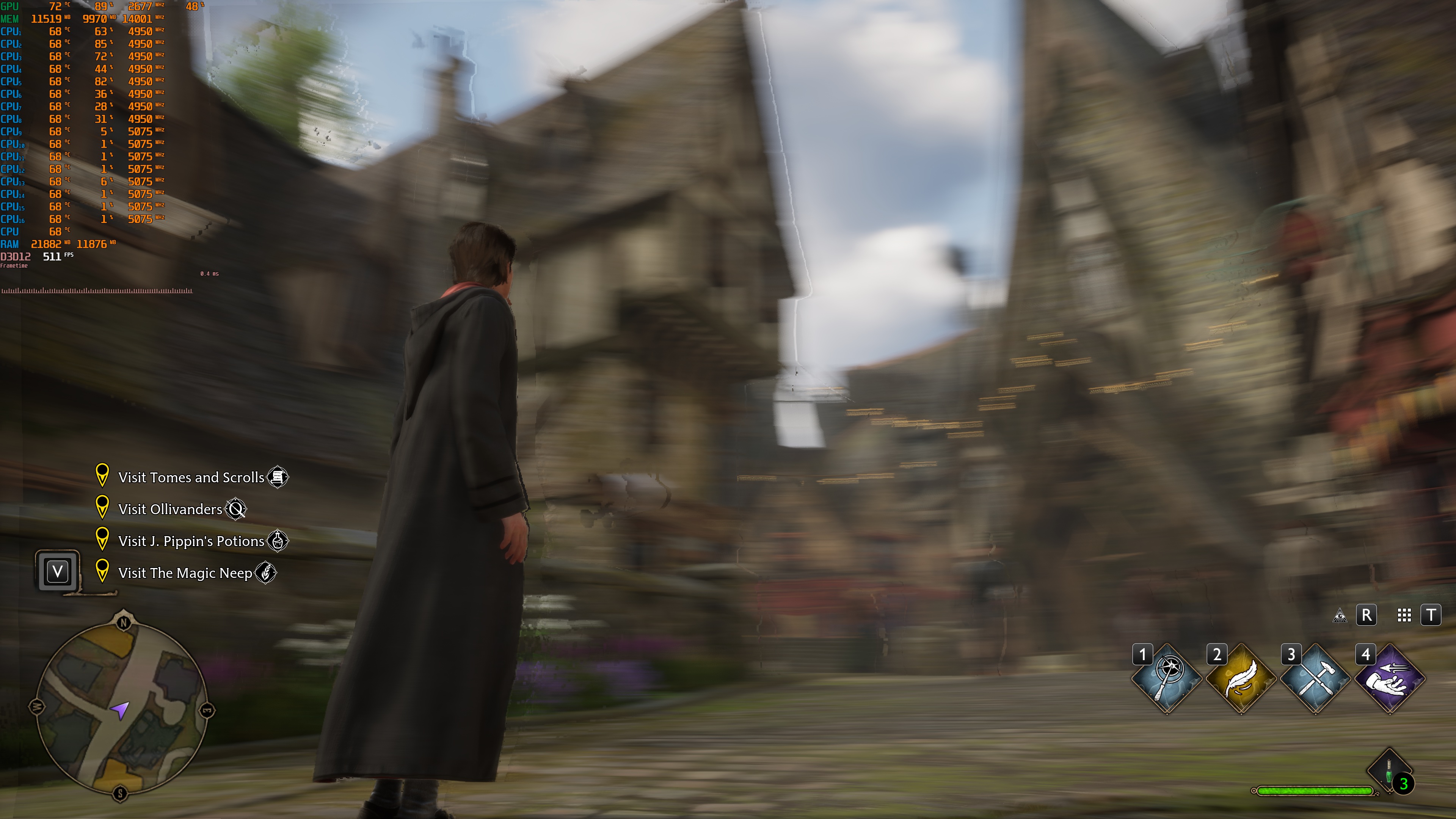
I should also note that for the screenshots that accompany this article, I was moving the camera like crazy. This is the best way to test the games and see whether DLSS 4.5 Frame Gen introduces a lot of visual artifacts. As I’ve said before, most of you won’t be moving the camera as quickly as I did. So, most of you will notice fewer artifacts than what I’m showing here. Furthermore, Motion Blur is a setting that can introduce a lot of artifacts. You can see this in Hellblade 2 and Hogwarts Legacy. By disabling Motion Blur, you can greatly minimize the visual artifacts of DLSS 4.5 Frame Gen. So, make sure to disable Motion Blur if you want to use DLSS 4.5 MFG 6X or Dynamic MFG.
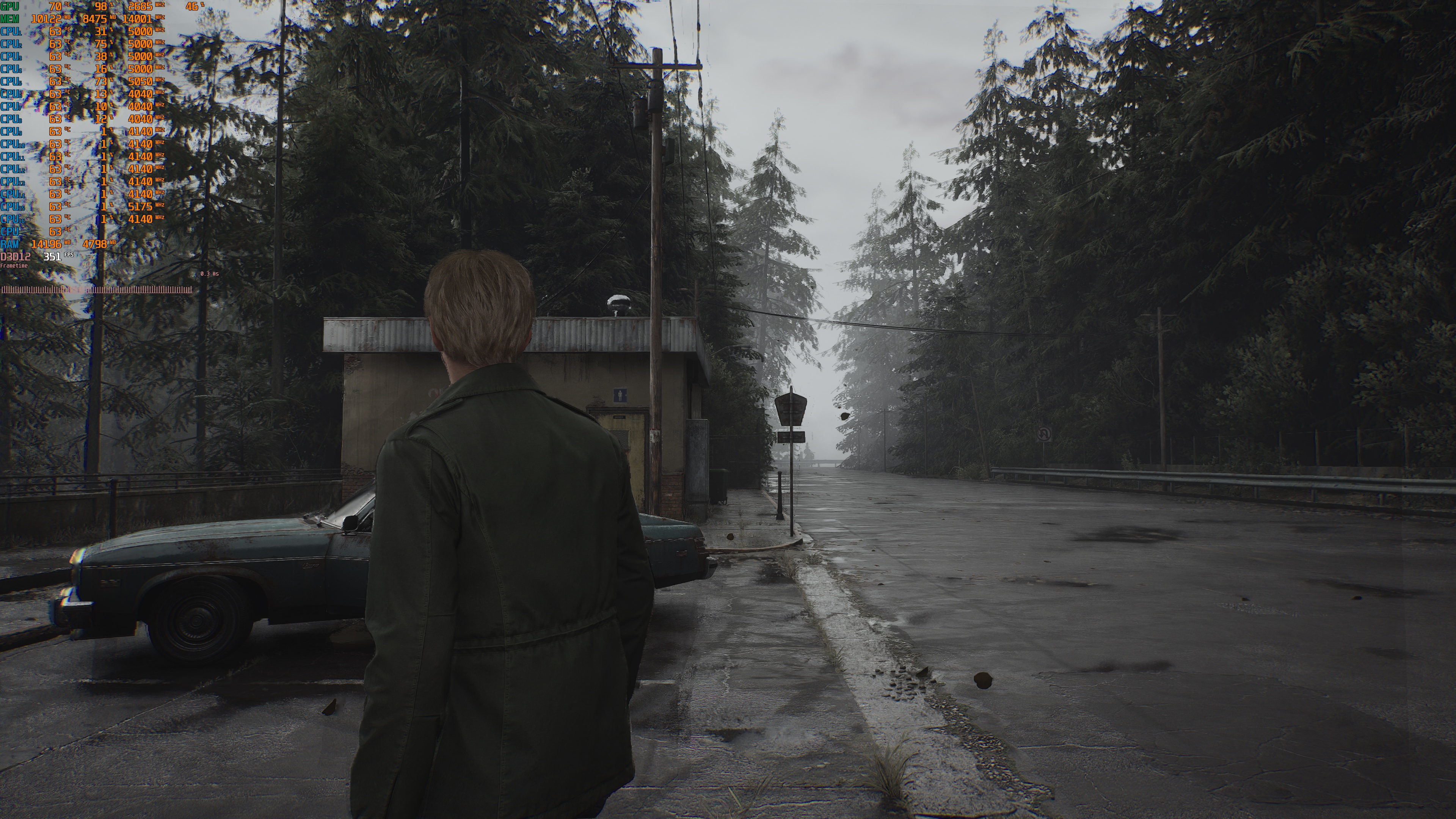
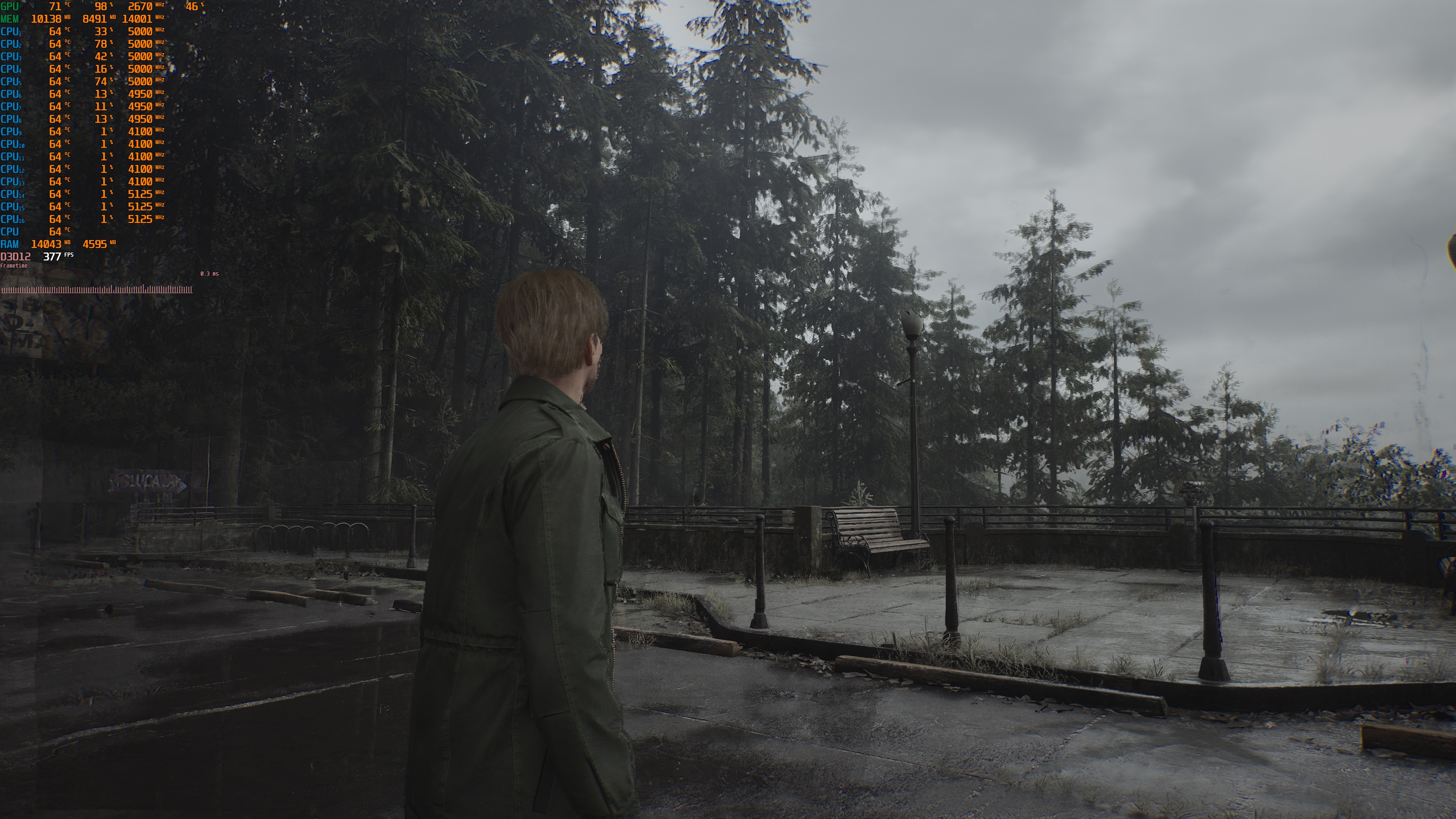
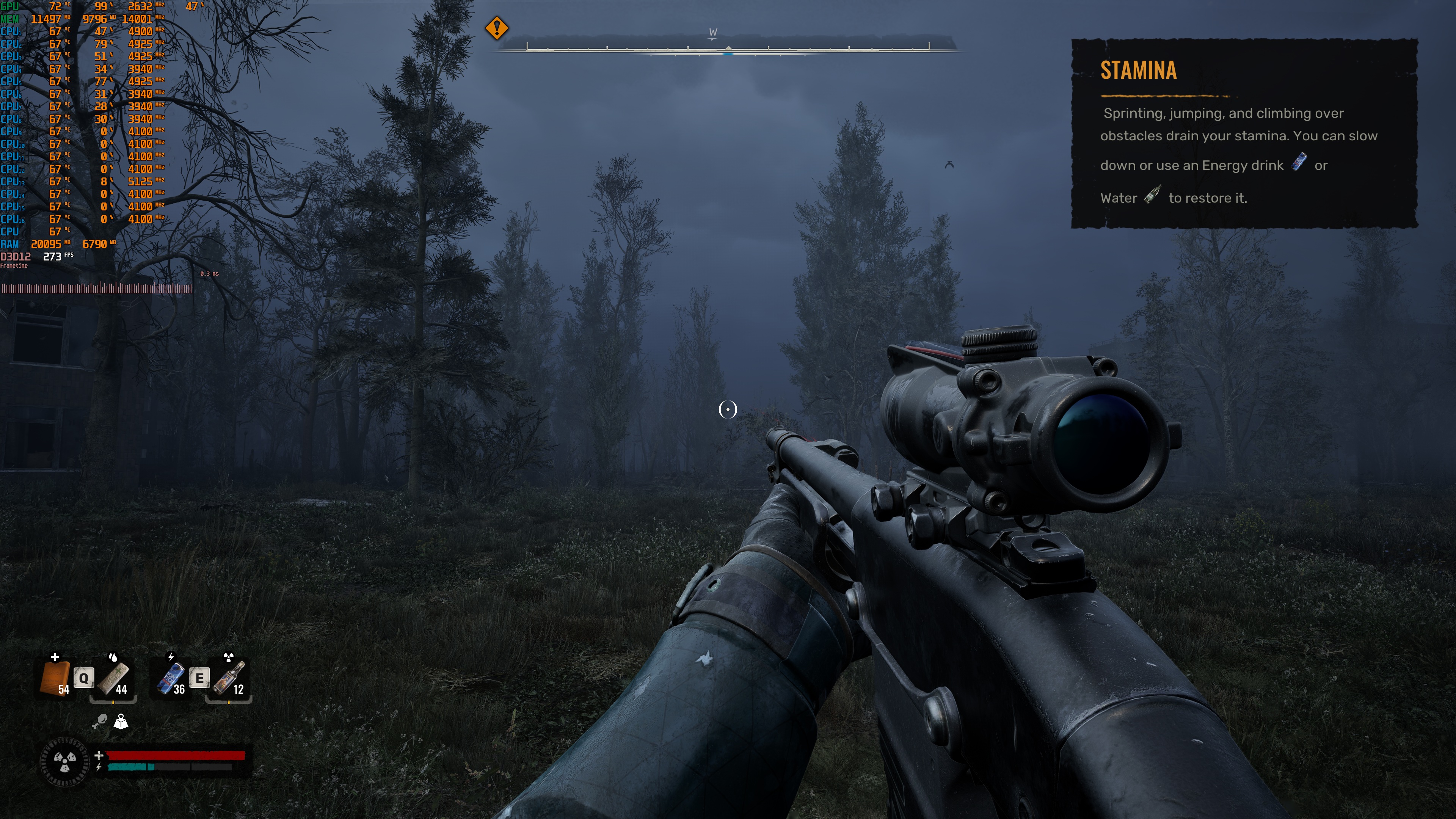
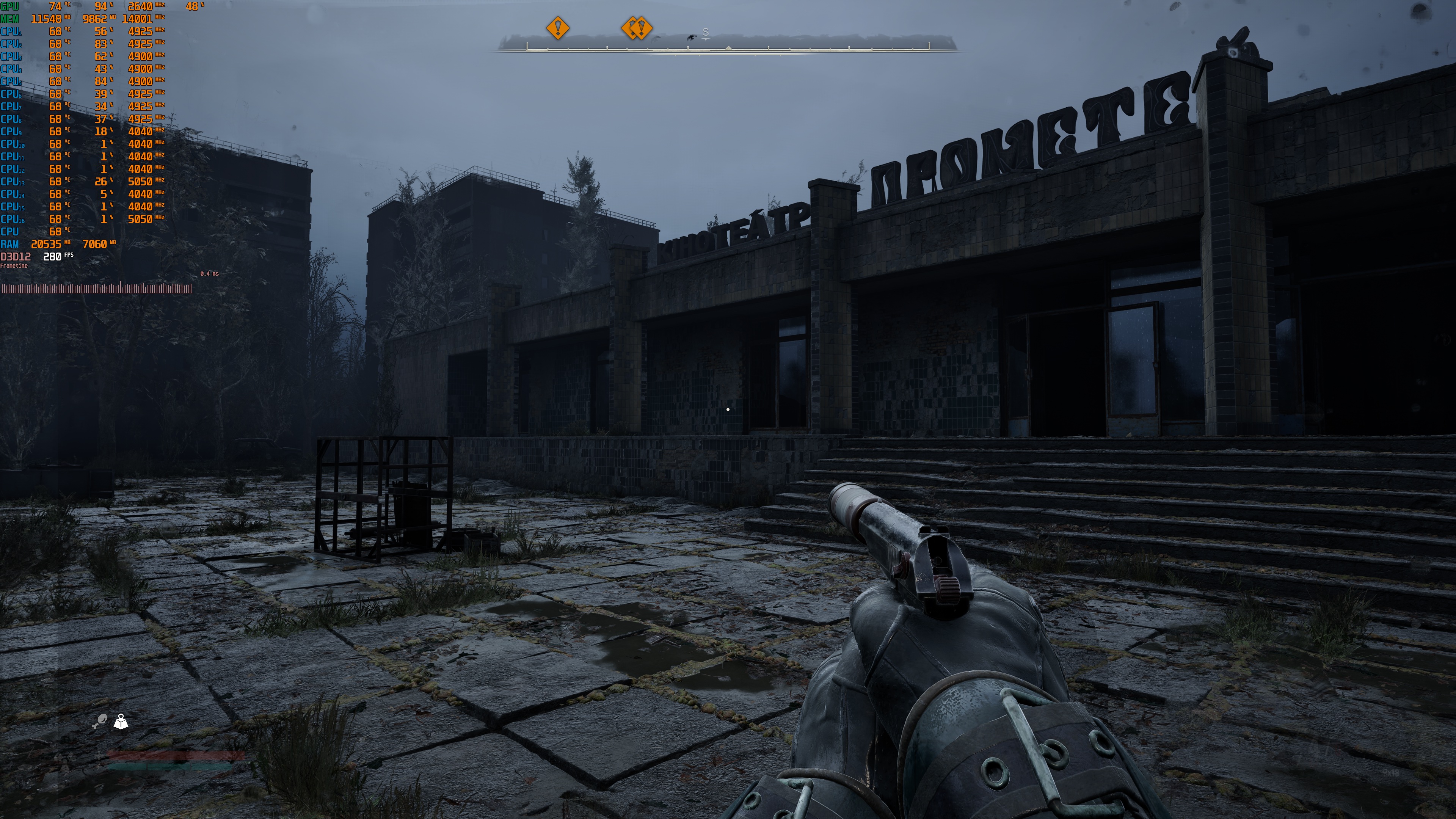
Furthermore, I have not included any framerate figures. Most of the games were running above 250-300FPS. So, framerate numbers are not that important when it comes to MFG 6X and Dynamic MFG, in my opinion. What matters is the overall experience. And that’s what we’re about to discuss. Nevertheless, the screenshots I took include MSI Afterburner stats. So, you can see how all of the games ran on the NVIDIA RTX 5090.
For Indiana Jones, DOOM: The Dark Ages, Alan Wake 2, and Cyberpunk 2077, I used Path Tracing at 4K with DLSS 4.5 Quality Mode. All the other games ran at 4K with DLSS 4.5 Quality on Max Settings (with Ray Tracing for those that supported it).
Let’s start with two games that were almost unplayable. These are Indiana Jones and DOOM: The Dark Ages. Both of them use the same engine, and both use the Vulkan API (which NVIDIA claimed is not fully supported). Indiana Jones had major “stuttering” issues and never felt smooth. Although my framerate was over 240FPS, the camera was constantly stuttering while moving. It looked really bad. On the other hand, although NVIDIA claimed that DOOM: The Dark Ages was supported, the NVIDIA App did not allow me to enable MFG 6X or Dynamic MFG. As such, I could not test it.
Another game that kind of disappointed me was Alan Wake 2. Alan Wake 2 suffered from major visual artifacts with DLSS 4 Frame Gen. Sadly, the exact same artifacts are present with DLSS 4.5 MFG 6X and Dynamic MFG. That’s a bummer. Thankfully, the game felt really smooth without any major latency issues with both DLSS 4.5 MFG 6X and Dynamic MFG.
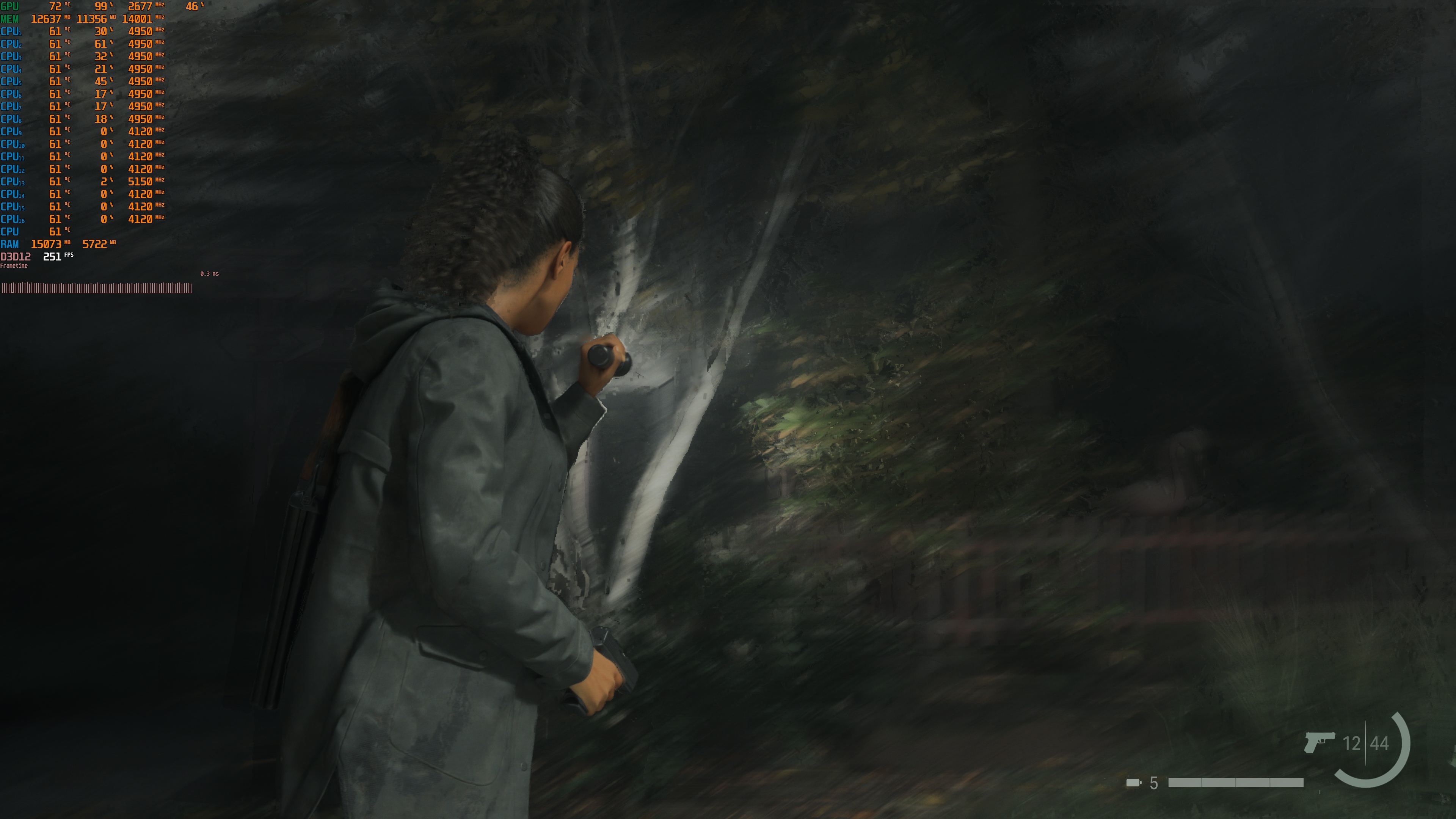
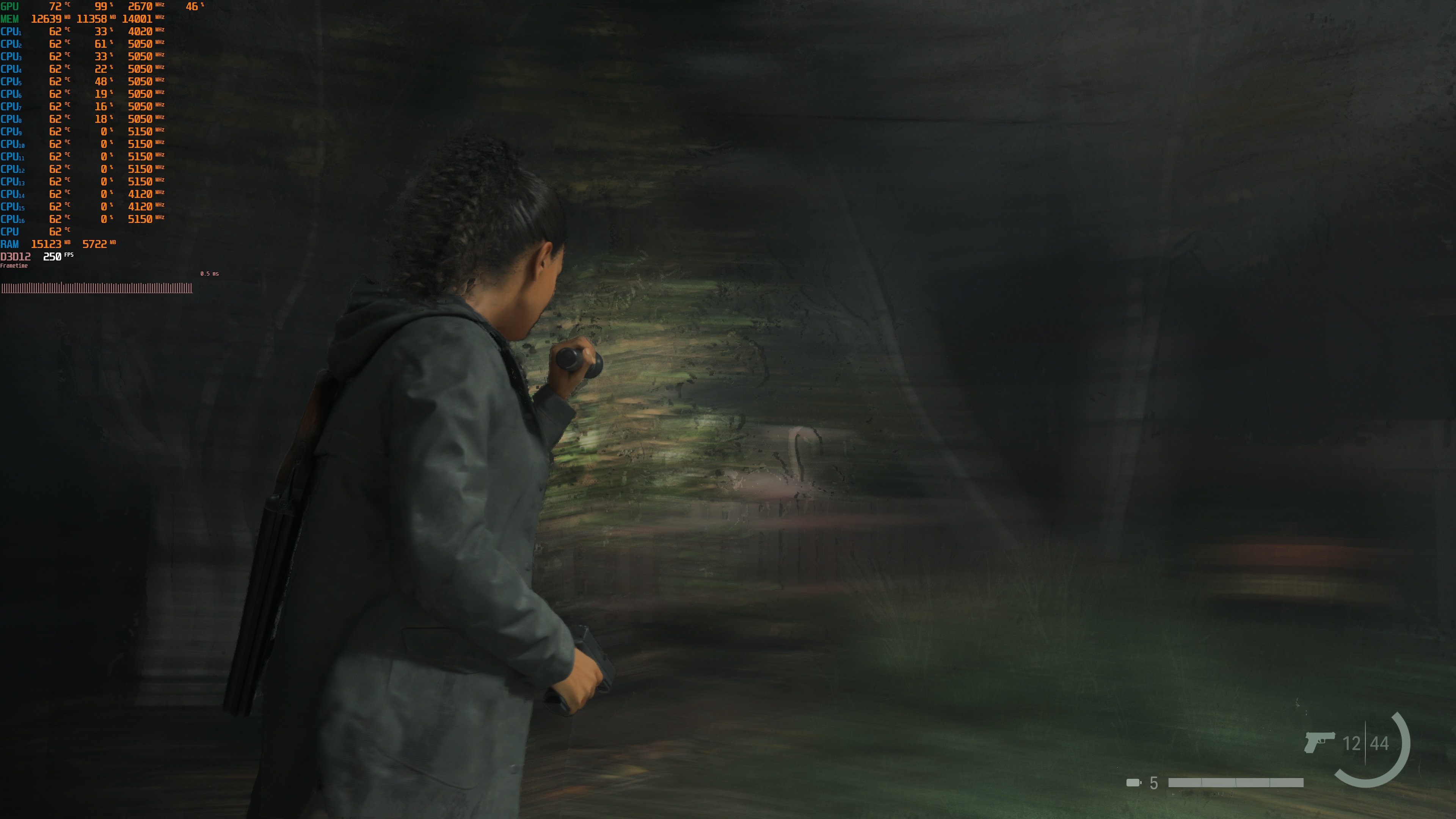
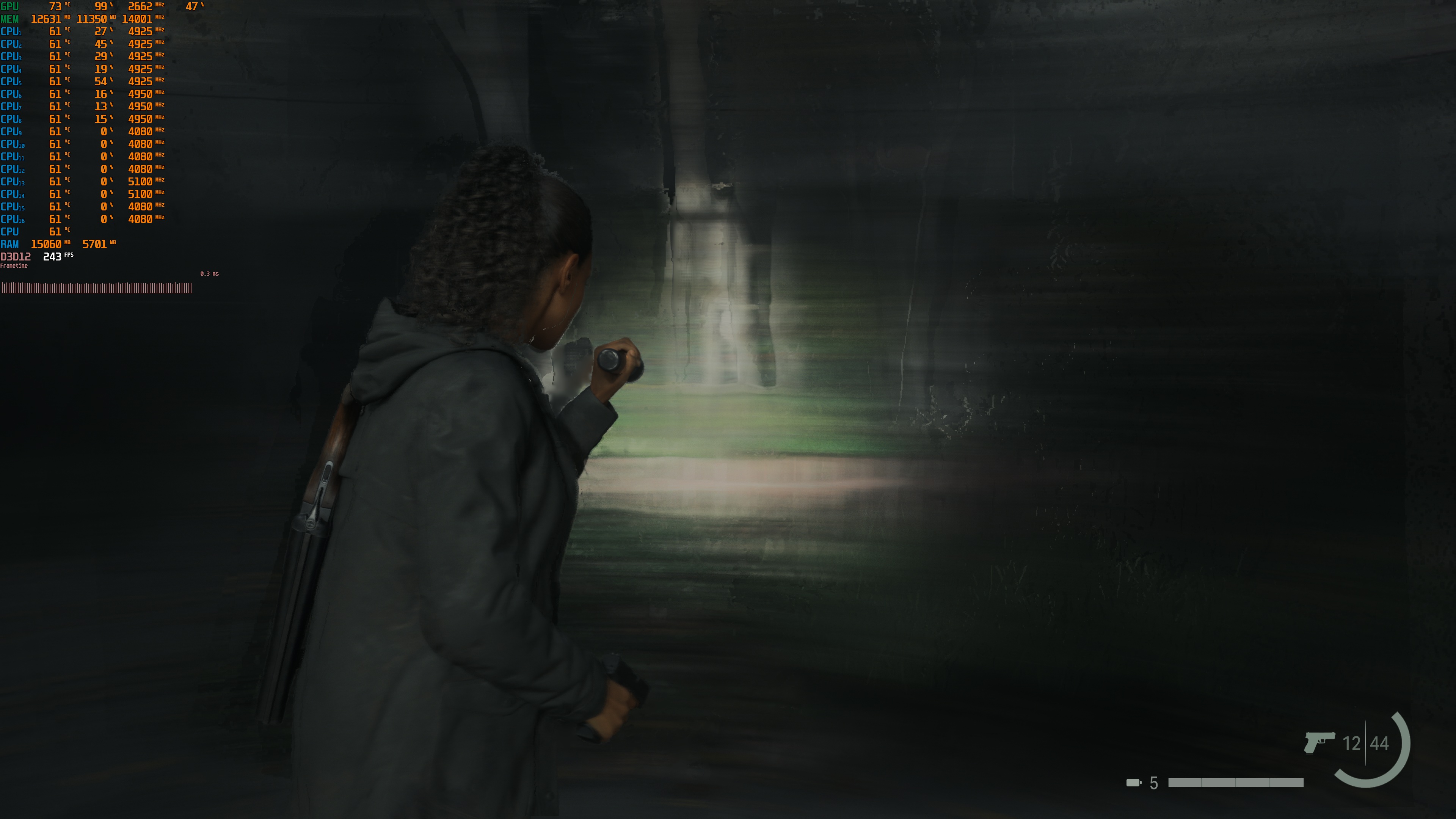
Cyberpunk 2077 felt a bit laggy with MFG 6X. On the other hand, Dynamic Multi-Frame Gen offered a bit better gaming experience. Both MFG 6X and Dynamic MFG had some visual artifacts during my stress tests. Overall, though, CP2077 is a game that I’ll gladly play with either MFG 4X or Dynamic MFG.
Hogwarts Legacy and Hellblade 2 are two games that felt really smooth, without any noticeable latency issues. Hogwarts Legacy, in particular, felt great even in Hogwarts. I also wasn’t getting a lot of stutters while exploring it. This is the smoothest I’ve seen Hogwarts Legacy running on PC. Similarly, Hellblade 2 ran extremely well, even with its new demanding Very High settings. These two games had some visual artifacts during my stress tests. Still, both MFG 6X and Dynamic MFG worked great here.
Then we have Silent Hill 2, Cronos: The New Dawn, Bloodlines 2, STALKER 2, and Mafia: The Old Country. These games had minimal visual artifacts, and they ran great with both MFG 6X and Dynamic MFG. These games worked great with MFG 6X and Dynamic MFG. In my opinion, this is the best way to play these games on a high-end NVIDIA GPU.
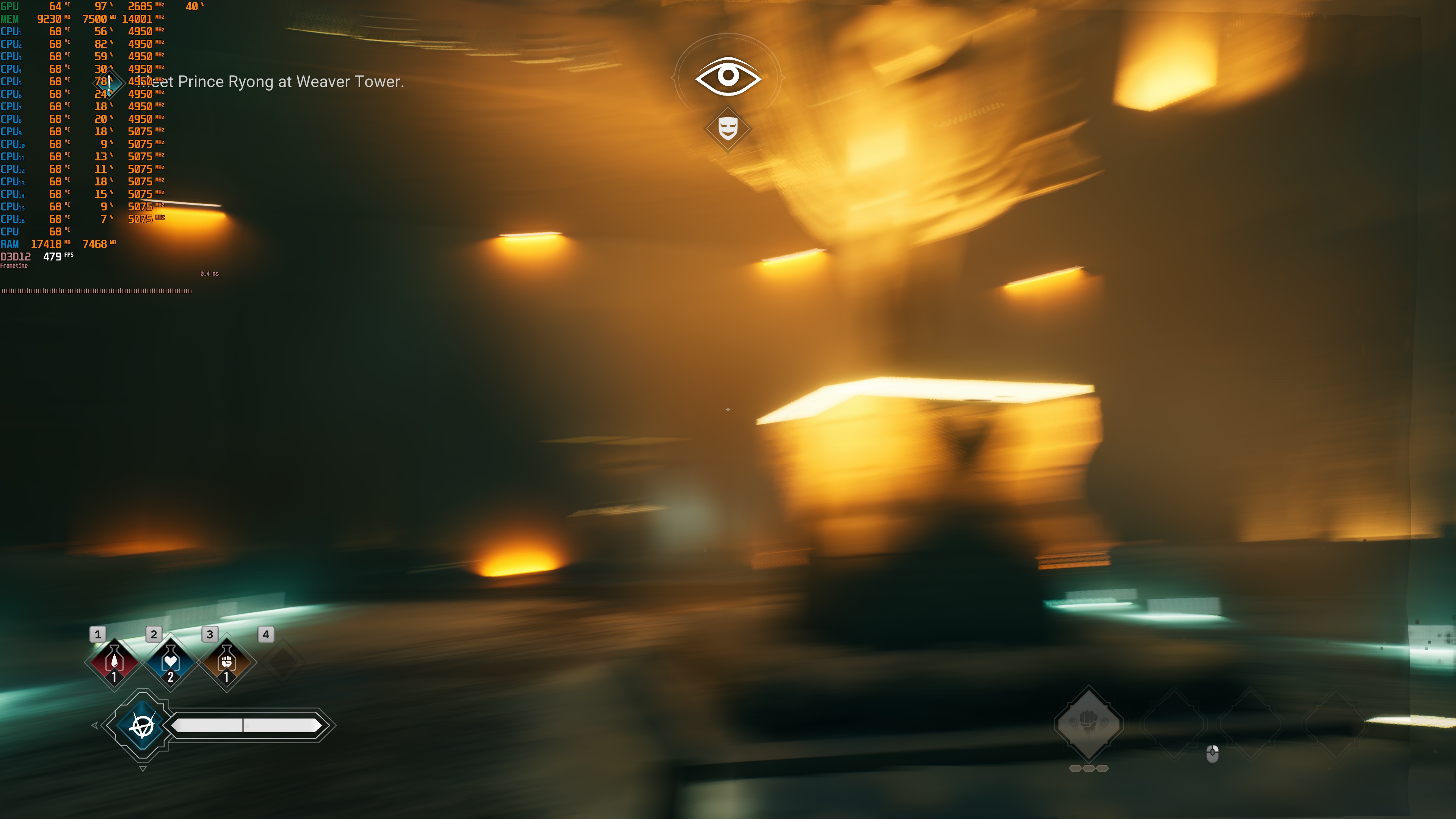
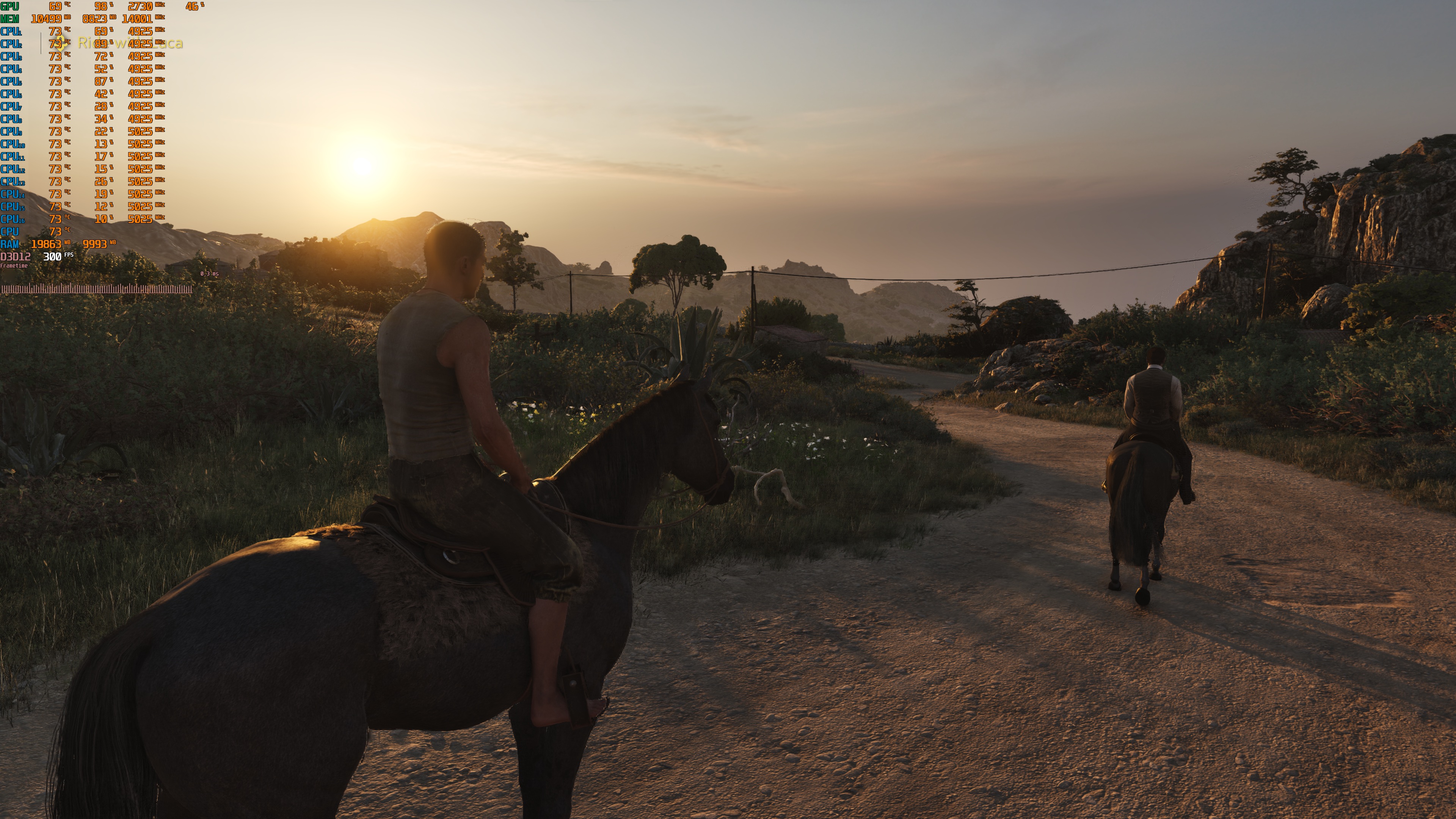

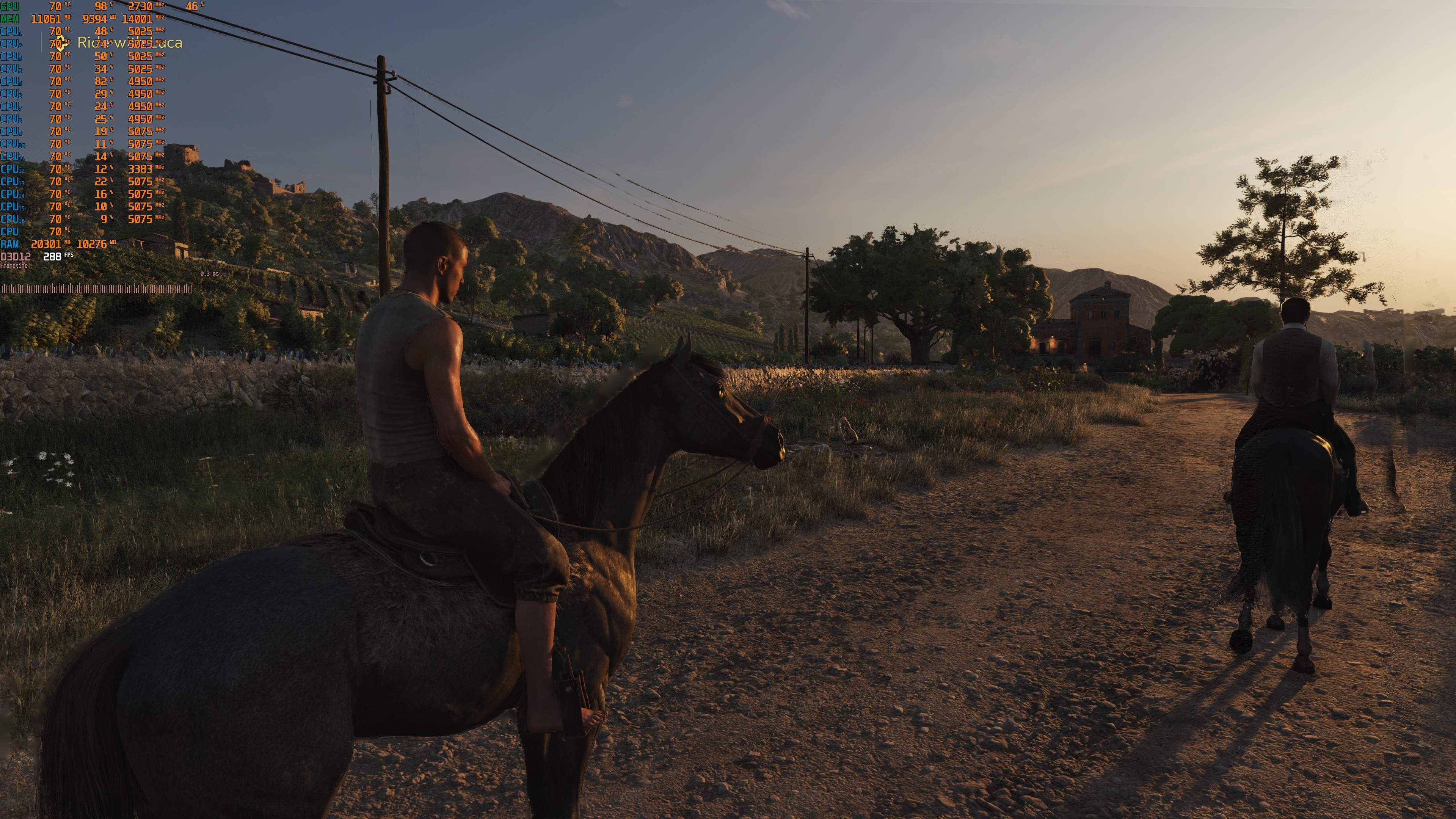
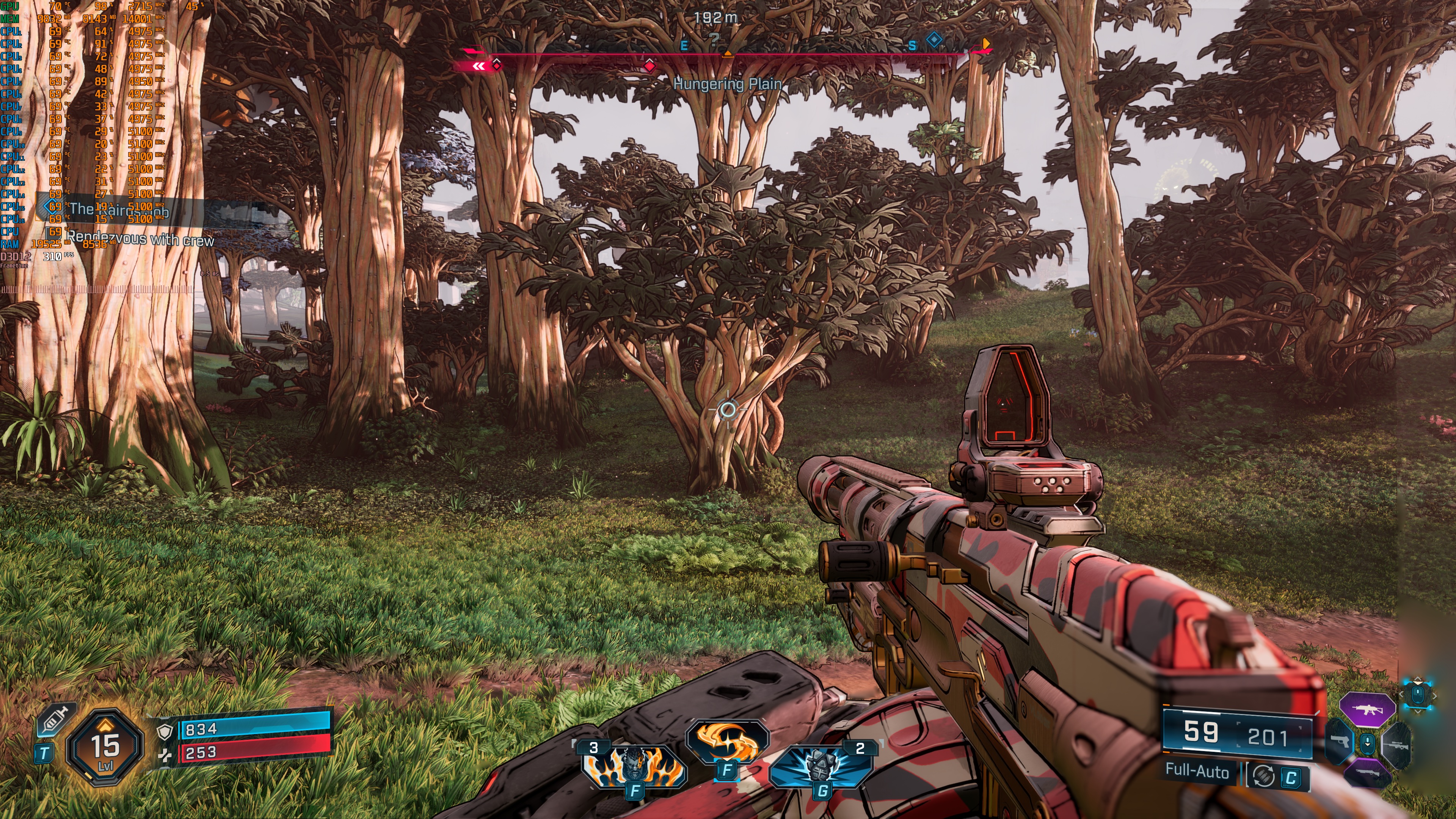
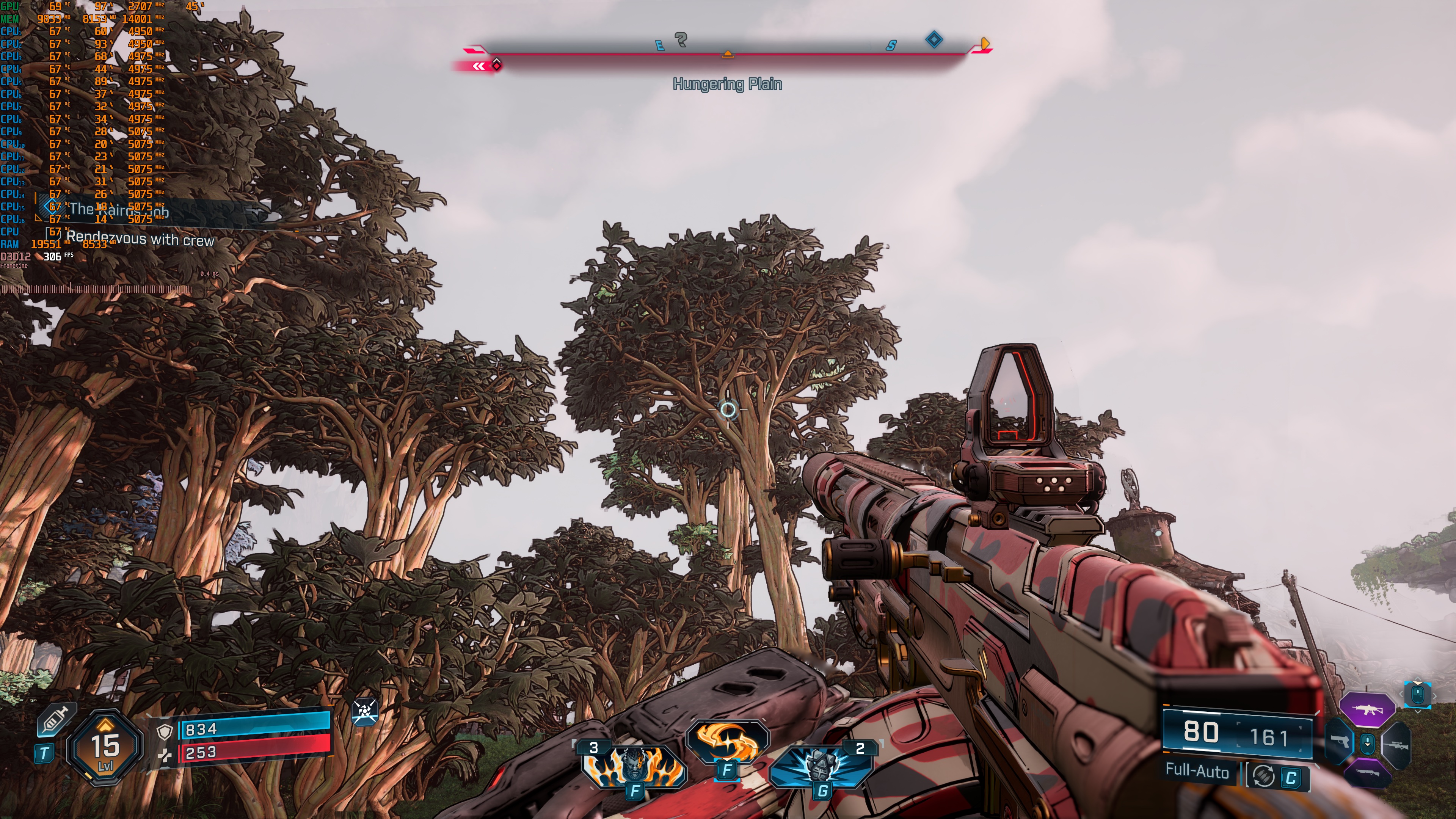
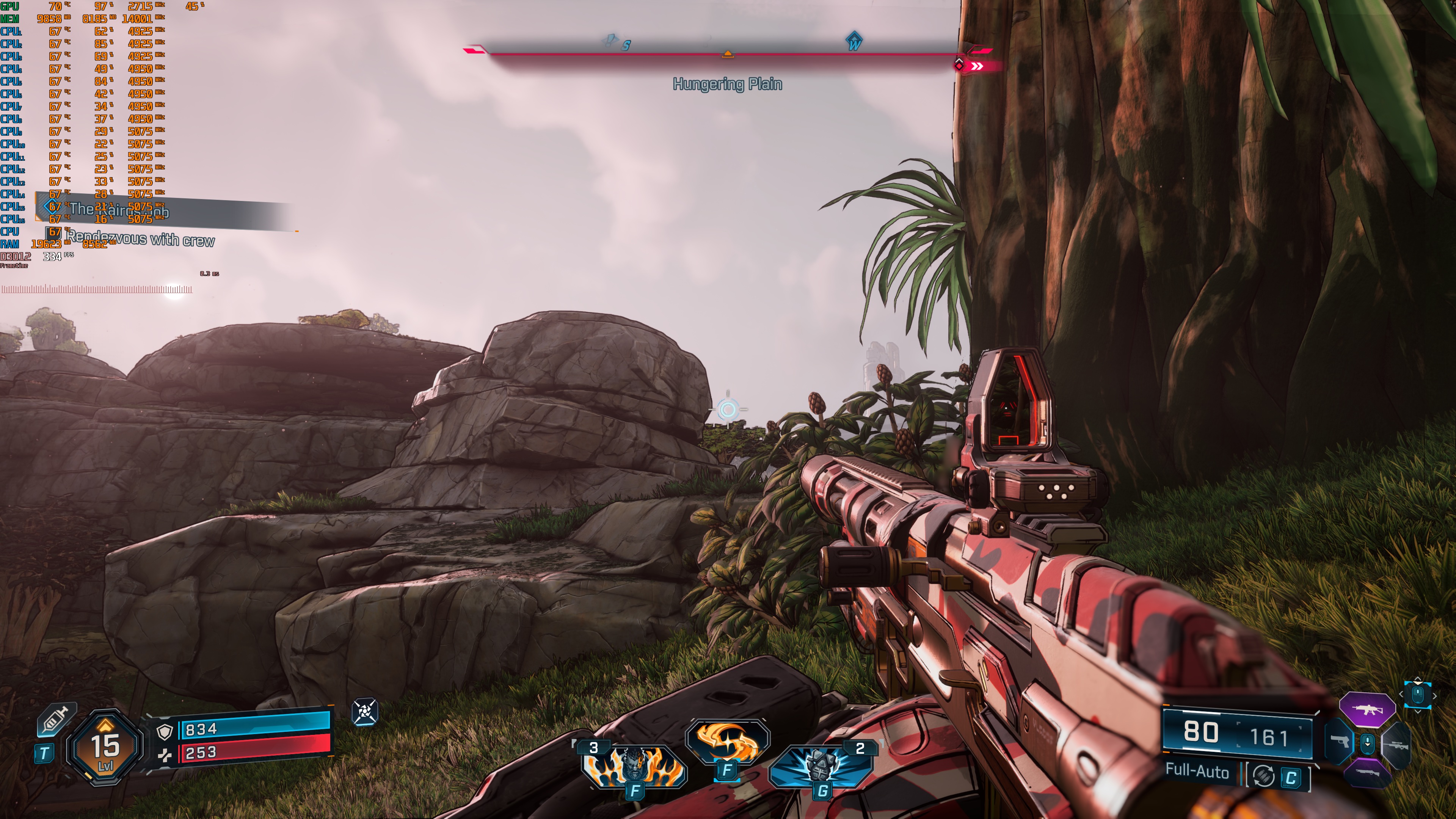
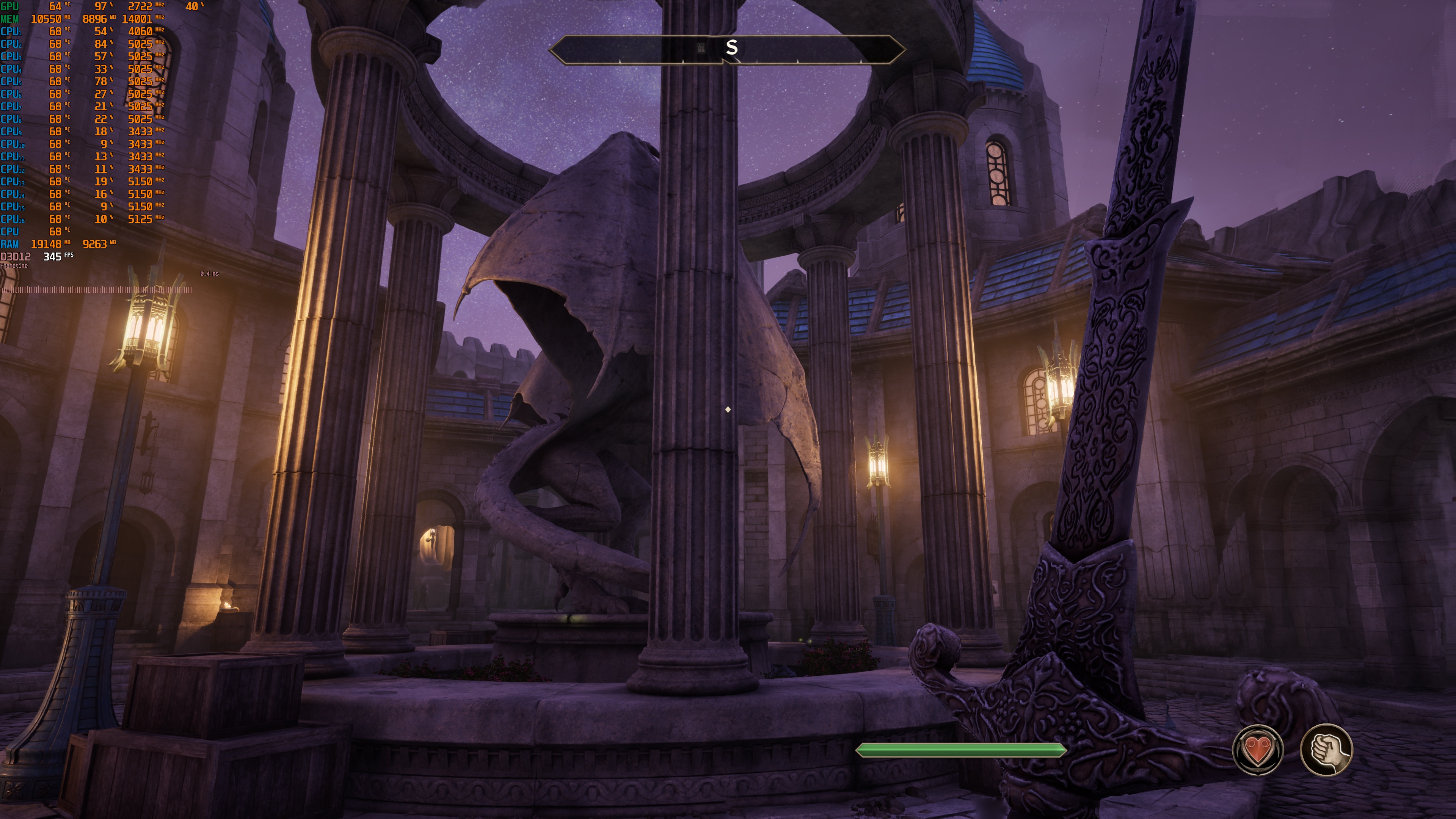
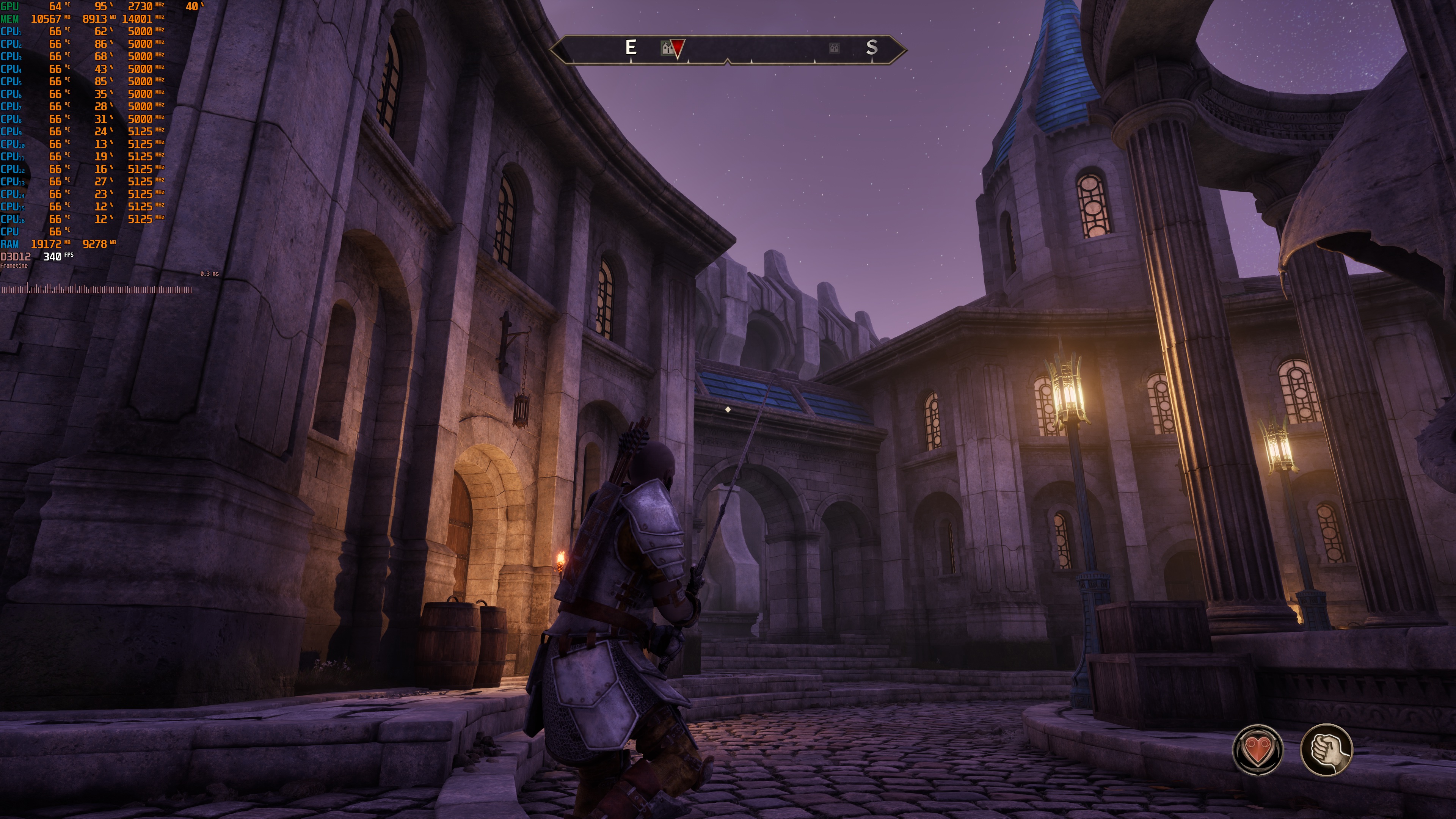
Finally, we have Oblivion Remastered and Borderlands 4. In these two games, I almost had zero visual artifacts during my tests. You can clearly see in the screenshots that they are almost artifact-free, even during crazy and quick camera movements. I was truly impressed with these two games. NVIDIA DLSS 4.5 MFG 6X or Dynamic MFG is a must in these two games.
Here’s a summary of my impressions.
- Alan Wake 2 – Visible artifacts with MFG 4X and 6X. Great performance and “game feel” with DLSS Quality Mode.
- Cyberpunk 2077 – Some artifacts with MFG 4X and 6X, Great performance. Slight lag, but it’s not that awful.
- Indiana Jones – Major “stuttering” issues while moving the camera. Minimal visual artifacts.
- DOOM: The Dark Ages – Not working
- Hogwarts Legacy – Some visual artifacts, especially with Motion Blur. Great performance and “game feel” with DLSS Quality Mode. Dynamic Frame Gen works great. Smooth movement in Hogwarts, very few stutters
- Hellblade 2 – Some visual artifacts, especially with Motion Blur. Great performance and “game feel” with DLSS Quality Mode. Dynamic Frame Gen works great.
- Silent Hill 2 – Very minimal artifacts. Great performance and “game feel” with DLSS Quality Mode. Dynamic Frame Gen works great.
- Cronos: The New Dawn – Very minimal artifacts. Great performance and “game feel” with DLSS Quality Mode. Dynamic Frame Gen works great.
- Bloodlines 2 – Very minimal artifacts. Great performance and “game feel” with DLSS Quality Mode. Dynamic Frame Gen works great.
- STALKER 2 – Very minimal artifacts. Great performance and “game feel” with DLSS Quality Mode. Dynamic Frame Gen works great.
- MAFIA: The Old Country – Very minimal artifacts. Great performance and “game feel” with DLSS Quality Mode. Dynamic Frame Gen works great.
- Oblivion Remastered – No artifacts. Great performance and “game feel” with DLSS Quality Mode. Dynamic Frame Gen works great.
- Borderlands 4 – No artifacts. Great performance and “game feel” with DLSS Quality Mode. Dynamic Frame Gen works great.
NVIDIA DLSS 4.5 MFG 6X feels a bit unnecessary on an NVIDIA RTX 5090. The PC monitor I used is the Asus ROG Swift OLED PG32UCDM, which supports 4K at 240Hz. And, as you can see, all of the games were running above 260FPS. So, we were above the refresh rate of our monitor in all of them (though thanks to NVIDIA Reflex, we were not getting any tearing). Still, this felt a bit unnecessary to me, especially since MFG 6X can introduce more visual artifacts than, say, MFG 2X or 4X.
When NVIDIA announced DLSS 4.5 Dynamic Multi-Frame Gen, I was not that enthusiastic about it. In practice, though, Dynamic Multi-Frame Gen is pretty great. I did not notice any major latency issues, additional stutters, or visual bugs during the transitions of the different modes that Dynamic MFG used. This means that you can set Dynamic MFG to match your PC monitor’s refresh rate, and let it do its work. This mode is ideal for those who don’t want to experiment with all the different MFG modes.
Overall, my first impressions of the NVIDIA DLSS 4.5 are very positive. The only game that felt unplayable was Indiana Jones. All the other games ran and felt better with MFG 6X or Dynamic MFG. Without them, all of these games felt worse. The only game that had noticeable visual artifacts during normal mouse movements was Alan Wake 2. I can also guarantee you that in a blind test, most of you will choose the MFG 6X or the Dynamic MFG versions.
I now hope that NVIDIA will keep working on its DLSS 4.5 Frame Gen algorithm. As I said, in some games, you can get some visual artifacts. However, as we saw in Borderlands 4 and Oblivion Remastered, you can get an almost artifact-free image. That’s precisely what I want to see in all the games that can use DLSS 4.5 Frame Gen. Both MFG 6X and Dynamic MFG will benefit from such improvements, and this will tempt even more gamers to enable and use them!

John is the founder and Editor in Chief at DSOGaming. He is a PC gaming fan and highly supports the modding and indie communities. Before creating DSOGaming, John worked on numerous gaming websites. While he is a die-hard PC gamer, his gaming roots can be found on consoles. John loved – and still does – the 16-bit consoles, and considers SNES to be one of the best consoles. Still, the PC platform won him over consoles. That was mainly due to 3DFX and its iconic dedicated 3D accelerator graphics card, Voodoo 2. John has also written a higher degree thesis on the “The Evolution of PC graphics cards.”
Contact: Email