One of the biggest features of the RTX 50 series GPUs is the inclusion of Multi-Frame Gen in DLSS 4. And, since this is a topic that interests a lot of gamers, we’ve decided to have a separate article for it. So, time now to see what Multi-Frame Gen does, and whether it’s worth enabling it.
DLSS 4 Multi-Frame Gen generates up to three additional frames per traditionally rendered frame, working in unison with the complete suite of DLSS technologies to multiply frame rates by up to 8X over traditional brute-force rendering. In short, it’s Frame Gen on steroids.
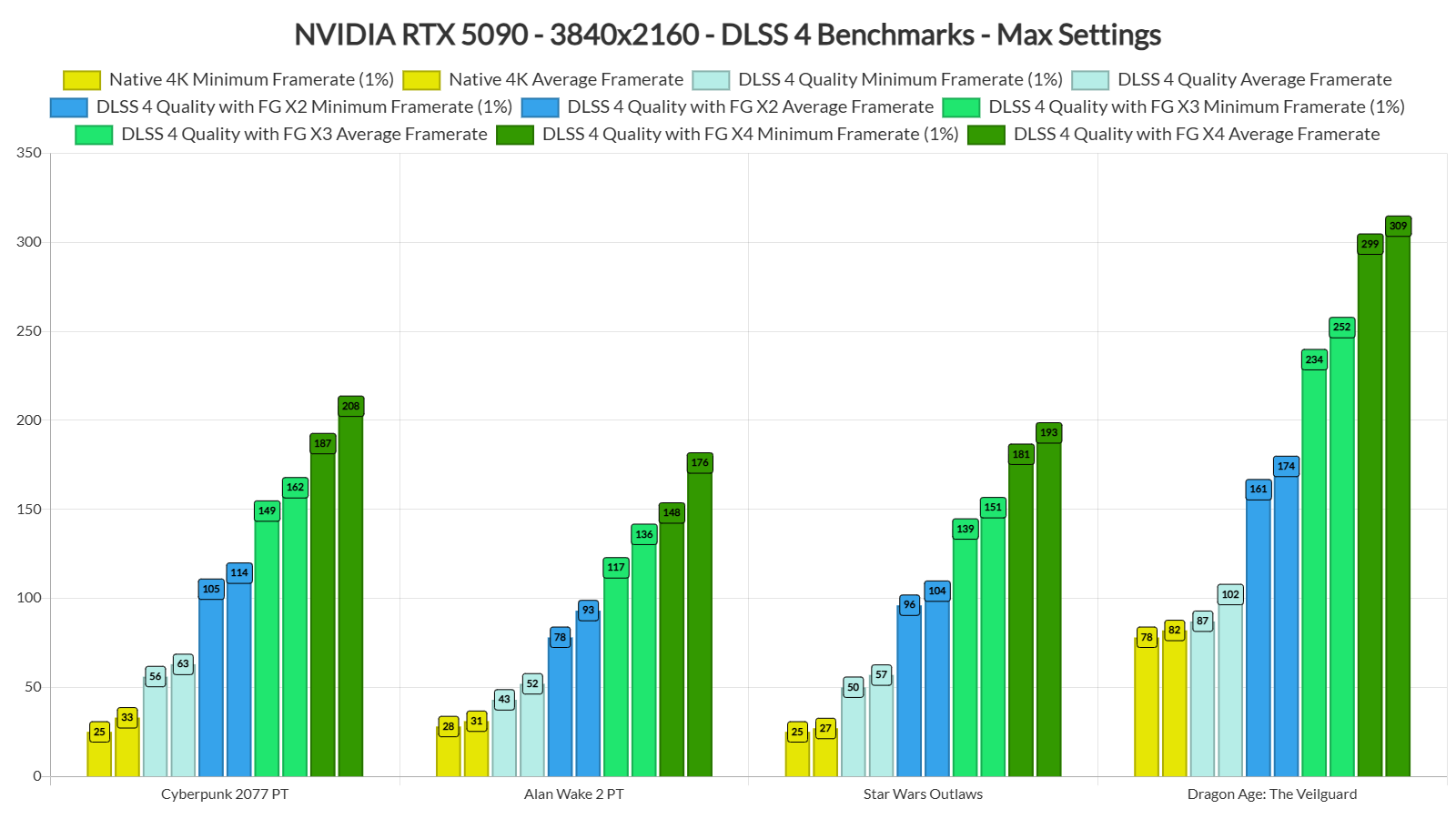
NVIDIA only had a select number of games to test DLSS 4 Multi-Frame Gen. On January 30th, the team will launch a new version of the NVIDIA App which will add support for 75 titles. So, we’ll have more DLSS 4 benchmarks when the app comes out. For now, let’s look at Cyberpunk 2077, Alan Wake 2, Dragon Age: The Veilguard and Star Wars Outlaws.
For our benchmarks, we used an AMD Ryzen 9 7950X3D with 32GB of DDR5 at 6000Mhz, and the NVIDIA GeForce RTX 5090. We also used Windows 10 64-bit, and the GeForce 571.86 driver. Moreover, we’ve disabled the second CCD on our 7950X3D. Plus, we’re using the ASUS ROG SWIFT PG32UCDM monitor, which is a 32” 4K/240Hz/HDR monitor.
Let’s start with Cyberpunk 2077. With DLSS 4 Quality Mode, we were able to get a minimum of 56FPS and an average of 63FPS at 4K with Path Tracing. Then, by enabling DLSS 4 Multi-Frame Gen X3 and X4, we were able to get as high as 200FPS. Now what’s cool here is that I did not experience any latency issues. The game felt responsive and it looked reaaaaaaaaaaaaaally smooth.
And that’s pretty much my experience with all the other titles. Since the base framerate (before enabling Frame Generation) was between 40-60FPS, all of the games felt responsive. And that’s without NVIDIA Reflex 2 (which will most likely reduce latency even more).
I cannot stress enough how smooth these games looked on my 4K/240Hz PC monitor. And yes, that’s the way I’ll be playing them. DLSS 4 MFG is really amazing, and I can’t wait to try it with Black Myth: Wukong and Indiana Jones and the Great Circle. With DLSS 4 X4, these games will feel smooth as butter.
And I know what some of you might say. “Meh, I don’t care, I have Lossless Scaling which can do the same thing“. Well, you know what? I’ve tried Lossless Scaling and it’s NOWHERE CLOSE to the visual stability, performance, control responsiveness, and frame delivery of DLSS 4. If you’ve been impressed by Lossless Scaling, you’ll be blown away by DLSS 4. Plain and simple.
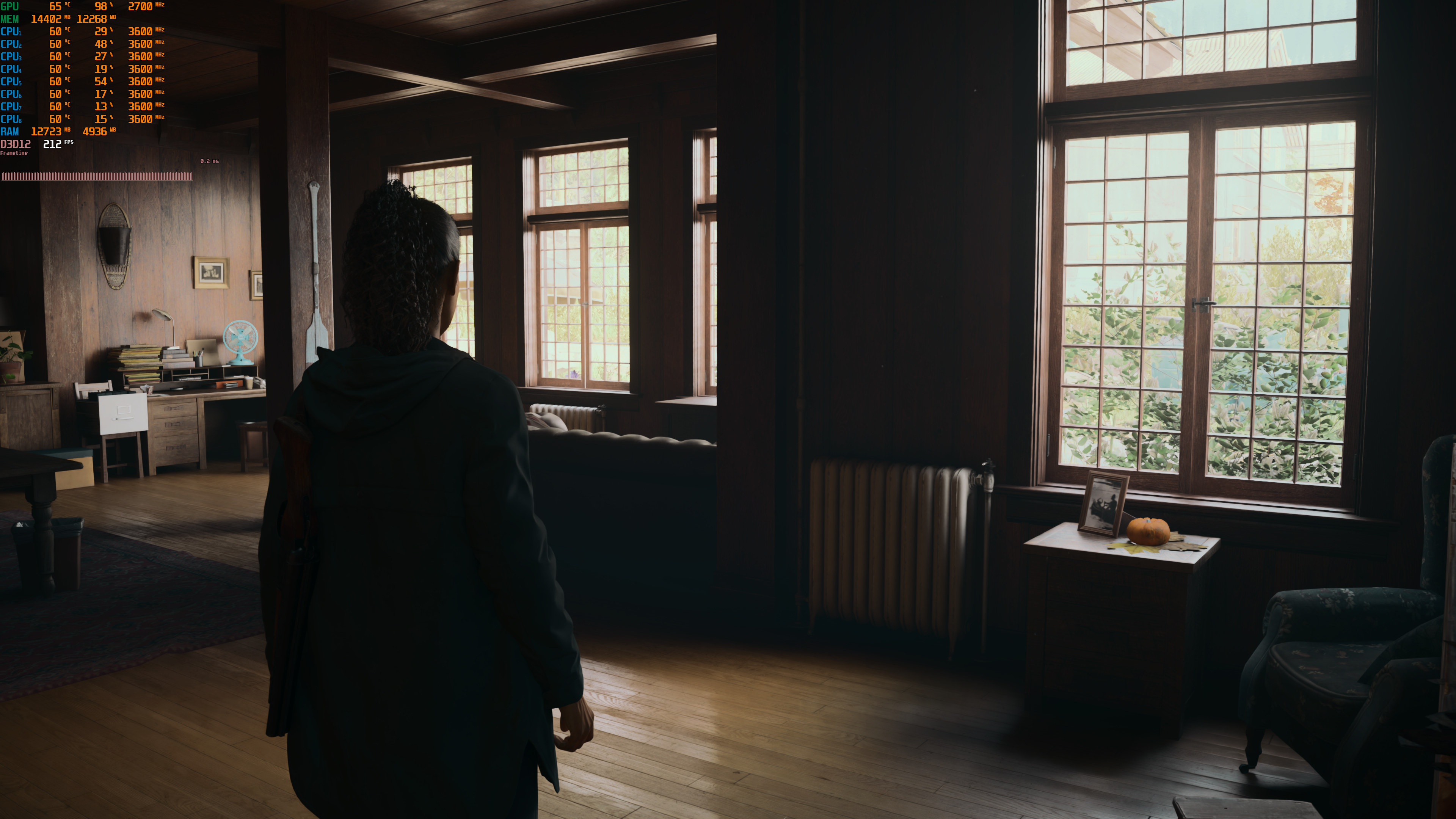
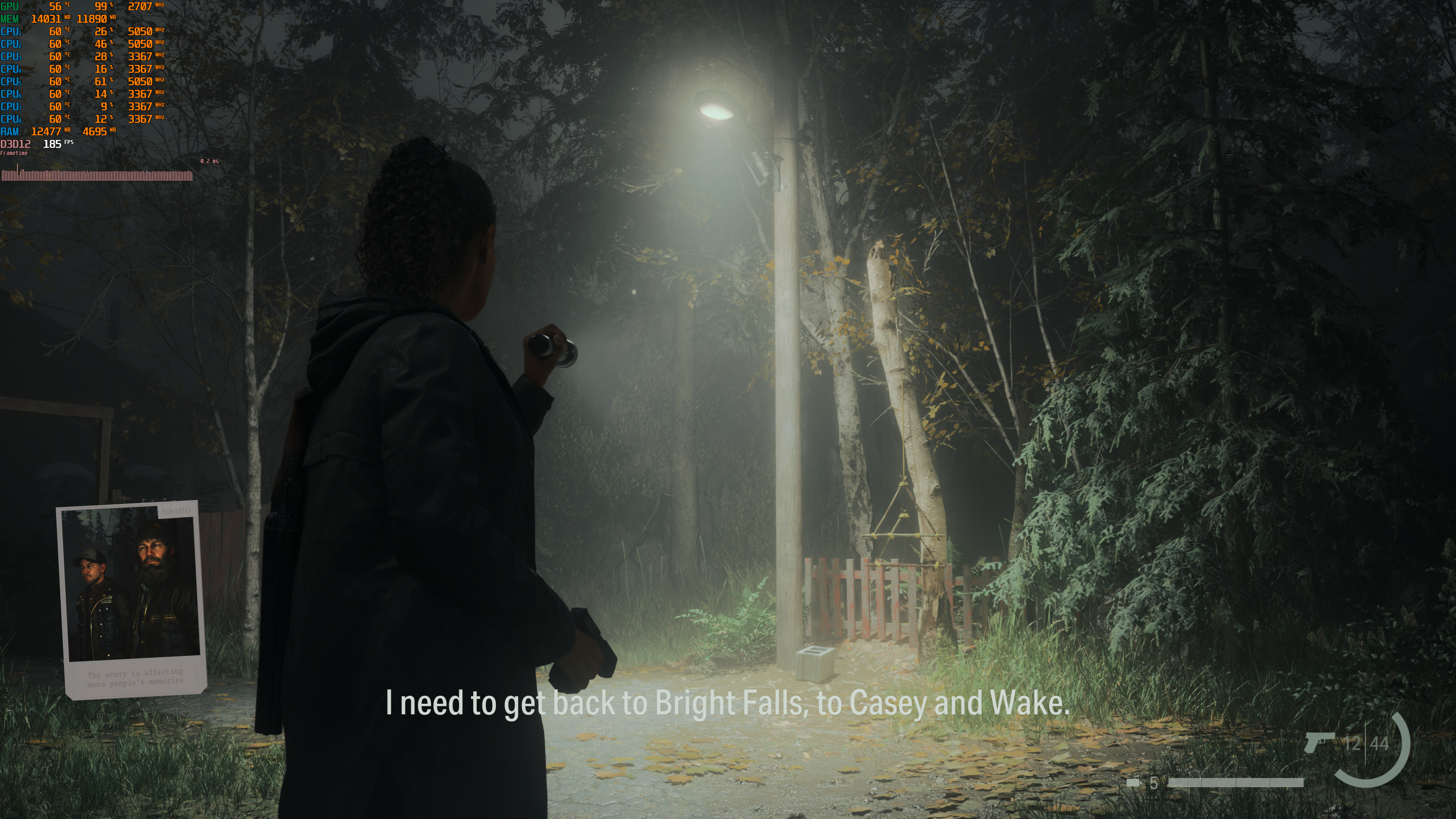
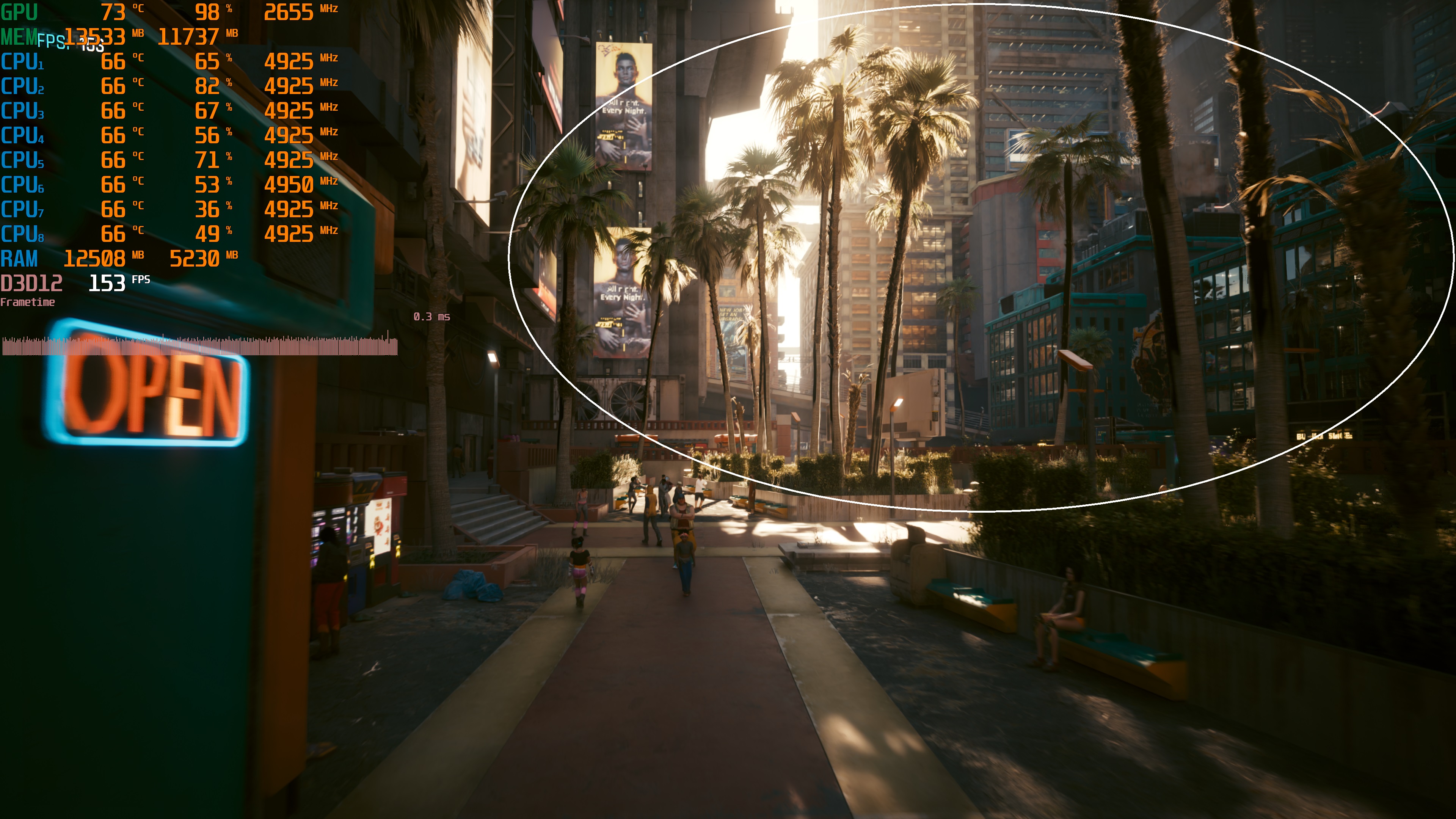
Now while DLSS 4 is mighty impressive, it still has some issues. For instance, in CP2077, you can notice some black textures in trees during the benchmark sequence. Other than that, I could not spot any major visual artifacts. Star Wars Outlaws and Dragon Age: The Veilguard also seemed artifact-free. However, in Alan Wake 2, there were some visual artifacts with the DLSS 4 Multi-Frame Gen X3 and X4. In the following areas, when turning the camera with quick moves, the flashlight causes artifacts. There are also artifacts around Saga when turning around. I’ve already informed NVIDIA about these issues so hopefully they’ll address them via future drivers.
Speaking of DLSS 4, the Transformer Model is better than the previous CNN Model. All of the aforementioned games looked better than before. So, kudos to NVIDIA for delivering a better image quality. Oh, and the Transformer Model will become available to all the previous RTX GPUs.
Before closing, I should note that all the performance overlay tools (with the exception of CapFrameX) do not report the correct frametimes when using DLSS 4 Frame Gen with the Transformer Model. Right now, most of the tools measure MsBetweenPresentsChange for the frametime graph. However, for the RTX50 series GPUs, you’ll have to measure MsBetweenDisplayChange. So, that weird frametime you see in the screenshots? It has nothing to do with the actual frametime you’re getting. So, don’t pay attention to it.
Overall, DLSS 4 Multi-Frame is one of the best new features of the Blackwell RTX 50 series GPUs. By using it, you will finally be able to enjoy path-traced games at super high framerates. And you know what? I’d take 200FPS with the response times of 50-60FPS any day over simply gaming at 50-60FPS. And good luck getting a similar experience with “TV interpolation” or Lossless Scaling. DLSS 4 is on an entire next-gen level. So go ahead and cope all you want, make all the excuses or memes you can. Personally, after actually getting my hands on it and gaming with DLSS 4 X4, I’ll be using it in pretty much all the games that support it!

John is the founder and Editor in Chief at DSOGaming. He is a PC gaming fan and highly supports the modding and indie communities. Before creating DSOGaming, John worked on numerous gaming websites. While he is a die-hard PC gamer, his gaming roots can be found on consoles. John loved – and still does – the 16-bit consoles, and considers SNES to be one of the best consoles. Still, the PC platform won him over consoles. That was mainly due to 3DFX and its iconic dedicated 3D accelerator graphics card, Voodoo 2. John has also written a higher degree thesis on the “The Evolution of PC graphics cards.”
Contact: Email


Again, thanks for the benchmarks as its always very interesting to hear hands on impressions about this kind of tech. I've come to accept FG in titles such as the ones you've tested out and I think I've come to a similar conclusion that the noticeable latency really only matters to me when it comes to competitive FPS titles like CS or R6. I saw you mention that LS specifically doesnt match the responsiveness of DLSS4. Would you say its that far off in latency between the two at your perferred resolutions? Do you think its just something that we shouldn't expect from a non native implementation like LS?
Also were you going to try it with any VR titles?
DLSS 4 is miles beyond LS in pretty much everything. There is no contest here. From response times to visual stability, DLSS 4 feels like a next-gen solution (compared to LS).
LS is incredible for games that are locked at 30FPS. That's its biggest feature IMO. Plus you can use it in all GPUs. So, it's a cool tool. However, it's not as polished as DLSS 4.
Ty again, any possibly testing on VR games or is that not a priority here?
Unless Nvidia somehow make it available at driver level and allow users to apply it in all games, it's DOA.
One of the dumbest things I've heard in a while
everyone I know and from what I read in many communities online, majority of us skipped RTX40 series, so expect 50** to sell like crazy.
so far the 50 series looks like trash.
It is trash if you own a 40 series card. But anything other than that, these babies will be an instant buy. I can guarantee that from my experience. Especially, 90% of 20 series owners and 65% of 30 series owners will most likely jump ship.
I believed some idiots here who said Lossless Scaling killed DLSS 4 before it is out, you guys are actually insane, spent like a few hours using it, it is horrible accross all settings. And dont try to gaslight me and say oh hur dur you did not use the best settings. I Did. it is garbage. Stop pushing it here like a DLSS killer. I am sure everyone will start singing a different tune when affordable DLSS4 cards are out.
I had the same experience with LSFG.
LSFG is not garbage. It's decent. It's not a DLSS killer but it's good for older pc's or games without any frame gen support.
its especially garbage on older pcs and old games without frame gen support precisely because older hardware runs out of vram as they cant do asynchronous computing well and old games have larger hud elements that are not minimalistic like modern games so the hud gets blurred.
Last I checked were talking about 300-400 vram. So Vram is not an issue in most cases. The HUD is not blurred well not in my experience. It’s the flicker that’s an issue. But it’s getting better and it’s acceptable if your playing in first person or if your playing at some distance from the tv/display. It’s a budget frame gen but far from garbage. Also the right settings can help or break your experience. First times I used Lossless Scaling I thought it was crap. After some research and an open mind I manage to get it work perfectly. It’s a good alternative for FSR/DLSS frame gen.
if you have a 8gb card then there isnt much of a point of using it in old games, you can run them well, if you got a 6gb one, then there are problems the gtx 1060 6gb which is the recommended in the steam page of lossless scaling is not good enough to benefit fallout 3 without mods or far cry 5, in fact far cry 5 had worse framerate with it than without it because it used more vram and cuda cores. 2 games that the gtx 1060 maxes out. Maybe its slightly better at gtx 1660 super ti or whatever but past that point we talking at 8gb cards with asynchronous computing.
Emulation many games are capped at 30fps and many older PC games have glitches if u exceed 30 or 60fps and lossless scaling works great in those games.
Translation: Broke people using ancient hardware desperately insist LSFG is great because otherwise they'd have to just cry alone.
Can you use dlss4 and its multi-frame gen with emulators? what about classic pc games locked at 30fps like tomb raider games? what about games that their frame rate is tied to the speed of the game? what about movies?
You sound like you talk first then think later like a low IQ f4ggot.
Ur an idiot seriously, i bought lossless scaling for retro gaming and emulation, its really a game changer.
Translation: I hate myself and my life and I pour out my frustration on strangers from the internet.
I’m sorry to hear you hate yourself. I hope you work on that, you deserve to be happy and have good gaming performance.
Calling LSFG garbage is a stretch. It's limitrled by the fact it's not implemented with engine motion vectors, but it's truly great
Lossless Scaling is more of a trending trash. The only good thing it would have been if it were a freeware. But guess what b*tches? It is behind a paywall.
Well nvidia frame gen is also garbage in my opinion. It only works in certain games with the right art style like cyberpunk. Every 3rd person game I've tried for example has horrible ghosting artifacts around the main character with frame gen. Vegetation doesn't work well either… It's mostly garbage.
Now that you've used LSFG, try DLSS4…
Wont be much better m8
@JohnDio:disqus im getting higher FPS in DA Veilguard, CP2077 and Star Wars with my RTX 4090. Can you rerun your tests ?
Our results fall in line with those from NVIDIA (as we've shared them and they validated them).
i see what i did i used NIS so nothing wrong with yours.
Great numbers to have with a RTX5090 nice!
you are playing a lot of games made by mentally ill terrorists…
John, are you happy with this QD OLED monitor? HDR games works well? Can you see any VRR flicker?
It's a great monitor, especially in terms of contrast and color. HDR gaming is hit or miss. Some games look incredible (like STALKER 2 and Path of Exile 2) and others look mediocre (Indiana Jones).
Sadly, there is VRR flicker which happens during loading (or when a game stutters). From what I know, the ASUS ROG SWIFT PG32UCDP (the OLED version of the monitor) has Anti-Flicker so it may has less flickering.
my monitor has 0 VRR flicker
Gigabyte AORUS FO27Q2
this article is depressing to read, because now its how it personally feels and how you imagine it to feel. I hate this era so much. Back to playing old games.
It's a nice feature but I hate how Nvidia is using it to mislead and lie about the real performance. If someone know how it all works then fine but 90% of players don't know sh*t and think 5070 12GB = 4090.
its "nice feature"? define fake frames as a "feature" ON A 2000 EURO card…
if you have 240Hz monitor this can be good. Also if the game have cut-scenes locked to 30 or 60 FPS this can help as well. I used AMD frame gen from the driver in games that are locked to 60 fps and it feels better on a 144hz screen. Frame gen is just a nice to have tool. If reta*ded developers like the guys from Black Myth Wukong use is as the default option to hide the terrible game performance then we have a problem.
no upscaling isn’t good for anything ok? don’t try to normalise it , it a terrible thing to do ,it doesn’t matter if its 144, 165 or 240hz! until the great 1080ti era we had crispy clear games , don’t normalise a gpu priced at 2000 euro with need of upscaling ok? its unreliably pathetic, Jesus! since when did people become so easy to convince and manipulate?????
IF the game has terrible performance that is the devs job to fix ok ? you , me we are costumers we expect a finished product and not something that needs to be fixed after selling , can you imagine buying a ” new built “house with leaks everywhere , water taken directly from the next polluted river , the walls with nothing but brick??? Unfinished products should never be sold , i bought stalker 2 after 3 years of waiting , for what? broken miserable garbage , its so much im making a second montage of 10 minutes video about glitch and bugs… dude don;t let your self be manipulated by garbage!
All frames are fake, this is nothing but a different way of generating frames based on techniques that have been used for video codec compression/decompression for over 20 years. Lot's of "fake frames" going on every time you watch a movie or TV
i don’t watch tv and i only watch physical media such as dvd or blueray, i like to own things
excuse me "socius" are you butthurt ? do you need help?
For $2000 bucks and at 575 Watts, it damn well better be smooth.
Without multi-frame gen… nope. Its just slightly over 30% better than the 4090 and we all know how trashy the optimization is most games are nowadays! And stuttery as well, looking at you Ue5 aka stutter engine 5
Ah yes, Unreal Stutter 5.
Did any game come anywhere close to using the 32 gigs of vram?
Nopsie nopes.
I heard games like Star Wars Outlaws would scale the game based on how much vram was available.
That's for production/AI uses. Games seems to top out around 20 GB max
How pathetic industry came to.. to consider Upscaling a " feature " or innovation ,what's next?myopia being normalized because people feel offended for using glasses????
It was supposed to be a feature but turned out to be just another excuse to not optimize the games properly. The main idea behind it was to allow full rt/pt titles alot earlier and in theory the idea was good – Shame it turned out to be detrimental and pushed the games yet another inch towards the abyss
They only people crying are those that can't afford the hardware. This is great tech.
Couldn't agree more.
i wish i could see some image quality comparison .better dlaa qulaity is so impressive. it was great already
Thanks for this John, I imagine that even though you noticed some artifacts, overall it sounds like a much better experience than previous iterations of frame gen and DLSS regarding artifacts?
Tell them, Johnny Buoy, make the haters SEETHE.
NVIDIA reigns supreme!
Nice shill, congratulations.
Is it just me, or is frame generation not as good as they claim? When I enabled frame generation on my RTX 4080s, it felt sluggish and unresponsive despite the high frame rates it was showing. Something seemed off so I always turn off this setting Until they fix this issue I'll stay far away from it.
Feel the same about it, it feels immersion breaking. No dlss with reflex is the way to go imo, makes the games feel way snappier. Doubt everyone is as sensitive to that extra input latency thoo or play the types where it really matters (mostly fast paced shooters).
Perhaps the new ai driven prediction that utilizes the motion vectors could do well but ill make darn sure to get my hands on it before committing.
Frame gen "benchmark"… I keep saying since 20 series. The one "ai tech" that is truly interesting is dlss. Even just for anti aliasing. It's not perfect but usually better than taa. But also to allow older hardware to play new games a little longer. (Ray Tracing is also cool but we need another few generations before things become powerful enough to really build games around it, because it's so hardware intensive)
https://uploads.disquscdn.com/images/879c7422a3ea0d4eadb1e1d2e946f93d3c6017a8a33a6ec2740adb83d8cf1d28.jpg