

The Last of Us Part I feature 3

Does The Last of Us Part I suffer from 8GB VRAM crashes on PC?

Yesterday, Sony released The Last of Us Part I on PC. And, as we’ve reported, the game appears to have some optimization issues. However, a lot of PC gamers have reported crashing issues due to the game’s enormous VRAM requirements. So, does The Last of Us Part I have crashing issues on GPUs equipped with 8GB of VRAM? Well, time to find out.

In order to find out, we’ve tested the game on an AMD Ryzen 9 7950X3D with 32GB of DDR5 at 6000Mhz, AMD’s Radeon RX580 and RX Vega 64, as well as NVIDIA’s GTX980Ti. We also used Windows 10 64-bit, the GeForce 531.41 and the Radeon Software Adrenalin 2020 Edition 23.3.2 drivers.

Let’s start with the AMD Radeon RX580. Without letting the game complete its “Building Shaders” procedure, we launched it at 1080p/Max Settings. In theory, this will put more stress on our PC system. And no, we didn’t experience any crashes during the Prologue sequence. The game’s Prologue also appears to be more demanding than later stages, which is why we’ve decided to use it as our benchmark.
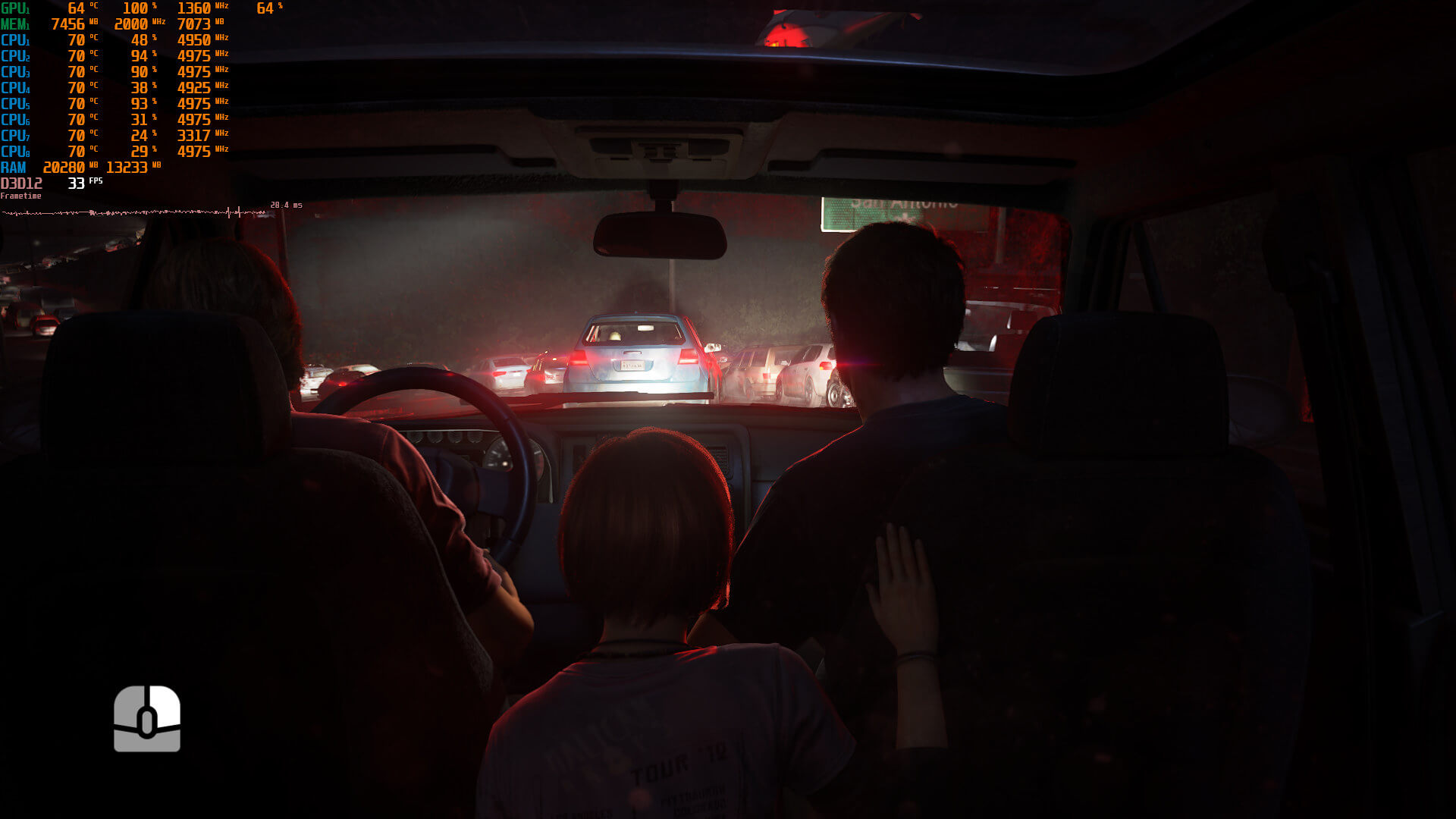
TLOU-RX580

But what about the AMD Radeon RX Vega 64? Well, let’s push things further. For this particular GPU, we set our resolution to native 4K and used the game’s Ultra/Max Settings. Again, we jumped straight to the game, without completing the shader compilation procedure.
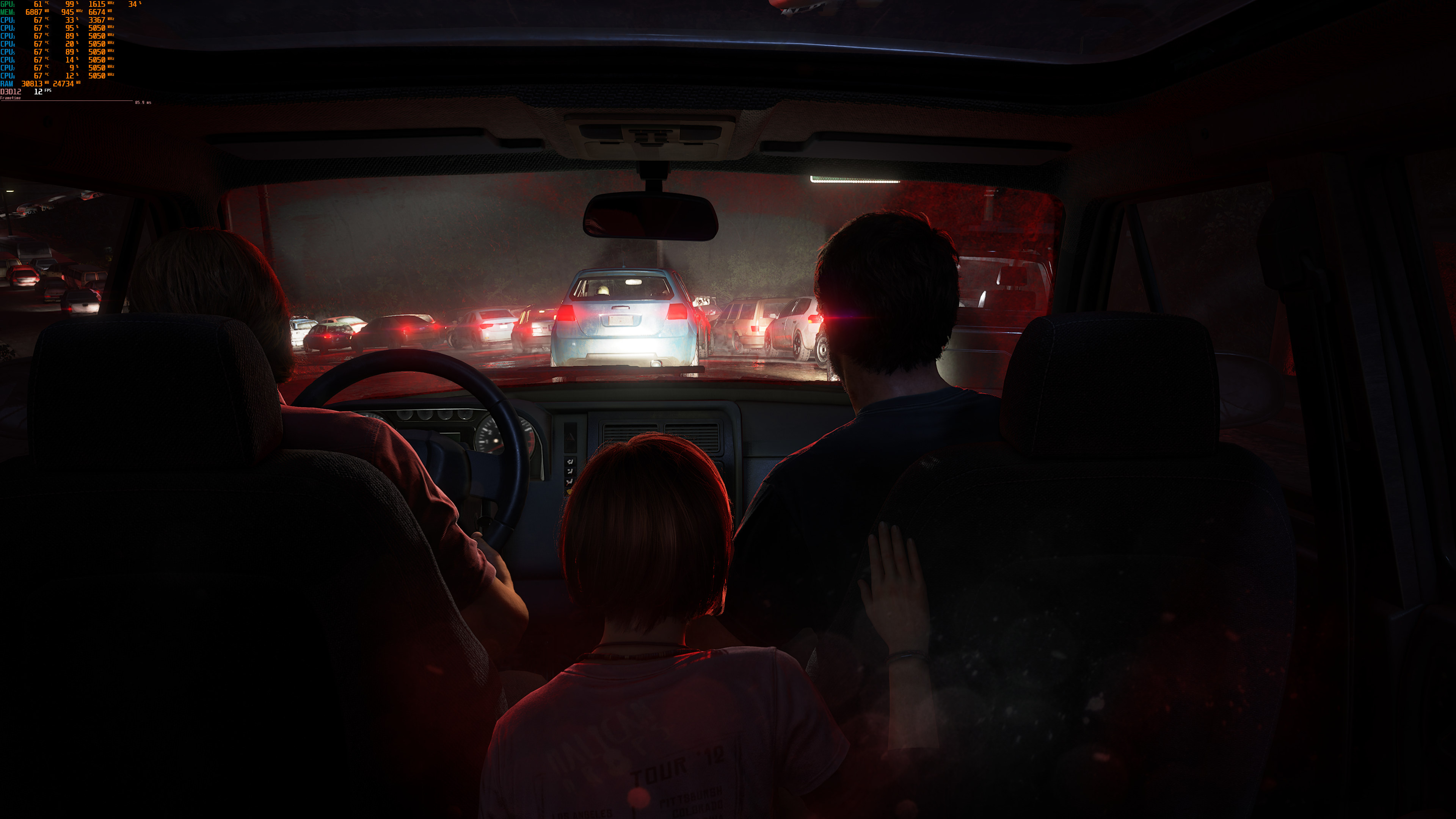
TLOU-RX Vega 64

Now what’s interesting here is the RAM usage (and not the VRAM usage). As you can see, the game/application was using 24GB of RAM (and our total RAM usage was 30GB). Yeap, you read that right. 24GB, mainly because we didn’t complete the game’s shader compilation.

As for our NVIDIA GTX980Ti, we’ve decided to stress it as much as possible. After all, the NVIDIA GTX980Ti only has 6GB of VRAM, so it can be our ultimate test. At first, we launched the game at native 4K/Max Settings, without completing the shader compilation. The game was running with 8fps, which is unplayable. However, we were rock solid and didn’t experience any crashes. The game was also using 22GB of RAM (with the shader compilation running in the background).
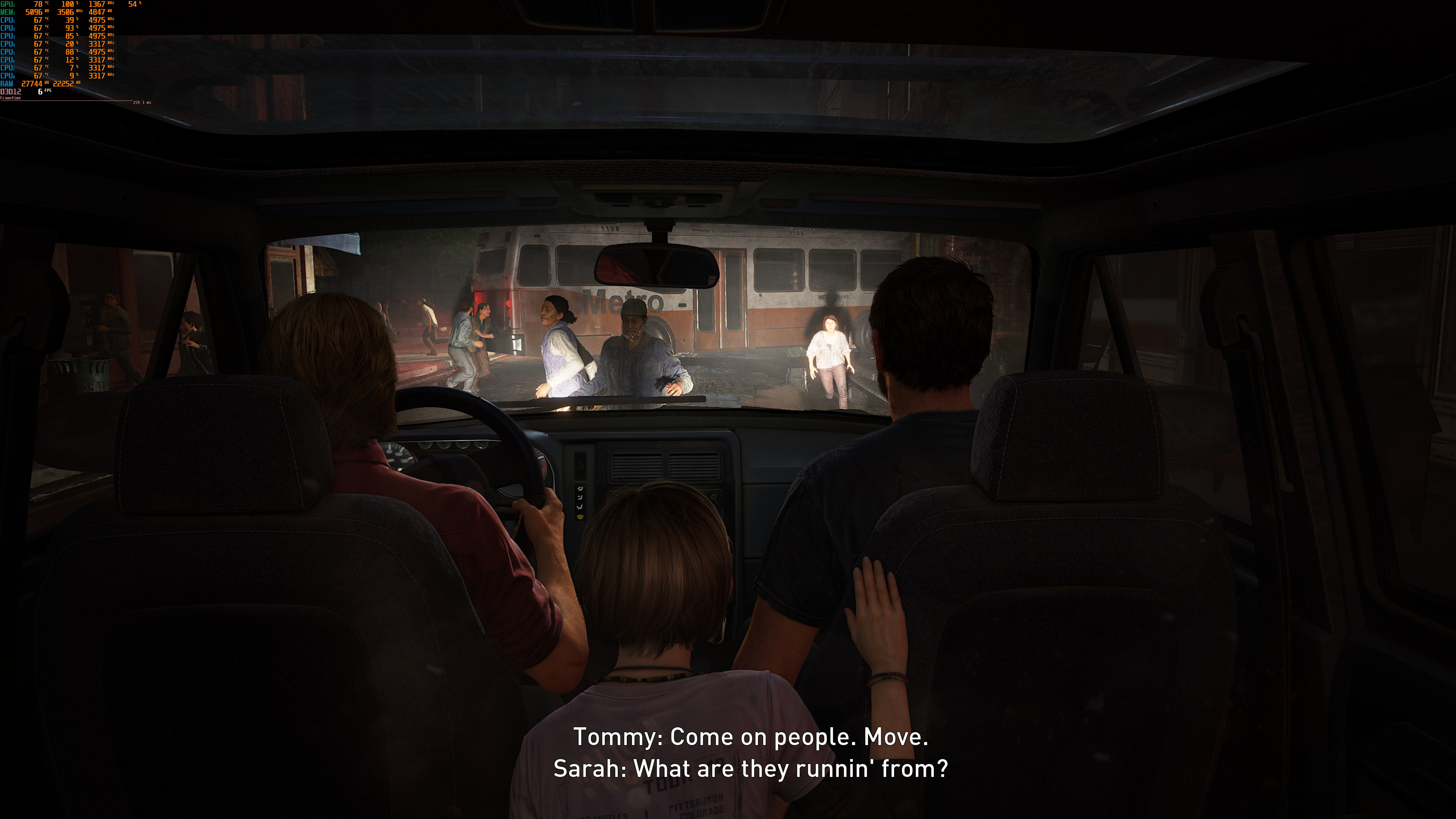
TLOU-GTX980Ti-1

Then, we let it complete its shader compilation at native 4K/Max Settings, which took more than an hour. Additionally, the GTX980Ti was used at 100%, and the menu was running at 8fps. And no, I’m not exaggerating here. It really took one hour to complete. During that hour, I cooked my steak, I ate it, I washed the dishes and the shader compilation was still going on.
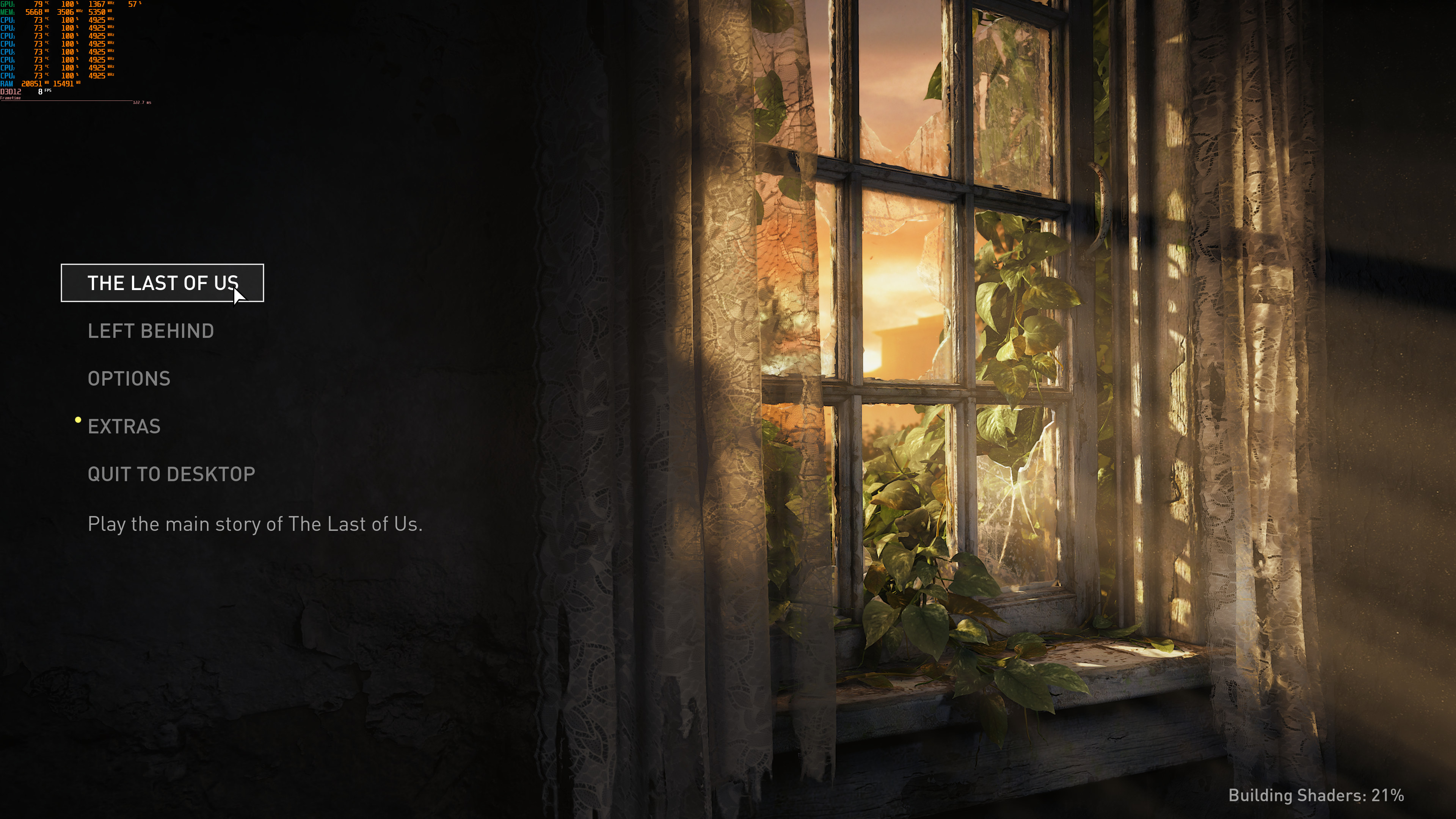
TLOU-GTX980Ti-2

But anyway, after completing it, I exited the game and re-launched it. The reason I did this was because I wanted to see the amount of RAM that the GTX980Ti would be using without the shader compilation. And, voila. Our game/application RAM usage dropped from 22GB to 16GB.
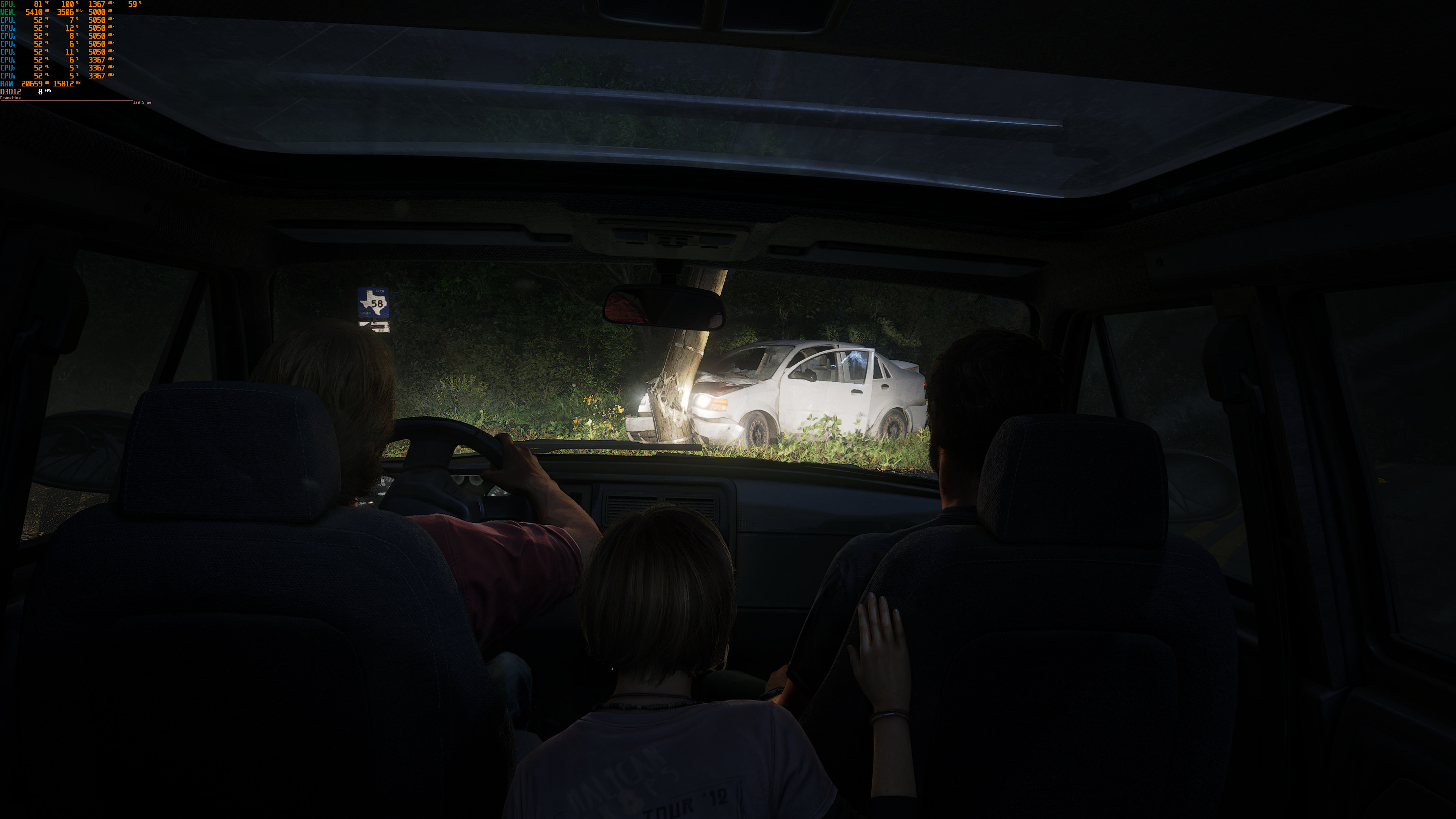
TLOU-GTX980Ti-3

But what does this all mean? For starters, this proves that the game does not have any 8GB VRAM crashing issues. Not only did we test both AMD’s and NVIDIA’s hardware, but we also put through hell the GTX980Ti with its 6GB of VRAM. So if you have a stable PC system, you won’t encounter these crashes.

So, why do some PC gamers have crashes? The reason is simple. The Last of Us Part I requires more than 16GB of RAM when using GPUs that have 8GB of VRAM. If you only have 16GB of RAM, you’re hitting a RAM wall (and not a VRAM wall). Hell, the game uses 11GB of RAM even at 1440p/Max Settings on an AMD Radeon RX 6900XT (which has plenty of VRAM).

So, if you only have 16GB of RAM, you’ll encounter major issues, especially if you don’t let the game finish its shader compilation.  Moreover, if you’ve manually set/tuned your memory timings and if they are not that stable, you’ll definitely experience crashes. This isn’t the game’s fault, it’s your system that’s unstable; the game simply exposes those issues. Also, once the game finishes the shader compilation procedure, you should close it and re-launch it (so that you can free your memory).

Now if you have 32GB of RAM and still experience crashes during the shader compilation procedure (or while playing), you have stability issues. This has nothing to do with the VRAM and no, your crashes are not related to it. We know that a lot of users are pushing their memory timings to the extreme. Just stop doing that. Unstable overclocks/tunings are the number one reason for game crashes, so reset your settings to their default values. Once you do that, you’ll be able to complete the shader compilation procedure, and then play the game.

Don’t get me wrong, I’m not saying that The Last of Us Part I does not have optimization issues. However, I believe we’ve proved that there aren’t any crashes related to the VRAM, so let’s put that rumor to rest!

83 thoughts on “Does The Last of Us Part I suffer from 8GB VRAM crashes on PC?”

  1. VRAM is somewhat forgivable on exclusives since they are pushing the hardware as high as it can go and consoles aren’t running native resolutions. So you need more VRAM for that and their 16 GB memory pool allows them to push higher than a 8GB VRAM pool. The game requirements should tell you this though and lock settings for 8 GB VRAM GPU’s.

    The CPU usage? HAHHAHAHAHHAHAHAHA. This games CPU usage looks like a pirated version of a game with a miner included. It’s possibly the worst I’ve ever seen for what’s on screen. The CPU in the PS5 is dogsh@^ and it’s x86. I have seen emulators with less of a CPU hit.

  2. “So, if you only have 16GB of RAM, you’ll encounter major issues, especially if you don’t let the game finish its shader compilation. Moreover, if you’ve manually set/tuned your memory timings and if they are not that stable, you’ll definitely experience crashes. This isn’t the game’s fault, it’s your system that’s unstable”

    Baloney, the game runs fine on a PS5 system which has 12.5GB shared ram between GPU and CPU (3.5GB for the OS)

    1. If it’s coded by a second-rate coder’s who only can code for a hard-speced system it won’t matter if you have 64gb ram, 24gb vram with an pcie5 drive. The game will still run trashy like on the conslow’s with laughable framerate and an input latency suggesting it’s ran on a cloud render farm out of the solar system somewhere.

      1. Sony is outsourcing their games to Iron Galaxy and Virtous, I think that says it all. These are the guys second-rate coders would hire if they are too busy second-rate coding themselves.

        1. Exactly, all leading up to immersion breaking “gameplay”. Like the lecturing from Soyny wasn’t enough reason to avoid

    2. You can’t compare console and PC like that. PC’s have an OS that isn’t barebones at all unlike PS5 and XBOX. And developers know exactly how to optimize for those fixed constraints.

    3. You can’t compare console and PC like that. PC’s have an OS that isn’t barebones at all unlike PS5 and XBOX. And developers know exactly how to optimize for those fixed constraints.

      1. Eh, 99% of ports or multiplat versions of games these days shows me the difference isn’t that large as TLOU Pt1 makes it out to be.

    4. Taylor made suit VS Wallmart suit.
      You expect one made somewhere by some low paid overworked slave to be as good as the one from the a perosnal tailor.

    1. The sad part is that a console and the game would be cheaper than most gpus of the past 5 years or so. Even get it used as a disc for cheaper lol

    2. Dude why blame the customers(the users) when the product wasnt managed well by the developer? Why release a game if it isnt going to run well on a modern system? Because they want more profit with minimal effort.

      1. because he is as piece of sht troll contrarian jerkoff and a shill for these companies. He belongs in gitmo.

    3. cheap? This game needs hardware that cost 5 times as much as ps5 and it still crashes and runs like crap.

  3. Just a poorly made port, lazyaf greedsters got a ton out of it the first few times around, ps4 etc and now bring an old game to pc charge 70$ and don’t even bother to ensure it runs in a normal way on the average users system, steam survey 1060/1650 1080p 8-16gb ram, 6gb vram etc I don’t know who this iron galaxy is or where they are but japanese devs seem idiotic, encoding video cutscenes etc in very space wasting ways etc Make good games usually but terrible at the rest of it, console heavy japan.

  4. John I noticed that recently you started using questions as title of your articles. I understand that this way it could be more click baiting, but I really liked how direct and informative they used to be.

  5. “This isn’t the game’s fault, it’s your system that’s unstable; the game simply exposes those issues.”

    lol is this a paid shill article.

    1. Wouldn’t rule it out. And frankly, if companies are reading the comments section on DSOG, some might eventually stop having any PR relation with John, and I won’t blame John for being more positive than you would expect to make up for that. And not because the companies are paying him to be a shill, but because positive articles can make the PR departments at companies happy.

    2. It made me remember on a guru3d nvidia driver section forum, where many users,including me, have many nvlddmkm issue with latest Nvidia driver that can only be undone by revert driver to specific version, but one user (he is probably a tester because he have contact with nvidia) insist that impossible to happened due to driver and blame customer that their hardware is faulty from the get go. Even after someone created a thread of how to produce the error on video, he still insist it. But recently, Nvidia made the nvlddmkm as known issues in their driver notes and of course, he didnt sorry or retract his word but instead just saying that he is the one passed it to the Nvidia Team on how to reproduce the issue and Nvidia team able to reproduce it hence why now they put it on known issues section. Dont know thats true or not whether he is the one passed them to nvidia team of course, but at least apology should have been said if he is a gentleman.

    1. You mean for the crashes?

      Unlikely, because the game wouldn’t even start on a CPU without AVX2 in the first place.

      1. The -l executable is for avx1. Running FX9590, 1660super, 16GB ram. 1920×1080 low settings. No crashing

  6. The game is using over 15gb Vram with everything maxed in 4K with DLSS quality on my 4080. No crashes yet and I am playing it on my PS5 controller so luckily I’m not running into the control issues with keyboard and mouse. Still Iron Galaxy needs to have their office burned down (with everyone safely outside watching it burn) and they can f*k off forever.

    1. remember when gamers said unreal engine has issues, or stutters, – pepperidge farm remembers. https://i.imgflip.com/12dkf6.jpg
      Unreal Engine Forever. game engine of the future.

      ———
      on the side

      The last of us on PC has a lot of very good toggle settings, tbh
      but it still should not be having any issues, especially being a linear game.

  7. Bullshit. The game crashes every 10 minutes with 32GB of ram and a 10 gig 3080.
    And yes, I did finalize the shader compilation. Blame the user, that’s always the way to go. My timings are incorrect? Seriously? Dude.
    Stop assuming stuff you can’t test or prove. Be better.

    1. A GTX980Ti, a GPU that is not properly optimized by the latest drivers as it’s old and a GPU with way less VRAM (6GB), can run the game at native 4K/Max Settings without crashes for over one hour at 100% usage.

      Oh, and since we’re in the middle of benchmarking, our RTX3080 10GB and our RTX2080Ti haven’t crashed, even at Native 4K/Max Settings.

      Again, if it was the game’s fault, all GPUs with less VRAM would be crashing. Since it’s not happening, it’s definitely PC-specific stability issues that are not relevant to the game itself.

      1. Horrible platform we’re running then, where most of the PCs running this game are so terribly at fault they cannot run the Last of Us even in spec. Good thing you’re here to save the day and blame the user.
        Can’t wait to hear your analysis where you blame the user for Resident Evil 4 crashing with RT on because there’s something wrong with out PCs. Or rather, every other game where YOU don’t crash.

        Or, maybe, acknowledge that PC stability is a complicated business, and some machines crash because of game code, not the machine itself, and speaking from experience, replicating the same conditions does not guarantee reproducing the issue.

        Not much point to go any further with this. BTW, the game was crashing for me because of DLSS. Turned it off, no more crashing. So there you go, mister ram timings / vram / overclock / it’s my fault.

      2. Any chase we get this as video on youtube easier to see the difference compared to text+pictures?

      3. lol crashed right now after 15 minutes of gaming with latest patch with same high texture settings used yesterday.

        At this point this is just even more casual than i tought it was.

        i will refund right now. Such a joke.

        Hope they will just fix it because game is beautifull till now, as i’ve said i will try again after big updates if i read positive things…

        Pc port situation is just a mess, makes me almost want to buy a console, maybe is just what they want in the end, but as a pc gamers since ps1 days (my latest console) is hard to switch, even because i use it for many other heavy tasks like photo editing of huge files

      4. i suffered from 2 crashes on my rtx 2070 super and 32gb of ram (i was later than prologue tho), i did finish the shader compilation already and still use about 24 26 gb of ram. I was using dll balanced and a mix among ultra and medium for settings (someof them are just impossible to notice in game normally)… from what i noticed i cna tell you that the game is prone to crash when you move among sections and engine load and unload things. I seems to have solved putting high texture instead of ultra for world and actually medium for dynamic object and particles (never think i will have those problems on 1440p dlssed). After i did that i actually did not have any other crashed in about 1 hour of gameplay vs 2 crashes in 30 (even less actually) minutes lol.

        I still have to try latest patch, i readed that they improved a bit crashed but is still far from ideal.

        Testing 980 in 4k is not the solution even if 4 or 6 fps, because the problem looks like pop out when you actually play the game moving in the levels, so if you tested staying still in a point or even only the prologue that is pretty much not loading too many thing is not enough. For example i complted the prologue without any crashes, then it started to crash after the 22 years old story thing.

        So, if someone have crashed, put world and persons to high insteaf of ultra for now, and other texture to medium, not many else can be done for now.

        Then the game suffer even from strange stability in fps, sometimes it goes to 60, sometimes it falls to 45, like vram do when have a collpse… i think they have many work to do, i will test a bit more today and then refund untill i can, i will look into the game later in months when price will drop or in less good way before give them my money again…

        at least this game does not suffer of crazy stuttering like ue4 games… this is the only pro i found right now, plus awesome graphics, among the best i ever seen with plague tale requiem

        PS
        my ram speed is stock just to be more precise, so nope, is not oc or ram speed.

      5. John, maybe the hybrid data transfer (from GPU to system RAM) on your mobo with PCIe 4.0 is so fast that it can help in VRAM limited situations and that’s why you canr replicate these VRAM relates ceashes.

        8GB is not enough for this game for sure:

        https://youtu.be/kNiwESywbdI

        1. Neither we, nor HU have experienced any crashes while benchmarking the game. So you have a healthy sample of over 30 GPUs that are not crashing (all of our 8 GPUs were stable). So no, it’s not just a “it doesn’t crash on my GPU”

          Also, the key point in the notes is the word “MAY”.

    2. 3080Ti, not one crash with over 14 hours in. I have everything mostly maxed out. but cant max it out since the damn VRam is so high in usage. but wit what I do have maxed on DLSS Quality setting, its running fine at 60 FPS No issues at all so far except the lame assed requirements.

    1. There is a big difference between fixing “crashes” and fixing a “crash related to VRAM”.

      For instance, here is a crash you can easily reproduce: Launch the game, open Task Manager, and disable two cores/threads, load a save. The game will then crash. This is 100% reproducible and happens every time.

  8. There is only one problem with this release. Iron Galaxy.

    How these guys are still in business, is a mystery to everyone. Likely, even themselves.

      1. Yep, cannot find other reason than that to be honest, both ND and IG have similar ideology and despite its reputation, ND still hire them

    1. Yeah what a f*king joke!
      Sony trash, should be ashamed for using them – worst f*kups in the buisness ?

    2. Of course people who uses Nvidia RTX 4090 and
      Ryzen 9 7950X3D with 32GB of DDR5 at 6000Mhz, have already lost their contact to average users. They and their 11 friends live in their own bubble. For a minute I thought I was on a Russian site and not a Greece one because in Russia everything starts and ends with MAX POWER! But still very poor and stupid on the battlefield because they use numbers, not intelligence.

      1. Shouldn’t you be able to afford 4090 in EU?
        Whats average user? everybody i know owns 4090, we talk on whatsup and when new sh*t comes out we buy or try to get a deal for community, its different people, some are students, otehrs 40+

    3. The most suspicious thing is they hire clearly overwork company. Iron Galaxy worked and still need to support Uncharted 4 PC in Nov 22, then also had Metroid Prime Remastered launch in Feb 23 , and now Last Of Us part 1. 3 games in six month by one company, thats overwork and they clearly cant handle it, choose to prioritize Metroid Prime Remastered and set aside both PC port task they had

  9. PC GPU lack enough VRAM and it is going to be a big problem because consoles have 16GB shared VRAM.

    Some developers go through the trouble of doing optimized PC ports, but many will just do a basic console port and they expect PC to have comparable hardware to consoles.

  10. Looks like pirates fixed the game and have a better patched game than Sony.
    “Bugged Oodle library replaced with an older one, which fixes some crashes, shader generation speed and stuttering issues for many users, original file saved to “_DLL Backups” folder, thanks to Masquerade!”
    “Old DLSS library replaced with a newer one for better perfomance, original file saved to “_DLL Backups” folder”

    “The developers/porters used a bugged release of the Oodle decompression library (2.9.6) which has confirmed memory leaking issues.”

    This is the contributing factor to performance issues and why the shaders take so long to build. I went from 69% in game to 100% within like.. 2 minutes of installing 2.9.5 and has also greatly improved performance.”

    For people that bought the inferior copy of the game to install:

    Copy oo2core_9_win64.dll from where you obtained it, and place it into your TLOU install, it should go where the exes are located and replace the file when prompted. You may need to rebuild your shaders if they were built prior to replacing the file. If this fix doesn’t work for you, or breaks your game, you can verify integrity of file cache on steam to restore this file.

    To clear shaders for rebuild, delete the folder called “psolibs” from the root directory and start the game, shaders should begin to rebuild in the menu.

    There is a now a link for the file on NexusMods

  11. Looks like pirates fixed the game and have a better patched game than Sony.
    “Bugged Oodle library replaced with an older one, which fixes some crashes, shader generation speed and stuttering issues for many users, original file saved to “_DLL Backups” folder, thanks to Masquerade!”
    “Old DLSS library replaced with a newer one for better perfomance, original file saved to “_DLL Backups” folder”

    “The developers/porters used a bugged release of the Oodle decompression library (2.9.6) which has confirmed memory leaking issues.”

    This is the contributing factor to performance issues and why the shaders take so long to build. I went from 69% in game to 100% within like.. 2 minutes of installing 2.9.5 and has also greatly improved performance.”

    For people that bought the inferior copy of the game to install:

    Copy oo2core_9_win64.dll from where you obtained it, and place it into your TLOU install, it should go where the exes are located and replace the file when prompted. You may need to rebuild your shaders if they were built prior to replacing the file. If this fix doesn’t work for you, or breaks your game, you can verify integrity of file cache on steam to restore this file.

    To clear shaders for rebuild, delete the folder called “psolibs” from the root directory and start the game, shaders should begin to rebuild in the menu.

    There is a now a link for the file on NexusMods

  12. With all the money Sony has, they hired a bunch of rookies to port it on PC? They dont give a damn at all.

  13. PC GPU lack enough VRAM and it is going to be a big problem because consoles have 16GB shared VRAM.

    Some developers go through the trouble of doing optimized PC ports, but many will just do a basic console port and they expect PC to have comparable hardware to consoles.

  14. “The game’s Prologue also appears to be more demanding than later stages, which is why we’ve decided to use it as our benchmark.”
    is that your excuse for always using the intro in your benchmarks and not later
    gameplay? Pretty pathetic excuse for laziness if you ask me.

    Speaking of which, how the fck do you manage to make a port run worse than emulation? Get woke go broke i guess ,iron galaxy are a special kind of rtards.

  15. this game hahahaha f*k this game… soo badly optimized really i will wait for fixes and hey 32 ddr4 just for a game ….
    imagine if this becomes the norm jesus.

  16. Just thought I would also comment here on the crashes I experienced. I have 32GB RAM and a 16GB RTX 3080 laptop. The game stalls and crashes when running Ultra settings at 1440p (with DLSS quality). However, once I drop all settings to High, there are no crashes whatsoever. I tinkered with all the settings and found that I can turn most of them to ultra, but the main culprits appear to be the shadow settings and reflections when set to ultra. For some reason, these settings just crash the game. Not sure if this is driver related or a problem on Nvidia cards, but this is the issue I’m experiencing at the moment.

  17. Crashes with 8 GB VRAM? No. But performance gets crippled and CPU usage shoots up even higher than the default ridiculously high amounts.

  18. RAM: 32GB, XMP timings
    GPU: 3080 10GB
    CPU: 5800X3D
    1440p High settings.

    2 crashes in 6 hours, the problems are beyond 8GB VRAM + 16GB RAM or RAM timings.

          1. Well idk, i don’t have any interest in the game. That being seid as much as this is a “Remake” i still find it too be a lackluster remake and why it would bee soo hard to run it is after all a “ps3 game”, I don’t even know why it was made in the first place besides greed.

  19. another page file on another drive? does it really helps? i use my pagefile for 16gb on an nvme i think it should be enough

    1. It could – If the page memory pool is actively used while reading/writing it could start to compete for a drive i/o resources if both are on the same physical drive.

      Windows by default seem to try and place the pagefile on another drive for that very reason (if it finds a suitable candidate). Dunno how intelligent that choice algorithm is but never seen it place on an HDD when the system drive is an SSD but rather try to find an partition that’s on another physical SSD

  20. 16GB Ram
    4GB VRAM rx 460
    Will it work? Uncharted PC Port almost end of lost legacy,FLT release no update nothing worked ok with 30-35 fps ?

  21. 16GB Ram
    4GB VRAM rx 460
    Will it work? Uncharted PC Port almost end of lost legacy,FLT release no update nothing worked ok with 30-35 fps ?

  22. Of course people who uses Nvidia RTX 4090 and
    Ryzen 9 7950X3D with 32GB of DDR5 at 6000Mhz, have already lost their contact to average users. They and their 11 friends live in their own bubble. For a minute I thought I was on a Russian site and not a Greece one because in Russia everything starts and ends with MAX POWER!

  23. What are you trying to say man. 90% of the people experiencing crashes, freezes, memory leak etc…

  24. What the *** are you saying man. what a sh**ty article from you.For eg My GPU is 3060 12GB. Are you saying 12GB ram not enough for run this game ????. Are you mad. Don’t do this like bullshit articles. Look over the internet and understand what are problems facing players then do your sh**ty conclusion.

  25. Iron Galaxy, i still didnt forgave them for arkham knight, for a game that is a remastered version of 2013 game, 32gb of ram is absurd, not even the PS5 have that much vram + ram combined, Iron Galaxy is not up to the task as simple as that, if it were nixxes porting this game, i sure the game wouldn’t had released like this

  26. Yep,seems like the test forgot that memory leak could happen the longer we play the game. So just a test in prologue are not representative of the real world scenario, the test you’ve done are the test for game performance , not stability.
    Im also have no crash at all during prologue and early section of the game even after playing long hours (my spec R7 5700X, 32 GB RAM and RTX 3060 Ti). I play from the beginning only after Shader already compiled 100%,but then after the first zombie encounter, it start fromrarely crash, and then during the warehouse level in looking for Robert, crash are more frequent.
    Also Nvidia already admit the crash of Last Of Us part 1 are happening in RTX 30 series and become known issues in their latest GPU Driver notes section

  27. This game is great, worked fine for me, 12-14 minutes pre compile and 90-110fps in 4K ultra without DLSS

  28. This is old but to add to it I have ctd after just starting the main campaign (after about 10-15 secs of playing), at ultra 1080p native with my system comprising of i7 12700f, 32GB ram, RTX 3060ti. Only after lowering the environment texture to high which brings total estimated vram usage from 10gb to 8gb was I able to play the game. Certainly seems like a vram issue but its ok, I was way over recommended ingame vram anyways. But again using the latest nvidia hotfix driver v531.58 everything is fixed. Now even at ultra no crash. But now I dont want to play the game, I dont know why (?)

Leave a Reply

Your email address will not be published. Required fields are marked *