
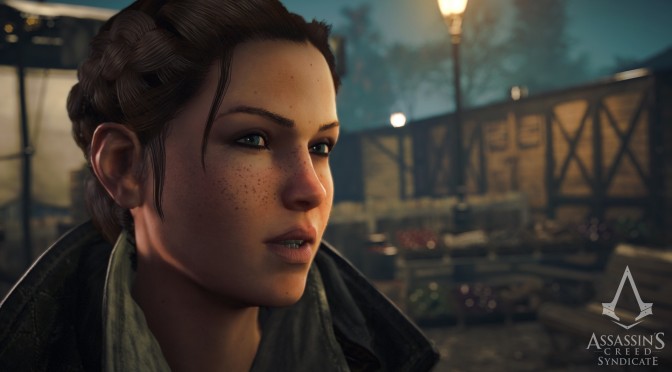
Assassin’s Creed: Syndicate – Low versus Very High Comparison Screenshots

Assassin’s Creed: Syndicate has just been released on the PC and below you can find some comparison screenshots between the game’s Low and Very High settings. The game also features a Ultra preset, however we were not able to enable it. Performance and SLI scaling was all over the place as can be seen in the fourth comparison (yes, the game was running with 2fps and as you can see there were major SLI issues). 

As always, Low images are on the left whereas Very High images are on the right.

Do note that our PC Performance Analysis for the game will be slightly delayed. The game suffers from major SLI issues, therefore we’ll give Ubisoft and NVIDIA a week in order to see whether they will be able to fix these issues.

As we can see, on Low settings the game’s textures look horrendous. Seriously now, they look awful. Good news is that those with GPUs that feature 2GB of VRAM will be able to enable the game’s High textures, as we did not experience any micro-stuttering with them enabled. Apart from that, there are some minor differences between these two presets (notice the terrain detail for example) and the absence of ambient occlusion on Low settings makes almost every object look “flat”.

Enjoy!


69 thoughts on “Assassin’s Creed: Syndicate – Low versus Very High Comparison Screenshots”

  1. Some of those screens I would say low actually looked better. I’m guessing that’s the TXAA. That 1.2fps screenshot made me laugh.

  2. This game, Batman Arkham Knight & Fallout 4 were the last straw that broke the camels back for me, sold one of my 980 Ti. Cannot deal with constant SLI issues anymore. Not worth the heat and power draw. Won’t be going back to SLI unless things change dramatically in terms of multi GPU support from these AAA devs.

    1. The technology was problematic since the day it was implemented (whatever the reasons). It can give you a serious boost, but it was never something you can rely on.

      1. Yup, you’re better off with a very good 1 chip performer. This is coming from a guy that had a gtx690 and now a titan x. Jesus, SLi hassle is over :(.

      2. There is nothing wrong with the technology. Im sure you can rely on it.
        The issue is that it needs to be implemented and supported by devs, they need to test it and make it compatible with the software, extra work. And THAT is something you CANT rely on.
        Devs and working are like water and oil these days. Only brute force to run crappy games.

        1. I just shortened all of this. If developers are having troubles making PC versions stable, which often are filled with bugs and technical hiccups, and sometimes don’t even have basic things such as the support for 4K resolutions and framerates above 60, it shouldn’t come as a surprise that they’re rejecting SLI / Crossfire as well.

    2. I did the same thing. I only went SLI because my main monitor is 1440p and SLI was the only way to maintain 60 fps at high settings at that resolution. I sold my second card a few weeks ago and switched back to playing on my secondary 1080p monitor.

    3. Batman Arkham Knight & Fallout 4 and a UBi game…u cant be serious…

      Theres ton of SLIable games out there as Witcher 3 and GTAV…even DyingLight…

      U aint doing it right

      #NVIDIAftw

    4. you sound very new to PC or at least new to dual gpu’s because there are so many games that work well with SLI even the new Star Wars Battlefront does and that is AMD game that it’s having crossfire issues. people should just be happy this game even works well in general after unity

      1. Funny isn’t is how people say Gameoworks ruins the games, yet consoles are AMD hardware and none of those features at all and still run like crap, sub 30fps.

          1. Keep saying it doesn’t make it true but it you want sh*t AO then go look at Starwar Battlefront. I’ll take 2FPS performance loss for HBAO+ any day over awful SSAO.

          2. Are you f*cking challenged? You can’t see that it was obviously a hyperbole making fun of the people who say it seriously?

    5. Imo they will never fix the Multi GPU issues because this would require them to stop being lazy and release semi half assed games

      We all know this won’t happen right ? The best solution is to have a single strong GPU and thats it.

    6. Plays shtty console ports. Complains about broken SLI. LOL! hey buddy let me tell you a secret. These games are made for console hardware FIRST. And i dont remember XB1 or PS4 having dual GPU’s inside. So these console devs dont care about PC’s SLI. For alot of reasons. Sales is one of them.

      1. That’s why NVIDIA have to throw their devs at them. People complain about crap console ports and then complain about NVIDIA adding value to the console ports with superior effects, there is no pleasing some people.

    7. Welcome to the club, i´m really disapointed from that technology too, i did the same 3 monts ago.

  3. I seen many videos on YouTube in this game seems to be running amazing next to unity and the textures don’t look bad at all I personally think Ubisoft is very well with this game on PC hopefully by the time my house gets power back I will be able to play the game gotta love those 100 mile per hour wind storms

    1. Not been any bugs like Unity yet, quite a lot of NPCs in places, especially the train station, it’s pretty packed.Seems to be better than Unity in every way so far, especially the start of the game.

      1. I think it’s a better game, and still looks great, even if not as breathtaking as unity.

        It seems to perform worse and has random total freezes, along with certain settings that break the game in my experiences so far (same for dsog) .

        I’m hoping some patches will stabilise performance more still along with fixing other issues.

        I think both games look great, but they doing something wrong if they struggling with performance this much. They need to optimise their games better. They seem to be made for 30fps only in reality

        1. They have made good progress on PC, both consoles version are below 30fps, Black Flag has a 62FPS cap and still doesn’t run well last time I played it. ACU and ACS have excellent CPU load across cores.

    2. This game requires me to turn down more settings than Unity did at 1440p with my 980 any gsync monitor. I get 45-60 with hbao+ultra and pcss ultra off (using fxaa only)
      Fps seems to depend a lot on area. Sometimes it’s sold 60, other times, ,45 is pretty much a given.

      Unity ran maxed with fxaa R fairly solid 60fps.

      I literally can’t turn ultra hbao+on, as I get game slowing to 1fps and there’s points the game freezes completely momentarily, even without this settings. You think games crashed and then it starts up again.

      The game is beautiful, definitely one of most beautiful I’ve seen among with W3 and Unity, but performance is not great at all

      1. GTX 980 is not that good for anything other than 1080p on these newer games, I got rid of it as soon as the GTX 980 Ti was released.

        1. Don’t be silly lol

          Can run W3 pretty much maxed at 1440p,bf4 runs 4k ultra minus MSAA, battle front runs same, Fallout 4 runs 1440p maxed out, and list goes on.

          If want run 1080p with ultra settings and game works effects like these, plus MSAA, then sure a 980ti probably only option, but currently this is only game to struggle this way at 1440p.

          The issue with frame rate dropping to few fps seems to be memory leak if you tab out game to windows.

          1440p with hbao+ultra only normal pcss runs 40-60fps.

          980ti wasted at 1080p

          1. Consoles have 5gb of system ran accessible for system and video. My GPU gas 4gb for video alone. Think I’ll be fine, for now thanks, with every modern game running at 1440ppand above console settings out 4k and console settings. If I drop to shadows high and ssao, it’s very high 50’s to 60fps..Even bad ports like Arkham knight run better than this . it’s gorgeous game, but not convinced yet that it should be this resource intensive. Guessing usual patches will roll out and improve things.

            As I said already, it’s not vram as a) their own vram bar shows its not vram, and b) it only occurs if you tab out to windows and then go back into the game. It’s a memory leak.

            If you just start game, play game and don’t go to browser or other applications, then it doesn’t occur. This kind of memory leak has occurred in other games too, I’ve read about similar cases, just never this extreme

        1. Yes, ultra pcss and ultra hbao are very demanding, but there’s a memory leak, wherein if you tab out to desktop, the performance tanks. This was causing drops to single digits, and doesn’t occur if you don’t.

          Without ultra hbao/pcss@1440pp I get 45-60(50+ most the time). With hbao ultra, ordinary pcss,I get 40-60(mainly 45-50).

          Unity had both hbao and pcss and performed better than this game

  4. Based on my GTX 970.

    High > PCSS: 12FPS

    SSAO > HBAO+: 2FPS

    HBAO+ > HBAO+ Ultra: 8FPS

    FXAA > 2xTXAA: 10FPS

    FXAA > 4xTXAA: 20FPS

    FXAA > 2xMSAA: 10FPS

    FXAA > 4xMSAA: 20FPS

    Gameoworks is well optimised base on these numbers, plus the game runs well over 60FPS with all the Gameworks features off.

    1. This game is well optimized apart from PCSS Ultra and HBAO+ Ultra, which are settings for future graphics cards not to be used right now. I don’t mind these demanding settings being present in the game if it actually improves the graphics of the game significantly if not now but some time in the future. My issue is with those settings that are just demanding with negligible improvement in visual quality that it would have been better to just leave them out of the game.

      1. Joker Productions was saying the complete opposite, going on a rant how the game runs like sh*t. The guy is a joke, pun intended.

        1. No he said exactly the right things. GameWorks is cancerous for PC Gaming and needs to go away. We need better textures, higher draw distances, higher framerates, higher resolutions etc not crappy performance killing effects that improve the visuals slightly but decrease the performance significantly.

          1. He did’t because the performance numbers prove him wrong. Also, HBAO+ is vastly better than SSAO with a small performance loss. He generalised, doesn’t know what he wants, the guy is clueless.

          2. He was playing at a much higher 21:9 resolution so using SSAO over HBAO+ could be the difference between constant 60 fps and slightly below 60 fps. At 1080p these things don’t matter but at higher resolutions every ounce of performance matters.

    2. Same for my gtx 970. I play it max settings 1080p FXAA 2MSAA and works perect! No slowdowns no crashes e.t.c. Never drops under 50 fps and looks amazin!

      1. Yup. We need a day time comparison, not gloomy night time vs. early afternoon or whatever that Unity pic shows.

  5. It is official the game BROKE the graphic card! Since i started playing it 3 days ago i was

    getting artifacts aftew some time of gameplay. I had to stop and later try again. But from today the game starts do artifacts right from the time i start it and so it is impossible to play.

    See here screenshots from the game

    http://postimg.org/image/pbn2hyx2j/
    http://postimg.org/image/n5zpdkien/

    Now i wll demand from the shop i bought it to replace with a 980G1 Gaming or a 980TI G1 GAMING. What is strange is that in others games that i tested like Fallout 4 Call of duty black ops 3 sonc lost world…. this dosent happen yet. And now that i am on Firefox typing this messgage the image is ok….

          1. I never said it looks better, I just said it looks really good in some places at some times.
            Unity looked good almost all the time.

  6. Hello everyone…. I just wanted to let everyone know, I’m a dual 970 SLI user as well and have been primarily affected by this scaling issue too. It’s about the only issue I’m having with the game, but it’s a frustrating one at that given an entire GPU is going to waste in one of my favorite titles. Also because just one 070 performs better than two right now and just the one is ALMOST enough to keep on high settings no lower than 60 FPS but I know that second card will allow PCSS and decent AA and still keep 60 FPS so that makes it all the more frustrating.

    Good news though! I have been posting this issue EVERYWHERE trying to give it traction. I opened a forum at Ubisoft and got a reply from them that they are now aware of the issue since yesterday and are definitely 100% working on a fix; also saying that in the meantime, NVIDIA may release a driver that fixes it.

    If they fix this in a timely manner, my faith will be restored somewhat in Ubisoft considering the game is otherwise pretty well done this time around.

  7. Look at those framerates: 10-15 % difference between “LOW” and “ULTRA” settings :O

    Complete and utter blunder confirmed. There seems to be literally no difference when it comes to geometry! No difference in weather effects, no difference in lighting even. Only shadows, ambient occlusion and textures up close are different. That’s it.

    AYYYYLMAOSOFT

Leave a Reply

Your email address will not be published. Required fields are marked *
