
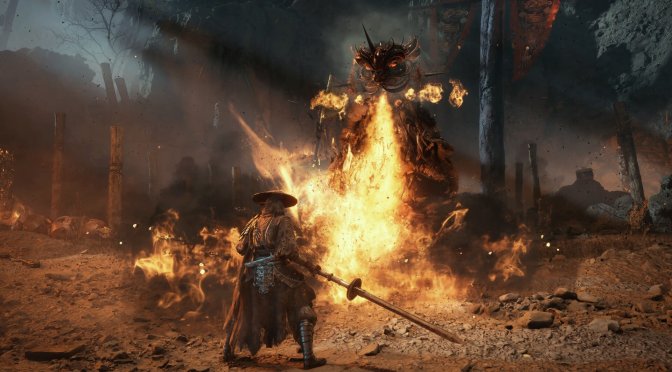
S-Game has released the November 28th Update, also known as Patch 1.0304629, for Phantom Blade Zero. This patch adds new combat options, improves performance, and fixes many bugs. It also makes combat feel smoother and fixes issues that could block quests, rewards, and achievements.
One of the biggest features of this update is a Combat Assist section in the Settings menu, which adds an option called Automatic Strong Camera Assist. When this option is off, strong camera help only kicks in while you attack an enemy. At other times, the camera makes only small changes. This gives players more control over the camera during fights.
The PC version also gets a new mouse setting. Mouse Lock-On Target Switching Sensitivity lets you set how easily your aim moves between targets while locked on. You can set it to zero to turn off mouse-based target switching.
The patch also cuts video memory and system memory use. These gains are most clear in cutscenes and snowy areas. Some areas and boss fights now run better, too. The update also reduces stutters that could be caused by certain visual effects. It improves auto lock-on, so the game can pick targets more smoothly during combat.
Movement gets a few key fixes as well. Players should now move over small rocks, low steps, and gentle slopes with fewer stops or snags. The Soft Snake Sword also gets new controls and effects. For instance, you can now hold Execute to use Sword Blossom Shield. The patch also makes sidesteps in Guard Stance safer by giving them a longer window of invulnerability.
Some weapon and skill details have also been updated. The patch fixes errors in text, icons, and other parts of the user interface. It also makes changes to several combat effects and item stats.
On PC, the patch fixes bright square marks that could appear in volumetric clouds on AMD Radeon RX 9000 series GPUs with some driver versions. It also fixes cutscene playback, flickering, and light leaks in some areas. Some characters’ sleeves and fingers should no longer look stretched when seen from far away.
Audio gets several fixes, too. Some voice lines, sound effects, and music that were missing or played the wrong way should now work as they should. The patch also adjusts the volume of some dialogue and background sounds.
And that’s not all. The November 28th Patch comes with some combat bug fixes. In the previous version, some enemies could stay invisible but still move and attack after players used a bell to reset them. That issue is now fixed. Bosses should also no longer stop acting during fights under certain conditions. The patch fixes Chill resistance, dodge chains with some weapons, and damage from certain unblockable attacks by the Blizzard Blademaster.
Patch 1.0304629 also fixes some issues that affected several skills and items. Bastion will no longer fail to fully restore Sha-Chi after reaching level 25. Earthshaking Slam will no longer hit more than once and stack damage, making it far too strong. The Dance Fan will no longer keep its damage bonus active and apply it to all skills, and its bonus will no longer stack. The bonus now works once per use on skills that move the player one time.
The Nuo Mask also had a bug that cut the Remnant Spark cost of Artifice-type Phantom Edges. This let players use them over and over for free. The effect now works only with Summon-type Phantom Edges, as intended. Fatal Execution also gets a fix. When used with a two-handed weapon, it could deal the wrong amount of stagger damage and make enemies stagger each time. The patch also fixes other combat bugs linked to executions, revival, boss skills, weapons, and items.
The update also fixes many issues with quests and game progress. Some players could get stuck or miss rewards after using a bell or opening a chest right after a boss fight. These issues should no longer block progress. A bug with handing over certain books could also stop players from reaching 100% item collection. The missing items will now be added when players load their save after the update.
PC players also get a fix for the Defy Destiny achievement. It could fail to unlock even after players earned every other achievement. If you already meet the rules, it will unlock the next time you start the game after updating.
Several quest and world bugs have also been fixed. Players should no longer get stuck or fall in certain areas. The patch fixes a progress block in Bloodline Awakening. It also changes The Undying Heroic Spirit quest. You can now finish it even if you fail to defeat the suffering members of the Mandate before time runs out. However, you must still defeat them in time to earn the related Memory Flower.
Other quest fixes cover A-Ping and her husband in the Village of Lu, who could fail to respond and block a Sha-Chi Amber Shard. A Blackstone Shard should now drop in the Backstreet. The door in Leng Tu’s Study at Mirage Estate will also stay open after the area reloads.
Finally, New Game+ got two important fixes. Players can now complete The Sword and the Way objective by using Bronze Essence to Soul Temper the Tianxuan Bronze Sword. The patch also fixes an issue that could stop Honor Among Thieves from starting.
As always, Steam will download this update the next time you launch its client. Those interested can also find its full patch notes here.
Stay tuned for more!

John is the founder and Editor in Chief at DSOGaming. He is a PC gaming fan and highly supports the modding and indie communities. Before creating DSOGaming, John worked on numerous gaming websites. While he is a die-hard PC gamer, his gaming roots can be found on consoles. John loved – and still does – the 16-bit consoles, and considers SNES to be one of the best consoles. Still, the PC platform won him over consoles. That was mainly due to 3DFX and its iconic dedicated 3D accelerator graphics card, Voodoo 2. John has also written a higher degree thesis on the “The Evolution of PC graphics cards.”
Contact: Email