
The two original developers of ZSNES have just released a brand new version of it, called Super ZSNES. Super ZSNES has been rewritten completely from scratch and aims to become the best emulator for SNES. However, the duo will have to do a lot of work because, right now, Super ZSNES is nowhere close to Retroarch, BSNES, or Snes9x.
Super ZSNES promises to offer a far more accurate CPU and Audio cores than the original ZSNES. It will use a GPU-powered PPU core to allow for hi-res Mode 7 and special per-game enhancement features. Moreover, it will have the classic UI with falling snow, modernized with higher definition and improved UX.
Now, one of the biggest features of this emulator is the Super Enhancement Engine. Super ZSNES promises to use an internal drawing program. This will make sure that the higher resolution details can be manually drawn to look nice and crisp. It can also add some nice details to the backgrounds to give them a higher resolution look.
Furthermore, it will offer a cool overclocking option. Games that suffered from slowdowns, will be overclocked to avoid them. This could be a game-changer, especially in games like Doom or Starfox.
The bad news is that only a few games currently support the Super Enhancement Engine. Right now, Doom and Starfox are not among them. Not only that, but some games are not working at all with Super ZSNES.
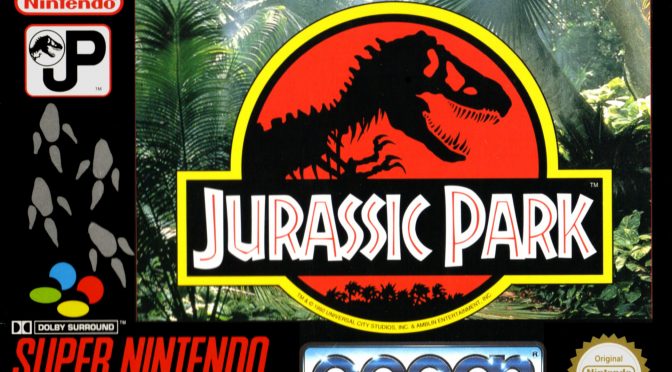
One of my favourite SNES games is Jurassic Park. So, I fired it up, and after its initial intro, the game screen remained black. The emulator does not display any visuals, and there is no music. Jurassic Park works with most other SNES emulators. So, that’s a big bummer for me.
It’s funny because Jurassic Park would greatly benefit from the overclocking features of Super ZSNES. The game ran with 10-15FPS on the real console. So, having this game running perfectly smoothly would be a great showcase.
I then tried Donkey Kong Country. The emulator was able to load and play that game fine. However, it looked really ugly. And the reason for this is the lack of any retro CRT or scanline filters. As such, all SNES games feel quite ugly on high-res PC monitors. Again, the best option right now is Retroarch with BSNES for the SNES core. With that, you can get some excellent retro CRT/scanline filters.
If you have an HDR PC monitor or TV, I highly recommend using the CyberLab Megatron miniLED 4K HDR Game BFI shaders. These are the best I’ve seen. There are shaders for both arcade and consoles, and their image quality is excellent. They are a must-have for everyone.
All in all, while I’m pleased with the return of ZSNES, it’s still nowhere close to its main competition. This is the first release of Super ZNES, so this is quite understandable. Still, as of right now, the best way to play SNES games on PC is via Retroarch with the BSNES core.
Those interested can download Super ZSNES from its official website.
Have fun!


John is the founder and Editor in Chief at DSOGaming. He is a PC gaming fan and highly supports the modding and indie communities. Before creating DSOGaming, John worked on numerous gaming websites. While he is a die-hard PC gamer, his gaming roots can be found on consoles. John loved – and still does – the 16-bit consoles, and considers SNES to be one of the best consoles. Still, the PC platform won him over consoles. That was mainly due to 3DFX and its iconic dedicated 3D accelerator graphics card, Voodoo 2. John has also written a higher degree thesis on the “The Evolution of PC graphics cards.”
Contact: Email