

Microsoft has released Avowed in Early Access. The game is powered by Unreal Engine 5, and it uses both Lumen and Nanite. So, it’s time now to benchmark it and examine its performance on the PC.
For this PC Performance Analysis, we used an AMD Ryzen 9 7950X3D, 32GB of DDR5 at 6000Mhz, AMD’s Radeon RX 6900XT, RX 7900XTX, as well as NVIDIA’s RTX 2080Ti, RTX 3080, RTX 4090, RTX 5080 and RTX 5090. We also used Windows 10 64-bit, the GeForce 572.42, and the Radeon Adrenalin Edition 25.2.1 drivers. Moreover, we’ve disabled the second CCD on our 7950X3D.


Obsidian has added a few graphics settings to tweak. PC gamers can adjust the quality of View Distance, Shadows, Textures and more. Plus, there is day-1 support for both AMD FSR 3 and NVIDIA DLSS 4. However, there is no support for Intel’s XeSS. So, that’s kind of a bummer.
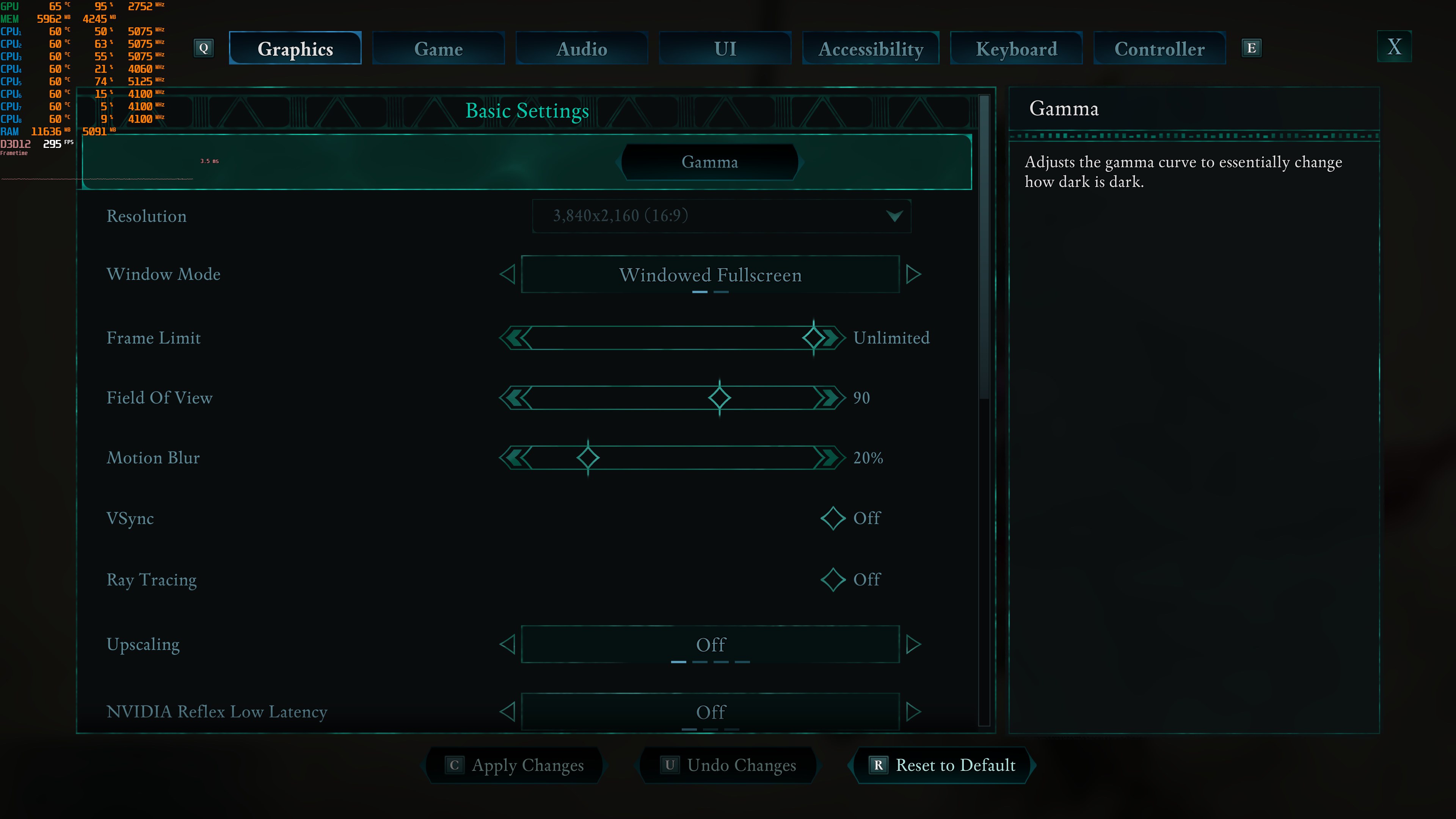
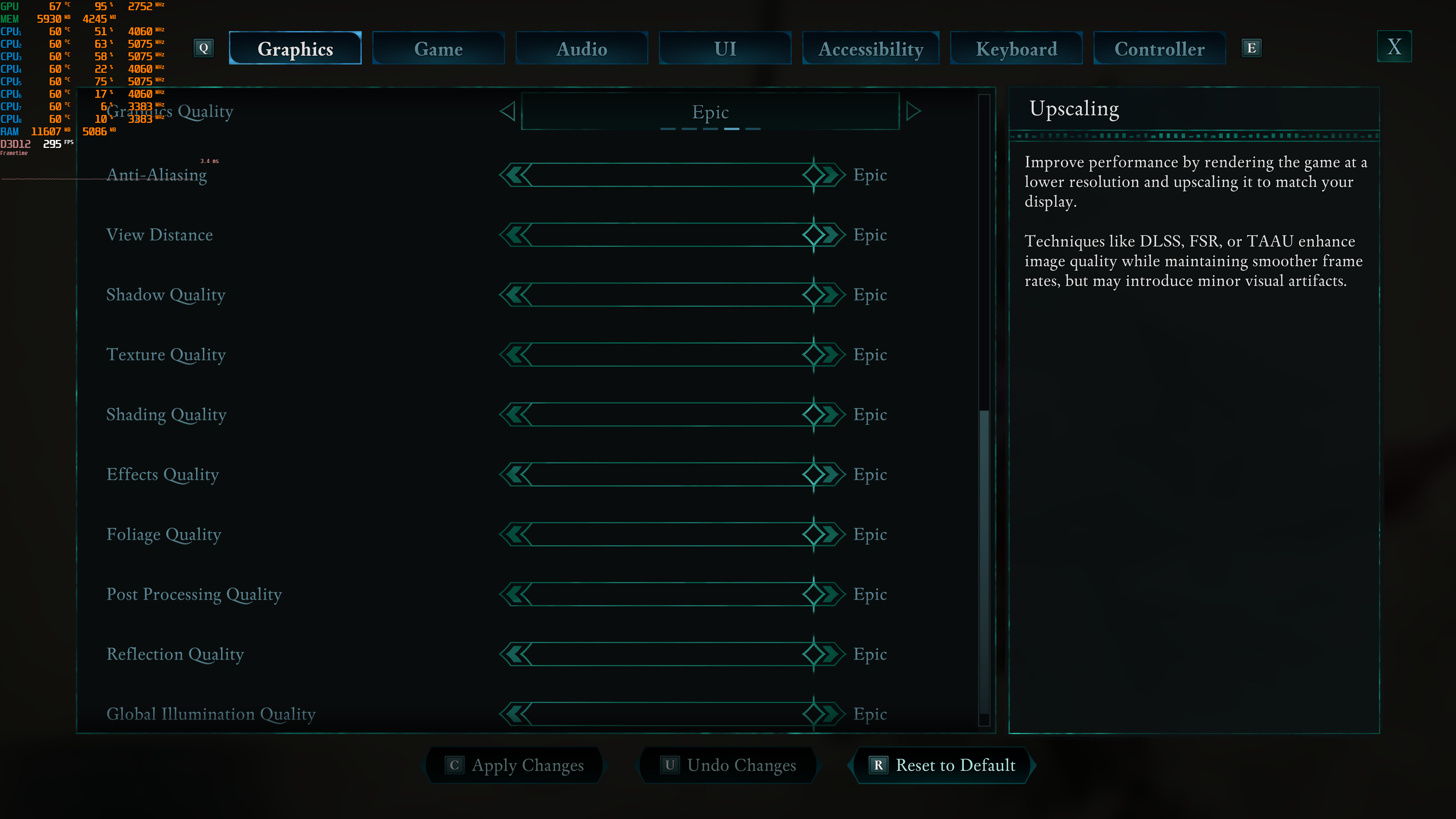
Before continuing, I should mention a weird game behavior. On AMD’s hardware, the game uses by default AMD FSR 3. And, similarly, the game enables DLSS Quality Mode by default. Even if you disable it, the next time you launch the game, it will re-enable it. To game at Native Res, you’ll have to select FSR/DLS, enable it, and then turn it off. Here is a video that showcases this awkward behavior. I was able to replicate this multiple times on all of our RTX GPUs.

Even though it uses Unreal Engine 5, Avowed is one of the most multi-threaded games we’ve seen lately. Avowed can effectively use more than 8 CPU threads. Thus, I highly recommend enabling Hyper-Threading/SMT for this title. Also, since this can be a really CPU-bound game, I suggest disabling your background programs (which may hinder your overall performance).

At 1080p/Epic Settings/No RT, the game will require a really powerful GPU for gaming with over 60FPS at all times. The NVIDIA RTX 3080 and AMD Radeon RX 6900XT can provide a smooth experience, provided you use a G-Sync/FreeSync monitor.

Avowed is a game that appears to favor AMD’s hardware. As we can see, the AMD Radeon RX 6900XT matches the performance of the NVIDIA RTX 3080, and the AMD Radeon RX 7900XTX matches the performance of the NVIDIA RTX 5080.
Now although I used the term “No RT”, the game does use Lumen by default. And, as I’ve said multiple times, Lumen is a form of Ray Tracing. The in-game “Ray Tracing” setting simply enables Hardware Lumen. From what I’ve seen, the performance cost of Hardware Lumen on the RTX 5090 is around 5-7FPS.
At 1440p/Epic Settings/No RT, you’ll need at least and AMD Radeon RX 7900XTX or an NVIDIA RTX 5080 for gaming with over 60FPS. As for Native 4K/Epic Settings/No RT, there is no GPU that can hold over 60FPS at all times.


The good news here is that you can use the in-game settings to gain some performance back. At Native 4K/High Settings, our NVIDIA RTX 5090 was able to push over 75FPS at all times. So, we got a 39% performance boost by dropping to High Settings. Medium Settings and Low Settings offer an additional 11% and 20% performance increase, respectively.

Graphics-wise, Avowed looks amazing. To be honest, I was a bit disappointed with the first beach area. But once I explored its environments and went into some dungeons, the game quickly changed my mind. Thanks to Lumen, the lighting looks incredible in almost all areas. As said, Avowed also uses Nanite, meaning that there are minimal pop-ins. The only downside is the characters which, although they look great, are nowhere near to those we’ve seen in other UE5 games. Characters have not been the strongest point of Obsidian’s titles (in terms of graphics). Still, they look WAY better than those of The Outer Worlds.
Before closing, I should mention how good DLSS is in this title. Here are two screenshots. The first is at Native 4K and the second is with 4K DLSS Quality. As you will see, they look the same. Hell, if you zoom in, you’ll see that the DLSS image is a bit sharper. This is a game that greatly benefits from DLSS Super Resolution without any image degradation, so make sure to use it.
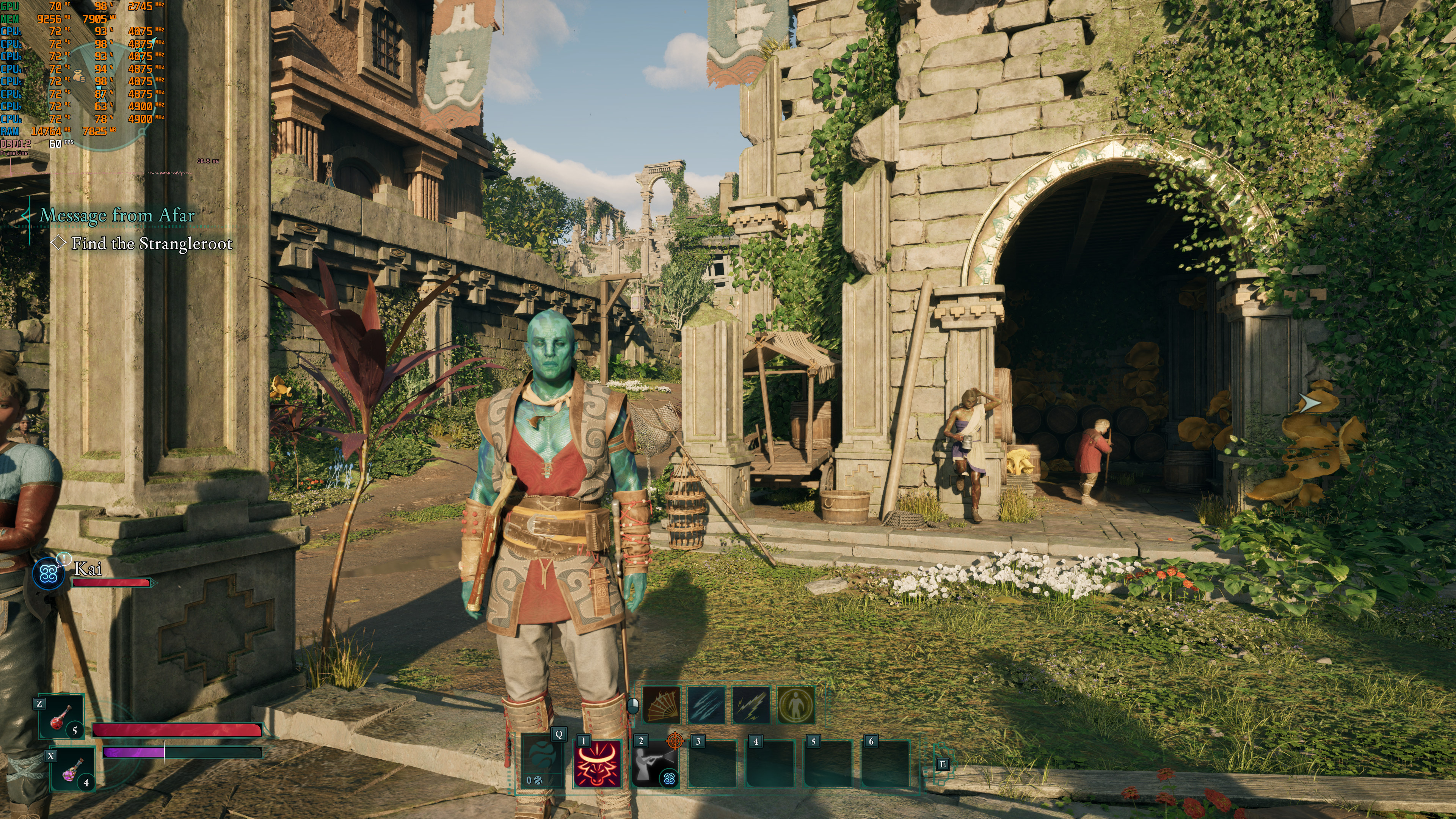
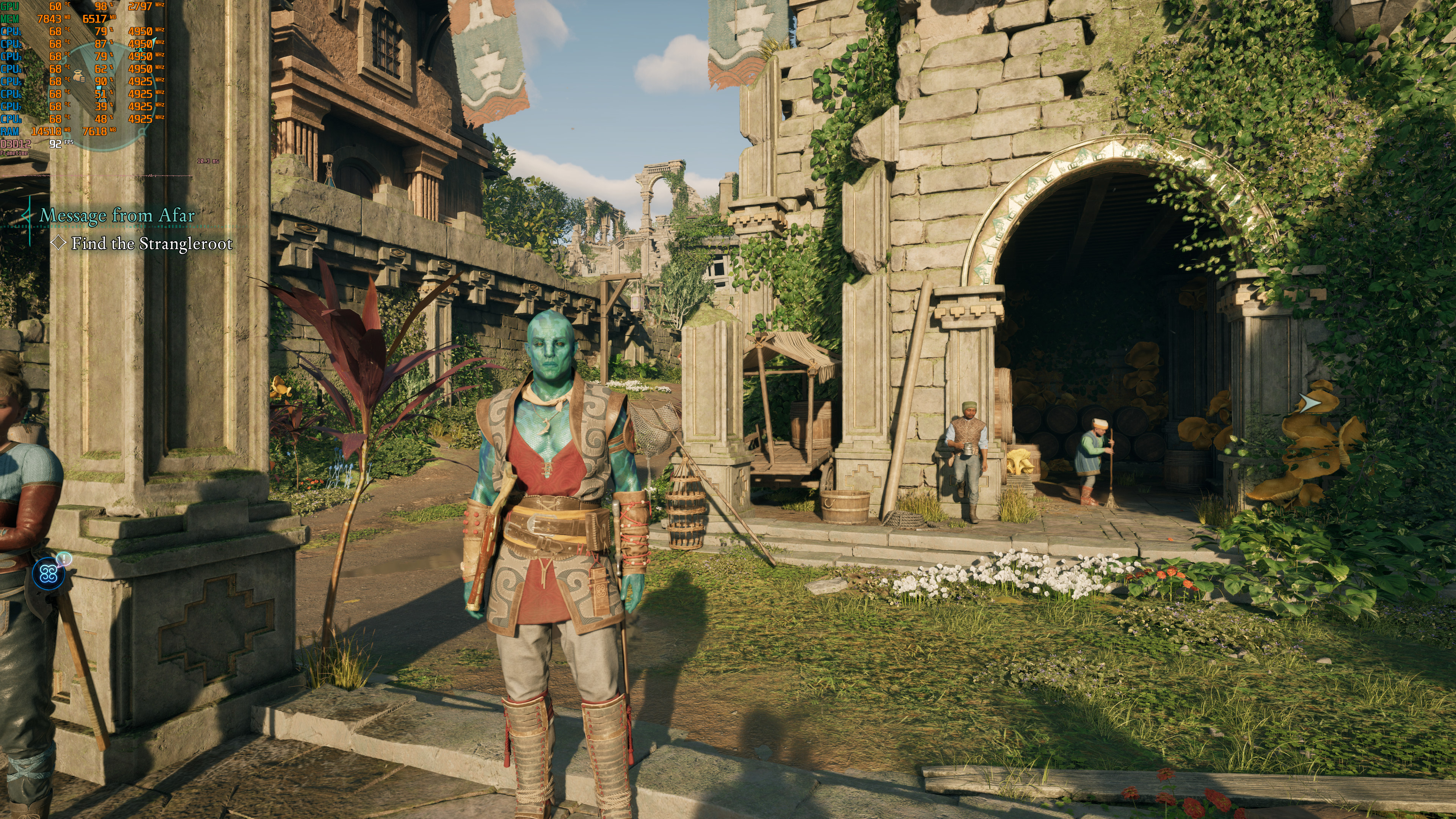
Oh, and in case you’re wondering, Avowed does not suffer from any shader compilation stutters. When you first launch it, the game will pre-compile its shaders. I also did not experience any major traversal stutters. Everything felt smooth. So, kudos to the devs for offering an almost stutter-free UE5 game.
All in all, Avowed is a really demanding game on Max Settings. Since it uses Lumen and Nanite, it shouldn’t really come as a surprise. The good news is that you can get a huge performance boost by dropping your settings. So, the game is scalable. Moreover, it can scale incredibly well on modern-day multi-core CPUs. In terms of performance, the game runs exactly like Hellblade 2. However, it does not look as mind-blowing as it did. Still, Avowed is not a bad-looking title. Far from it. This is a really beautiful game. Plus, it does not suffer from stutters. So, to my surprise, this is a really polished and optimized game on PC.


John is the founder and Editor in Chief at DSOGaming. He is a PC gaming fan and highly supports the modding and indie communities. Before creating DSOGaming, John worked on numerous gaming websites. While he is a die-hard PC gamer, his gaming roots can be found on consoles. John loved – and still does – the 16-bit consoles, and considers SNES to be one of the best consoles. Still, the PC platform won him over consoles. That was mainly due to 3DFX and its iconic dedicated 3D accelerator graphics card, Voodoo 2. John has also written a higher degree thesis on the “The Evolution of PC graphics cards.”
Contact: Email