
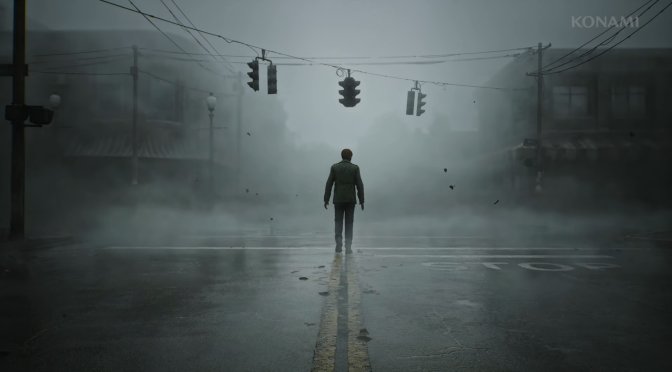
Konami has just released Bloober Team’s official remake of the classic Silent Hill 2 on PC. Powered by Unreal Engine 5, it’s time now to benchmark it and examine its performance on the PC.
For our benchmarks, we used an AMD Ryzen 9 7950X3D, 32GB of DDR5 at 6000Mhz, AMD’s Radeon RX580, RX Vega 64, RX 6900XT, RX 7900XTX, NVIDIA’s GTX980Ti, RTX 2080Ti, RTX 3080 and RTX 4090. We also used Windows 10 64-bit, the GeForce 565.90, and the Radeon Adrenalin Edition 24.9.1 drivers. Moreover, we’ve disabled the second CCD on our 7950X3D.
Bloober Team has added a lot of graphics settings to tweak. PC gamers can adjust the quality of Textures, Shadows, Shaders, Effects and more. There are also settings for Colorblind and Motion Blur. Not only that but you can also enable 90s filter. Plus, the game supports Ray Tracing, as well as NVIDIA DLSS 3, AMD FSR 3.0 and Intel XeSS. You can find a separate article for these techs with comparisons and benchmarks here.
Silent Hill 2 Remake does not have any built-in benchmark tool. So, for our benchmarks, we used the starting area. This appears to be one of the most demanding areas in the game. As such, it should give us a pretty good idea of how the rest of the game runs.
Silent Hill 2 Remake is mostly a GPU-bound title. Our NVIDIA RTX 4090 was used to its fullest, even at Native 1080p with Low Settings. In our benchmark scene, we were able to get around 200fps with the GPU being used to 98%. So, it was a bit pointless to benchmark different CPU configurations. In its current state, the game will rely heavily on your GPU, and most of you will be GPU-limited.
At 1080p/Epic Settings without Ray Tracing, you’ll need a GPU equivalent to the NVIDIA RTX 3080. From what we could see, Silent Hill 2 Remake favors NVIDIA’s hardware. That’s why the RTX 3080 manages to beat the AMD Radeon RX 6900XT in all resolutions. For some weird reason, the game was also constantly crashing to the desktop on our AMD Radeon RX Vega 64. I don’t know why, but the game ran fine on all the rest of the AMD GPUs.
At 1440p/Epic Settings without RT, the AMD Radeon RX 7900XTX was able to offer a smooth gaming experience. There were some minor drops below 60fps. However, if you own a FreeSync monitor, you won’t notice those drops. On the other hand, the NVIDIA RTX 4090 had no trouble at all pushing over 80fps at all times.
As for Native 4K/Epic Settings without RT, there is no GPU that can run the game with 60fps. This shouldn’t come as a surprise as Silent Hill 2 takes advantage of Lumen. As we’ve said numerous times, Lumen is a form of Ray Tracing. So, this performance at 4K is to be expected.
The good news is that Silent Hill 2 Remake can scale down on older GPUs via its in-game graphics settings. At Native 4K, we were able to get over 65fps at all times with the High preset on the RTX 4090. That’s a 30-40% performance increase. Then, by dropping the settings to Medium and Low, we got an additional 14% and 50% performance boost, respectively.
Graphics-wise, Silent Hill 2 Remake looks amazing. Bloober Team has done an amazing job recreating the environments in UE5. This is also one of the few games that use Hardware Lumen on PC. Thanks to Lumen, the environments look incredible. This is a graphical powerhouse, and a lot of PC gamers will use it to showcase what the PC can do. My only complaint is with the fog. In my opinion, it should have been more dense. I get why the devs implemented it that way. They obviously wanted all near objects to be easily visible. However, one of the key features of SH2 is its dense fog. So, I believe it should be a bit better and “heavier” than what we got.
Before closing, I should note that the in-engine cutscenes are locked at 30fps. I don’t know why the devs have locked them on PC. Due to that 30fps lock, the transition between the gameplay and the cut-scenes feels weird. The game also suffers from some traversal stutters. These stutters can be easily noticed in the city. They are not THAT deal breakers, though. At least in my opinion. Thankfully, the game doesn’t have any shader compilation stutters. The first time you launch it, the game will compile its shaders in the background. That’s why the main menu will be stuttery the first time you launch it. Once the game finishes compiling its shaders, the main menu will be fine.
All in all, the PC version of Silent Hill 2 Remake is above average. It’s not among the best PC versions we’ve seen. Still, it’s not a bad one either. It has a lot of PC features and settings to tweak. It can also run on a wide range of PCs. Yes, it’s quite demanding at Epic but you can get a great performance at High. Plus, it supports HDR, as well as all PC upscalers. Sadly, there is no support for NVIDIA Ray Reconstruction or Frame Generation. However, as we’ve reported, you can enable them via the Engine.ini file.
The biggest issue with Silent Hill 2 Remake on PC is its traversal stutters. So, let’s hope that the devs will do something to reduce them. To be honest, I don’t expect them to fully fix them. This will require a complete overhaul. So, at the very least, we can hope that they’ll try to at least reduce them. Oh, and let’s hope that they’ll add official support for DLSS 3 FG and NVIDIA RR via a post-launch update.
Enjoy!


John is the founder and Editor in Chief at DSOGaming. He is a PC gaming fan and highly supports the modding and indie communities. Before creating DSOGaming, John worked on numerous gaming websites. While he is a die-hard PC gamer, his gaming roots can be found on consoles. John loved – and still does – the 16-bit consoles, and considers SNES to be one of the best consoles. Still, the PC platform won him over consoles. That was mainly due to 3DFX and its iconic dedicated 3D accelerator graphics card, Voodoo 2. John has also written a higher degree thesis on the “The Evolution of PC graphics cards.”
Contact: Email


It seems that in-game fps capping is the main cause of stuttering. Limiting my fps with Riva Tuner almost completely eliminated stuttering for me. The game is finally a joy to play on my PC, but I hope they will add DLSS FG support in the future. I know it's possible to mod this game and use FSR FG, buy AMD implementation isnt good enough.
As always Riva Turner or Special K are saving the day.
Never used Riva Tuner, guess the time to test it finally came.
NCP has a max frame rate setting as well works fine for me. However I still get the odd stutters in newer areas at first even w 3rd party frame capping.
Unfortunately it doesn't help either. I have tested it in different ways but it doesn't work. There are some weird VRAM & CPU managements in this game.
really its hw lumen at last?didnt notice it but looks really good.yeah denser fog looks incredible in first trailers and could have been in the fiunal version
wow unreal 5 is rocking even harder than unreal 3 .and im totally ok if all games use unreal 5 because its head and shoulders above other game engines and runs smoother and it gets even better like its new feature megalights .
hi Tim Sweeney, how are you doing
Yep sure seems like million miles abowe anything else 👍
other engines are still messing with lod system while ue5 destroyed lod prooblem
Totaly true 👍
Nanite is a revolution really, besides hell of a lot, other goodies in UE5!
No other engine, comes close to what it can do!
Decima, northlight and re say hello. Enjoy your cookie cutter games that all look and feel the same, with traversal and shader compilation stutters, as well as heavy single thread reliance still in almost 2025.
it's a terribly unoptimized engine that just enables dev laziness, "use the tricks" dlss fg etc lots of generic assets, even UE4 stray game was similar perf heavy. It does look great though I can't deny that, stray was amazing to me and this does look amazing as well.
Every unreal engine game looks and feels the same, they all look like asset flips of each other. There's not even a single distinctive visual expression that make each UE game different from each other.
You can enable the AMD frame generator by changing settings in the Engine.ini file. Unfortunately it only works with FSR 3.0 but it's better than nothing.
Effort went into graphics 9/10
Effort went into female models & animation 1/10
true, marias head is way too big for the body in the cutscenes it's very weird, looks bigger than james head. The og maria was better as was the og james, now we get even more tranneee versions. Eddie is kind of a tie though.
The target were the characters fans looking forward for the most. Moreover, people are praising the gameplay, smh, just look at the animations and AI. It's just like any fan made prototype. But I've seen better ones than this with realistic animations
eh I gottaBH here I'm enjoying it despite the changes to chars and such, the new puzzles are nice and levels are also pretty well done but that don't mean there aren't probs and the price is outrageous.
The SH2 does not look so good and yet with such high gpu requirements.
This is a linear game with few enemies.
The upscalers have become a good excuse for the lack of optimisation. Shame…
Cloudy and foggy weather in SH2 remake makes the game look often photorealistic (like a post card from real location). The level of detail and assets quality is very impressive as well thanks to the use of nanite. The environment (especially the woods) in the SH2 remake is even more detailed than already very impressive Alan Wake 2. I can only complain about RT temporal stability in this game, because indirect shadows and RT reflections often have a flickering and noisy appearance.
Performance is comparable to other UE5 games, so you need to use upscaling to get high refresh rate experience. That's not really a problem, because even DLSS performance in this game produces a sharp-looking (4K-like) image while doubling the frame rate (42fps at native 4K vs 96fps at DLSS performance). At 4K DLSS balance with max settings and RT I get around 80fps, without RT 80-100fps. I can't complain about the performance except for occasional stuttering (the Riva tuner frame cap makes the stuttering tolerable).
4K DLSS performance
https://i.ibb.co/dGgdZVj/SH2-DLSS-P.jpg
https://i.ibb.co/410pT26/SH2-DLSS-P-2.jpg
native 4K (max settings + RT) – 42fps
https://i.ibb.co/vDSwpLs/4-K-natywne.jpg
DLSS Quality -71 fps
https://i.ibb.co/cN684fZ/4-K-DLSS-Q.jpg
DLSS balance – 84fps
https://i.ibb.co/KmGqY75/4-K-DLSS-balance.jpg
DLSS performance – 96fps
https://i.ibb.co/3YM7PVr/4-K-DLSS-performance.jpg
Is there a dif in fidelity going from DLSS QUALITY to PERFORMANCE?
Also asba side question, do you also use FG?
GPU?
7800X3D, RTX4080S, 32 DDR5 6000MHz, 7000MB/s NVMe.
I posted my screenshots showing framerare at various DLSS settings, but on this site it takes forever for moderation to approve the images (no other gaming site has such ridiculous rules about posting images).
Thanks.
In the apartment section, the performance drops dramatically when RT is on. (RTX 4070Ti)
+ traversal stutter is everywhere
Yes, performance with RT fluctuates a lot, and that's very noticeable in the opening scene. When looking at James car (and to be specific puddle with RT reflections near that car), my fps were halved. At 4K DLSSQ I often see over 60fps, but that framerate fluctuation is too big with HW RT (the game would need DLSS FG to make that sub 60fps dips look smooth). That's why I'm using DLSS balance, because that's the only way to get over 60fps (I'm playing with locked 60fps) all the time (even in apartment section).
Stuttering is a real problem in this game. I had annoying stuttering when using the in-game cap, but Riva Tuner dramatically improved my experience. I still see traversal stutters from time to time, but the game is much more playable now.
Thanks for the update!
I only have a 2060S, as the 40 series dident was what I hoped for. Well if the 40XS gpu's was from get go, I may have got one. But hey, the 50X series, aint far away, so that is what im shooting for!
Guess I shall not even try to launch the game on my old weak HW, but damn it's tough, as it's the best horror game ever made IMHO and this the best Remake ever made. Dont want to spoil the game, with what I must play be like on low settings 😖
depends on what settings you want, I have a wimpy 2060 mobile 90w and at the mid 1080 settings w dlss it looks great and capping fps w NCP it's mostly smooth. A desktop 2060 should be fine prob even at 2k w dlss high imo. Especially a desktop with the cpu overhead FG would also be good.
Thanks, thats nice to hear. Will atleast try it out. Been waiting forever for the game, and waiting for the 50 series, feels like forever..LOL!
The 4080 vs 4080s have 1-2 fps difference. The perf jump from 2080 to 4080 is also huge, esp when taking FG into the count.
But why to still ise ingame fps cap. You can easily do that and applied universally through NVCP.
What a perfect game, lads!
Two years ago I was playing the OG dreaming about seeing this game at all its glory, and that day came.
Spending money with pleasure this time!
The biggest problem w this game is == A. outrageous price for what howlongtobeat says is a 14-16hr game.==B. Doesn't respect your time, no save anywhere and only sparse autosaves mean you can lose a lot of progress in the rather labyrinth levels like apartments, hospital and such if you don't have time to mess with the map to remember a way back to the red square.==C. UE is heavily into generic assets and you'll notice them a lot in UE games, most devs won't put the effort in to make assets so you get a generic "game" over several different games. ==D. Only like 15 manual save slots in 2024 remake game like wtf?
Lumen is sh*te, literal sh*te. I don't know why john keep calling it heavy on your system while it doesn't look anywhere near a decent ray tracing implementation. It has no business being unoptimized if it can't look at least half as good as proper ray tracing.
3080 is a 1080p gpu now thanks to all the glorious unoptimized t*rds that get pushed in stutterfest engine 5