
Cyberpunk 2077 Unrecord Mod

Here’s Cyberpunk 2077 in 8K with Ultra+ Path Tracing Mod

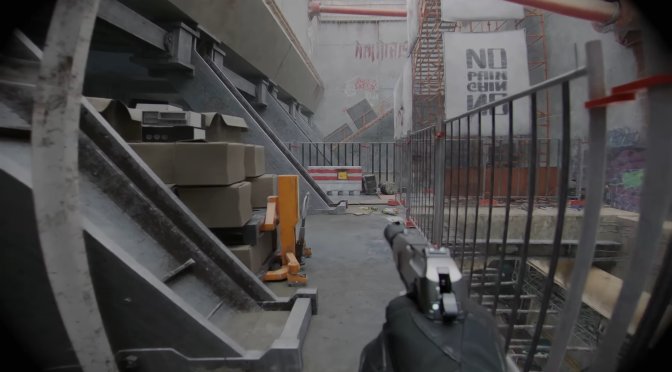
Thanks to its modding community and the efforts of CDPR, Cyberpunk 2077 is still considered one of the best-looking PC games. And earlier today, YouTube’s ‘Digital Dreams’ shared a video, showcasing the game in 8K with a new Ultra+ Path Tracing Mod.

The Ultra+ Path Tracing Mod makes CP2077 look better and run smoother. The modder behind it says it fixes problems with Path Tracing on AMD GPUs. It also speeds up Path Tracing by 30-40%. It even has a new PT21 Turbo Mode to further improve the game’s performance.

Now what’s cool here is that this mod can also improve the quality of Path Tracing. It also enables colour integration of particles into path tracing. As such, smoke, steam, sparks, and electricity will be improved, and will cast light on the PT scene. Not only that but it reworks hair in path tracing so it looks more realistic in full sun, indoor lit and unlit areas. Plus, the mod adjusts skin for when using path tracing and ray tracing.

The Ultra+ Path Tracing Mod makes reflections on surfaces like wet grass look more realistic. It also improves how things like weapons, plants, and skin reflect light when using Path Tracing. Additionally, it fixes issues with overly bright or white see-through materials like glass, bottles, cabinets, and windows. Plus, it adds more detailed shadows when using Path Tracing.

And the visual improvements don’t stop there. The mod will also improve object pop-ins, and it will even enable ambient occlusion on eyeballs. Oh, and it fixes the stutters, FPS slow-downs, crashes, and out-of-memory problems with the vanilla game on GPUs with less than 12GB of VRAM.

In short, this is a pretty cool mod that you should at least try, especially if you are planning to play CP2077 with Path Tracing. So, go ahead and download it from this link.

If you’re into Cyberpunk 2077, there are some other cool mods you should check out. For instance, you can download the Enhanced Photo Mode Unlocker. There’s also a mod that allows cars to fly, a mod that can significantly improve the game’s draw distance, and other mods that can open up new areas to explore. Oh, and don’t forget these mods that allow you to play as Ciri from The Witcher 3.

To improve the game’s graphics, you can use Cyberpunk 2077 HD Reworked. That, or you can go ahead and download this 12GB Ultra 4K Texture Pack.

Additionally, there’s a mod that adds realistic ragdoll physics to finishing moves. Plus, Law Enforcement Overhaul is a mod that enhances the game’s Police System. And there’s even a mod that integrates the OpenAI API which enables ChatGPT support. There is also this mod that fixes the game’s broken Ray Tracing Reflections. And finally, this mod restores 100 NPCs that were cut from the game.

Enjoy and stay tuned for more!

[8K] Cyberpunk 2077: Ultra Path Tracing Mod | Real Weather | RTX4090 | Real Life Graphics 300+Mods

25 thoughts on “Here’s Cyberpunk 2077 in 8K with Ultra+ Path Tracing Mod”

  1. After 12 years of 4K being available for gaming the Steam Hardware Survey reports it’s use at 3.4%

    RTX 4090 and RTX 3090 at less than 1% use for each.

    Will 4K ever go mainstream like 1080p? Probably not because with each new generation of faster GPUs and more VRAM comes more demanding games. Not to mention the issues of poor optimization. The 4K goal post constantly gets moved forward.

    So, where does that leave 8K, a resolution with four times as many pixels as 4K?

    1. Heck, Steam’s interface doesnt even scale properly at 4k. On a 75″ TV I can’t even see the menu or anything.

        1. yeah, just not a fan of the layout, what stinks is some of the older games menus dont scale right either which isnt steams fault. After all this time 4k can be problematic in many cases. On the TV I get 120Hz at 1080 though so there’s that I guess. Smoother.

    2. Yup!
      Not to forget majority of gamers play on laptops/smaller screens where 1080p is good enough. Additionally, we have more and more powerful portable gaming devices coming out every year with ~8″ screens…

    3. yeah it ain’t worth it, games are about fun and enjoyment and visuals only do so much and for the same cost of a 4k system you can get a lot more value out of other stuff.

    4. although I will say tvs are 4k mainstream now for a long time and the 265 etc encoding for compressed 4k is good enough but it’s not even the same as full 1080p blu ray quality as far as encoding data rate etc Gaming nah price have to come way down to what 1080p equipment is, not gonna happen.

    5. I play on a 2k monitor. Don’t think I’ll make the jump to 4K till this monitor stops working. 244hz refresh rate and g-sync compatible. No need to move on yet

  2. They have one of the best looking game engine and yet they are dumping it for garbage Unreal Engine.

    1. Because they don’t have the talent anymore to handle/manage/use it, and all the new DE&I employees likely are “devs” with few months of UE experience!

    2. Exactly!

      And before anyone mentions UE5’s Nanite:

      Bevy is an open-source game engine available completely free of charge, and just recently it implemented its first step in achieving something comparable to Nanite by using the same meshlet rendering technology.

      Here’s how UE5’s Nanite looks like under the hood:

      https://uploads.disquscdn.com/images/96c28ee708845fbacbffca45f8d62cebf062776ed2bd92ffc3f3ddb9225f0e15.jpg

      And here’s the basic implementation of the same method in Bevy:

      https://uploads.disquscdn.com/images/53e141a5c7350d067836dcf3ed8aa39f11825d168e7798f5ce5d47352df05113.png

      Again, right now it’s nowhere close to UE5, yet I find it fascinating that a very small team of open-source developers working in their spare time managed to pull it off in the first place.

      Now imagine what CDPR could have pulled off if they had kept on investigating into their own REDengine…

      Oh well, at least it’s worth keeping an eye on Bevy!

      https://uploads.disquscdn.com/images/453c7baebb26815887201a9e384a90652a979e3d45eafd1a18f44bac542adaba.jpg

      1. Exactly the same as 99% of open source projects. Some devs in their spare time and for free achieve some feature(s) of closed source software and it’s a world of potential… And that’s all it is for eternity.

        1. I definitely agree that having commercial backing leads to much better results much more quickly, however open-source software like this still has its place, because it lays the groundwork to attract any potential commercial backers who want to gain a headstart when trying to compete with deeply entrenched players in an already established market.

          Valve is in fact one of the best examples to show off the potential of open-source software:

          Without all the prior work worth of many billions of dollars that has went into developing the Linux kernel, Valve just by themselves would never be able to create SteamOS in order to compete with Microsoft’s Windows.

          And even though SteamOS is still in its infancy, there are already cases where it can offer a better gaming experience than Windows.

          For example, here are some results from some benchmarks GamersNexus did:

          https://uploads.disquscdn.com/images/2c03683ec4161b6b114ad10e5905a6ed0fcc23e40d6bd73ca77726eeca6ebbb3.png

          https://uploads.disquscdn.com/images/e0976f19a993699a6c9ac874669523d783770e406c0da66d57389440d7742a53.png

          https://uploads.disquscdn.com/images/7f2786af79a8fcd7f6fcc029e7796480ae4ee0a85da582738d82a742ff2d6691.png

          As you can see, the Steam Deck managed to provide better 1% and 0.1% framerate lows, even though its running non-native games on weaker hardware compared to the Windows competition.

          Like I already said, without open-source software like Linux none of the above would have ever materialized, leaving Valve at the mercy of Microsoft’s Windows for all eternity…

          Thankfully, that’s all about to change — just a matter of time! 😉

    3. labor saving and time to market with a standard engine which lots of new talent starts on, less cost, profit sharing based on sales rather than massive costs to make your own engine upfront and train up new people on etc But yeah it is amazing looking and compared to a lot of latest games runs pretty well, scales well etc and a decent effort to patch it up over the years. Should have just tacked on PL to 1.63 been better not all those changes etc

    4. Because it’s a much bigger matter than “ooh graphics”, it’s a smart business and project management decision, and that is why a single engine has and is monopolizing the industry. Keyword is “standardization”. It’s a way of…
      – unloading from most technological and overall engine R+D,
      – and documenting it
      – and training devs on proprietary tools,
      – while you get an industry standard
      – and cutting edge extremely capable engine
      – for which there are thousands of experienced potential employees out there,
      – and you get documentation and support for it,
      – and there’s an infinity of resources out there,
      – while the engine keeps being developed
      – plus what Warrior88 said, they probably already lost much of their most competent staff.
      It’s not all upsides as the engine can have some performance issues, but it’s a significant overall benefit.

    1. mod does that mostly, low clouds always no sharp shadows for that realistic yet kinda cartoony look, desaturated colors, no fog etc Also upscalers blurry too but still this vid looks amazing imo

  3. Why am i not surprised it’s overcast weather or night + lots reflective puddles? Yep, because otherwise it looks half as good.
    Honestly i think these videos don’t impress anyone much anymore, even if the PT shadows look cool.

  4. 2k for the win. I use a 4090 OC with an I7 11,700kf 32 gigs ram and REFUSE 4k and ray tracing. Neither are worth the FPS hit. The minimum vertically synced refresh rate I will play before decreasing or turning off ray tracing (the only thing that ever slows me down) is 90 fps. And I DESPISE upscaling tech like DLSS. It causes small graphical anomolies. The only games I ray trace are older games that can reach 90 – 120 fps with all ray tracing effects maxed, such as Control. Until the devs stop moving the ray tracing goalposts to ridiculous levels, screenspace reflections for the win! I don’t care to see the wart on a mouses reflected in a puddle of water. As long as the puddle of water is shiny and I’m playing at 120 synced fps, I’m thoroughly happy.

Leave a Reply

Your email address will not be published. Required fields are marked *
