
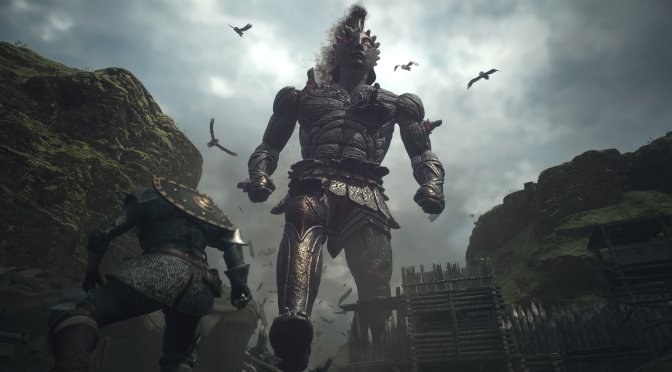
Dragon's Dogma 2 feature-3

Here’s how you can get smooth 60fps without stutters in Dragon’s Dogma 2, even in the Vernworth capital

Capcom has just released Dragon’s Dogma 2 on PC and as we’ve already reported, the game suffers from major stuttering issues. However, is there any way to get rid of them and get a smooth gaming experience? Well, on high-end CPUs there is.

First things first. For these tests, we used an AMD Ryzen 9 7950X3D, 32GB of DDR5 at 6000Mhz, and NVIDIA’s GeForce RTX 4090. I also used Windows 10 64-bit, and the GeForce 551.86 driver. Moreover, I’ve disabled the second CCD on our 7950X3D. I’m also running Dragon’s Dogma 2 at 4K on Max Settings and with Ray Tracing.

Now, in order to eliminate the stutters on high-end CPUs, you’ll need an NVIDIA RTX40 series GPU. Then, you’ll have to lock your framerate to 30fps. After you do this, you’ll have to use the free DLSS 3 Frame Generation Mod. By doing this, you’ll get a smooth 60fps experience without any stuttering. And no, this isn’t a placebo effect. So, in order to prove our claims, here is a video in the most demanding area of the game, the Vernworth capital. As you can see, with this workaround, our PC system pushes constant 60fps, without stutters.

Why does this work? Well, the reason is quite simple. By locking the framerate to 30fps, you give the CPU enough time to load the streaming data that the game requires. This isn’t something new. We’ve showcased this exact thing in other games like Star Wars Jedi: Survivor and Redfall.

So, here is a guide via which you can accomplish what I’ve just described.

  1. Download the DLSS 3 Mod
  2. Launch the game, and enable DLSS and Reflex from the Graphics Settings
  3. Lock your framerate to 30fps (when you use the DLSS 3 Mod, it will be doubled to 60fps)
  4. Press the “END” to activate DLSS 3 Frame Generation

But what about input latency you may ask. Well, I have some good news. In Dragon’s Dogma 2 at locked 60fps with DLSS 3 FG, I did not notice any major input lag issues. That was a bit shocking as I’m really sensitive to mouse lag and I was expecting the game to feel laggy due to the 30fps lock. However, that wasn’t the case.

I cannot stress enough how game-changing this workaround is. Without the 30fps lock and even with the DLSS 3 Mod, the game stutters on a frequent basis. With the 30fps lock, though, you’ll get smooth 60fps, even in the most demanding areas.

Before closing, I should note that I’m not excusing Capcom for the game’s mediocre optimization. However, this workaround will provide you with a smooth gaming experience. Yes, you’ll be brute-forcing your way. But this trick will eliminate the stutters. That’s a fact. So yes, you CAN get a smooth experience on PC.

If you still don’t believe me and you’ve got the necessary hardware, go ahead and try it and see for yourselves!


Dragon's Dogma 2 - Smooth 60fps without stutters in Vernworth - AMD Ryzen 9 7950X3D - DLSS 3 Mod

65 thoughts on “Here’s how you can get smooth 60fps without stutters in Dragon’s Dogma 2, even in the Vernworth capital”

  1. This has to be a rage bate. In order to play the overpriced game at 60 fps. we need top of the top end pc hardware and pay monthly for a dlss fg mod to get a fake 60 fps experience.

    1. It’s a workaround until, and if, Capcom fixes it. Not saying that’s how the game should be running. But hey, at least there IS a way to brute-force your way.

      1. Gaming is a very affordable hobby. If you think it isn’t you are most likely not as well off as you think, which is why you have that stupid avatar.

        Choosing the best value GPU and CPU in the last few years hasn’t been hard at all. It was the 5800X3D and 4090 and John has REPEATEDLY touted the value of the 4090 which has often seen him mocked and attacked for it. There was just no value at the bottom of the stack and Intel sucked there for awhile. Yeah there are better CPU’s now. but for gaming the 5800X3D is still fine and that platform is ancient and the upgrade was an easy flip from something like a 5600x which people had in 2020. That is 4 years for what was essentially a 2000 dollar buy in minus the GPU? Are you really selling 500 dollars a year as expensive?

        You only spend a lot on PC with constant upgrades because you bought garbage or didn’t save up enough for a smart initial purchase if you wanted it to last a few years and provide great value.

        AMD and Nvidia have both got really greedy as far as value/budget GPU’s. They simply don’t exist anymore, are usually sabotaged on VRAM pool and basically planned obsolescence. I would only still bother with “value” at the low end if I planned to constantly flip GPU’s. None of these GPU’s are built to survive long outside the 4090 and that is because of it’s VRAM pool, AI tech.

        1. Agreed, it seems like many have opted for an “every other” upgrade strategy, and most parts of the PC’s are durable enough to last several cycles.

          For instance, one of my PSUs has been going strong for 9 years now without any issues – no fluctuations or signs of expanding caps.

          I got an early grab on a 4090, but not primarily for gaming. I needed that 24GB VRAM for my iray projects and considering the price-performance ratio of the rest of the product stack… while it’s pricey, it seemed like the best choice if you could afford it.

          Nvidia and AMD have really pushed prices to the limit for gaming, especially after the mining boom and the pandemic. That’s when they significantly raised their prices. AMD didn’t have much justification to hike prices as they did this time around, especially when you look at the Bill of Materials reports. But they followed Nvidia’s lead, who had it too easy in the data center market and got comfortable with those margins.

          I’m hoping Intel will shake things up and break this trend of declining price versus performance that’s been happening especially on the GPU side of things.

          1. BoM is the least costly part of a technology product. The R&D costs are the big money sinkhole

            At least companies like Nvidia and AMD pay and treat their employees well which has gotten AMD a 88% rating and Nvidia a 96% rating from current and former employees compared to a Tesla with a 60% rating

            I bet most AAA gaming companies would struggle to get a 50% rating

            The problems in Gaming are not the developers it’s upper management and they get away with it because only the developers take the heat while they sit in their ivory towers with the other grossly overpaid CEOs

          2. Yeah, I’m fully aware of that… But adding more GPU cache, yeah, definitely. More GPU cores, absolutely. Shrinking the die to counteract the otherwise crazy power demands and gaining some clock speed, yup, that makes sense. Actual substantial changes beyond just refining some bottlenecks and throwing in a few minor features to spice things up and appeal to the market? Rarely.

            I mean, a gross profit increase of 188% year-over-year is primarily due to investing more in research for each unit sold, not just hiking up prices, right?

            If anything, I’d even venture to guess that it’s becoming cheaper to design a typical GPU SKU nowadays and in the future. They’ve gotten really good at creating scalable, non-fixed designs, so much so that many of the logic blocks are practically just copy-and-paste at this point. And it’s only going to get cheaper as AI inevitably plays a more significant role, saving plenty of engineering hours. Look up ChipNeMo for instance.

    1. Probably doesn’t play very smoothly either due to all the extra input lag.

      The fake frames literally do nothing to improve input lag, they actually add input lag, significantly so at lower framerates.

      1. It doesn’t look like it was playing smooth in the video. I wouldn’t have wanted to play a game that looked that stuttery. If the game is even worse without this cheap hack, then that would make the game unplayable in my opinion.

  2. While we are at it, here’s another pro-tip that you can look forward to trying out on your current PC hardware one day in the future:

    SteamOS (once officially released, of course…)

    Let me give you an example I was recently made aware of:

    GamersNexus did a comparison video between Lenovo Legion Go vs. ASUS ROG Ally vs. Steam Deck not too long ago.

    As a reminder, the Steam Deck is powered by Zen2 + RDNA2, whereas the competition already uses Zen4 + RDNA3.

    And yet, some results were quite intriguing, to say the least:

    https://uploads.disquscdn.com/images/2a0fd48a8e7c659a5ba233db8686740fbf553cb029c38038289f36ab0c9d7773.png

    https://uploads.disquscdn.com/images/823fbb33b7c55e396c9a003a729e9eda9f71b057eef28ea2233979aae742387e.png

    https://uploads.disquscdn.com/images/029cfed1bf9ca96fcf7bff0192a3d6184dace951173b7d9e0eb6fa71c8ed73d6.png

    As you can clearly see, while the other two PC handhelds running on Windows were able to push higher average framerates when being pushed to the limit (accompanied by a much higher power draw), the Steam Deck always came out on top when looking at the 1% and 0.1% lows, meaning those games were actually running smoother on SteamOS.

    Keep in mind that the benchmarked games here have to be constantly translated to Linux native APIs via Proton in real-time, whereas they are running natively on Windows, obviously.

    For example, all of the above examples are making use of the DX12 graphics API, which needs to be translated to the Vulkan API on SteamOS in real-time.

    Now, please don’t get me wrong, there’s still a TON of hard work ahead of us, but at least results like these are showing us that we are indeed on the right track…

  3. Another good solution: don’t buy/play the game until it’s fixed. What’s the rush to play, after all, aren’t there enough games to play in the meantime?

    1. Agreed! It often happens to coincide with the first discount too so double win, heck triple win now that I think of it – If the dev’s start to lose enough due to that then they just might start to do some proper Q&A rather than just slapping something half-baked out of the door just to maybe get around to fix it. So we all should do ourselves that triple favor 🙂

      1. It’s the Publishers that set the launch window for marketing (hyping) the game and then the launch date and push it out the door whether it’s ready for release or not but other than that I agree with you 100%

    1. Seems to be the norm – Nod, it’s so bad I always wait a bunch of patches before even looking up the numbers most of the time.

  4. What you need to play a Capcom game with average graphics at 30fps (fake frame 60fps):

    -$70 game
    -$1,900 RTX 4090
    -paid mod
    -enable fake frames
    -risk losing access to your game because Capcom has anti-mod Enigma

    And keep some money ready for those microtransactions when you realize the game is a boring grind.

      1. This game is borked, man. Even turning down all settings to lowest will only net you something like 9% extra performance if you’re CPU bottlenecked, which is practically everyone.

    1. And keep the money ready if you ever want another save slot from what I heard, if that is indeed true f’ck em

  5. 30fps adding on top frame generation means you will get MASSIVE amounts of input lag, plus sh**ty generated frames with lots of artifacts and glitches.

      1. Have to ask – M&K or controller? Makes a HUGE difference in how the input latency is perceived as it takes several ms to turn the analogue kn*b and smoothes out that input curve in the process vs the mouse that reacts directly (especially when os/driver mouse smoothing is disabled)

      2. there is an inherent lag of playing at 30fps meaning you will get at least 32ms of input latency, 16 extra over 60fps and that’s very noticeable, not even talking about +120, then you add on top the dlss3 which, no matter what, it adds more

        I’m sorry but I just can’t play anything with that kind of input latency

        then you have the problem of generating frames that are going to be on screen a huge amount of time and with a huge different between real ones, making the image quality impossible to maintain at a minimum

  6. Bullshit. I can see the frametime and stuttering issues even in this video. It’s also worse at daytime and when you move faster. So nice try, but you can’t trick me.

    60FPS lock with FG is never a good idea. Especially since the game is running good enough in the rest of the OW. Forcing you to play at 60fps FG locked and more inputlag there is pretty dumb.

  7. The game is just badly coded.
    This engine was never designed for open world games just like Unreal Engine 4.
    RE engine was made for very high density visuals in small spaces which is perfect for Resident Evil games but not for this.
    MT framework form Monster Hunter World would be a better choice for this game.

    1. Let’s not forget the impact of piling on multiple layers of DRM either. It’s hard to tell which parts of the code are protected and how they’re really affecting performance. If crucial code gets bogged down due to frequent use, it could be a major reason for the performance drop. It’s sad to see Denuvo, for example, not only causes cache bloat with it’s decryption but also hampers the effectiveness of other fantastic hardware features like branch prediction and prefetching. And that’s just the initial layer of DRM.

      Developers/publishers who neglect their customers’ gaming experience will keep having to resort to DRM, as players will find alternative means out of sheer frustration. Just take a look at Ubisoft, for instance. Meanwhile, there are other developers who manage to turn a tidy profit without needing DRM at all. How strange… 🙂

      1. Show me a game where removing Denuvo *significantly* improved performance. There are lots of games where Denuvo has been removed. Here is the best I could find “More Denuvo Benchmarks! Performance & Loading Times tested before & after 6 games dropped Denuvo” on YT. Hardly any difference even on a lowly 2600K CPU, except for load times.

        1. There are plenty of examples available with just a simple Google search. Developers and publishers have messed up numerous times by releasing unprotected games on one platform while leaving the other protected, meaning a proper test can be made. Not to mention when they keep the same version number and then remove the protection down the line after the initial period.

          Regarding cracked Denuvo games, most of the cracks nowadays aren’t what you’d consider proper cracks. This means the protection is still active and consuming resources just like the properly protected ones, except it’s fooled into thinking the game is running legitimately. So, a direct comparison becomes pointless in such cases.

          It’s amusing to see that some DRM zealots even conduct tests comparing a protected game to a spoofed one, where the protection essentially does the same thing but only one party can run it on any computer. Tests like these make me chuckle; they just highlight how tech illiterate some people can be.

    2. Exactly …. In open world games you have to constantly and consistently stream assets and the game engine needs to be built for it. Transversal stutter is an asset streaming problem as is pop in problems and general stuttering. It’s also hard to precompile all the shaders in a game and you need to be able to compile at least some of them on the fly. Guerrilla Games Decima Engine does a very good job at that. For all the crap Ubisoft gets their AnvilNext and Snowdrop game engines also do a good job with asset streaming and compiling shaders on the fly.

      The larger problem in Dragonpunk 1077 is the NPC AI code is horribly inefficient, from what I’ve seen the NPCs in cities aren’t all that dense and certainly not dense enough to justify the CPU requirements in those areas. It’s going to take a lot more than just a patch to fix that issue, it’s going to take a rewrite of the AI code from the ground up

  8. Probably the input lag isn’t so bad because with a 4090 and by locking at 30 fps GPU utilization must be crazy low. When GPU usage goes under 90%, latency improves dramatically.

  9. Or you could just refund this hot f*king mtx ridden garbage and make a point – and the only kind of point the suits will understand.

  10. “Hi, I noticed that you visited my website, so I wanted to return the favor. I’m currently looking for ways to enhance my site, and I think it’s okay to incorporate some of your ideas. Thank you!”

  11. Every single console generation, later in the gen, we get 30 FPS target games that delusional people think are magically going to run well on PC. The only fix is frame generation and we are lucky to have it. Unfortunately brainwashed morons repeat astroturfing they learned from social media like “fake frames” that were put out there by marketing firms hired by a company that invested no money in AI on their GPU’s and who only use their PC GPU segment as beta tests for console GPU’s. Expect more 30 FPS releases as this gen ages. Sorry latency and frame generation on AMD suck and that you have never even tried frame generation when it’s not an afterthought hack on AMD, with more latency using non specialized hardware. Blame AMD because I’m playing this game with a great experience with a FPS cap on a 4000 series GPU.

    AMD GPU’s have been complete turds since the R9 290 was released. It’s the last GPU they had that competed with Nvidia and their DX 11 drivers were so bad that it released competing with a 770 and when they finally invested money in drivers it surpassed a 780Ti and a 970 years later. Even VEGA (was actually underrated with undervolting) was better at the time than their modern GPU’s that are antiquated, backwards thinking “rasterization is all that matters” duds. New game engines now use upscaling EVEN AT “NATIVE” which makes AMD garbage visually. Temporal AA is complete blurry trash compared to DLAA and you can inject that yourselves with DLSS Tweaks. Many new games are gonna target 30 FPS which means if you want to use a mouse and keyboard and not get a headache from 30 FPS you need Nvidia to do it WELL.

    You blame Nvidia when AMD being dogs@^@ is the reason Nvidia can screw us on VRAM at value segments. AMD was outdone by Intel on AI in their FIRST ATTEMPT on their GPU. That is pathetic.

    The idiocy at AMD’s GPU division is staggering compared to their CPU division (which is great). AMD is so incompetent that they are now paying to keep things like frame gen and DLSS out of games like Jedi Survivor. The lemmings who actually think ANY corporation cares about them or that they should fanboy them is one reason PC Gaming is such a mess atm. AMD GPU’s are garbage and shouldn’t be supported until they show they care about PC Gaming. Their BS should be called out as much as you call out Nvidia for screwing us on VRAM.

    Also for those that think DLSS looks bad in Dragon’s Dogma 2? You can use a newer DLSS dll and you can inject sharpening in multiple ways. The shipped DLSS has no sharpening filter, which Puredark commented on.

    Find a sucker to take your AMD GPU and buy a 4000 series or 5000 series or cry about every game that comes out. Go ahead and shoot the messenger. I have a AMD CPU, had many AMD GPU’s in the past. Nvidia are scumbags and so is every large corporation. Being a fanboy gets you nowhere, one company is just making garbage atm. AMD GPU are worse going forward than Intel CPU’s were a few years back compared to AMD and those CPU’s were power hungry trash compared to something like a 5800X3D.

  12. It’s hilarious watching theses gaming mainstream media sites trying to claw back some dignity now after rating the game so highly in the initial review but at the same time still trying to minimize the problems with the game. On the largest PC gaming site the reviewer claims he had minimal problems in his playthrough for the review but then went on to admit he was using an RTX 4090 and a i9-13900k while reviewing the game.

    Well, less than 1% of gamers are using a 4090 so why focus on how the game runs on that? The vast majority want to know how the game runs on midrange hardware because that’s what they have. They don’t need to make a buying decision based on hardware that they can never afford anyway.

    1. I don’t think games should be rated lower due to peformance issues unless we are talking some major issues like the game not working or bricking your PC. Eventually it will get patched or on worse case, it will be playable with future hardware.

      1. I don’t think games should be rated lower due to peformance issues….it will be playable with future hardware

        wtf lol

      2. I don’t think games should be rated lower due to peformance issues….it will be playable with future hardware

        wtf lol

        1. That’s a worse case scenario, and it did happened in reverse with the new updates for Alan Wake 2, not that i care about that game. Try to remember the amount of hate the original crysis got for all the plebs who coudn’t play it well.

      3. If the game were to be released in the future, I might have agreed, but that’s not the situation, is it? It’s been released today, and therefore, it should naturally be reviewed based on what gamers have access to and experience today, not on the promise of future bug fixes or hardware upgrades.

        Another factor diminishing the value of reviews for most is that many review sites only use high-end review rigs. This way, they don’t always provide scores that is even close of what can be expected for the typical gamer.

    2. To make matters even worse according to Fighting Cowboy who got a review copy all the reviewers knew about the microtransactions and said nothing about it in their reviews

  13. This didn’t stop the stuttering for me, but maybe my CPU isn’t good enough? I have an i5-12600K with an RTX 4070.

  14. Your writing is not only informative but also incredibly engaging. You have a gift for making complex topics accessible to your readers. Keep up the phenomenal work!

  15. Your blog stands out as a shining example of excellence in content creation. Your dedication to providing valuable insights and thought-provoking commentary is commendable. Keep up the outstanding work!

  16. Excellent blog here Also your website loads up very fast What web host are you using Can I get your affiliate link to your host I wish my web site loaded up as quickly as yours lol

  17. Its like you read my mind You appear to know a lot about this like you wrote the book in it or something I think that you could do with some pics to drive the message home a little bit but instead of that this is fantastic blog An excellent read I will certainly be back

  18. It should’ve been “here is how to refund this garbage”. Instead y’all tolerating this garbage. Refund bomb this garbage and they’d take it off of steam till they fix the game. That’s all y’all had to do.

Leave a Reply

Your email address will not be published. Required fields are marked *