A Plague Tale Requiem screenshots-1

A Plague Tale: Requiem looks WORSE with Ray Tracing, comparison screenshots

Asobo has just released a new update for A Plague Tale: Requiem that adds support for Ray Tracing. Now while Asobo claims that it has used Ray Tracing in order to enhance both ambient occlusion and shadows, the game only offers an option for ray-traced shadows. Not only that but these ray-traced shadows completely break the in-game ambient occlusion, making the game look worse.

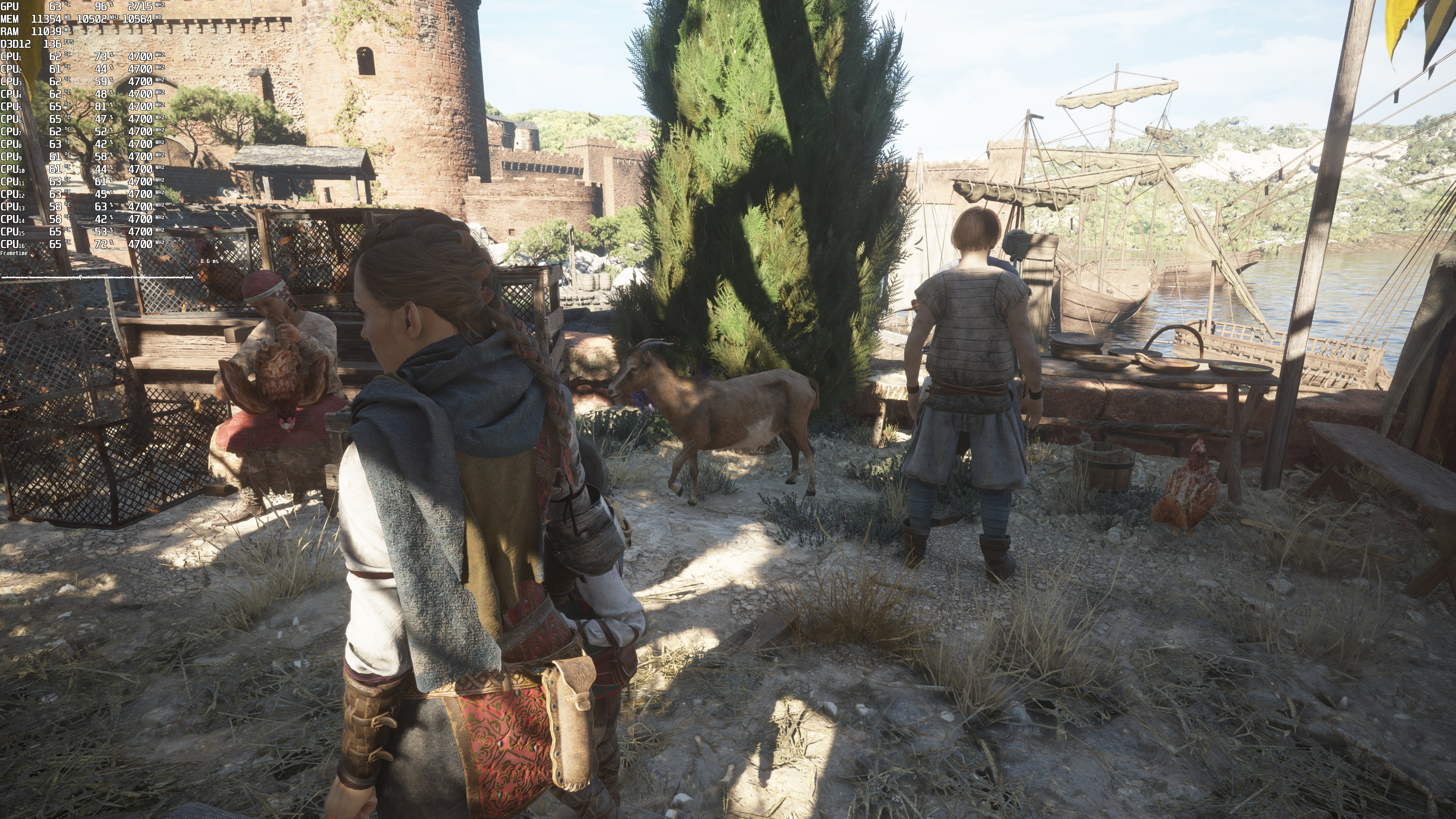
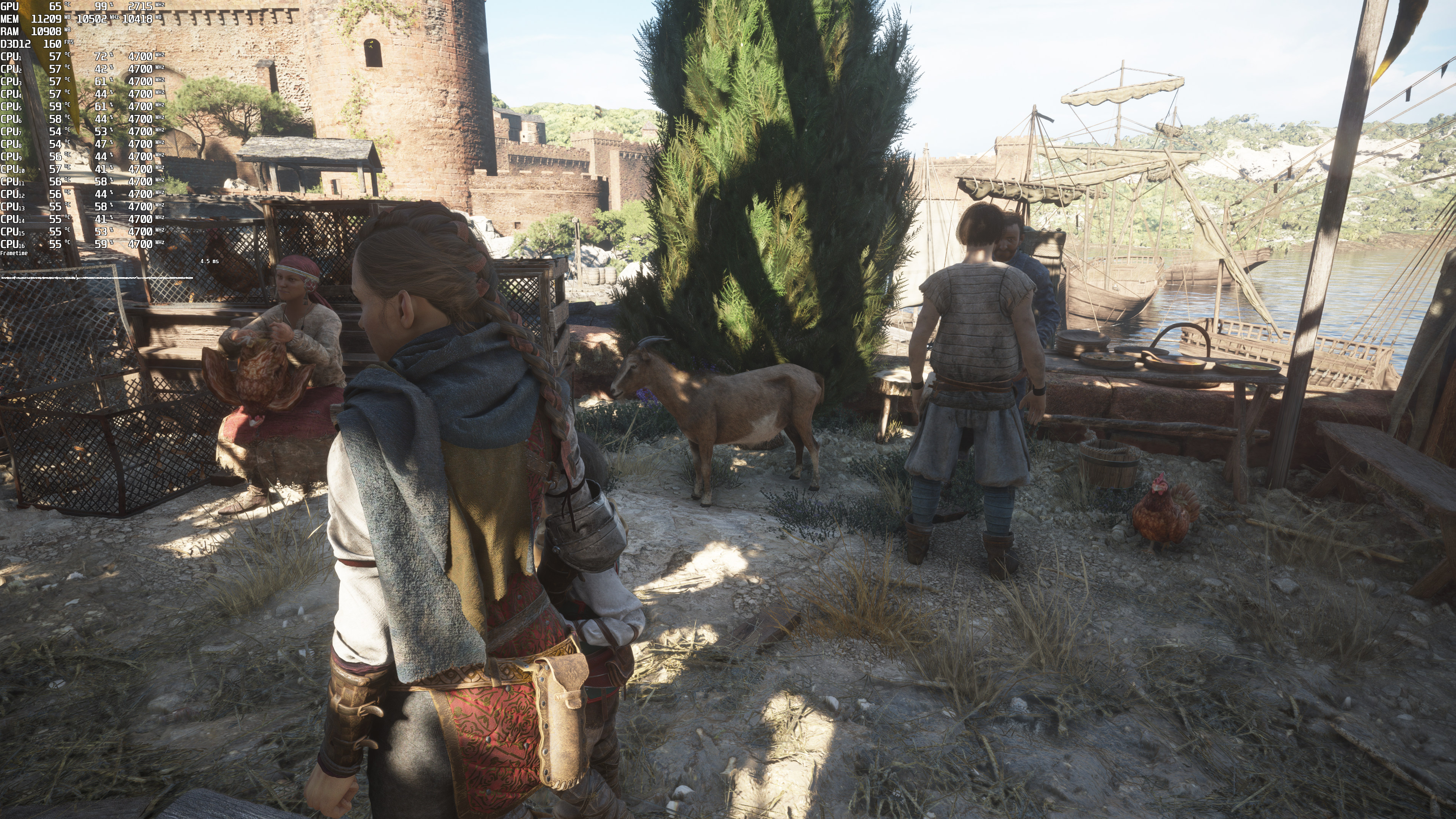
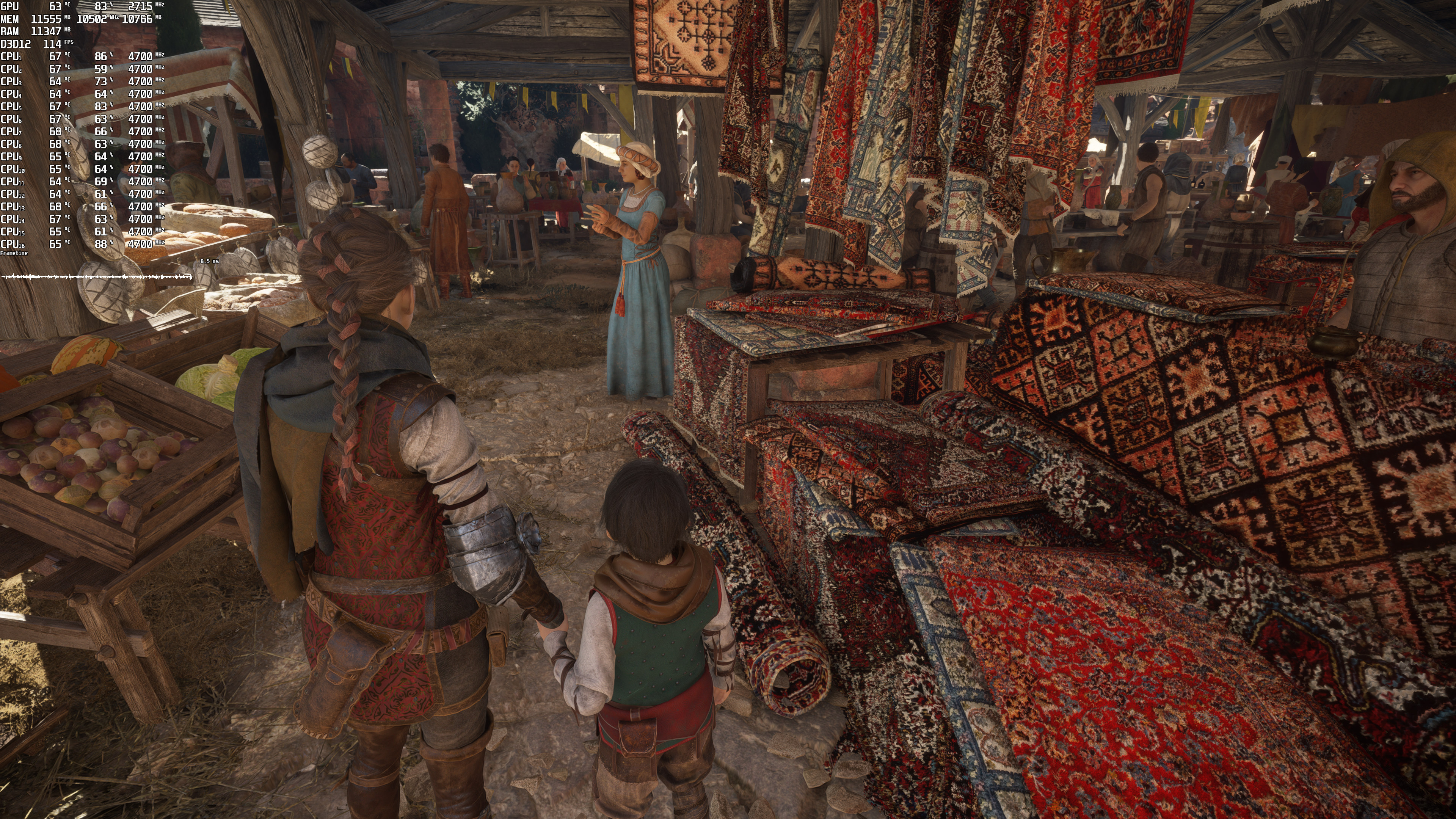
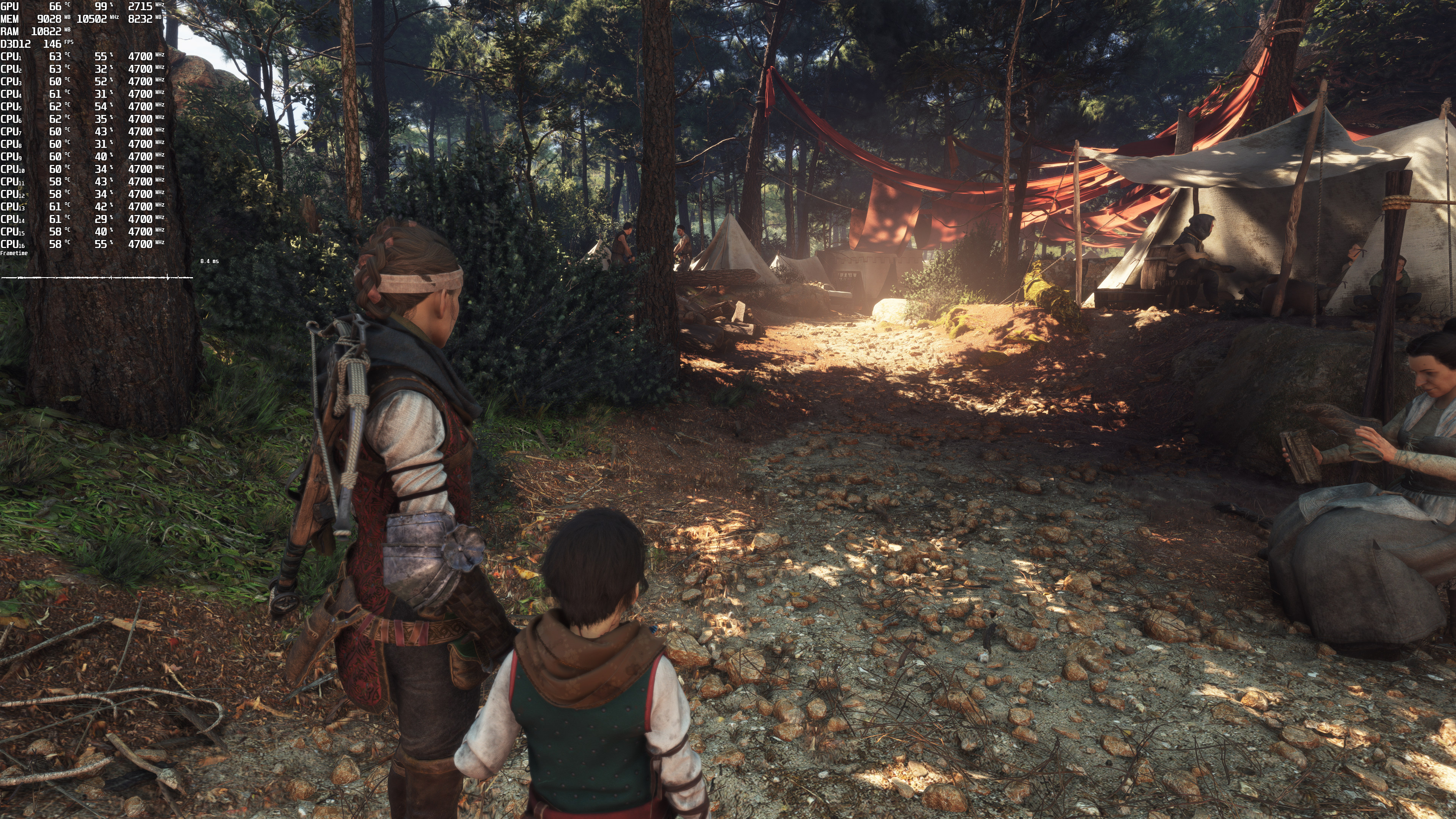
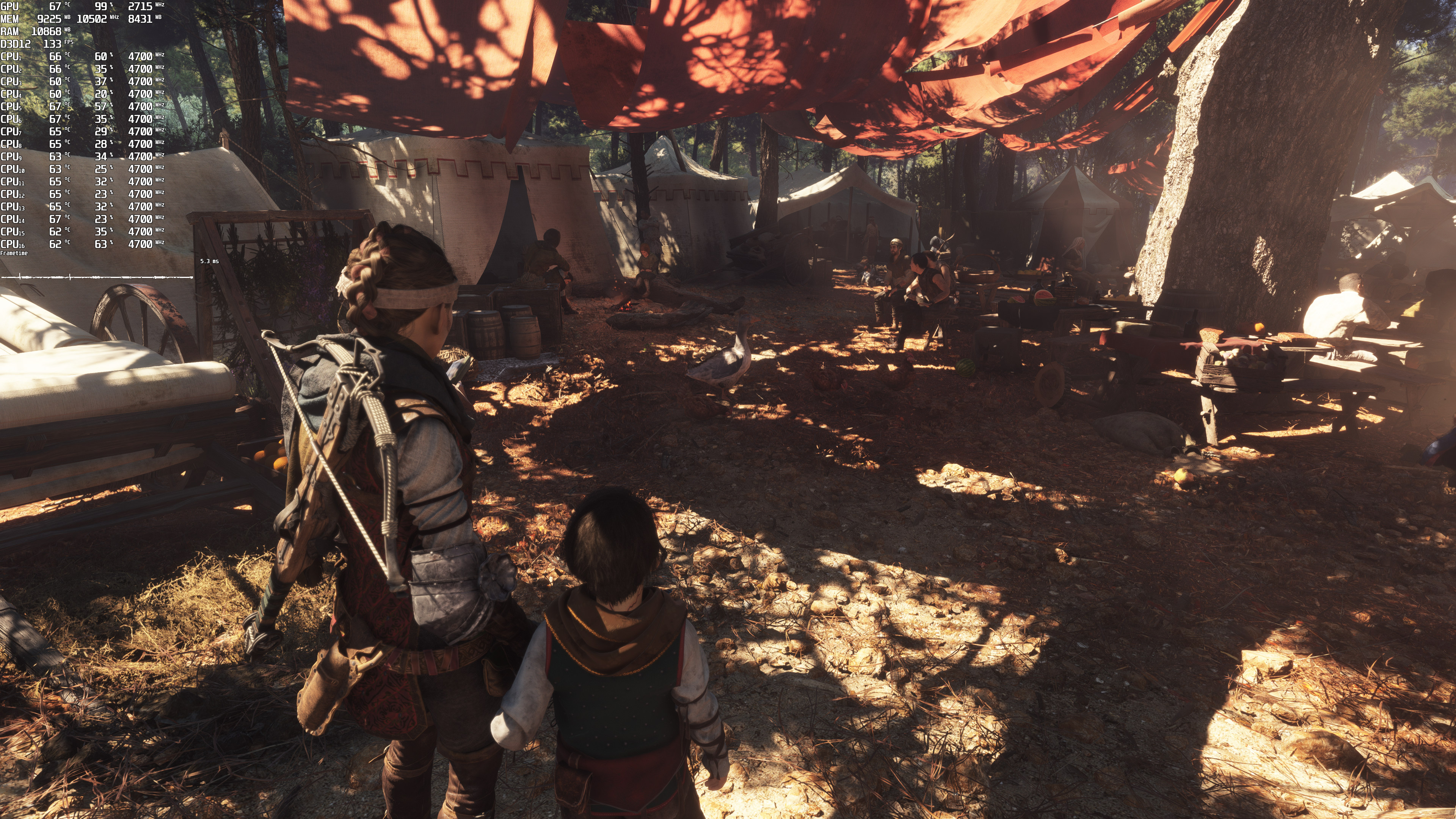
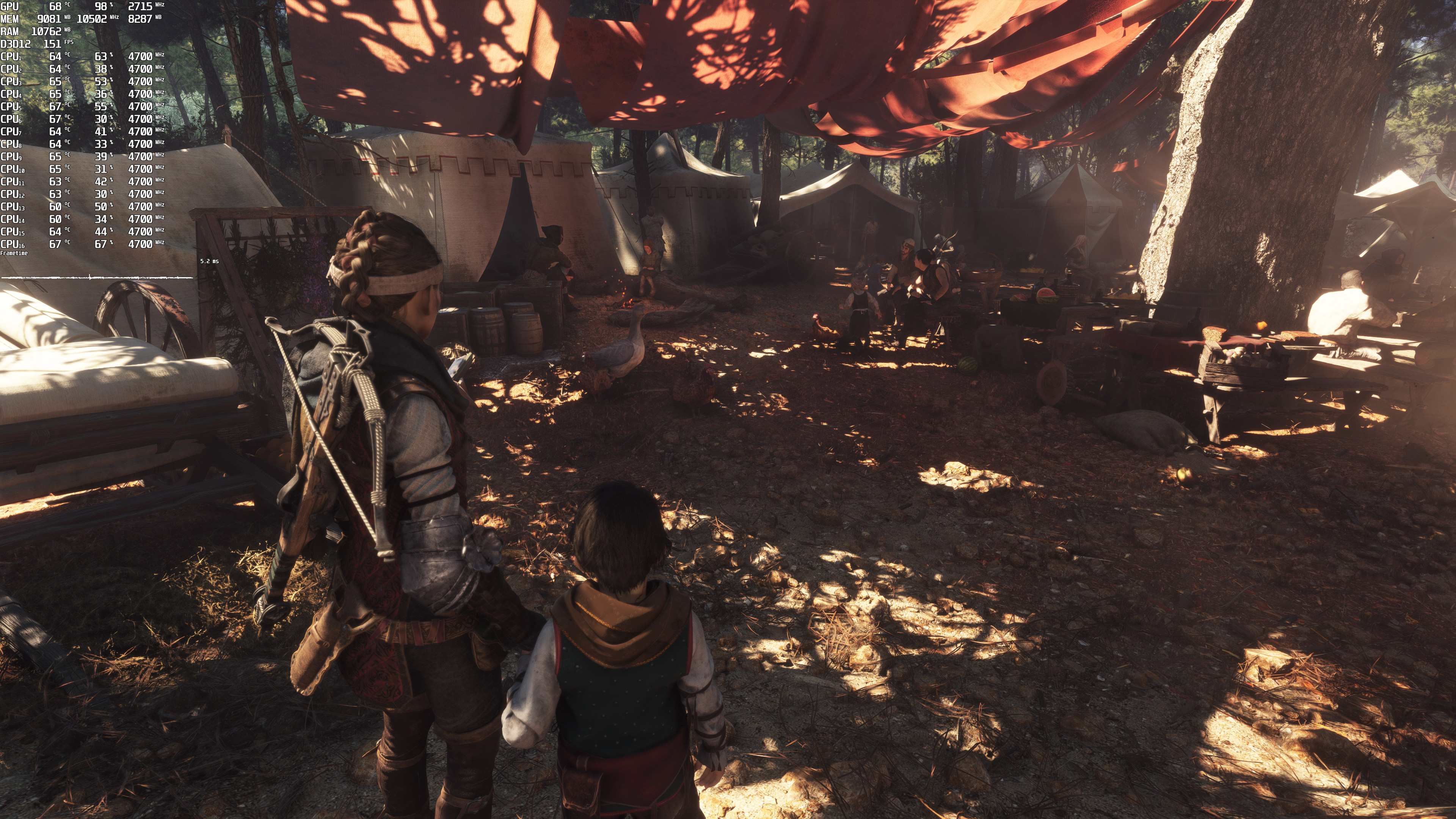
Below you can find some comparison screenshots. The ray-traced version is on the left, whereas the rasterized version is on the right. As you can see, we do get more realistic shadows (some are sharper and others are softer) with RT shadows. However, the overall image now looks flat as there aren’t any AO effects.
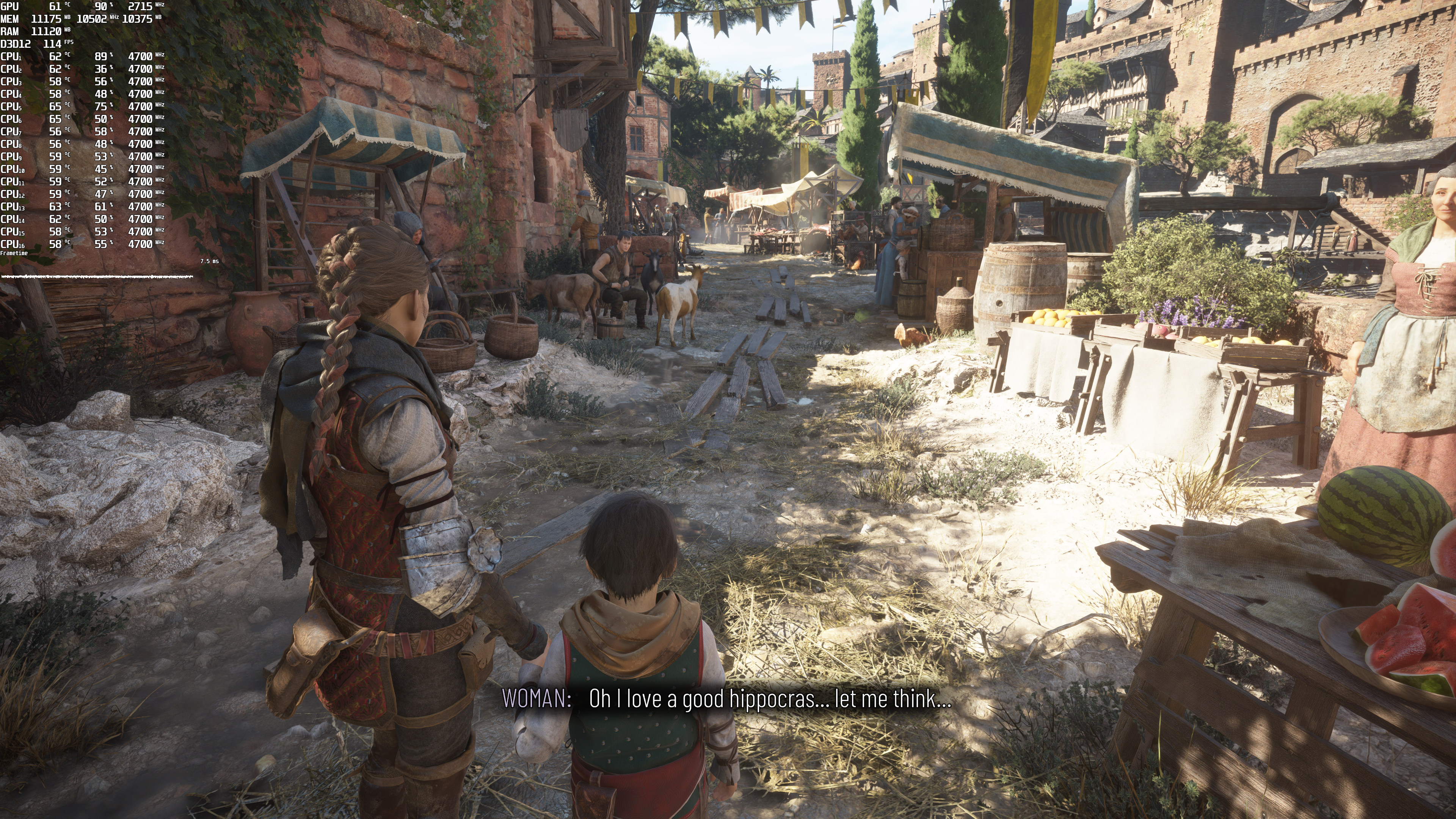
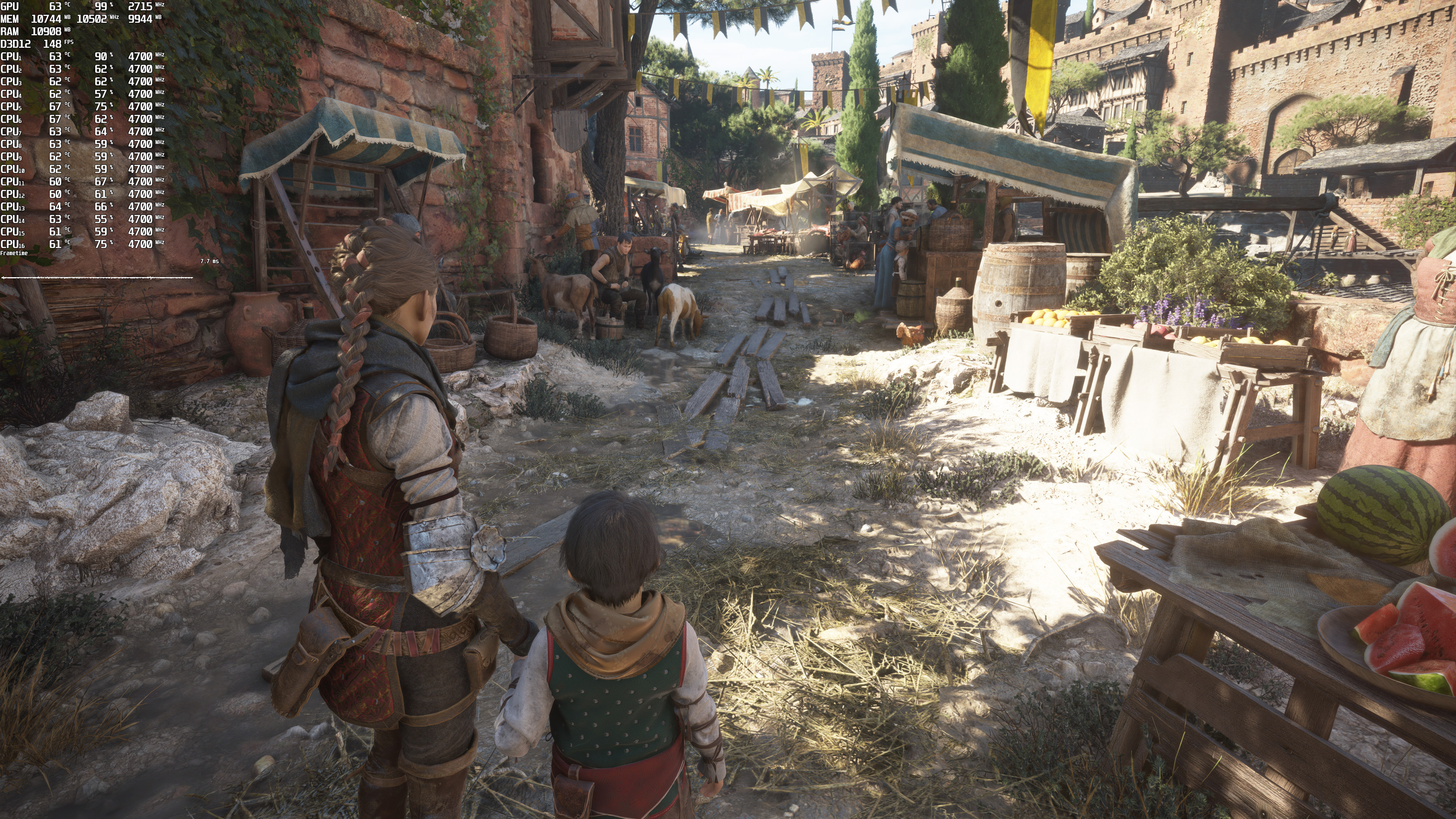
Ray Tracing-1No Ray Tracing-1 Ray Tracing-2No Ray Tracing-2 Ray Tracing-3No Ray Tracing-3 Ray Tracing-4No Ray Tracing-4 Ray Tracing-5No Ray Tracing-5

In case you did not open the images in new tabs, we’ve zoomed in on the following comparison. The top image is with RT and the bottom image is without RT. This comparison perfectly showcases how much better the rasterized version actually is.
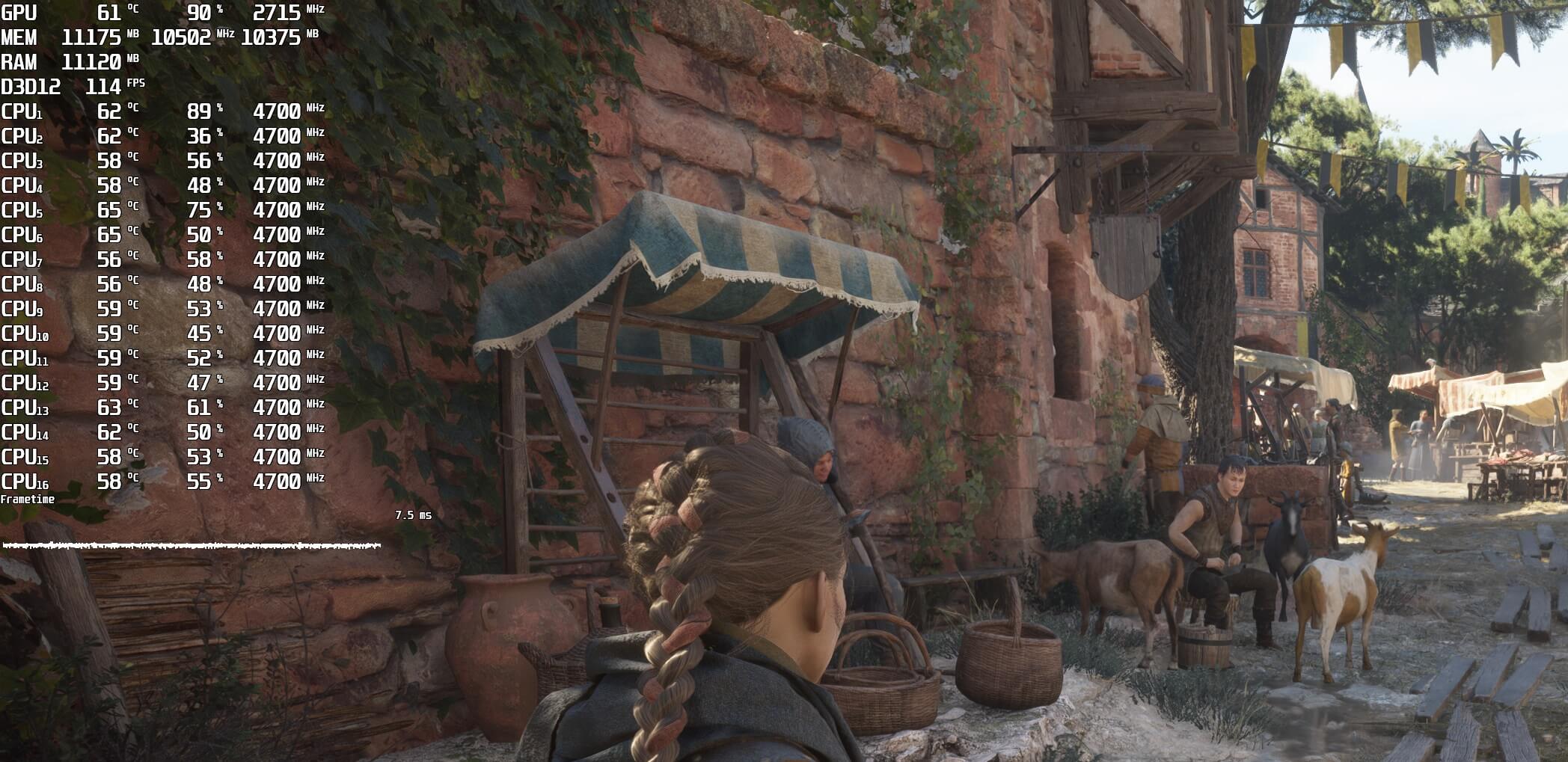
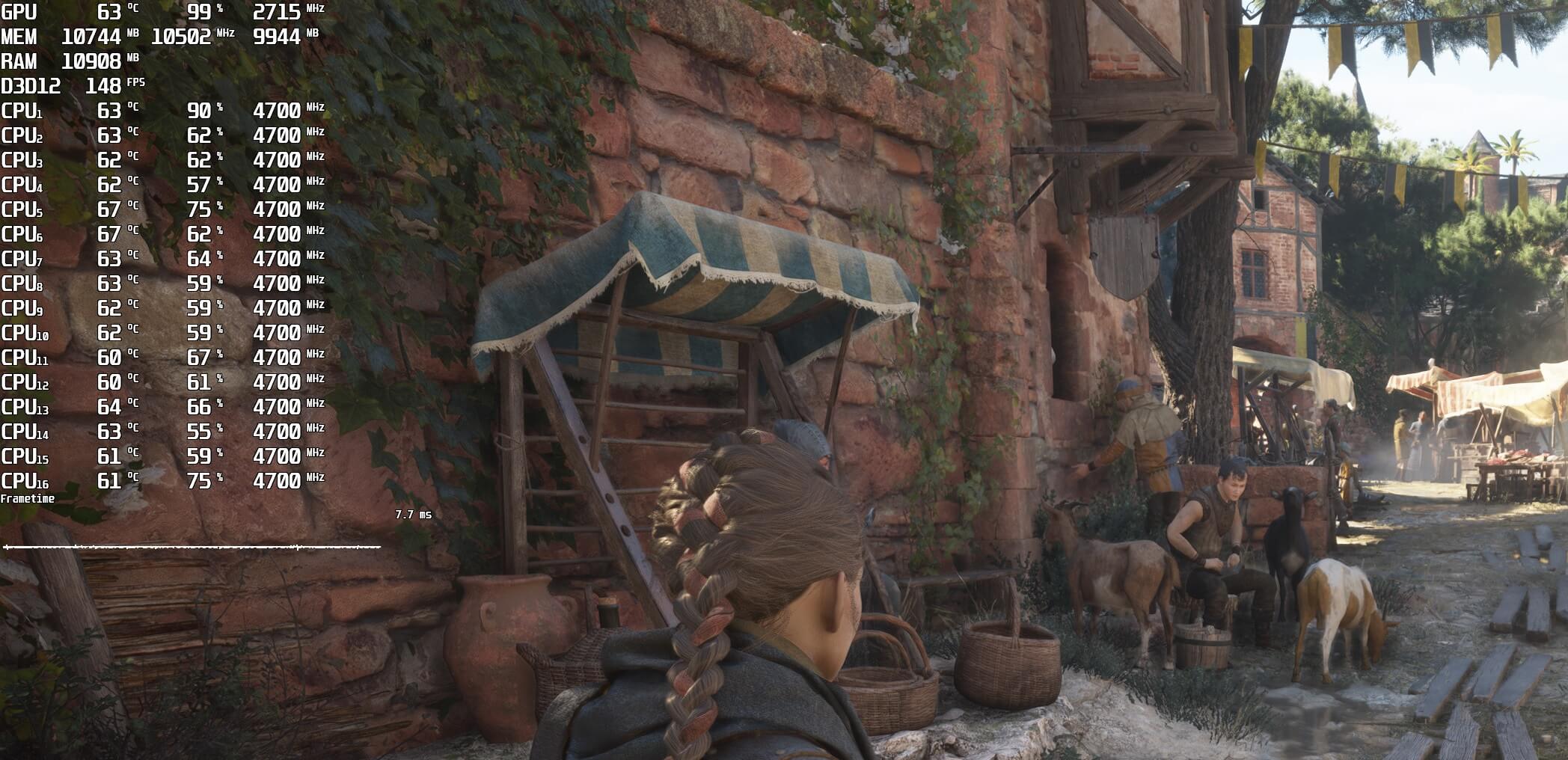
RTNo RT

What’s really disappointing here is that in some areas, the game can feel like a mixed bag. In the following comparison, the grass near Alicia (on the right) looks better with RT. However, the distant grass looks better without RT (the distant grass with RT does not have any shadows and looks flat).
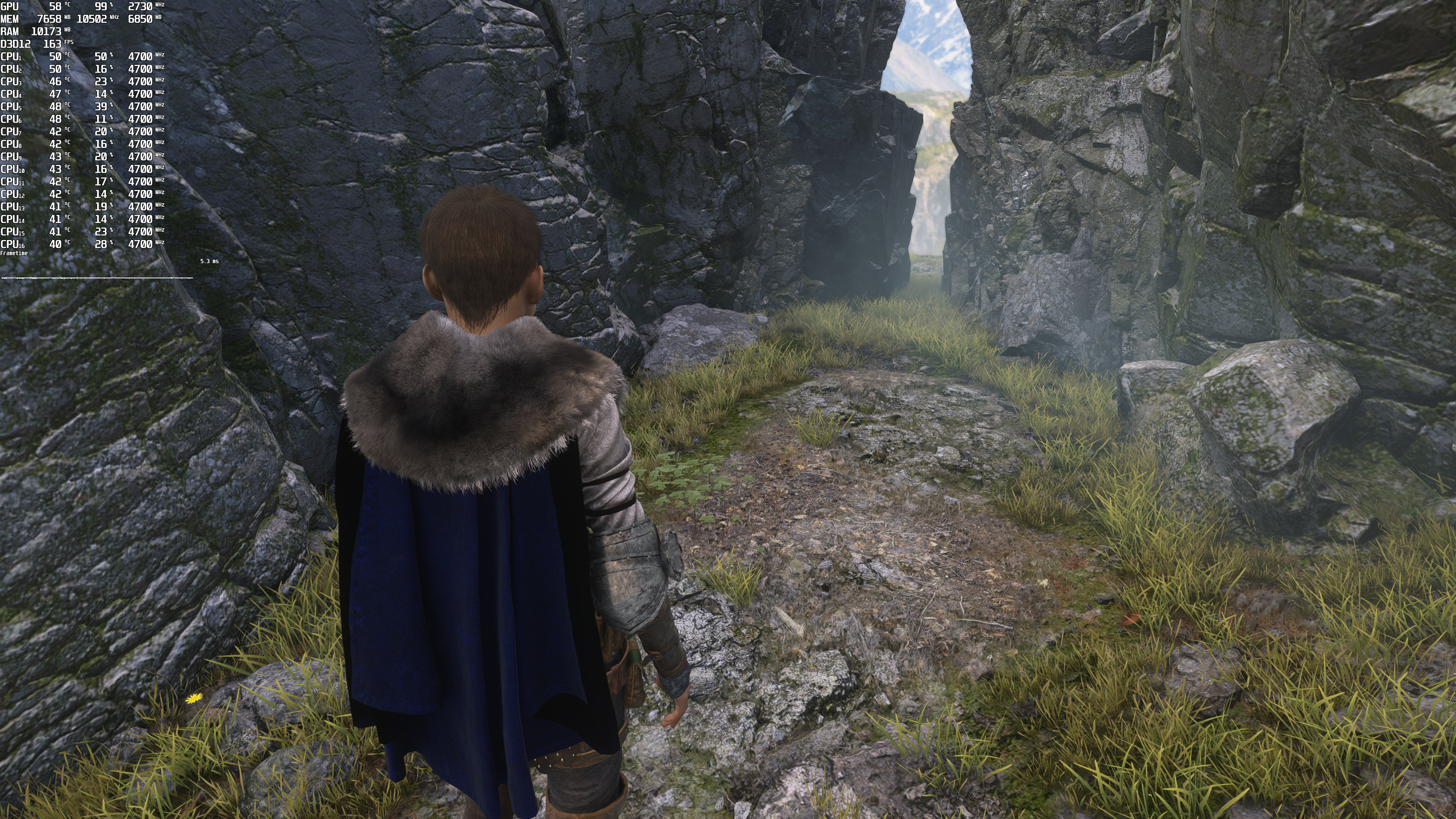
Ray Tracing-6No Ray Tracing-6

My guess is that this is a bug, so let’s hope that Asobo will be able to fix it. Otherwise, there is literally no point at all in enabling Ray Tracing. Not only do you get a worse performance, but you also get an inferior overall image quality.

Performance-wise, the NVIDIA GeForce RTX4090 has no trouble running these Ray Tracing effects with DLSS 3 at 4K/Ultra Settings. Since RT Shadows will also bring an additional CPU hit, we highly recommend using DLSS 3’s Frame Generation. By doing so, you can get over 100fps on the NVIDIA RTX4090.

We might have a dedicated PC Performance Analysis for the game’s Ray Tracing effects if Asobo addresses this issue. Right now, we don’t really recommend enabling RT in this game!

36 thoughts on “A Plague Tale: Requiem looks WORSE with Ray Tracing, comparison screenshots”

  1. I realized this when soft shadows were added to games only for my performance to tank. No thanks, i like my shadows sharp.

  2. “Performance-wise, the NVIDIA GeForce RTX4090 has no trouble running these Ray Tracing effects ”

    N one cares John….

  3. This is IMO one of the best looking games that uses no ray tracing whatsoever. It’s also one of the most hardware intensive. They had absolutely no reason to bother with RT at all.
    They completely wasted their time and effort here as not only does ray traced shadows barely look different, they weakened the ambient occlusion and the performance drops even harder with RT shadows enabled (~15-20%).

    1. Yup, the game also appears to have weird CPU bottlenecks and you can even tank the framerate and reduce the GPU utilization in some scenes just by altering your position a bit.

      1. I think part of it has to do with the amount of rats on screen. I know they released a patch a while back that added some CPU performance improvements (partially achieved by reducing rat counts), but I’m not sure by how much.

    2. yeah, they did a crazy job, when i played on my laptop 2070s ultra (about 40/50 fps with dlss balanced on 1440p gsync monitor) i was like crazy on every level. Level design art style is something astonishing, as lod on distant fields too, is probably the game graphics that amazed me more in the last 3 years after red dead redemption 2

  4. I’m not 100% sure but the last update also seems to have broken geometry/texture LOD in some areas of the game. Like some rocks look very angular and have low-res textures

  5. I dislike both raytracing and HDR.

    They do far more to ruin images than improve them.

    I’m not a tech Luddite, but these technologies come at great financial cost to users and add nothing to the user experience.

    Realtime Raytracing has been tried many times, someone has a video with all the old articles about it on Youtube. It failed every time, the drop in performance simply is not worth it.

    And these complaints that shadows lack character with raytracing have been made in the past too.

    Realtime Raytracing is like VR. Tech companies try this every decade to make some easy money, knowing it has failed every time before.

    1. soft shadows are realistic thats a fact, besides play metro exodus in rtx mode, it looks much much better, screens don’t do justice to raytracing. Some games go overboard with too many reflections etc true, it fits perfectly with cyberpunk but may not look good in different setting so its matter of taste. Even in Plague ray traced version looks better, just some people prefer unrealistic sharp shadows, its OK to like that but saying one is worse is just stupid and ignorant.

      As for performance, yup it may not be worth it but raytracing is here to stay and i bet you in future it will be only way lights are done as its only proper way to do it, all cgi, renders etc are done with raytracing and have been for years.

      As for HDR, if its not broken(often is in games) it does enchant experience a lot, you just need to have proper screen to see it. Just because your monitor or tv supports HDR doesn’t mean you will see anything as you need at least 700Nits to see HDR working and 1000+ for full effect. trust me i switched from Sony LCD to LG OLED and difference in HDR is HUGE, in fact when playing on oled screen HDR is only way to not have way too dark screen as SDR mode is set for lcd screens and especially in older games makes everything pitch balck.

      1. Just because your monitor or tv supports HDR doesn’t mean you will see anything as you need at least 700Nits to see HDR working and 1000+ for
        full effect.

        Why would I want to have a super bright screen, I don’t want one. People realised Dark Mode is much easier to look at and most people use blue light filters to take out the harsh bright light.

        I use my PC and TV in a room which is semi-dark, not cinema dark, but properly dimmed like it should be to avoid glare on a screen. I don’t want a bright HDR screen.

        1. HDR is so much more than just “bright” pictures, it shows you colours that are simply not possible on a standard display and not to mention 95% of HDR content is just highlights and not an entire screen that is like looking at the sun.

          1. the difference i got with my HDR monitor vs non HDR was a night and day difference : true blacks and no more washed out colours. More vibrant colours i never expected. Some games are truely a sight to behold with HDR.
            Some games look awfull with HDR though..

        2. with HDR you can get, for example, a bright sun or headlights on a car while everything else looks darker. Basically a much greater range of contrast that’s closer to reality, plus higher color depth. But for the best effect you really need an OLED display or an LCD with lots of dimming zones.

        3. This is not how HDR works. In fact HDR can look dimmer than SDR content, because not many people watch SDR on calibrated and dim screen (100nits). People use agressive backlight settings when they watch SDR, so entire picture is very bright at around 300-400nits, while on HDR average APL is around 250nits, and only certain details like for example lights will be brighter than this.

          SDR can only display details between 0 and 100 nits, so SDR TV can display very limited shadow and highlight transitions compared to 1000 or even 4000 nits. You simply get much more details with HDR content, not to mention much wider color gamut.

      2. HDR looks the best on TVs that can control brightness on the pixel level, because only such technology can display extremely bright details next to the dark ones and do it without blooming.

        TVs with around 1000 nits and above will display extremely impactful HDR, but even 400 nits display makes a big difference, because you get 4x the amount of details in the highlights and shadows, but also much wider color gamut (SDR rec709 colors are very unsaturated next to BT2020).

        But HDR results will depend on TV quality. I have seen two sony LCDs with 400 nits, one was much older (one of the first sony TVs with HDR implementation) and the 2’nd one was their latest model. HDR on this old sony TV looked flat, and games had this extremely oversaturated look. On new model however I was really impressed despite only 400nits. Older TVs have much worse tone mapping from higher nits and cheap monitors with 400 nits standard usually have huge details crush in bright areas like clouds.

    2. What is wrong with HDR? It costs literally nothing fps wise and if you have a capable TV/monitor the difference in colors is impressive

  6. In all of those RTX OFF / RTX ON videos, the RTX version looks worse.

    Even the raytraced puddles look worse since puddles are rarely that reflective.

    1. Watch the digital foundry video of Dying Light 2 with RTX on vs off and in the vast majority of cases it looks significantly better and almost like a different game, the level of immersion added from the atmosphere that the RT lighting and shadows brings cannot be overstated.

      1. Except in dying Light 2 there is a memory leak in RT mode and the game isn’t actually playable that way. This was never fixed by the developer: face it, nobody cares about RT.

        1. I have put about 100 hours into it with RT on, and the performance was shocking to start with but has improved with nearly every patch and runs like a dream for me now, constantly above 100fps with everything max at 4K and dlss on quality.

    2. Real puddles have very sharp reflections.

      https://uploads.disquscdn.com/images/812037c2c6263d17e13cdb25590fbb38af0ced4cc3be6231f0d164dadf6f4c17.jpg

      https://uploads.disquscdn.com/images/5f84e084740176950855250a35024173ab04dfab48d3471660c2d21f2b7fbe64.jpg

      I havent seen many comparisons where RT versiom would look worse. Even The Witcher implementation makes a big difference and looks much better. This YT channel has many comparisons like that, so tell me in which comparison RT version looks worse to you.

      https://youtu.be/_o59iS_4SHY

    1. It is more realistic, ultra sharp shadows don’t appear IRL unless they’re close to the light source or the object casting the shadow. Go outside, look at trees and see for yourself. What’s missing from SotTR is RTGI and RT Subsurface scattering. You’d expect the shadows cast by leaves to take on their colour somewhat and not just be black as light permeates through them, unlike say the tree trunks.

  7. This is really interesting, You’re a very skilled blogger. I’ve joined your feed and look forward to seeking more of your magnificent post. Also, I’ve shared your site in my social networks!

  8. I think you are very high. The rasterized images showcase a growing problem with games the last decade of overbearingly unrealistic indirect shadows from poorly configured SSAO.
    Every single shot looks objectively better and more physically accurate than the SSAO implementation. There is no more overshading to an unrealistic degree (look under characters legs and beams of wood for example), no photoshop like drop shadow effect, there is no haloing artifacts from a low sample count + high blur setting + limitation of being screen space based (it can’t see under the objects and usually leaves ugly obvious gaps in shading around objects) and in motion i’m sure it looks far better with none of the artifacts of drawing it in at the outer most quadrants of visible screen space.
    This is one of the few ray tracing upgrades I can get behind as it only brings positives and does not add new image quality downgrades like so many others do, due to low rays per pixel and temporal filtering that adds artifacts.

  9. Finally got around to playing this. Rasterized shadows are rather good but I hate SS artifacts and rt shadows solves that. Worth the performance hit in my experience. YMMV.

Leave a Reply

Your email address will not be published. Required fields are marked *