
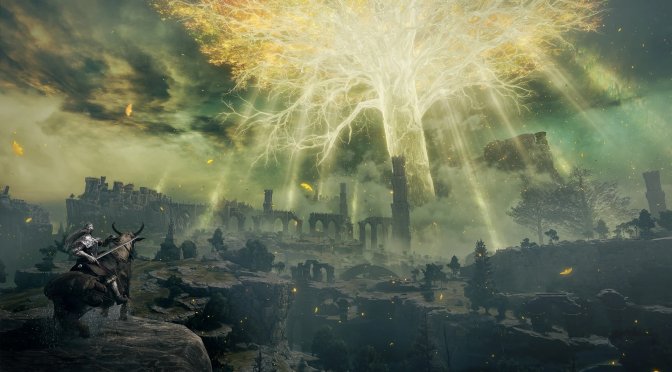
Elden Ring screenshots-6

Elden Ring PC Patch 1.02.1 released, full patch notes revealed

FromSoftware has released the first PC patch for Elden Ring. According to the release notes, Update 1.02.1 attempts to resolve some issues related to Easy Anti Cheat (EAC).

Additionally, this patch attempts to improve the mouse controls. Furthermore, reduces the number of files needed to load when entering a new area.

Now since we’ve been benchmarking the game, we can share our thoughts on this first PC patch. Unfortunately, the game still has major stuttering issues on both AMD’s and NVIDIA’s hardware. So yeah, don’t expect a smooth gaming experience even when with this new patch.

Not only that, but the mouse controls feel a bit worse now. Mouse sensitivity is lower than before, resulting in really slow mouse/camera movement. Thankfully, those with different DPI profiles can overcome this issue. Still, FromSoftware should provide better mouse controls (and not just lower the overall mouse sensitivity). Oh, and while we are at it, let’s also get an option to completely remove the game’s camera auto-centering functionalities (as they are completely unnecessary when playing with the mouse).

Our PC Performance Analysis will most likely go live tomorrow. Below you can also find the complete changelog of this first PC patch.

Elden Ring PC Update 1.02.1 Release Notes

  • Start-up issues related to Easy Anti Cheat (EAC) have been improved.
  • Mouse operation improved.
  • Reduced number of files needed to load when entering a new area.

26 thoughts on “Elden Ring PC Patch 1.02.1 released, full patch notes revealed”

  1. “let’s also get an option to completely remove the game’s camera auto-centering functionalities (as they are completely unnecessary when playing with the mouse).”

    Completely agree. In fact, even when using a controller (depending on the game), I sometimes disable those “features”. There’s nothing more infuriating than a game wrestling control away from you

  2. Still had huge frame drops fighting the fisrts boss, rest of the time is butter smooth, bud damm, it was the worst experience i had in years playing.

    still the game is something else, im completedly hocked

  3. Less loading… what. They actually start utilizing spare vram for once rather than dealloc even when vram is available and then reload the same asset a frame later? Nooo that would require half a working brain and an ounce of skill atleast. (Sadly yet have to see a single game that takes advantage of the available 24gb of vram without almost continuously stream in textures etc like most slack-ass coded open world games today do causing texture pop-ins and stutters… but i guess the crying of omg my vram is maxed crying would begin instead kinda like the windows disk cache ram eating when hmm less enlightened persons didnt get it was actually a good thing for performance…)

    Same goes for ram.. a machine that have enough ram to load the entire darn game (decompressed) should never have to load anything more than once – The rest are just lazy coding imo

      1. Ah I wasn’t aware it was bugged… I only noticed it in RE3 as I upgraded from a GTX 1080, and I had to keep the VRAM below 8GB in RE2.

    1. This is what removed stuttering on my PC

      Change Elden Ring Graphics Settings in Windows
      Here’s another option that numerous players are reporting as a working one. This one requires you to change Graphics Settings for the eldenring.exe file in Windows.
      Search “graphics” in Windows bar search
      Click on “Graphics Settings”
      At the bottom, select “Desktop app”
      Click search and find eldenring.exe
      Click “Options” and select “High performance”
      Disable Microsoft Device Association Root Enumerator.

      Press Windows key + X simultaneously
      Select “Device Manager”
      Double-click on “Software devices”
      Right-click on “Microsoft Device Association Root Enumerator”
      Select “Disable Device” (or “Enable Device”, when you enable it back)
      See if this has fixed your Elden Ring stuttering issue. If stuttering and frame drops are still present, another thing you should do is to turn off apps such as MSI Afterburner and other similar PC optimisation apps, as they are known to cause issues in games

      Then I chose borderless windowed mode instead of full screen. Some people have said playing in offline mode and disabling anti cheat helped them also. Plenty of guides out there for what works for different people search it if those steps don’t work.

      Cheers

      1. Fromsoftware shill and fanboy provides useless tips from reddit “experts” that don’t know sh*t.
        Those idiots don’t even what is ” Microsoft Device Association Root Enumerator” and what is doing…
        Holy crap.

  4. It would be super to also keep the moyselook locked on the direction the character is facing, thus negating any need to lock-on target.

  5. The “quality” of this port is ridiculous, so far worse than even ds2 was initially.

    A barebone, insulting, halfassed job – whether it’s on performance side or kb’m side.

    itallsotiresome.jpg

  6. Just use a f*king controller, these games are designed for it. I don’t understand what is to be gained from insisting on using mouse kb. This is no fps, it’s way more intuitive with a controller.

    1. Third-person games work best with K&M (provided there is mouse raw input support and proper K&M prompts). Auto-targeting is not a “feature”, it’s an assist because controllers cannot rotate quick enough the camera. Thus, a mouse is WAY better than a controller (you can more easily control the camera, rotate it, etc). This is pretty ironic when we’re talking about a “hard” game (imagine that, a hard game having control assists and not difficulty modes. This is the epitome of irony 😛 )

      1. Lol, ok, i guess if you say so that’s how it is, right? It doesn’t matter that in this game you have weapons in both hands and the whole game has been designed for controller, you aim with the mouse better. There’s something wrong with you guys
        I swear. Find me a good player that uses mouse, nobody. All streamers use controller, all good players use controller, only stupids here in the dark side of idiocy can’t use it and need kb and mouse.
        Oh i forgot, is there a FOV slider ? You guys are not able to play games without it i remember since the gow4 discussion. Quit this game and gow 4, play fortnite, it works with mouse and has fov slider ( does it ? )
        Did you play this game John. Where did you see autotargeting ? The lock on feature is not that.

        1. I assume YOU haven’t played it (because I’ve already spent more than 10 hours in it). When you are riding the horse, you can’t look behind (the game automatically centers your view when you try that). This is completely different to the game’s lock-on feature (which you’d have known if you’ve played it). So, better speak for things you’ve actually played. And FYI, I’ve also finished God of War 4 (and I didn’t have any problem at all with the Valkyries) and Dark Souls 3.

          Here is some PC gameplay footage with Keyboard & Mouse which shows how perfectly fine the game plays with it (excluding the auto-centering when riding the horse) -> https://youtu.be/qTdrh6WjpZg

          1. Dude, i bet I’m more into the game than you are. What s your level. Do you want to pvp ? Did you even kill Godrick yet ?

Leave a Reply

Your email address will not be published. Required fields are marked *