
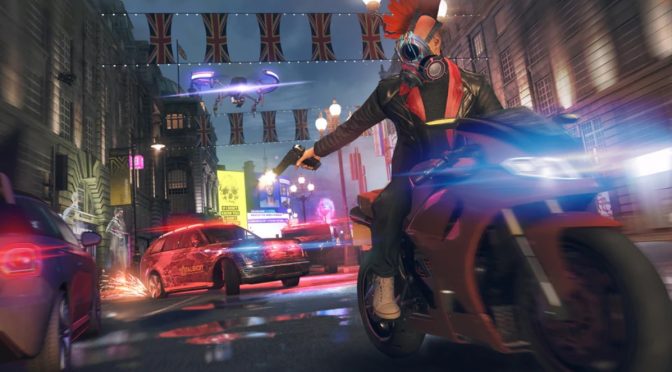
Ubisoft has announced that a brand new update for Watch Dogs Legion will release later this week on the PC. According to the release notes, update 2.20 will add CPU optimization with the aim to increase framerate on high-end PCs in DirectX 12 mode.
Furthermore, this patch will fix a number of issues. For instance, it fixes an issue that caused the game’s framerate to drop significantly when looking at water or reflective surfaces. It will also fix an issue that could cause the game to crash under certain rendering conditions.
Additionally, patch 2.20 will add a manual Save button on the PC. Not only that, but it will also bring general stability improvements.
In other news, Ubisoft also announced that the game’s Multiplayer/Online Mode has been delayed until 2021.
Naturally, we’ll be sure to benchmark this performance update the moment it comes out. You can also find below the complete changelog for Watch Dogs Legion Update 2.20.
Watch Dogs Legion Patch 2.20 Release Notes
Global
- Fixed an issue that could cause longer load times when exiting to the main menu.
- Fixed an issue that could cause save games to get corrupted.
- Also fixed an issue that could cause lost progress during Borough Uprising missions when loading back into the game.
PC
- Added a manual save game button to the Pause Menu.
- Fixed an issue that could cause a Borough to not be liberated despite the player having completed all necessary activities.
- Fixed an issue that allowed players to load a save game over save file slot when playing with Permadeath enabled, resulting in an infinite loading screen.
- Also fixed an issue that could cause save games to get corrupted after a crash or freeze.
- Fixed an issue that could cause the game to crash when one or all Operatives die.
- Added CPU optimization that increases framerate on high end PCs in DirectX 12 mode.
- Fixed an issue that caused the game’s framerate to drop significantly when looking at water or reflective surfaces.
- Fixed an issue that could cause Operatives to go missing after the game crashed.
- Also fixed an issue that caused the game to become pixelated with DLSS enabled and playing on the lowest available resolution.
- Fixed an issue that caused Reflection, Ambient Occlusion and Subsurface Scattering to not save their value after changing the graphic quality from Custom to Low/Ultra and back.
- Fixed an issue that could cause the game to crash under certain rendering conditions.
- Also fixed an issue where some players would see a “Dunia Demo” error message and be unable to launch the game.
- Added further stability improvements and fixes to the game to prevent crashes.

John is the founder and Editor in Chief at DSOGaming. He is a PC gaming fan and highly supports the modding and indie communities. Before creating DSOGaming, John worked on numerous gaming websites. While he is a die-hard PC gamer, his gaming roots can be found on consoles. John loved – and still does – the 16-bit consoles, and considers SNES to be one of the best consoles. Still, the PC platform won him over consoles. That was mainly due to 3DFX and its iconic dedicated 3D accelerator graphics card, Voodoo 2. John has also written a higher degree thesis on the “The Evolution of PC graphics cards.”
Contact: Email
Oh god,these devs are so incompetent that even with dx12 api they need to fix cpu optimizations.
Haven’t taken a dive into the matter but would not surprise me at all considering the lack of performance @ lower settings. That or the multiple layers of drm capping the performance.
There are good and bad examples of how drm have been implemented and UBI have pretty much always been on the draconian side of how they implement it for max protection protection so it would not be surprising if its on the bad side.
Running part of the main loop under a WM and then have that WM protected with Denuvo for instance have been part of their stunts in the past – Tanked performance when doing it that way… no sh*t!
It’s not native DX12.
Ubisoft doesn’t even care about limit of draw calls per API, Unity is the perfect example.
Origin of this engine are first two Ass Creed games and some Dunia, both had terrible multicore support.
In this game you need to do that old trick, set cpu cores to 0 in menu, and then in loading set back to all cores LMAO
Game is also protected by VMP and Denuvo, VMP every second calls the CPU and RAM, Denuvo call for CPU, RAM and HDD.
Imagine watching a movie, one guy every 1second stops and plays the movie other guy every turns off and on the audio 😉
I have never heard of doing this with the cores, any chance of a walkthrough on how to do it for a noob please?
It’s done with task manager (control alt delete).
The best thing to do is use bills2 process manager. Then you can set rules for games like what cores to use and priority. Bills2 will set it when it detects the exe launch and make sure it doesn’t change.
So I set any game that seems to run funny or badly to use all cores and have high priority. Of course allowing it to use all cores doesn’t mean it will. It depends on the engine.
Dunia in Far Cry 2 ironically had amazing multicore support. It’s only with FC3 and onwards the engine started not caring about more than 4 threads.
Actually the origin of this engine is Driver San Francisco. That game ran amazing even when new and that was with the ability to jump into any car in the city with zero loading.
I know they merged some parts of dunia but the core is from Driver.
The engine isn’t native dx12 as @Pimpek said. It’s dx11 with some dx12 function calls. That’s how most engines are, even vulkan ones and it’s very inefficient.
If the engine was build for dx12 it would perform significantly better on everyone’s machine.
Of course they still support dx11 because of the people on Windows 7…of course I don’t expect that to last much longer. In fact this holiday is probably the last.
These engines were made for the ps4 and xb1. The new engines will likely be built for dx12 and vulkan only and we should see them in next holiday’s games.
MANUAL SAVE LMAO
Manual saves?! Has technology come that far??
What a time to live in … This is an absolutely marvelous futuristic era to live in..GAMERS REJOICE !
Yupp, we love in amazing times – Took screens almost 20 years to catch up to CRT’s refresh rates and imagine… manual saves back already in 2020 😛
Ubisoft is improving framerates and performance in their games ? What kind of Sorcery is this ?!
*ADDS MANUAL SAVE
Dude what is it with devs these days like this feature has been in games for DECADES. What, someone forgot to code it in ? Needed more time ? Next time they’ll say “new update adds blue color to our game”
Fkin garb.
I’ll grab it in months at this pace
The last update fixed a lot of frame rate issues. Can’t wait to see what this brings. I’m already running 4k ultra and getting 55 fps. Hope to see a steady 60fps
Let’s see if this fixes the issue where the game runs at like 15fps on my 2080ti and 3080. It doesn’t matter what settings or resolution, it doesn’t matter if I use dx11 or 12..
Ubi Support useless as they are told me it was a known bug and would be fixed but for some reason I have my doubts. I sent them dxdiag and msinfo so they know my specs should allow me to play at 4k60 with DLSS on balanced or performance.
It’s probably the 3 layers of drm causing some kinda conflict on certain people’s systems for god only knows what reason.
I told defender to ignore the entire folder so it’s not a conflict there.
s***ne is the final villain!!!! there
now you dont gotta play this sh*t