
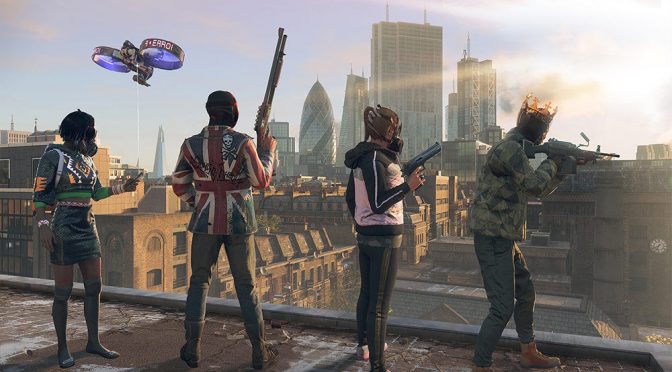
The review embargo for Watch Dogs Legion has been lifted and we can finally share our PC performance impressions of it. Watch Dogs Legion is a new open-world game, powered by the Disrupt Engine. The game uses DX12, and takes advantage of both real-time Ray Tracing and DLSS 2.0. In this article, we’ll be focusing on these two features.
For our tests, we used an Intel i9 9900K with 16GB of DDR4 at 3600Mhz. Naturally, we’ve paired this machine with an NVIDIA RTX 2080Ti. We also used Windows 10 64-bit and the latest version of the GeForce drivers.
Watch Dogs Legion comes with numerous graphics settings to tweak. Additionally, NVIDIA owners can select between DLSS Performance, Ultra Performance, Balanced and Quality. The game also provides three quality settings for its ray-traced reflections; Medium, High and Ultra.
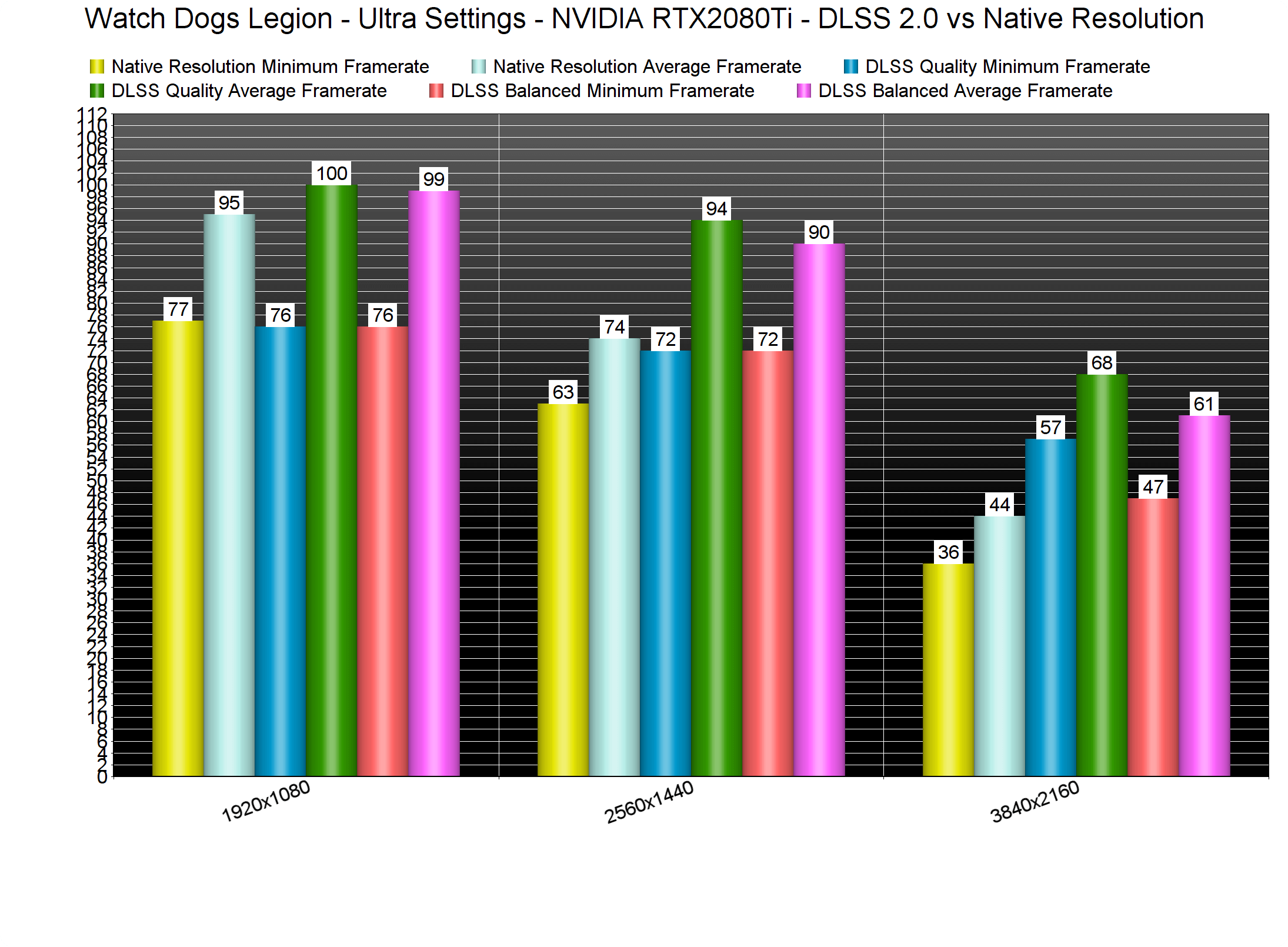
Let’s start with some DLSS 2.0 and native resolution benchmarks on the non-RT Ultra settings. Our RTX2080Ti was able to run the built-in benchmark with more than 60fps at both 1080p/Ultra and 1440p/Ultra. In native 4K, this particular GPU was able to push a minimum of 36fps and an average of 44fps.
When we enabled DLSS, our RTX2080Ti was bottlenecked by our CPU/RAM combo at both 1080p and 1440p. Yeap, you read that right. An Intel i9 9900K is actually bottlenecking the RTX2080Ti at 1440p/Ultra/DLSS. At 4K and with DLSS Quality, our RTX2080Ti pushed a minimum of 47fps and an average of 61fps. With DLSS Balanced, we were able to get really close to a 60fps experience.
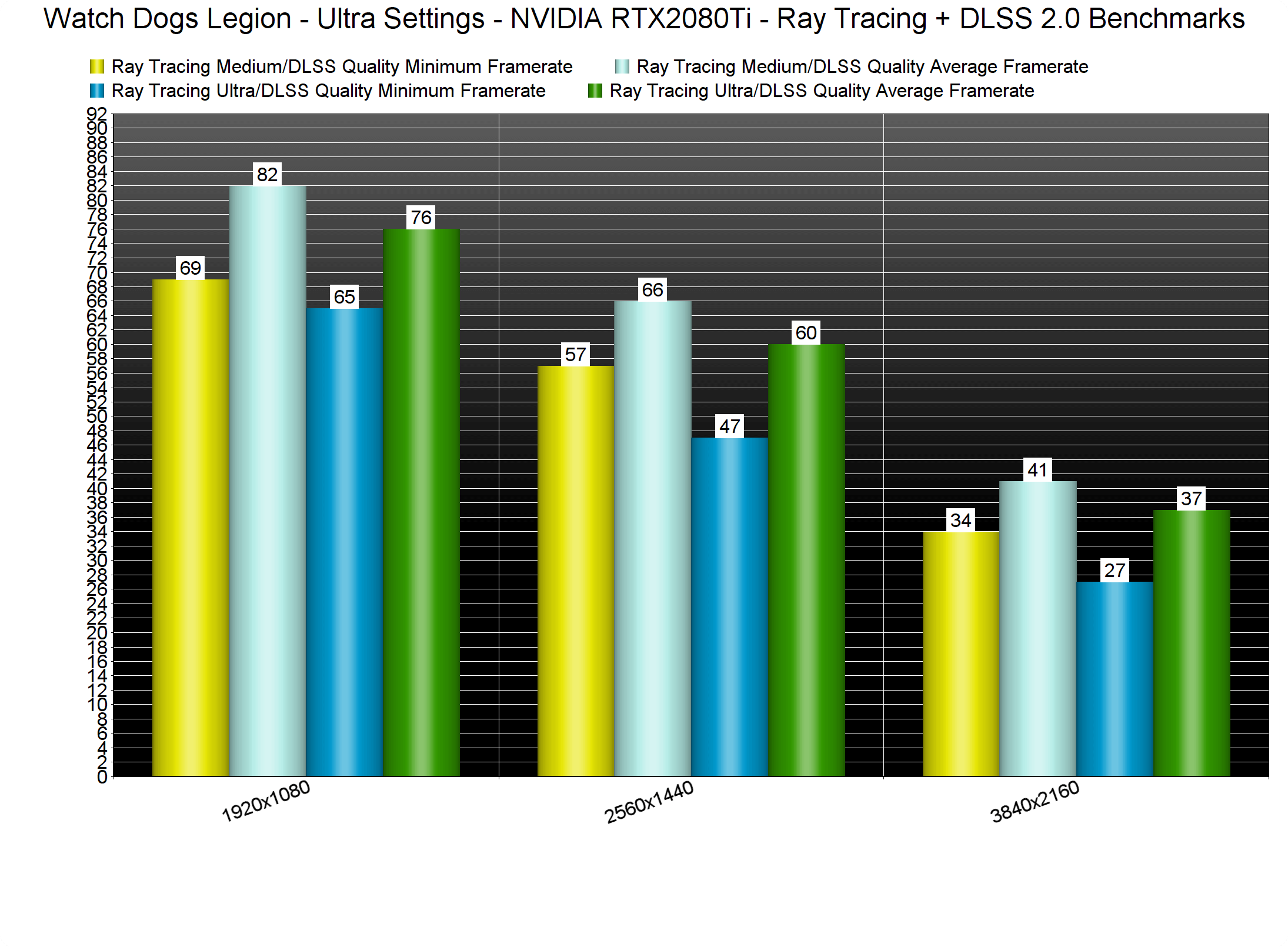
Watch Dogs Legion’s Ray Tracing effects are quite demanding. Without DLSS, we were able to get acceptable performance at only 1080p/Ultra/Medium Ray Tracing. At both High and Ultra Ray Tracing, we saw dips below 55fps. Moreover, the game was constantly running below 30fps in native 4K/Ultra/Ray Tracing.
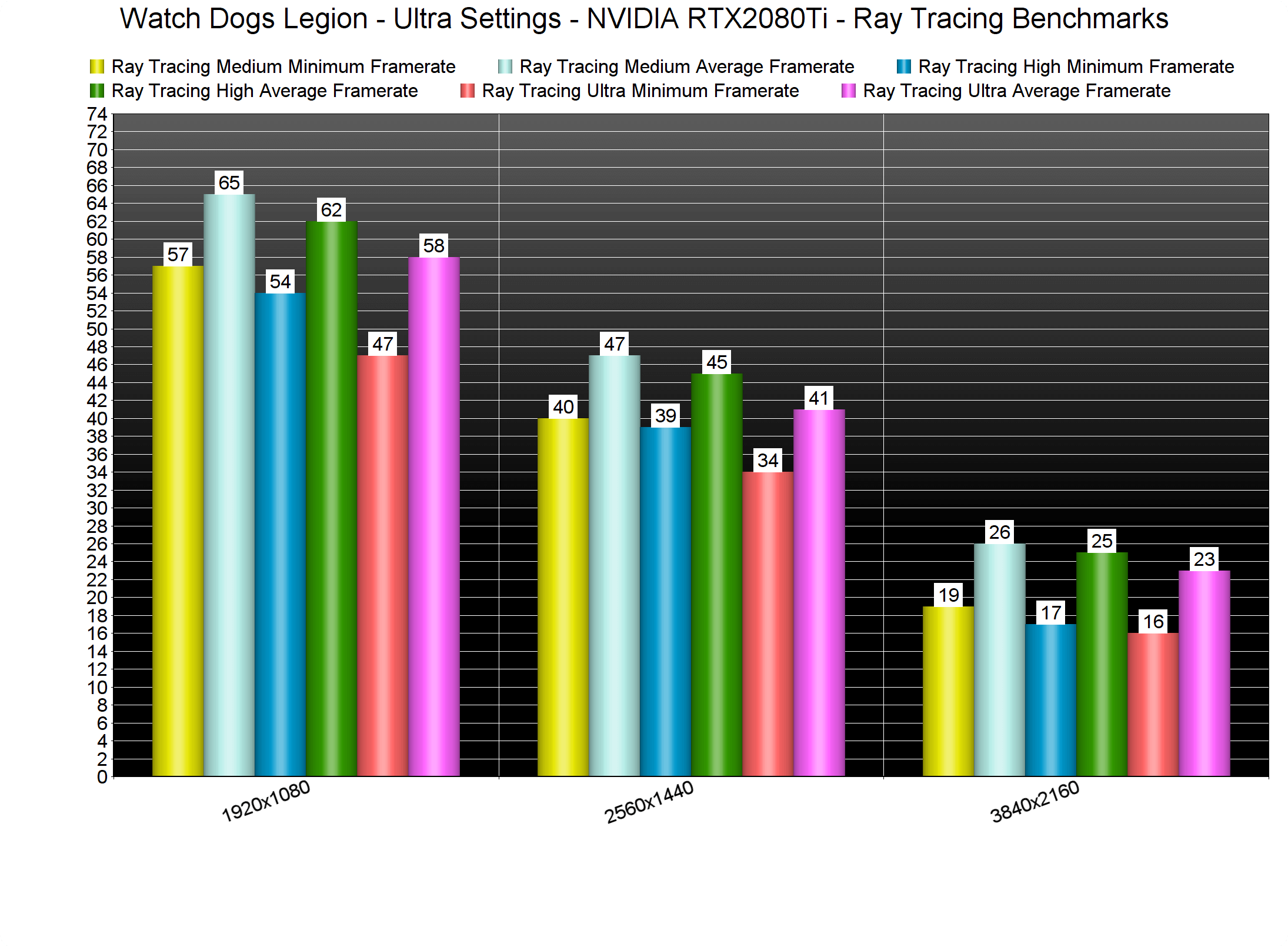
What this basically means is that DLSS is the only way you can really enjoy the game’s Ray Tracing effects. However, we only suggest using Quality Mode as Balanced Mode can noticeably degrade image quality. Below you can find a comparison between DLSS Balanced and Native 1440p, and you can clearly see how much better and crisper the native resolution looks. As such, we’ve benchmarked the game’s Ray Tracing effects only with DLSS Quality.
As we can see, the sweet spot for the RTX2080Ti appears to be the 1440p/Ultra/DLSS Quality/Medium Ray Tracing settings. With those settings, the benchmark scene ran with a minimum of 57fps and an average of 66fps. Theoretically, this is the sweet spot. Sadly, though, the built-in benchmark is not representative of the in-game performance.
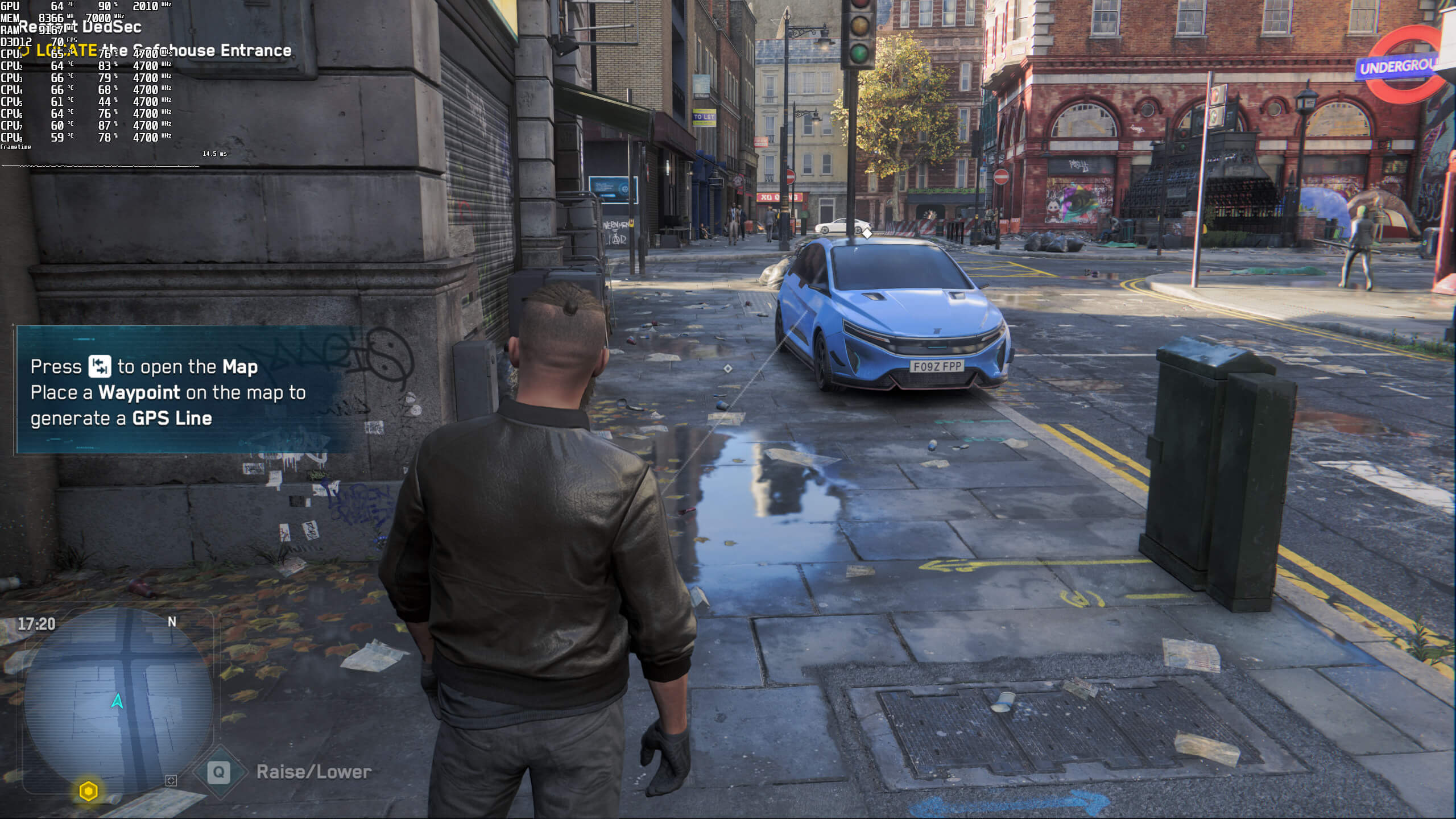
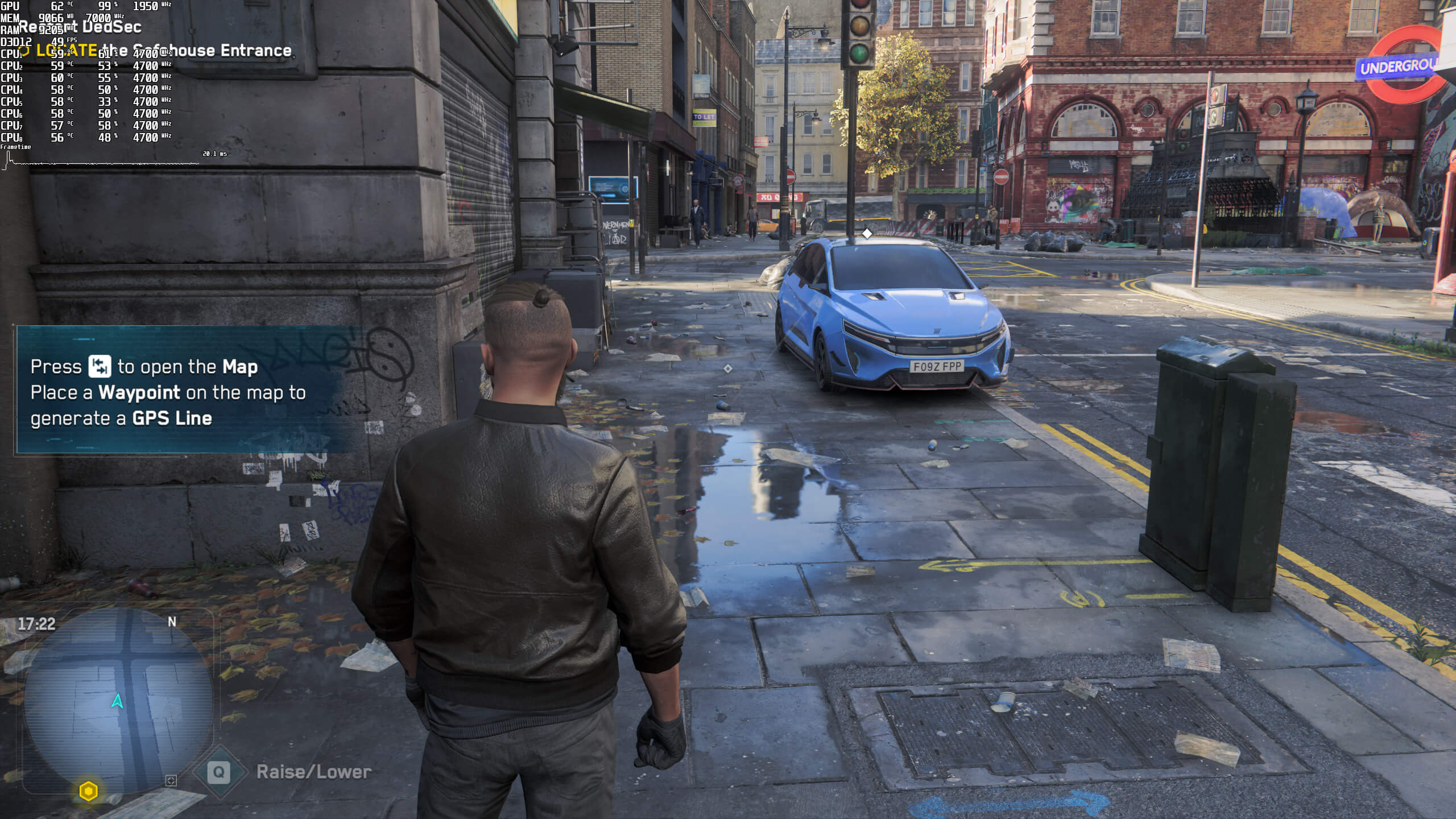
Below you can find two screenshots from one of the main streets of London. We captured these screenshots at 1080p with DLSS Quality, Ultra settings and Medium Ray Tracing. As you can clearly see, the RTX2080Ti was not used to its fullest. Not only that, but most of our CPU cores/threads were not maxed out. Thus, we can assume that the game needs higher frequency RAM modules in order to get higher framerates. This is something we witnessed on numerous games on our Intel i7 4930K CPU.
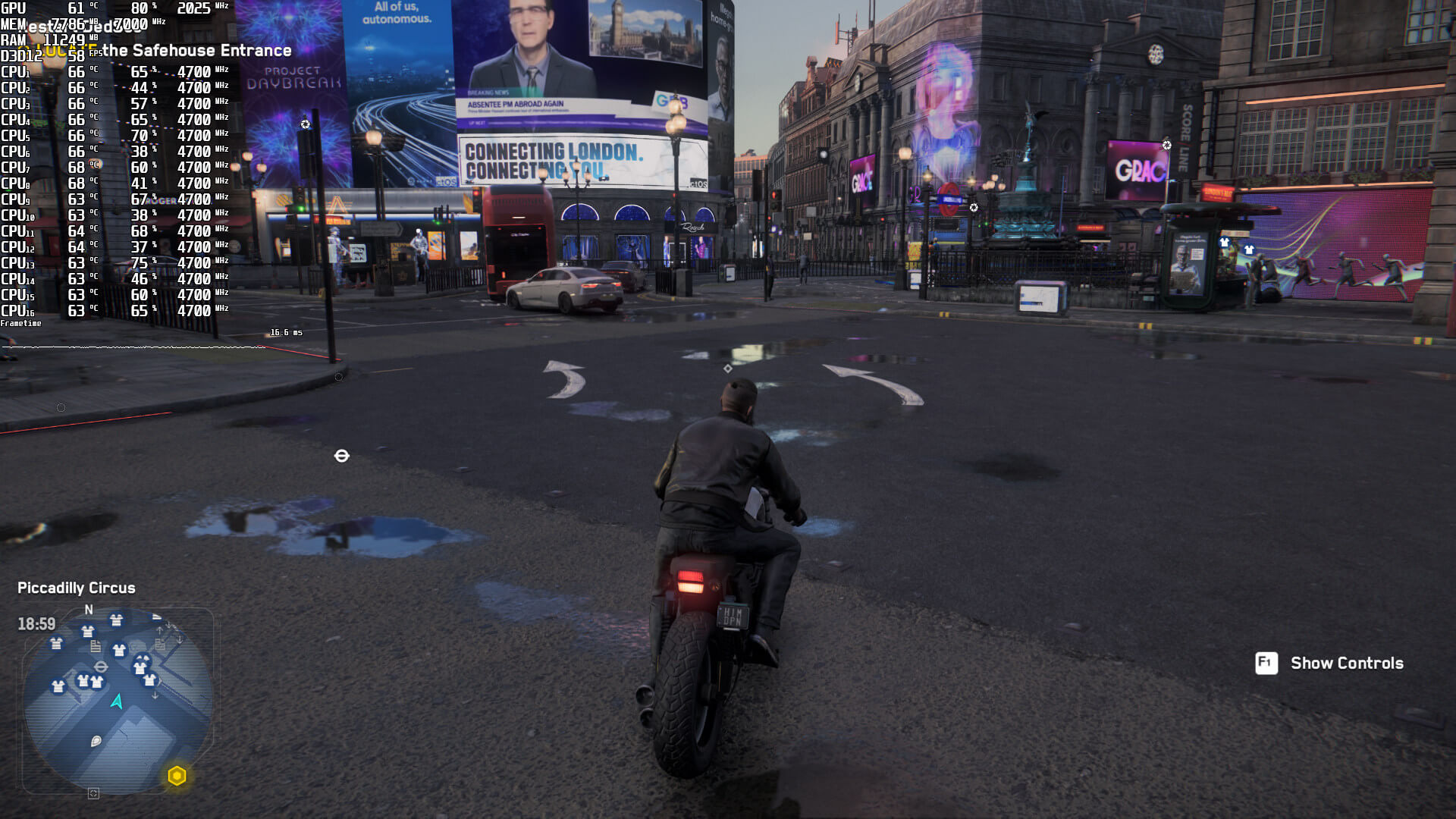
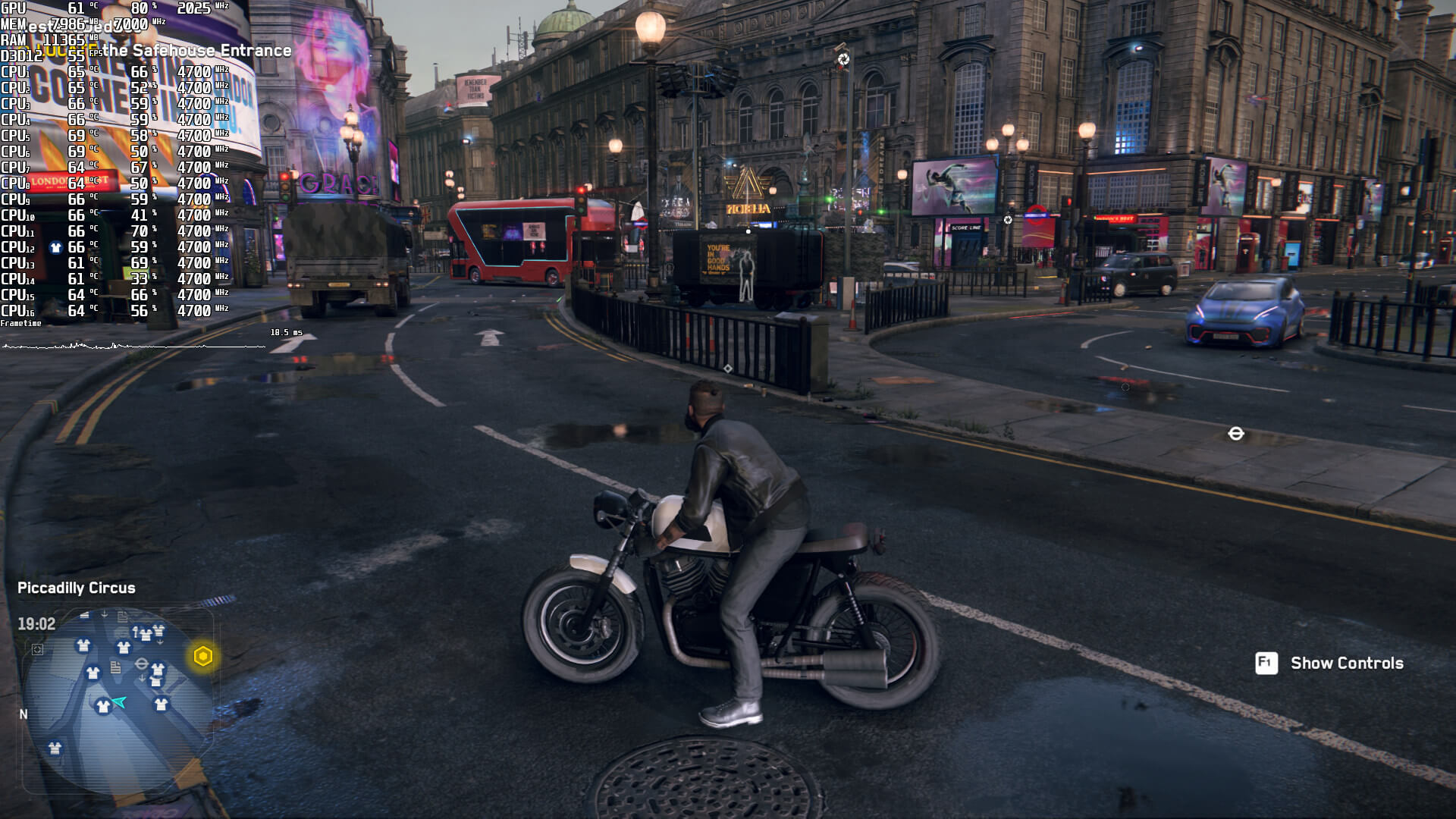
The only way we could get a smooth in-game experience was by simply disabling the Ray Tracing effects. When we disabled them, our minimum framerates jumped to 58fps. Again we were borderline below 60fps, however, everything felt smooth on a G-Sync monitor. It may sound weird, but a 3fps makes a huge difference. At 55fps, we were able to notice the jerky camera movement during quick mouse movements. So yeah, even if you have a G-Sync monitor, you should be at least targeting 58fps.
Bottom line is that our high-end system was unable to provide a smooth gaming experience with the Ray Tracing effects, even when using DLSS. Additionally, the built-in benchmark does not represent the performance of the actual game. Without Ray Tracing, we were able to get a smooth gaming performance at 3328×1872 with Ultra settings and DLSS Quality. For those targeting 4K resolutions, we suggest using DLSS Balanced at 3840×2160 and Ultra settings.
Stay tuned for our second PC Performance Analysis article, in which we’ll be benchmarking both AMD’s and NVIDIA’s GPUs.


John is the founder and Editor in Chief at DSOGaming. He is a PC gaming fan and highly supports the modding and indie communities. Before creating DSOGaming, John worked on numerous gaming websites. While he is a die-hard PC gamer, his gaming roots can be found on consoles. John loved – and still does – the 16-bit consoles, and considers SNES to be one of the best consoles. Still, the PC platform won him over consoles. That was mainly due to 3DFX and its iconic dedicated 3D accelerator graphics card, Voodoo 2. John has also written a higher degree thesis on the “The Evolution of PC graphics cards.”
Contact: Email