
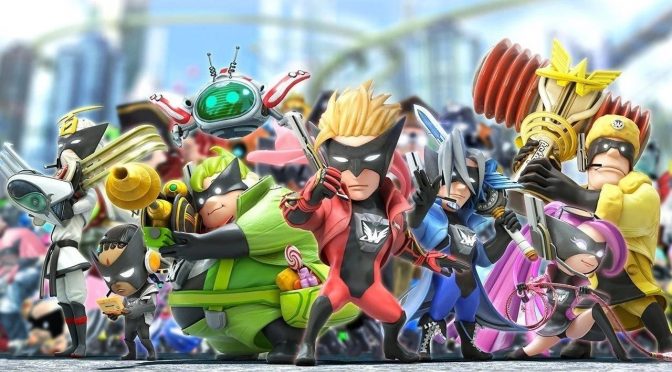
While The Wonderful 101: Remastered is not yet available for the majority of players, Silent has released a must-have patch for it. According to the modder, the SilentPatch for The Wonderful 101: Remastered fixes its broken frame pacing issues.
Now in case you’re wondering, Silent was able to test the game via a friend who has crowdfunded the game via Kickstarter. So yeah, this is a real patch that can significantly improve your overall experience.
As Silent noted, the framerate is all over the place and never reaches stable 60 at all in The Wonderful 101: Remastered. Thus, PC gamers will experience major frame pacing issues in the vanilla/unpatched version. Silent goes into a lot of details on how he was able to fix this, and you can read more here.
Alongside this improvement, the SilentPatch allows PC gamers to remove the FPS limiter. However, you will not be able to play the game properly with an unlocked framerate. From the looks of it, the game’s logic is tied to the framerate. What this means is that an unlocked framerate will speed up the game. However, it makes sense to disable the FPS cap if you use Vertical Sync to limit the frame rate. Or if you use an external frame limiter software, such as RTSS.
Lastly, Silent has remapped the window mode functionality. The game switches to the windowed mode when you press Escape. With SilentPatch you can press Alt+Enter to enter Window Mode. Not only that, but you can now cycle between Windowed, Fullscreen, and Borderless modes.
In short, this is a must-have QoL patch for The Wonderful 101: Remastered.
You can download this unofficial patch from here.

John is the founder and Editor in Chief at DSOGaming. He is a PC gaming fan and highly supports the modding and indie communities. Before creating DSOGaming, John worked on numerous gaming websites. While he is a die-hard PC gamer, his gaming roots can be found on consoles. John loved – and still does – the 16-bit consoles, and considers SNES to be one of the best consoles. Still, the PC platform won him over consoles. That was mainly due to 3DFX and its iconic dedicated 3D accelerator graphics card, Voodoo 2. John has also written a higher degree thesis on the “The Evolution of PC graphics cards.”
Contact: Email