
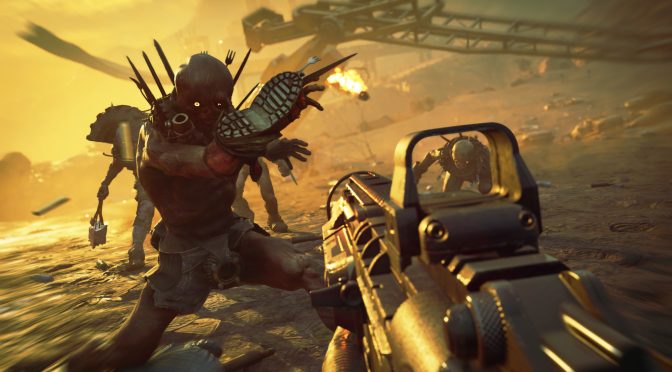
Avalanche Studios has released a new patch that officially adds support for AMD’s new FidelityFX technology. FidelityFX is a collection of high-quality post-process effects that automatically collapse multiple effects into fewer shader passes to reduce overhead and free up your GPU.
Basically, think of FidelityFX as an advanced sharpening post-process effect that can improve the image/visuals, especially if you’re playing a game with an awful TAA implementation.
Now what’s really interesting here is that the game lets you enable/disable this option even if you own an NVIDIA graphics card. However, and as you may have guessed, this setting does not appear to work on NVIDIA’s hardware.
Below you can find a comparison between FidelityFX enabled and disabled on an NVIDIA GeForce RTX2080Ti. As you can see, there aren’t any sharpening differences between these two screenshots which means that this setting is not working on NVIDIA’s hardware. I don’t know why Avalanche has not greyed out this option for NVIDIA users but yeah, it’s not working.
FidelityFX is a new tech that the upcoming AMD NAVI graphics cards will support. From what we know so far, Borderlands 3 will support this new tech when it launches on the PC.

John is the founder and Editor in Chief at DSOGaming. He is a PC gaming fan and highly supports the modding and indie communities. Before creating DSOGaming, John worked on numerous gaming websites. While he is a die-hard PC gamer, his gaming roots can be found on consoles. John loved – and still does – the 16-bit consoles, and considers SNES to be one of the best consoles. Still, the PC platform won him over consoles. That was mainly due to 3DFX and its iconic dedicated 3D accelerator graphics card, Voodoo 2. John has also written a higher degree thesis on the “The Evolution of PC graphics cards.”
Contact: Email


? no difference
Check pics (pinned comment)
youtube. com /watch?v=IwtsfpWDMY8
yeah, only the upcoming NAVI GPUs support FidelityFX. As said in the article, it puzzles me as to why Avalanche has not greyed it out for all the GPUs that do not support it
From what I understand, it’s part of AMD’s GPU Open program, meaning Nvidia could theoretically add support for it in a driver update.
if it is part of AMD GPU Open then it should work on older AMD GPUs too right, since Navi does not support some new special DirectX instructions or something
John, what’s your workout routine like?
odd in deed
NOPE!
https://www.youtube.com/watch?v=IwtsfpWDMY8
there are comparison screens in the comments section of this video and it definitively works on VEGA 64 too
Wrong…
No Navi GPU’s out.. Hello
The game’s TAA solution is everything but awful. It’s blurry, as all TAAs are, but it does work where it should, that is reducing aliasing/flickering in motion.
It might not be to everyone’s taste but the developers did the job.
As for FidelityFX I have not looked at this tech too much, I enabled it just in case. I’m more miffed that the game’s frame-rate limiter does not appear to be working. I tried enabling dynamic SSAA with a 60fps limit and alas my game stills runs at 100+fps while I’d like it to run at 60 which is enough for me.
I’m not interested in messing around with MSI Afterburner.
In RAGE 2 the TAA blurs out the visuals even more than in some other games, sometimes it’s look like an upscaled 900p, go check Frostbite powered games, the TAA implementation there is far better as it doesn’t blur the visuals that much, man even on r*tard Fallout 4 and Skyrim SE the TAA is better (eliminating almost all jaggies/flickering with no noticeable blur)
TAA is less blurry in Frostbite powered games for example, even on ret*rd Fallout 4 and Skyrim SE TAA is more efficient (eliminating jaggies/flickering without noticeable blur) in RAGE 2 TAA and TAA+FXAA solutions looks like you’re upscaling from 900p with washed out colors and a blurry messy visuals, check out the game with AA = OFF and downscaling with Nvidia DSR or AMD Super Res, the difference is night and day
PS : Be sure that dynamic Resolution is set to manual ingame to get the frame limiter to work, or just Vsync the game if you have a 60hz monitor
That’s because their TAA algorithm must include a sharpness step. That’s seemingly not the case here hence the inclusion of AMD’s technology.
If you won’t use Afterburner/RTSS then you have no right to complain, so stfu.
1st – Implement Reshade’s LumaSharpen Shader
2nd – Pack it with some bloatware and name it with some fancy tech brand
3rd – Be sure it doesn’t even work well
WTF ???
Wouldn’t have hurt to have a comparison of two shots actually showing the difference when it DOES work, right?
You’re expecting too much man lol
I’m using 1080Ti, And FidelityFX shows me a noticeable difference.
people aren’t reading even titles anymore.
AMD technology or not, what I’m saying is that FidelityFX works on my nvidia card. Image becomes noticeably sharper.
no it does not
lol have you tested the FidelityFX settings in rage 2?
if not, do me a favor and stfu.
FidelityFX OFFFidelityFX ON
You’d have to provide some screenshot comparisons for that claim.
FidelityFX OFF: https://i.imgur. com/RxMzzkr.png?1
FidelityFX ON: https://i.imgur. com/yPDNuzQ.png?1
Hmm okay, I can just barely see the difference so apparently it IS working for you for some reason, I just doubt it’s working fully based on the minimal changes.
But thanks for actually providing evidence.
Not sure what you expect, its an adaptive sharpening filter and it seems to be doing its job…
There is no graphics that can save that sh.t
FidelityFX devs instructions:
First – blur the shi… out of the game, Second – fix that shi.. in next patch and call it the FidelityFX!
Implements Reshade with Luma Sharpen Shader, packs it with some bloatware, names it X Tech and be sure that doesn’t even work, ret*rd AMD in a nutshell
Can we at least have a comparison screenshot taken with an AMD card so that we can see if there are any improvements at all? The author assumes that the setting does not work on nvidia cards at all yet does not show how the game is supposed to look with the feature working with an AMD card. I would not be surprised if the setting looks exactly the same way on AMD cards and so far I have not seen anyone with an AMD card saying how impressive the FidelityFX feature looks on their AMD card.
With Anti Lag and Fidelity for navi we have a winner here. Nvidia doesnt have anti lag as what they said.