
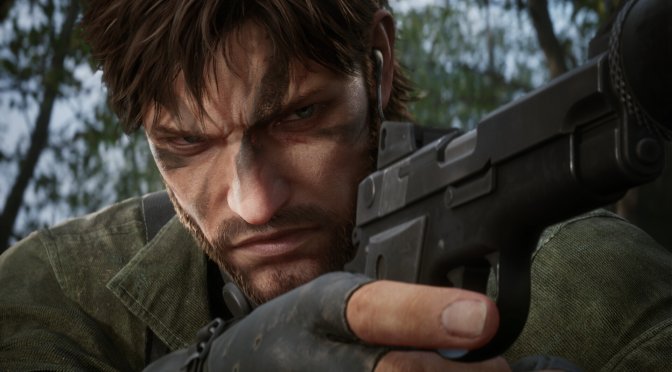
YouTube’s ‘Beyond Dreams’ has shared a video, showcasing a modded version of Metal Gear Solid Delta: Snake Eater on an NVIDIA GeForce RTX 5090. The biggest feature in this video is the latest version of CompleteRT, which adds support for ReSTIR GI. So, let’s take a look at it.
CompleteRT uses screen-space information for its Ray Tracing. And although MGS Delta: Snake Eater uses Lumen, Complete RT can enhance the game’s visuals. As you will see, it brings better shadows, better GI, and better AO.
Thanks to the combination of Complete RT with Software Lumen, MGS Delta: Snake Eater looks absolutely incredible. This right here shows why most UE5 games look so good. Yes, some of them have performance issues. But you can’t deny how amazing they can look. The forest in this modded version of MGS Delta: Snake Eater will give you Crysis vibes.
The good news is that Complete RT is available for free to everyone. You can go ahead and download it from this link. In the video, Beyond Dreams used Massihancer’s Ray Tracing Preset, which is behind a paywall. Still, if you mess around with the settings of Complete RT, you will be able to get similar results.
By default, Metal Gear Solid Delta: Snake Eater uses Software Lumen. There is a way to enable Hardware Lumen which can greatly enhance the Ray Tracing effects. This is the best alternative right now for improving the game’s graphics. You can read this article to find out how you can enable Hardware Lumen.
Another must-have mod for Metal Gear Solid Delta: Snake Eater is MGSDeltaFix, which unlocks the framerate. The only problem I encountered throughout the whole game was after meeting Granin. For some odd reason, Snake got stuck behind a door. That was the only scene where the unlocked framerate caused an issue. Other than that, the game ran great, and I was able to enjoy it at 120 FPS.
Konami has not mentioned any plans to add Frame Gen to the game. Since I’ve tested both DLSS Frame Gen and Smooth Motion, I can tell you that Smooth Motion works better in this title (it has fewer artifacts). So, instead of forcing DLSS Frame Gen, you can simply enable Smooth Motion from the NVIDIA App. Well, that is if you own an NVIDIA RTX-40 or RTX-50 series GPU.
Have fun!


John is the founder and Editor in Chief at DSOGaming. He is a PC gaming fan and highly supports the modding and indie communities. Before creating DSOGaming, John worked on numerous gaming websites. While he is a die-hard PC gamer, his gaming roots can be found on consoles. John loved – and still does – the 16-bit consoles, and considers SNES to be one of the best consoles. Still, the PC platform won him over consoles. That was mainly due to 3DFX and its iconic dedicated 3D accelerator graphics card, Voodoo 2. John has also written a higher degree thesis on the “The Evolution of PC graphics cards.”
Contact: Email