God of War Ragnarok PC screenshot

God of War: Ragnarok PC Performance Analysis

Sony has released God of War: Ragnarok on PC. Powered by Santa Monica’s proprietary engine, it’s time to benchmark it and examine its performance on the PC.

For our benchmarks, we used an AMD Ryzen 9 7950X3D, 32GB of DDR5 at 6000Mhz, AMD’s Radeon RX580, RX Vega 64, RX 6900XT, RX 7900XTX, NVIDIA’s GTX980Ti, RTX 2080Ti, RTX 3080 and RTX 4090. We also used Windows 10 64-bit, the GeForce 561.09, and the Radeon Adrenalin Edition 24.20.11.01 drivers. Moreover, we’ve disabled the second CCD on our 7950X3D.
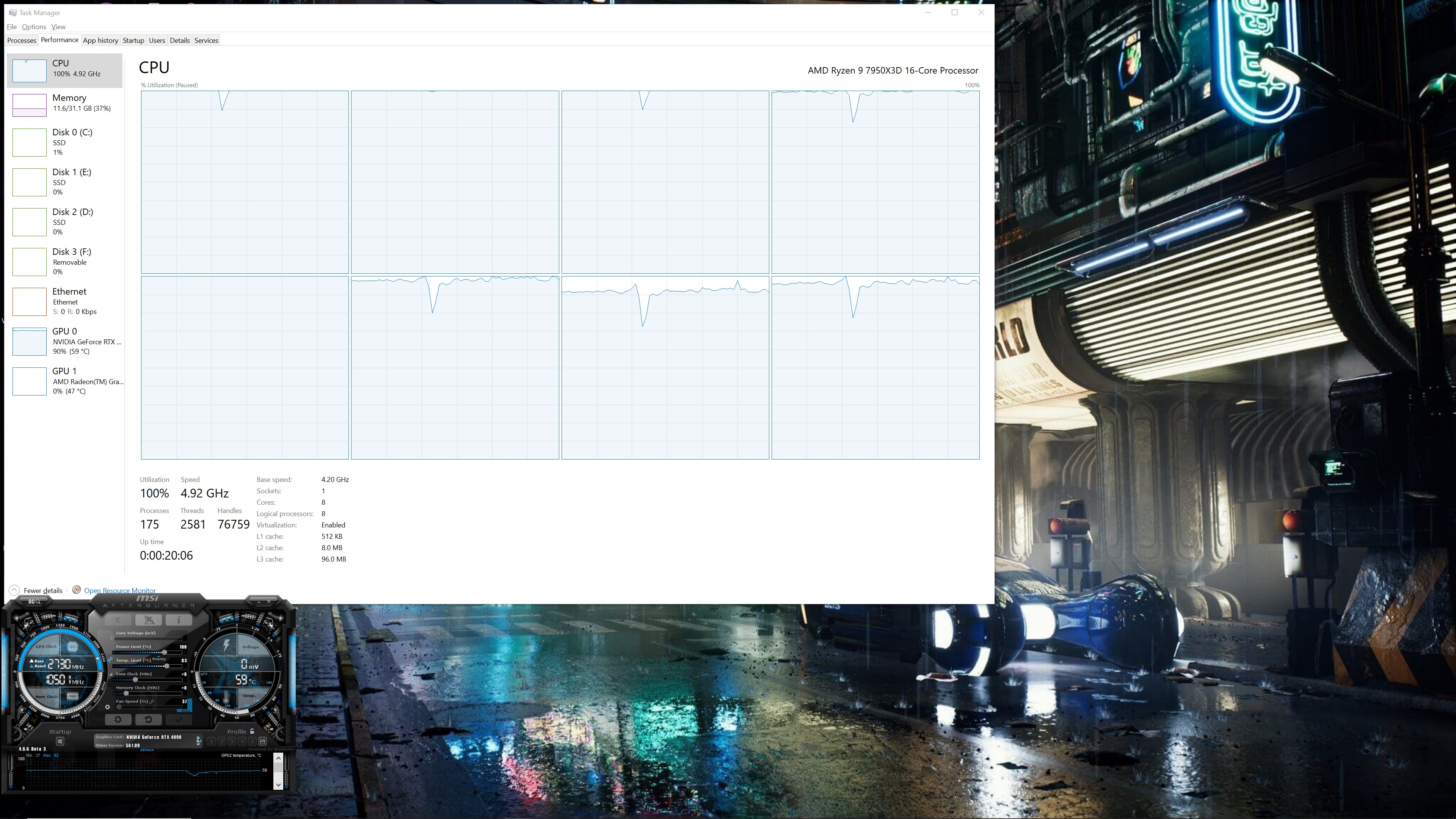
God of War Ragnarok CPU scaling

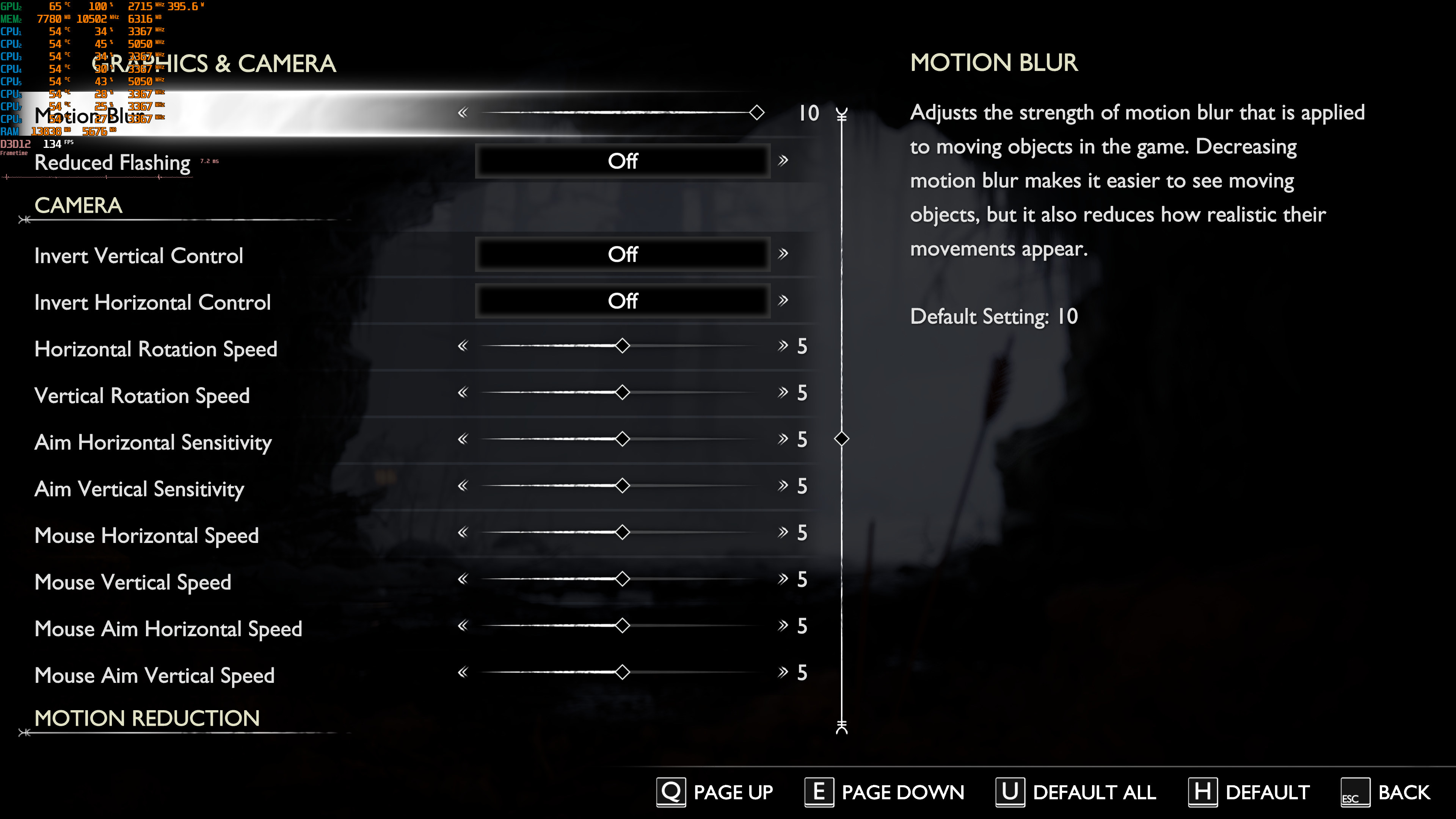
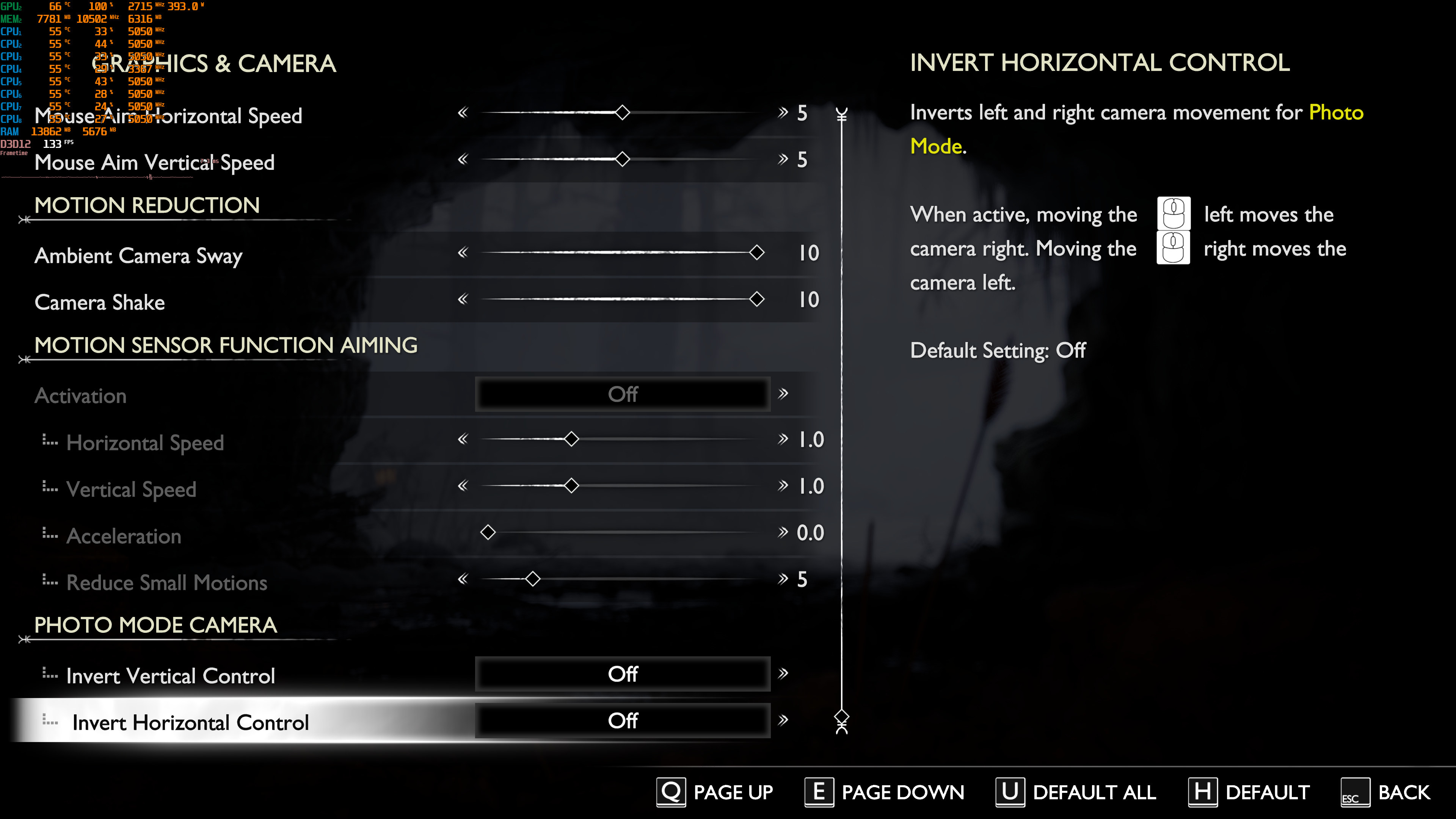
Jetpack Interactive is responsible for the PC version and has added a lot of graphics settings to tweak. PC gamers can adjust the quality of Textures, Models, Lighting, Shadows and more. The game also allows you to disable Film Grain and Motion Blur. From what I could see, there is no FOV slider. And, as I’ve already reported, GoW: Ragnarok supports NVIDIA DLSS 3, AMD FSR 3.1 and Intel XeSS 1.3. You can find our DLSS 3 vs FSR 3.1 vs XeSS 1.3 benchmarks here.
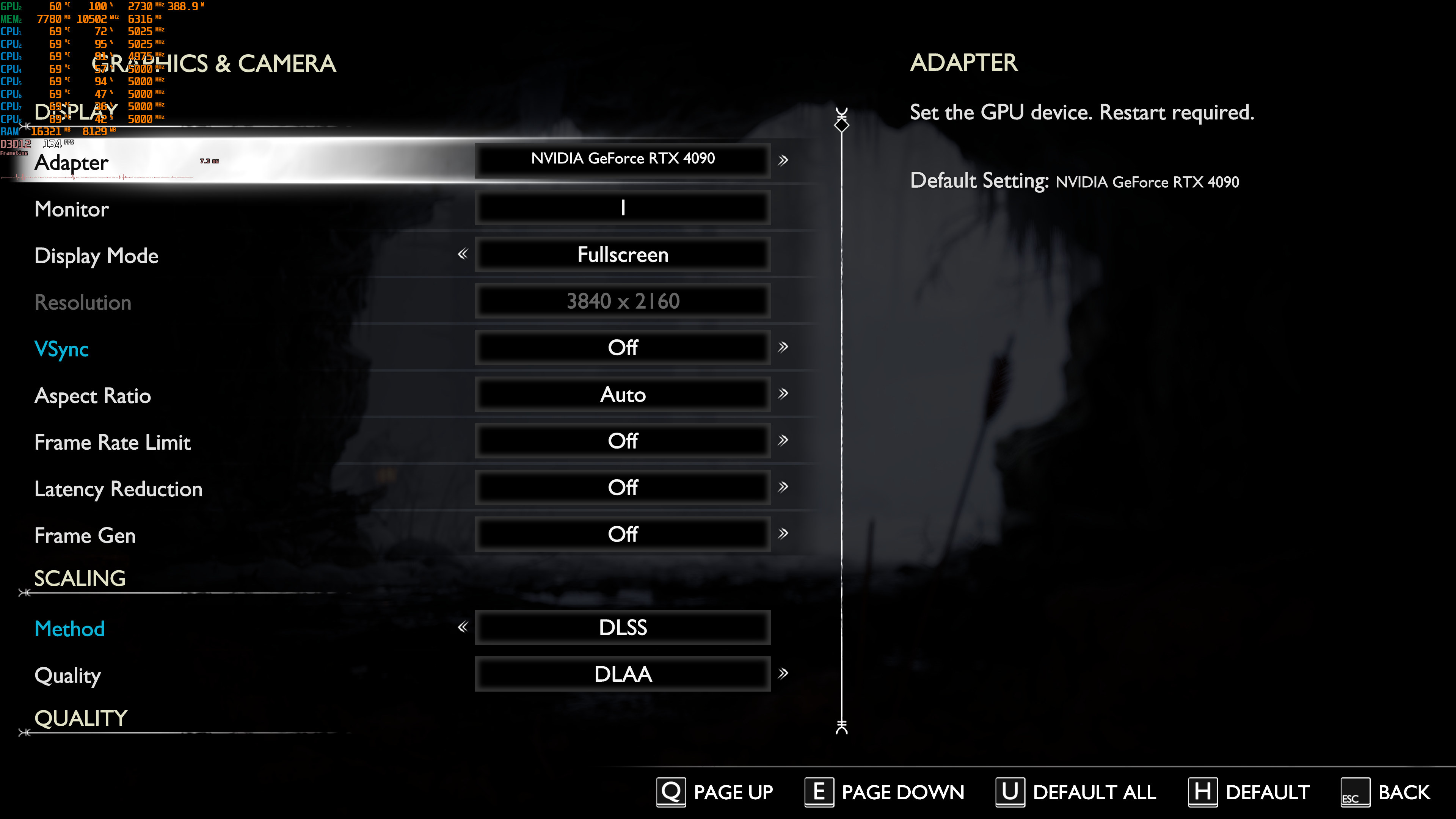
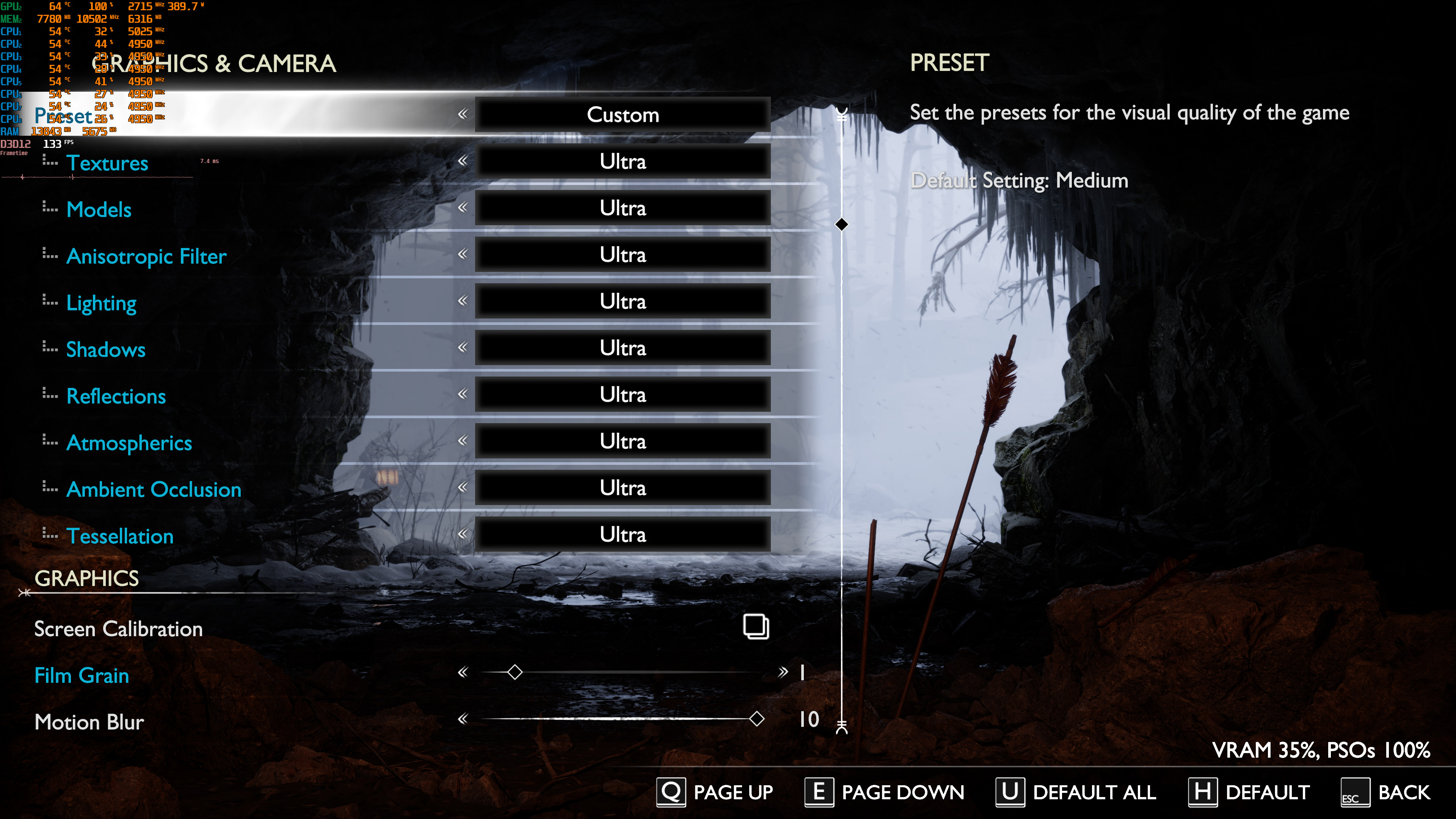
God of War Ragnarok PC graphics settings-1God of War Ragnarok PC graphics settings-2 God of War Ragnarok PC graphics settings-3God of War Ragnarok PC graphics settings-4

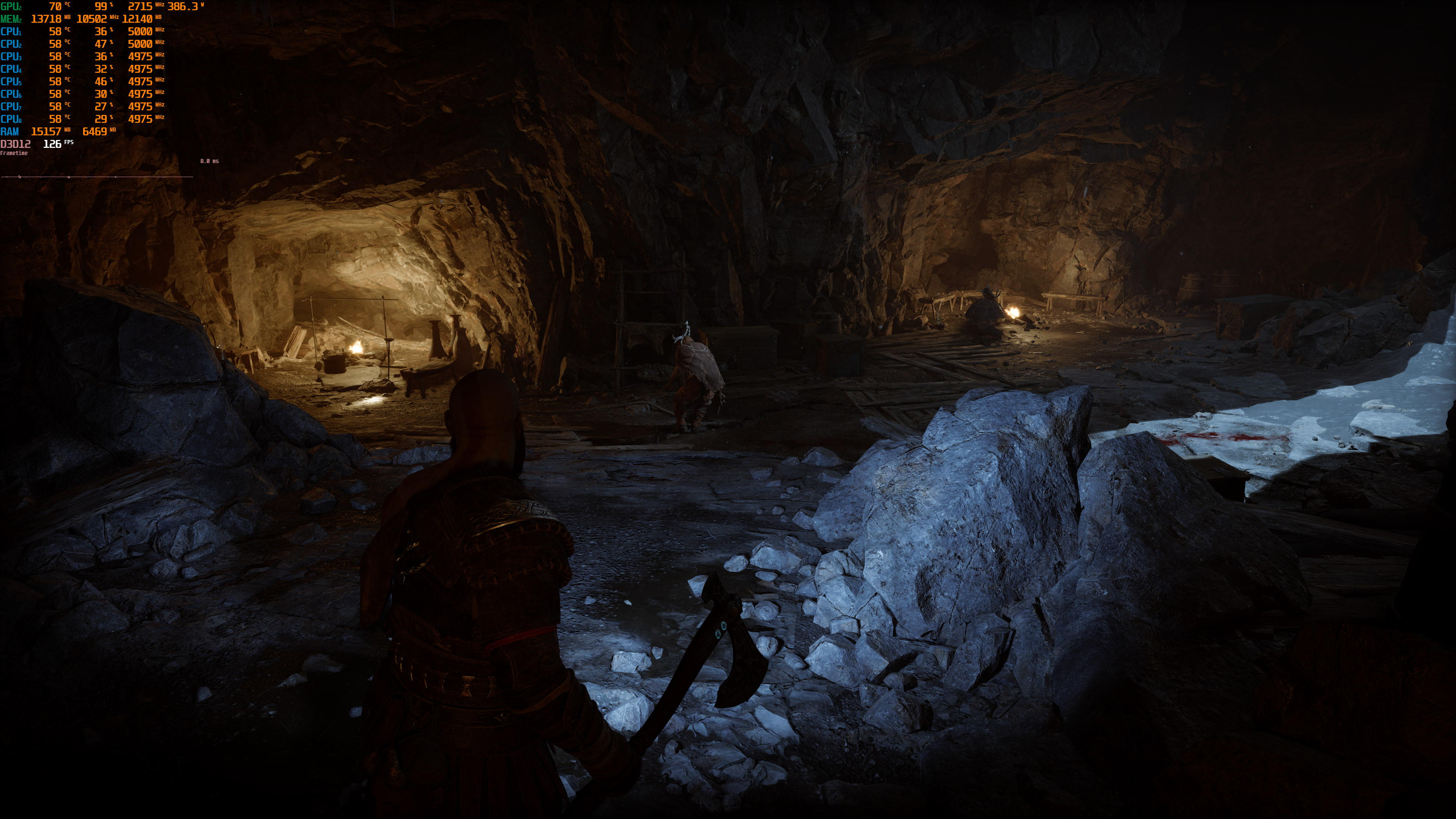
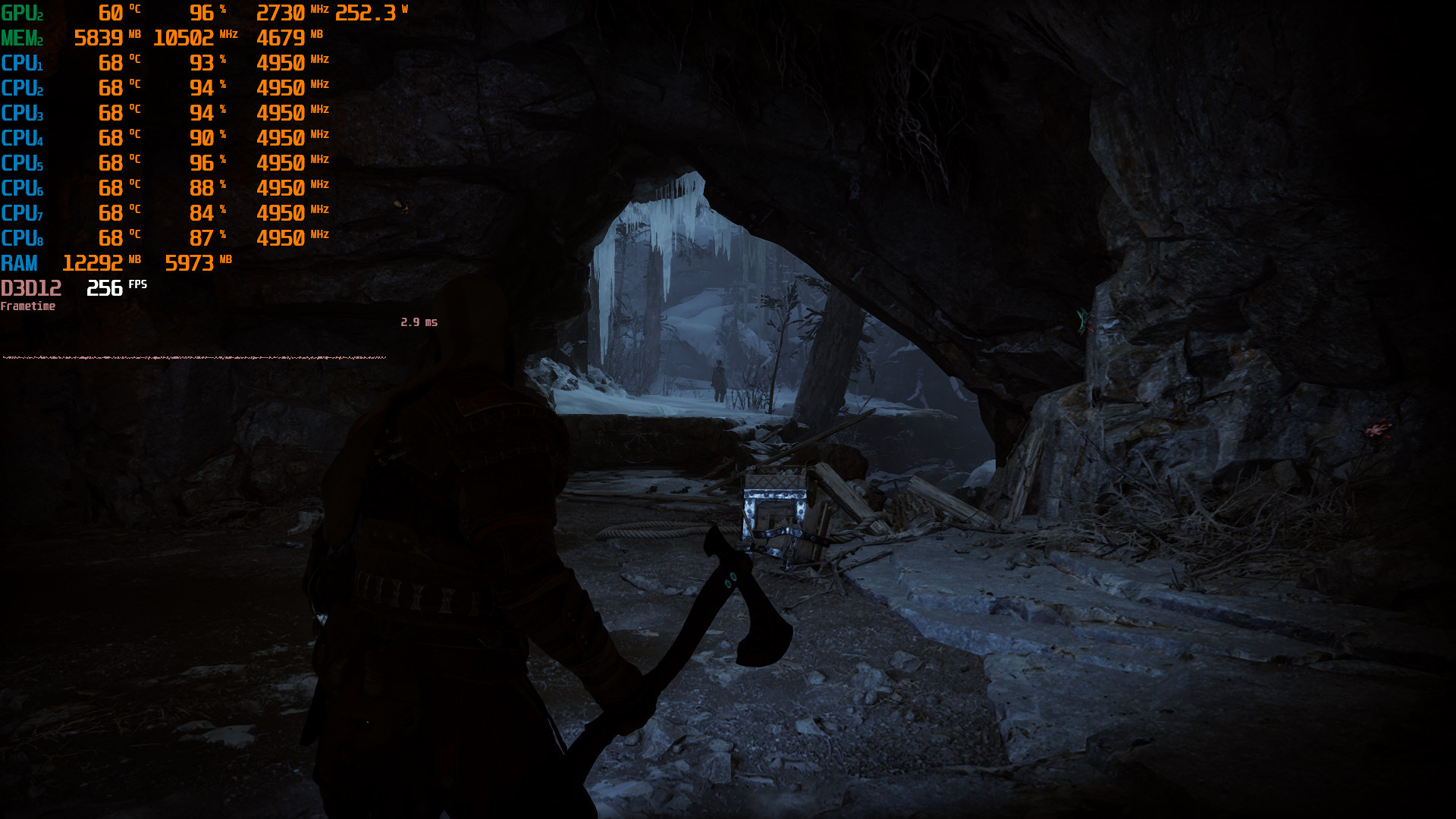
God of War: Ragnarok does not have any built-in benchmark tool. So, for our benchmarks we used two different scenes. The first one stresses the GPU, whereas the second one stresses the CPU. Below you can find them (pay attention to the CPU scene in which all eight cores are fully used).
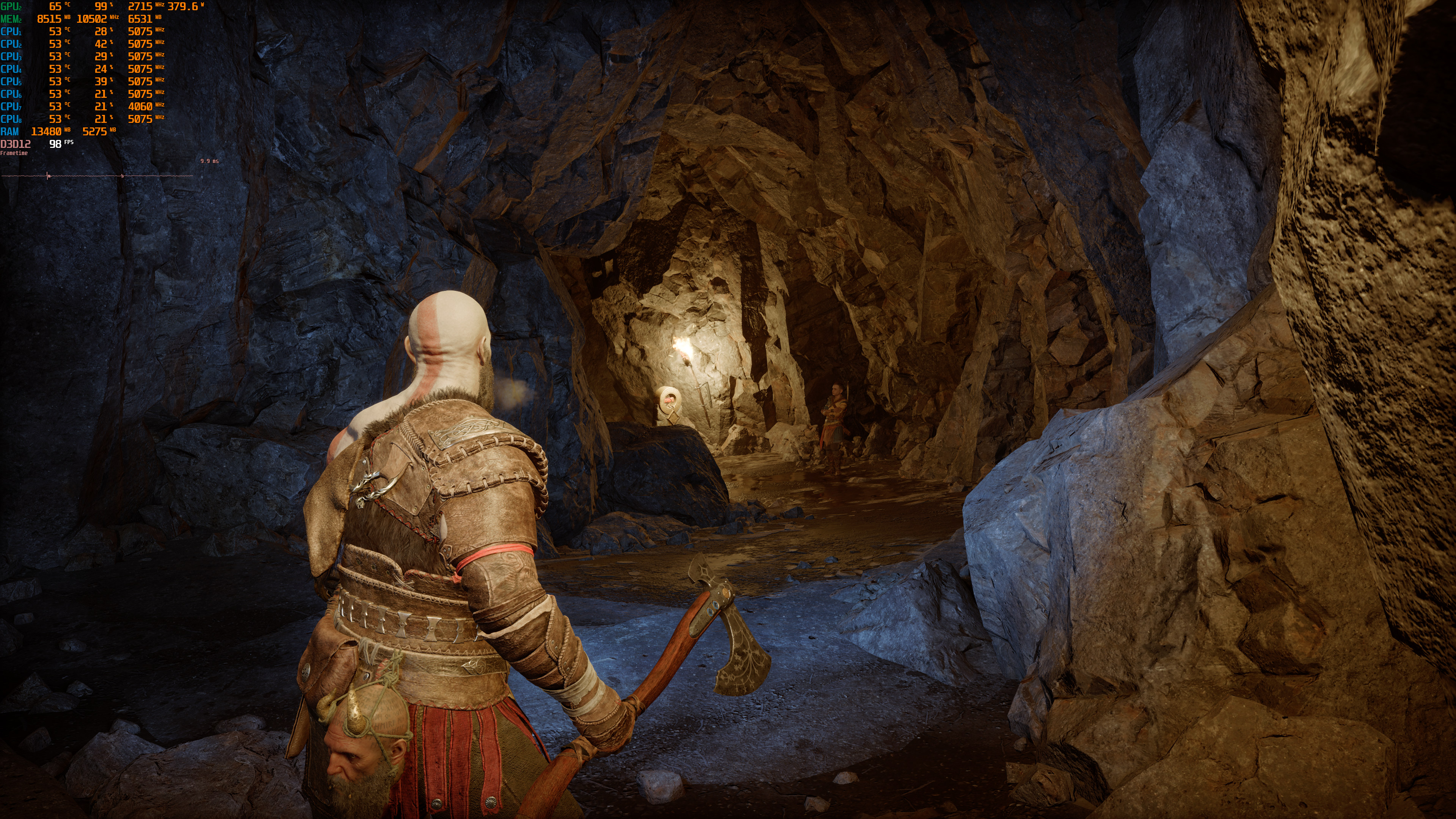
Native 4K-4GoWR CPU scene

For our CPU benchmarks, we lowered our resolution to 1080p and used DLSS 3 Performance (but no Frame Generation). We’ve done this to eliminate any possible GPU bottlenecks.

So, to see how the game runs with different types of CPUs, we simulated dual-core, quad-core, and hexa-core CPUs. And, to my surprise, the game can actually run on a modern-day dual-core CPU (provided you have SMT/Hyper-Threading enabled). I did notice some stutters, but they weren’t THAT annoying. Not only that but we see healthy improvements as we go up to eight CPU cores.

God of War Ragnarok benchmarks-1

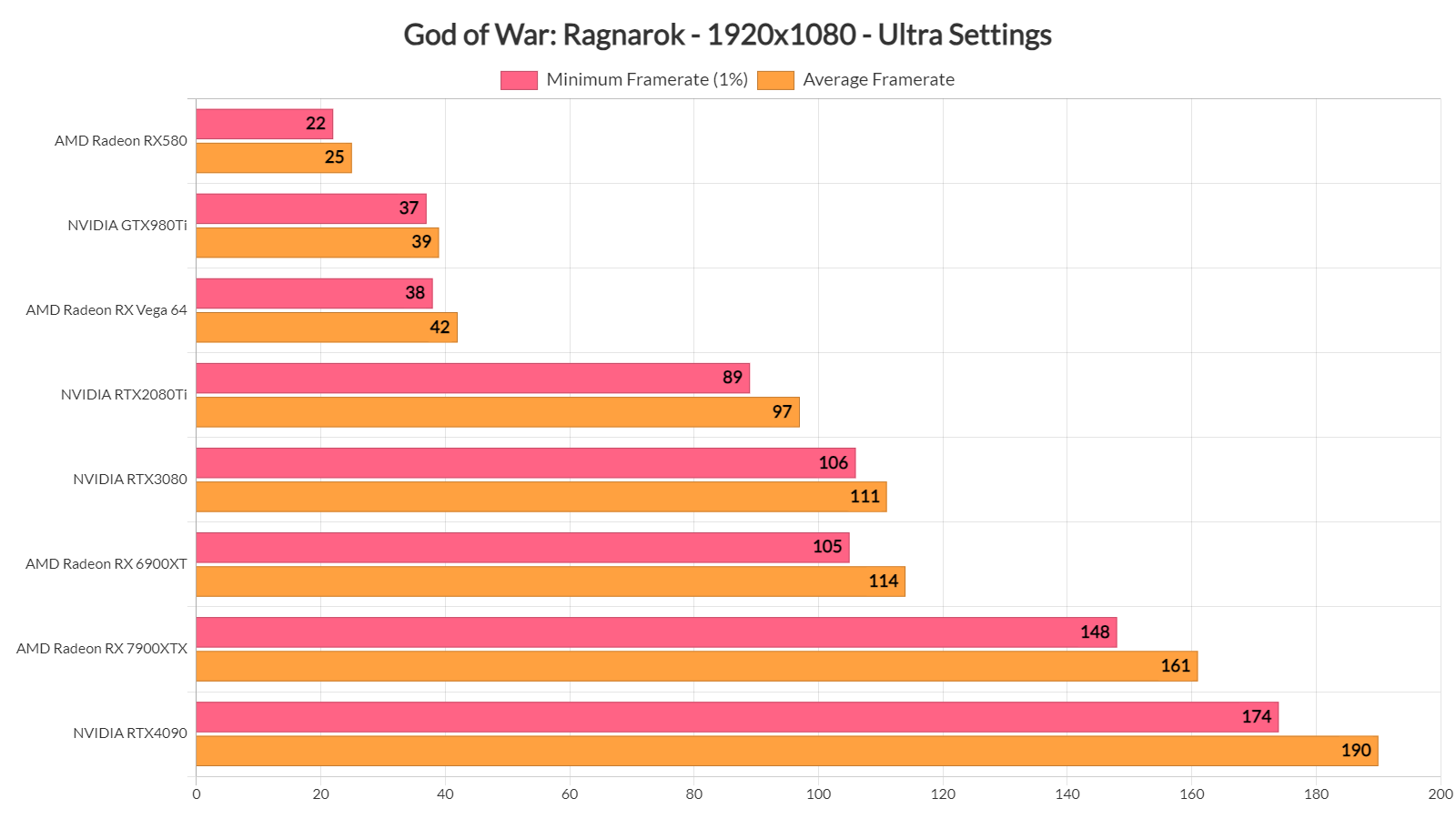
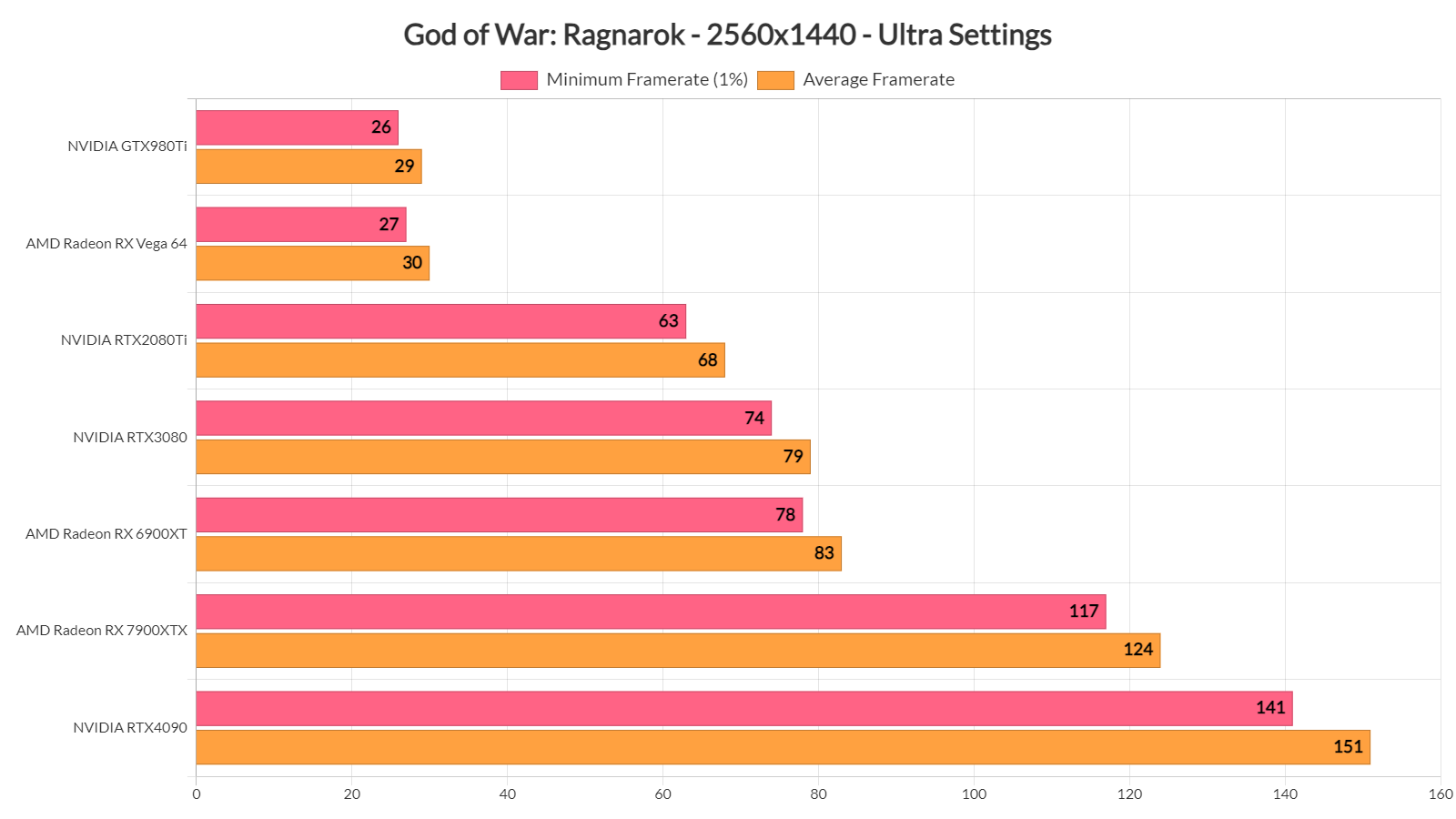
At both Native 1080p/Ultra Settings and Native 1440p/Ultra, our top five GPUs had no trouble running the game with over 60fps at all times. Moreover, it appears that the NVIDIA RTX 3080 is on par with the AMD Radeon RX 6900XT at 1080p. However, once we go up to 1440p and 4K, we see the AMD Radeon RX 6900XT taking the lead.
God of War Ragnarok benchmarks-2God of War Ragnarok benchmarks-3

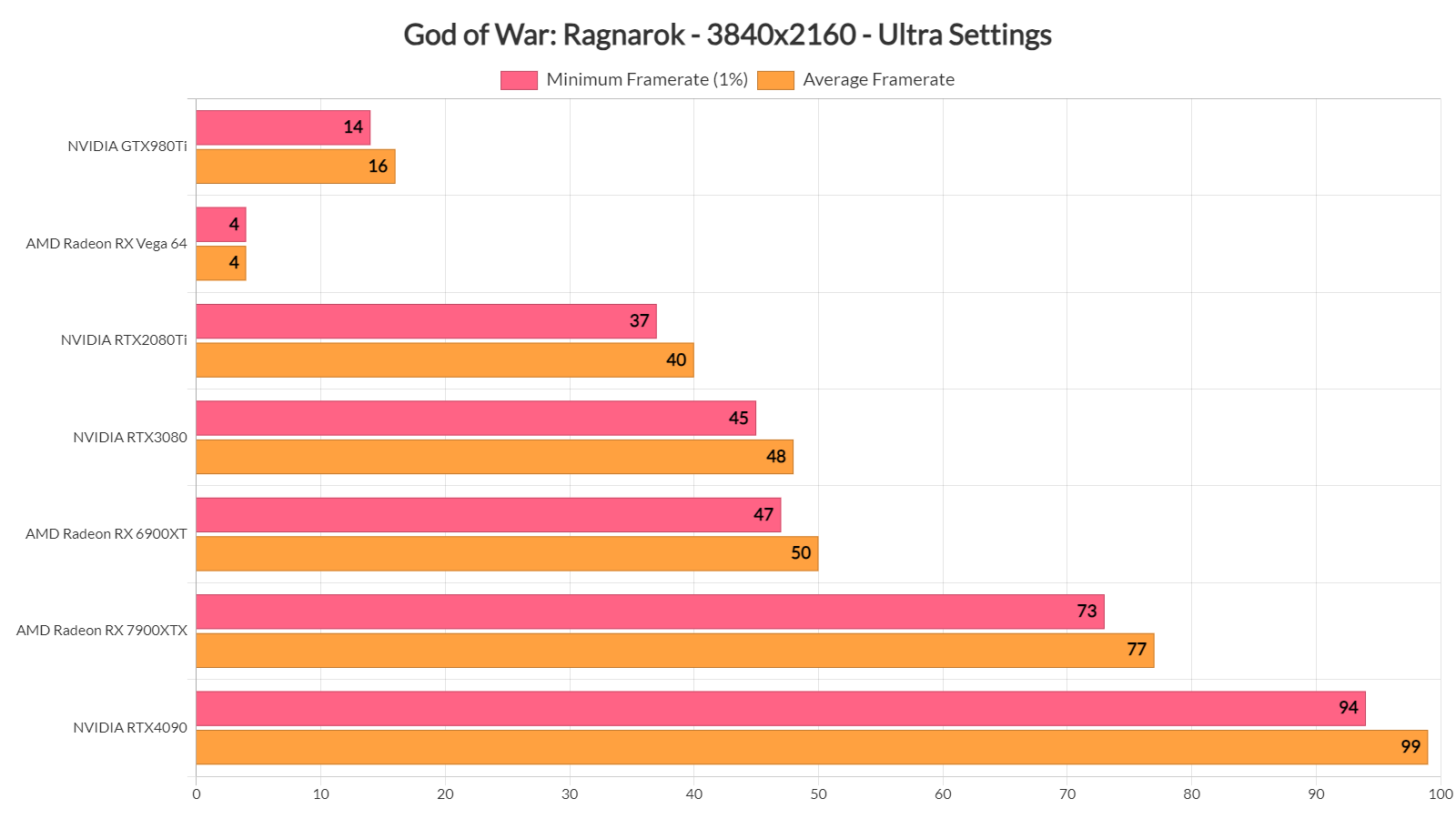
As for Native 4K/Ultra, both our AMD Radeon RX 7900XTX and NVIDIA RTX 4090 were able to provide a smooth gaming experience. And, for some weird reason, the game was running with 4fps on the AMD Radeon RX Vega 64.
God of War Ragnarok benchmarks-4

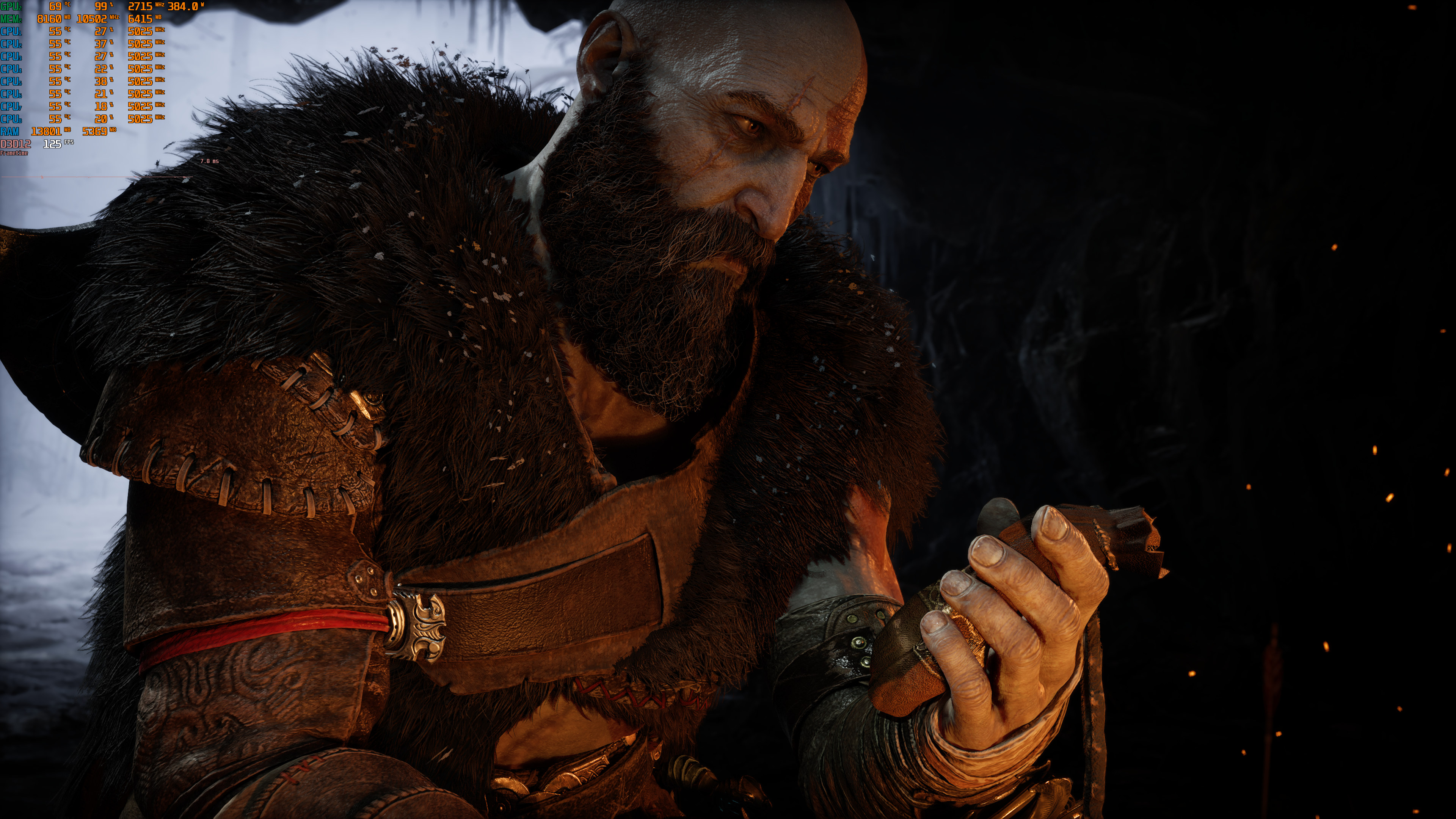
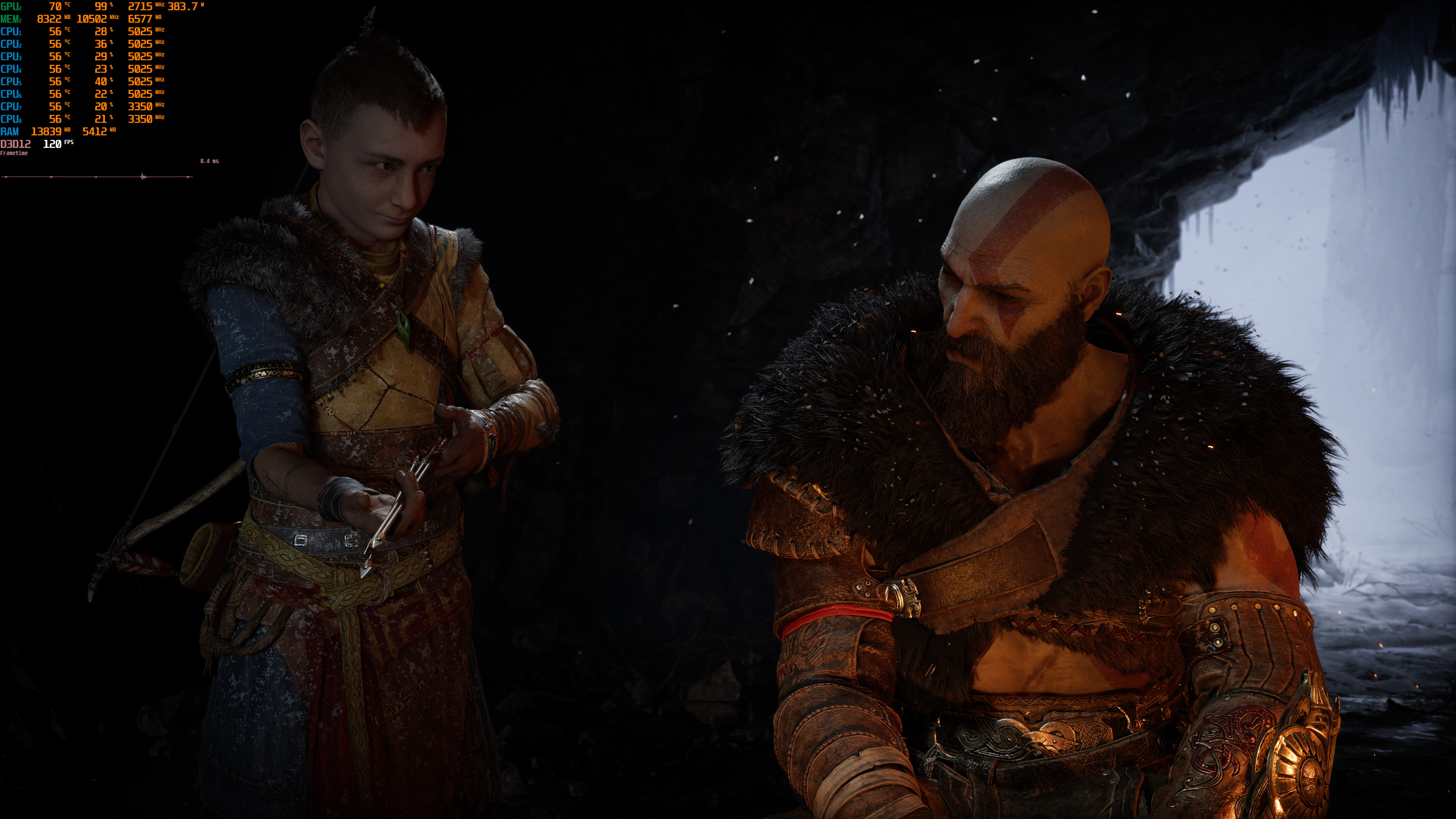
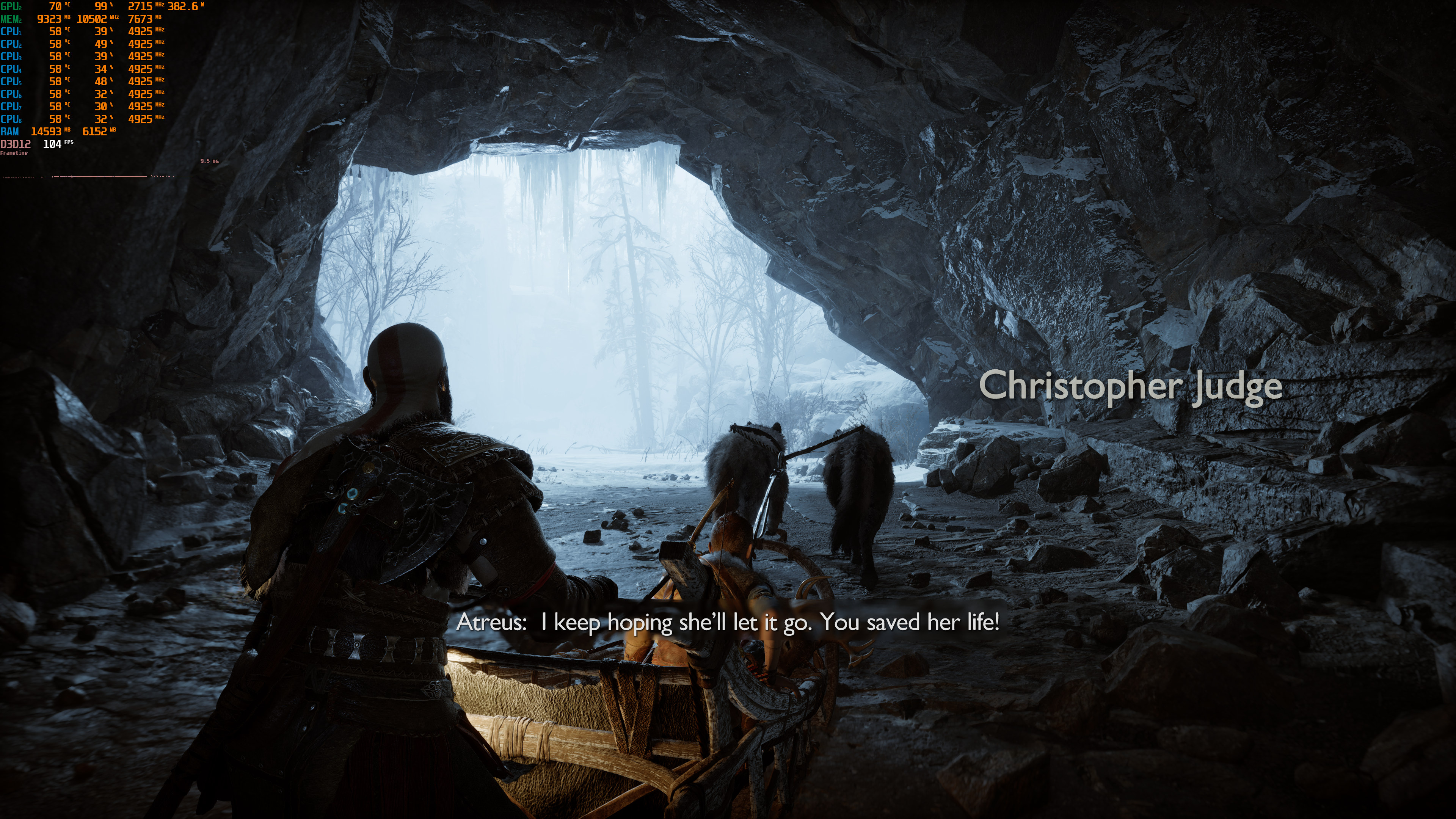
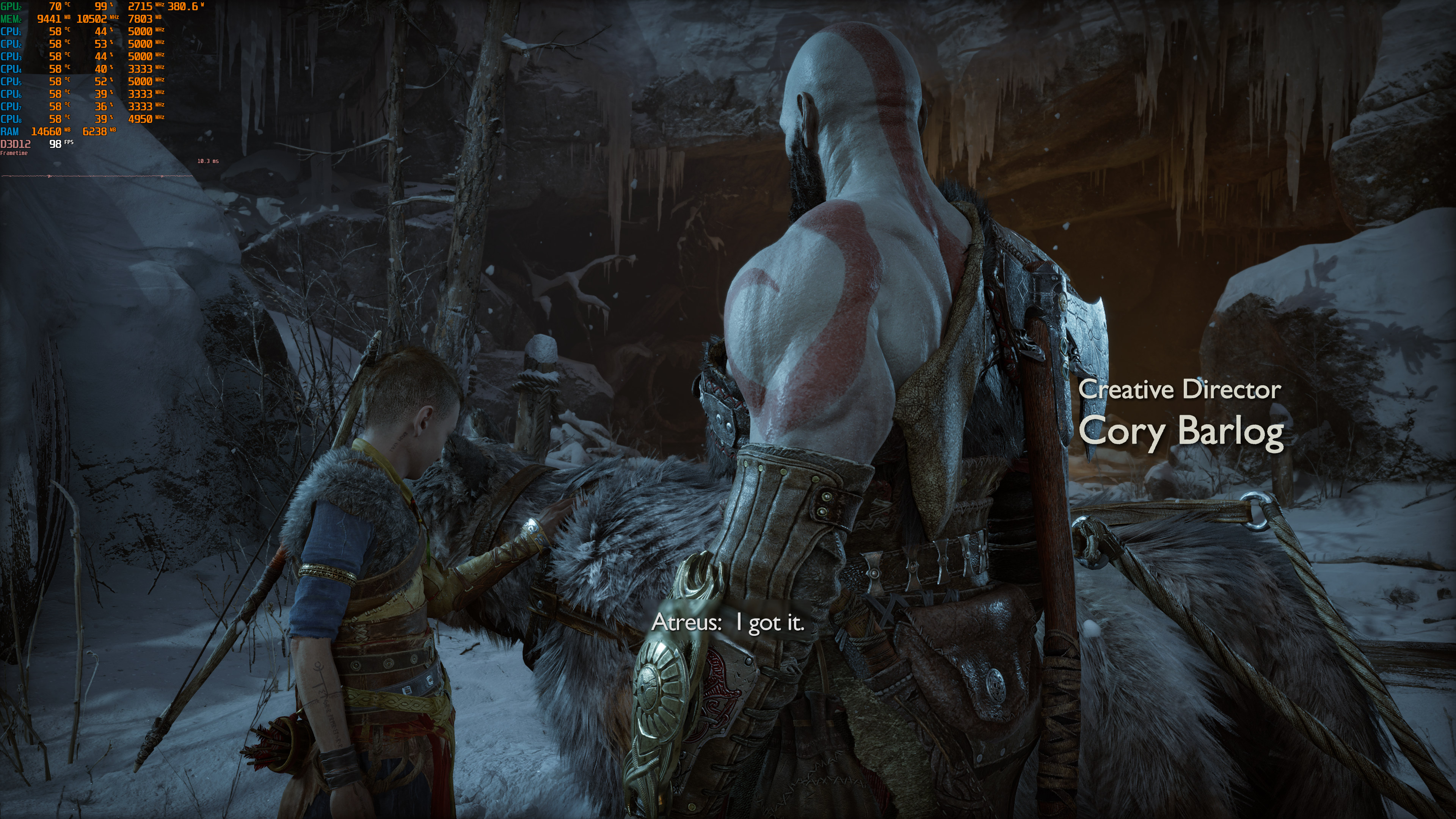
Graphics-wise, God of War: Ragnarok looks great on PC. Yes, this game was developed for PS4 and PS5. Similarly to Horizon Forbidden West, though, it can still look amazing. It has some cool snow deformation effects, as well as amazing fur effects. Most of the textures are also highly detailed. And yes, GoW: Ragnarok does not have any Ray Tracing effects. Since the game runs so fast on PC, it’s a shame we didn’t get RT reflections or RT shadows. Because some distant shadows look low-res and “square-ish”. So, there was room for improvement here. Nevertheless, the game still looks great.

All in all, God of War: Ragnarok looks great and runs amazingly well on PC. As you can see, a lot of PC systems will be able to run it with 60fps. Also, upon launching it, the game will pre-compile its shaders. I did see some minor traversal stutters. However, most of you won’t even notice them. The game feels smooth and it’s a joy to play. The keyboard and mouse controls also feel great. I’ve heard complaints about the mouse not working for some. I’ve only experienced this when I had the game in Window Mode. For those wondering, I was able to resolve this by ALT+Tabbing and then going back to it. So, give this is a shot if the mouse is not working on your end.

Enjoy!

Native 4K-1Native 4K-2Native 4K-3 Native 4K-4God of War Ragnarok 4K PC screenshots-1God of War Ragnarok 4K PC screenshots-2 God of War Ragnarok 4K PC screenshots-3God of War Ragnarok 4K PC screenshots-4God of War Ragnarok 4K PC screenshots-5

God of War Ragnarok - Benchmark Scene - Native 4K vs FSR 3.1 vs DLSS 3 - DLSS 3 FG not working

36 thoughts on “God of War: Ragnarok PC Performance Analysis”

  1. I bought God of War, ready to slay,
    But Sony steps in, blocking my way.
    "Sign in to PSN," they bark like a beast,
    Before I play, they need their feast.

    My data’s the sacrifice, not Mjolnir or blades—
    Just digits and numbers for their corporate raids.
    Email, birthdate, card info too,
    All so they can milk a dime out of you.

    Screw your "community," your digital sham,
    I just wanted to crush gods—not give a damn.

    A poem composed by a man of culture from Steam named Rhavan.
    Wise words sir, wise words..

    1. These things will always show their heads. The problem is the corporation provides you entertainment in exchange for money. But then it goes a step further. You'd think that's the end of the transaction. What happens next is the game then provides worship. That's why that companies doesn't care. They only you can't do without a hit of their latest and greatest. Therefore every chance they get they are willing to stick it to you with some draconian nonsense.

      1. These things will always show their heads.

        That's why that companies doesn't care.

        They only you can't do without a hit of their latest and greatest.

        Your grammar & vocabulary is utterly weird.

        Who talks like that lmao

  2. Wonderful. I'm enjoying it. It has more combat than 2018 and better too and plays great to the reputation of God of war. Sony should bring'em all now. RDR 1 is coming from the same era, so Now is the perfect time

    1. Happy they didn't mess up the port. This is a clear example of how to do a port properly. The game is also a lot of mindless fun, nothing really challenging, but good fun.

      1. Yeah, there are memory leak issues if played for like 3 hours straight and some little stutters when sneaking or crawling through walls etc I hope that gets fixed. Also as a big fan of the original 6 games I just wanted to play as a hunk guy & brutally kick some a*s and that I did and it felt great fun.
        But seriously, the amount of baby cry drama this game has is a total immersion killer. I just killed dozen of monsters and a big boss and suddenly became sympathetic and apologised to someone ?? Come on! I can make' em piss their pants with my sheer growl. I'm f$cking god of war dammit. Jeez. Then their is that race swapped girlfriend of atreus. Christ. Give me Norse beauty mod already for it as the game looks actually beautiful

        1. 3 hour play session memory leaks aren't the game. It's Windows failure to release standby memory. Get ISLC from the makers of DDU. It's free and fixes the problem, which is especially an issue on new games if you have 16 GB of RAM. Newer games often swap VRAM and RAM around and when you run out of free physical memory you can get a hitch. Remember that the consoles have a unified pool of 16 GB so they are always doing this.

          I use it even with 32 GB of RAM. Settings, list size at least 1024, free memory lower than 16384 (half the ram so if you have 16 GB make it 8192), Polling rate 10,000 because the higher it is the more it scans the memory and could hit cpu slightly. I barely want CPU hit at all and standby memory acquires slowly.

          Hope it helps.

          1. I used to have some software like that years ago I think it was Rammap. I'd use it to free standby memory but then after Windows update to 22h2 I don't think it was needed any more until just now. I'll try the software u mentioned hopefully it will work. Many Thanks!!

        2. It's called character development. In the past he was a one dimensional character most of the time. If Kratos was the same Kratos from the PS3 era it wouldn't make any sense in relation to the new story. I agree about the diversity aspect. Disgusting. By the way are you sure it's a memory leak and not our pc's? It's more then playable on my Gtx 1060 3 Gb (with Frame Gen) but after some time it drops some frames. Anyway in my case I can't complain. I'm happy with what I have! It's playable and I'm having a good time!

          1. I'm pretty much sure that it's memory leak as I can witness vram getting spiked even on the inventory screen. But overall yeah I'm happy that it plays well on my both pc a 1060 6gb and on 2070. But I can't stand framegen. I'd rather play at 30fps steady and crispy. Framegen produces too much ghosting and fsr makes everything blurry, but yeah I'm happy that it actually runs very well on such old hardware. There are reports of avx2 requirements too so Hopefully we'll get patches for low end cpus that'd make it even better. Cheers!

          2. I'm the opposite! : )) I love them both! FSR and FG! If these 2 technologies did not exist the game and others would be unplayable for me. 500p ~ would look horrible without upscaling so FSR/XeSS saves the day. And my baseline native fps is 25-30 fps on average. With framegen I can push that to 50-60. Still inconsistent so I locked the refresh rate to 50 Hz. Game is now redendering at 50 fps and it's 100% smooth. I also used Riva Turner frame cap to reduce input lag. (the special one hidden in the setup menu named Reflex that is made for Frame Gen, not the normal one). Almost 0 input lag now. I notice that it's all about the size and quality of the display. On a high-end big tv yes you will notice artifacts but on smaller monitor such as mine even FSR/XeSS performance mode looks decent.

          3. Glad to know a different perspective. And thanks for the info on Reflex I'll try it. Now, If I understand right, you'd want the best possible experience with limited hardware you have. Considering that, I'll target 30 fps stable you can play similar to consoles. With that in mind please consider trying this method :
            1. Force vsync on in nvcp
            2. Just use rtss scaline sync x/2 to -1 or fps limit to 30
            3. Don't use framegen it's fake fps and doesn't compare to even native 720p quality
            4. Use lossless scaling with LS method without framegen with scaling % you like in regards to your ingame resolution 1080p, 960p or 720p
            5. Lastly you can compare recording with ingame fsr and lossless scaling to which looks good in still and in motion.
            choose the one you prefer.

            Hopefully this will be better. Cheers

          4. Thanks for taking the time to reply! 30 fps was my first option but I have dips to 25. I cannot play like this. That's why I use Frame Gen.
            Il go point by point but I swear to you 50 fps Frame Gen with NV V-Sync On + Riva Turner Reflex cap on a 60 hz display feels very smooth. Hard to belive I know! Also keep in mind that I've set my refresh rate to 50 hz as well!
            I thing I know all the methods above except the LS method!
            1. Yes, NV V-Sync's the best.
            2. Scanline Sync is something that I descovered recently. It's awesome but it has limited use for me because of the huge overhead that you need in order to not have tearing. But it can work with an aditional V-Sync. Yes.
            3. Can't agree with you here. FG is awesome. Input lag can be mitigated. But yes it's something only for single player games for now.
            4. That's something new, I didn't know about this LS method. You're telling me that a temporal solution (is it temporal?!) from Lossless Scaling is better then the in game scaling options? I'm in! : )
            5. Il do that.

            PS: Can you please tell me what kind of tool do you guys use in order to see what input lag you have? I use Render Latency from Geforce Experience but I don't really trust that thing. And what kind of values (in terms of ms) are ideal for a 30/60 fps target.

            Thanks in advance!

          5. Lossless scaling uses upscaling method similar to fsr and nvidia image scaling named as LS method in the app and all other 3 are also available in it. In my testing that looks best compared to any other upscaling methods.
            Regarding reducing input latency, I just use nvidia inspector and set max pre rendered frames to 1 or in nvcp make it on. Then ingame nvidia reflex mode on. But it isn't necessary if your cpu is good enough.
            Trust me! If you can play a smooth 30fps with just upscaling, you'll never use framegen. It actually feels a lot stuttery in motion and all the hud elements shimmer too. That's happening because it pre determines next frame in queue with AI technique and renders it between two frames. Steady 30fps will beat it any day in terms of quality

          6. Thanks for the info! Good stuff! You are right regarding image quality and the fps stuff but unfortunately I cannot hit stable 30 in Ragnarok. So il stick with my frame gen fake frames for now. :d . Il will test the LSS upscaling options as well!
            Just so you know according to Nvidia documentation Nvidia Reflex overrides Ultra Low Latency. Unless you found a way to active them both. Also, Ultra Low Latency can potentially cause stutters or have 0 effect. From my testing so far I prefer Latent Sync from Special K (not for Ragnarok especially, in general) because it has 0 performance impact, does not need V-Sync, has no tearing and very low input lag same as Scanline Sync from RTTS. They are very similar but I can't use Latent Sync everywhere because I might get banned in online games or sometimes because of Special K' compatibility issues. So for that reason currently I'm trying to make Scanline Sync work without V-Sync by moving the tear location. I have 9,10 ms latency on a 60 fps target and 25-30 ms on a 30 fps target (which feels awesome) but I want to go even further below that!

    1. No need, the superior original DeS can be played via the PS3 emulator RPCS3, and Bloodborne emulation is making lightning fast progress so it should be in a pretty good state by the end of the year.

  3. Trash game just like all of Sony's games.

    Sorry, did I say "game"? I meant "interactive movie".

    Half of the game consists of boring cutscenes. It has 0 replay value.

    Sony doesn't make games, they make pretentious B movies.

    1. Wrong,4.5 hours of cinematics out of 50+h of gameplay.
      What B movies?
      Cutscenes,maybe but not half of the game.
      Until Dawn is an interactive movie.
      Learn the difference.
      Oh wait,maybe you like games like League Of Legends(same map,over and over again) or CS,same map over and over again,Call of Duty same game over and over again,Fifa same green field different oponents,RTS games same tactics since 90's,Racing games same game different theme and style,RPG games(these are somewhat diverse in quests and exploration) but still…in conclusion,Repetition is everywhere,at work(routine)at home(habits),in movies(clichee),in songs(instruments),etc.
      Perhaps i should remind you,how real games should look like…Dungeon and Dragons with a dice,pen and paper,a team of 4 and the best renderer ever…imagination…and here we are,full circle(cinematics=imagination of someone).

  4. Pretty much every one of these Sony exclusives are average which have been over hyped by shills and the majority have more cut scenes than gameplay. Seem to be they are all one reskinned template. Also have awful baked in lighting even the overrated naughty dog crap that sure isn't reviewed for it's amateurish awful gameplay.

    I've seen crap said like the last of us 2 has the best ai ever what in the name of f*k.

    maybe some people just love quick time events that much hahaha

    1. There something wrong with the results from that review in general, I'm getting way higher FPS on max settings with my RX 6950 XT.

    1. marketing, dumbos, fake reviews, bot reviews, company sponsored reviewers, paid presshores. I don't trust steam reviews if they're too gushing and cringey, especially around release as that's when the scams are highest.

    2. For me personally, the combat fully clicked when I played it a second time under the hardest difficulty. You essentially have to make the most of the game's combat system if you want to survive. It has however been six years since I played the game (good Lord time flies) so I might not like it as much if I played it again today.

  5. Honestly, what gets me the most excited about this is the possibility that a real remake of the original Trilogy will inevitably run well on a wide range of harware.

    It's gonna happen brothers, is just a matter of time, HOLD THE LINE!

  6. I played the first pc port of this father son series, eh it looked great in some places others it was ragged looking, game was pretty forgettable and has the typical marxist tropes in games all over now. Easy skip even free.

    As to perf I always laugh at the people who have repeated the thing about "muh cores" for years, 4c8t modern cpu is NOT the same as old ones and we see there's only marginal diff in most games for higher, that only applies to like decompression and other things where it matters much, niche. Rest are paying more for mostly nothing.

Leave a Reply

Your email address will not be published. Required fields are marked *