505 Games has just lifted the review embargo for Ghostrunner 2. Powered by Unreal Engine 4, it’s time now to benchmark it and examine its performance on the PC platform.
For our Ghostrunner 2 benchmarks and PC Performance Analysis, we used an AMD Ryzen 9 7950X3D, 32GB of DDR5 at 6000Mhz, AMD’s Radeon RX580, RX Vega 64, RX 6900XT, RX 7900XTX, NVIDIA’s GTX980Ti, RTX 2080Ti, RTX 3080 and RTX 4090. We also used Windows 10 64-bit, as well as the GeForce 545.84 and AMD Adrenalin Edition 23.10.2 drivers.
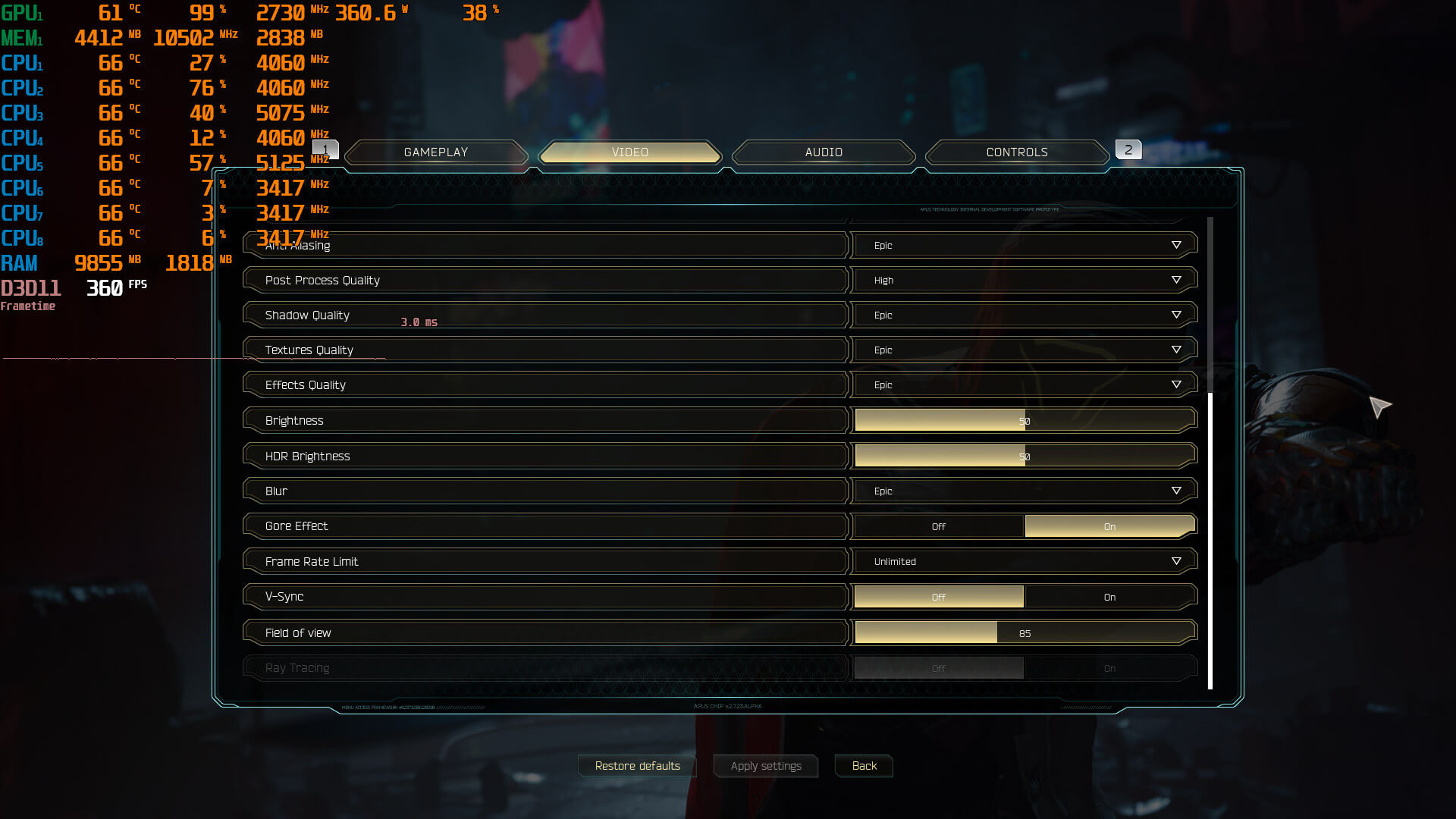
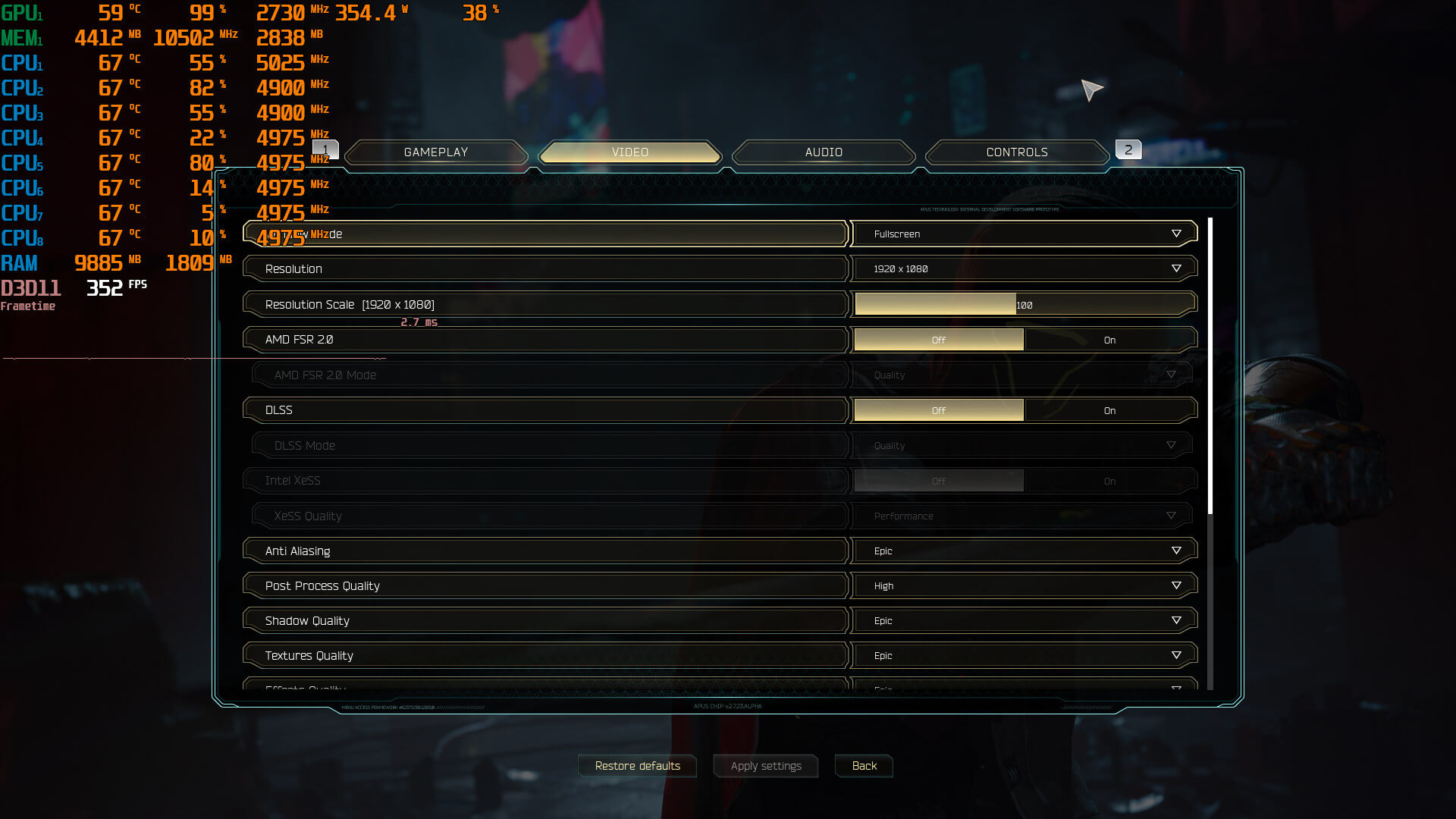
One More Level has added a few graphics settings to tweak. PC gamers can adjust the quality of Textures, Anti-Aliasing, Effects and more. The game also supports all available PC upscalers (AMD FSR, NVIDIA DLSS and Intel XeSS). There’s also a FOV slider. Not only that but One More Level will add some Ray Tracing effects via a day-1 patch.
Ghostrunner 2 does not feature any built-in benchmark tool. So, for our tests, we used the game’s opening gameplay area. We did not use its cut-scenes. The cut-scenes appear to be more demanding, and they do not represent how the game actually performs during gameplay sequences.
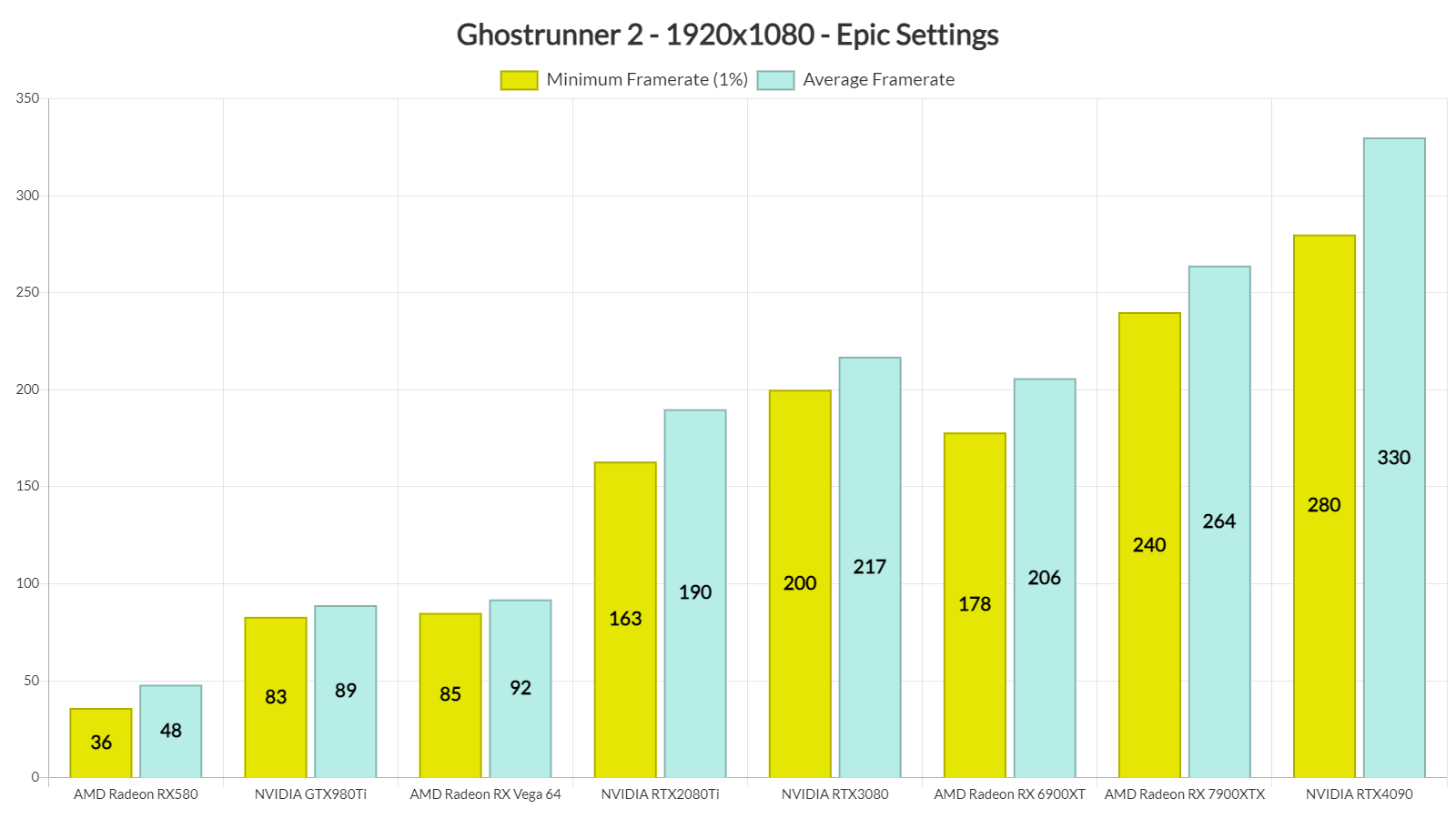
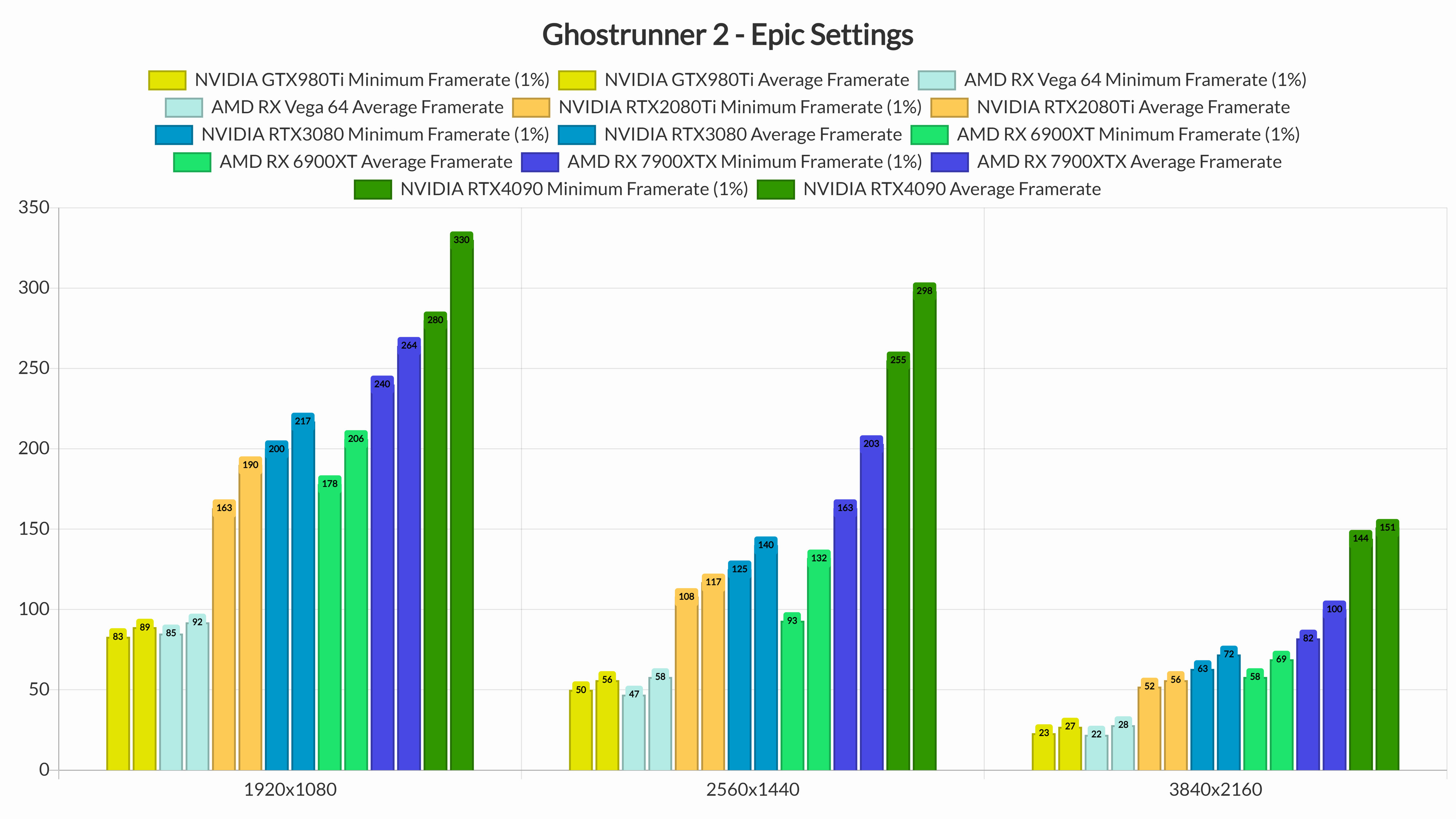
Ghostrunner 2 is a GPU-bound title. At 1080p/Epic Settings, our NVIDIA GeForce RTX4090 was able to push a minimum of 280fps. As such, there was no point at all in benchmarking different CPU configurations. Rest assured that the game will run with high framerates on a variety of CPUs.
At 1080p/Epic Settings, most of our graphics cards were able to provide framerates higher than 60fps. Currently, the game only supports the DX11 API and as such, it performs better on NVIDIA’s hardware. For instance, the GTX980Ti can match the performance of Vega 64, and the RTX3080 can beat the RX 6900XT.
At 1440p/Epic Settings, our top five GPUs had no trouble at all running the game. As for Native 4K/Epic Settings, the RTX3080, RTX4090 and RX 7900XTX were able to push framerates higher than 60fps. The AMD Radeon RX 6900XT was also able to provide a smooth gaming experience, provided you have a FreeSync monitor.
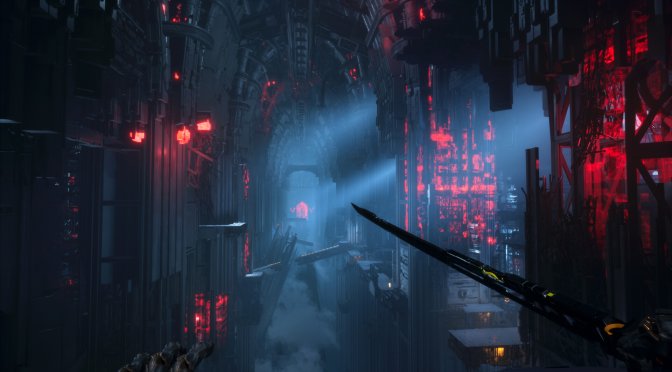
Graphics-wise, Ghostrunner 2 looks great but it does not really push the graphical boundaries of PC first-person shooters. For the most part, the game has high-quality textures and there are some amazing decapitation/dismemberment effects. However, we did spot some weird 30fps animations in distant enemies. Its lighting system also feels dated, especially when compared to UE5’s Lumen or other games using ray-traced lighting. Thankfully, though, the game has an amazing art style. In short, while Ghostrunner 2 is pleasing to the eye, it doesn’t offer anything you haven’t seen in other games. Let’s at least hope that the Ray Tracing effects that One More Level will implement will be RTAO and RTGI, and not ray-traced reflections.
Before closing, I should mention the game’s awful shader compilation stutters. While there is a shader compilation screen at launch, the game suffers from major shader compilation stutters. You can see most of them in the following video. Oh, and for those who were blaming DX12, this is another DX11 game that has shader compilation stutters. Let’s hope that One More Level will also address these stutters via its upcoming day-1 update.
All in all, Ghostrunner 2 will run smoothly on a wide range of PC configurations. And while it will not “wow” you with its graphics, it has an appealing art style. My only gripe with it is its awful shader compilation stutters. If One More Level manages to resolve them and overhaul its lighting via Ray Tracing, then we’ll have in our hands a pretty solid UE4 game.
Enjoy!


John is the founder and Editor in Chief at DSOGaming. He is a PC gaming fan and highly supports the modding and indie communities. Before creating DSOGaming, John worked on numerous gaming websites. While he is a die-hard PC gamer, his gaming roots can be found on consoles. John loved – and still does – the 16-bit consoles, and considers SNES to be one of the best consoles. Still, the PC platform won him over consoles. That was mainly due to 3DFX and its iconic dedicated 3D accelerator graphics card, Voodoo 2. John has also written a higher degree thesis on the “The Evolution of PC graphics cards.”
Contact: Email


You know I searched for “ghostrunner stutter” results in the past hour on Google and did you know that this is the only review that even speaks of them?
The media is absolutely shameful when it comes to mentioning game breaking or experience ruining stuff like this. I’m sure only 1 review is gonna mention how terribly optimized Alan Wake 2 is… All the others will just take their cheque and shut up about it.
It’s not that they avoid talking about it. Most people just don’t notice them or aren’t bothered by them. I speak to a lot of people on forums who claim they don’t notice stutters, even though it’s pretty much guaranteed they have them.
John is the only one who reports these compilation stutters; technical reviews of PC ports are quite rare nowadays (maybe a paragraph on PC Gamer that says nothing useful, and occasional ones from Digital Foundry if they feel like it). You can find a video or two on YouTube showing them as well (more than two for popular games like Hogwarts Legacy or Jedi Survivor).
A search like that is bound to be fruitless because “stutter” is not a universally known and used term. People may call it bad performance, freezing, hitching, framerate drop etc. etc. Reviewers could use all sorts of language to hint at there being a performance problem so your search will come up empty even if many or most reviewers had mentioned the issue in some way.
Well it so happens that I also did a search with the words Ghostrunner and performance in the last hour, one hour post embargo.
“how terribly optimized Alan Wake 2 is”
And you know that how exactly?
The devs have announced it.
The guys at digital foundry almost always mention stutter issues if they’re present. Seeing as how they did videos on the first Ghostrunner they’ll most likely release their tech review of this game soon.
Hm looks like more of the same, I played a little of the first and still have that complete edition packed and ready for install on a drive, not in too much of hurry though. DX11 much less resources needed too, but for a more updated graphics I really wish Vulkan was used more but M$ and Ngreedia come in there w their bribery and outright buy whole studios so there you go stuck w something that wastes resources and needs overkill gpus at bloated pricing which then need a whole surrounding system to support them, such a racket it all is. The largest suspense I have is which new or advanced tech they’ll push to sell cards after RT is standard in casual level gpus.
“While there is a shader compilation screen at launch, the game suffers
from major shader compilation stutters. You can see most of them in the
following video. Oh, and for those who were blaming DX12, this is
another DX11 game that has shader compilation stutters.”
Simply unacceptable in an action game.
Imagine the shïtshow if this was a complex game. But a game linear rail game with these issues? Cash grab is what this is!
John, since this game uses DX11, could you please give it a try with “dxvk-gplasync” and see how it goes?
It should fix all stutters completely, even with an empty shader cache on the very first run of the game.
Maybe even consider doing an article about it, as I’m sure many people would be grateful about having those stutters fixed.
Here’s my step-by-step tutorial for it; please feel free to use it in your article, should you choose to write one:
Just google for “dxvk-gplasync”, which will lead you to the GitLab repository of “Ph42oN” where it’s hosted.
There, you will see a folder named “releases”, which contains the necessary DLL files of this special DXVK version.
Make sure to download the latest version, which is “dxvk-gplasync-v2.3-1.tar.gz” at the time of writing.
Like regular DXVK, just drop the extracted x64 DLL files into the games’ root folder where the EXE file is located.
To benefit from the Async patch which completely gets rid of any & all stutters, create a dxvk.conf file (make sure it’s NOT named dxvk.conf.txt) at the same location where you just dropped the DLL files and paste the following into it with a text editor:
dxvk.enableAsync=true
Plus if you want to take advantage of the state cache in combination with the Async patch, so that already compiled shaders are cached for future re-use, additionally add this to the same dxvk.conf on a new line:
dxvk.gplAsyncCache=true
If you can, please give it a try.
Thanks!
I’ve tried in older games DXVK and while it can resolve some traversal stutters, it does not fix the shader compilation stutters.
Edit: I’m about to try it with a cleared cache, so I’ll edit this post with my findings.
Edit 2: Nope, shader compilation stutters are still there. What I can say is that with DXVK they are shorter. However, you’ll still get these stutters/hiccups.
https://i.imgur.com/7hlRlU8.jpg
But John, you are still using the regular version of DXVK here.
To completely remove the stutters, you have to explicitly use the version named “dxvk-gplasync” located on GitLab, as I have written above.
Plus you have to create a dxvk.conf file with a text editor and paste the two lines I mentioned above into it, too.
Only then will the Async render code of DXVK activate, which 100% will get rid of the stutters, because the Async render code is then running in its very own thread, unaffected from any shader compilation happening on other threads.
Once again, please do give it a try by following my step-by-step tutorial, which will definitely fix the stutters, guaranteed!
I followed your guide man, that screenshot is with dxvk-gplasync and the suggestions you made 😛
The game runs flawless in DX12, it’s UE 4.27.
No need for DX11 or DXVK.
Dumb game that would be cool on an arcade only.
Nvidia sponsored? Unusual to see the 3080 beating the 6900 xt.