

Last week, Techland released Patch 1.4 for Dying Light: The Beast, which added support for its promised Ray Tracing effects. For this game, Techland used Ray Tracing to enhance the game’s shadows, reflections, and global illumination. So, it’s time to benchmark those Ray Tracing effects.
For these RT benchmarks, I used an AMD Ryzen 9 7950X3D, 32GB of DDR5 at 6000Mhz, and an NVIDIA RTX 5090. I also used Windows 10 64-bit, and the GeForce 581.80 driver.
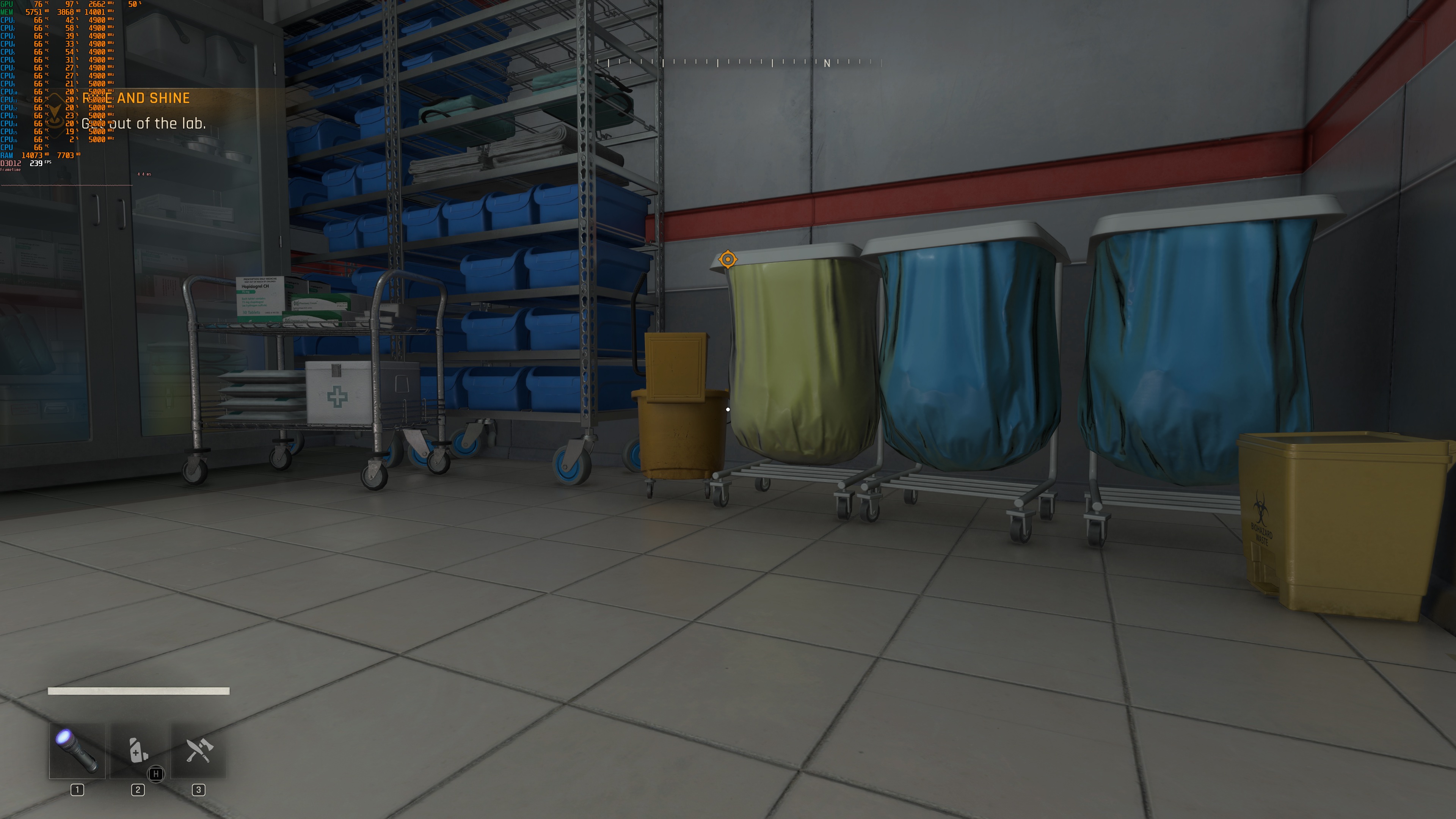
Dying Light: The Beast does not feature any built-in benchmark. So, for our tests, I used the following area. For some weird reason, this is the most demanding area you can find in the game. All other areas run noticeably faster. So, consider our benchmarks as a worst-case scenario. Most of the time, the game will run better.

Let’s start with some comparison screenshots. On the left, we have the rasterized version. On the right, you can find the ray-traced version.




As we can see, Ray Tracing can greatly improve image quality in a lot of areas. While Techland has done a great job with its pre-baked lighting, there are scenes in which the rasterized version can look really flat. That’s where RT comes in to save the day. Take, for example, the third, fourth, and fifth comparisons. You can clearly see the benefits of Ray Tracing. Or take a look at the yellow trees in the last two comparisons. You can see how much better and more realistic they look.
Thanks to Ray Tracing, the game can now look great at all times. This “inconsistency” is what plagues a lot of rasterized games. Even the kings of rasterization, like The Last of Us Part 2, Uncharted 4, and Death Stranding 2, can look like “PS3” games in some areas and under certain conditions. This is why Ray Tracing is important. Yes, you need a high-end gear. But to say you can’t see any difference when you enable RT is laughable.
This doesn’t mean, of course, that there aren’t any issues with the game’s Ray Tracing effects. Most notably, the RT Shadows are not as good as the normal shadow maps. The RT shadows from the trees look less detailed, and they animate at a much slower update rate. Some reflections can also look weird, and you may notice some noise issues.
But what about performance? In our stress scene, without Ray Tracing at Native 4K with Max Settings, the game was running with a minimum of 87FPS and an average of 91FPS. With RT On, we got to the 30s. Ouch. Again, this is the worst-performing area in the game. So, make sure to keep that in mind.
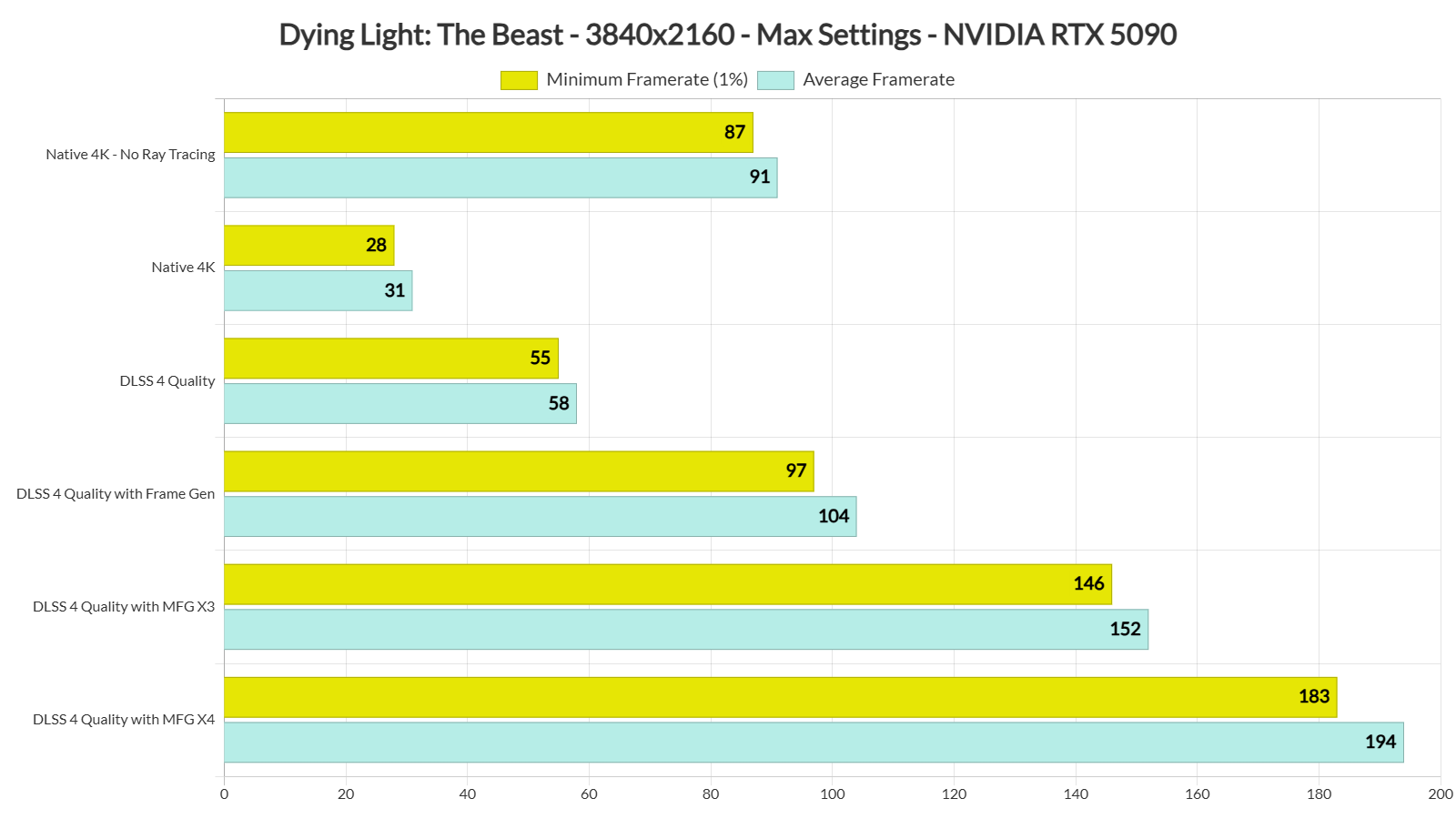
With DLSS 4 Quality, we were able to get a minimum of 55FPS and an average of 58FPS. Still not great, but this is a good base framerate to use Frame Gen. With DLSS 4 Frame Gen, we got to 100FPS. Then, with MFG X3 and MFG X4, we got to 150FPS and 190FPS, respectively.
The DLSS 4 MFG implementation in Dying Light: The Beast is great. Here are some screenshots I took while I was quickly moving the camera. Most of you won’t be moving the camera like that (I mean, look at them. The entire image is a blur due to how fast I was moving it). As you can see, there are very minimal visual artifacts caused by DLSS 4 MFG.


All in all, the Ray Tracing effects for Dying Light: The Beast are quite demanding. To enjoy them, you’ll either have to enable DLSS 4 Performance Mode or use Frame Gen, even on a high-end GPU like the NVIDIA RTX 5090.
Now, I know that some will say that they are not worth it. And that’s fine. You can skip them and enjoy the game without them. As I wrote in my PC Performance Analysis, the game can run great on a wide range of GPUs, provided you do not increase its resolution to 4K. It will not look impressive, but it will at least run great. On the other hand, those who find it a bit too “old-gen-ish” and want a better image quality will have to at least enable RTGI!

John is the founder and Editor in Chief at DSOGaming. He is a PC gaming fan and highly supports the modding and indie communities. Before creating DSOGaming, John worked on numerous gaming websites. While he is a die-hard PC gamer, his gaming roots can be found on consoles. John loved – and still does – the 16-bit consoles, and considers SNES to be one of the best consoles. Still, the PC platform won him over consoles. That was mainly due to 3DFX and its iconic dedicated 3D accelerator graphics card, Voodoo 2. John has also written a higher degree thesis on the “The Evolution of PC graphics cards.”
Contact: Email