
Pearl Abyss has just lifted the review embargo for Crimson Desert, so we can finally share our PC Performance Analysis. Powered by the Blackspace Engine, it’s time now to benchmark it and examine its performance on PC.
For our benchmarks, I used an AMD Ryzen 9 7950X3D, 32GB of DDR5 at 6000Mhz, AMD’s Radeon RX 6900XT, RX 7900XTX, RX 9070XT, as well as NVIDIA’s RTX 2080Ti, RTX 3080, RTX 4090, RTX 5080, and RTX 5090. I also used Windows 10 64-bit, the GeForce 595.76, and the Radeon Adrenalin Edition 26.2.2 drivers.
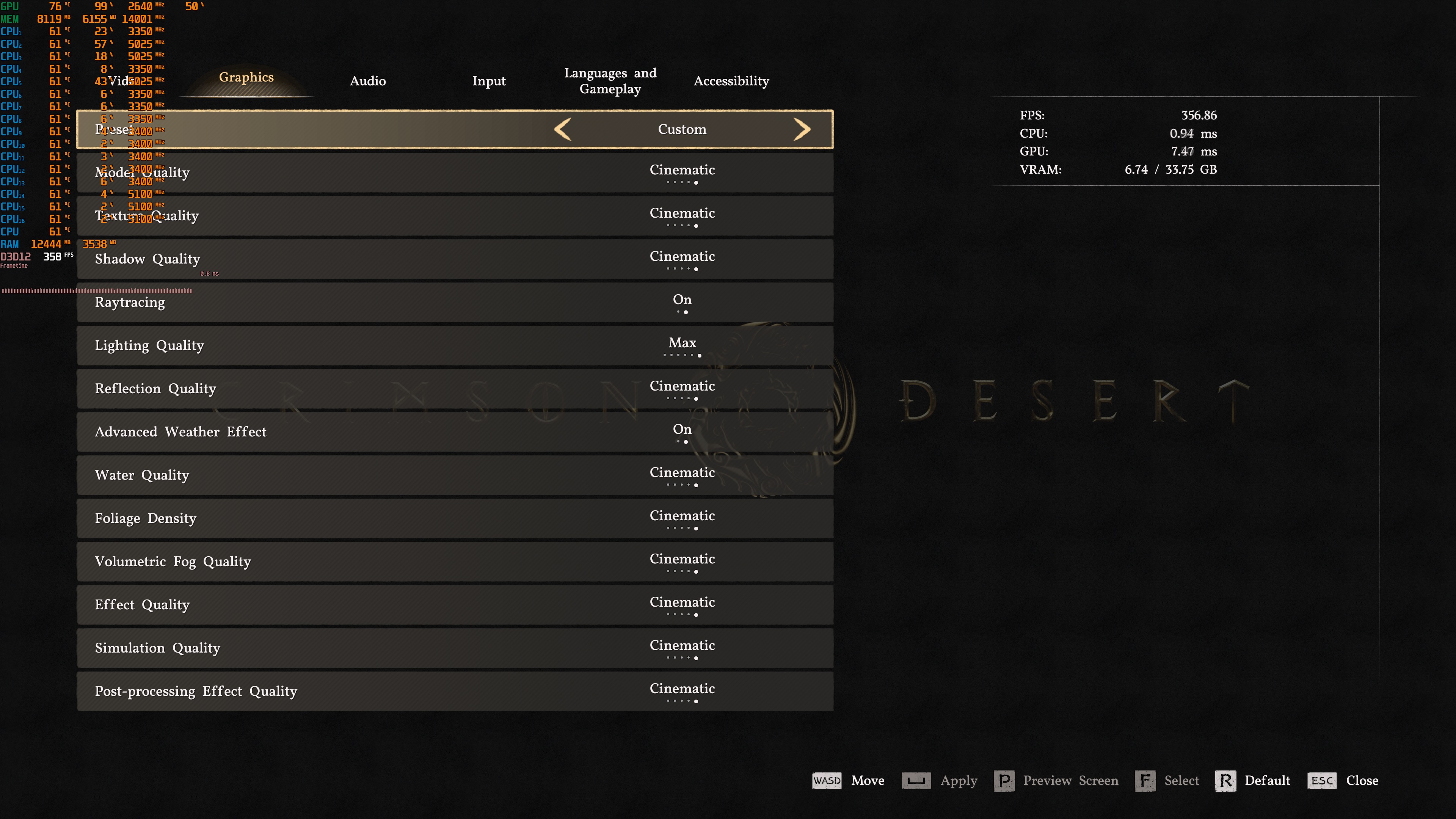
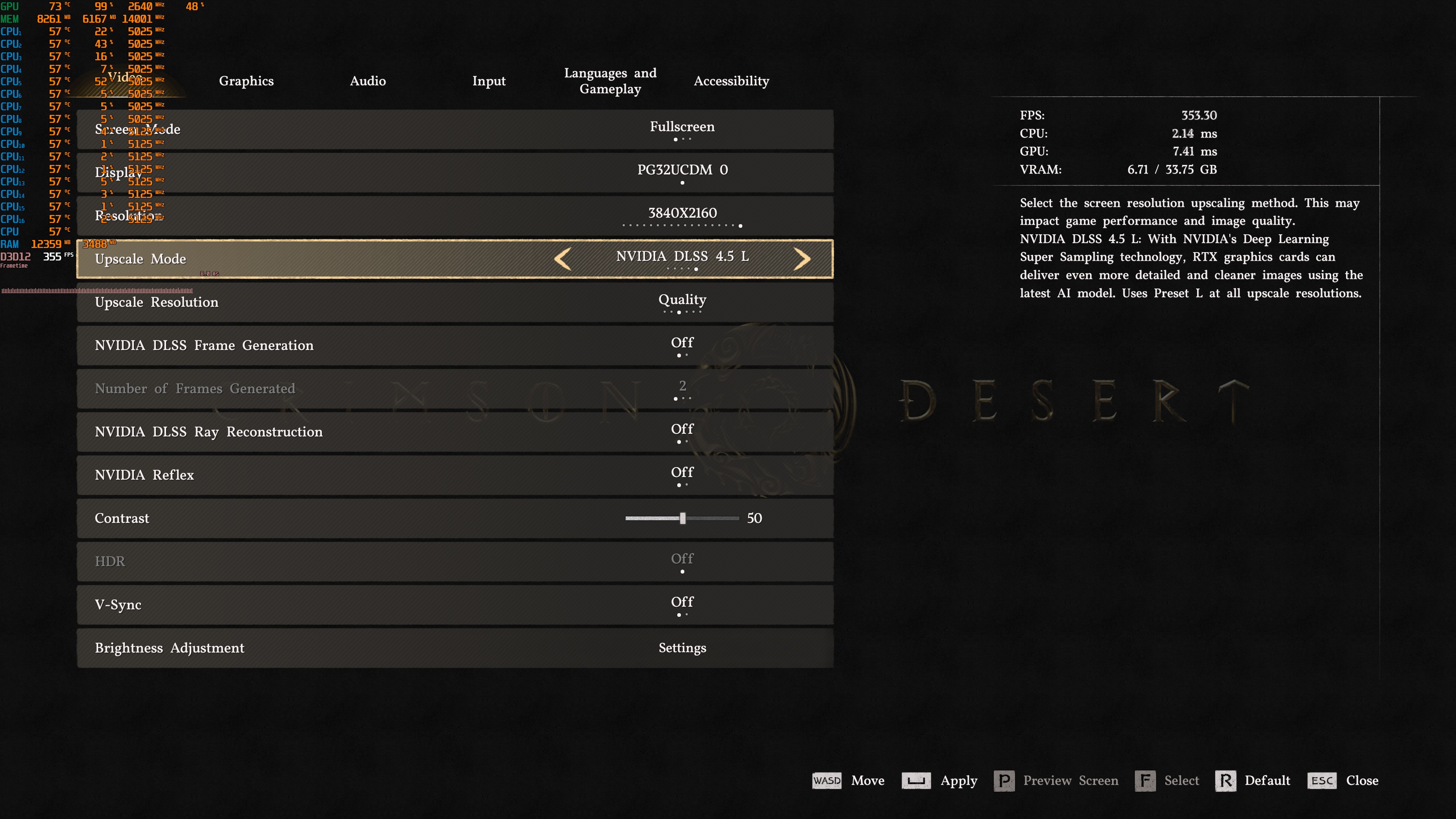
Pearl Abyss has added a lot of graphics settings to tweak. PC gamers can adjust the quality of Models, Shadows, Textures, Lighting, and more. The game also supports NVIDIA DLSS 4.5 and AMD FSR 3.1. For the first time, we also get a unique DLSS 4.5 setting that lets you use Preset L in all modes. However, there is no support for Intel XeSS 2.0.
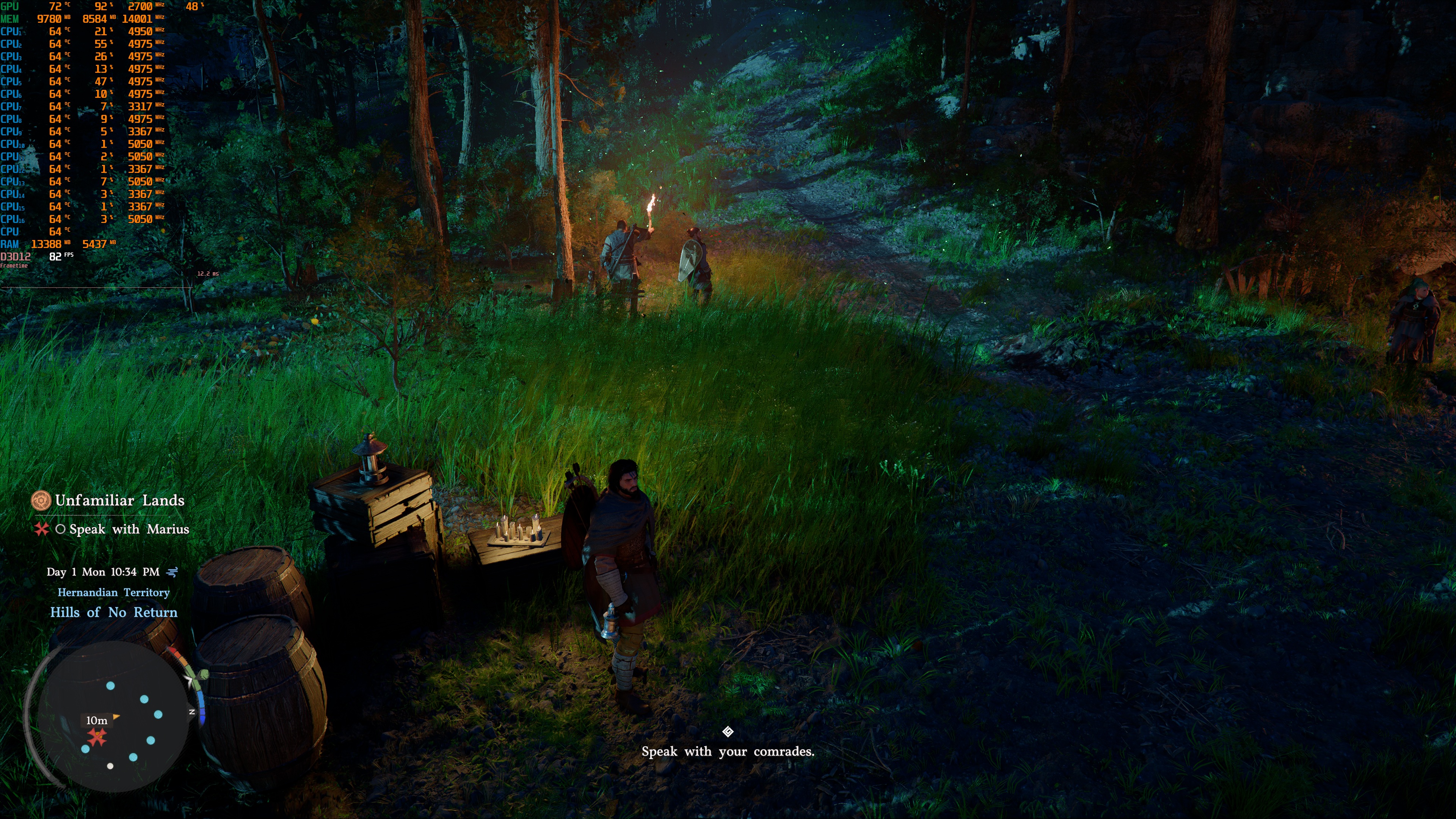
Crimson Desert does not have a built-in benchmark tool. So, for our tests, I used the starting area. This area was more taxing than the first big fight that happens afterwards (or the rest of the prologue). As such, it should give us a pretty good idea of how the rest of it runs.
Before continuing, I should note that the Ultra and Cinematic Settings automatically enable Ray Tracing. Moreover, there is a Max Setting for Lighting that comes with a huge performance hit. So, I’ve used the Cinematic Settings for our 1080p, 1440p, and 4K benchmarks. For our DLSS 4 benchmarks, I used the Max Settings.
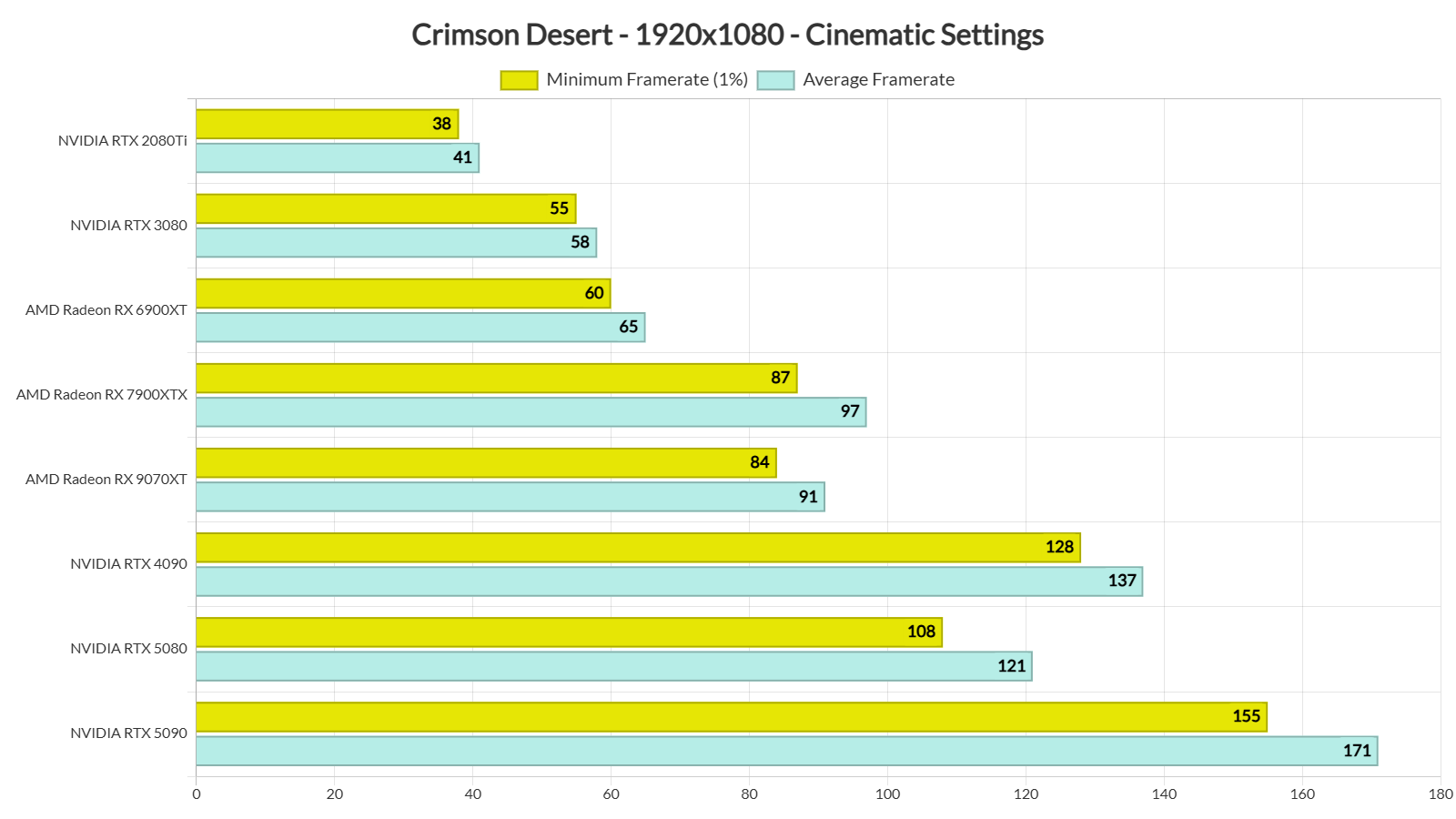
At 1080p/Cinematic Settings, our top six GPUs were able to provide a constant 60FPS experience. One of them is the AMD Radeon RX 6900XT. The NVIDIA RTX 3080 can also provide a smooth experience, provided you use a G-Sync monitor.
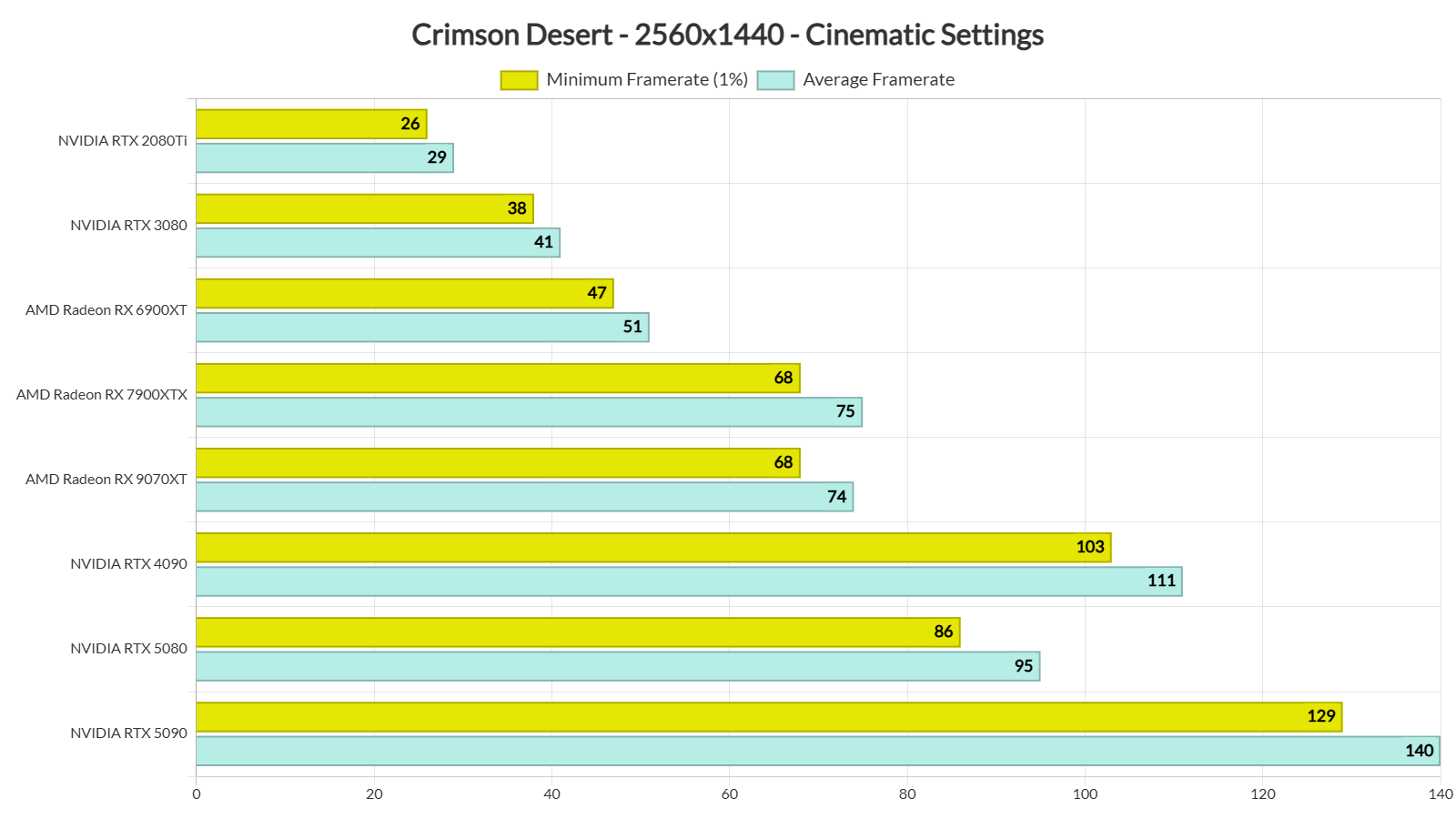
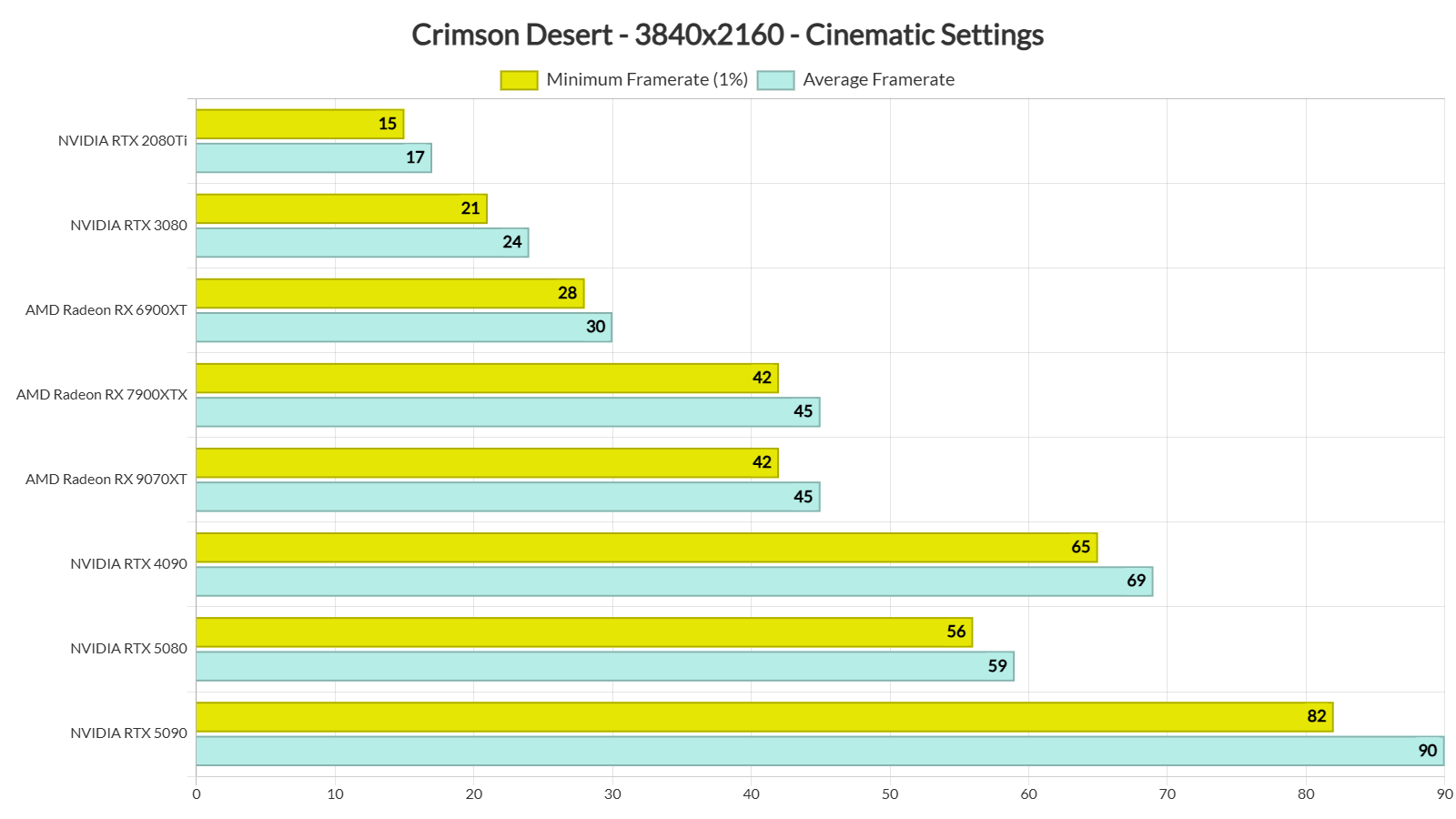
Our top five GPUs had no trouble at all pushing framerates over 60FPS at all times at 1440p/Cinematic Settings. As for Native 4K/Cinematic Settings, the NVIDIA RTX 4090 and the RTX 5090 were able to provide a constant 60FPS experience. And, as I said, that’s with Ray Tracing enabled.
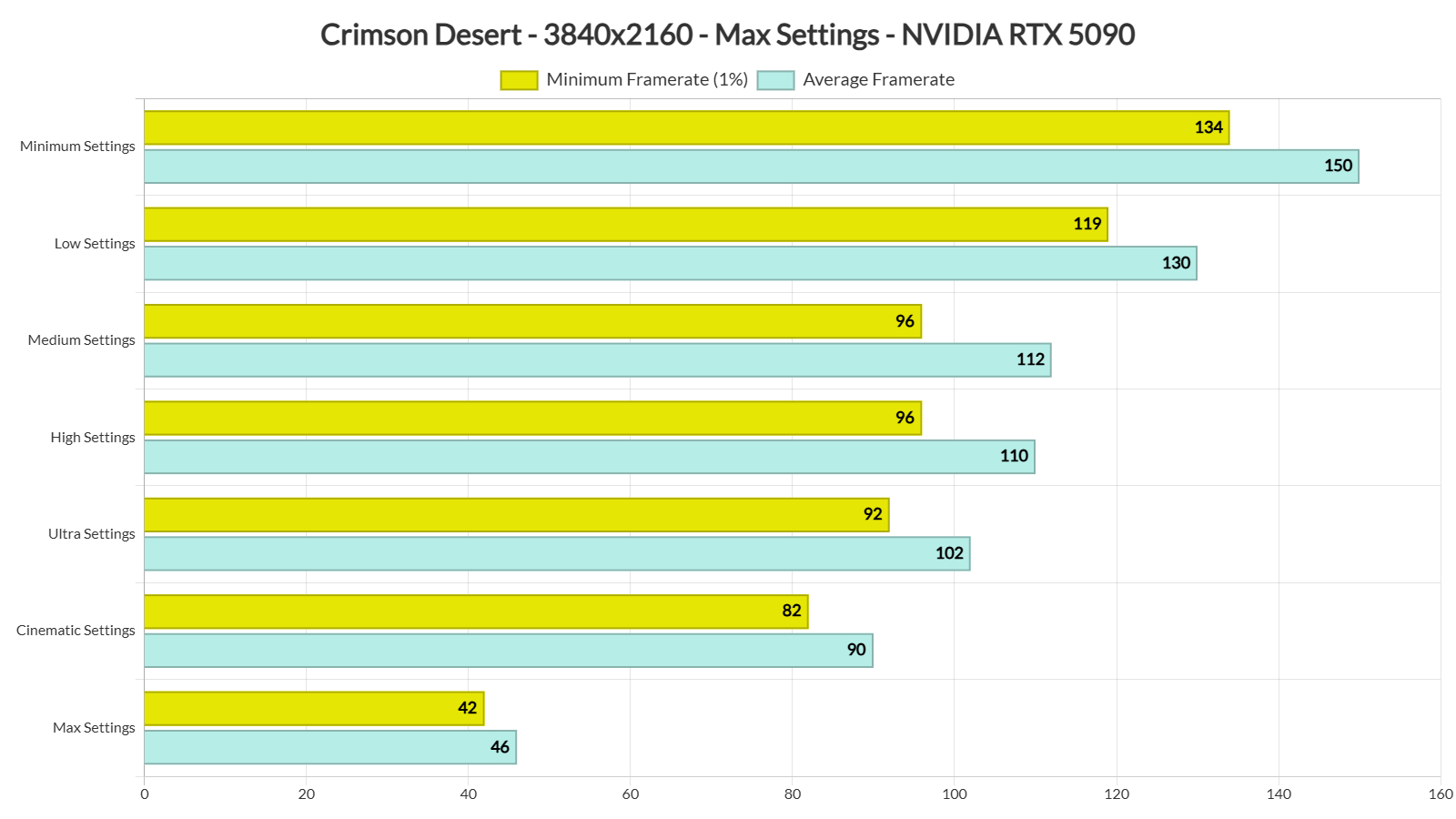
To see how the game scales, I also tried its graphics presets at Native 4K on the NVIDIA RTX 5090. And, things are a bit weird. While I saw a noticeable performance increase when I dropped my settings to Cinematic and Ultra, there was almost no performance difference between Ultra, High, and Medium. With those presets, my GPU was used to its fullest, so I was not CPU-limited in any way. Then, when I dropped my settings to Low and Minimum, I saw big performance gains.
Speaking of weird behaviours, the Ray Tracing effects in Crimson Desert are surprisingly lightweight. Contrary to other games, in Crimson Desert, Ray Tracing only has a 3-4FPS impact. In fact, in some cases, the RT version can run faster than the rasterized version. Here are two screenshots that perfectly showcase the visual improvements of Ray Tracing. Notice the better GI we get when using Ray Tracing. Now, look at the framerates. With RT, we are at 228FPS. When we disable it, we get to 225FPS. I kid you not. There are areas in which the ray-traced version can run better than the rasterized version.
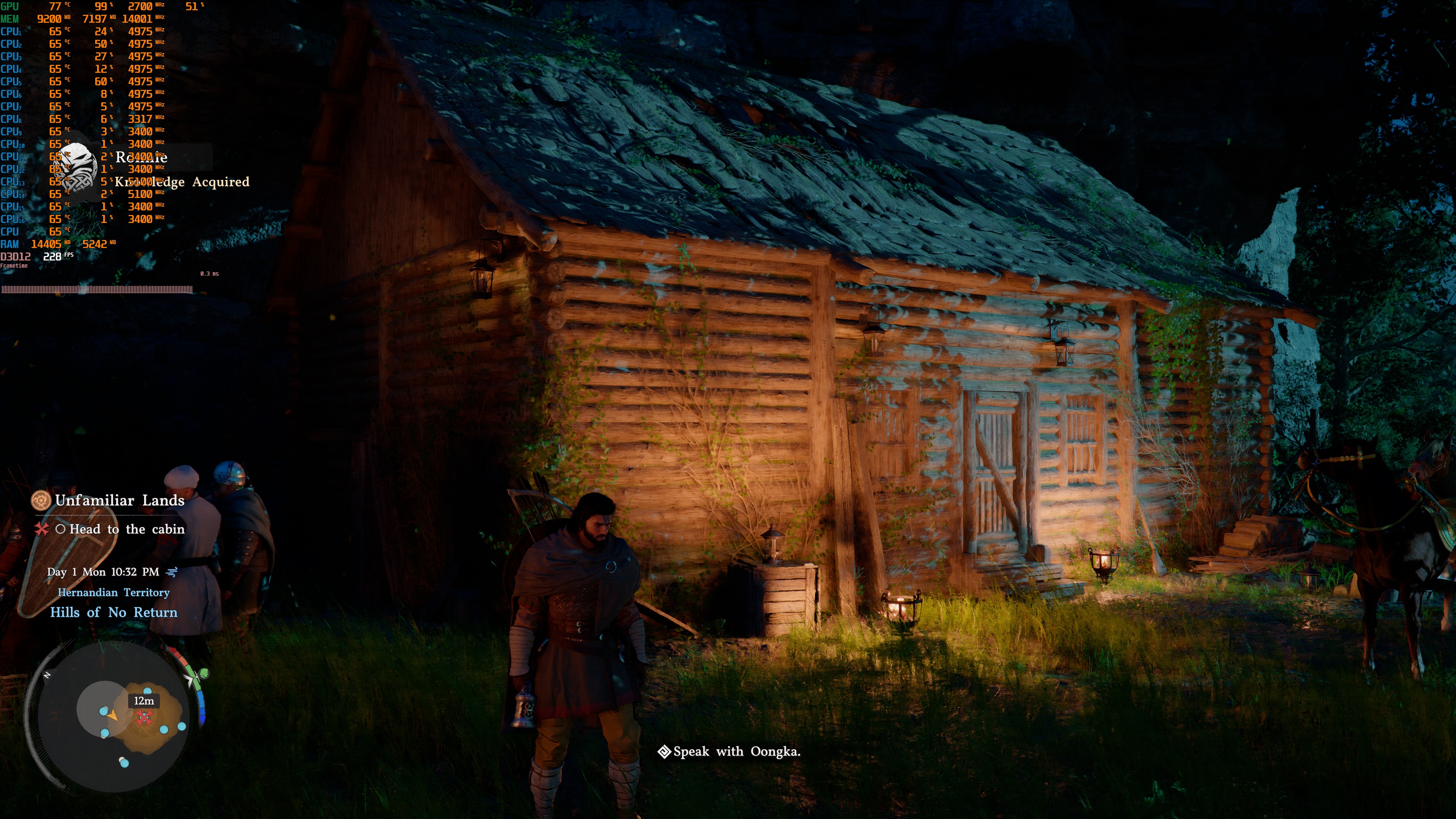
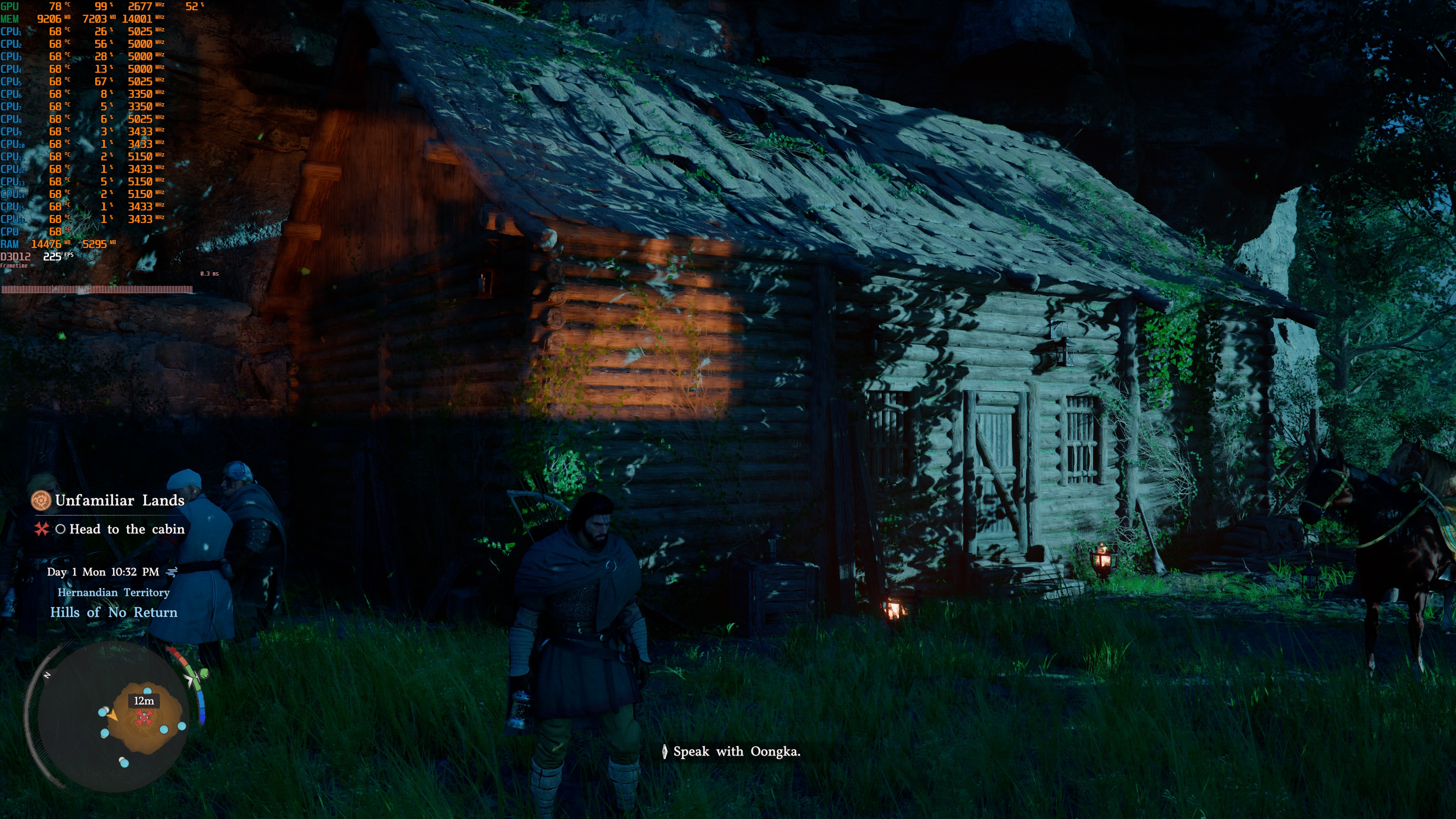
Unfortunately, Crimson Desert suffers from several major visual issues. The most noticeable problem is heavy ghosting on the grass. You can fix this by enabling NVIDIA Ray Reconstruction or AMD Ray Regeneration, but if you don’t have an NVIDIA RTX or AMD Radeon RX 9000 GPU, there’s no workaround. There are also severe pop-in problems. For instance, shadows can appear right in front of you. Lights will also show up when you get close to lamps or fire sources. The overall visual consistency is rough, and it’s clear that the devs cut a lot of corners to make the game run as well as it does.
This doesn’t mean that Crimson Desert is a bad-looking game. In fact, it has some amazing wind effects and physics. While most games feel “static” and “lifeless”, Crimson Desert feels more alive with its amazing weather and its cool destruction physics. However, while exploring its world, Crimson Desert is not as consistent as most Unreal Engine 5 games. Its characters are also nowhere close to what we’ve seen in other triple-A games. Say what you will about MetaHuman, Nanite and Lumen, but they offer a more consistent image. UE5 games have almost eliminated pop-ins, which is something that annoyed me for a long time. In short, there is no magic sauce. Crimson Desert runs better because the devs have cut a lot of corners. That’s a fact.
Let’s now turn our focus to DLSS. As I said, the game supports both DLSS 4 and DLSS 4.5. Sadly, though, DLSS 4.5 suffers from flickering issues (that are not present in DLSS 4). I’ve highlighted them in my video. So, for now, I recommend using DLSS 4 and not DLSS 4.5.
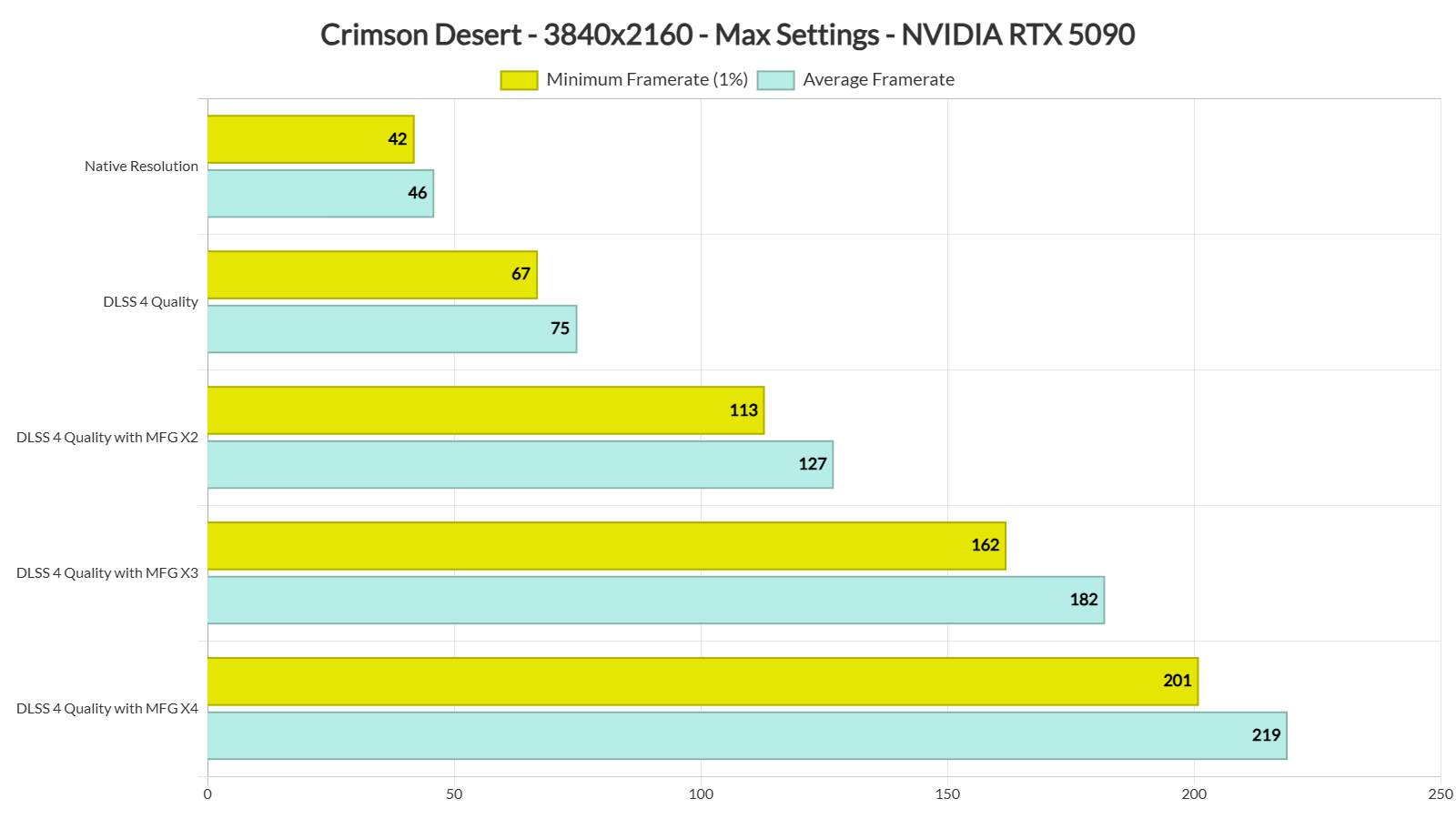
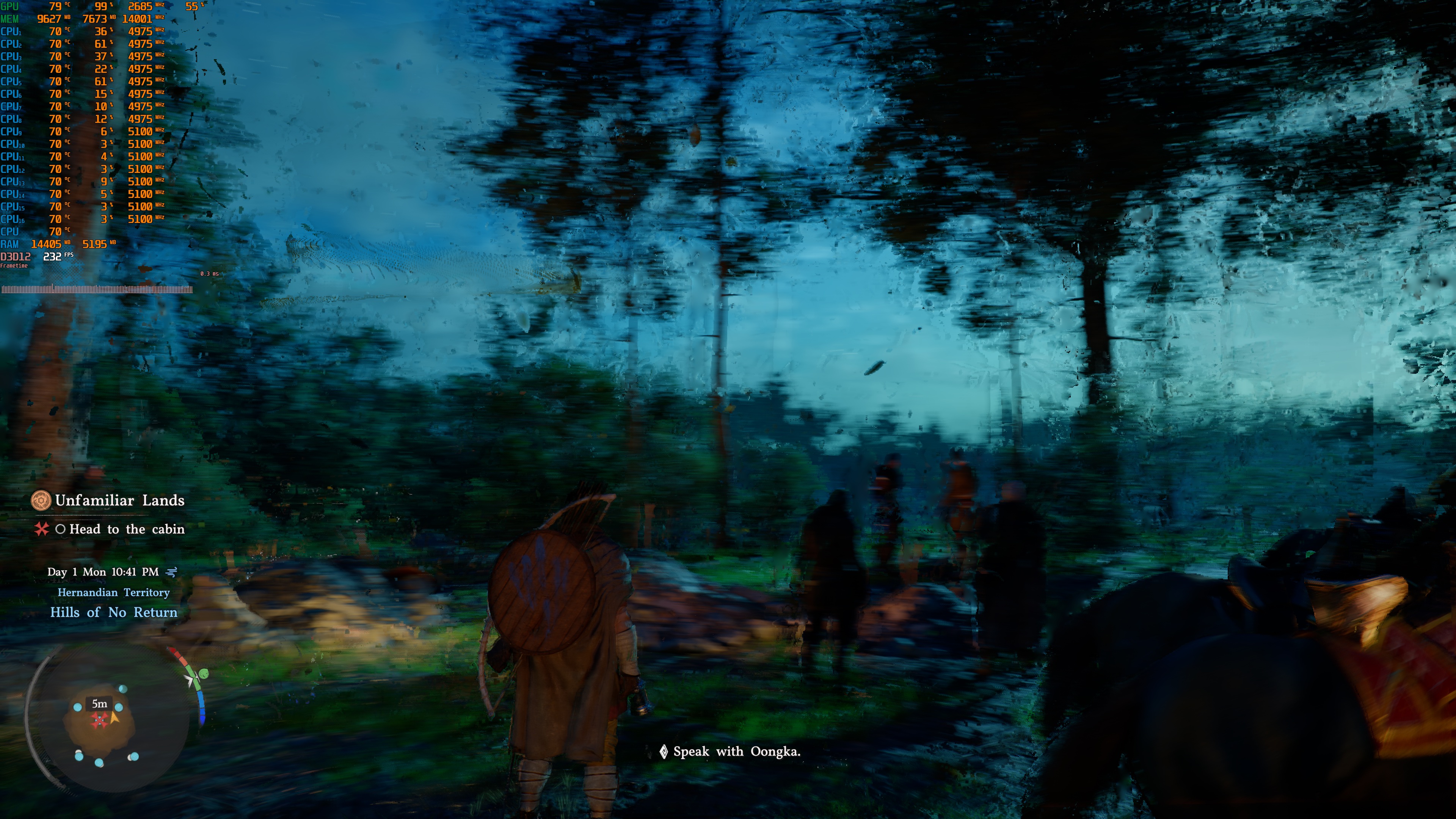
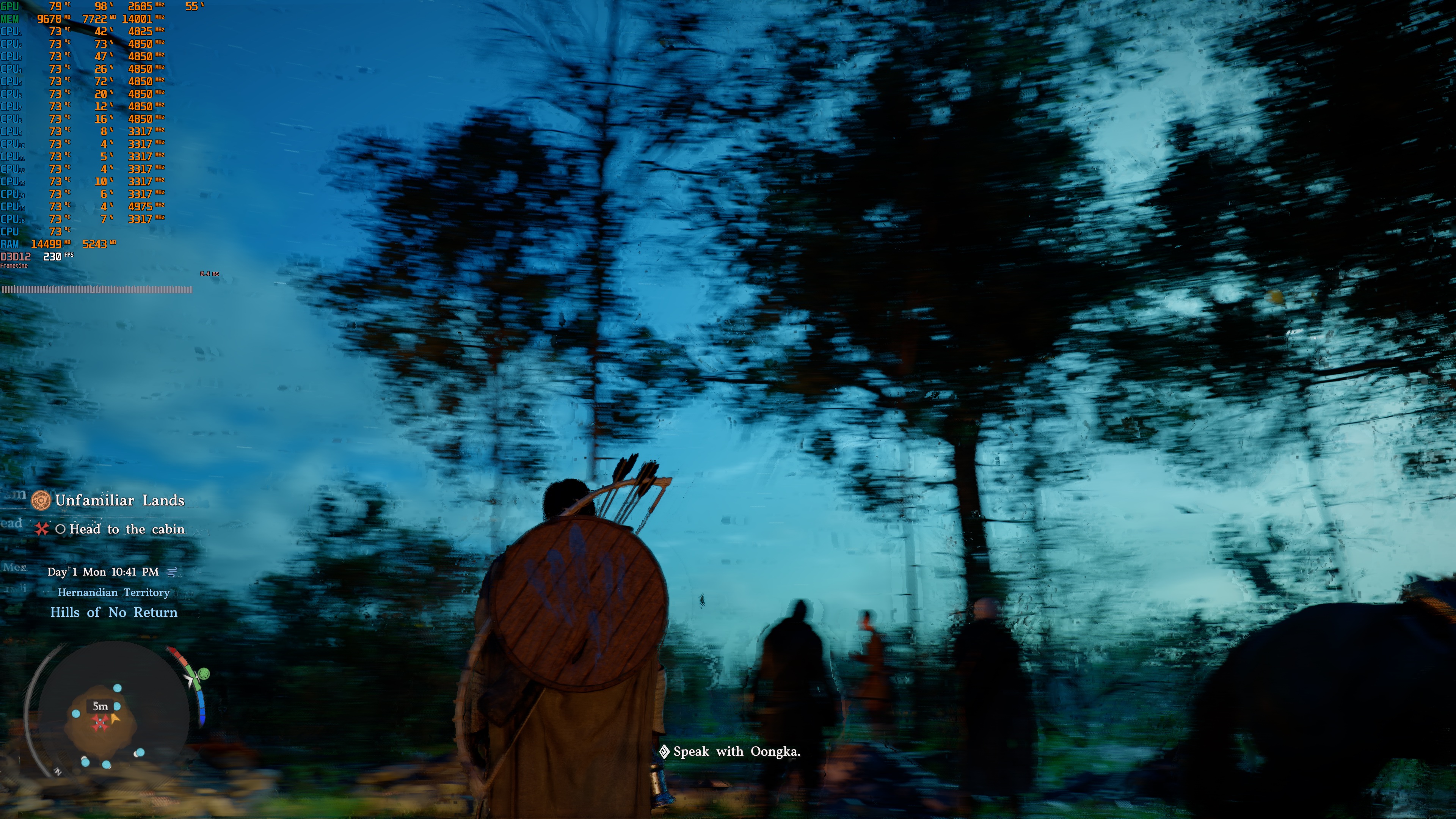
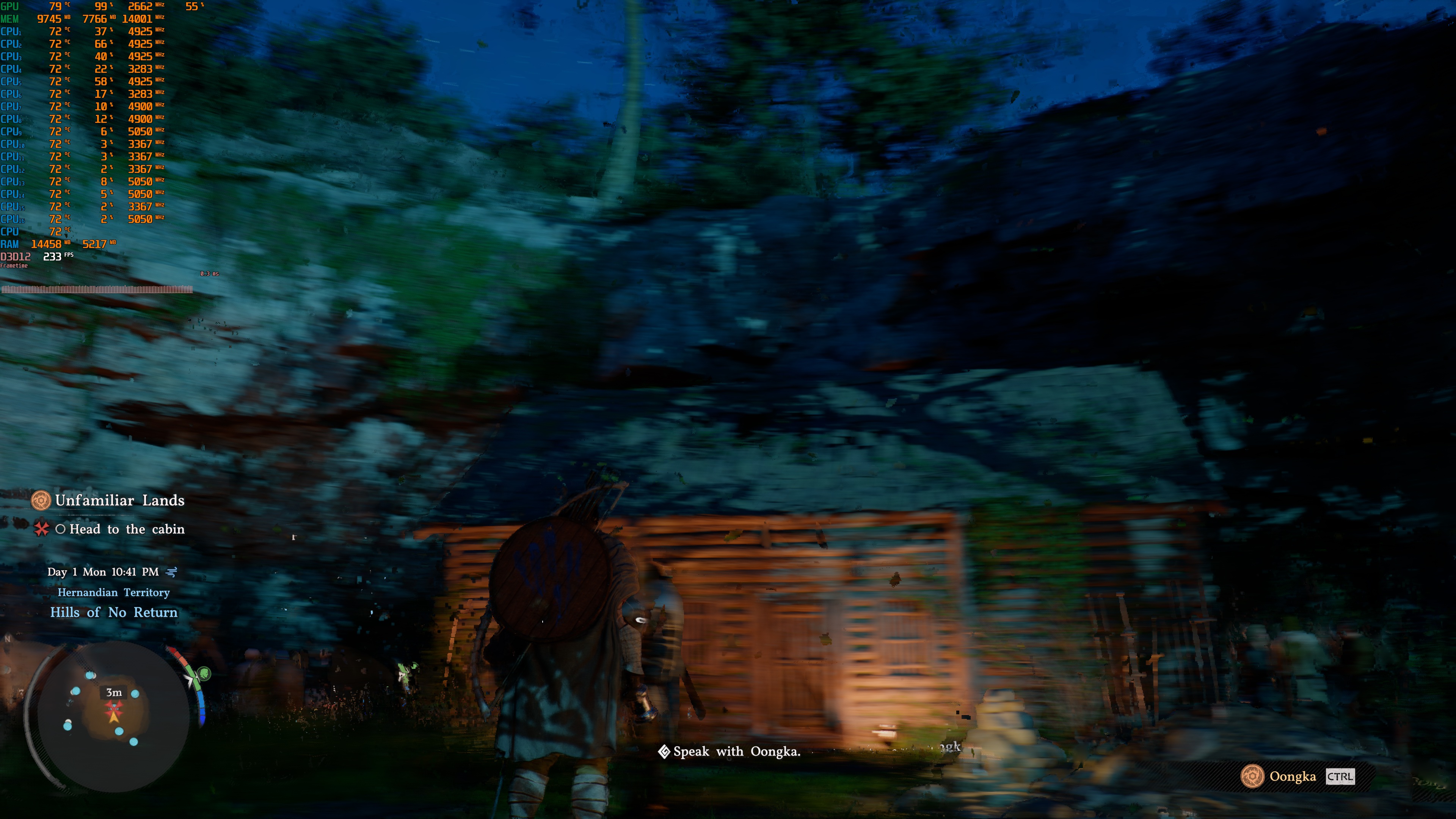
The DLSS 4.0 Frame Generation implementation is a bit of a mixed bag. During fast camera movements, you may notice some visual artifacts. In the screenshots I captured while quickly moving the camera, these artifacts are clearly visible. It’s not the worst DLSS 4.0 Frame Gen implementation I’ve seen, but it’s certainly not one of the best either. It lands somewhere in the middle. As I’ve said numerous times, during normal gameplay, you won’t be moving the camera as fast as I did. Still, in my opinion, this is the best way to test DLSS 4 Frame Gen.
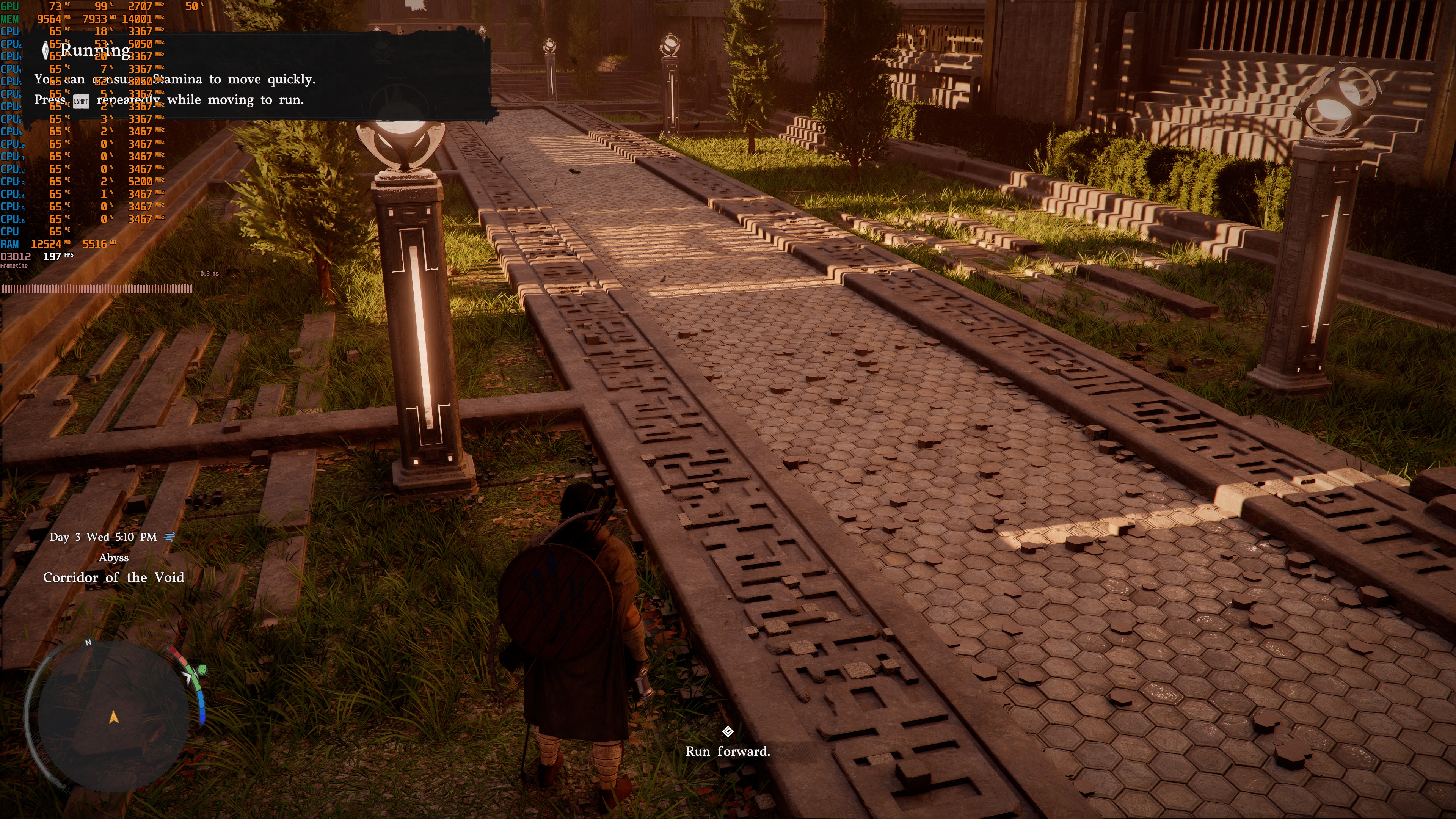
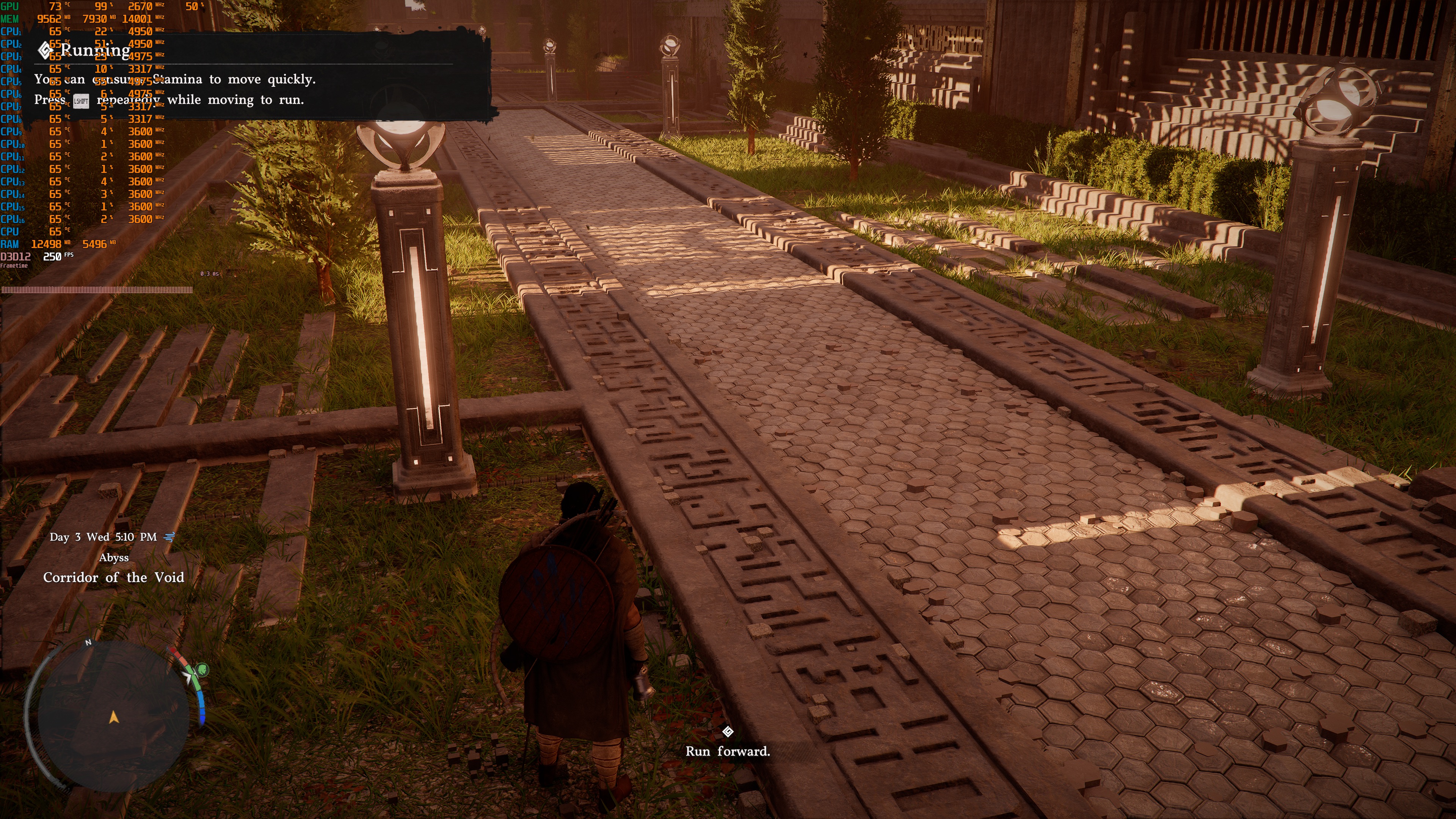
As I also said, NVIDIA Ray Reconstruction can fix the ghosting issues with the grass. It can also enhance the game’s Ray Tracing effects. Below, you can find a comparison with (left) and without (right) Ray Reconstruction. You can clearly see how much better the image looks with Ray Reconstruction. However, Ray Reconstruction also introduces some flickering issues. These flickering issues may put off some gamers. I’ve already informed Pearl Abyss about all these issues. So, here is hoping that they’ll fix them via a post-launch update.
In fact, the DLSS implementation was in a really bad state just a week ago. There were A LOT of issues with it, to the point that I made a video to highlight them (and send it to the devs). Thankfully, they have fixed most of them. However, the issues I mentioned above are still present.
For what it’s worth, I did not experience any major stuttering issues. The game felt smooth during exploration or combat. I was also impressed by the low CPU requirements. Even during big fights, the AMD Ryzen 9 7950X3D was not stressed at all.
All in all, Crimson Desert runs great on PC. It does not suffer from stutters, and it has Ray Tracing effects that will not tank your performance. I also did not encounter any issues with its Denuvo implementation. At the same time, Crimson Desert does not come close, visually, to the UE5 games or those that have used Path Tracing. It also suffers from various visual issues. Plus, the DLSS implementation needs more work and polish. As I said, Crimson Desert looks great. However, it will not leave you speechless with its graphics. Nevertheless, this is a game that will run great on a wide range of PCs. And that’s a good thing!


John is the founder and Editor in Chief at DSOGaming. He is a PC gaming fan and highly supports the modding and indie communities. Before creating DSOGaming, John worked on numerous gaming websites. While he is a die-hard PC gamer, his gaming roots can be found on consoles. John loved – and still does – the 16-bit consoles, and considers SNES to be one of the best consoles. Still, the PC platform won him over consoles. That was mainly due to 3DFX and its iconic dedicated 3D accelerator graphics card, Voodoo 2. John has also written a higher degree thesis on the “The Evolution of PC graphics cards.”
Contact: Email