

Konami has just released Silent Hill f for everyone who purchased the Deluxe Edition. This means we can finally test the game and see how it performs on PC. Silent Hill f uses Unreal Engine 5 and takes advantage of Nanite, Lumen, and Virtual Shadow Maps. So, the big question is: can it run at 60FPS in Native 4K with Max Settings on the most powerful GPU?
For these early benchmarks, I used an AMD Ryzen 9 7950X3D, 32GB of DDR5 at 6000Mhz, and the NVIDIA GeForce RTX 5090. I also used Windows 10 64-bit, and the GeForce 581.29 driver.
Let’s start with some of the bad and strange stuff. Although the game supports DLSS 4, it does not support any Frame Gen. There’s also no in-game support for DLAA or Native FSR. On top of that, you can’t adjust the resolution in Fullscreen Mode (the option is greyed out). I’m not sure why the game suffers from these issues.
To get a native image, you have two options. You can either use TSR with 100% Screen Percentage, or you can force DLAA via the NVIDIA App. If you select DLSS or FSR, their settings will override the Screen Percentage option. So, make sure to keep that in mind.

At Native 4K with Max Settings, the game can run with 60FPS on the NVIDIA RTX 5090. That’s with Lumen, Nanite, and Virtual Shadow Maps. This is one of the few UE5 games that performs this well with Software Lumen. For those wondering, Silent Hill f uses UE5.4.2.0. So, no. It does not benefit from the improvements that Epic made in UE5.5 or UE5.6.
It’s also worth noting that DLAA appears to run better than Native TSR. 4K with DLAA was pushing a minimum of 65FPS and an average of 70FPS. Image quality appears to be similar. Below you can find two comparison screenshots. They look pretty similar to me. So, if you own an RTX GPU, I highly recommend DLAA over Native TSR.
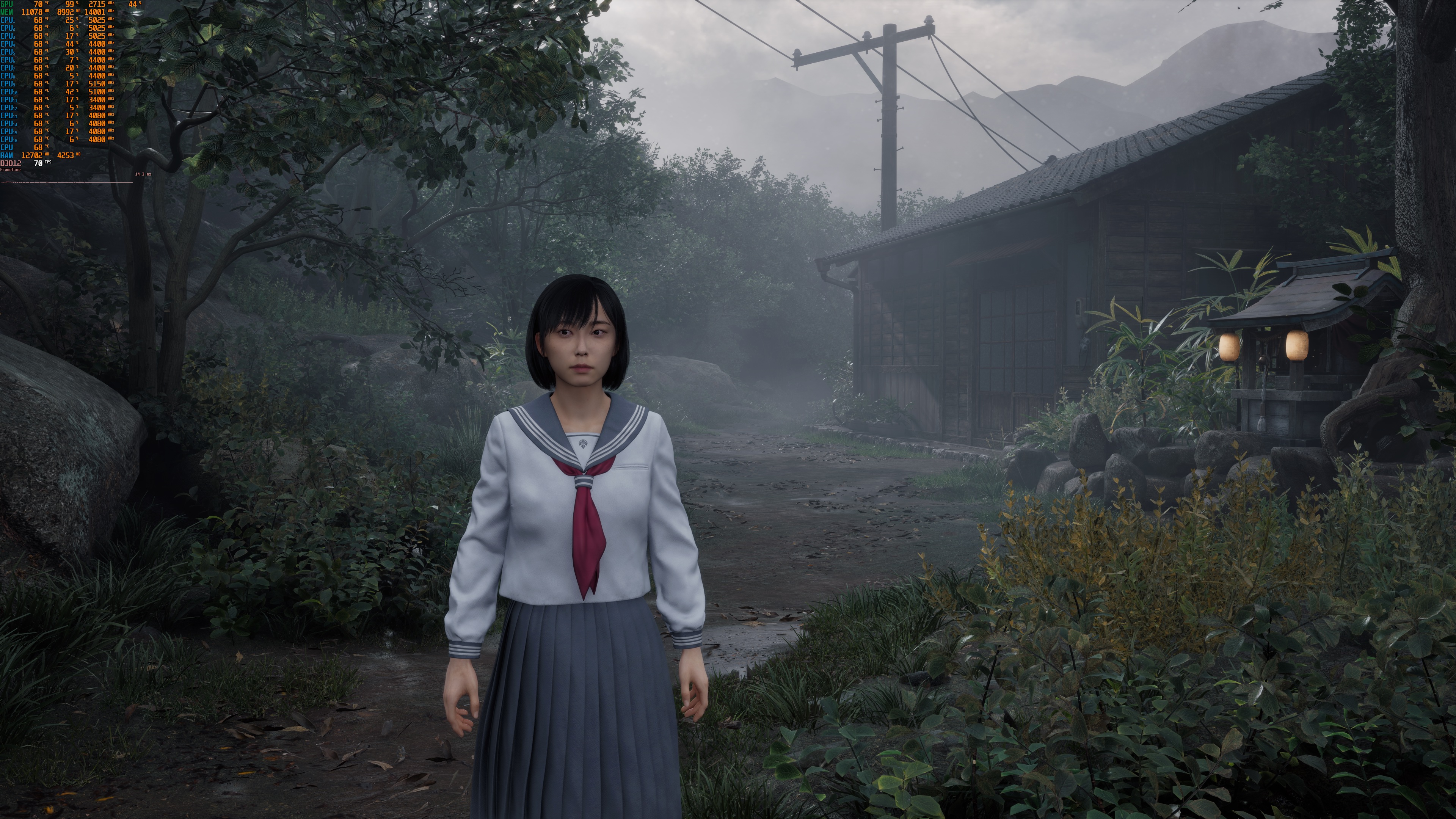
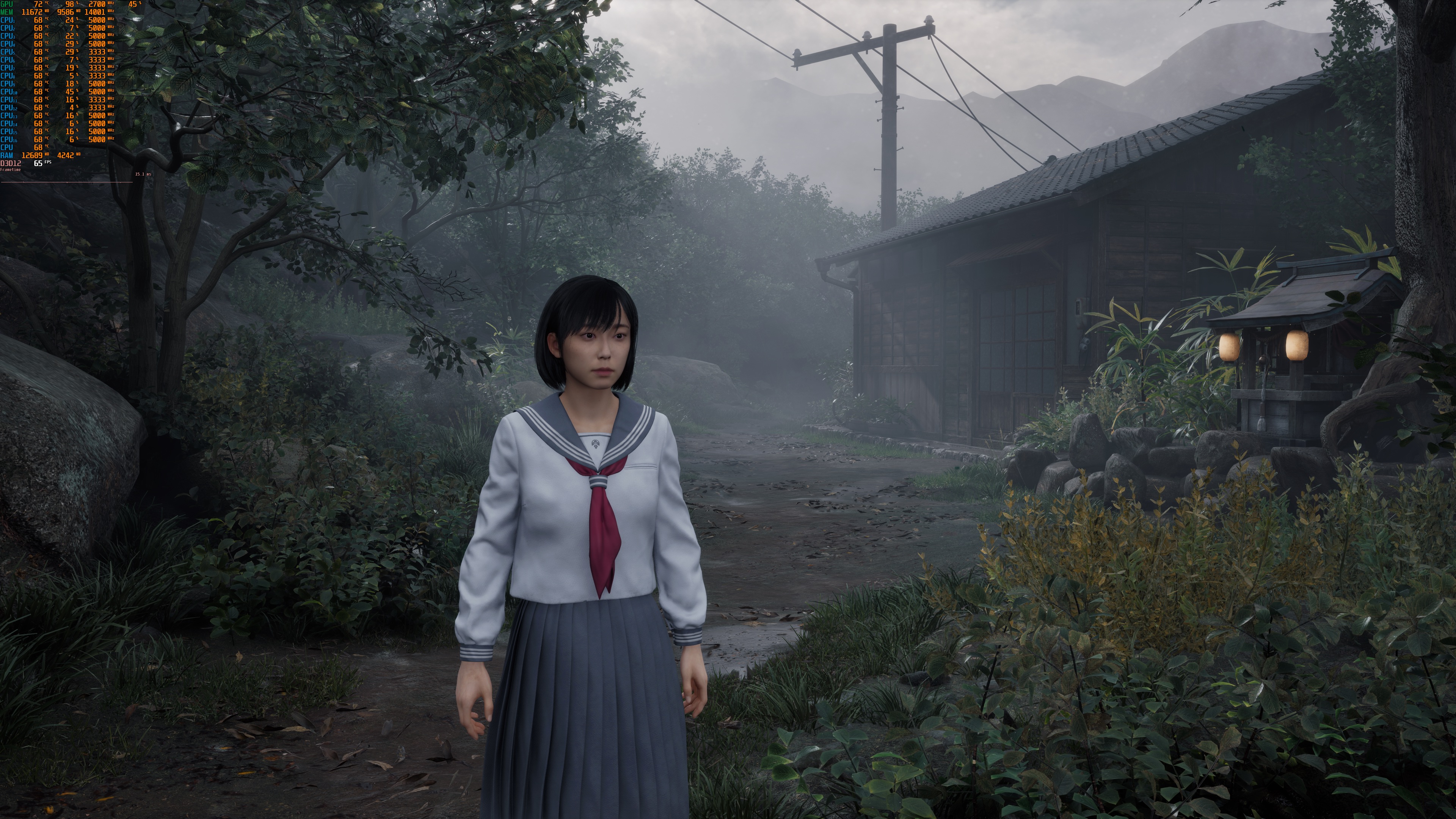
At 1440p/Max Settings, the game was running with a minimum of 98FPS and an average of 104FPS. That was a similar performance I was getting at 4K with DLSS Quality Mode. Makes sense since 4K DLSS Q renders the image at 1440p. Finally, at Native 1080p/Max Settings, we were getting over 120FPS at all times.
Before closing, I should note that Motion Blur introduces visual artifacts around the main character. This is something I’ve seen in other games, too. These artifacts have nothing to do with DLSS or FSR (as they also appear with TSR). So, make sure to disable Motion Blur.
So, first performance impressions are certainly positive for Silent Hill f. We’ll have more to say when we publish our PC Performance Analysis, in which we’ll test numerous GPUs from both AMD and NVIDIA.
Stay tuned for more!


John is the founder and Editor in Chief at DSOGaming. He is a PC gaming fan and highly supports the modding and indie communities. Before creating DSOGaming, John worked on numerous gaming websites. While he is a die-hard PC gamer, his gaming roots can be found on consoles. John loved – and still does – the 16-bit consoles, and considers SNES to be one of the best consoles. Still, the PC platform won him over consoles. That was mainly due to 3DFX and its iconic dedicated 3D accelerator graphics card, Voodoo 2. John has also written a higher degree thesis on the “The Evolution of PC graphics cards.”
Contact: Email