

2K Games has just released Borderlands 4 on PC. Powered by Unreal Engine 5, the game takes advantage of Lumen and Nanite. And, since it supports DLSS 4 with Multi-Frame Gen, we’ve decided to test it first before doing our full PC performance review.
For our DLSS 4 benchmarks, I used an AMD Ryzen 9 7950X3D, 32GB of DDR5 at 6000Mhz, and NVIDIA’s RTX 5090. I also used Windows 10 64-bit, and the GeForce 581.29 driver.
Borderlands 4 does not have a built-in benchmark tool. This came as a surprise since Borderlands 3 did have one. So, I don’t know why Gearbox did not include one.
For our benchmarks, I used this area. This is when Arjay asks you to find his stash. This area appeared to be among the most demanding areas early in the game.
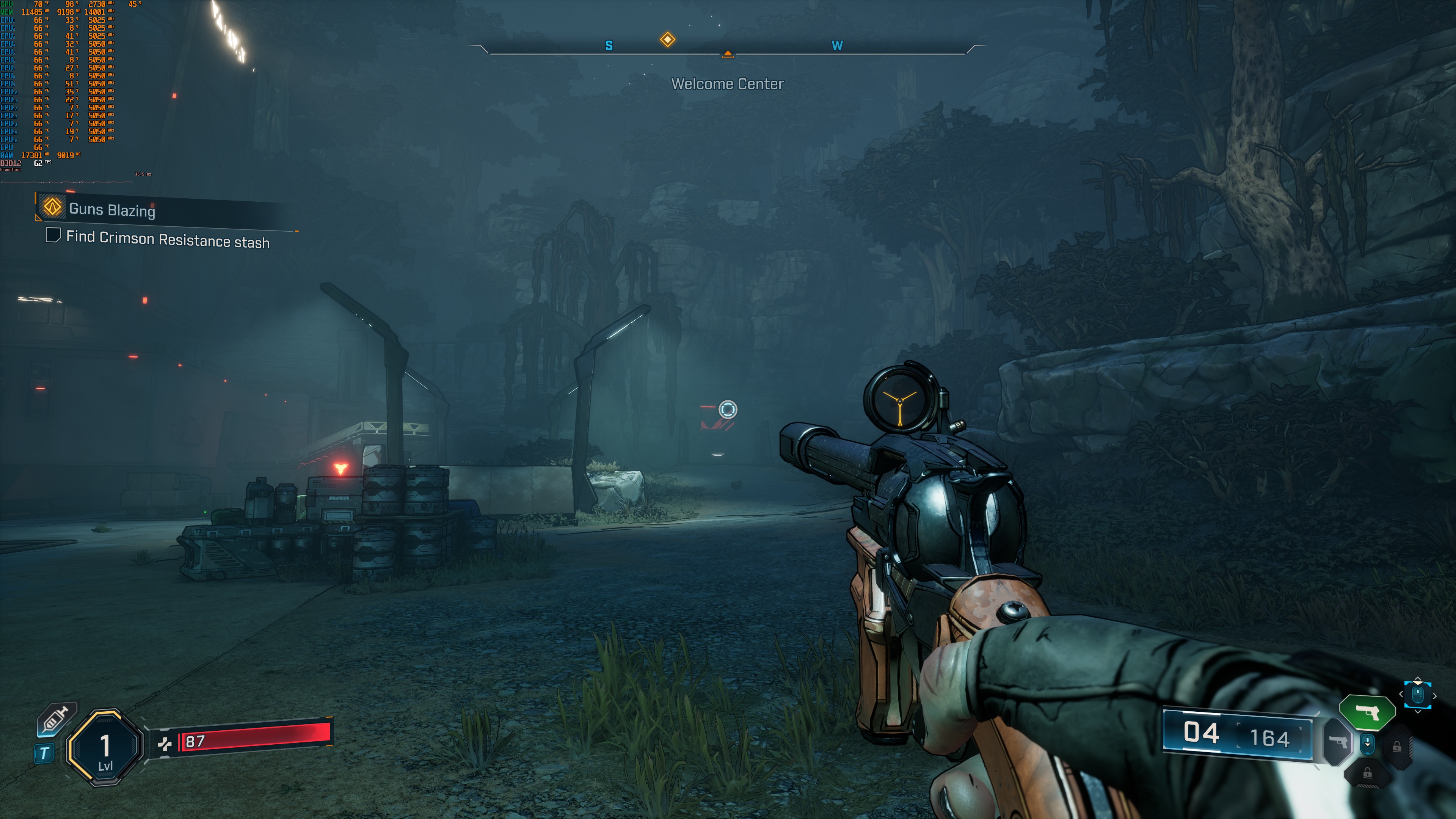
At Native 4K/Badass Settings, Borderlands 4 runs with 40-43FPS on the NVIDIA RTX 5090. Compared to Cronos: The New Dawn, Borderlands 4 actually runs better. I’m not saying it runs great. Just that we’ve seen other UE5 games that run worse than it at Native 4K.
With DLSS 4 Quality, the NVIDIA RTX 5090 can provide constant 60FPS at 4K with Badass Settings. So, this is actually great for a game that uses Lumen and Nanite. As I’ve said countless times, Lumen is a form of Ray Tracing. So, no. An NVIDIA RTX 5090 is not able to run most modern games that use Ray Tracing at Native 4K/Max Settings with 60FPS.

Could developers skip Lumen and go back to baking the lighting? Yes, they could. Would that make the game run better? Also yes. But here’s the thing. Baking the lighting on such big environments would take much more development time. That’s why many devs choose to use UE5’s Lumen. Lumen saves time, and it also makes dynamic lighting look more consistent. You may not like it, but that’s the harsh truth.
With DLSS 4 and Multi-Frame Gen X2, we were able to get framerates between 110-130FPS. With MFG X3, we got to 150FPS. And then, with MFG X4, we got to 200FPS.
But what about Native 4K? What settings do you need to get 60FPS on the NVIDIA RTX 5090? By dropping the settings to High, we were able to get framerates over 60FPS at all times. Below, you can find a comparison shot between the Badass and High settings.
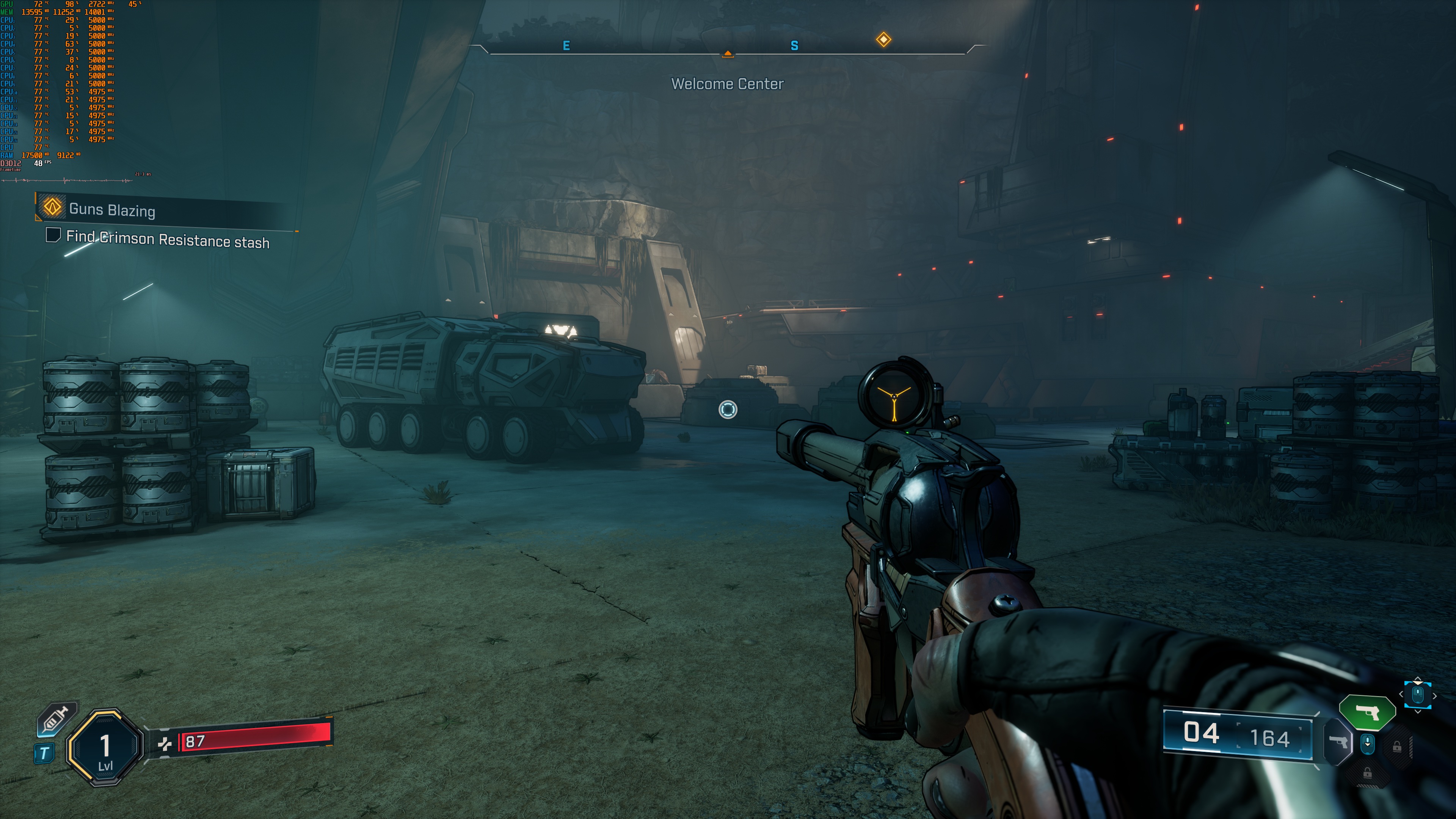
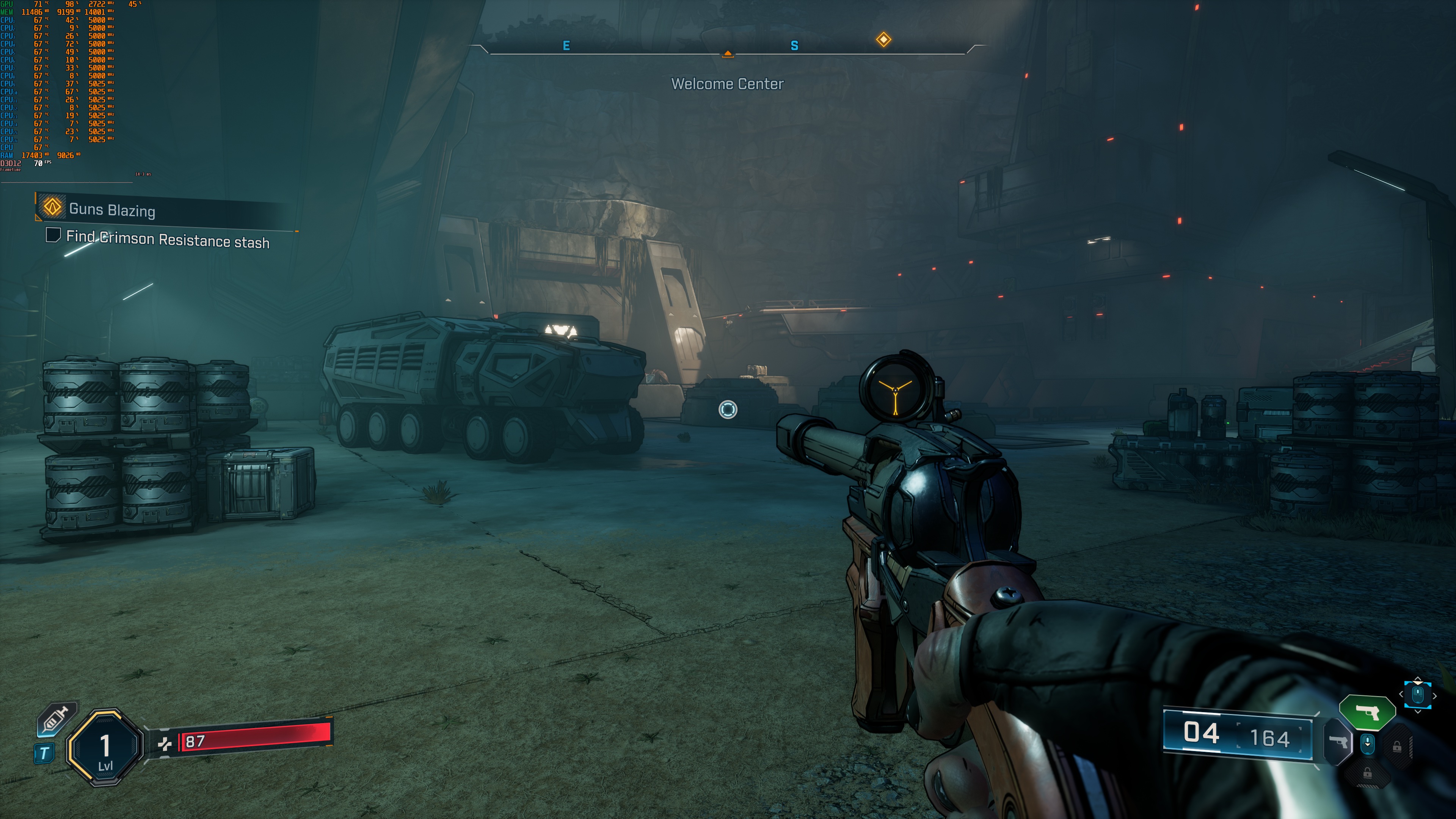
If you look closely, you’ll notice that High Settings have less grass and slightly worse AO. Other than that, the graphics look almost the same. This is a good reminder to adjust your settings if you want to game at native resolutions. You can nearly double your performance without losing much visual quality.
From these initial tests, it appears that Borderlands 4 can run better than some other UE5 games. It’s not THE most optimized UE5 game. At the same time, it’s not among the worst we’ve seen so far.
But do its visuals justify the high GPU requirements? That’s up to you to decide. The cel-shading filter doesn’t do the game any favors either. Yes, it gives it that ‘Borderlands’ look. And if you compare Borderlands 4 to Borderlands 3, you’ll see that B4 looks much better. Still, I don’t see anything that feels truly next-gen here. It mostly comes down to how demanding Lumen, Virtual Shadows, Nanite, and the other UE5 features are. However, the final result on screen won’t make your jaw drop to the floor.
Our PC Performance Analysis for B4 will go live later this week. So, stay tuned for more!


John is the founder and Editor in Chief at DSOGaming. He is a PC gaming fan and highly supports the modding and indie communities. Before creating DSOGaming, John worked on numerous gaming websites. While he is a die-hard PC gamer, his gaming roots can be found on consoles. John loved – and still does – the 16-bit consoles, and considers SNES to be one of the best consoles. Still, the PC platform won him over consoles. That was mainly due to 3DFX and its iconic dedicated 3D accelerator graphics card, Voodoo 2. John has also written a higher degree thesis on the “The Evolution of PC graphics cards.”
Contact: Email