
Konami has just released Title Update 1.4.0 for METAL GEAR SOLID: MASTER COLLECTION Vol.1. This patch adds a Pixel Perfect Screen setting and a CRT scanlines filter, and it will now allow you to disable the awful Smoothing effect.
The ability to disable Smoothing in these classic Metal Gear Solid games is a godsend. Here’s a comparison between Smoothing On and Smoothing Off. As you can see, the game looks miles better without Smoothing. It can now look as sharp as its original PS1 version. I mean, look at Snake’s face. Without Smoothing, you can now see his mouth.
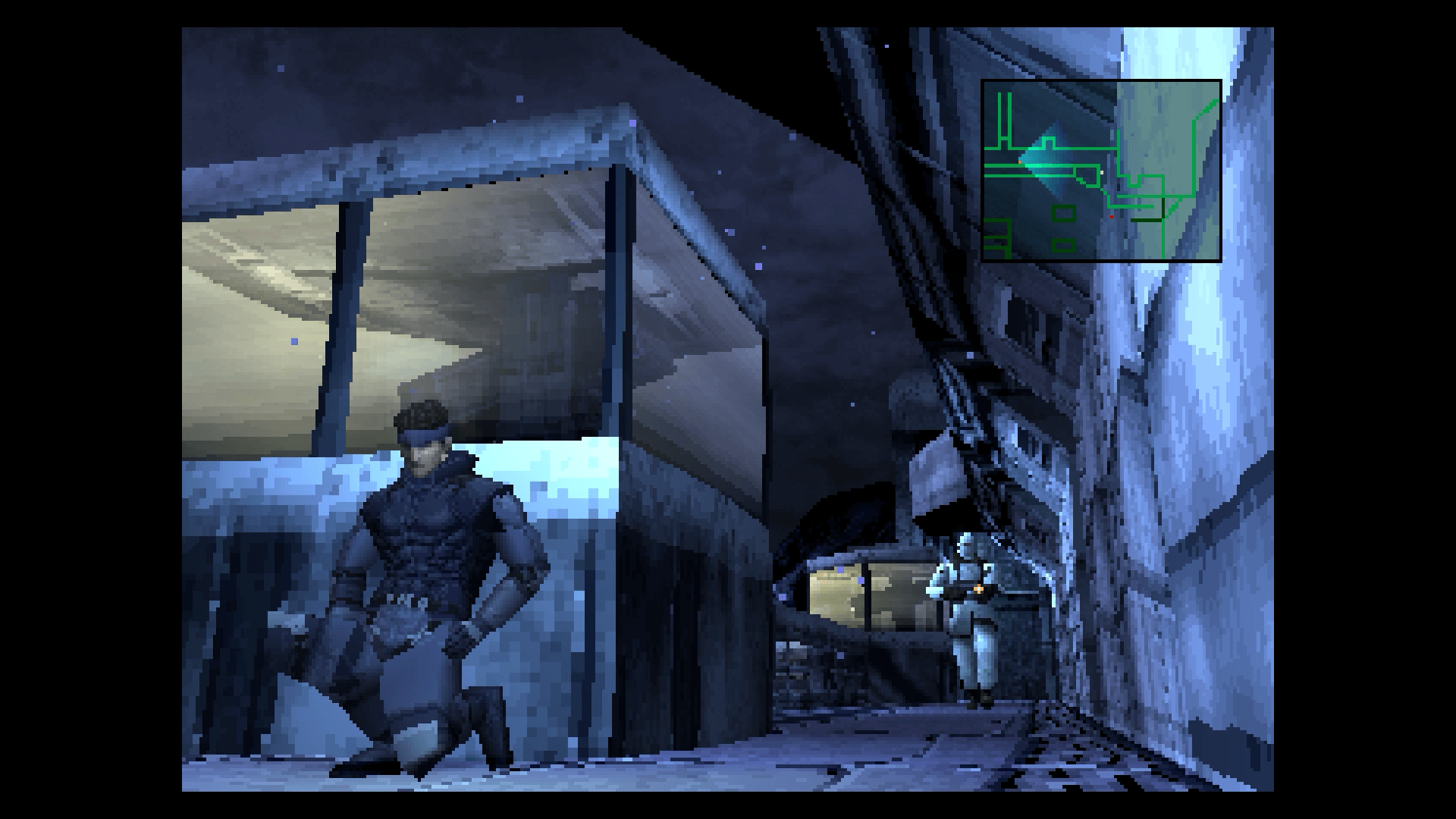

While it’s good to have Pixel Perfect, I was hoping for Integer Scaling support. Integer Scaling would be the ideal option for improving the game’s visuals. This option scales the image up to the greatest integer scale below its original resolution. And for God’s sake, stay away from the “16:9” or the “Fullscreen” options.
As said, Title Update 1.4.0 also adds a CRT scanlines filter. However, I’m not sold to it yet. As we can see, the game will become a bit darker when using it. I’ve also seen better CRT scanlines filter in other emulators.


Like always, Steam will download this update the next time you launch its client. Below you can also find its full patch notes.
Make sure to download these HD Texture Packs for Metal Gear Solid 2 & Metal Gear Solid 3. There is also a mod that allows you to crouch walk in Metal Gear Solid 3.
Have fun!
METAL GEAR SOLID: MASTER COLLECTION Vol.1 Patch 1.4.0 Release Notes
Added new screen setting featuresAdded the following features.
The settings for each of these features can be changed both before and during gameplay.1. SmoothingCan be turned ON or OFF.
Smooths the picture when turned ON, generates a sharp picture when turned OFF.2. Game Screen SettingsCan be set to a total of 4 settings—“Standard”, “Pixel Perfect”, “16:9”, or “Fullscreen”.
Wallpaper, display area, and screen filter features are also available when using the “Standard” or “Pixel Perfect” features.
The aspect ratio displayed may differ based on the settings or particulars of your device/setup.3. Screen FilterCan be turned ON or OFF.
Applies a filter that displays scanlines like those on a CRT TV when turned ON.Added an audio settings featureSettings for the game volume and main menu volume can be changed prior to play.
Only the game volume can be changed during play.Added a controller response speed customization featureCan choose between “Fast” (new!) and “Stable”.
Some setups may experience unstable performance when set to “Fast”.
If you experience any such issues, please change your settings to “Stable”.Applied fix to have the game give priority to user set button designs
Fixed some other minor issues

John is the founder and Editor in Chief at DSOGaming. He is a PC gaming fan and highly supports the modding and indie communities. Before creating DSOGaming, John worked on numerous gaming websites. While he is a die-hard PC gamer, his gaming roots can be found on consoles. John loved – and still does – the 16-bit consoles, and considers SNES to be one of the best consoles. Still, the PC platform won him over consoles. That was mainly due to 3DFX and its iconic dedicated 3D accelerator graphics card, Voodoo 2. John has also written a higher degree thesis on the “The Evolution of PC graphics cards.”
Contact: Email