
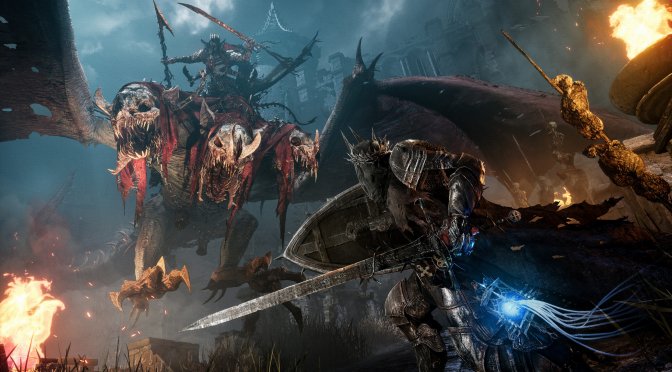
CI Games and Hexworks have been releasing patches for Lords of the Fallen on a daily basis. And, earlier today, the developers released Patch 1.1.1999 which resolves multiple crashes that could occur on AMD’s GPUs.
Going into more details, Update 1.1.1999 for Lords of the Fallen fixes multiple GPU crashes on AMD cards by skipping Niagara compute shader dispatches when the thread count exceeds what is supported by the hardware.
As the developers noted, this patch should resolve the majority of crashes reported in Sentry, as over 30% of them were caused by this issue.
Furthermore, Lords of the Fallen Patch 1.1.199 brings some balance tweaks and MP improvements. For instance, it adjusts the price of the Flame Funnel spell in the Remembrance store. It also adjusts multiplayer timings and pings to prioritize establishing a strong connection between players.
As always, Steam will download this update the next time you launch its client. Below you can also find its complete changelog. Lastly, you can read our PC Performance Analysis for this game.
Lords of the Fallen Patch 1.1.199 Release Notes
Sentry Reported Issues
- Fixed a crash that could occur when interacting with an NPC character, especially when the NPC character actor was not ready.
- Fixed a crash that could occur when opening the inventory and an item is removed from it when filtering the categories (DLC items that no longer exist in the player’s inventory).
- Also fixed a crash that occurred when trying to set the description of an item that no longer exists (DLC items that no longer exist in the player’s inventory).
- Fixed a crash that occurred when soulflaying certain entities.
- Fixed a crash by clearing a C++ timer for the fog gates.
- Also fixed a crash that occurred when trying to determine which ammo slot was selected without having a valid inventory component.
- Fixed a very rare crash that could occur when picking up an item if the item disappeared while playing the montage.
- Added a check to ensure that we have a player pawn on the client before attempting to disable interactions.
- Ensured that the payload in the trigger event is correct and ended the ability otherwise.
Multiplayer Adjustment
After hearing the community feedback and observing numerous hours of PVP and PVE matches, we’ve identified certain matchmaking timing issues that result in “can’t connect” messages. Additionally, matchmaking with high pings has been causing annoying rubber-banding. In response, we’ve made several adjustments to the rules we use for player matchmaking. We now prioritize finding players with a good ping over connecting quickly. As a result, instead of almost instant connections to other players, it may take a few minutes at most, but a better ping connection with the opponent will be established. We believe this will lead to a better overall experience.
- Adjusted multiplayer timings and pings to prioritize establishing a strong connection between players rather than reducing matchmaking times.
- Disabled the Orian Protector feature temporarily to rework it with a more engaging gameplay loop. Previously, Orian Protectors would join a player being invaded to assist in the fight. However, this caused confusion among players and was reported as a bug multiple times. We are revisiting this feature to enhance its functionality.
We plan to reintroduce Crossplay to the online experience once we’ve gathered sufficient data from both PVE and PVP and have ensured its stability.
Balancing
- The price of the Flame Funnel spell in the Remembrance store has been adjusted.
- The social shrine goals are being adjusted based on player progression and forecasts.
- Fixing buyable items in the shrines that were missing the skipinventory bool being set to true.
Gameplay Adjustments
- Fixed the Soulflay attack to prevent falling from a ledge when taking a step back just after using it.
- Fixed the incorrect orientation of the player while interacting with NPCs and attempting to move around.
- Updated the “Retrieve Vigor” animation to be faster, interruptible more quickly, and added invincibility frames (iframes) until the Vigor is retrieved.
- Tweaked the “Empty Sanguinarix” animation to be quicker and interruptible sooner
Collisions
- Fixed a farming spot issue with Scarlet Shadow where he would fall through the world on his own for every spawn. Now, if you leave your character to farm on their own, you might find them dead when you return.
- Modified the invasion area gameplay sublayer in Fritzroy’s Gorge to prevent rare instances where the invader would spawn underground at the beginning of the invasion.
- Players could previously exit the boundaries and fall out of the world at the Abbey of the Hallowed Sisters.
Visuals
- The lower LODs for the effigy of Scorn have been adjusted to activate their clothing physics.
UI
- The skip cinematic flow has been improved by displaying the required key on the screen when any button is pressed.

John is the founder and Editor in Chief at DSOGaming. He is a PC gaming fan and highly supports the modding and indie communities. Before creating DSOGaming, John worked on numerous gaming websites. While he is a die-hard PC gamer, his gaming roots can be found on consoles. John loved – and still does – the 16-bit consoles, and considers SNES to be one of the best consoles. Still, the PC platform won him over consoles. That was mainly due to 3DFX and its iconic dedicated 3D accelerator graphics card, Voodoo 2. John has also written a higher degree thesis on the “The Evolution of PC graphics cards.”
Contact: Email