
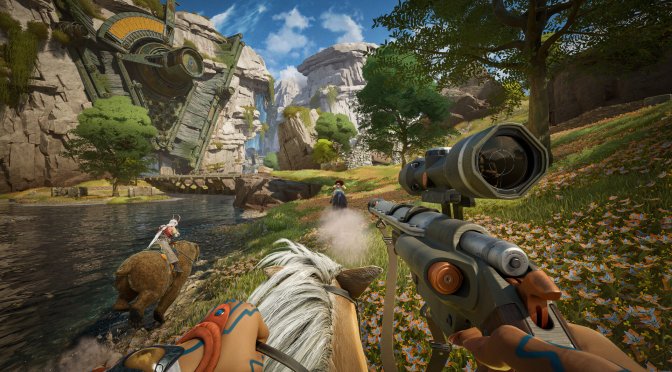
Wildlight Entertainment has released the first title update for its free-to-play PvP raid shooter, Highguard, and shared its full patch notes. So, let’s see what this first patch brings to the table.
Patch 1.0.4 adds the ability to set Crouch to Hold or Toggle for all platforms. It also adds the ability to set Aim Down Sights to Hold or Toggle for PC.
With Update 1.0.4, the Low settings for shadows and reflections have been adjusted to give even better performance, though the image quality will be a bit lower. Low shadow settings will now also turn off volumetric fog. The devs also added a new “View Distance Quality” option. This setting controls how detailed characters look at different distances, and it can help players reduce GPU and CPU load even more.
PC gamers can now disable several new graphics settings, like Anisotropic Materials, Chromatic Aberration, and Bloom. You can also fully disable Global Illumination. The game won’t look as good without it, but it will run faster. Players using DLSS can now pick a DLSS preset. More presets and clearer explanations will be added in the next update. Lastly, the devs fixed an engine bug that caused some laptops to get stuck at 60FPS, even when players chose a higher frame rate.
Some PC players said the mouse controls felt floaty, and they thought the game was using mouse acceleration. However, the developers confirmed that Highguard does not use mouse acceleration. I tried it myself, and I can also confirm this. Still, the developers are trying to identify this issue and fix it via a future update.
Like always, Steam will download this patch the next time you launch its client. Below, you can also find its complete changelog.
Highguard Patch 1.0.4 Release Notes
Game Input Settings
Added the ability to set Crouch to Hold or Toggle for all platforms.
Added the ability to set Aim Down Sights to Hold or Toggle for PC only (for now).
Toggling into ADS then tapping Sprint (shift on PC, left stick on controller) will swap your scope. This is disorienting on controller. PC players are recommended to rebind scope swap if using Toggle ADS. We will continue to look into adding this for console players who can’t rebind buttons yet, but we will need more time.
Video Settings
Console users can now adjust FoV to 110.
Low scalability settings for shadows and reflections are tuned for even more performance at the cost of some image quality.
Low shadow setting now also disables volumetric fog.
Added a new “View Distance Quality” setting that controls skeletal mesh LODs, which can be another useful control to tune GPU and CPU usage.
Players now have the ability to toggle the following features on or off, irrespective of other quality options:
Anisotropic Materials
Chromatic Aberration
Bloom
Motion Blur and Depth of Field need more testing to disable safely. Look for these options very soon.
DLSS users now have the ability to select a DLSS preset. More presets and better descriptions are coming in the next patch.
Players can now select Off to disable Global Illumination entirely.
Resolved an engine bug which could inadvertently throttled laptop users to 60 FPS regardless of frame rate settings.
Crash and Bug Fixes
This patch resolves crashes that could occur in the following scenarios
Leaving a match on PS5 with an unexpected input state.
Loading into matches on machines with slower storage devices.
A number of other bugs related to online user presence and matchmaking were also resolved.
Friends now appear online correctly after accepting requests, and Xbox presence updates properly. Major crash fixes have reduced crashes by 90%, significantly improving stability.
Friend status is fixed – players now appear online correctly and Xbox presence updates reliably. Our top crash issues are gone resulting in a 90% crash reduction.

John is the founder and Editor in Chief at DSOGaming. He is a PC gaming fan and highly supports the modding and indie communities. Before creating DSOGaming, John worked on numerous gaming websites. While he is a die-hard PC gamer, his gaming roots can be found on consoles. John loved – and still does – the 16-bit consoles, and considers SNES to be one of the best consoles. Still, the PC platform won him over consoles. That was mainly due to 3DFX and its iconic dedicated 3D accelerator graphics card, Voodoo 2. John has also written a higher degree thesis on the “The Evolution of PC graphics cards.”
Contact: Email