
The modding team behind RBDOOM-3-BFG has released a new version of it that replaces OpenGL with DirectX 12 and Vulkan. According to the team, and in some really demanding scenes, DX12 can almost double the game’s performance.
As the team stated:
“This is actually one of the most demananding scenes in Doom 3 with many shadow casting point lights. DX12 is now almost twice as fast as OpenGL. Vulkan is still lacking behind but DX12 is the primary API for Windows users which are the vast majority.”
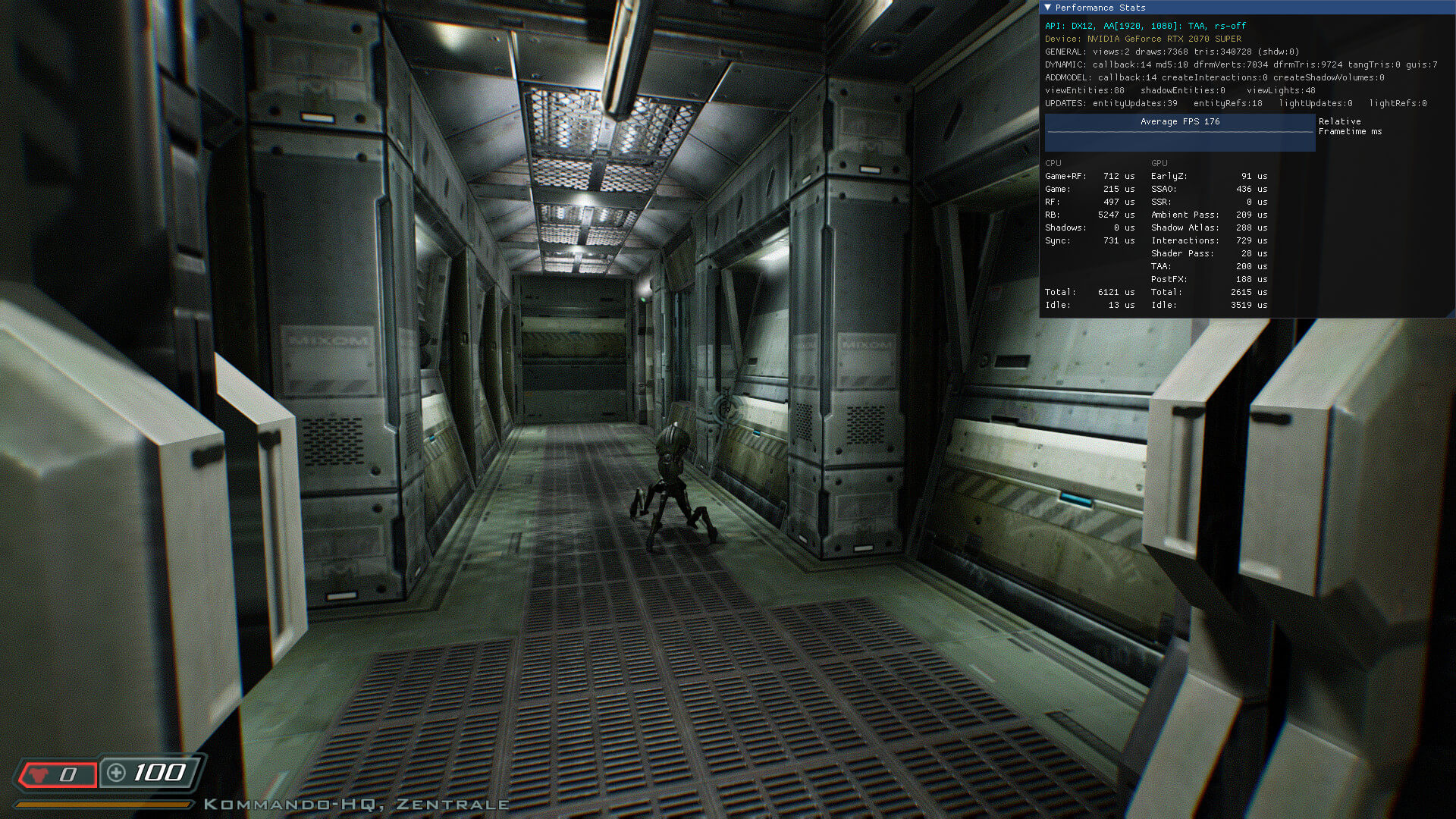
Alongside DX12, RBDOOM-3-BFG 1.5.0 adds support for NVIDIA’s TAA solution. This not only fixes geometric aliasing at the edges but also shader-based aliasing within the geometries like extreme specular highlights caused by the new PBR shaders.
RBDOOM-3-BFG 1.5.0 also brings an enhanced SSAO solution. This new SSAO gives most scenes a lot more depth.
It’s also worth noting that the previous versions of RBDOOM-3-BFG introduced PBR, Baked Global Illumination and TrenchBroom Mapping Support. Thus, I’ve added below a video that showcases these effects.
You can download RBDOOM-3-BFG 1.5.0 from here.
Have fun!


John is the founder and Editor in Chief at DSOGaming. He is a PC gaming fan and highly supports the modding and indie communities. Before creating DSOGaming, John worked on numerous gaming websites. While he is a die-hard PC gamer, his gaming roots can be found on consoles. John loved – and still does – the 16-bit consoles, and considers SNES to be one of the best consoles. Still, the PC platform won him over consoles. That was mainly due to 3DFX and its iconic dedicated 3D accelerator graphics card, Voodoo 2. John has also written a higher degree thesis on the “The Evolution of PC graphics cards.”
Contact: Email

Definately looks better but leaves the audio and gameplay lacking.
Why the Hell would anyone add TAA to an older game that supported MSAA? Talk about a waste…
It’s explained in the article.
Another individual that doesn’t understand the strengths of TAA.
Ah yes, blur the sh*t out of the visuals, and introduce ghosting. Because that’s so worth it when you could just design your games better to reduce aliasing that MSAA can’t handle and then add a post processing AA like CMAA2 on top of the MSAA to take care of the few things left that MSAA can’t touch and to improve MSAA quality at lower settings…
TAA is so incredibly unnecessary, especially in a game like this, that it’s absolutely absurd that adding it was even considered.
MSAA doesn’t cover shader based aliasing, and it’s the worse kind of aliasing no matter how much you crank up the res it will always be haunting, just add some sharpness through Reshade/NVIDIA driver/Freestyle and you’re in if the blur bothers you this much, MSAA is outdated nowadays on heavily shader based graphics.
Sharpness comes at a cost, it adds shimmering and you could also notice a lot of flickering stuff once the game is moving
As I said, add a CMAA2 post processing AA on top to take care of aliasing that MSAA can’t handle… It’s not that difficult, the tech already exists to make TAA completely unnecessary…
I already use ReShade. Simply injecting sharpening over TAA is not enough. You can’t sharpen detail that has been completely lost due to the blending/blurring effect of TAA, and the sharpening only makes the ghosting more noticeable. TAA is not an acceptable solution to anything, and should not be in use in video games at all.
CMAA is miles behind TAA when it comes to temporal stability , combine TAA + DSR/Downsampling and you’ll get a sharp and stable image with the benefits of TAA with a minimal loss in detail, or try SGSSAA using Nvidia Inspector for relatively old games, the results are phenomenal.
“TAA is not an acceptable solution to anything”
I agree that it is often not used properly, especially in indie games that only use the in house solution of unity/UE4 without tweaks, but with a competent dev the results are very good, it’s also the best to use for modern lighting techniques as it has a good blending ability to hide SSR artifacts for example
Who cares about “temporal stability” when you have ghosting all over the place?
Also no TAA and no temporal upscaling is sharper, clearer, and has a ton more detail than any form of temporally upscaled visuals. Temporal upscalers only look good to the average gamer because of how badly TAA destroys the details in games with its excessive blurring. Take it from someone who disables TAA in literally every game they play, temporal upscaling does not have more detail or sharpness than native resolution without TAA.
Of course there is more detail without any doubt but there’s also a lot more jaggies, i think in the end of the day it’s a matter of taste, you hate blur, i hate aliasing, you hate ghosting, i hate temporal artefacts, using DSR to keep detail without jaggies has big cost in ressources so i’ll stick to TAA, call me an average gamer any day, for me having a preference for sharpness over temporal stability especially in recent games is just pure ignorance, and ignorance is bliss, but that’s just my opinion.
If you really want something that takes care of 100% of aliasing, then MSAA + SGSSAA (Sparse Grid Super Sampling Anti-Aliasing) is the absolute best. Unfortunately it will never work in modern deferred rendered POS games that companies are making these days, and from what I’m reading it also doesn’t work with DOOM 3 despite the fact that it’s an old forward rendered game.
Seriously though, MSAA with CMAA2 as a post processing AA will take care of the vast majority of aliasing. You will see almost none at all while playing games with that combination.
MSAA + SGSSAA using NV Inspector is top notch but it doesn’t work on most modern games as you said, this makes the solution very contextual as i only use it on old games that -for a reason or another- prevent me from using DSR like Mirror’s Edge (HUD and main menu are totally broken beyond 1080p) or Painkiller (Main menu is sluggish AF beyond 1080p)…
As for you suggestion for CMAA, is there a way to use it with custom bits in NV Inspector like SGSSAA or i should wait and hope for a native solution ? Surely not, so it’s still not a solution, but if you have one just tell me how pls
I use ReShade to inject CMAA2. It comes with the Insane Shaders pack by Lord of Lunacy (you can select it when installing ReShade).
CMAA2 can be used stand-alone, or with MSAA to enhance its quality and reduce aliasing that MSAA can’t. Intel promoted CMAA2 as an enhancement to MSAA, showing how 2x MSAA with CMAA2 can look like 4x MSAA but with the same performance cost as 2x MSAA.
Note that while ReShade works in a large number of games, there may still be some it doesn’t work in. ReShade has a Discord server to ask for help in if you need it.
https://reshade.me/I’ll give it a try, last time i used Reshade, i downloaded all the shaders pack and while it contains numerous AA solutions, i dont remember seeing CMAA, it had TAA, FXAA, SMAA, NFAA and another one i don’t remember the name
CMAA2 is one of the newer ones. It doesn’t have sliders for settings, but there is a number in its settings (preprocessor definitions?) you can change from 2 to 4 for higher quality, however I tend to find it causes issues when paired with other types of AA when the quality setting is as high as 4 so I only do that when using it with no other forms of AA. I’ve never actually tried it at 3, so I can’t say if its compatibility is better than 4.
My general experience is that when set to 2 the quality of CMAA2 by itself it lower than SMAA, however it performs noticeably better. When set to 4 the quality is slightly better than SMAA, and the performance is slightly better. One nice positive of CMAA2 is that it doesn’t round corners like ReShade’s SMAA does, which is nice in games where ReShade’s depth addon is disabled (this happens automatically in multiplayer games) as SMAA needs depth detection to avoid processing menus, whereas CMAA2 won’t mess up menus when depth detection is disabled or not working.
The big downside of CMAA2 is that it isn’t compatible with scRGB HDR, so in certain games (such as Zombie Army 4) if you enable CMAA2 you will see abnormal artifacting around edges where the anti-aliasing effect is being applied. Note that it seems to work fine with games that use other HDR implementations.
Note that Fast-Adaptive AA (FAAA) seems to be able to do what CMAA2 can with almost no performance impact, and possibly better compatibility (it’s a modification of FXAA and should work with anything FXAA works with). The downside is you have to install it manually.
https://github.com/grebord/Fast-Adaptive-AAtried on FC3 over the native MSAA solution, not that different from classic SMAA/FXAA, and temporal artifacts are still here, anyway at least i tried, i’ll try it on other games, thanks for the informations dude
TFW a DSOG comment gremlin passively-aggressively lectures game developers about a subject he evidently knows absolutely nothing about.
Pfft. Cmon k1k3. This comment section has literal goblins like you and here you are shaming the guy who is speaking truth.
Braindead moron, TAA blending causes blur. Period which is why that RDR2 looks like horse$ht. Also No AA vs TAA here’s a comparison on that new TW3 Demaster
imgsli dot com/MTQ3NDA2/4/6
These stupid devs who are working on RBDOOM killed the game with this cancerous trash, who TF with a single brain cell and proper vision likes TAA ?
Oh MSAA is hard on GPUs, this game is fking old. Any modern GPU can churn out good FPS. Just because MSAA is taxing does not mean TAA is good because it’s “Cheap”, that’s what the changelog says and how they utilized Nvidia HW Interfacer called NVRHI to port the game for DX12 but axed MSAA because the toolset does not have MSAA support rather TXAA aka TAA cancer by Nvidia, news flash Texture quality went to rubbish all those mods Hi Def and etc became worthless and suddenly performance doubled.
Also did you know that Forza Horizon does not utilize TAA cancer up until now, they added that DLOSS cancer just now. Plus their engine is Forward Rendering based, guess how did they do that ? Well without goblins like you moron.
Valve uses CMAA2 on their new CS2 Source 2 upgrade, why ? Because they know that TAA junk is a cancer vaseline sand in the eye and fidelity killer esp in that game.
Nobody needs to use TAA cancer which was brought by Greengoblin Nvidia trash Gaymeworks. What can I expect from a member of the tribe who got kicked out of 109 European nations in the history. Seethe and block me moron.
TAA is cancer but also optional. The real killer of this engine is Trenchbroom. Its fine for super basic Q1 maps but it’s a joke compared to Radiant. Radiant is what every single Quake3 and CoD mapper knows by heart. Such a missed opportunity.
Da fck is wrong with you ?! We’re discussing game graphics not fcking politics you agressive moron, calm down and get a life FFS, writing such a long text showing agressive behavior towards such a pointless topic show how pathetic you are
Based
It looks good indeed, but the models and especially their geometry are outdated AF, the textures are as you said, good until you put them under a magnifying glass
wtf happened to the textures?
Thanks for the heads-up! I just installed it plus that “HiDef” textures mod you covered the other day. Looking good!
Try combining HighDef and UltimateHD, the weapons (especially shotgun and pistol) feel way better with the later
Is “UltimateHD” the same thing as the folder I’m seeing that’s present with RBDoom which contains a bat file or is it a whole other separate mod?
Said folder is titled “mod_UltimateHD” in RBDoom 1.5 and was titled “@UltimateHD” in RBDoom 1.4.
Yes it is, but the files provided with RBDoom3BFG in the folder are just for better support for the mod, not the mod itself.
PS : Don’t forget to download the whole RBDoom3 package, the 1.5 file in mod DB is just an update, you have to download the 1.3 (6gb) then patch to 1.4 and finally 1.5
Cool. I just found the UHD mod on moddb so are downloading 2.1 Full plus the 2.1.1 small update now. Thanks.
Yep, I followed the instructions on moddb so have RBDoom3BFG installed correctly. It stated that 1.3 can be updated straight to 1.5 so 1.4 isn’t needed.
Too bad that they haven’t shared by how much their Vulkan implementation is lacking behind DX12.
And while almost doubling the performance compared to OpenGL is certainly impressive, a Valve developer shows that there is certainly room for even more improvements:
Said developer is working on Zink, which is a real-time OpenGL-to-Vulkan translation layer, akin to DXVK.
And with that Zink translator, he managed to more than double the framerate of DOOM 2016’s OpenGL renderer.
Here are the numbers with native OpenGL on an Intel ARC 770 GPU:
https://uploads.disquscdn.com/images/fdf03395198fe1079b3331054141c2b9b05c596cb18787b55cca54d00277e456.png
And here’s via the Zink OpenGL-to-Vulkan translator:
https://uploads.disquscdn.com/images/4691f91eebf62e4dafb9e08f1403b8164c345cb5c0db0974bf9704b4bc0d9be5.png
Yeah, but we’re talking about Arc drivers and OpenGL Arc drivers at that. It’s not that Zink is necessarily amazing here, it’s that OpenGL on Arc is very poor.
To be fair, Intel’s OpenGL driver on Linux is a seperate entity which is more performant than their Windows counter-part.
And these screenshots are from DOOM 2016 running through Proton on Linux, which makes the results even more impressive.
Uh… Is the guy using a gamepad to play?
I would love to make a simple arena shooter on this engine but they need to sort the mapping support. Instead of a modified Radiant it uses Trenchbroom which is a Q1 editor that doesn’t even support curve patches. Such a strange way to gimp the appeal. If it used Radiant anyone that makes Quake 3 or Call of Duty maps could just jump in and go.
The lighting was so good it made you ignore that stuff. Wolf 09 was the same way.
I’d much rather they support MSAA+ Sample Rate Shading (SGSSAA)ike what can be done in Vulkan. The performance in Doom 3 on modern GPUs is high enough that the performance hit is not a problem and it looks vastly superior to TAA with none of it’s issues. You can already get absurdly high image quality in Doom 3 in OpenGL on Nvidia hardware with none of the crazy specular aliasing that D3 has.
https://u.cubeupload.com/MrBonk/shot00048.jpg
https://u.cubeupload.com/MrBonk/shot00118.jpg
https://u.cubeupload.com/MrBonk/shot00395.jpg
I Watch this site all the time did not no my vid was used until i just came across it cool thanks.
Ill be patching the new vwrson tomoz/
Ho come you can use my game video but when i put a link in to the update video you remove it,
granglers arcade.