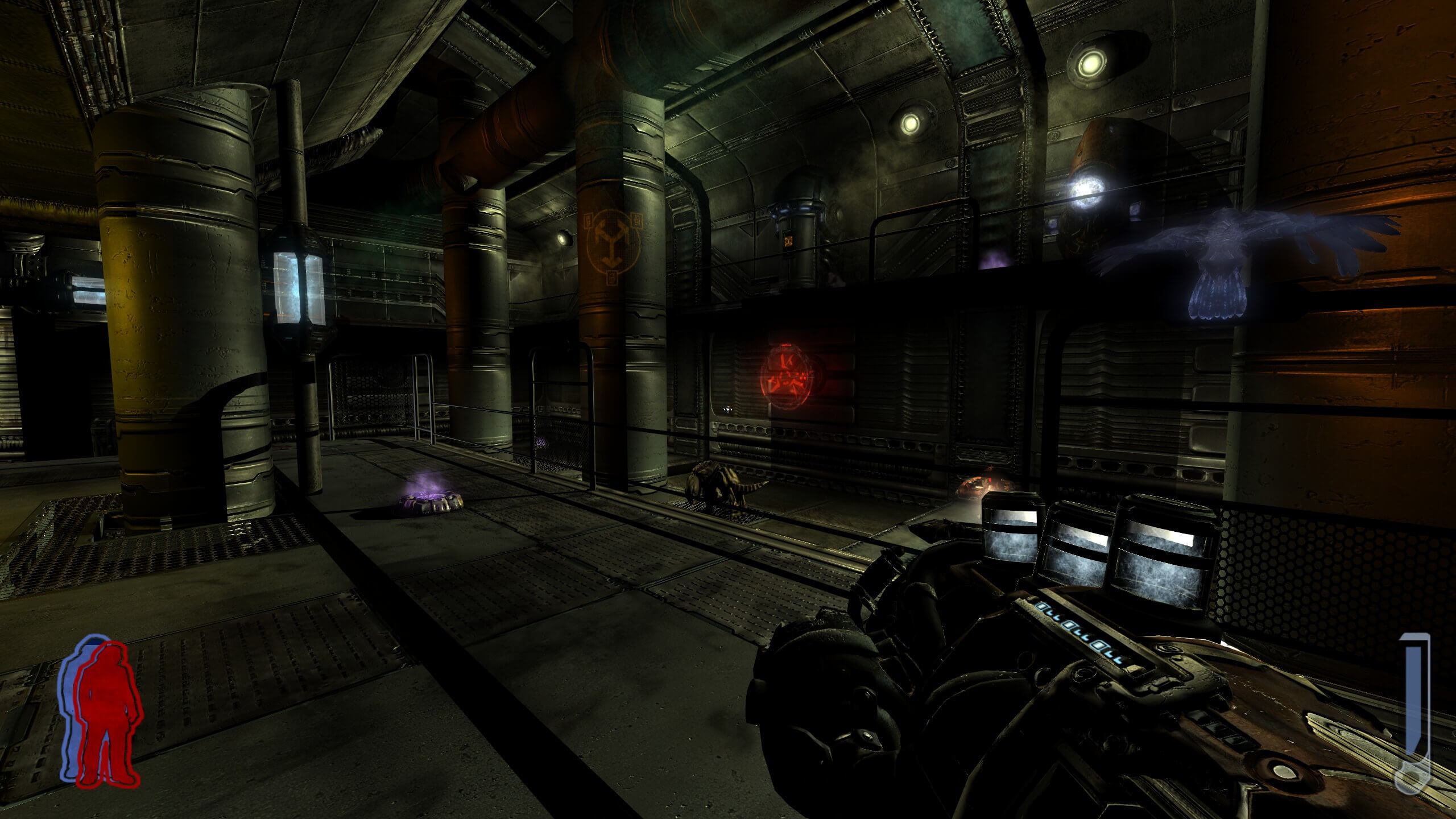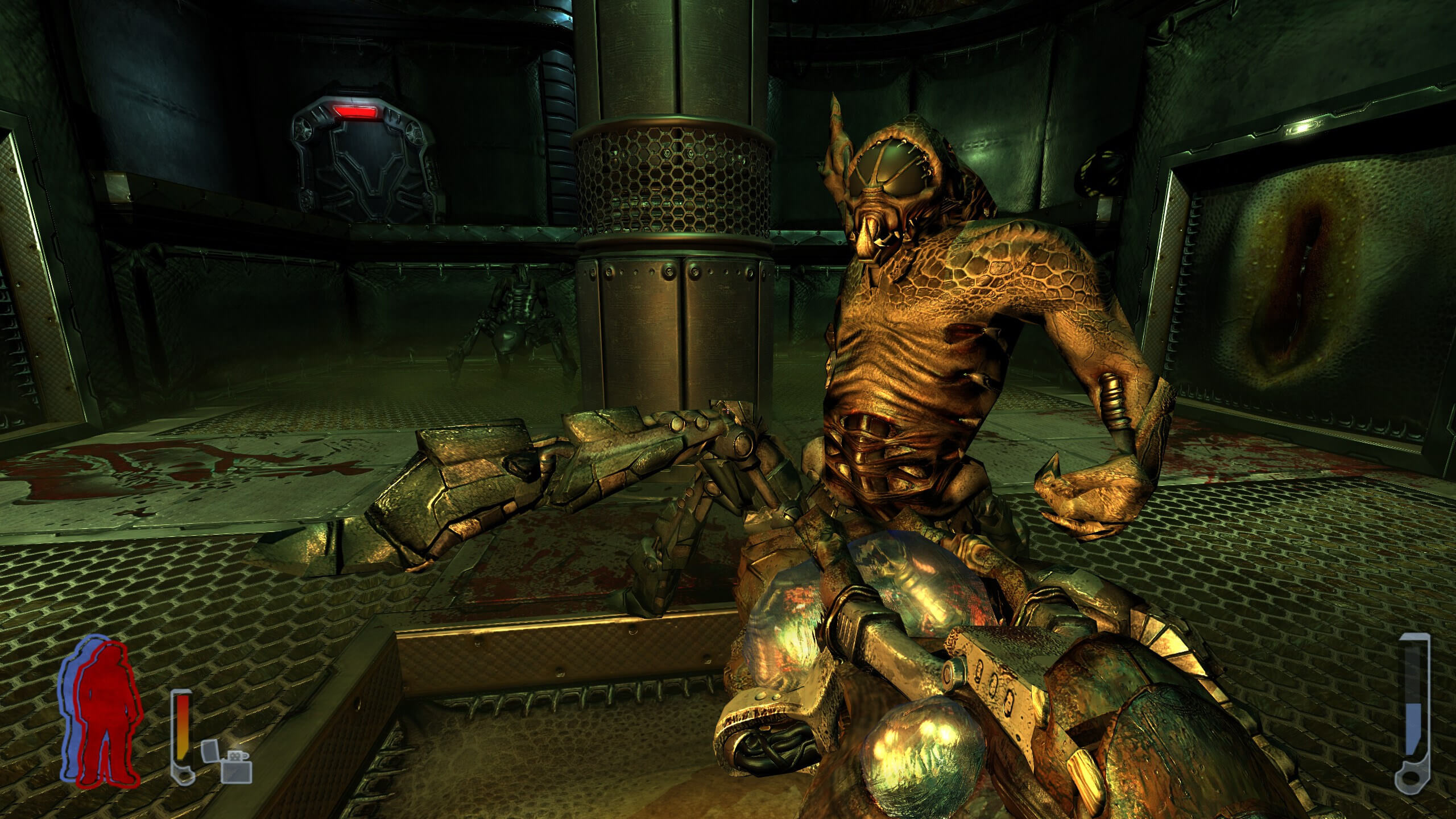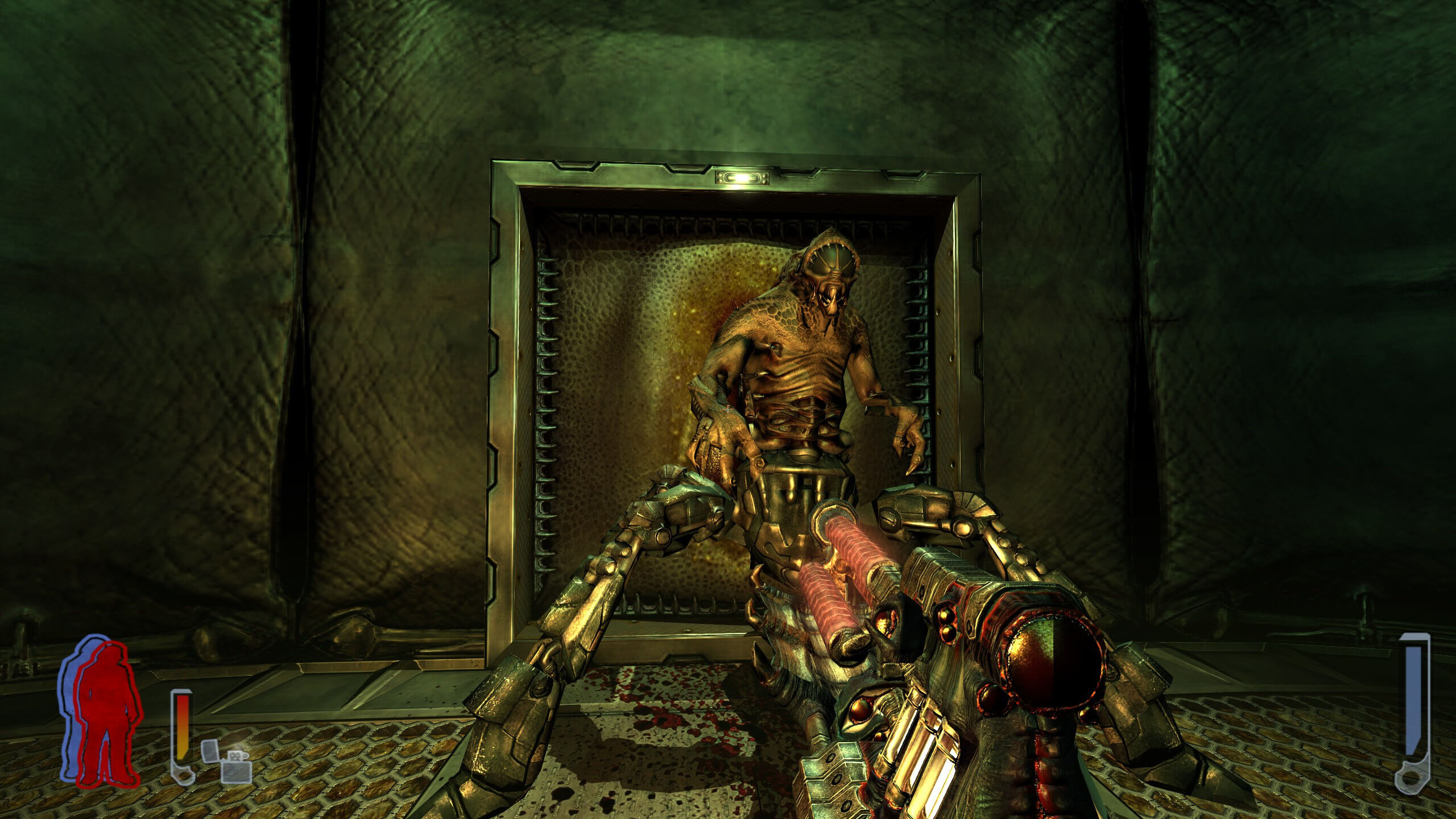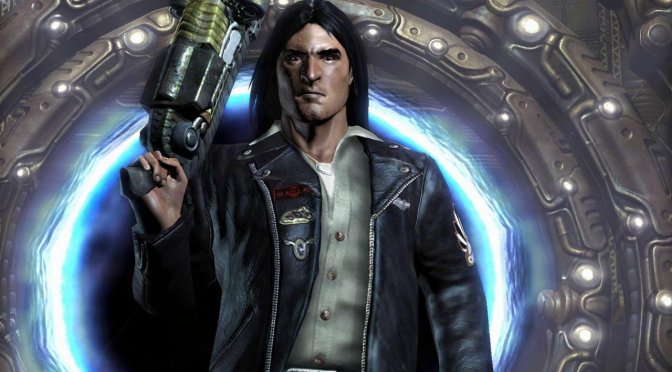
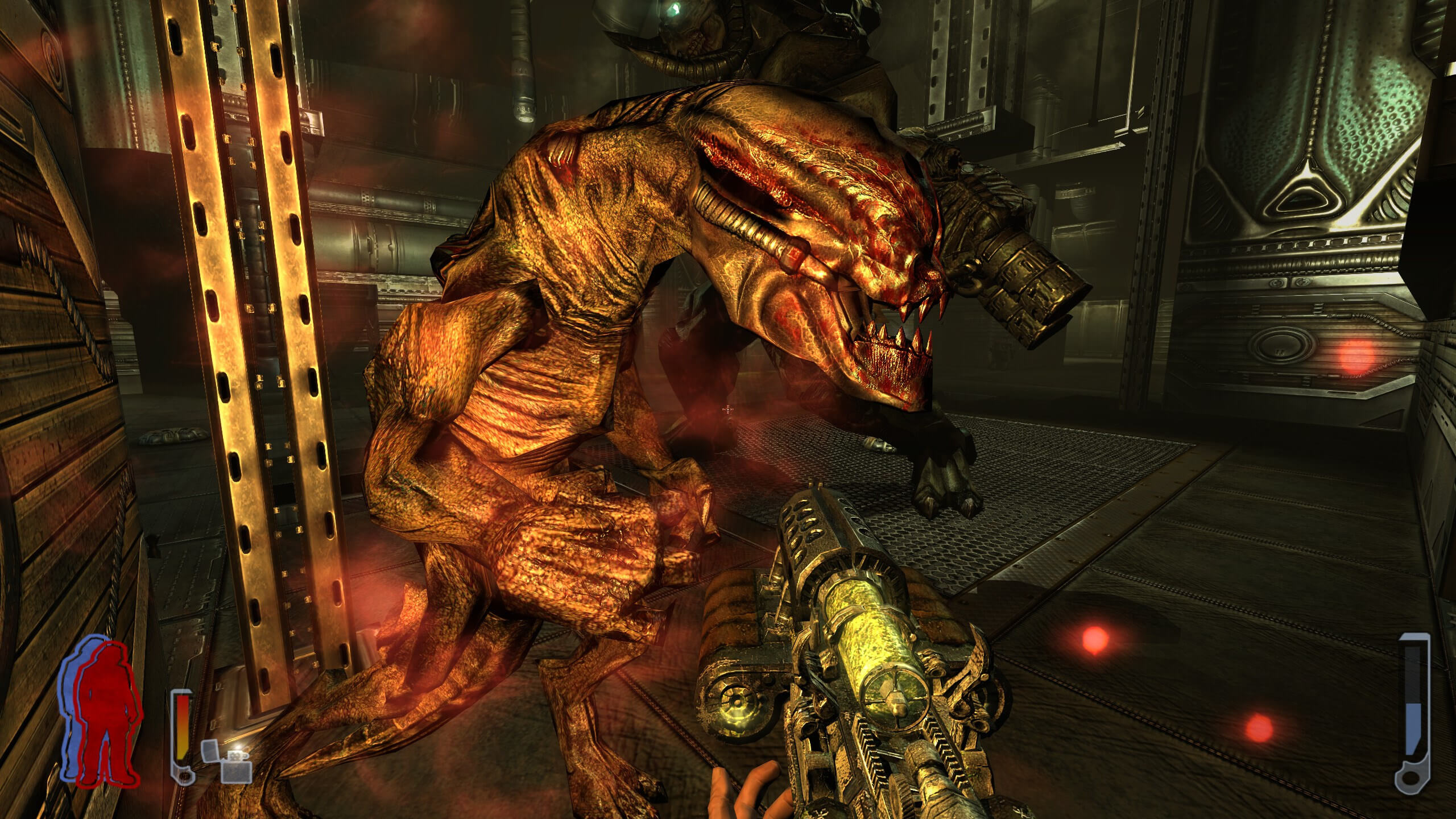
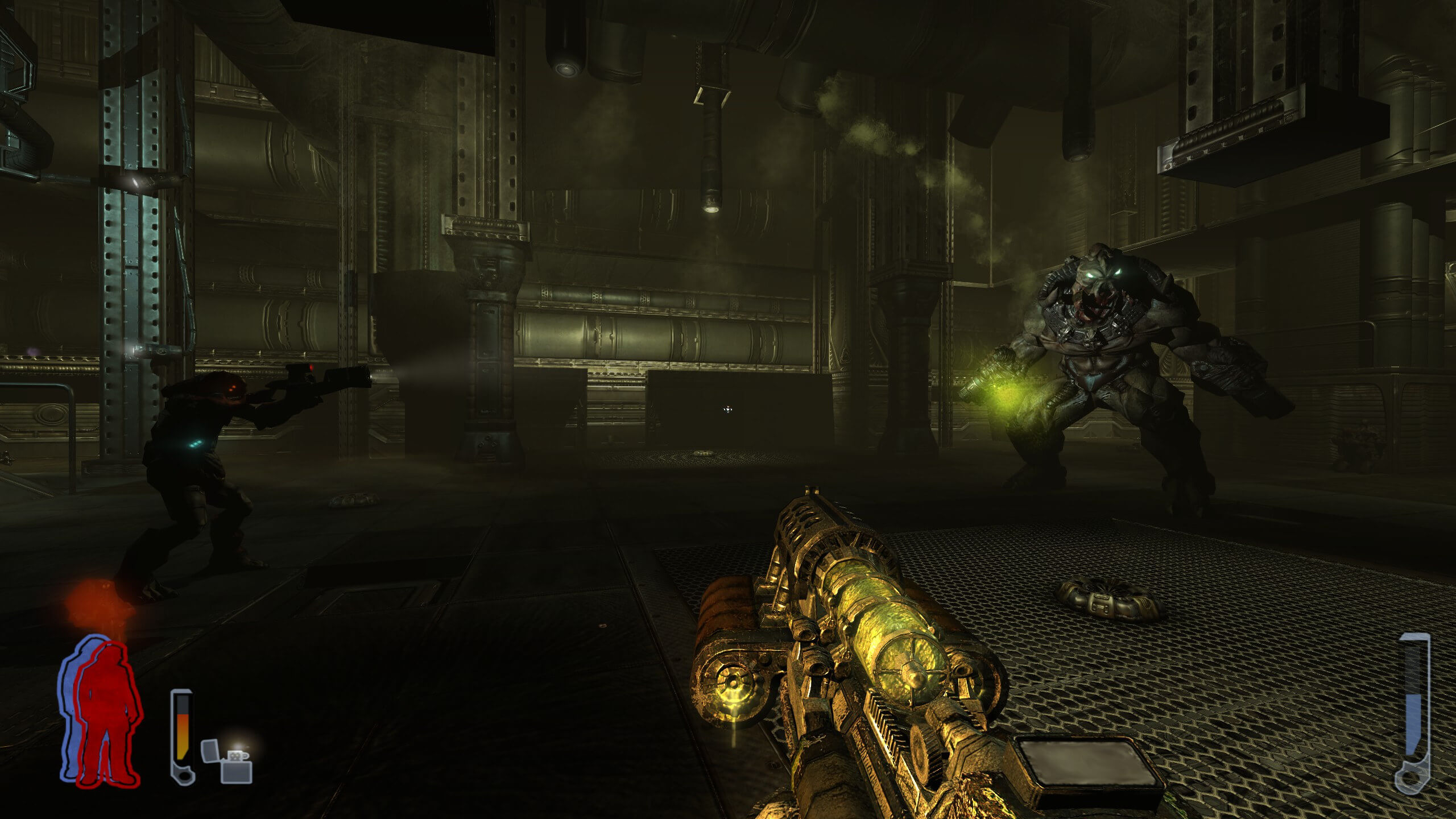
Modder ‘y2keeth’ has released a brand new version of his Hi-Def Graphics Overhaul Mod for the original Prey game. This mod brings new high-quality textures to the game. So, if you plan to replay it, you should definitely get it.
To demonstrate the new textures, the modder shared the following screenshots. These screenshots should give you an idea of what you can expect from it. As you can see, the game can now look really sharp. So yeah, this is a mod that we highly recommend using. At the end of the article, you can also find a showcase video.
Sadly, y2keeth has not shared any additional details. Thus, we don’t really know whether this latest version improves the polygon count of enemies. We also don’t know whether or not it improves the quality of shadows. So, consider this an HD Texture Pack.
Prey came out on PC in 2006 and is powered by the idTech 4 Engine. Now contrary to Doom 3, Prey uses the DX9.0c API Nope, it requires a DX9.0c GPU but it uses the OpenGL API. So, in theory, we might get an RTX Remix Mod for it. Or at least I hope so. If that happens, this HD Texture Pack may become irrelevant. After all, the NVIDIA RTX Remix Open Beta will offer AI tools to overhaul all of a game’s textures. Until that happens, though, you can use this mod alongside Reshade Ray Tracing. This combination can provide great results in such old titles.
Anyway, you can go ahead and download the latest version of Hi-Def from this link.
Enjoy the following screenshots and video!
John is the founder and Editor in Chief at DSOGaming. He is a PC gaming fan and highly supports the modding and indie communities. Before creating DSOGaming, John worked on numerous gaming websites. While he is a die-hard PC gamer, his gaming roots can be found on consoles. John loved – and still does – the 16-bit consoles, and considers SNES to be one of the best consoles. Still, the PC platform won him over consoles. That was mainly due to 3DFX and its iconic dedicated 3D accelerator graphics card, Voodoo 2. John has also written a higher degree thesis on the “The Evolution of PC graphics cards.”
Contact: Email


“we don’t really know whether this latest version improves the polygon count” no but next update hope to have the new models I am working on in it
Thank you your Majesty.
lmao
“Now contrary to Doom 3, Prey uses the DX9.0c API. So, in theory, we might get an RTX Remix Mod for it”
Wrong, both games use OpenGL
even the new dooms use opengl, well vulkan but still.
i always thought this game looked really good and run well, i liked the shadows alot but at this point its not impressive, ok textures are now higher detail but the 3d models are low poly.
Something you liked…. interesting
i like many things, you just dont like em.
At 480p, even these low-poly models in Prey look convincing. I’ve been playing old games at 480p lately, because I’ve noticed that sometimes higher resolutions only reduce the perceived quality. It’s much easier to see all the details, or should I say lack of details at higher resolution. I know it’s just an illusion and that I’m using my imagination to play these old games, but this method works extremely well for me. People think upscaled 480p look very bad on the 1440p or 4K screen, but I’m using integer upscalinig + CRT emulation to achieve CRT like quality, so 480p looks very sharp (IMO even better than on a real CRT screen). Even something like 240p still looks good. Here’s a good exmaple:
Standard Upscaling
https://i.ibb.co/PgqfHj7/retroarch-2024-01-09-15-02-01-006.png
CRT emulation
https://i.ibb.co/kcn0gb2/retroarch-2024-01-09-15-01-38-170.png
Personally, I prefer to play old 3D games at high resolution without any filters but you have gotten me curious to see how they look with that kind of setup. Old 2D games can no doubt benefit from CRT shaders as shown from your example, although Digital Foundry and others still believe that OG CRT TVs are a much superior way to play games overall. That may still be the case but they’re just not practical for a bunch of reasons.
Do you know which shader this is btw? It looks pretty good compared to most others I’ve seen. The best one for me so far has been CRT Royale.
My favorite shader was CRT Geom in retroarch, because its also emulate the curve of the crt beside scanlines. You can also apply many retroarch shaders in all part of your monitor using mausimus’s Shaderglass overlay, its opens source and can be found in github
Cool, thanks. Will check it out. Some TVs don’t do that though – the Sony Trinitron are mostly flat and non-curved but it’s still a nice option for those who prefer that. Some of those effects I’ve noticed do crop out the UI in some games but I guess that depends on how you set it up. I’ve never heard of Shaderglass and I’m already liking what I’m seeing. That could be very useful for all the non-emulated games I have. Figured the only way around that was to use something like Reshade which I heard can also implement the same CRT shaders that can be found in RetroArch. However, this one looks a lot easier to use which is convenient.
For many months I also used the CRT Royale shader, but it only works well in 240p games (at 480p and above, the mask creates a moiré pattern), so I cant use it in PS2/Xbox/GC/DC era games. It also overbrightens the image and colors too much.
I’ve been using HDR shaders lately because, unlike SDR shaders, they allow you to have a CRT mask at 100% opacity and they don’t mess with colors/gamma. HDR CRT shaders replicate the look of CRT TVs/PVMs look with very realistic results, I no longer feel the need to use a real CRT.
I still however use SDR shaders from time to time, especially on my SDR GT60 plasma TV. My favorite is “TV-flickering” shader from KAIO CRT shaders pack. Here’s the link:
https://www.neogaf.com/threads/retro-consoles-and-240p-480p-resolution-sometimes-less-is-more.1665419/post-268779870
My tweaks to the shader parameters:
-I disable FXAA
-In the section Hi resolution scanlines handling I tweak flicker power to 0.15 to make it look comparable to my SD CRT (you can turn it down completety if you dont like this interlacing simulation effect)
-In the section low level phosphor gird I tweak overmask to 1.10 to make the image a little brighter.
-In curvature border section I turn down warp X / Y
This shader does not have any visible scanlines (so it will not please scanlines lovers), but I like it, because even on SDR screen it has farily bright and accurate colors (comparable to my SD CRT). This shader also looks good in 480p. Here’s MGS1 running at 480p in reatroarch emulator.
https://i.ibb.co/cQ59Qck/kaio.png
Unfortunately I can only use kaio shader pack in retroarch emulator. For every other emulator I use reshade + “guest-advancedHD” CRT shader. This shader has many different CRT mask settings. For 480p content I’m using mask number “10”, and for 720p number “8”. But remember, when using this CRT shader always use nearest neighbhout integer scaling, and also make sure to change the defalut resolution settings (in the guestadvancedhd shader settings) from 320×240 to your monitor’s native resolution. I also recommend increasing the backlight on your LCD. This will compensante for the loss of brightness, because all CRT mask will dim the image.
Thanks to this shader I can play PS2 games in 480p/i withour excessive blur and pixelation on my 1440p monitor (or 4K TV), it’s like playing on CRT. In fact even on a real CRT, I have never seen PS2 games look this good. For example I can view map in GTA SA, and I can read everything. On my SD CRT I can barely read anything :P.
Awesome. That’s really informative. I appreciate you taking the time to explain your setup since I’m kinda new to all of this. Wanna play a lot of these old classics but with all the benefits of modern technology. Playing these games along with utilising RetroAchievements sounds like a blast.
The screenshot certainly looks great and it does look a lot better than how my CRT TV looks which is a Sony Trinitron one. If that’s how any game looks on native resolution with that specific shader then it’s better than what I expected for sure. It hides away all the imperfections like the low resolution UI and textures but also provides that nice nostalgic feel.
I have an old 1080p LCD display but I also game on my 4K QLED TV via remote play. So I may have to tweak the settings each time I decide to play on one or the other. But I guess that all depends on how adaptable these shaders can be. A bit of a learning curve to go through all of this but it’s well worth it from what I’m seeing. Certainly better than using generic filters sometimes provided by the developers themselves.
Awesome. That’s really informative. I appreciate you taking the time to explain your setup since I’m kinda new to all of this. Wanna play a lot of these old classics but with all the benefits of modern technology. Playing these games along with utilising RetroAchievements sounds like a blast.
The screenshot certainly looks great and it does look a lot better than how my CRT TV looks which is a Sony Trinitron one. If that’s how any game looks on native resolution with that specific shader then it’s better than what I expected for sure. It hides away all the imperfections like the low resolution UI and textures but also provides that nice nostalgic feel.
I have an old 1080p LCD display but I also game on my 4K QLED TV via remote play. So I may have to tweak the settings each time I decide to play on one or the other. But I guess that all depends on how adaptable these shaders can be. A bit of a learning curve to go through all of this but it’s well worth it from what I’m seeing. Certainly better than using generic filters sometimes provided by the developers themselves.
I am working on newer models way more polygons this has my improved models from before the new ones will blow them away
here here are some of the highpoly models working on still weighing them
https://www.moddb.com/members/y2keeth/images/more-high-poly-work1
Thanks. Love that game.
Didn’t like the game. All that upside down, inside out stuff put me off. No matter how beautiful mods make it look, not going back to it, bro.
Prey 2006 is OpenGL through and through John.
Yeap, it requires a DX9.0c GPU but it uses the OpenGL API. Fixed it.
Sikkmod is better
you can still run Sikkmod with this
Magnificent beat I would like to apprentice while you amend your site how can i subscribe for a blog web site The account helped me a acceptable deal I had been a little bit acquainted of this your broadcast offered bright clear idea
I have been surfing online more than 3 hours today yet I never found any interesting article like yours It is pretty worth enough for me In my opinion if all web owners and bloggers made good content as you did the web will be much more useful than ever before
Hi, i think that i saw you visited my web site thus i came to ?eturn the favor텶 am attempting to find things to improve my web site!I suppose its ok to use some of your ideas!!
But didn’t correct 4:3 to 16:9 proportions.
My brother suggested I might like this blog. He was totally right. This post actually made my day. You can not imagine simply how much time I had spent for this info! Thanks!
I simply could not go away your web site prior to suggesting that I really enjoyed the standard info a person supply on your guests? Is going to be back incessantly to investigate cross-check new posts.