
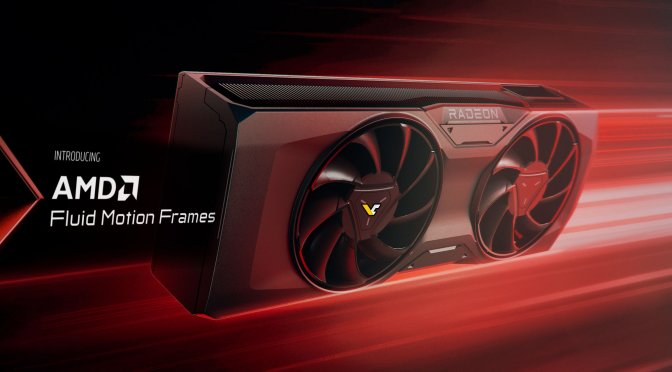
AMD Fluid Motion Frames AFMF

AMD Fluid Motion Frames has been fully released, and it’s still as bad as it was

AMD has officially released Fluid Motion Frames, also known as AFMF, via its latest driver, and it’s still as bad as it was in its beta phase. AMD claims that AMFM will allow you to enable Frame Generation in all DX11 and DX12 games, however, there’s a catch.

The big problem of AFMF is that it disables itself in fast camera movements. As such, the whole gaming experience can feel AWFUL when playing games with a KB&M.

Now I don’t know about you, but I’m always making quick movements in all the games I play. From FPS to third-person action games, I constantly use the camera. Yes, when I’m fighting various enemies in The Witcher 3, I want to quickly move the camera so that I can see where the enemies are. When I’m playing Batman: Arkham Knight, I’ll quickly move the camera to see whether I should dodge, parry or attack an enemy. The same goes for all Souls-like games.

The benefit of PC gaming, and to be more precise the benefit of KB&M, is that it allows you to make quick and precise movements. That’s not possible with a controller. That’s why we love playing with KB&M. So, it makes no sense at all to use AFMF for the majority of PC gamers. Because, like it or not, you need those extra frames during those fast movements.

Here is an example. Let’s say that Batman Arkham Knight runs at 50fps without AFMF on your PC. By using AFMF, you can increase its performance to 90fps. Everything looks smooth until you encounter a bunch of enemies. When you start moving the camera to locate your enemies, the framerate will drop to 50fps. So, not only will the game feel choppy at 50fps, but the sudden transition from 90fps to 50fps will make things even worse.

AMD is not currently looking into fixing this. According to the red team, this is done in order to preserve the image quality of a game. However, this whole concept can literally destroy your gaming experience. And that’s why AFMF is a big NO-NO for us. But hey, at least you can brag now about running a game with high framerates when standing still.

81 thoughts on “AMD Fluid Motion Frames has been fully released, and it’s still as bad as it was”

  1. Is it any wonder that AMD has a 10% market share on gaming dGPU sales. Is it any wonder that Nvidia continues to charge ridiculous prices for their GPUs.

    AMD stopped caring about competing on dGPU when their sales fell flat on the floor long, long ago.

    If you want a great CPU then look at AMD. If you want to continue to support a fail GPU just because you are a fan then whatever.

    1. To be somewhat fair to AMD’s GPU division, they are limited by the consoles when designing their GPUs, because they have to maintain backwards compatibility all the way back to the first GCN architecture (the original 7000 series codenamed “Southern Islands”).

      Yes, even the newest 7000 series still uses the same ISA internally, as you can see from the official open-source Linux kernel driver from AMD.

      In fact, even RDNA is still called GCN by AMD engineers internally…

      1. Not a bad thing tbh, maybe the greatest advantage of PC is just that, this crazy backlog of content, you can run PC ports from the 80s on a current machine

    2. the 7600 preforms just as well as the 4060 sometimes even better, come on, sht is very competitive, it just that nvidia has better ray tracing and frame gen and rt remix and…you get it.

  2. Does it disable temporarily or permanently? Also do you need to stand still or is just an issue with moving the camera too fast? This could be a good workaround in games with static camera or games that doesn’t need too much twitching camera controls.

    I don’t see too much of an issue in disabling the feature temporarily, a option to not do that would be nice off course. For all the fps enthusiasts you can set graphics to low.

    1. It disables it temporarily. In fast movements it turns itself off and when you stop moving, it re-enables it. When you move the camera slowly, it won’t disable it.

      1. I can see the logic behind that, people that uses this feature are already chasing graphical fidelity, so AMD prioritizes it, but they should give the option to not disable it at least..

  3. So essentially you need to be getting at least 70-80fps before enabling AFMF so when it “turns off” during fast movement the drop would be less noticeable, at least in most games, MP FPS games you gonna feel it regardless.
    This sounds more like a gimmick more than anything else and I assume the majority of the target audience have older underpowered AMD gpus that struggle to to get to 60fps in the first place.

  4. Its the best tech for gaming handhelds, thats it.
    No need for it on desktops, on desktops you should use FSR3 and DLSS, of course i wont say no for FSR3 on handheld, but its limited

  5. LMAO!
    Who the hell is surprised!
    Cantn expect anything as it’s from AMtrash = total worthless POS garbage 👎

  6. The main reason I don’t use AMD is that they don’t have native DirectX9 drivers. It’s some bs translation layer that translates all the API calls to DX11, this is increasingly resulting in older games no longer properly working on AMD GPU.

    AMD drivers suck, and AMD doesn’t care. Fine by me, then I don’t buy AMD GPU.

    People talk about game preservation, but you have a billion $ AMD company that can’t even be bothered to put 1 engineer on maintaining DX9 support. Screw you.

    Nvidia still has native DirectX9 support, and that’s why older games work much better on Nivida GPU.

        1. It’s Vulkan API for DX 9 and 11 so if you have a modern GPU that supports Vulkan it should run better. DX 9 can only use 1 cpu core so it can be awful in games like GTA 4 where the Vulkan backend of DXVK can help a lot. DX 11 can use more than one cpu core (badly) but AMD’s drivers were always bad at it and even Nvidia’s are surpassed by DXVK at this point. In the past it had tradeoffs. Before you had to build a shader cache (though native linux games often came with them on Steam) or use exotic Async branches which required some windows changes people weren’t comfortable with. Now you just get the latest distro from the github and it does all this automatically. There also used to be some bugs with Nvidia and MSAA, but I haven’t seen a problem on the new releases in games I play. They are as good as any GPU driver at this point for stability and just run better on anything where CPU overhead is an issue.

          If DX 12 ran as well as it does on Windows I honestly would not even use Windows anymore. MS pays to even make DX 12 relevant at this point with game exclusives. In any game that has Vulkan and DX 12 Vulkan is always a little faster. Linux just runs better than Windows to. It handles memory better, it’s snappier, Windows 11 CPU scheduling is a mess, core parking on old versions is an even bigger mess (you can do a reg edit on win 10 to remove that crap) and even emulators can run much better on GPU’s.

          1. i legit cannot believe how bad the ui is on windows these days and you cant mess with it with custom shells because every upgrade breaks it.

          2. Oh yeah, the infamous core parking, I remember the Citra emulator struggling to run on my machine because the power plan was messed up, lol a machine who could run the latest titles, struggling with Citra of all things… anyway, I am aware Linux is just better, but I am too lazy to make a complete transition to this platform, got used with Windows for so long. I hope this DXVK can run on Windows because I just bought a AMD GPU, so who knows if old games will struggle. I intend to replay the Splinter Cell trilogy eventually, I am procrastinating… but I did installed Chaos Theory last year, running on the GTX 1060, had no issues (besides the controller not vibrating, which is distracting, I miss this feature from consoles… also, why the hell we don’t have mouses with vibration, it’s a cool little gimmick that is being around for ages)

    1. You should never be using DX9 on Nvidia either. You should be using DXVK as Linusisthefuture says. I have two Nvidia GPU’s and I don’t touch DX 9. DX 11? Usually I leave it be because Nvidia’s game ready driver is good enough, but in games like Jedi Fallen Order DXVK is much, much better than DX 11 even on my 4090. ANY Unreal Engine game is usually stupidly better in DXVK than 11 as are most open world titles from companies like Ubisoft. DXVK fixes almost all the stuttering. DXVK also works with Reshade. You just use the Vulkan backend.

      You legit just download the newest DXVK and drop the correct API files (based on if it’s DX 9 or 11 in the folder. It’s as easy to use as reshade used to be with the drop in files. Delete the files to revert. DXVK makes games like SWTOR playable. DX 9 Nvidia driver in that game sucks almost as bad as AMD. Same goes for any CPU bound title as Linuxisthefuture showed with GTA 4.

  7. As a AMD GPU owner this is just sh^t.
    They could at least give us an option to force it at all times but no.

    1. Exactly, give the users a toggle to flip between always-on AFMF and dynamic AFMF. Maybe display a warning to the user about how using always-on AFMF may result in heavy visual artifacts. Their current implementation is incredibly stupid and only further hurts their image.

  8. I was “hyped” (many quotations) to test this gimmick on Total Warhammer “3”, this garbage is one of my few “comfy” games… but then, it seems like the game needs to run on full screen, no v-sinc, etc.. Warhammer “3” only runs bordless, if I switch to “window” the resolution drops to 843×843 or something lol So it didn’t matter, this game not even implemented FSR, it was a trashy sample size. I tried the frame generation mod on Alan Wake 2 tho, it worked pretty well imo, but it didn’t worked in Cyberpunk… so really, it’s all a bunch of gimmicks, this should be implemented by the actual devs with proper QA. Ideally the consumer shouldn’t had to install a mod or activate some bullshit in the drivers, this scummy industry asks freaking $60 for these products, so perform actual QA!

  9. Yeah well this method of mouse movent is the only way they can implement so you can force it in the driver.
    Radeon chill and boost also work the same way tracking mouse moment.

    AMF seems to work fine with racing games tho.

  10. Have a bit of an open mind. I used to be a kbm player myself and used to e-troll people using a controller, but after a temporary hand injury that forced me to only use a controller for a few months, I have now completely changed my stance on them. They’re more fun in a way that games feel more intuitive and balanced now.

    With kbm you were basically playing on easy mode, and the balance felt off on many games. It feels more rewarding to even pull off a headshot in an fps game (I mostly play sp). Turn off aim assist, and use either the official xbox or ds controllers or better. Unlike games in the xbox360 era, games these days have smooth controller movements without deadzones. So yes, stick to mkb on 10+ year old games, but for anything else, controller might FEEL like an inferior device the moment you pick it up, but you’ll be having more fun beating a game with it.

      1. If you can use just the left thumb, you can use the Dual Sense to aim with gyro. I’ve found it the most fun personally as it’s a happy in-between to mkb and thumb sticks. Just be sure to bind LT/L2 to activate gyro, otherwise it’ll just go wonky.

        Gyro is what I use for all shooters that have an ads function because you set the ads button to activate it. For Doom and boomer shooters i still use the mkb because those games still play better with mkb.

        For racing, fighting, platforming I believe everyone commonly agrees that controllers are better for them anyway, right? RIGHT?

    1. Nah, I tried playing TPS with a controller, I felt like my character was r3t4rded.
      It takes a long time to move the crosshair if the target is on the edges, and with high sensitivity most of the time I went past the point I intended and had to adjust… anyway, the gameplay seemed slower in games like RDR2, Shadow of Tomb Raider. ..
      If it were a movie or something, I would think the protagonist was clinically r3t4rded.
      But indeed its easier, so i always put these games in the hardest difficulty.

      1. i have a g502, i set the side button to slow down movement for more accurate lining up of targets, no way i switch to a controller.

      2. It’s ez ON the hardest difficulty unless you use a controller with no aim assist. But TRYING isn’t enough. It takes a bit to get used to. I am speaking with a lot of experience on both input methods, and I play a lot of games in pretty much all genres.

        I’ve been on mkb since 1999, and only since 2020 have I been on controllers primarily. I still use mkb for sweaty shooters online with my friends, but with age and a family to take care after, even that’s reduced.

      1. Don’t care about fake frames. Have fun playing games on ez mode and complaining later how gaming is boring 👍

        1. Are you seriously handicapping yourself with controller and at the same time justifying it? F*cking peasant.

          1. LMao, another kid. Let me see you play racing, platformers or fighting games on your ‘superior’ device.

            You just suck with controllers bruh.

          2. LMao, another kid. Let me see you play racing, platformers or fighting games on your ‘superior’ device.

            You just suck with controllers bruh.

          3. You suck with mouse & keyboard boomer. Only kiddypad lets you have some semblance of fun in your favourite walking simulators

          4. Heh. Nice try. When I use a mkb it’s like I have cheats enabled. The hardest difficulty on any AAA game is a walk in the park.

            I still use mkb on sweaty PvP shooters that I occasionally play these days because family and work get in the way.

            You keep playing your sweaty shooters sitting in front of your 1080p 144hz.

            Btw I’m curious to see how you do in racing, platformers and fighting games with your SUPERIOR input device 😅

          5. I don’t even play racing and platformers to give you an idea. But if you insist, I drive around in gta 5 just fine with w a s d.

  11. John, onestly…do it works right with a gamepad? if so, it’s noteworthy and you should write about it!

  12. of course like your website but you have to check the spelling on several of your posts A number of them are rife with spelling issues and I in finding it very troublesome to inform the reality on the other hand I will certainly come back again

  13. I play all PC games with a PS5 controller these days. I find KB&M controls vary too much from game to game. I can’t be bothered to spend ages mapping keys the way I think I want them only to find that its is hard/impossible to do certain things in the game with my customised controles. Meanwhile, the jopypad controls will have been properly and consistently designed, and play tested and work in all scenarios.

    1. Besides fast paced fps, strategy games etc. I do the same.
      It’s more enjoyable, because it’s more relaxed.

      You can sit on a sofa, relaxed in your chair. No need for a strict and uncomfortable sitting position.
      But since most PC gamers are dumbos using overpriced moniturds, they have to sit very closely, uncomfortable in a chair, to see things on the tiny moniturd’s display.

      1. 4k 60hz > 1440 144hz for anything that arent boomer shooters or rts. People who argue against probably just don’t wanna admit they can’t afford 4k gaming hardware.

        1. I watch/play media/video games on a S95C TV, which (qd-oled second generation, 4K-UHD 144 Hz).
          I understand not everyone has the money or wants to spend that much, but I just point out that since 2020 (LG W-Oled CX series with hdmi 2.1), that compromise you write about, for superior image quality (OLED-TVs) + smooth perception (> 120 Hz).
          doesn’t had to be made anymore.
          PC desktop consumers are stuck in time, and most haven’t realized it that they’re paying for overpriced crappy moniturds all these years (and continue to do so in 2024).

          For LCD displays, I don’t know, can’t comment on that one, since Ieft LCD and moniturds (monitors) behind in 2021.
          All I can say is that whatever type of OLED display, needs at least 90 – 100 Hz + the amount of fps, or it will be perceived way less smooth than any TN/IPS/VA-LCD at the same display refresh rate (90 – 100 Hz), due to Oleds fast pixel responce time of 0.1 – 0.3 ms.
          90 – 100 Hz is also the range were most humans can’t see any flashing anymore (studies proved), but see light as a continuous beam of light.

          The slow pixel response time of LCD helps a lot at 60 Hz, but overdrive has to be adjusted too.

    2. Movement is better and more dynamic than a 1 bit keyboard input. There are a lot of things that can be done with the left joystick you just can’t pull off with a keyboard. For instance riding horses in many games or an even better example Witcher 3 Next Gen where you have more precise control of walking speed so you can follow/lead without the rubber band effect. It’s much more immersive. However the right joystick can never match the precision of a mouse if a game sets it up properly. However you can make up for some of that imprecision by learning to “aim with your feet”

  14. @JohnDio:disqus
    And why do you call complex technologies as FSR 2, DLSS 2/3 (not the frame generation part introduced with dlss 3) and Intel XeSS and “upscaling”?
    Just because all the other 08/15 tech websites call it that way too?
    Only because mass consumers understand it better that way?

    E.g. FSR is image upscaling wikipedia(.)org/wiki/Image_scaling (Nearest-neighbor interpolation, sampling, mipmap, whatever)

    FSR 2, DLSS 2/3, XeSS are all way superior and complex image reconstruction. With nvidia and intel even based on trained machine learning networks (and thus clearly superior)
    developer(.)nvidia.com/rtx/dlss

    Please use proper terms, no matter the 08/15 tech-landscape and customers level of understanding. 😉

  15. @JohnDio:disqus
    And why do you call complex technologies as FSR 2, DLSS 2/3 (not the frame generation part introduced with dlss 3) and Intel XeSS and “upscaling”?
    Just because all the other 08/15 tech websites call it that way too?
    Only because mass consumers understand it better that way?

    E.g. FSR is image upscaling wikipedia(.)org/wiki/Image_scaling (Nearest-neighbor interpolation, sampling, mipmap, whatever)

    FSR 2, DLSS 2/3, XeSS are all way superior and complex image reconstruction. With nvidia and intel even based on trained machine learning networks (and thus clearly superior)
    developer(.)nvidia(.)com/rtx/dlss

    Please use proper terms, no matter the 08/15 tech-landscape and customers level of understanding. 😉

    1. Upscaling and image reconstruction are essentially the same thing. DLSS is basically TAA that uses tensor cores to calculate the temporal part. Even AA is technically image reconstruction. Nvidia has some really good deep dive video seminars and “whitepapers” that go into more depth but you have to have an Omniverse account to access them. A single user limited account is free. It’s only when you use it for work across company networks that you need a paid license (I have a personal account and another for my business mainly for design/engineering simulation)

      1. I wanted to write that it’s incorrect, and while the term mostly is, the answer is obviously more complex.
        Yes, out of interest, I have an account and watched the 47 minute video nvidia(.)com/en-us/on-demand/session/gtcsj20-s22698/
        or developer(.)nvidia(.)com/dlss/research
        or other simpler sources of information as e.g. wikipedia

        My answer is, I agree to some degree since you’re corect, but eventually I disagree mostly still, since there are too many differences and thus calling both methods “upscaling” does not do FSR 2, even more DLSS 2 and XeSS, any justice.
        “Even AA is technically image reconstruction.” is mostly partly correct though.

        1) Calling DLSS 2 upscaling is nearly entirely wrong, since there is no upscaling happening. Not even DLSS (1) is making use of upscaling.
        The developers themselves don’t refer to it as “upscaling” at any point, but when they look at it from the point of the pixels and the image rendered as a higher output, they refer to that one step as “pixel scaling”.
        That been mentioned, they call that whole process the chain “pixel upsampling”; even at wikipedia it’s stated “DLSS 2 (at some stage in the whole technology suite), using temporal anti-aliasing upsampling, as a form of TAUU”, and “TAA can be used as a simpler implementation”.
        “It should also be noted that forms of TAAU such as DLSS 2.0 are not upscalers in the same sense as techniques such as ESRGAN or DLSS 1.0, which attempt to create new information from a low-resolution source; instead TAAU works to recover data from previous frames, rather than creating new data”
        1.1) In the video the developers themselves, refer to that specific step times of “pixel upscaling”, upsampling.

        I think the whole discussion, could end here, do you agree/disagree? I don’t do “business mainly for design/engineering simulation)” as you, but if the information is so openly stated, I don’t see the point.

        Calling DLSS 2 upsampling, or even more wrongly upscaling, just because one element in the whole technology-chain relies on TAUU-based upsampling, doesn’t do it enough justice.
        If it would, than FSR would be equivalent to DLSS 2 or XeSS, but it isn’t.

      2. 2) It’s a “suite of machine learning based (AI) rendering technologies”.
        3) It’s being called “sampling and reconstruction technique” (Reconstruction 101: Low resolution sampling rate -> High resolution reconstruction, Ground Truth Function (reference), Discrete Samples, Reconstruction Function etc.) by it’s developers all the time; not “upscaling/upsampling technique”. Even if the developer calls it “upscaled” at some point, the presentation clearly states “upsampling”;
        and with “upsampling” he only means that distinct one step in the rendering pipeline, the “pixel-scaling” (x4, x3, x2).

        Previous work stated in the video:
        3.1) Image-super resolution. DLSS (1) is Single image super-res: reconstruct high resolution image by interpolating the low resolution pixels; using bilinear, bicubic, lanczos, contrast aware sharpening. The issue is: “deep neural networks can hallucinate new pixels conditioned on existing pixels based on priors or training data. The result is inconsitent. The sequence of images is temporally unstable”.
        “DLSS invents new information that is missing in the low resolution input”.

        3.2) Then follows multi-frame super-res (this is where the motion vectors come to play)

        3.3) Followed by “spatial-temporal super sampling”. “Reconstructed Image from TAA is actually at the same resolution as the input, but it achieves anti-aliasing by accumulating temporal jitter samples within a pixel over multiple frames”.
        Temporal upsampling, Checkerboard Rendering.
        So I say this is were you are wrong, static that “DLSS is basically TAA”.
        The developer states “There are many temporal rendering works … that does reconstruct the final image at a higer resolution than the input. Particularly TAA in Unreal Engine 4 “temporally anti-aliasing upsampling” -TAAU.
        So anyone wondering why UE 4/5 TAAU is better than AMD’s FSR 2, that’s likely the explanation.
        This is what to some degree AMD’s FSR 2 does (without the neural network part hallucinating) – that’s one reason it’s inferior.

        He explains that that approach has it’s disadvantages due to content changes, as artifacts, bluriness, lagging, ghosting, a too smooth image.

      3. The website owners silly censorship, spam system comes to play; have to write multiple times again. Sorry.

        There are multiple steps/stages of what’s happening.
        At some stage/step the AI suite uses “image enhancements” and other stages it uses “upsampling” technologies (“AI accelerated form of TAAU using Tensor Cores, and trained generically”).
        4) E.g. for spatial-temporal upsampling as a form of TAUU, TAA, checkerboard, he gives a brief glimpse of a crucial step “validate (rectify) or “history rectification with/without neighborhood clamping”. (video 28:08).
        Pixel are generated by the neural network, not rendered by the game engine.
        Training their network, inferencing blogs(.)nvidia(.)com/blog/difference-deep-learning-training-inference-ai/

        5) At 37 minute he starts with explaining DLSS 2, them taking the multi-frame approach, stating the obvious that “neural networks are much more powerful than handcraftet heuristics” and have “much higher quality reconstructions using samples from multiple frames”.
        He clearly states that “DLSS 2 is different from previous spatial samples techniques in real time rendering as checkerboard, TAUU, TAA”
        Of course he the explanations abruptly end here, and he does not tell in detail the company secrets, what different heuristics they use, combining multiple frames etc. only calling it “data driven”.
        So, yeh, no insight inside that black box.

        6) At the end he once again summarizes it from the perspective of the dlss 2 pipeline: Geometry/Shading (Input)-> DL upsampling 4K (DL Anti-Aliasing and Super Sampling) -> Post Process (MB, Bloom, Tone map …).

        So long story short:
        I’ve looked at the explanations, different stages/steps and still argue that if one tries to simplify things, upscaling is the most correct term for technologies as FSR, and image recontruction – more correctly “machine learning based (AI) , neural network enhanced image reconstruction”), is the most fitting term for DLSS 2 or XeSS.
        I don’t mind what techwebsite authors as here or the hundreds of others as techquila(.)co(.)in/nvidia-dlss-2-control-review/
        call it, but I care for proper terms; and they continue stating wrong information, and as mentioned I assume they do so because it’s easy for the uninformed user to understand (since he/she knows the term upscaling for decades).
        Feel free to add information, agree/disagree, refute.

        Cheers

      4. @JohnDio:disqus
        Instead of polishing your censorship, spam system etc. I suggest you watch that content yourself, and then preferably stop using incorrect terms as “upscaling” for such complex technologies (all because “others do so to” and “uneducated users understand that terms better”).
        No one will ever understand it better if everyone continues to call it wrongly Lol

  16. I do not even know how I ended up here but I thought this post was great I dont know who you are but definitely youre going to a famous blogger if you arent already Cheers

  17. @JohnDio:disqus

    Why don’t you write the obvious then? It’s not frame generation (“MFM will allow you to enable Frame Generation”), it’s frame interpolation, based on FSR (not FSR 2 which is image reconstruction).

    So basically what TVs have been doing since 2010.
    Sony’s newer 2021+ Oled-TVs are the same or even offer superior machine learned based frame interpolation than what amd is offering here.
    No one should use frame interpolation with fast paced video games, unless he is really out of options.

  18. Yeah I think FSR2 and FSR3 development has also ended and this is as good as they will get. Next Gen AMD will introduce FSR4 which like DLSS and XeSS will use deep learning but will only work on 7000 series and up. AMD didn’t add “AI Cores” to the 7000 series for nothing and currently they are not being used even though you paid extra for them.

    I believe around 2026-2028 we’ll see AI upscaling and frame generation unified and a part of DirectX just like Ray Tracing is and a whole host of other technologies in the past

    1. There is no official confirmation of the amd employee working on “spatial-temporal upsampling with a form of TAUU, TAA” based on a machine learned trained network, but it’s obviously that they are. lol

      After writing that long asz comments to you below – why FSR 2, DLSS 2/3 and XeSS should be called “image reconstruction” and not “upsampling/upscaling technologies” – I came to the same conclusion.

      Machine learning (I don’t want to use that mainstream name AI) trained networks, are summarized “humanly impossible tasks made feasable”.
      It’s exaflops of storage and trillions/quadtrillions lines of code.
      Even if one company would gather 100k people and let them write such code in 5 years, it would be still humanly impossible to manage all that and put it together to make sense.

      Thus AMD’s handcrafted approach will FSR 2 will never catch up in terms of performance and image quailty to DLSS 2/3, not even XeSS.

  19. @@imwithjoe:disqus
    It’s the same technological progress that is happening with machine learned networks and the chip designing, placement etc. right now.
    @@JohnDio:disqus
    Why don’t you make articles about that, instead of writing a bout video games all day long?

    synopsys(.)com/ai/what-is-ai-chip-design.html
    cadence(.)com/en_US/home/explore/ai-chip-design.html
    arxiv(.)org/abs/2004.10746

    The stupendous monotone human tasks takes years to design chips and it humanly impossible to make optimal.
    The amount of possibilites is endless

    The objective is to place
    a netlist graph of macros (e.g., SRAMs) and standard cells
    (logic gates, such as NAND, NOR, and XOR) onto a chip
    canvas, such that power, performance, and area (PPA) are
    optimized, while adhering to constraints on placement den-
    sity and routing congestion

    For those who don’t know: Nowadays silicon chips are basically quadtrillions kilometers of “lines and logic” and functions; that logic/functions are SRAM and all kind of gates. This is what computers see at the end, 0 & 1 and calculates them in through gates.
    E.g. it takes 7 – 8 years to design a Zen 1/2/3/4/5/6/7/8 processor (yes, Amd employee already working on Zen 8 since 2021).

    1. Tens/Hundred thousands of people are wasting so much time for that, what trained networks can do in weeks/months. All time that could be used for tasks networks can’t do.

      @@JohnDio:disqus
      There is so much performance potential that will be unfolded in the next years till 2040 for accelerators, cpus, gpus, npus.
      The upcoming Zen 5 (X3D) processored will look like amd’s ryzen 2700X processors from 6 years ago, once Zen 7 or 8 hits the market (Zen 6 will be the start of advanced packaging technologies). No joke. Look at that image (thank yourself for your silly censorship, anti-spam system here) 😉
      pics(.)computerbase(.)de/1/1/0/2/8/3-e3bfa6ed98bcddea/14-2160.fee6eae8.png

      Zen 5 is cheap 2D-package technologies from 5 years ago, only little by little advanced.
      It’s pure milking by AMD right now to increase margins.
      However they can’t stop progress forever.

      It’s already 100 % given that Zen 7 or 8 (and thus RDNA 4 and 5) will use modern packaging technologies, 2.5D or 3D-hybrid stacking, as seen right now with the MI300X accelerators, or to some degree on Intel’s meteor lake.
      The performance increase will be bigger than the incoming 30 – 35 % from Zen 4 -> Zen 5.
      Step by step, the cpu-die will be placed directly above the I-/O-die and on top of that the cache.

      It will be all vertical. All design will be optimized by machine learning to make use of the vertical axis.
      That hasn’t happened at this point right now. Right now Zen 4 and Zen 5 will be simply “dumb” design, made for the old (current) “horizontal-era”.
      The potential hasn’t been even unlocked.
      The efficiency/performance gains will be massive.

Leave a Reply

Your email address will not be published. Required fields are marked *