
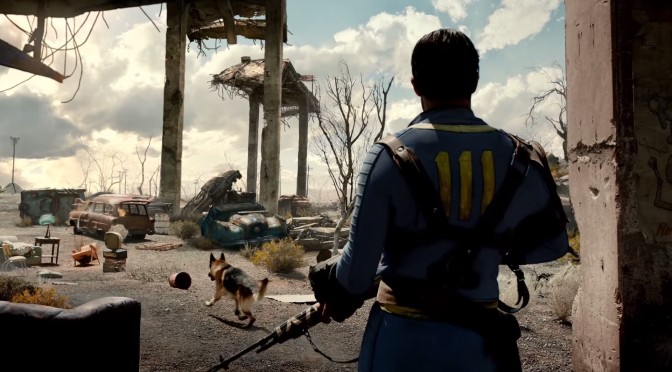
Fallout 4 – Latest Update Disables Mod Support, Temporary Workaround Found

Good news. Bethesda has released the first public patch for Fallout 4 (as we’ve already reported). Bad news. The new launcher that comes with this update basically disables mods. Our guess is that this is not an intentional thing from Bethesda, so here is hoping that a hotfix will be released sooner than later.

Still, if you cannot wait for a future hotfix, there is a temporary workaround in order to enable mod support for the latest version of Fallout 4.

As noted by Nexusmods member ‘Gameaholic‘, this is what you’ll have to do in order to enjoy your Fallout 4 mods.

1) Open Nexus Mod Manager (you will need this and can be downloaded from here!)
2) launch your game, wait in the launcher before starting the game.
3) Renable the mods using Nexus Mod Manager (you will notice launching disables them)
4) Hit play.
5) Play your game, you paid for your way!

Have fun everyone!

14 thoughts on “Fallout 4 – Latest Update Disables Mod Support, Temporary Workaround Found”

  1. Do you need to do that every time you want to play Fallout 4?

    Seems like they are doing these changes because they intend to push their mod store (via Bethesda.net, they announced this before launch)

  2. Nah, this is intentional. The first beta patch(or was it the 1st official?) already did this and I don’t know if it’s the same thing this time or they added another mod disabler. It’s probably because the modding for Fallout 4 is really exploding. It has already passed the total number of mods for Morrowind even though the official mod tool still hasn’t been released yet and it hasn’t even been a month since FO4 came out.

  3. Actually do this……. In windows explorer, you can type “%LocalAppData%/Fallout4” into the browser bar and be taken directly to this folder
    Make sure that plugins.txt, loadorder.txt & DLCList.txt is set to read only after you’ve installed a mod, but do make sure to un-read only the file if adding or removing mods!

  4. I think it’s related to Nexus Mods being breached so they are “protecting” us by temporarily disabling mod support.

  5. You can still use the day one launcher executable that doesn’t disable mods (it has issues with god rays settings but you can set them via ini files). I will try to upload it on the Nexus, because since the official patch is out you cannot revert your game to day one version.

  6. I got the beta patch and everything seemed to work fine? I needed to overwrite the dxgi file but then sweetfx worked too.

  7. Pitiful, how Bethesda cucks / “fans” are still refusing to let go of a company that openly hates them. They don’t want you to have fun (if the game is too much fun you won’t get bored and you won’t buy DLC). They don’t want you to create mods (if mods are available why buy DLC?). They want to sell DLC and they will go to any length to accomplish this. They tried taking a cut out of the mod pie with paid mods. It backfired. Now you’re witnessing their plan B. Let it go. Bethesda is dead.

      1. How is pushing for paid mods before Fallout 4 launch and then actively attacking the free mod scene that builds around said game NOT an admission that they hate their customers? Particularly the hundreds of hardcore customers who made their barely functional game more functional FOR FREE in the past? I’m glad I’m not involved in Bethesda games modding, those guys definitely need all the hugs they can get now.

        1. Yeah the paid mods was a terrible idea which they fixed because it doesn’t work with their model. I don’t see how that relates to hate mate.

  8. P.S. “Our guess is that this is not an intentional thing from Bethesda, so
    here is hoping that a hotfix will be released sooner than later.”

    HA! Good one.

Leave a Reply

Your email address will not be published. Required fields are marked *