
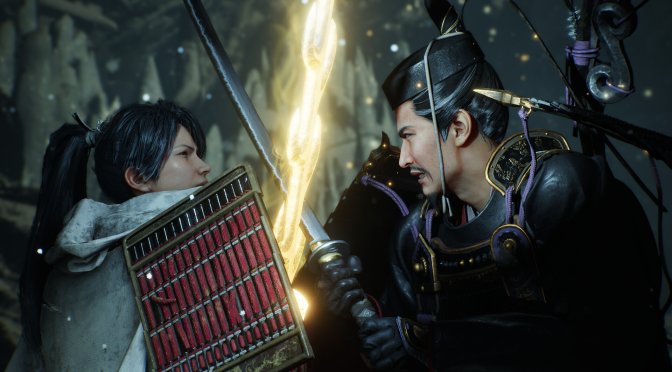
Nioh 3 is coming to the PC tomorrow, and KOEI Tecmo has provided us with a review code for it. Powered by Team Ninja’s in-house Katana Engine, it’s time now to benchmark it and examine its performance on PC.
For our benchmarks, I used an AMD Ryzen 9 7950X3D, 32GB of DDR5 at 6000Mhz, AMD’s Radeon RX 6900XT, RX 7900XTX, RX 9070XT, as well as NVIDIA’s RTX 2080Ti, RTX 3080, RTX 4090, RTX 5080, and RTX 5090. I also used Windows 10 64-bit, the GeForce 591.86, and the Radeon Adrenalin Edition 26.1.1 drivers.
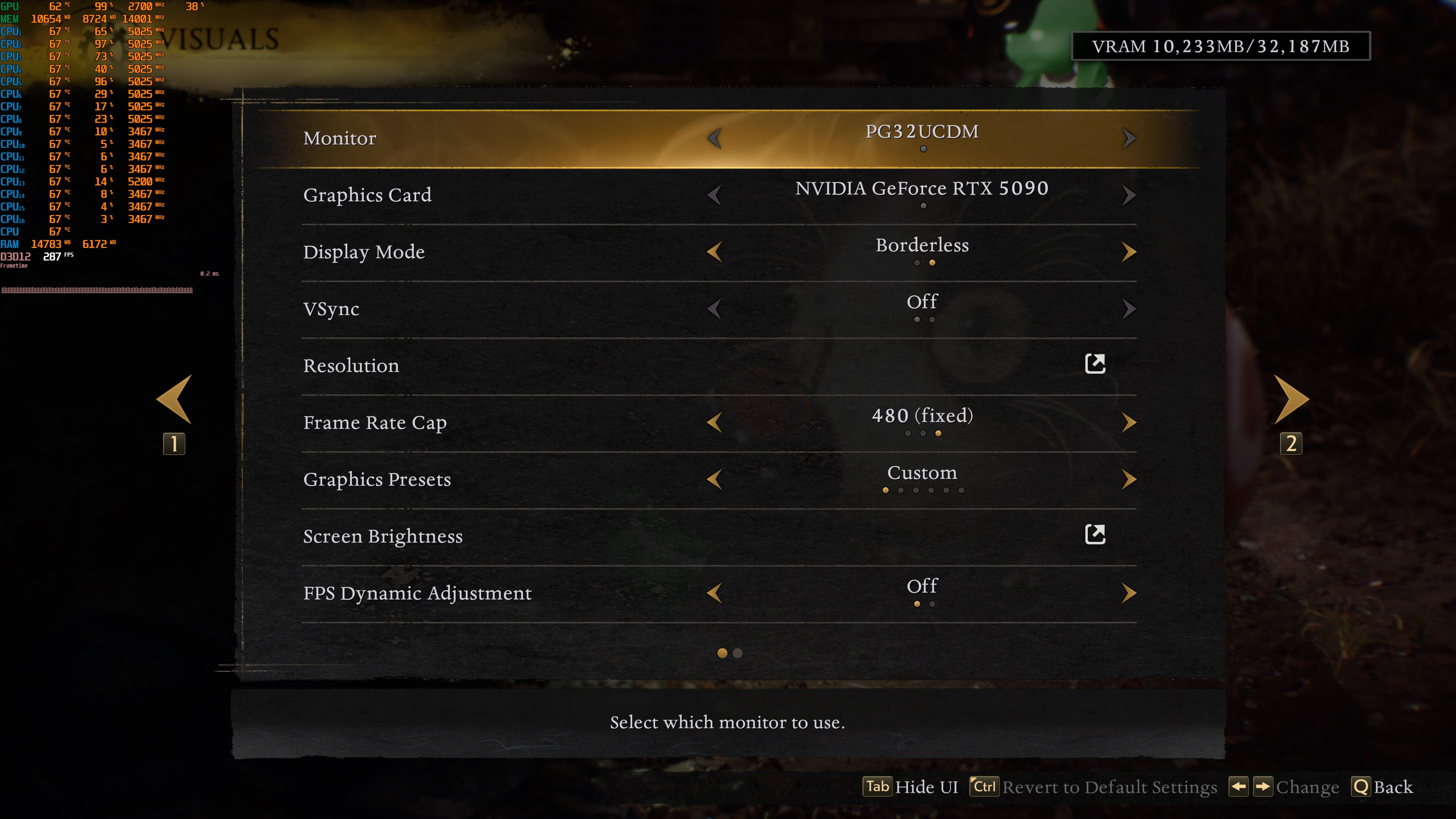
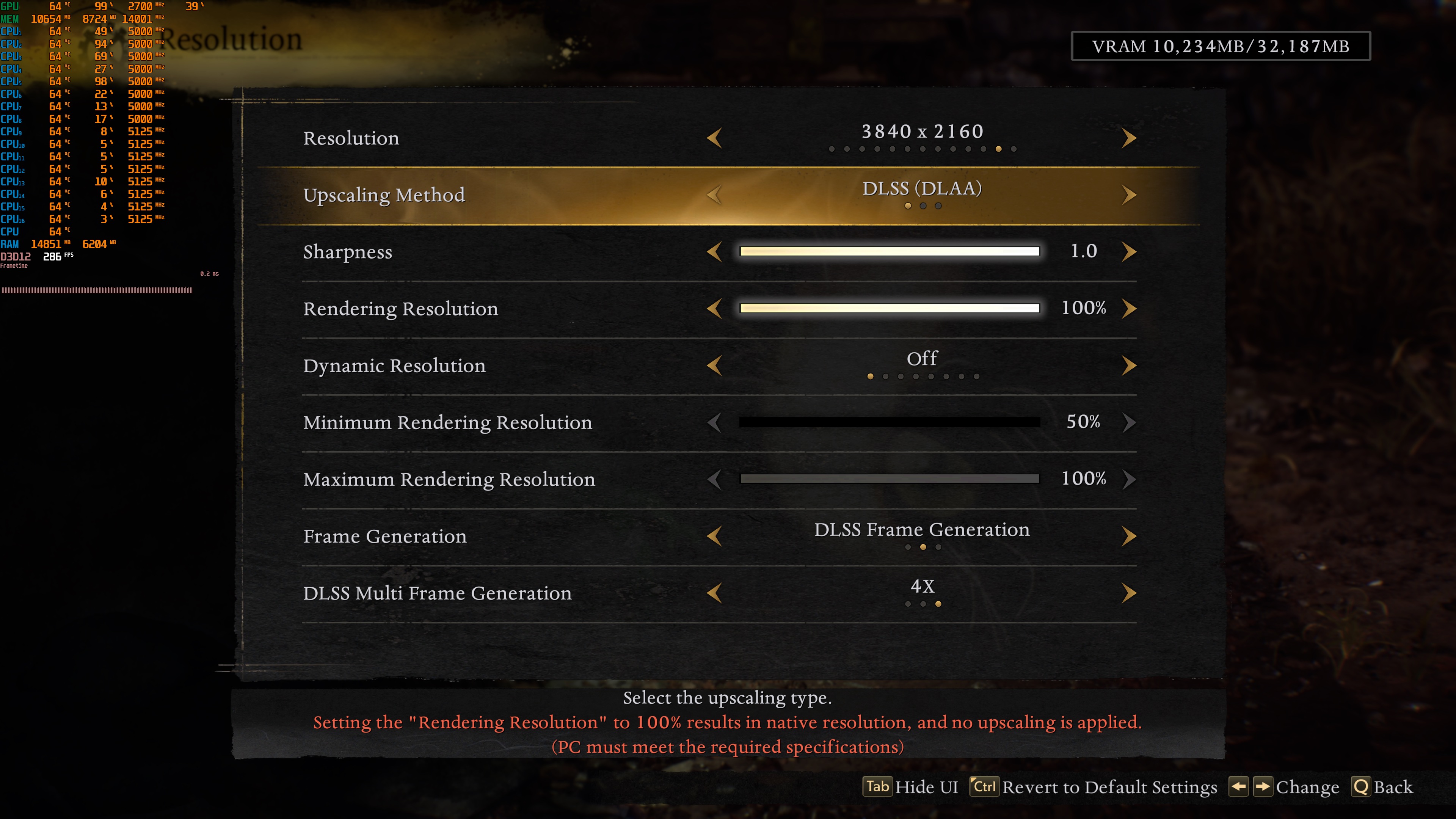
Team Ninja has added a respectable number of PC graphics settings to tweak. PC gamers can adjust the quality of Shadows, Textures, Effects, Terrain, and more. The game also supports DLSS 4, AMD FSR 3.0, and Intel XeSS 2.0. However, there is no support for TAA. As such, to get a Native image, you’ll have to use one of the aforementioned upscalers. I’m mentioning this because DLAA is always more demanding than Native 4K with TAA. Moreover, the game supports DLSS 4 Multi-Frame Gen. Without MFG, the maximum framerate limit is 120FPS. With MFG, you can get to 480FPS.
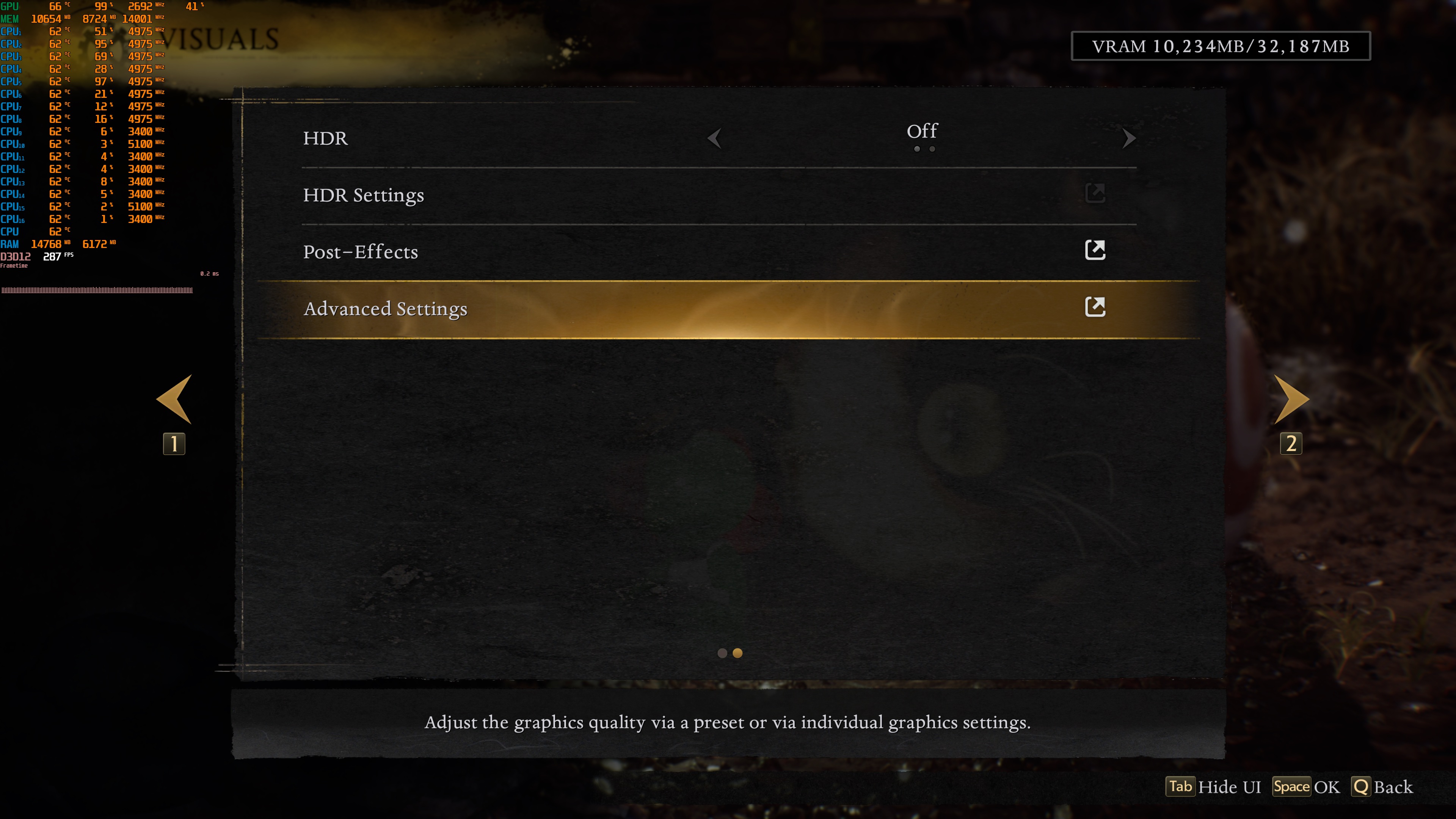
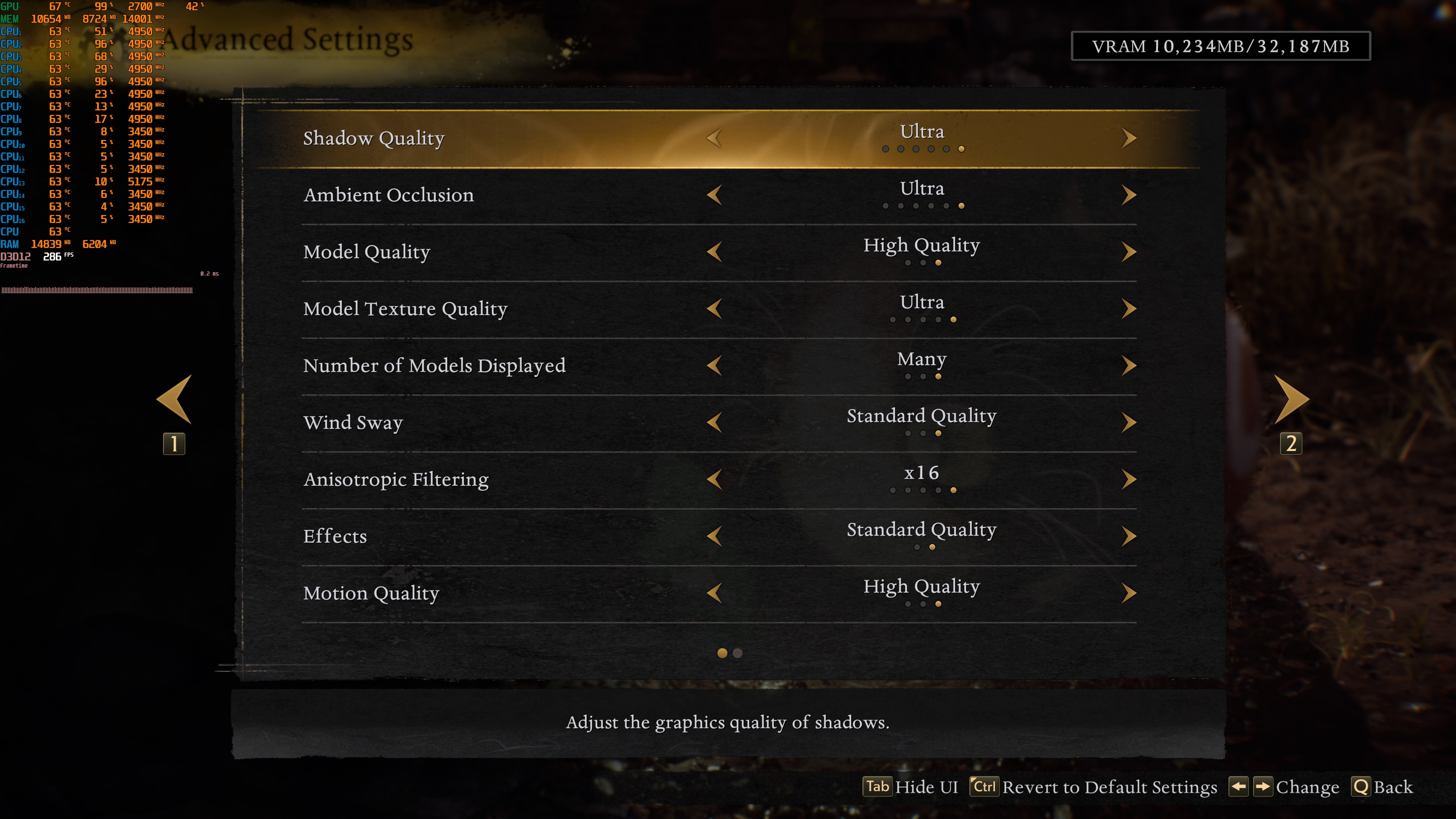
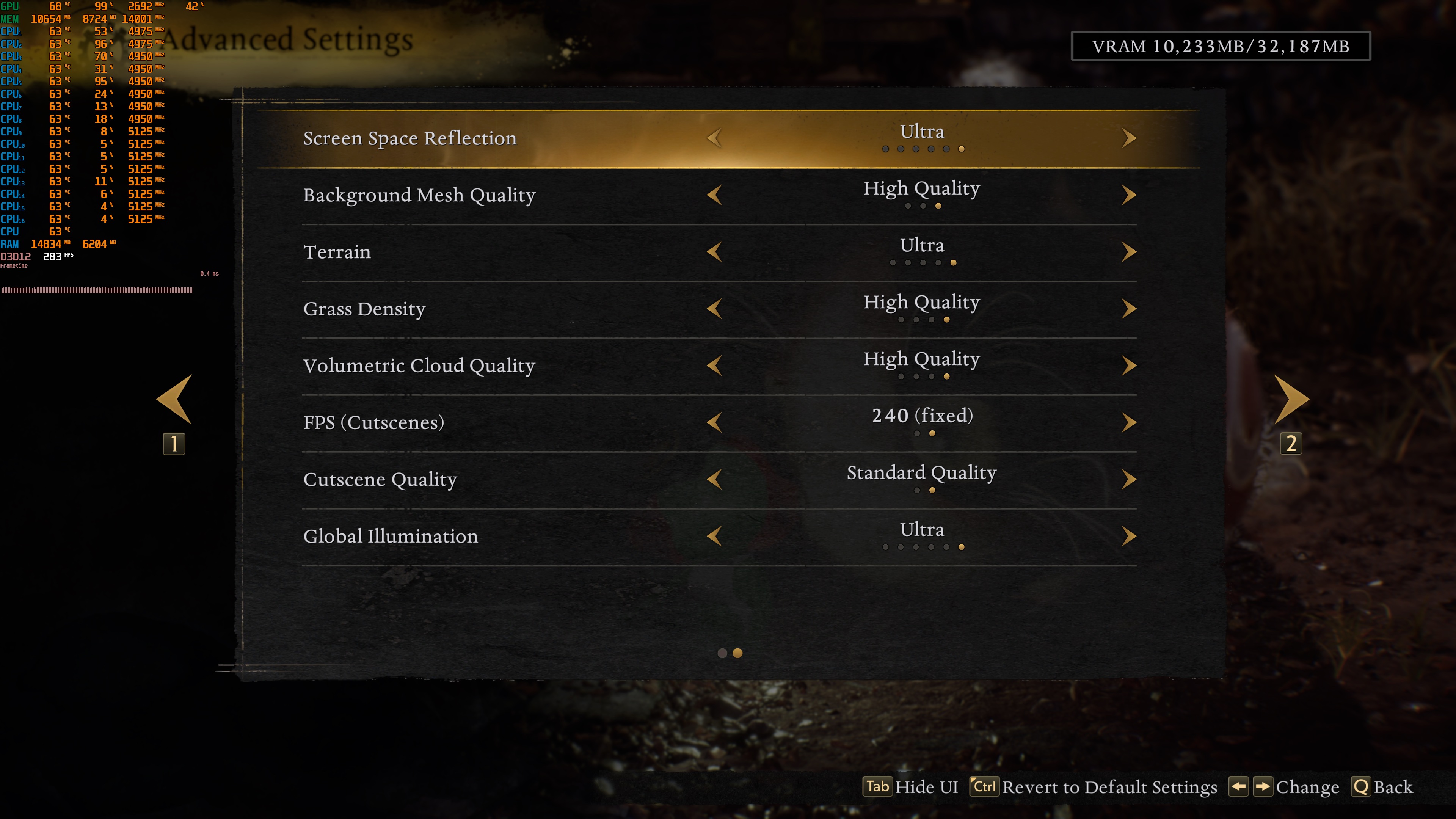
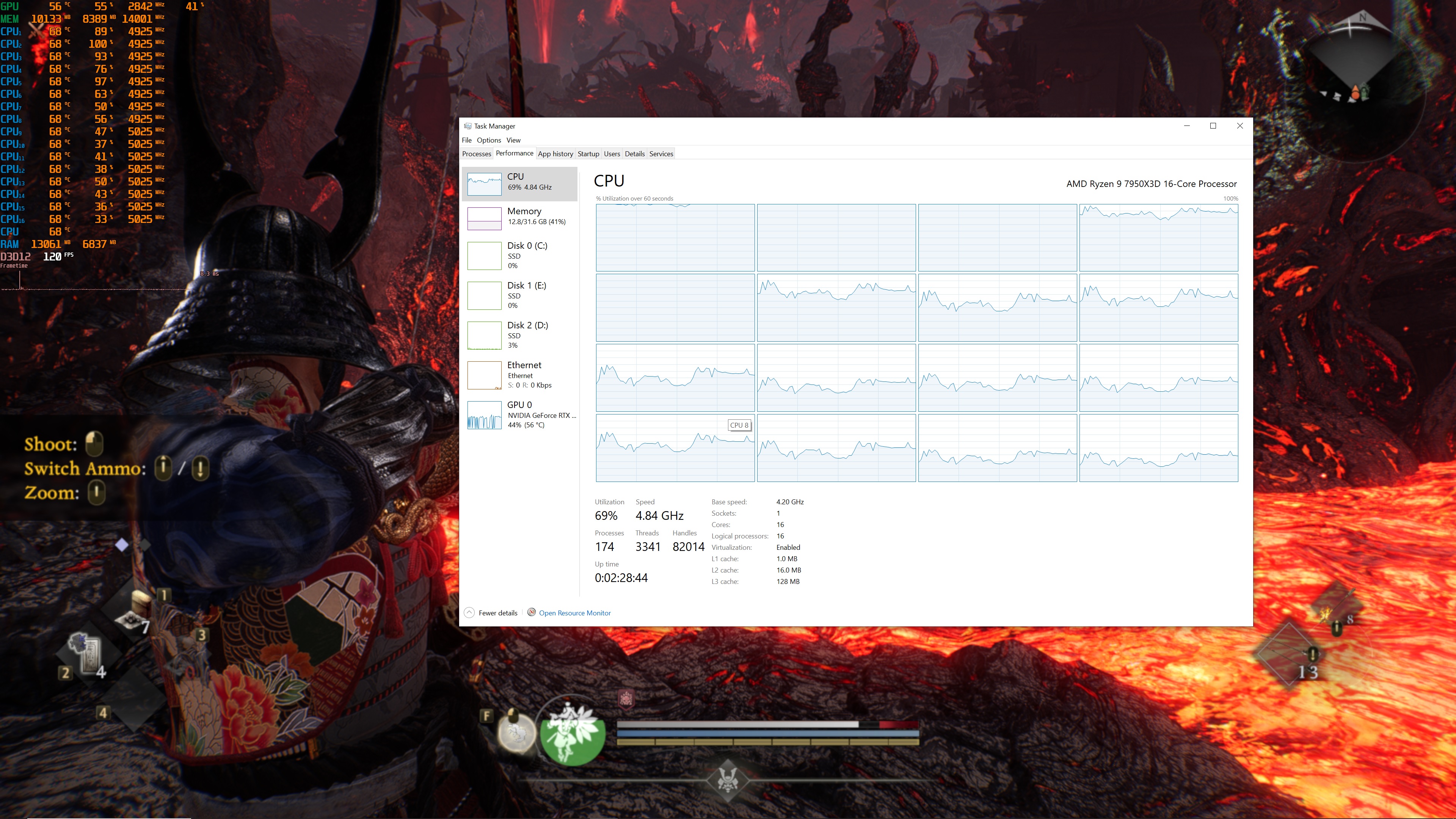
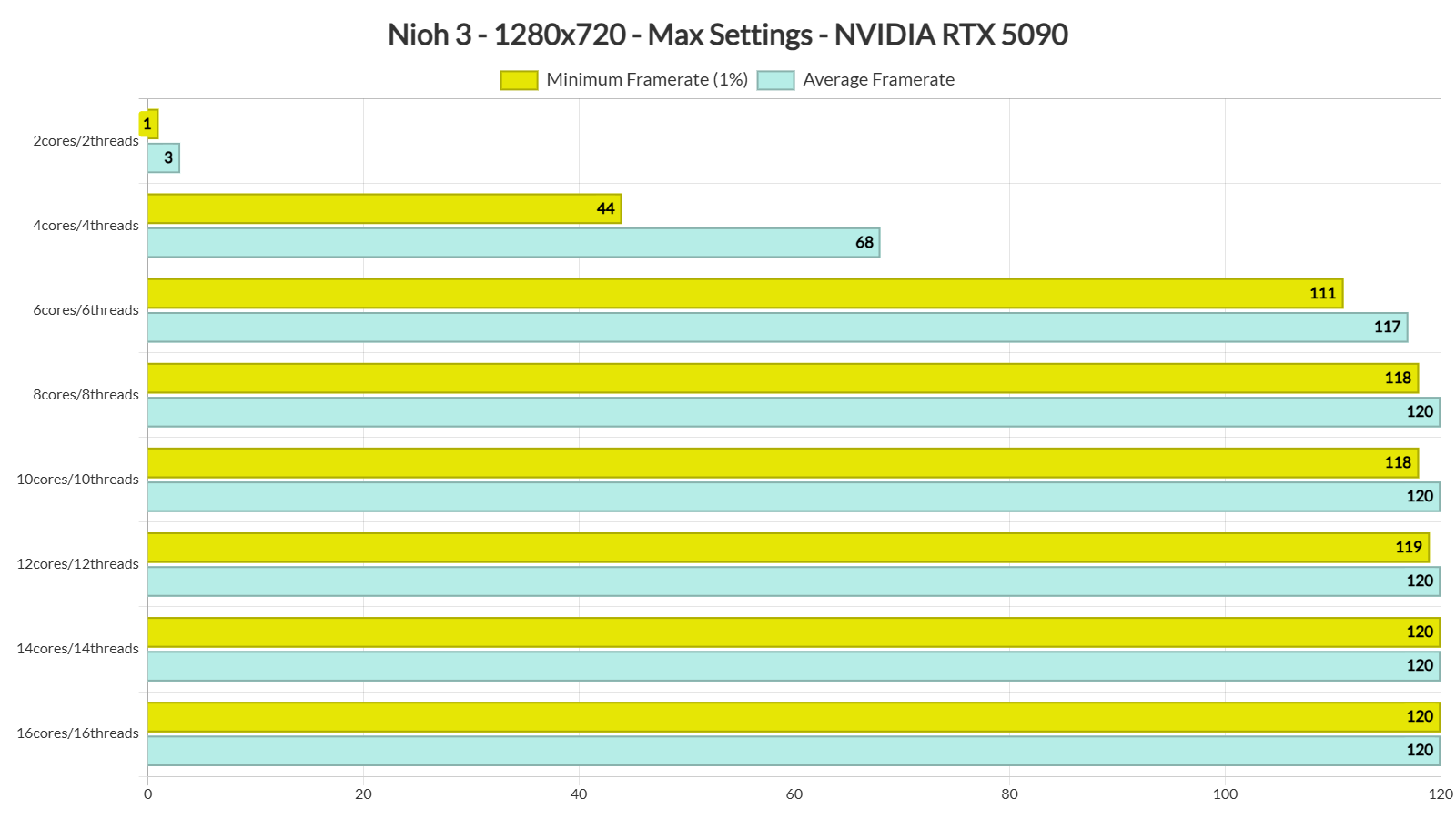
Nioh 3 does not have a built-in benchmark tool. So, for both our GPU and CPU benchmarks, I used the open-world area. For our CPU benchmarks, I also lowered the resolution to 720p (but kept using the Highest Settings). This will remove any possible bottleneck from the GPU. I also simulated numerous CPU configurations to see how the game scales on multiple CPU cores/threads.
Nioh 3 needs a modern CPU with at least six cores/threads to run properly. Our tests showed that a dual-core CPU couldn’t run the game at all. A four-core CPU could run it, but it had a lot of stuttering. The game finally ran smoothly once we switched to a six-core CPU. But to get a 120FPS experience, you will need a CPU with eight cores/threads.
Nioh 3 also does not require a high-end GPU. Even an NVIDIA RTX 3080 can push framerates over 60FPS at 1080p/Max Settings. So, rest assured that most of you will be able to run it.
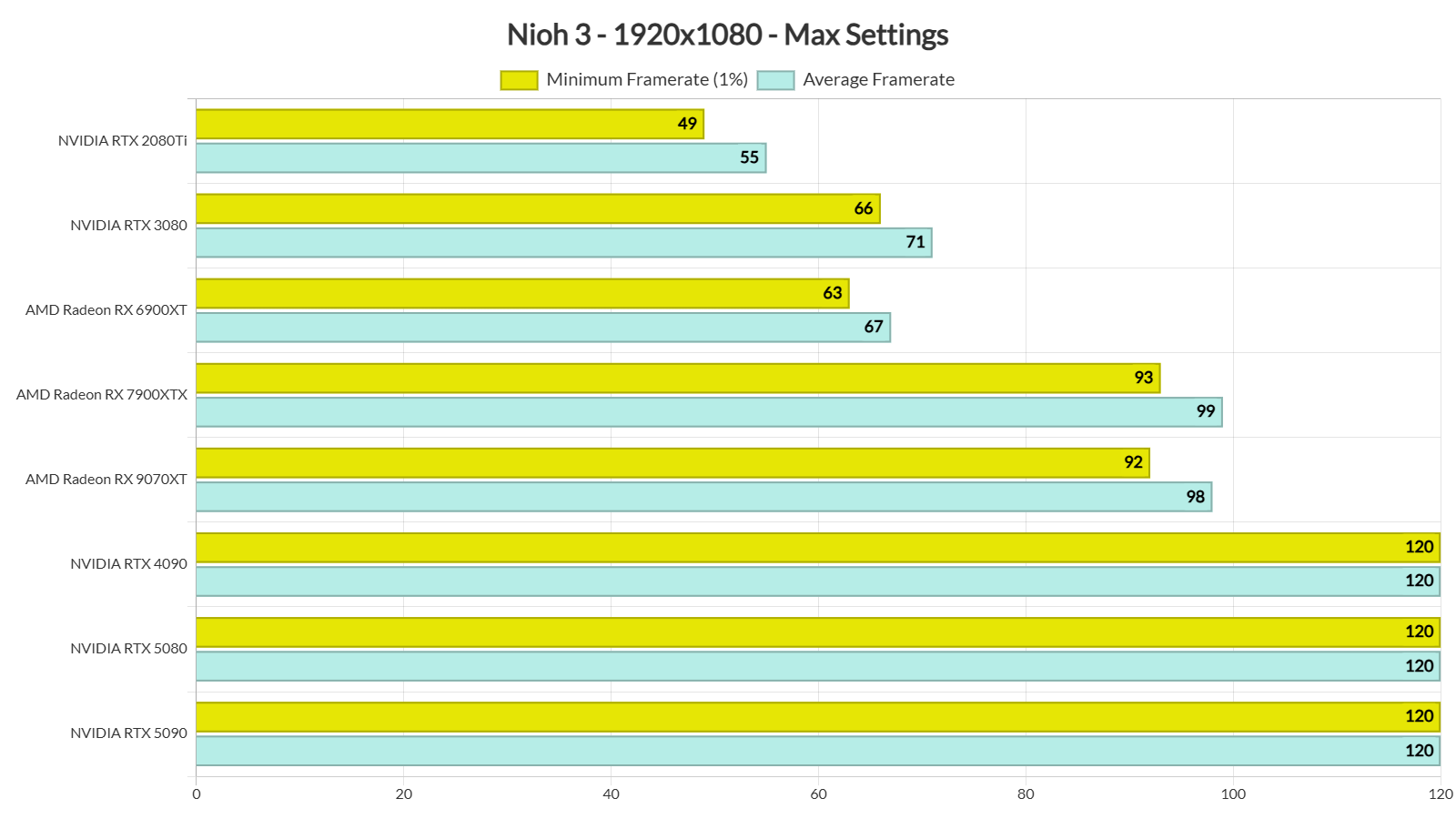
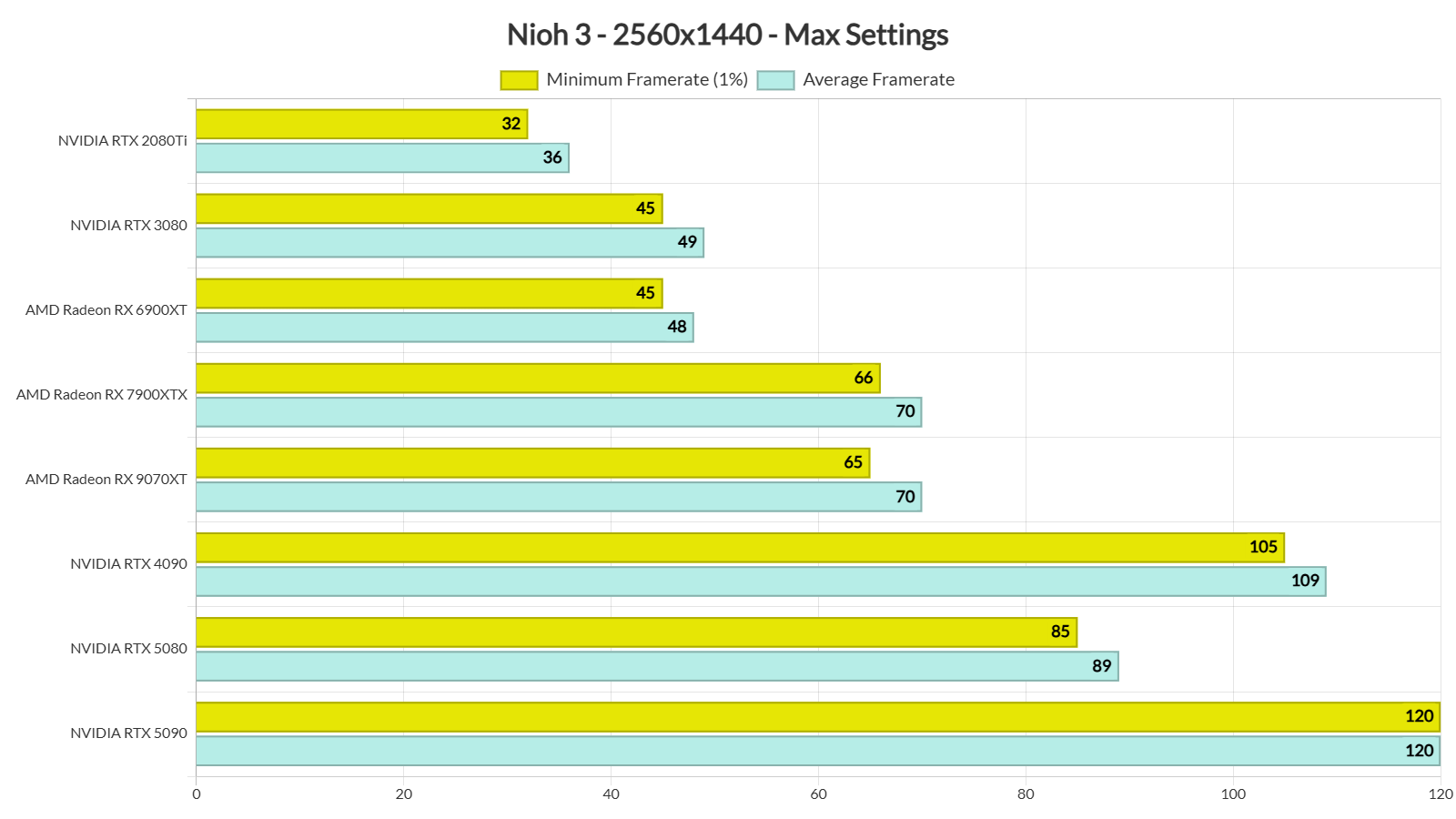
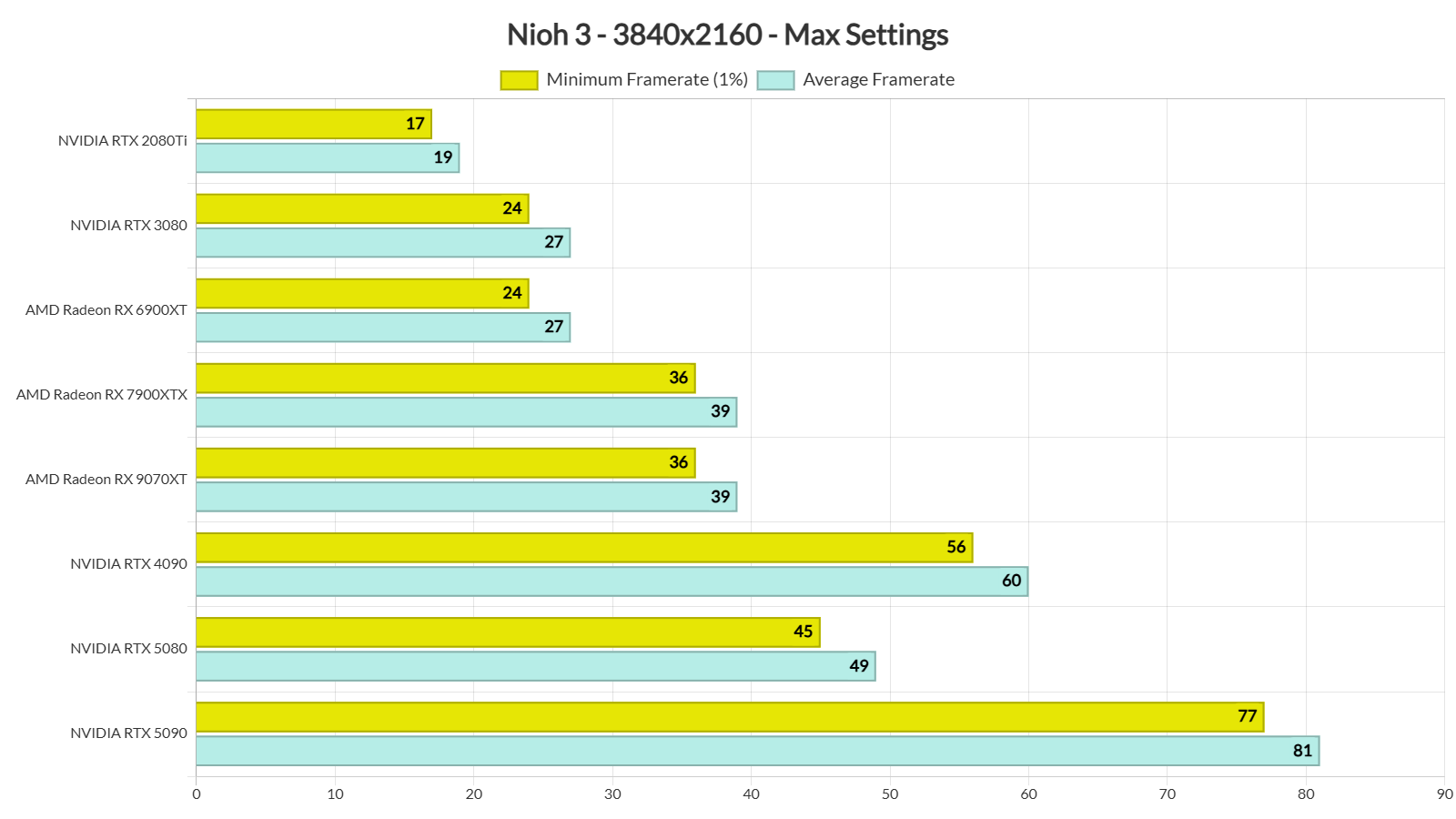
At 1440p/Max Settings, our top five GPUs were able to provide a 60FPS experience. As for Native 4K/Max Settings, the only GPU that can stay above 60FPS at all times is the NVIDIA RTX 5090. The NVIDIA RTX 4090 can also provide a smooth gaming experience, provided you use a G-Sync monitor.
As I said in my previous article, the main issue of Nioh 3 is its choppy camera movement when the framerate is not locked at 60FPS or 120FPS. Here’s what I mean: if the game is locked at 120FPS, the camera moves smoothly. But at 110FPS, you can see small stutters when you move the camera. The lower the framerate goes, the worse these stutters get. This means the game doesn’t feel smooth when the framerate jumps between 60 and 110FPS. Even if you lock the framerate at 110FPS, the camera still stutters. The only fix I found was to lock the game at 60FPS. This helps, but it still doesn’t feel as smooth as other games when they run with an unlocked framerate.
The good news for all NVIDIA RTX-50 series owners is that DLSS 4 Multi-Frame Gen can address these camera panning stutters. With DLSS 4 MFG X4, I was able to get a smooth camera panning with an unlocked framerate. I’ve played over 20 hours, and my experience has been excellent. So, if you own an NVIDIA RTX-50 series GPU and don’t want to limit your framerate to 60FPS, you’ll have to use MFG.
Graphics-wise, this is the best-looking Team Ninja game. Nioh 3 doesn’t look as impressive as other triple-A games that are out right now. But, compared to all the previous Team Ninja games, it looks better. The area you play in the demo is the most polished, as later areas had some weird lighting issues. Hopefully, the devs will fix them via a future patch. Nevertheless, Nioh 3 looks and runs way better than some other games like CODE VEIN 2. Not only that, but I did not experience a single stutter in the 20 hours I’ve spent on it. There are also proper KB&M prompts. The review code had an bug that prevented your from increasing the mouse speed (which you can fix by increasing your DPI). The devs told me that this issue will be fixed in the launch version.
All in all, this is the most polished Team Ninja game to date. This is miles better than Rise of the Ronin. My only gripe with Nioh 3 is the camera panning stutters when you have not locked the framerate to 60FPS or 120FPS. This seems to be a major engine issue. As such, I’m not sure whether the devs will be able to fix it. Regardless of that, Nioh 3 does not require a high-end PC system for gaming at 60FPS.
Enjoy and stay tuned for more!


John is the founder and Editor in Chief at DSOGaming. He is a PC gaming fan and highly supports the modding and indie communities. Before creating DSOGaming, John worked on numerous gaming websites. While he is a die-hard PC gamer, his gaming roots can be found on consoles. John loved – and still does – the 16-bit consoles, and considers SNES to be one of the best consoles. Still, the PC platform won him over consoles. That was mainly due to 3DFX and its iconic dedicated 3D accelerator graphics card, Voodoo 2. John has also written a higher degree thesis on the “The Evolution of PC graphics cards.”
Contact: Email