
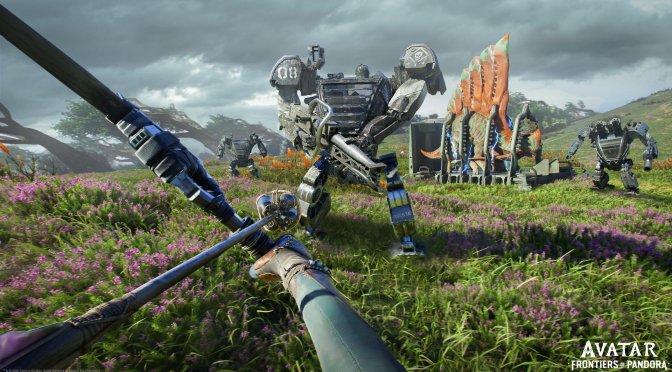
Ubisoft has released Title Update 2.5 for Avatar: Frontiers of Pandora and shared its full patch notes. So, let’s see what this new update brings to the table.
Patch 2.5 will make the game more stable. According to the changelog, the devs have fixed the issue where loading would get stuck at 18%. They have also resolved several high-occurrence crashes.
On PC, Ubisoft has improved performance for NVIDIA RTX 50 series graphics cards. The update also adds support for Ray Reconstruction. However, using Ray Reconstruction with the DLSS 4 Transformer model can cause small visual issues in some moments. Because of this, players must choose one option. You can use DLSS 4 Transformer for a sharper image, or use Ray Reconstruction for a better Ray Tracing denoiser.
And that’s not all. Patch 2.5 fixes several visual issues. It repairs missing textures on trees and the environment, and stops textures on characters from flickering. It also fixes the facial animation used for the ikran call. When changing body paint, the camera will no longer zoom in on the character’s legs. The update also adds new “Character Overrides” and “Ikran Paint” sections to the customization menus. These let players use new cosmetic items from From the Ashes.
Like always, Steam and Ubisoft Connect will download this new update the next time you launch their clients. Below, you can also find its complete changelog.
Avatar: Frontiers of Pandora Patch 2.5 Release Notes
Notable changes or improvements:
[All Platforms] Added a new option in the main menu for “From the Ashes”. This can be accessed without playing the main game’s story, allowing newcomers to jump right into the expansion.
[All Platforms] Added “Character Overrides” and “Ikran Paint” sections in the customization screens. These can be used to equip new cosmetics added with From the Ashes.
[All Platforms] Cosmetics now specify their compatibility with the main game and From the Ashes when selected.
[All Platforms] Resolved the issue where loading would get stuck at 18%.
[All Platforms] Resolved several high-occurrence crashes. We will continue to investigate additional crashes and will communicate about further fixes when we can.
[All Platforms] The “Inspect” screen for ikran cosmetics now allows panning and rotation of the ikran. This is accessible by pressing the “Pose” button.
[All Platforms] When changing body paints, the camera no longer zooms in on the character’s legs.
[All Platforms] Fixed missing textures on trees and the environment, as well as flickering textures on character models.
[All Platforms] Fixed the facial animation for the ikran call.
[All Platforms] Previously purchased items are no longer missing from the inventory.
[All Platforms] Eating a dish during “A Victory Celebration” no longer causes permanent debuffs.
[All Platforms] Additional Na’vi language adjustments (e.g. P’asuk is now Pasuk)
[PC] Improved performance on 50-series Nvidia graphics cards.
Known Issues:
These are issues we are aware of and actively investigating. We are following online conversation and tracking newly reported issues or bugs. Thank you for your feedback.
[All Platforms] Story progression for From the Ashes is wrongfully displayed as 90%, even after completing all quests.
[All Platforms] Several Journal entries are not unlocked despite meeting the unlock conditions.
[All Platforms] Ikran Paints menu contents and equipped paint will disappear when entering a co-op session. To restore them, we recommend leaving the co-op session and restarting the game.
[All Platforms] Bladewing Moth Wings may not upgrade item rarity if the game is played offline.
[All Platforms] Item quantity appears as 0 in the mailbox for all items received from the Weekly Crafting Materials Pack. This is visual only, and you will still receive the items.
[All Platforms] Some Clan Contribution quests do not properly update and cannot be completed.
[All Platforms] Crafting materials and cooked meals cannot be claimed from the Mail screen if the player already has one in the Pouch. It also displays the message “Item is already claimed”, which is erroneous. The items can be claimed if the one in the Pouch is used.
[All Platforms] Crafting materials and food dish containers can be looted when the pouch is full, causing the loot contained inside to disappear.
[All Platforms] Songcord and character models do not appear in the Songcord menu.
[All Platforms] Several UI / Localization issues.
[PC] Deleting a saved game, then pressing “continue” on another save using the keyboard will launch a new game instead. This issue does not appear when using the mouse instead of the keyboard.
[PC] Current selected Windows refresh rate is not recognized – the game always displays with your monitor’s maximum supported refresh rate.
[PC] The loading screen for transitioning to The Skybreaker story pack takes longer than intended.
[PC] Using Ray Reconstruction with the DLSS4 transformer model may cause slight visual issues at certain points.
[PC] When confirming video settings, the pop-up window’s “Revert” option does not work as intended.

John is the founder and Editor in Chief at DSOGaming. He is a PC gaming fan and highly supports the modding and indie communities. Before creating DSOGaming, John worked on numerous gaming websites. While he is a die-hard PC gamer, his gaming roots can be found on consoles. John loved – and still does – the 16-bit consoles, and considers SNES to be one of the best consoles. Still, the PC platform won him over consoles. That was mainly due to 3DFX and its iconic dedicated 3D accelerator graphics card, Voodoo 2. John has also written a higher degree thesis on the “The Evolution of PC graphics cards.”
Contact: Email