
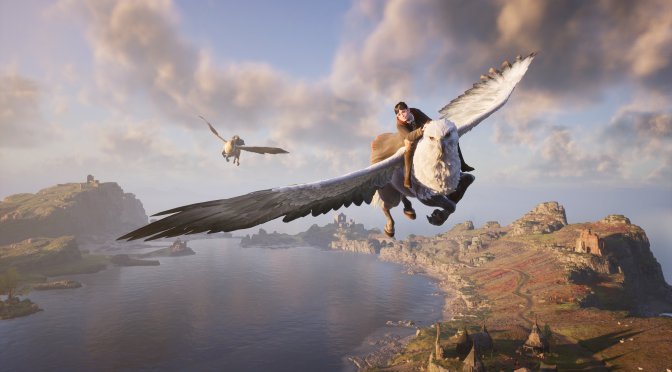
Earlier this month, Avalanche Software released a new update for Hogwarts Legacy. However, many players have reported that this update caused a lot of stability and crash issues on PC. So, if your game crashes every 5-10 minutes, here’s how you can fix it.
There are two ways to fix the crash problems in Hogwarts Legacy. First, you can downgrade the game to its previous version. Second, you can turn off HAGS (Hardware Accelerated GPU Scheduling).
For the first method, you’ll have to follow this guide. I don’t recommend this though as you won’t benefit from the latest fixes and QoL improvements that the latest update brought to the table. Not only that but it requires numerous steps and some may not be able to do everything right. Still, if you want to downgrade to the previous version, here’s how you can do it.
As said, the second method is to disable HAGS (Hardware Accelerated GPU Scheduling). To do this, you’ll have to follow this guide.
- Click on Start > Settings > System > Display.
- Scroll down on the right, and click on “Graphics.”
- Click on “Change default graphics settings.”
- Toggle the “Hardware-accelerated GPU scheduling” option off.
Do note that once you disable HAGS, DLSS 3 Frame Generation won’t work in any game. To be able to use DLSS 3 FG, you’ll have to re-enable HAGS. So, make sure to keep that in mind.
As I said, I recommend using the second solution. Avalanche Software is working on a patch to fix the issue. Sadly, though, there is no ETA on when it will come out. So, until it does, you can use this workaround to stop the game from crashing.
Kudos to our reader “Lefteris” for bringing this to our attention!

John is the founder and Editor in Chief at DSOGaming. He is a PC gaming fan and highly supports the modding and indie communities. Before creating DSOGaming, John worked on numerous gaming websites. While he is a die-hard PC gamer, his gaming roots can be found on consoles. John loved – and still does – the 16-bit consoles, and considers SNES to be one of the best consoles. Still, the PC platform won him over consoles. That was mainly due to 3DFX and its iconic dedicated 3D accelerator graphics card, Voodoo 2. John has also written a higher degree thesis on the “The Evolution of PC graphics cards.”
Contact: Email