
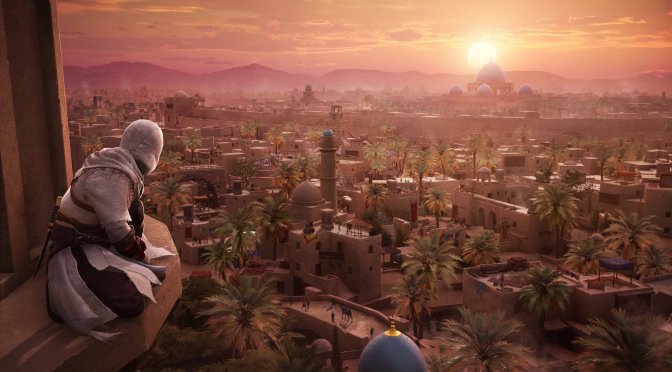
Ubisoft just released Title Update 1.0.5 for Assassin’s Creed Mirage. Now, players can switch off Chromatic Aberration with a new setting. Also, the game’s visuals got some cool upgrades. Read on to learn about all the changes.
Title Update 1.0.5 has solved various visual problems in Assassin’s Creed Mirage. These include issues with how non-player characters (NPCs) move, act, and interact. It also fixed problems with clothes on NPCs and made several animation improvements, like making Basim’s leg movements more natural. Additionally, the update now ensures that NPCs look better even when they are nearby. Lastly, it takes care of a FOV issue that could happen after a cinematic if players had changed their FOV settings.
This patch also gives you the choice to turn the background music on or off during the call to prayer. Additionally, it comes with many fixes to make the game more stable, so it should crash less on your system. And, if you change the refresh rate setting, it will now show the correct value.
Lastly, there’s a free DLSS 3 Frame Generation Mod available for this AC game. In case you were wondering, Ubisoft hasn’t shown any plans to add it directly into the game. So, if you have an RTX 40 series GPU, we recommend getting and using it.
Like always, Ubisoft Connect and EGS will download this update the next time you launch their clients. As said, Title Update 1.0.5 is 4GB in size on PC. Below you can also find its full patch notes.
Assassin’s Creed Mirage Title Update 1.0.5 Release Notes
GENERAL
Addressed:
- Added an option to enable/disable Chromatic Aberration.
- Whilst wearing the Fire Demon outfit, players would not receive the correct number of shards after assassinating any ISU Hunter.
- Basim now has an equal chance to play any of his take down animations during front executions.
- Fixed issues with store rewards.
- Fire Eater enemies hitbox is now properly considering one shot kills with the throwing knife when breaking the oil jar on their back.
QUESTS
Addressed:
- “Speak with Ali” – Ali is no longer stuck.
- “Follow the Fiery Trail” – Removed blockers from investigation objective.
- “Nehal’s Calling” – Player can now access the final clue.
GRAPHICS, UI AND ANIMATIONS
- Numerous visual improvements on environment, VFX and weapons.
- Fixed multiple NPC navigation, animation, and interaction issues.
- Fixed clothes corruption on NPCs.
- Various animation fixes, including unnatural leg movements for Basim.
- Fixed a FOV pop after a cinematic when FOV settings have been modified by the player.
- Fixed NPC rendering from short distance.
- Store page display improved.
- Reward notifications appear properly when opening medium chests.
- Key icon & quest objective now remains above the head of NPCs in Eagle Vision.
- Highlight on NPCs lasts for a shorter amount of time in Eagle Vision.
- Cinematics should now run properly after credits.
AUDIO
- Option added to enable/disable background music during call to prayer.
- Fixed animal sound effects.
COMPATIBILITY
- Improved OWO Haptic Suit support.
- Fixed number of active monitors for laptop players.
STABILITY
Addressed:
- Multiple stability improvements.
MISC
- Fixed time tracking for hours played on PS5.
- Offline achievements now transmit to 1st party.
- Fixed issue with Japanese PS5 button mapping.
- The refresh rate option in the settings now displays the correct value.
- Master Assassin Upgrade #1 and Master Assassin Upgrade #2 are now displayed in the in-game Store.
- Update to game credits.
- When loading into the game, the main menu music will no longer infinitely loop and will transition smoothly.

John is the founder and Editor in Chief at DSOGaming. He is a PC gaming fan and highly supports the modding and indie communities. Before creating DSOGaming, John worked on numerous gaming websites. While he is a die-hard PC gamer, his gaming roots can be found on consoles. John loved – and still does – the 16-bit consoles, and considers SNES to be one of the best consoles. Still, the PC platform won him over consoles. That was mainly due to 3DFX and its iconic dedicated 3D accelerator graphics card, Voodoo 2. John has also written a higher degree thesis on the “The Evolution of PC graphics cards.”
Contact: Email